[TDE] Creating touchstone warp points without using touchstones
Introduction
Welcome to my incredible guide which I wrote after trying this programming language once lol !! I am by no means experienced and my code is probably horribly inefficient, nevertheless I was told I could share this little hack before the devs make it a feature (eventually maybe idk i can't confirm anything.)
First off, if you are playing in a survival world, this is probably something you would consider cheating, but if you're playing in Creator mode, this just makes things more convenient. Also this obviously only works if you are the owner of the server.
Messing with game files is sometimes unpredictable so make sure you either have a backup or are using an unimportant testing world.
And I tried to make it somewhat friendly to all users and maybe I'm not so good at that, but I have at least tried to help out in navigating DB4S.
Preparations
Close your server and make sure you know its Local Server Path (the name of the folder.) For new worlds it will just be named after the world name, for migrated worlds, you can see it under the description when you click to start it. You will also need this to find your world files.
Download DB4S
Click the download button
Get the correct version for your OS
Run the installer or do whatever you need with the zip
I'm sure there are other programs for viewing databases but this is what I used for this guide to explain things to people who (like me) may not understand what sqlite is
Meddling with the world files
World files are located here:
user\AppData\Local\PlayfulCorp\CreativerseServer\worlddata\worlds
Again, you may want to have a backup of your world or at least the PersistedData.sqlite file.
Open the PersistedData folder in your world folder and then open the PersistedData.sqlite file using DB Browser.
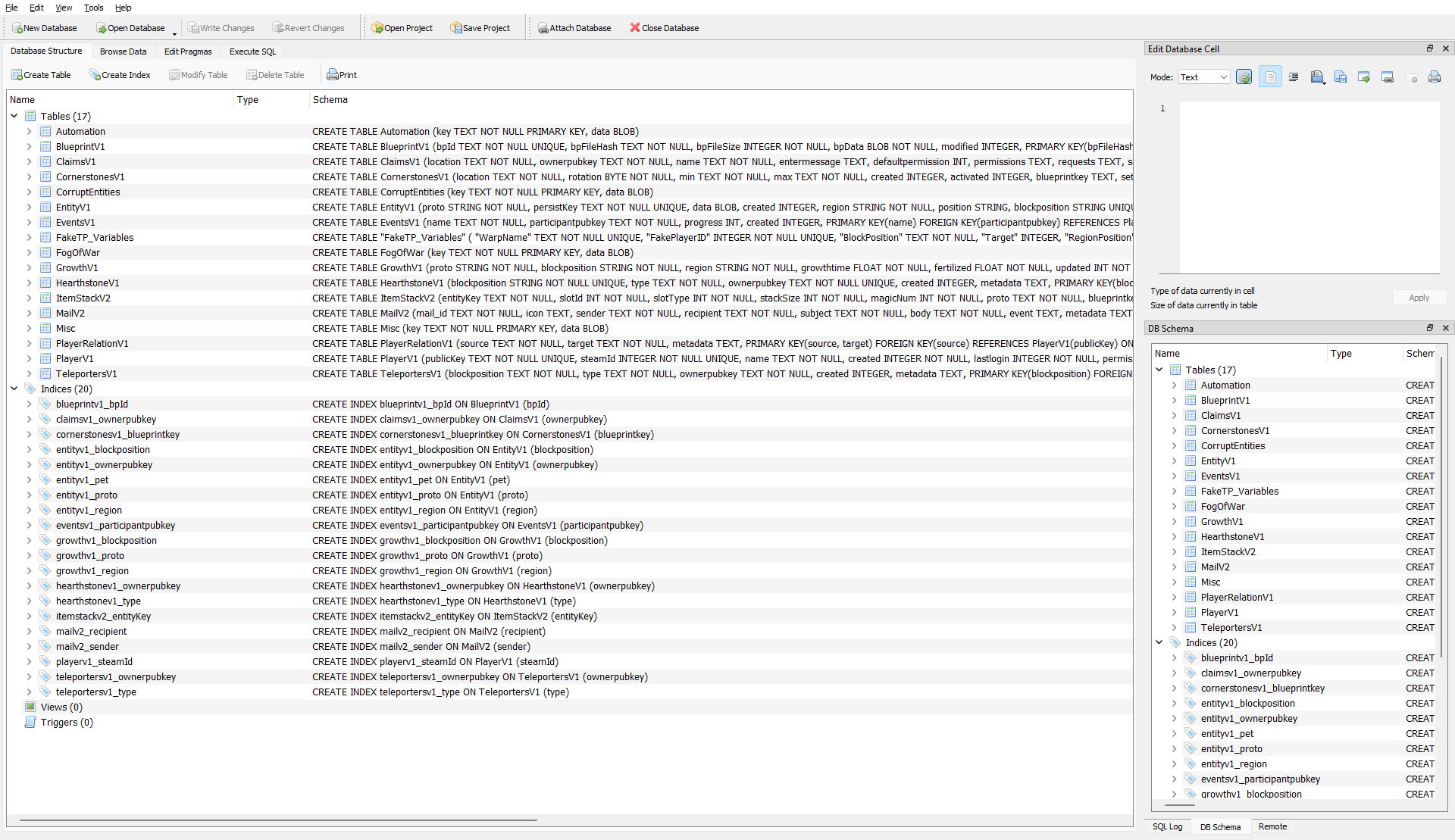 Click the "Execute SQL" button near the top of the screen:
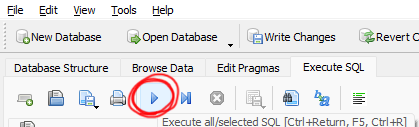
 Paste in the following code to create the new table that you will use for creating warp locations:
Then hit this button to run the code:
Next, head over to "Browse Data" to the left of "Execute SQL" and select the CustomWarpPoints table from the drop box underneath
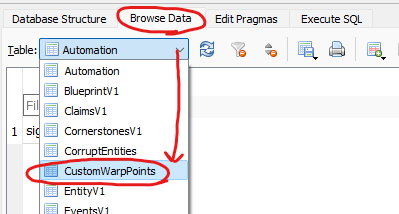
CustomWarpPoints table guide
This will create an empty row that needs to be filled out precisely or my code will probably die:
- Under WarpName, input whatever you want the touchstone to be called when you open the touchstone list in game.
- Under FakePlayerID, input a unique number between 1000-9999 (hopefully you don't have more than 8999 destinations lol)
- Under BlockPosition, input the coordinates you want the warp point to be. Don't separate them or anything, just something like this: -520 140 -10
- Under Target, just put 1. Unless you already have another row with the target as 1, then put 0. The important thing is to not have multiple rows with target = 1 because my code will probably break.
- The rest of the columns are auto generated later for debugging and whatnot, don't put anything there.
Keep in mind that all entries in CustomWarpPoints are merely collections of all the data needed to actually initialize the warp point in the world (a PlayerV1, EntityV1, and HearthstoneV1 entry). CustomWarpPoints is created for easier organization and the game does not respond to it in any way.
Initializing warp points
I hope your world has been closed this whole time but if it hasn't you should close it now.
If you created multiple CustomWarpPoints rows, double check that only one of them has the Target cell equal to 1.
Go back to the Execute SQL screen and run the initializer code.
Initializer:To confirm it worked without being in-game, check that the extra fields on the right of the CustomWarpPoints table are filled, and check the HearthstoneV1 table to make sure you can see the new touchstones that say 0 under "created".
The code automatically resets the target to 0, if you need to start another warp point, set its target value on the CustomWarpPoints table to 1 and run the same code again.
Editing and deleting warp points
To edit a warp point, the most convenient thing to do is to destroy it and re-initialize it to avoid manually changing values in multiple tables.
To destroy a warp point, set its target value to 1 (make sure all others are set to 0) and run the destroyer code.
Note that this does not delete the CustomWarpPoints entry. If you also want to delete the entry from the CustomWarpPoints table afterward, you may do so manually by clicking on the row and pressing delete, or editing the code to delete it automatically.
Save your changes!!!
Things to note
- I literally have never used this language so my code is probably inefficient but it doesn't need to be and it's less prone to error than doing it manually.
- This method does not actually place any block, so not only is it invisible, (unlike touchstones) it can also be placed inside a block lol
- Making these warp points private through the metadata makes them inaccessible to anyone and functionally useless
- If you want important warps showing up above the player warps, just add a - at the beginning or something.
- entuland said i can post this, it's fine
- You may replace the values on the lines 20-22 of the warp creator that concatenate with FakePlayerID, the top two should be different, 28-digit hexadecimals (or less if you want more than 4 digits of destinations, just so it adds up to 32), and the number for the fake SteamID can really be anything as long as you only use 0-9 and don't add up to the 17 digits of actual SteamIDs if you don't want to.
- I couldn't be bothered to figure out what the timestamp format is, so all the "created" fields are 0 which means you will have a bunch of FakeTPPlayers in your playerlist that haven't joined the world since the 1900s. Don't worry, CV wasn't around back then.
- comment if you need clarification or if i missed something or if something is broken or if you have a suggestion idk i'll probably respond
Have fun :)
- Useful Tips & Tricks★ 5 (306)18k views373 ♥3 minUpdated 10 Jan, 2017
- Getting Started in Creativerse★ 5 (252)17k views248 ♥5 minUpdated 10 Jul, 2017
- Все о Ресурсах★ 5 (208)8k views248 ♥3 minRussianUpdated 14 Nov, 2015
- Русификатор игры7.5k views55 ♥1 minRussianUpdated 27 Dec, 2022
- Секреты, хитрости и тонкости...★ 5 (166)6.7k views233 ♥8 minRussianUpdated 26 Feb, 2016
- How To Setup Machines★ 4 (111)3.2k views144 ♥16 minUpdated 15 Mar, 2017


- Upgrading to PremiumTeam Fortress 2★ 5 (20k)1441k views11k ♥6 minUpdated May 11, 2022
- No More Room in Hell Official ManualNo More Room in Hell★ 5 (2.8k)569k views2.1k ♥29 minUpdated Apr 22, 2019
- NMRiH Community Hosting GuidesNo More Room in Hell★ 5 (526)351k views653 ♥1 minUpdated Aug 10, 2022
- ULTIMATE GUIDE FOR GAME DEV TYCOONGame Dev Tycoon★ 5 (5.8k)326k views10k ♥4 minUpdated 23 Jan, 2014
- How to 'Git Gud' Soon™MORDHAU★ 5 (2k)318k views3k ♥68 minUpdated Nov 16, 2024
- Лучшие кооперативные игры SteamPAYDAY 2★ 5 (1.5k)315k views2.1k ♥56 minRussianUpdated Apr 27, 2025






This guide was created by its original author on the Steam Community. Are you the author and want it removed? Request removal.