去月球(To the Moon)如何取得結局成就
說明
去月球(To the Moon)的成就也就一個而已──結局劇情結束自動取得,偏偏要拿到這個成就比遊戲過關還要繁雜XD。花了一些時間實驗如何取得成就,請參考我的方法:
步驟
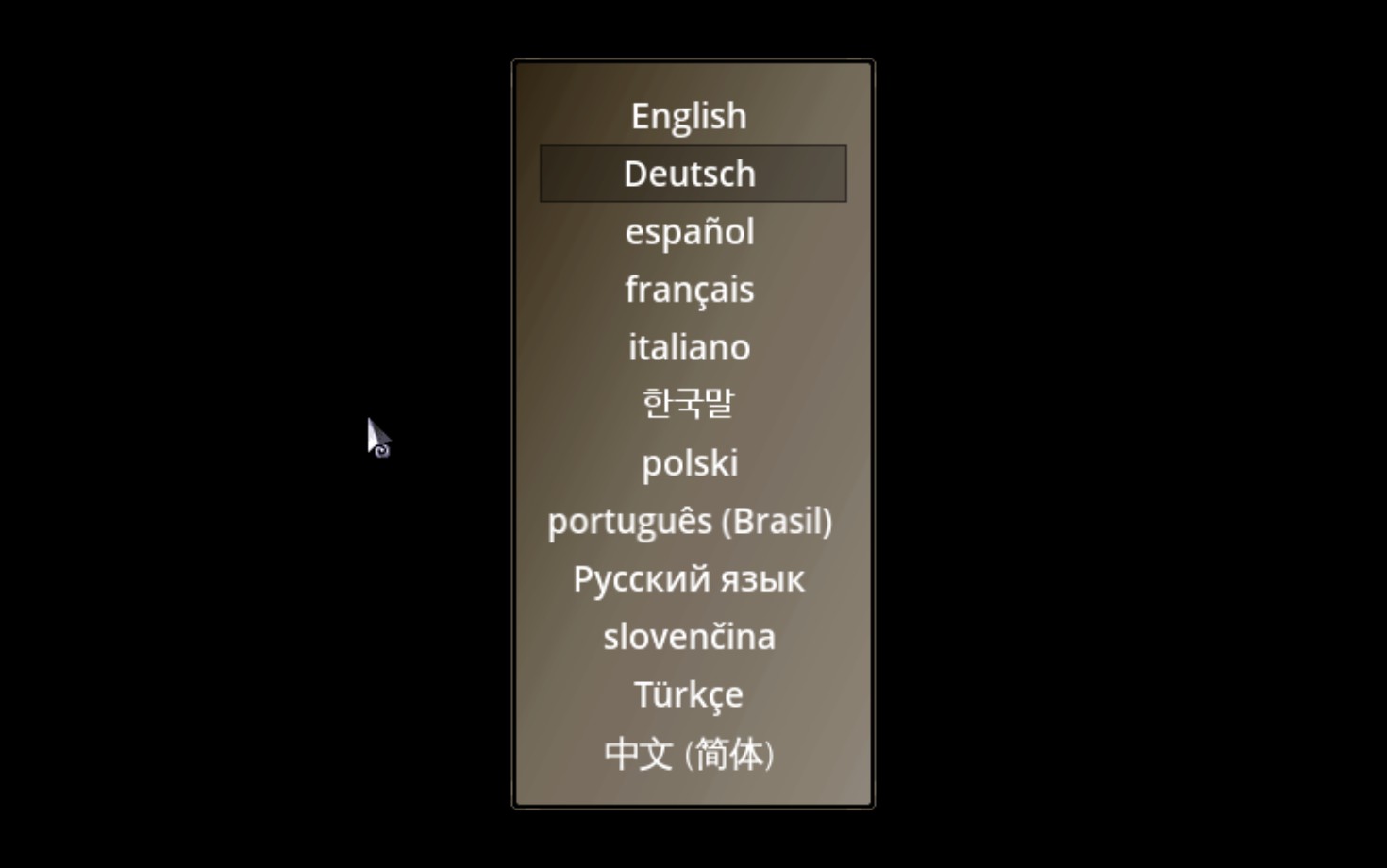
- 進入遊戲,顯示主選單之前按鍵盤的F7,將遊戲語言改為English,離開遊戲。
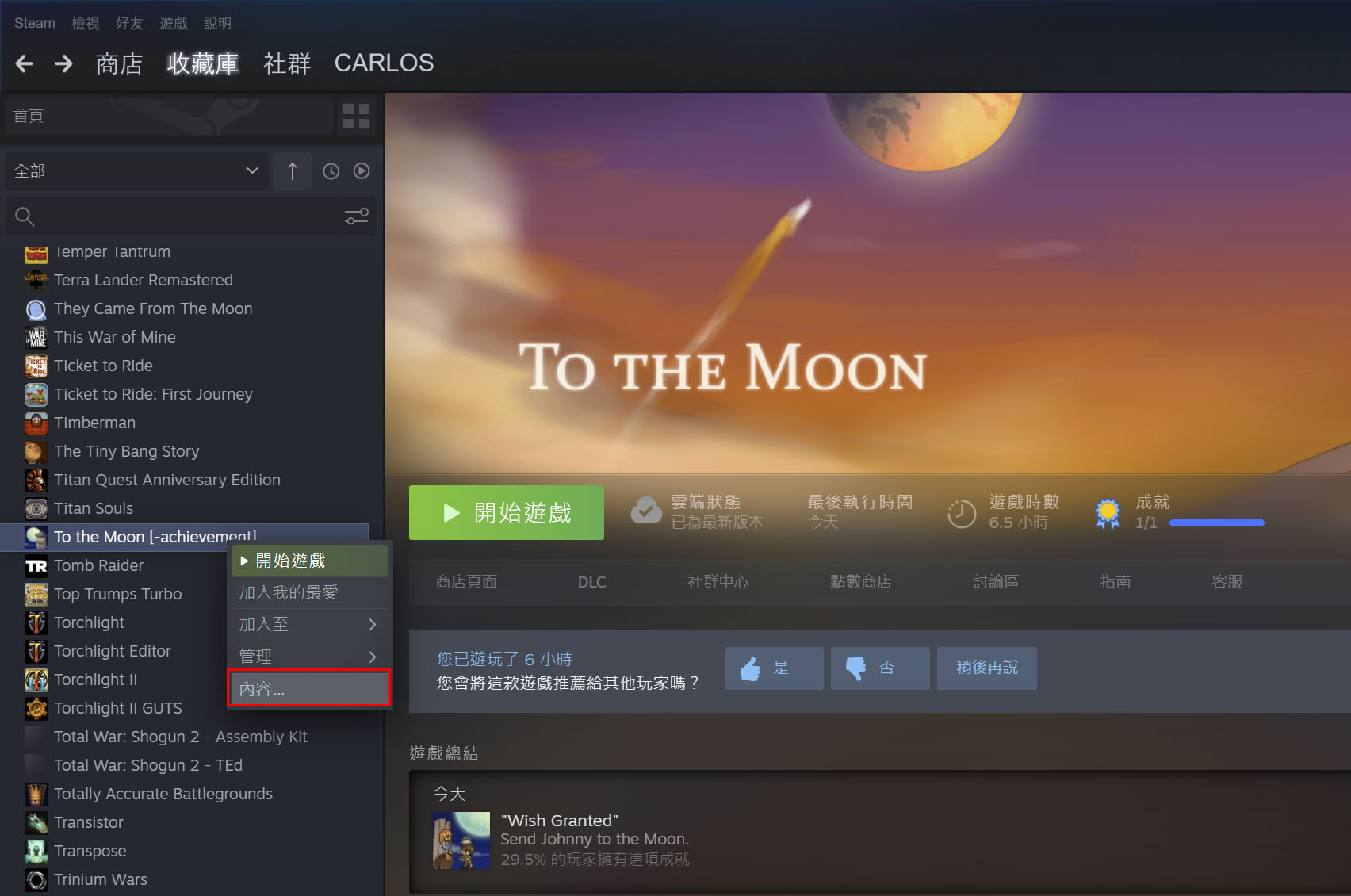
- 到Steam收藏庫 → To the Moon → 滑鼠右鍵點選內容。
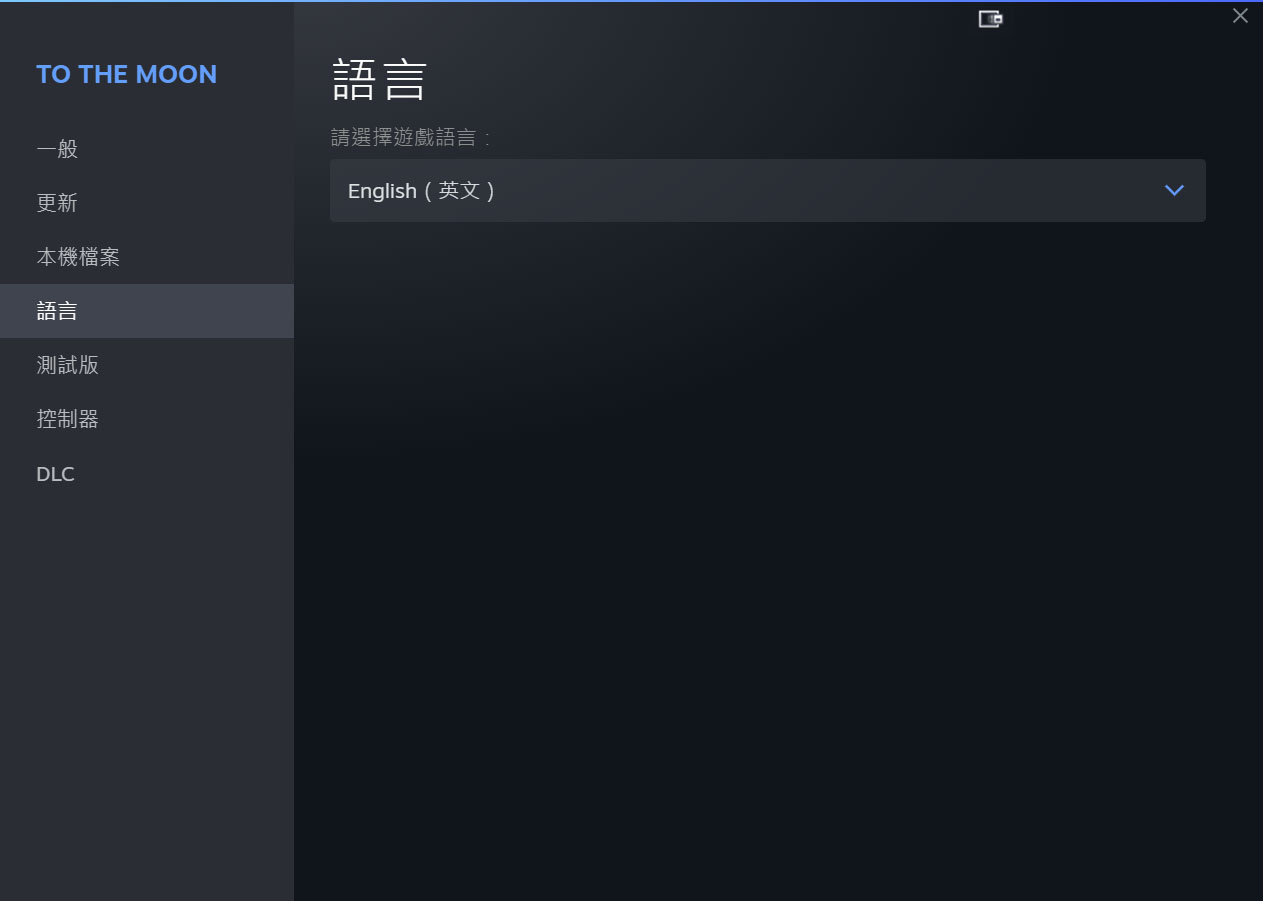
- 確認語言為English(英文)。
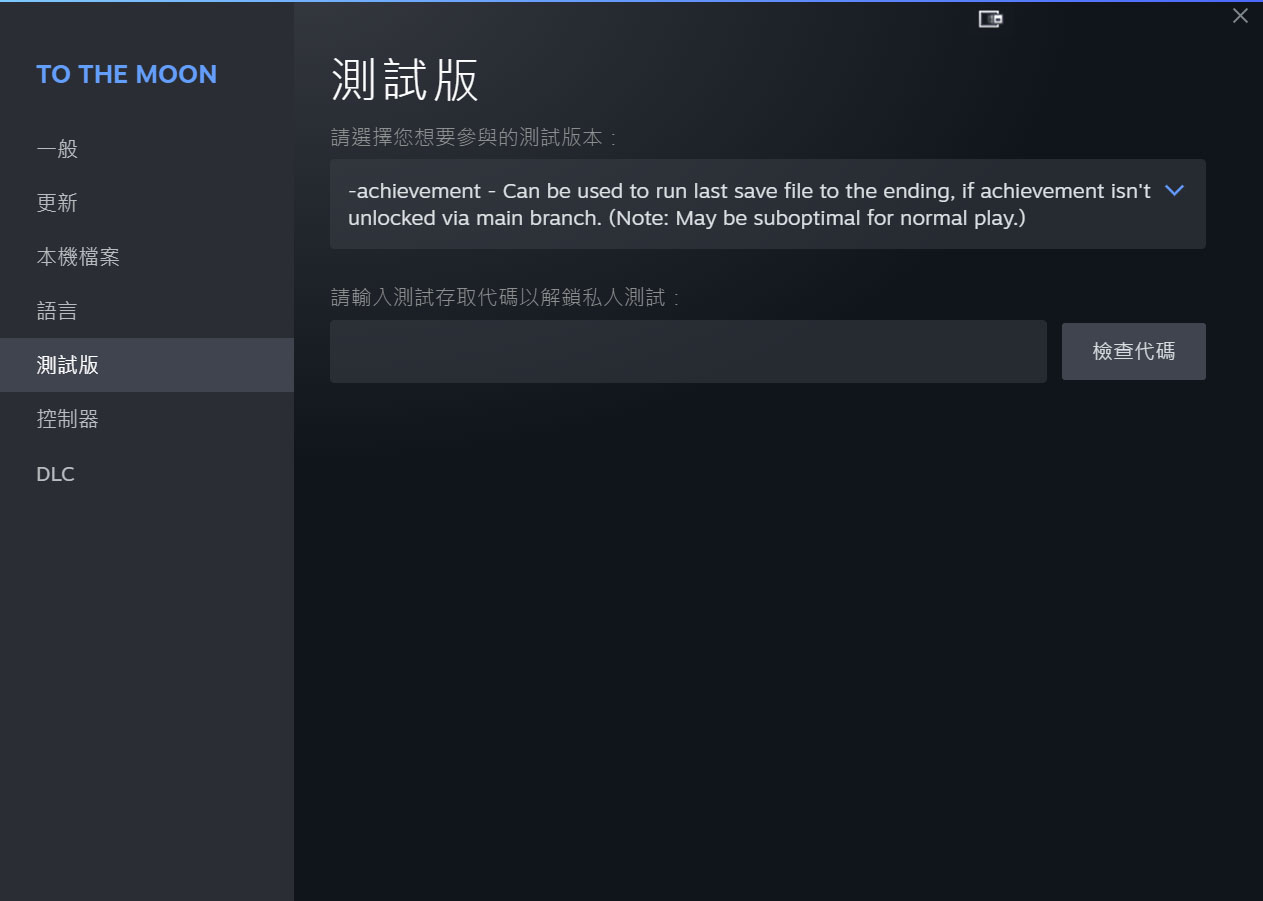
- 將測試版選單改為:
-achievement - Can be used to run last save file to the ending, if achievement isn't unlocked via main branch. (Note: May be suboptimal for normal play.)
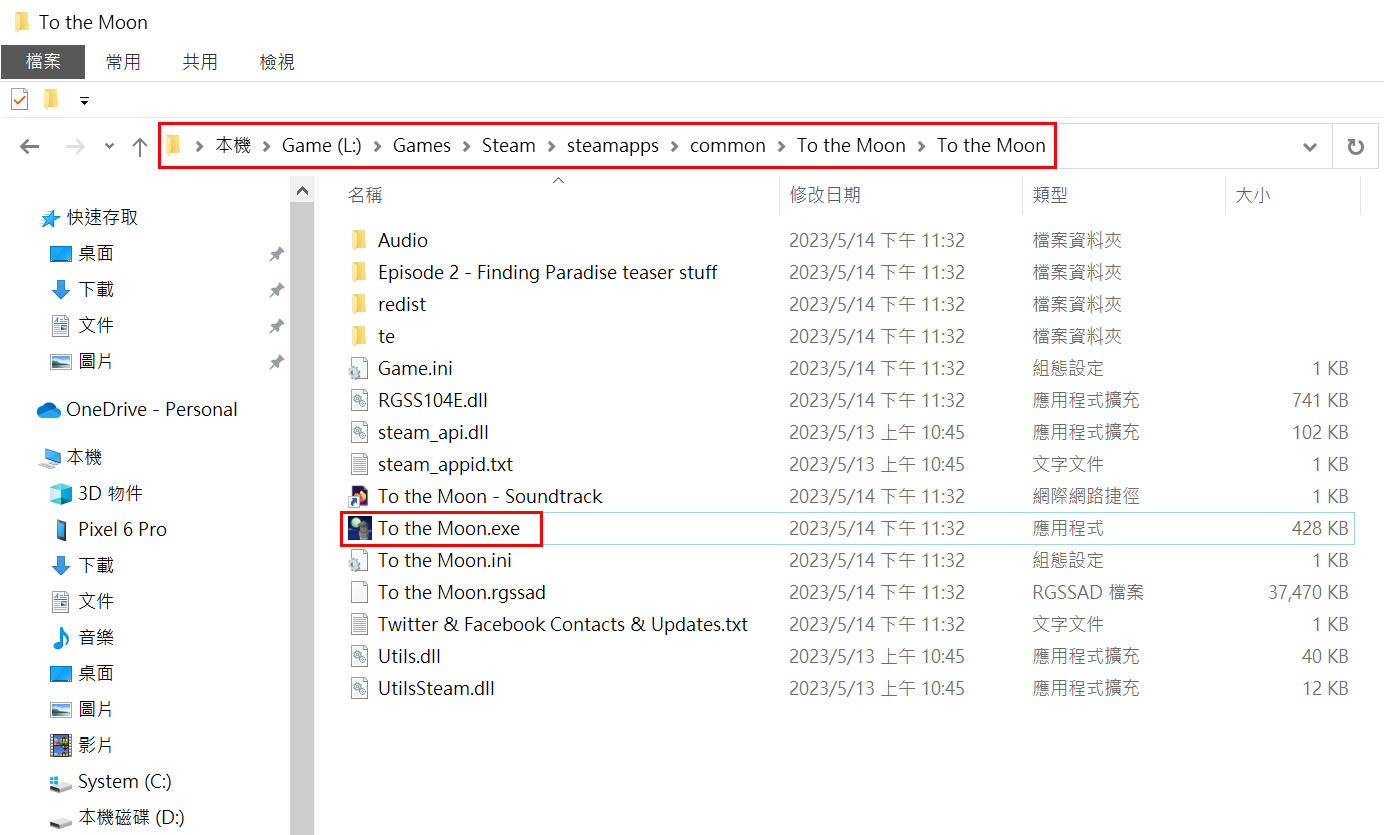
- 到遊戲安裝路徑,找到To the Moon.exe,滑鼠右鍵點選內容。
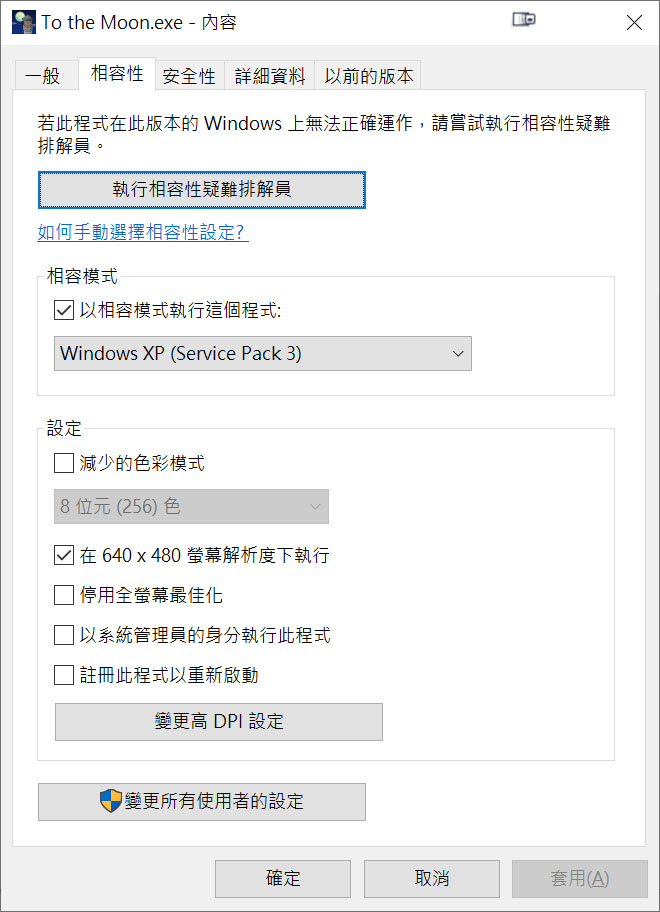
- 最重要一點,我的作業系統是Windows 10版本22H2,一定要改相容性設定,不改的話遊戲會強制退出(普通版不需改相容性就可玩)。我只設定兩項:
Windows XP (Service Pack 3)
在 640 x 480 螢幕解析度下執行
- 在該目錄點選To the Moon.exe,進入遊戲,選擇最後關卡記錄跑完劇情,應該可以取得結局成就。最後記得將測試版改回普通版,相容性改回原本設定。
參考文章:
- 去月球--To the Moon成就解锁[www.bilibili.com]
More To the Moon guides
- Достижение "Wish Granted"★ 5 (787)24k views168 ♥1 minUpdated Jul 2, 2024
- Understanding What Really Happened★ 5 (374)11k views142 ♥2 minUpdated Oct 29, 2024
- Memento Puzzles Perfect Solves★ 5 (220)11k views153 ♥1 min
- Русификатор Sigmund minisode 1-2 [Tolma4 Team]★ 5 (308)7.5k views167 ♥1 minRussianUpdated Jan 5, 2017
- 理解《去月球》故事背后的真相★ 5 (221)7.3k views99 ♥1 minSimplified Chinese
- Logros "Wish Granted".★ 5 (205)6.7k views30 ♥1 minSpanishUpdated Jan 16, 2014


This guide was created by its original author on the Steam Community. Are you the author and want it removed? Request removal.