Unlock FPS 80 Second Video
Please keep in mind there may be some bugs when reaching 30+ FPS!
Also, your system specs will play a pivotal role (Thank you, PhantomNatsukiYT).
Step 1
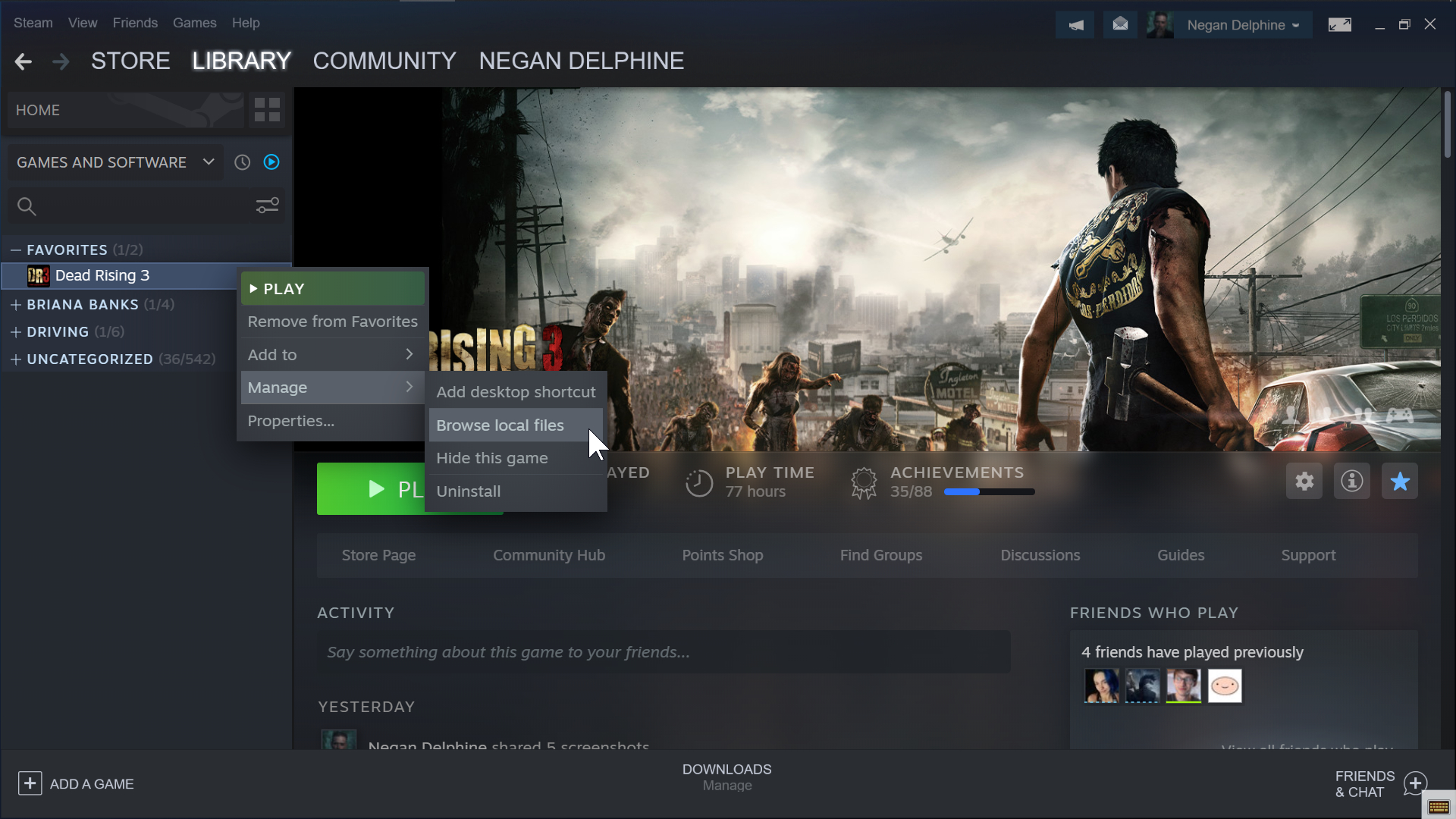 Right click Dead Rising 3 > Manage > Browse local files
Step 2
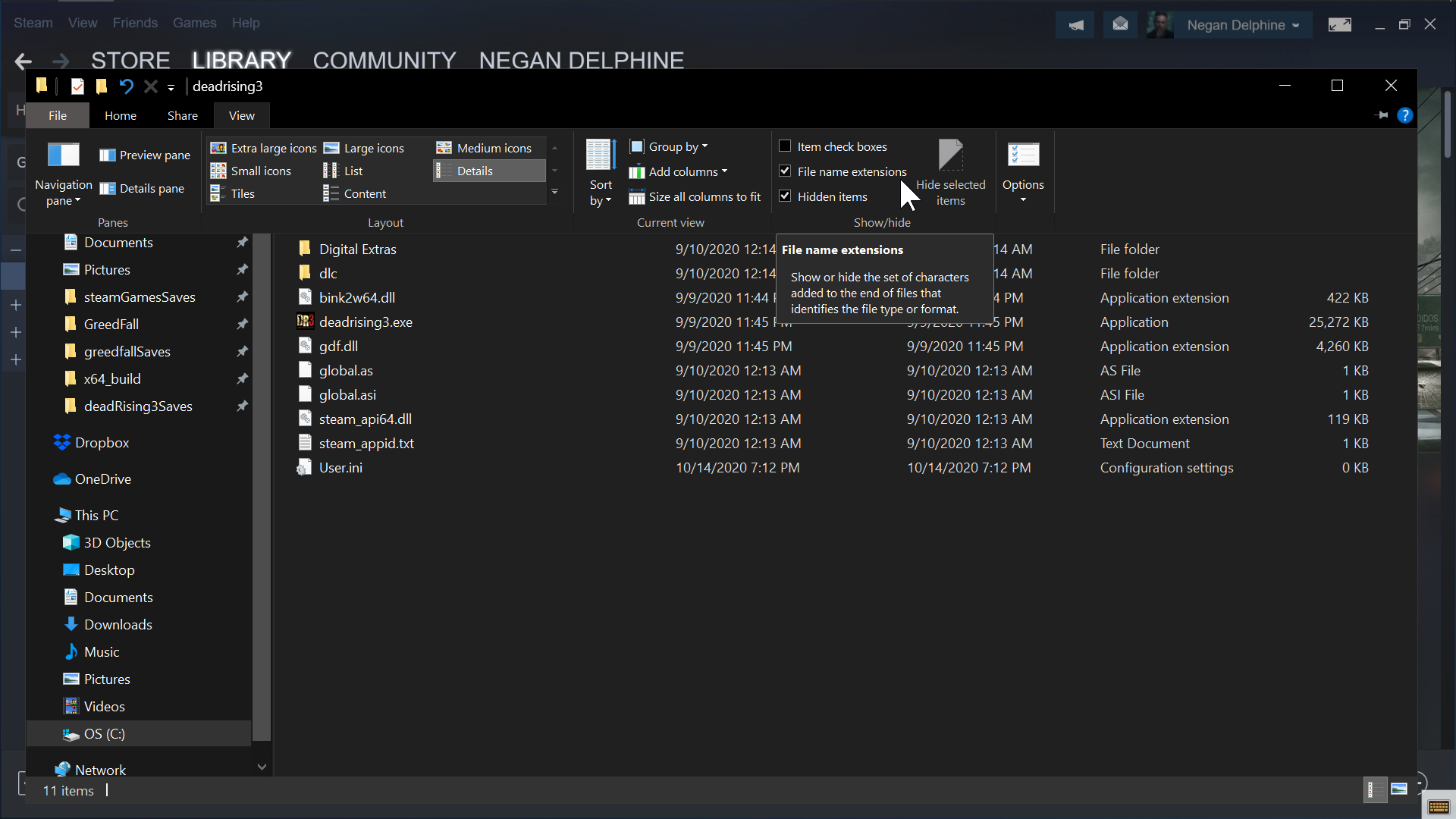 Click View > check File name extensions
Step 3
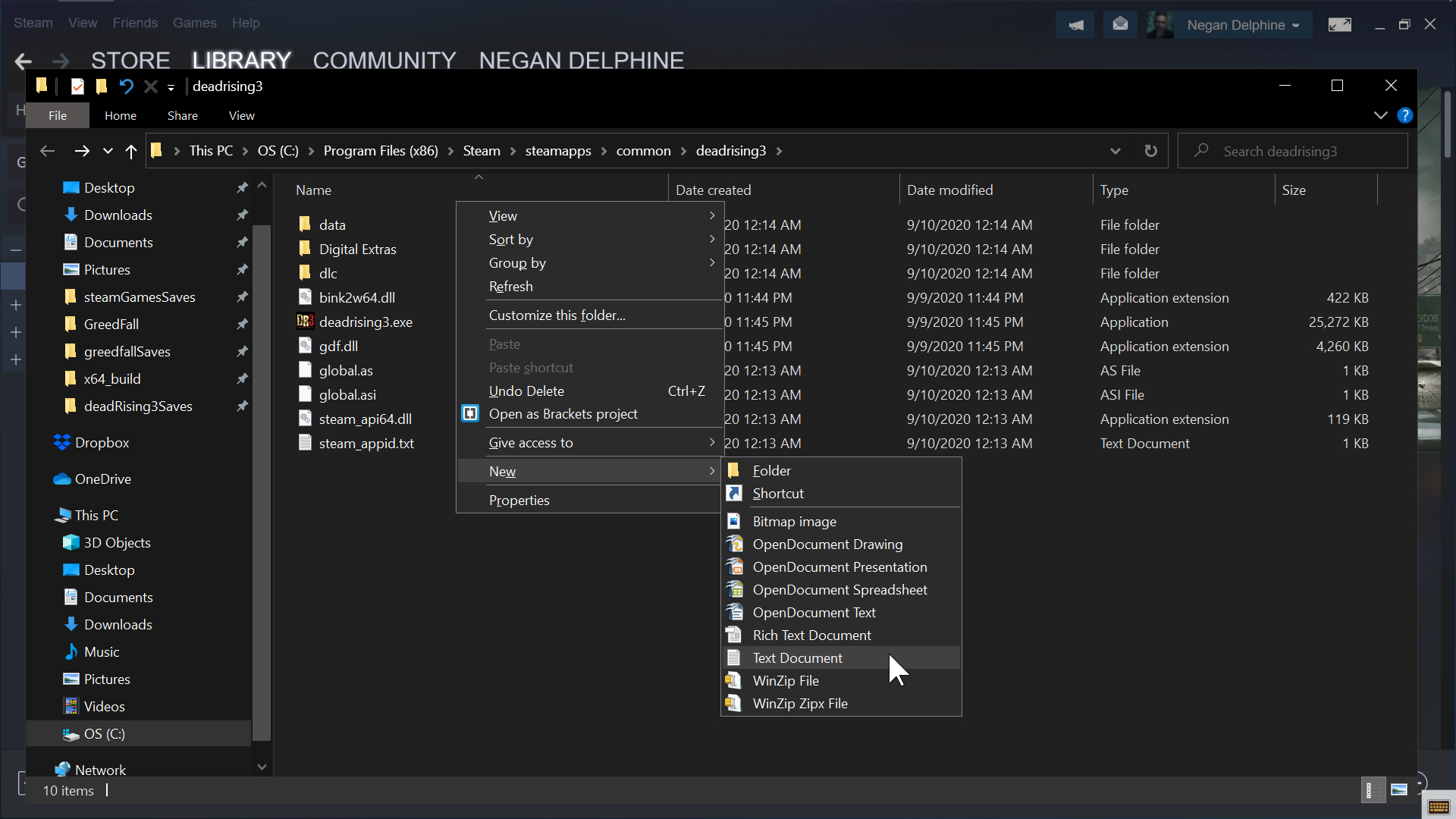 Create a new Text Document > rename the file as User.ini and press Enter.
Step 4
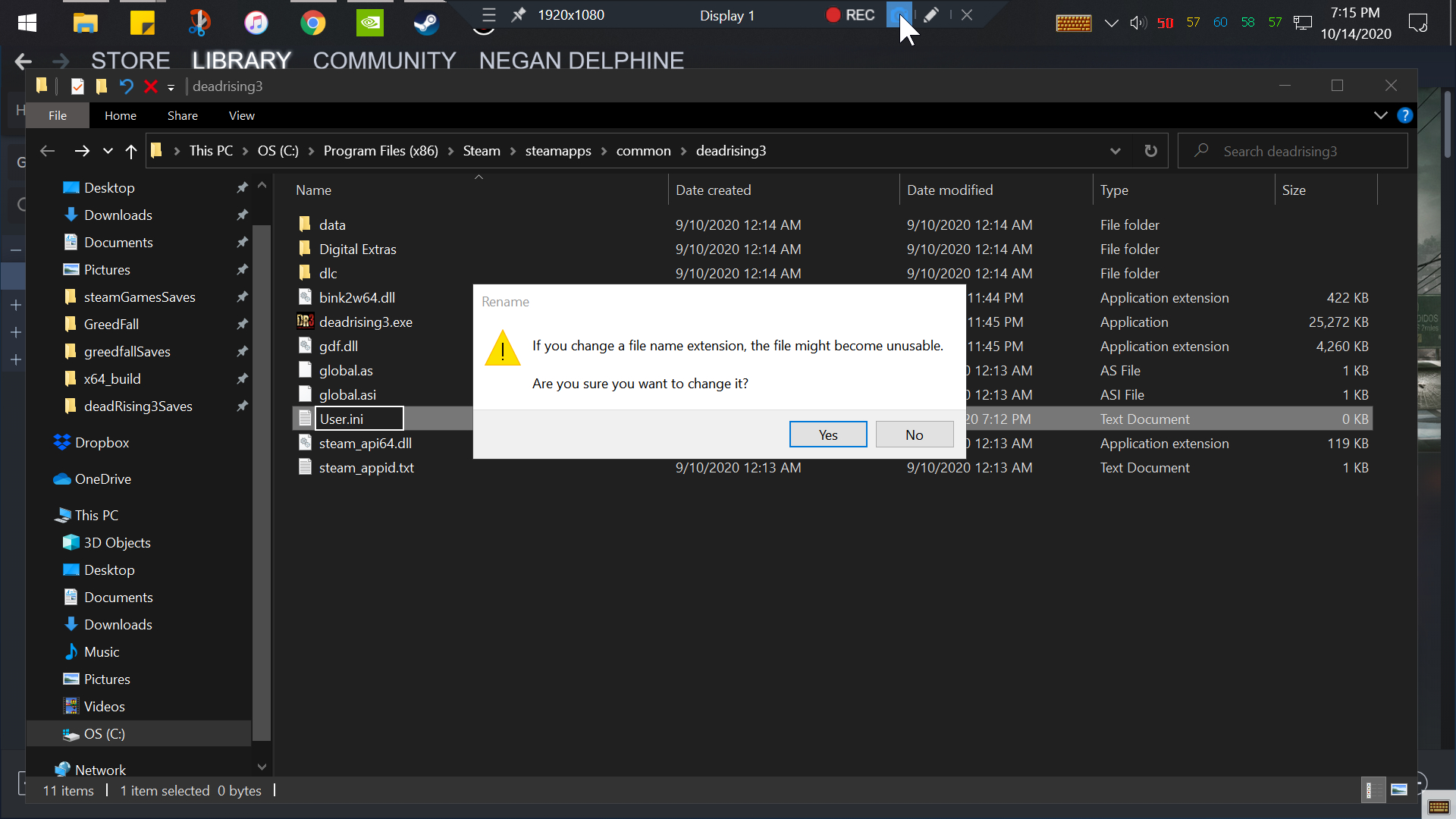 'Yes! Yes! Yes!' - Daniel Bryan
Step 5
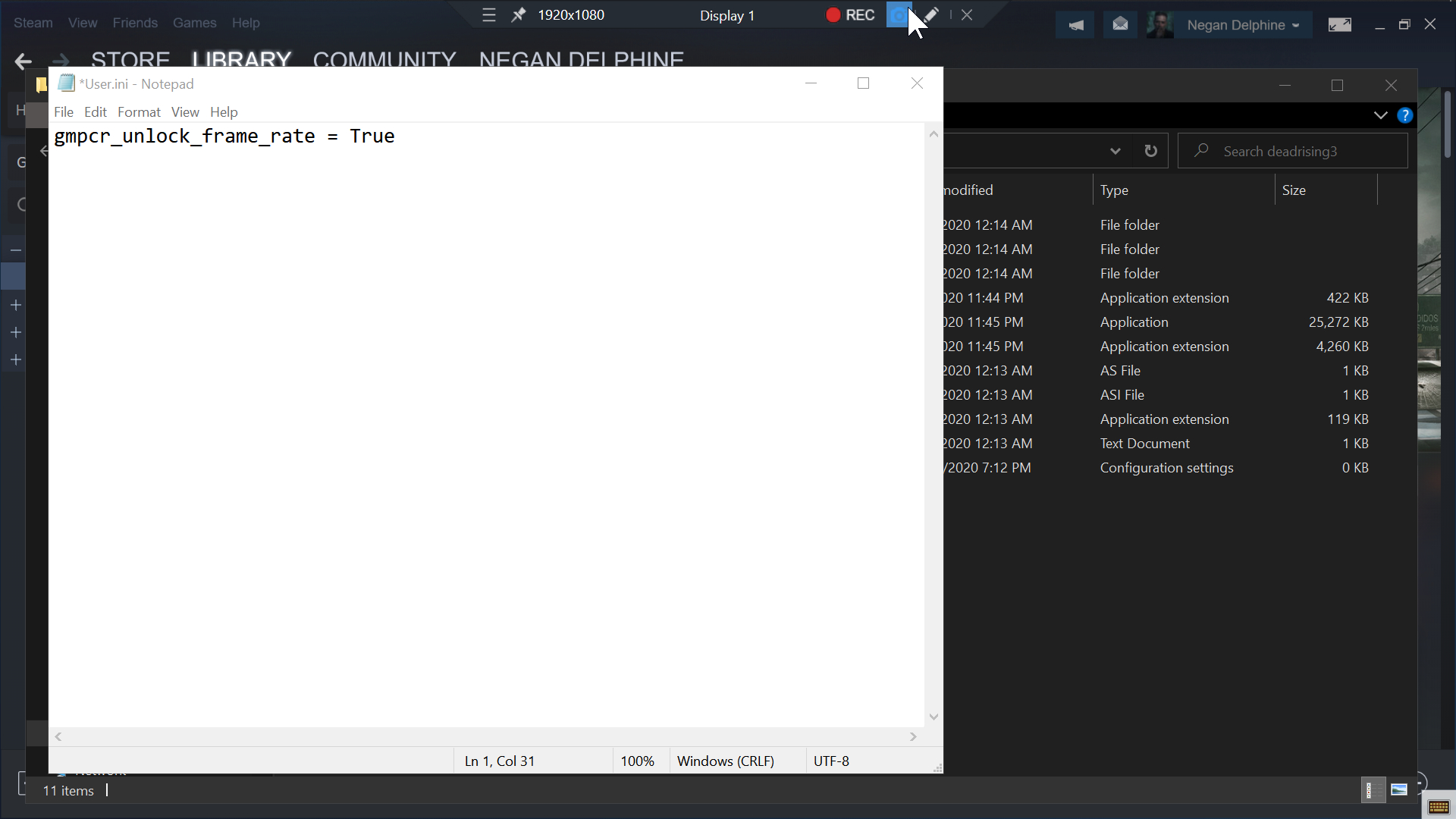 Open the User.ini file > type gmpcr_unlock_frame_rate = True > Save > Exit
Step 6
Launch the game > disable Vertical sync (Vsync) > enjoy!
123,456 kills mostly with the Steamroller! I think it's finally a good time to call it quits to a great game! (Election Day) 11042020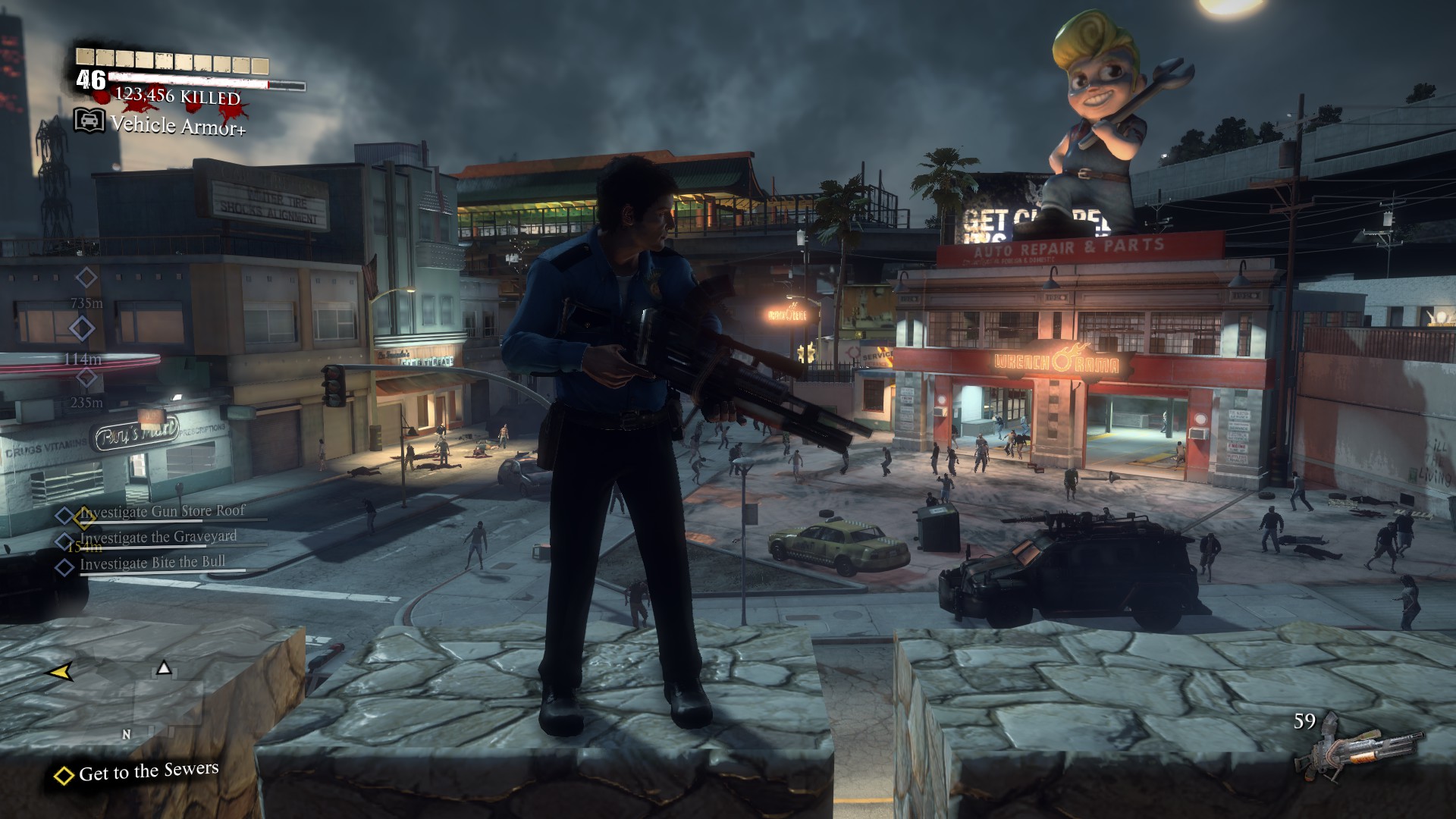
More Dead Rising 3 guides
- How To Unlock The Framerate On Dead Rising 3★ 5 (316)38k views307 ♥1 minUpdated 5 Sep, 2014
- For those who cannot uncap fps 30★ 5 (484)34k views491 ♥1 min
- Снимаем ограничение в 30 фпс.★ 5 (408)17k views313 ♥1 minRussianUpdated 25 Dec, 2016
- All Costume Locations★ 5 (454)16k views735 ♥16 minUpdated 11 Nov, 2020
- 100% Achievement Guide + DLC (by THN)★ 5 (479)16k views911 ♥25 minUpdated 7 Jan, 2021
- FOV Fix Mod★ 4 (97)9.9k views153 ♥1 minUpdated 14 Jul, 2021



🔥 Popular guides
- Upgrading to PremiumTeam Fortress 2★ 5 (20k)1441k views11k ♥6 minUpdated May 11, 2022
- No More Room in Hell Official ManualNo More Room in Hell★ 5 (2.8k)569k views2.1k ♥29 minUpdated Apr 22, 2019
- NMRiH Community Hosting GuidesNo More Room in Hell★ 5 (526)351k views653 ♥1 minUpdated Aug 10, 2022
- ULTIMATE GUIDE FOR GAME DEV TYCOONGame Dev Tycoon★ 5 (5.8k)326k views10k ♥4 minUpdated 23 Jan, 2014
- How to 'Git Gud' Soon™MORDHAU★ 5 (2k)318k views3k ♥68 minUpdated Nov 16, 2024
- Лучшие кооперативные игры SteamPAYDAY 2★ 5 (1.5k)315k views2.1k ♥56 minRussianUpdated Apr 27, 2025






This guide was created by its original author on the Steam Community. Are you the author and want it removed? Request removal.