Browser-Based Save Editor - Dwellers, Rooms, Seasons, Family Tree & More
Overview
The existing save editors each covered maybe half of what I wanted, so I built one that does it all in one place:
https://dneverson.github.io/fallout-shelter-save-editor
It runs entirely in your browser. Your save never leaves your machine. Free and open source (source code on GitHub[github.com]).
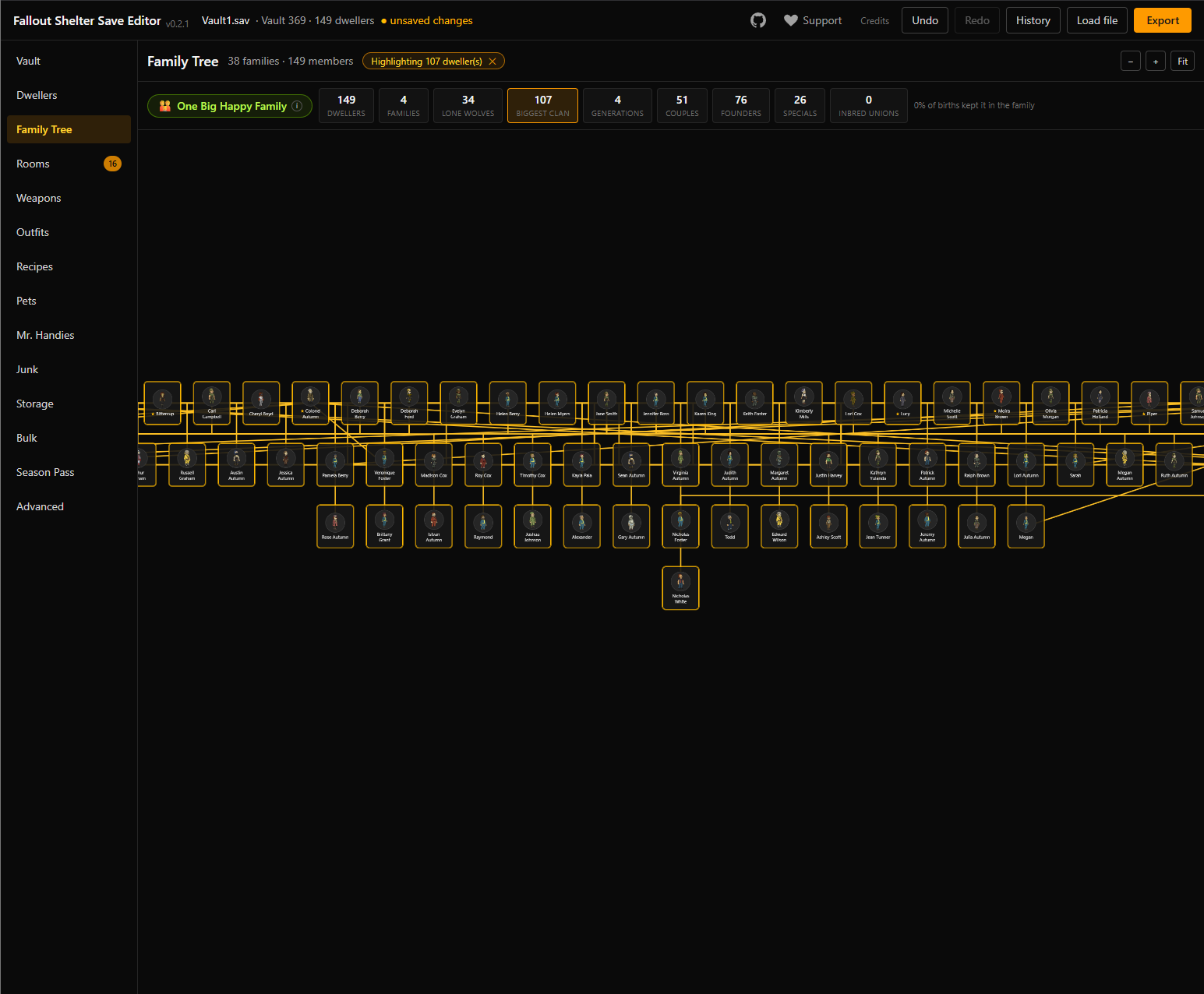
Even if you never edit anything
- Family Tree - reads parent data the game never shows you and draws your whole vault's tree: biggest clan, generations deep, lone wolves, couples, and an "inbred unions" counter with an overall genetics rating. One of my saves came back Massively Inbred.
- Full item catalogs - every weapon, outfit, pet, junk item, theme, and recipe in the game with their real icons and stats.
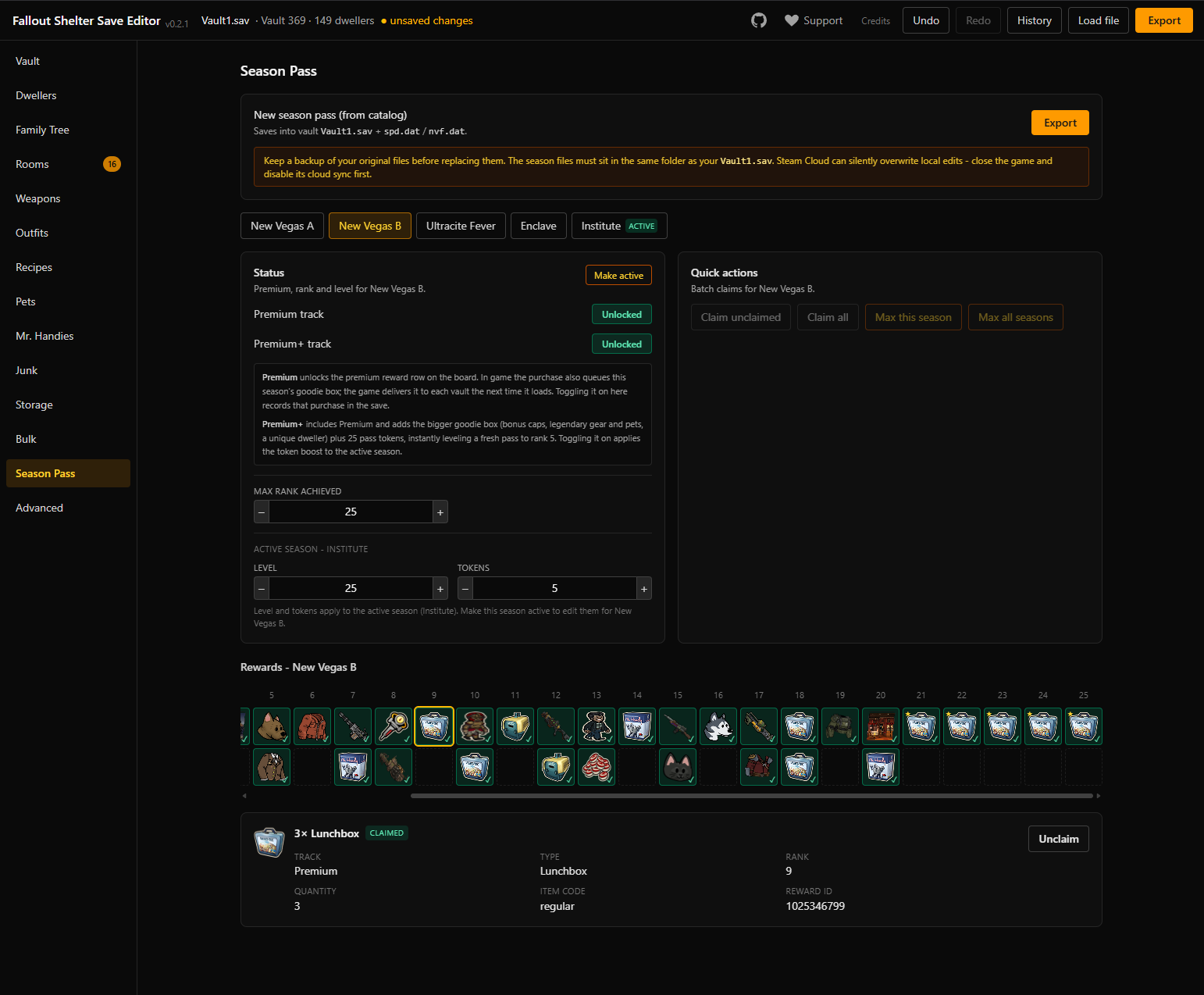
- Season history - every season pass reward track, including past seasons you missed or never got to see.
- Save health report - know if your vault file has hidden problems (it can repair them too).
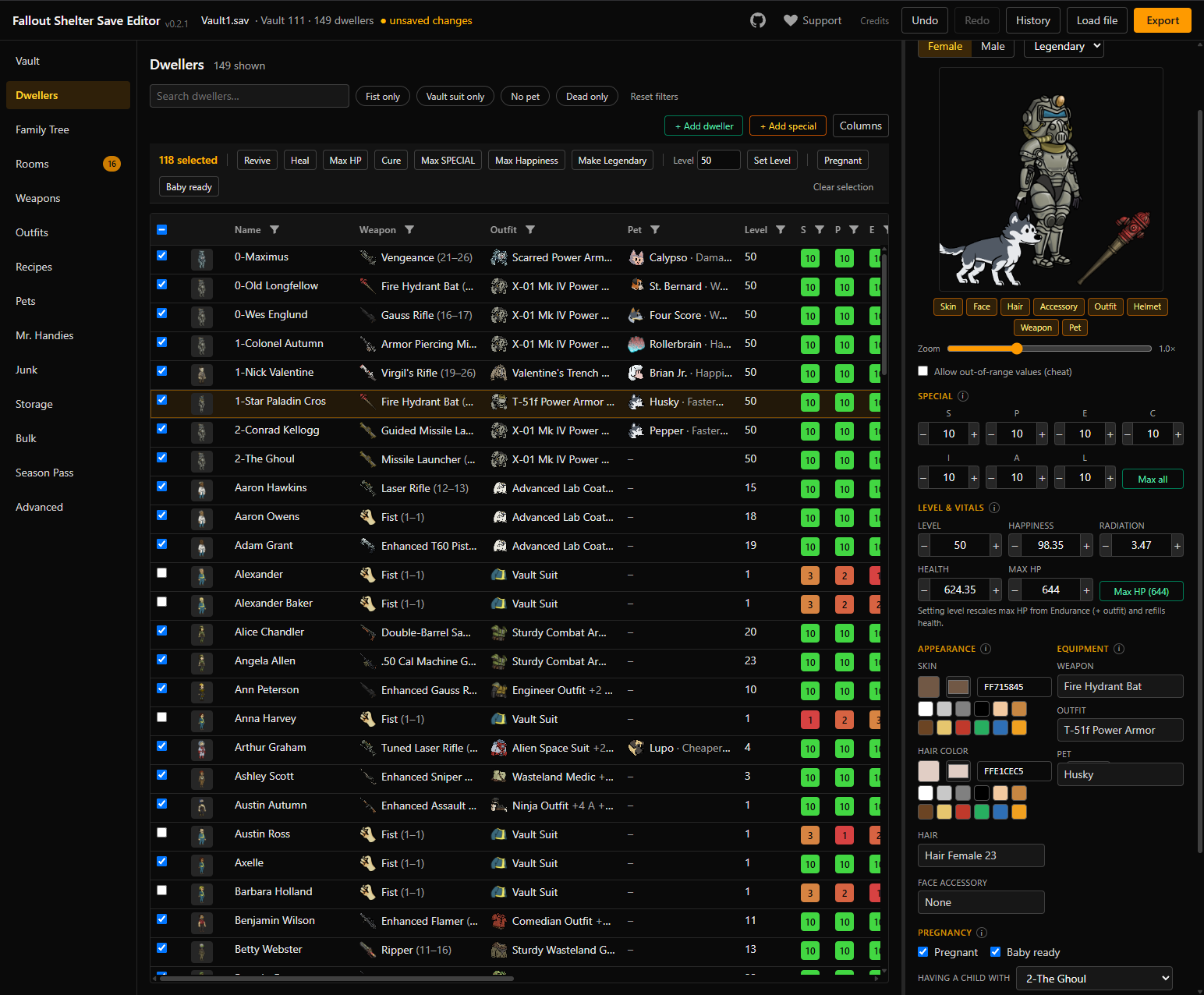
What it can edit
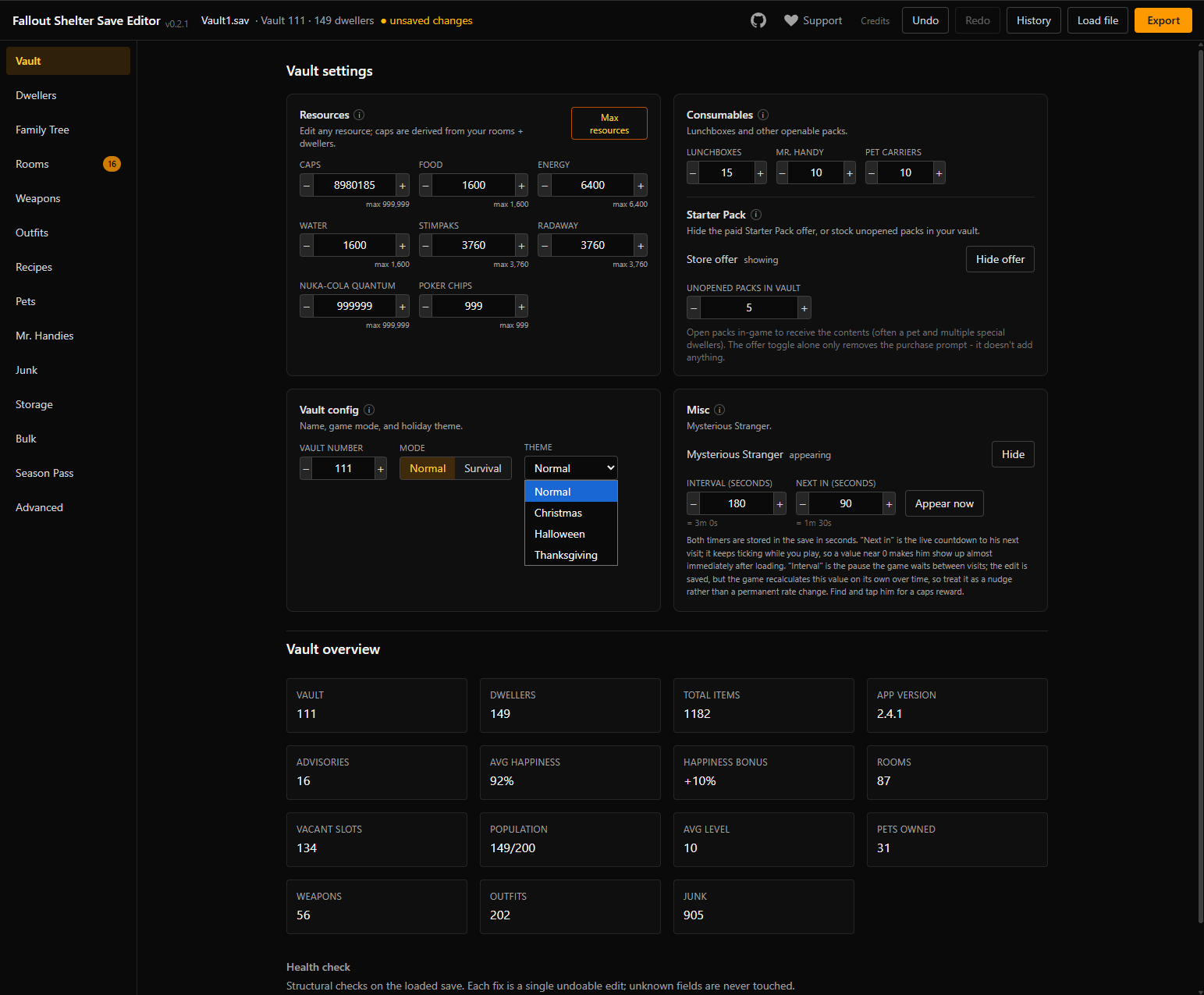
- Vault - caps, resources, Nuka-Cola, lunchboxes, Mr. Handy boxes, pet carriers, and a few starter pack surprises.
- Dwellers - SPECIAL, level, happiness, health, gear, revive the dead.
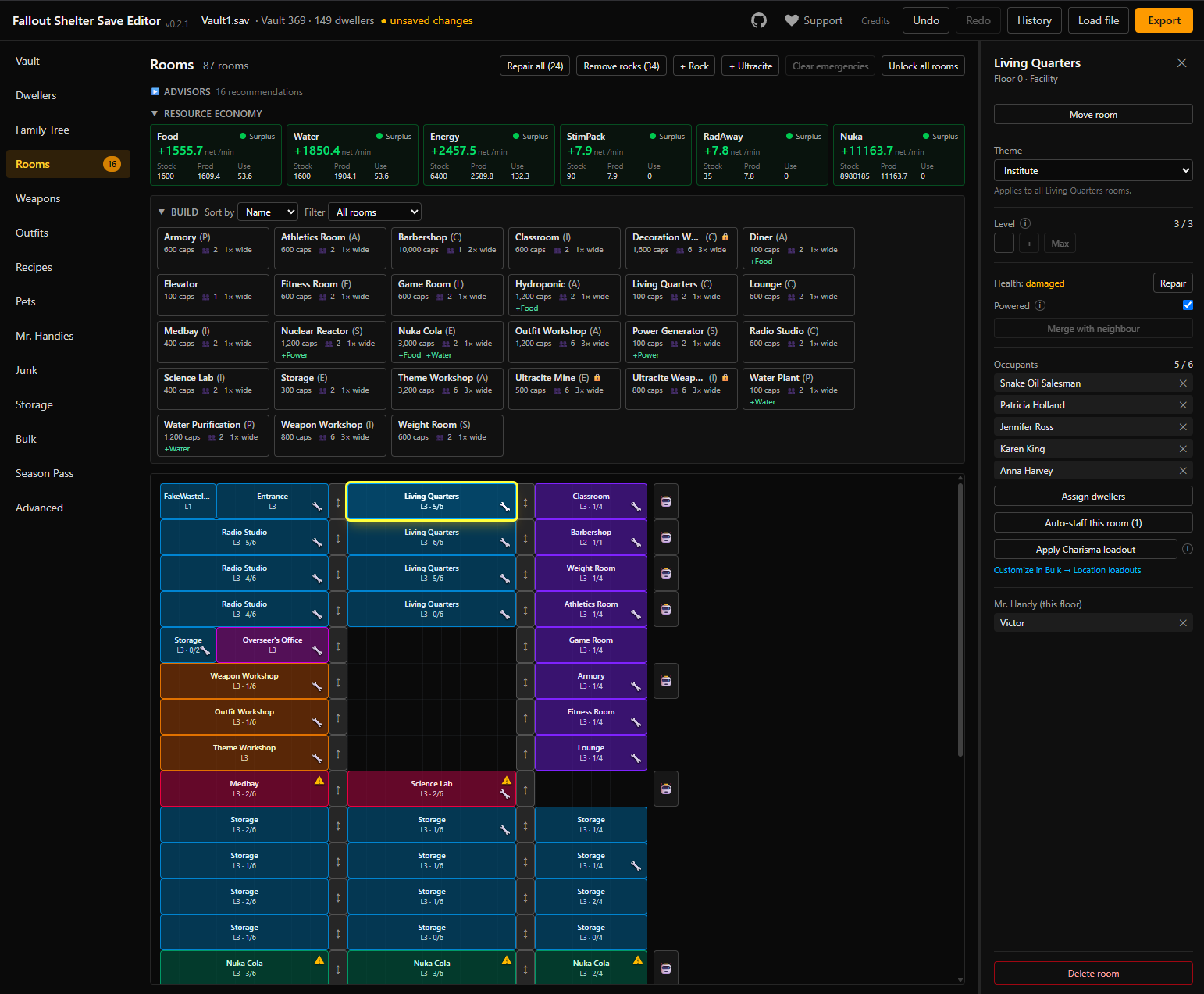
- Rooms - rearrange the layout, unlocks, upgrades, themes, clear rocks, end emergencies, repair everything.
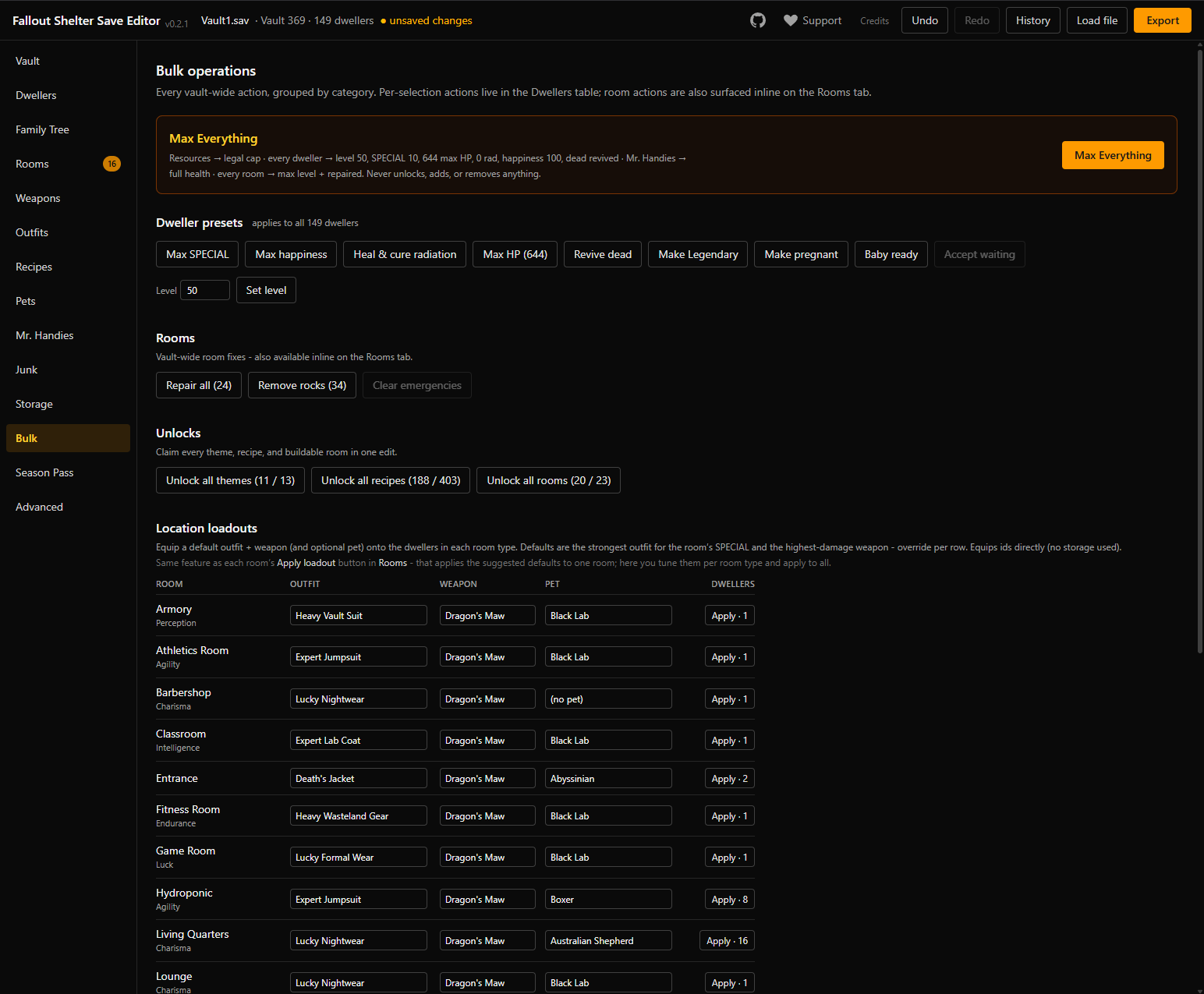
- Bulk operations - one-click "Max Everything", heal or max every dweller at once, and per-room loadouts that dress every dweller in the right outfit for their job.
- The weird stuff - flip your vault between Normal and Survival, turn on holiday decorations any time of year, make the Mysterious Stranger show up on demand, restyle dweller hair and facial hair, and welcome brand-new dwellers at your vault door.
- Seasons - claim anything you missed from any past season, and the rewards actually land in your save (weapons, outfits, pets, dwellers, themes).
- Lost your vault? - recover your progress by editing a fresh save instead of grinding it all back.
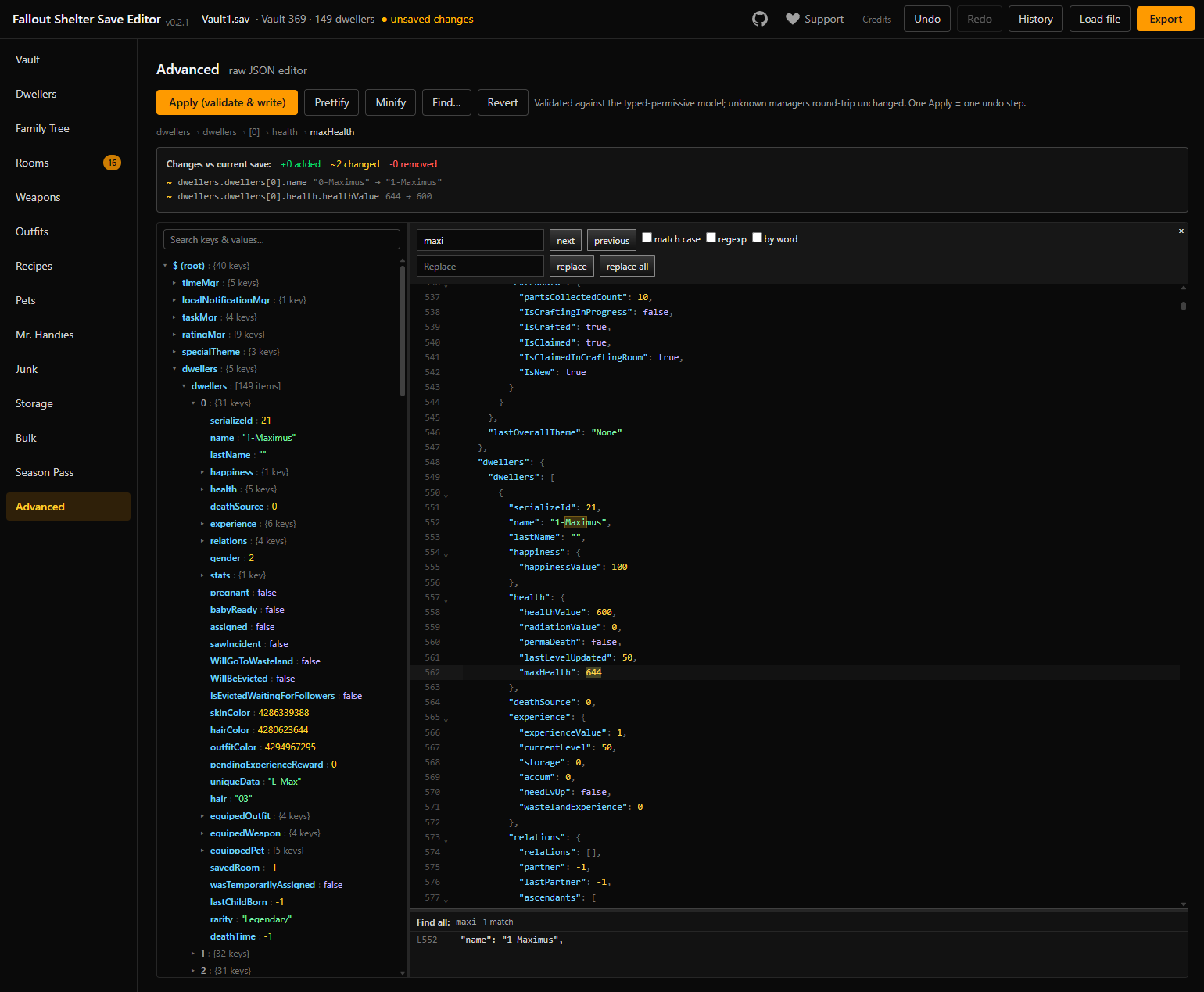
- And more - storage, recipes, Mr. Handies, and for power users a full JSON workspace (explorer tree, live diff against your original) to go deeper than the UI.
How to use it (Steam version)
- Close Fallout Shelter completely.
- IMPORTANT: disable Steam Cloud for the game first, or Steam can silently overwrite your edited save with the cloud copy. Right-click the game > Properties > General > untick "Keep games saves in the Steam Cloud" (you can re-enable it later).
- Your save is at: %LOCALAPPDATA%\FalloutShelter\(paste that into the Explorer address bar). The file is Vault1.sav (or Vault2/Vault3 for other slots).
- Open the editor[dneverson.github.io] and load the file (drag-and-drop works).
- Edit, then Export and put the file back in the same folder.
- Keep a backup of the original (the editor downloads one automatically before your first export).
FAQ
Is this safe?
It's a web page - nothing to install. Your save is read and edited entirely in your browser; there is no server it could be uploaded to. The code is open source[github.com] if you want to verify.
Will this break my save?
Every edit is undoable, the app health-checks the save on every change, and it backs up your original before the first export. That said, it's save editing - keep your backup.
Where are the season pass files?
The Season Pass tab has a "where's my file" guide per platform (spd.dat / nvf.dat, next to your Vault1.sav).
Something's broken / feature request?
Open an issue on GitHub[github.com]. I'm still building.
Disclaimer
- Ответы на вопросы игры «Потеряй голову»★ 5 (1.3k)53k views1.5k ♥2 minRussianUpdated Mar 30, 2017
- How to transfer save files from any device to Steam version★ 5 (1.5k)46k views1.1k ♥2 minBulgarianUpdated Mar 30, 2017
- S.P.E.C.I.A.L Stats in the Wasteland★ 5 (4.3k)46k views2.8k ♥2 minUpdated Jan 14
- Как накрутить крышки,ланчбоксы,навыки и т.д.★ 5 (710)46k views1.2k ♥1 minRussianUpdated Jul 25, 2019
- Ностальгия★ 5 (729)28k views842 ♥4 minRussianUpdated Nov 28, 2019
- Fallout Shelter: Ультимативный гайд★ 5 (597)27k views1.1k ♥18 minRussianUpdated Dec 27, 2023




- Upgrading to PremiumTeam Fortress 2★ 5 (20k)1441k views11k ♥6 minUpdated May 11, 2022
- No More Room in Hell Official ManualNo More Room in Hell★ 5 (2.8k)569k views2.1k ♥29 minUpdated Apr 22, 2019
- NMRiH Community Hosting GuidesNo More Room in Hell★ 5 (526)351k views653 ♥1 minUpdated Aug 10, 2022
- ULTIMATE GUIDE FOR GAME DEV TYCOONGame Dev Tycoon★ 5 (5.8k)326k views10k ♥4 minUpdated 23 Jan, 2014
- How to 'Git Gud' Soon™MORDHAU★ 5 (2k)318k views3k ♥68 minUpdated Nov 16, 2024
- Лучшие кооперативные игры SteamPAYDAY 2★ 5 (1.5k)315k views2.1k ♥56 minRussianUpdated Apr 27, 2025






This guide was created by its original author on the Steam Community. Are you the author and want it removed? Request removal.