Choppy Physics Fix
What this mod does
If you have played Bioshock before, you probably know that the game suffers from having a permanent 30 FPS cap on the physics engine. I made a mod that fixes that.
(Note: You must watch the video in 720p or 1080p 60 FPS to notice any difference.)
This has only been tested with the Steam release of the game, though it should also work with the retail 1.0 and 1.1 releases. I have heard it does not work with the Direct2Drive release of the game, presumably due to some form of DRM.
(Note: You must watch the video in 720p or 1080p 60 FPS to notice any difference.)
This has only been tested with the Steam release of the game, though it should also work with the retail 1.0 and 1.1 releases. I have heard it does not work with the Direct2Drive release of the game, presumably due to some form of DRM.
1. Download the unlocker
First, you will need to download the patcher files. Click here to go to the GitHub release page[github.com], just download the latest version.
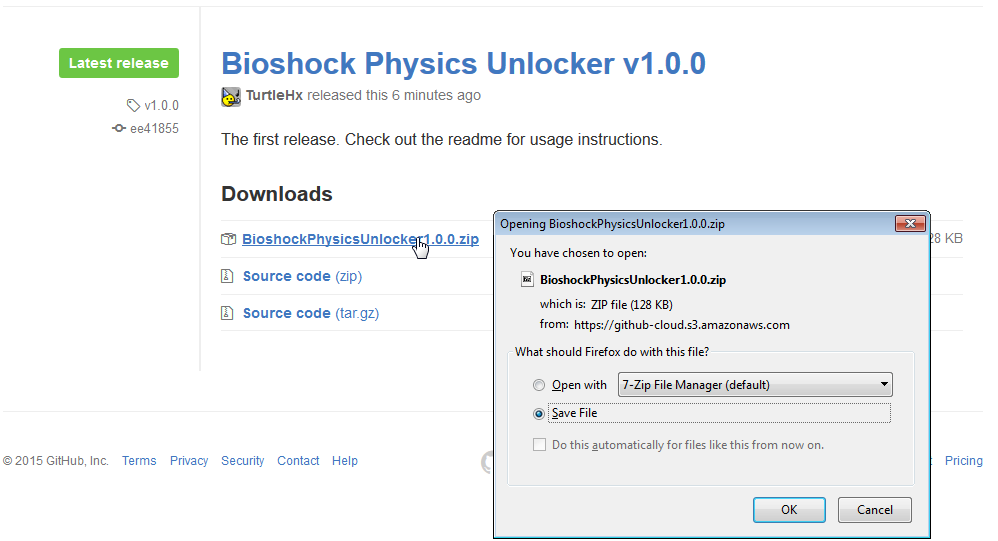
If you would like, you can also check out the source code[github.com] of the mod.
If you would like, you can also check out the source code[github.com] of the mod.
2. Extract the patcher
Once you have the patcher files downloaded, you will want to extract "BioshockPhysicsUnlocker.exe" to your Bioshock directory. The Bioshock directory is typically located at:
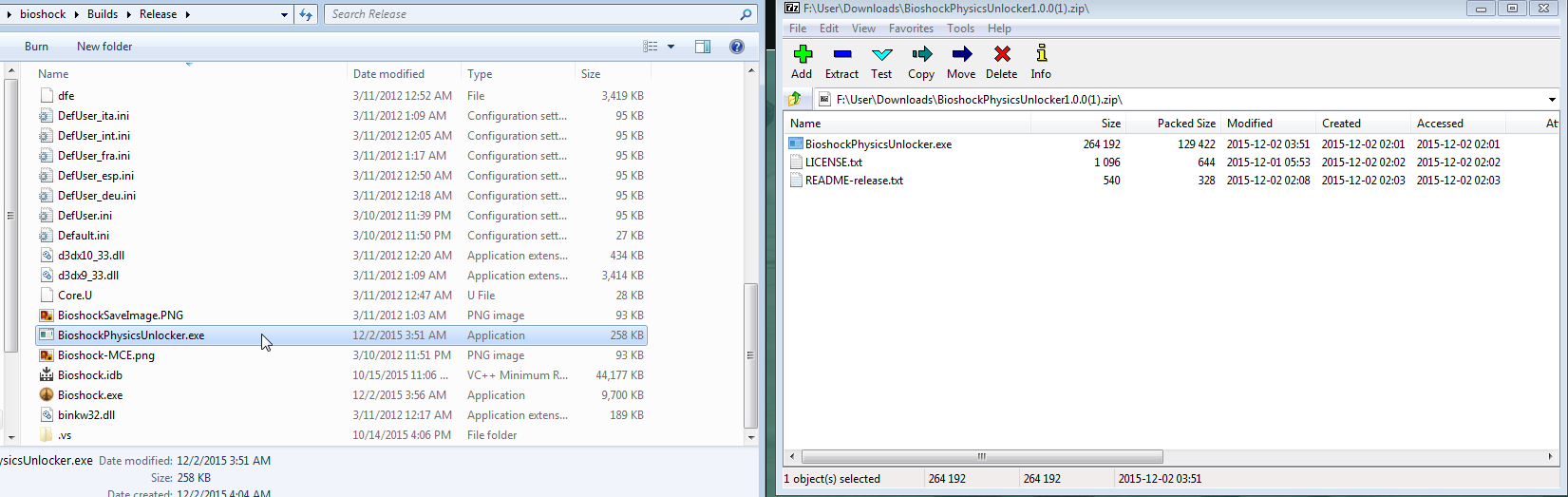
C:\Program Files (x86)\Steam\steamapps\common\bioshock\Builds\Release
3. Run the patcher
After you have placed the BioshockPhysicsUnlocker.exe file inside the Bioshock directory, run it!
The program will automatically begin to patch your Bioshock executable.
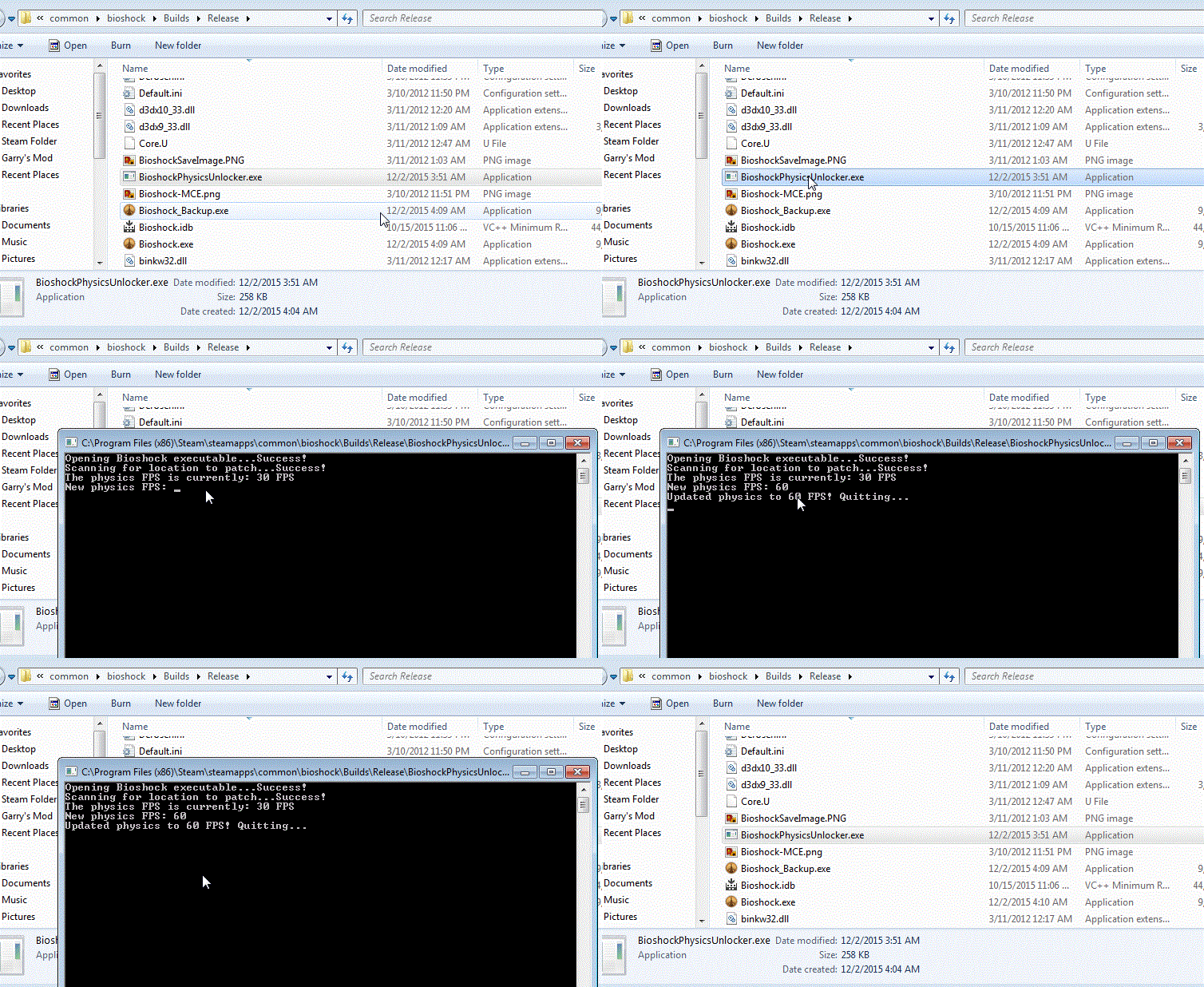 You may need to run the unlocker as administrator (Right click -> Run as administrator) if it says it can't find the executable.
Once it has scanned it, you can choose what you want to set your new physics FPS to. For most people, 60 FPS will be sufficient.
(If you have a sick rig you can push it up to whatever you want.)
The program will automatically begin to patch your Bioshock executable.
You may need to run the unlocker as administrator (Right click -> Run as administrator) if it says it can't find the executable.Once it has scanned it, you can choose what you want to set your new physics FPS to. For most people, 60 FPS will be sufficient.
(If you have a sick rig you can push it up to whatever you want.)
You're done!

That's all there is to it. Just downloading, extracting, and running!
The next time you launch Bioshock the physics engine should be smooth as silk.
More BioShock guides
- Bioshock Crash, Resolution, Change Language, No Sound and FOV fix★ 5 (764)39k views863 ♥4 minUpdated Jun 28, 2019
- RU: Рус-тор Bioshock 1С + Решение многих проблем!★ 5 (919)29k views1.4k ♥5 minRussianUpdated May 25, 2025
- How to get BioShock (Non Remaster) to run★ 4 (135)12k views183 ♥6 minUpdated Apr 8, 2025
- BioShock INI Tweaks (Cheats)★ 4 (148)11k views230 ♥7 minUpdated Sep 26, 2016
- Guide to Weapon Upgrade Stations★ 5 (175)11k views330 ♥2 min
- Русификатор BioShock★ 4 (105)8.9k views217 ♥1 minRussianUpdated Feb 19, 2025





This guide was created by its original author on the Steam Community. Are you the author and want it removed? Request removal.