Custom head tutorial
informations
first step , but some basic informations.
- if you want to add a custom head.
-the image has to be 128x128 pixels
-for the better look make the image transparent in the background using for example Paint.net
heres an custom head you can use as refrence etc.

how to add a custom head step
first step.
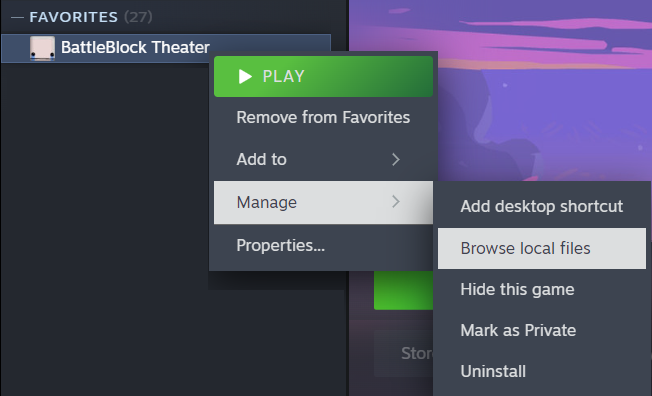
-right click on the battleblock theater
-go to " Manage "
-click " Browse local files "
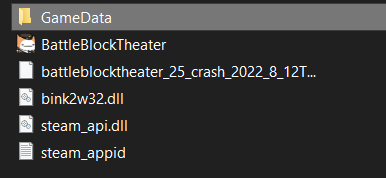
then you want to open the " GameData "
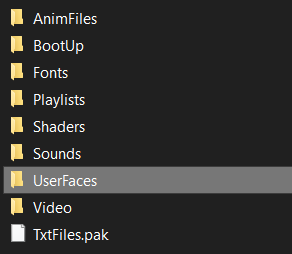
and open the " UserFaces "
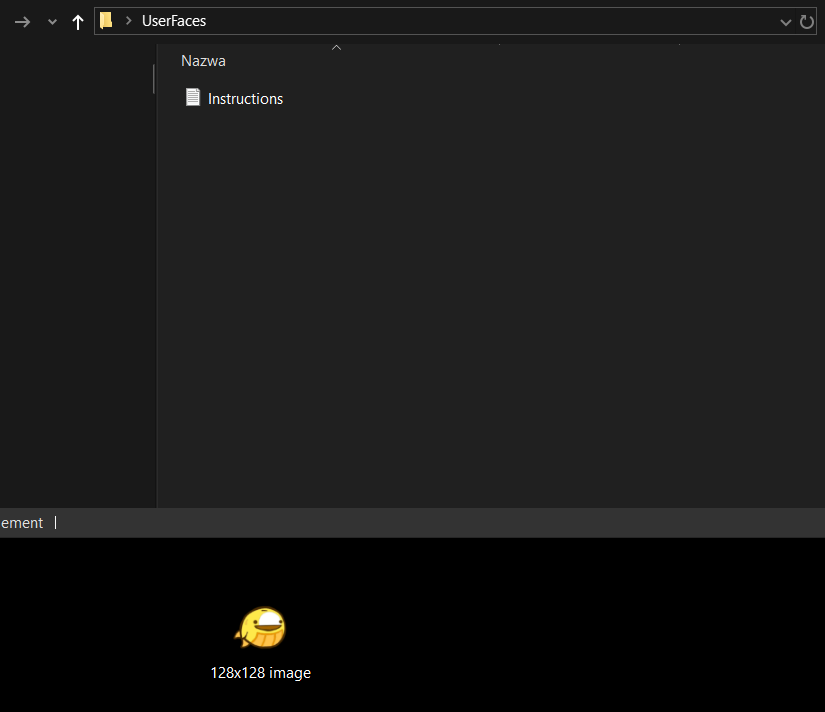
now keep this window opened.
take your custom head and place it to " UserFaces "
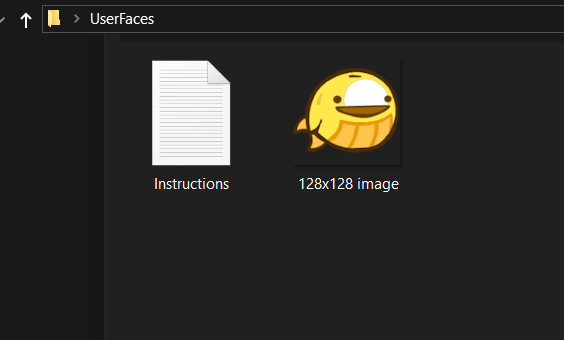
- open the game and open the player setup
you should see a new shape of heads got unlocked ( theres 4 types and star heads + custom heads )
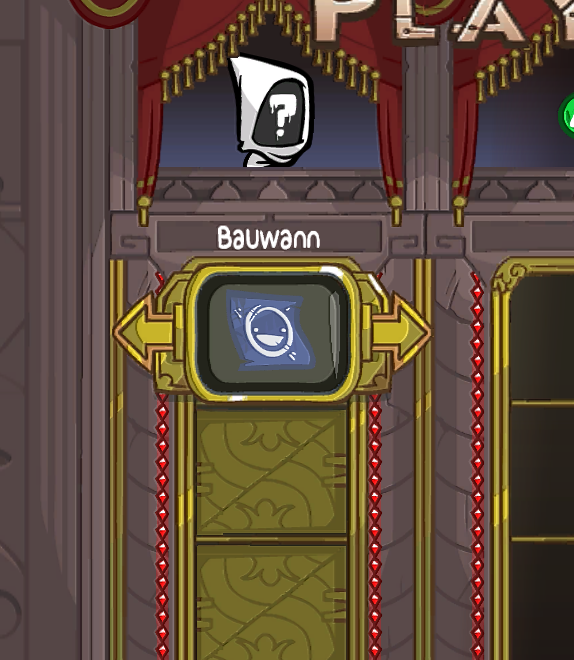
if you see this then everything works
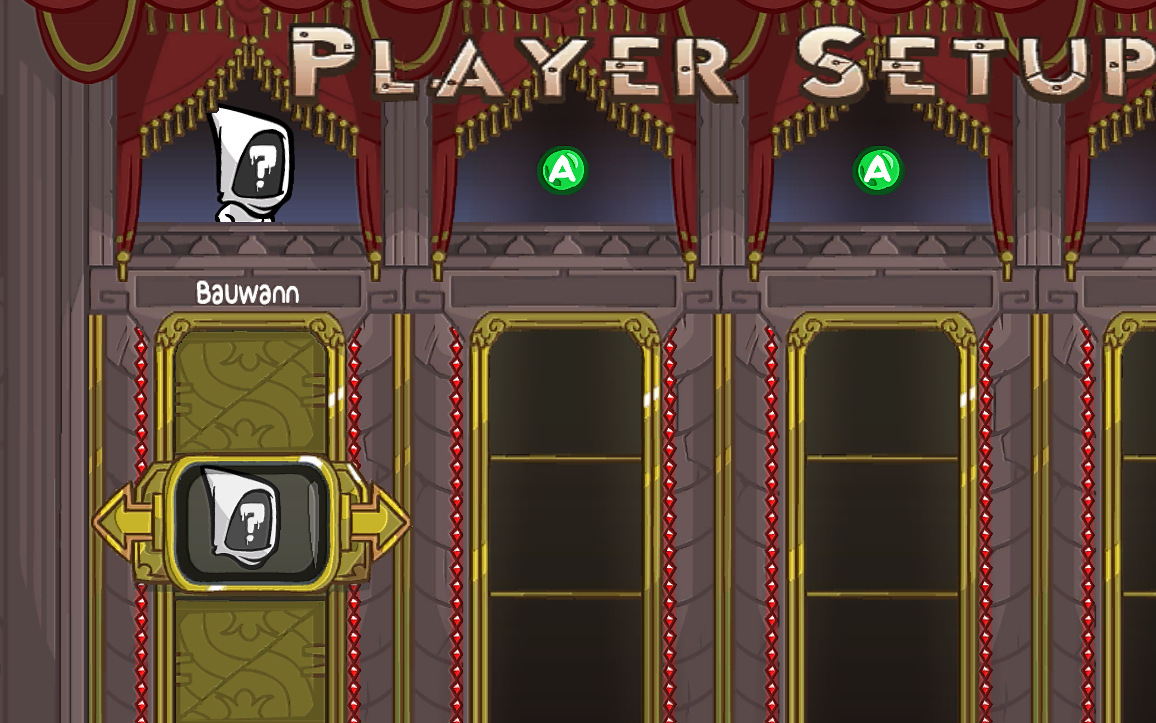
if you don't see any custom heads then try to
- re-open the game a few times
- refresh the " UserFaces " folder
- check if the image is 128x128 pixels
The end
- Create your own Head!★ 5 (1.2k)37k views1.2k ♥2 minUpdated Jul 5, 2024
- (Unabridged) Guide to Star-Heads/Special Prisoners [FINAL/DISCONTINUED]★ 5 (380)17k views521 ♥33 minUpdated Jul 16, 2016
- How to be hatty. (Now with cat heads!)★ 4 (147)13k views117 ♥2 minUpdated Apr 2
- Руководство по достижениям: BattleBlock Theater.★ 5 (566)12k views554 ♥3 minRussianUpdated Jul 5, 2018
- Get the "Chicken Toucher" achievement with other players!★ 4 (154)12k views141 ♥1 minUpdated Feb 20, 2025
- Solo & Co-Op Secret Levels Guide★ 5 (349)12k views492 ♥17 minUpdated Nov 23, 2020




- Upgrading to PremiumTeam Fortress 2★ 5 (20k)1441k views11k ♥6 minUpdated May 11, 2022
- No More Room in Hell Official ManualNo More Room in Hell★ 5 (2.8k)569k views2.1k ♥29 minUpdated Apr 22, 2019
- NMRiH Community Hosting GuidesNo More Room in Hell★ 5 (526)351k views653 ♥1 minUpdated Aug 10, 2022
- How to 'Git Gud' Soon™MORDHAU★ 5 (2k)318k views3k ♥68 minUpdated Nov 16, 2024
- Лучшие кооперативные игры SteamPAYDAY 2★ 5 (1.5k)315k views2.1k ♥56 minRussianUpdated Apr 27, 2025
- Desert Eagle Heat Treated | Blue GemCounter-Strike 2★ 5 (1.6k)293k views1.5k ♥2 minUpdated Jan 16





This guide was created by its original author on the Steam Community. Are you the author and want it removed? Request removal.