How to change the fish on your map!
Intro
Rundown
The new system functions by defining the type and population cap of fish and tying that to specific water bodies. So if you have a pond, and the game decides to spawn fish in it, your pond will have 50 bass inside it (for example). Further, this never changes with time, meaning that what you start with is what you end with; a pond with bass will always have bass, and nothing else.
This creates a situation where you can have a map on the ocean or lake, or any large body of water, and not only overfish it (despite being a few dozen people at most, fishing with rod and reel!) but catch the same thing. Forever. If you want a Tuna, but you have Marlin, you're never getting a Tuna. In the ocean.
You get the picture. Here's how to change the fish manually, to overcome this limitation.
Detailed steps
The steps to change your fish are straightforwards, but for the sake of clarity I'll include proper steps and examples. You can do this all in thirty seconds.
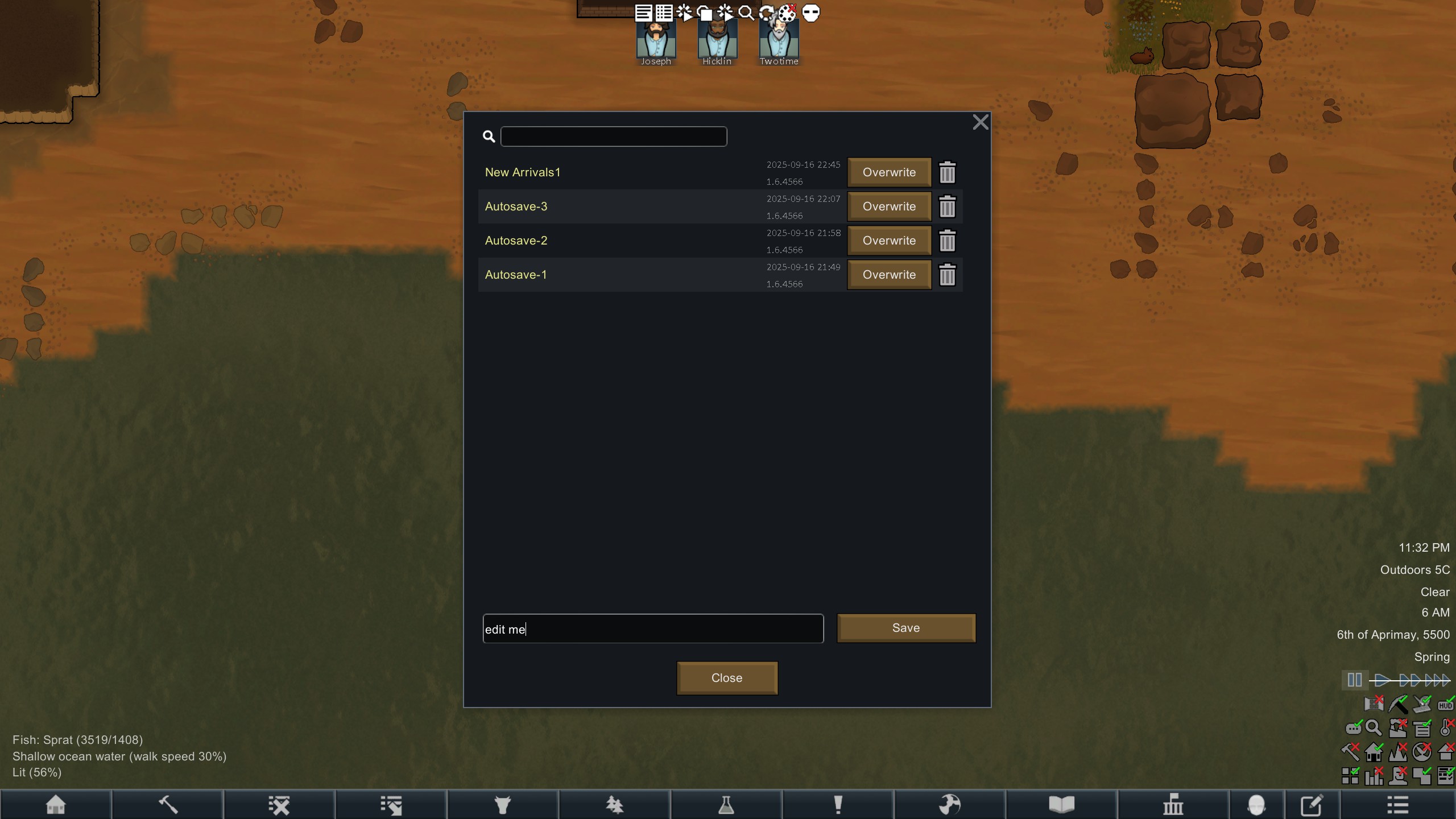 Save your game. Specifically, save your game in a new slot under a new name, something that is obvious and can't be mistaken for anything else. Say, "edit me".
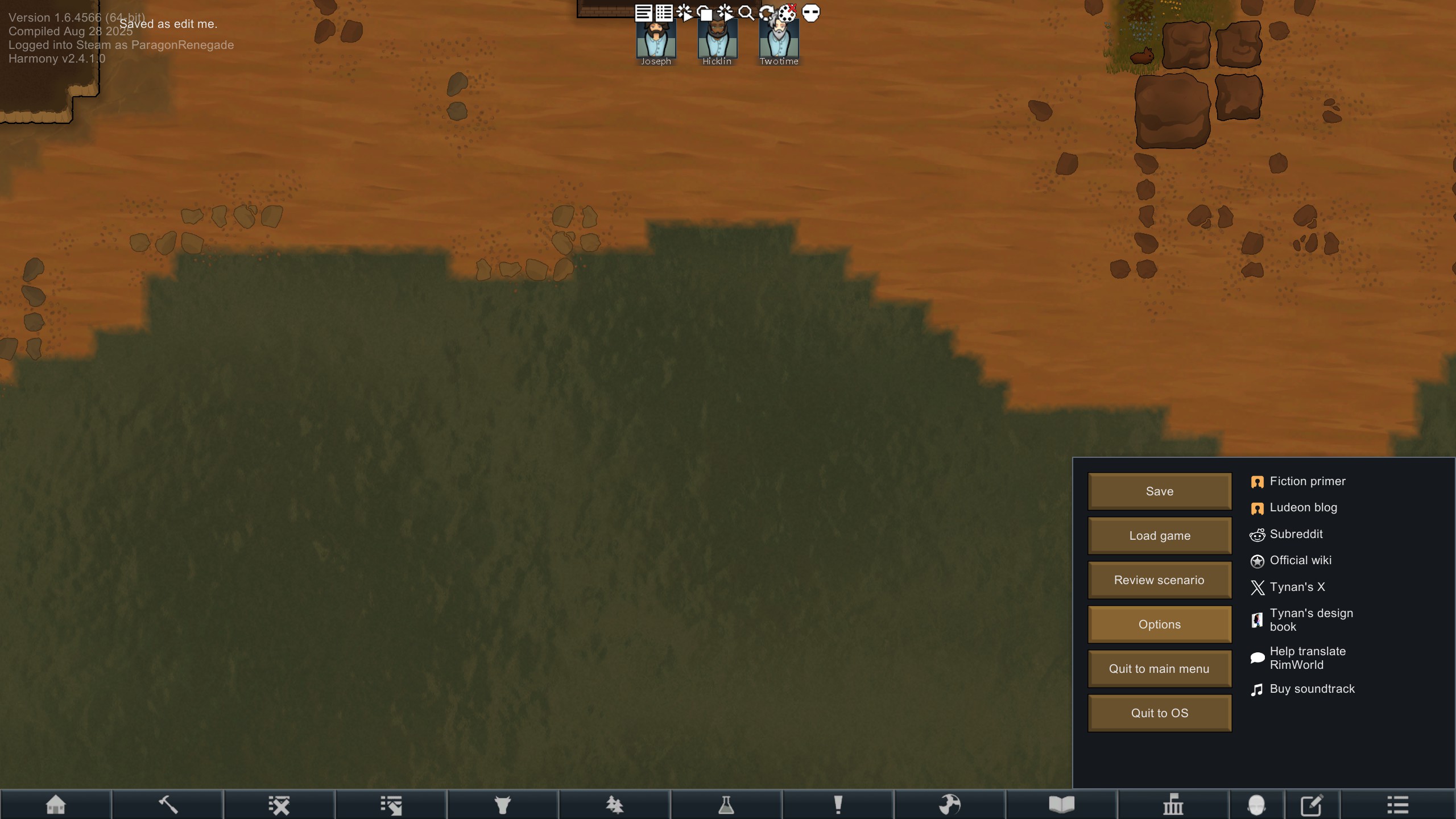
Go to Options, and go to the "General" tab.
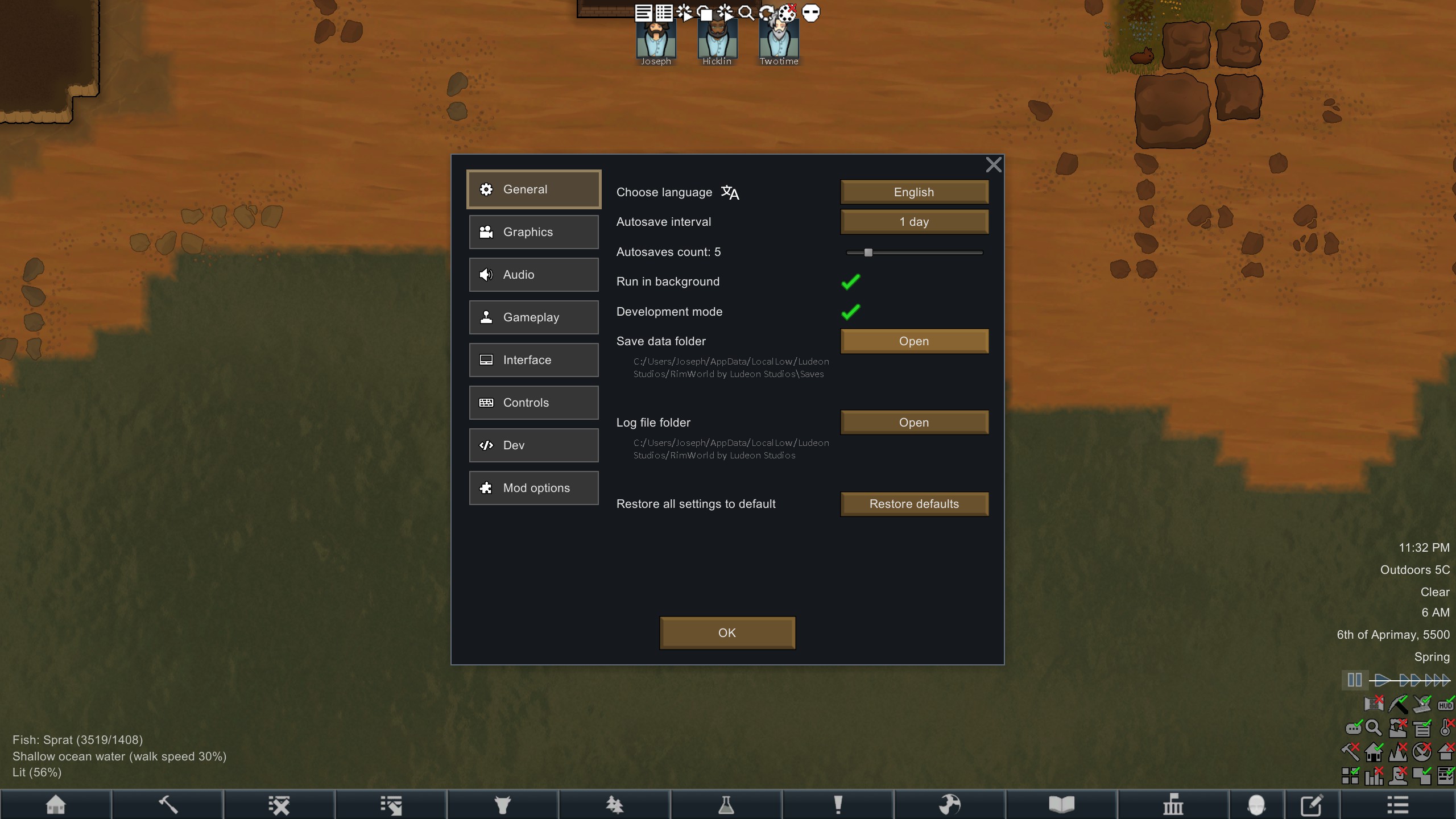
To the right, there will be a listing saying "Save data folder", click "open"
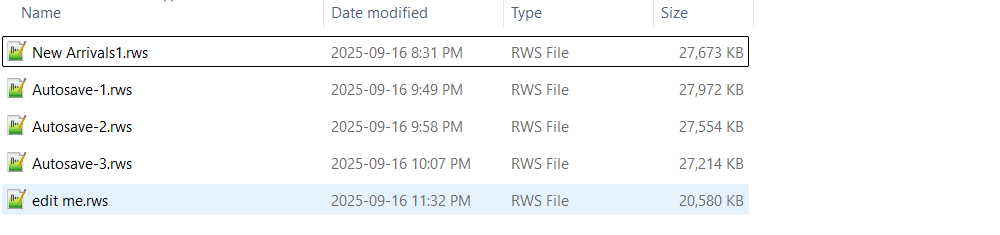
Your file browser will open here, where your games are stored.
Now we need to open the "edit me" file, but before that, you need a program that can read and write to the save file without ruining its formatting (which would destroy the file and make it impossible to load in the game). The easiest and simplest program to do this with is Notepad ++, which is totally free, actively supported, and has a years-long pedigree. I used that in this example. Do NOT use the regular notepad or you risk damaging the file!
Now, opening the file you'll see this below. It can take a short while to open the file, since it's not encrypted or packaged in any way.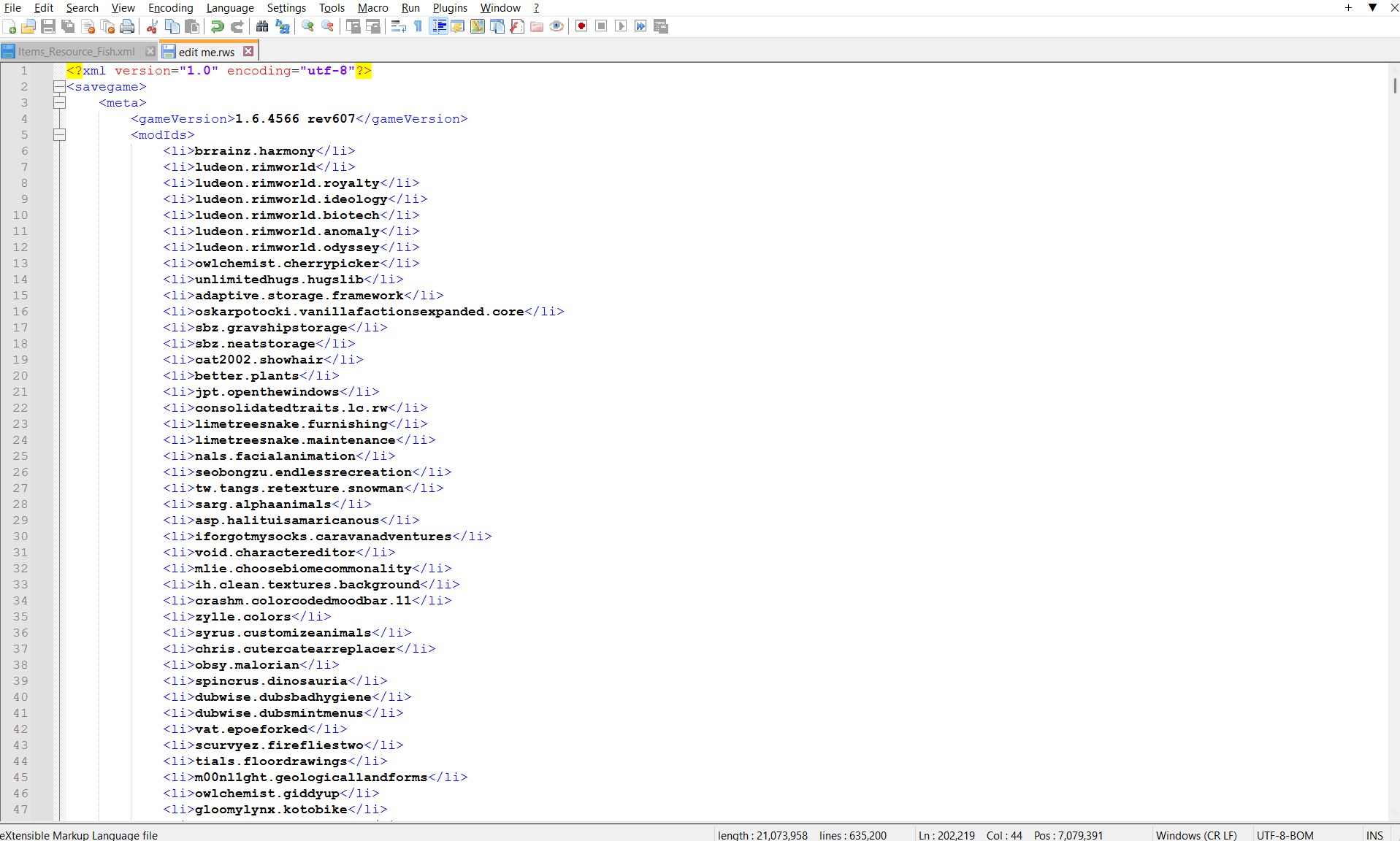 You'll see the many mods and DLCs you have installed, or at least Odyssey.
Now hit ctrl + f to open up the search box, like so
You'll see the many mods and DLCs you have installed, or at least Odyssey.
Now hit ctrl + f to open up the search box, like so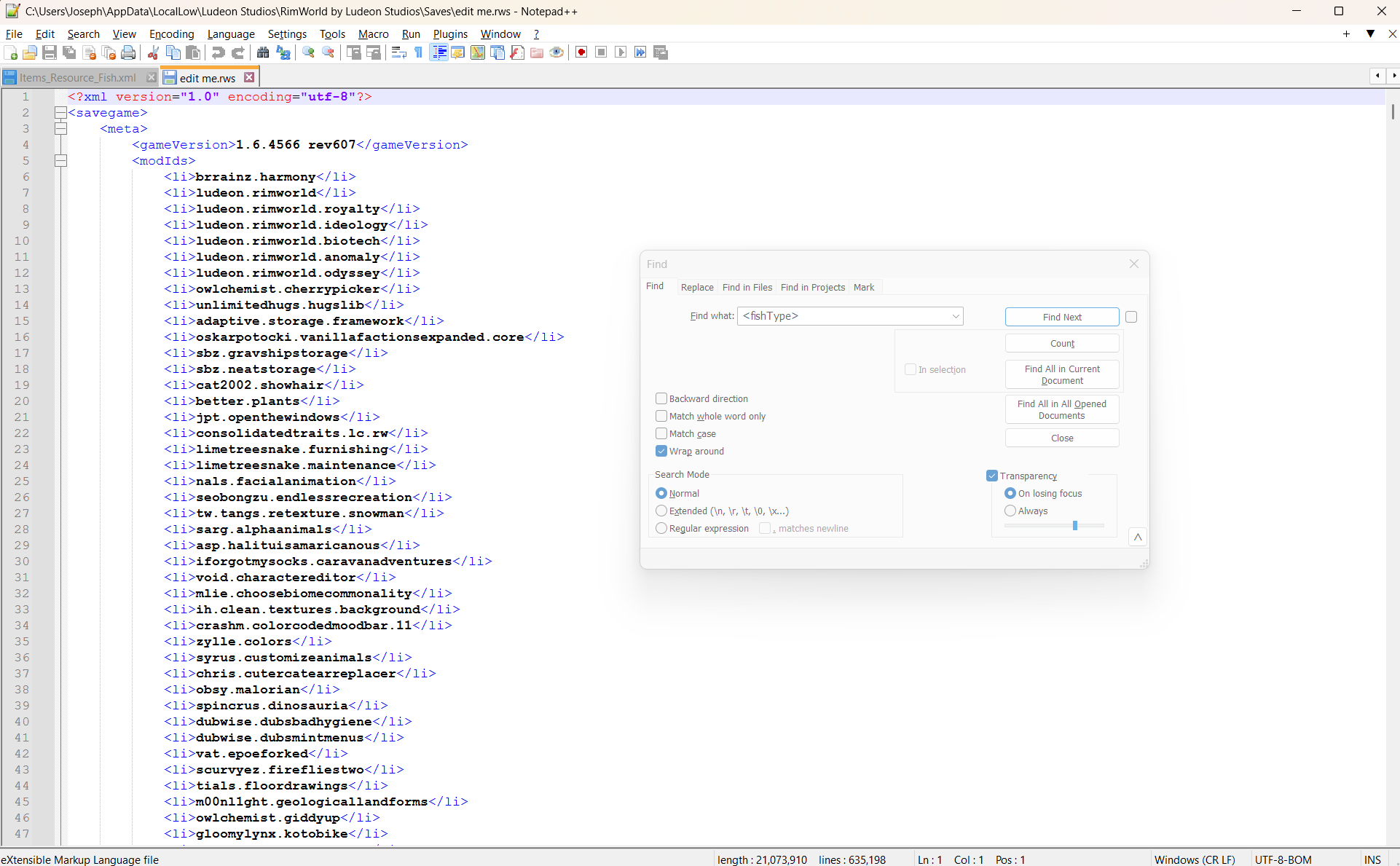 In the search box, type <fishType>, which will bring you to this section
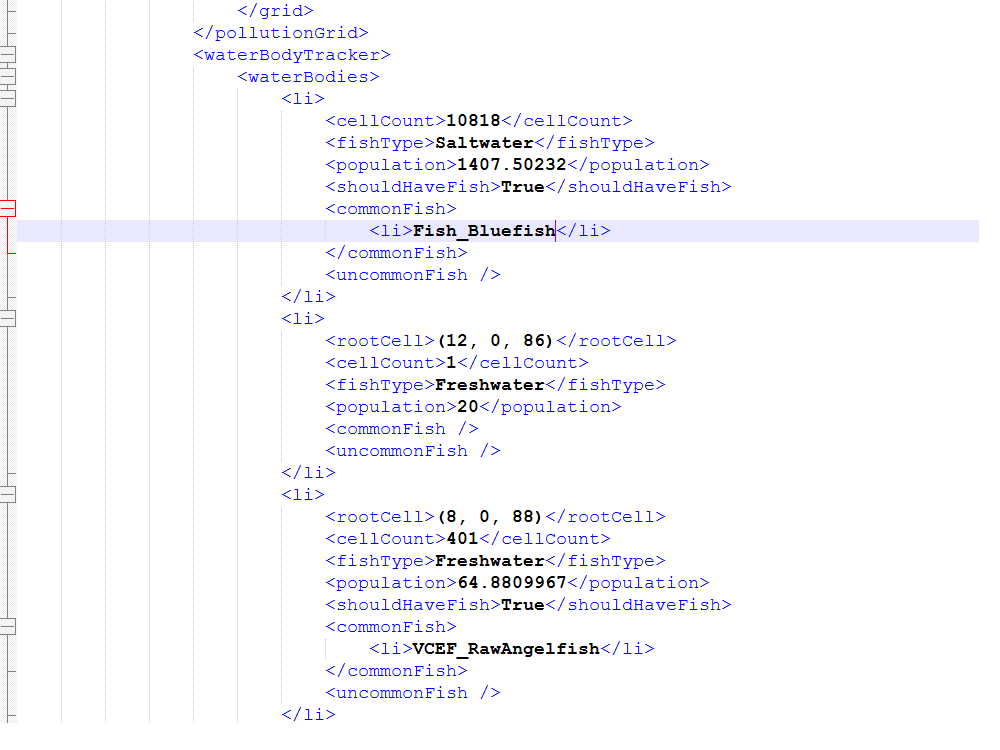
Here you can see a list of every single body of water on the current map, with its size (in map tiles, called "cells") and whatever its contents are. In the pictured example I'm using, the largest body of water is the ocean with a whopping 10818 tiles, while it has Bluefish as its regular fish and nothing as an uncommon fish. Hope you enjoy mercury poisoning.
Changing the fish in the ocean is as easy as swapping the IDs under <commonFish> and <uncommonFish>, such that it looks like this
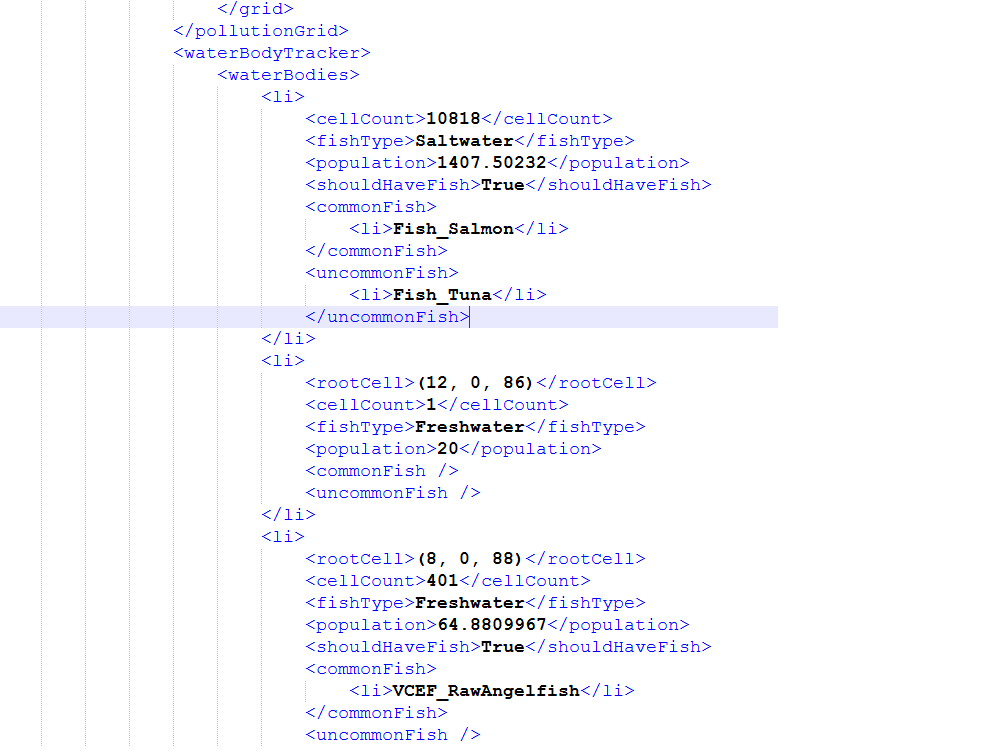
And wham, bam, thank you ma'am, that's it. You're done. I swapped it for Salmon as a common fish, with Tuna as the uncommon one. You can do this for every water body on the map, even the single tile puddles, even if they had no fish in them originally.
Save the file, and reload it in Rimworld. You now have different fish in the ocean.
If you did it right, then in the bottom left of the main screen...
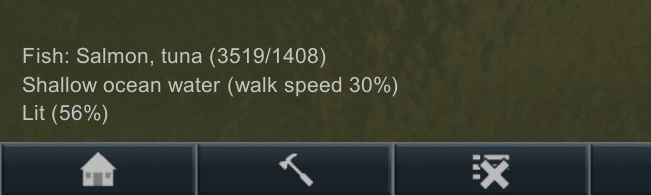
...You'll see the original fish replaced with what I added. No, it's not just the interface, you will now fish the listed fish.
As the commenter .wolf was keen to point out, you may replicate these steps to add fish to water you place yourself, either with mods or with developer mode. Mods may add fluids which function as water visually, but are not "true" water as far as the mode for the game is concerned, or may add fluids which aren't appropriate to fish, such as liquid methane. Keep that in mind if you have a mod in mind.
Fish IDs
You may be interested in what the IDs for the fish are, to change them. You can find those IDs in Rimworld's Steam files, in Data\Odyssey\Defs\ThingDefs_Items\Items_Resource_Fish
They are:
Fish_Salmon
Fish_Bass
Fish_Tilapia
Fish_Cod
Fish_Bluefish
Fish_Guppy
Fish_Frostfish
Fish_Catfish
Fish_Piranha
Fish_Dogfish
Fish_Marlin
Fish_Tuna
Fish_Flounder
Fish_Toxfish
Furthermore, if you use the fantastic Vanilla Fishing Expanded, you have many other kinds of fish available as well. Here are their IDs:
VCEF_RawAnchovy
VCEF_RawAngelfish
VCEF_RawAnglerfish
VCEF_RawClownfish
VCEF_RawEel
VCEF_RawGoldfish
VCEF_RawHaddock
VCEF_RawHalibut
VCEF_RawHerring
VCEF_RawKoi
VCEF_RawLobster
VCEF_RawMackerel
VCEF_RawMinnow
VCEF_RawPerch
VCEF_RawPufferfish
VCEF_RawSprat
VCEF_RawSwordfish
VCEF_RawTrout
VFE also has Salmon and Tuna and the like, but they are overwritten by Odyssey, and if you don't use Odyssey you don't need this guide.
You may add up to three fish species (total) to a body of water before encountering UI issues, and if you add a fourth or more they likely won't be represented in the game.
Fin (pun intended)
Godspeed fishermen.
- Colony Building Guide★ 5 (1.4k)60k views3.1k ♥35 minUpdated Apr 4, 2020
- Мультиплеер, Кооп с друзьями в Rimworld★ 5 (282)60k views830 ♥4 minRussianUpdated Mar 29
- Rimpy Mod Manager使用指南——集排序、管理、下载于一身的优秀工具★ 5 (838)57k views2k ♥6 minSimplified ChineseUpdated Jul 14
- A beginner's detailed guide. Up to date for 1.4 (2023).★ 5 (954)54k views2.7k ♥121 minUpdated Sep 15, 2025
- RIMWORLD PERFORMANCE OPTIMIZATION GUIDE (Rimworld 1.4 + All DLCs).★ 5 (616)48k views1.4k ♥35 minUpdated Sep 23, 2024
- A Definitive Guide to Efficient Freezers [1.4]★ 5 (667)37k views1.1k ♥8 minUpdated Nov 7, 2022


- Upgrading to PremiumTeam Fortress 2★ 5 (20k)1441k views11k ♥6 minUpdated May 11, 2022
- No More Room in Hell Official ManualNo More Room in Hell★ 5 (2.8k)569k views2.1k ♥29 minUpdated Apr 22, 2019
- NMRiH Community Hosting GuidesNo More Room in Hell★ 5 (526)351k views653 ♥1 minUpdated Aug 10, 2022
- ULTIMATE GUIDE FOR GAME DEV TYCOONGame Dev Tycoon★ 5 (5.8k)326k views10k ♥4 minUpdated 23 Jan, 2014
- How to 'Git Gud' Soon™MORDHAU★ 5 (2k)318k views3k ♥68 minUpdated Nov 16, 2024
- Лучшие кооперативные игры SteamPAYDAY 2★ 5 (1.5k)315k views2.1k ♥56 minRussianUpdated Apr 27, 2025






This guide was created by its original author on the Steam Community. Are you the author and want it removed? Request removal.