How to get more unit bases in the UC
How to swap bases
Open TABS, create the unit you wish to be a different base.
Now right click on TABS in your Steam library and left click manage, then left click browse local files.
Next open TotallyAccurateBattleSimulator_Data, then CustomContent, CustomUnits.
Sort by recent, and select the top file, open the .unit file with any text or code editor of your choice (for example, notepad on windows).
Now replace:
Please note that if you make any edits to the unit afterward, it'll reset the unit base, so I recommend making changes to your unit in the creator first.
Now right click on TABS in your Steam library and left click manage, then left click browse local files.
Next open TotallyAccurateBattleSimulator_Data, then CustomContent, CustomUnits.
Sort by recent, and select the top file, open the .unit file with any text or code editor of your choice (for example, notepad on windows).
Now replace:
"m_unitBase": {
"m_modID": -1,
"m_ID": 1760500345
},
With: "m_unitBase": {
"m_modID": -1,
"m_ID": <ID of your choice>
},
For example, the snake: "m_unitBase": {
"m_modID": -1,
"m_ID": 4885829
},
Please note that if you make any edits to the unit afterward, it'll reset the unit base, so I recommend making changes to your unit in the creator first.
Base IDs
Note: This is not all the IDs. Here's a list of known IDs as of 09/05/2022.[totally-accurate-battle-simulator.fandom.com]
Name
ID
Wobbler
1760500345
Snake
4885829
Horse (Lasso)
725035827
Horse (Beige)
1697585541
Raptor
162532997
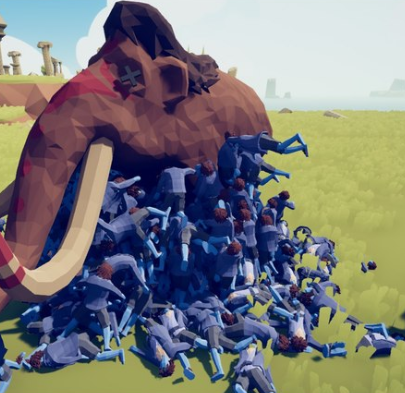
Mammoth
991825326
Cannon
1932460658
Extras
For more advanced customization, here are two other guides which are worth a look at:
https://steamcommunity.com/sharedfiles/filedetails/?id=2417907636
https://steamcommunity.com/sharedfiles/filedetails/?id=2807213968
I might really basic app to do this automatically, but I don't want to invest time in an app no one actually needs. If you're interested in one, just make a comment! I'm subscribed to the thread, so I'm basically guaranteed to see it sooner or later :3
https://steamcommunity.com/sharedfiles/filedetails/?id=2417907636
https://steamcommunity.com/sharedfiles/filedetails/?id=2807213968
I might really basic app to do this automatically, but I don't want to invest time in an app no one actually needs. If you're interested in one, just make a comment! I'm subscribed to the thread, so I'm basically guaranteed to see it sooner or later :3
More Totally Accurate Battle Simulator guides
- Secret Unit Locations: Updated for Full Release★ 5 (2.5k)99k views3.9k ♥17 minUpdated 9 Sep, 2024
- Местонахождение всех секретных юнитов★ 5 (1.1k)55k views1.7k ♥7 minRussianUpdated 23 Jan
- 100% Achievement Guide★ 5 (646)27k views1.5k ♥15 minUpdated 27 Dec, 2023
- How many Halflings it takes to kill each unit (Not finishing! LOL!!!)★ 5 (319)22k views200 ♥1 minUpdated 5 Feb
- How to make Tanks,Raptors,and Horses★ 5 (270)20k views508 ♥3 minUpdated 9 May, 2022
- All Legacy units locations★ 4 (147)18k views173 ♥1 min




🔥 Popular guides
- Upgrading to PremiumTeam Fortress 2★ 5 (20k)1441k views11k ♥6 minUpdated May 11, 2022
- No More Room in Hell Official ManualNo More Room in Hell★ 5 (2.8k)569k views2.1k ♥29 minUpdated Apr 22, 2019
- NMRiH Community Hosting GuidesNo More Room in Hell★ 5 (526)351k views653 ♥1 minUpdated Aug 10, 2022
- How to 'Git Gud' Soon™MORDHAU★ 5 (2k)318k views3k ♥68 minUpdated Nov 16, 2024
- Лучшие кооперативные игры SteamPAYDAY 2★ 5 (1.5k)315k views2.1k ♥56 minRussianUpdated Apr 27, 2025
- Desert Eagle Heat Treated | Blue GemCounter-Strike 2★ 5 (1.6k)292k views1.5k ♥2 minUpdated Jan 16





This guide was created by its original author on the Steam Community. Are you the author and want it removed? Request removal.