How to make Cities Skylines look good?
Step 1: Vanilla
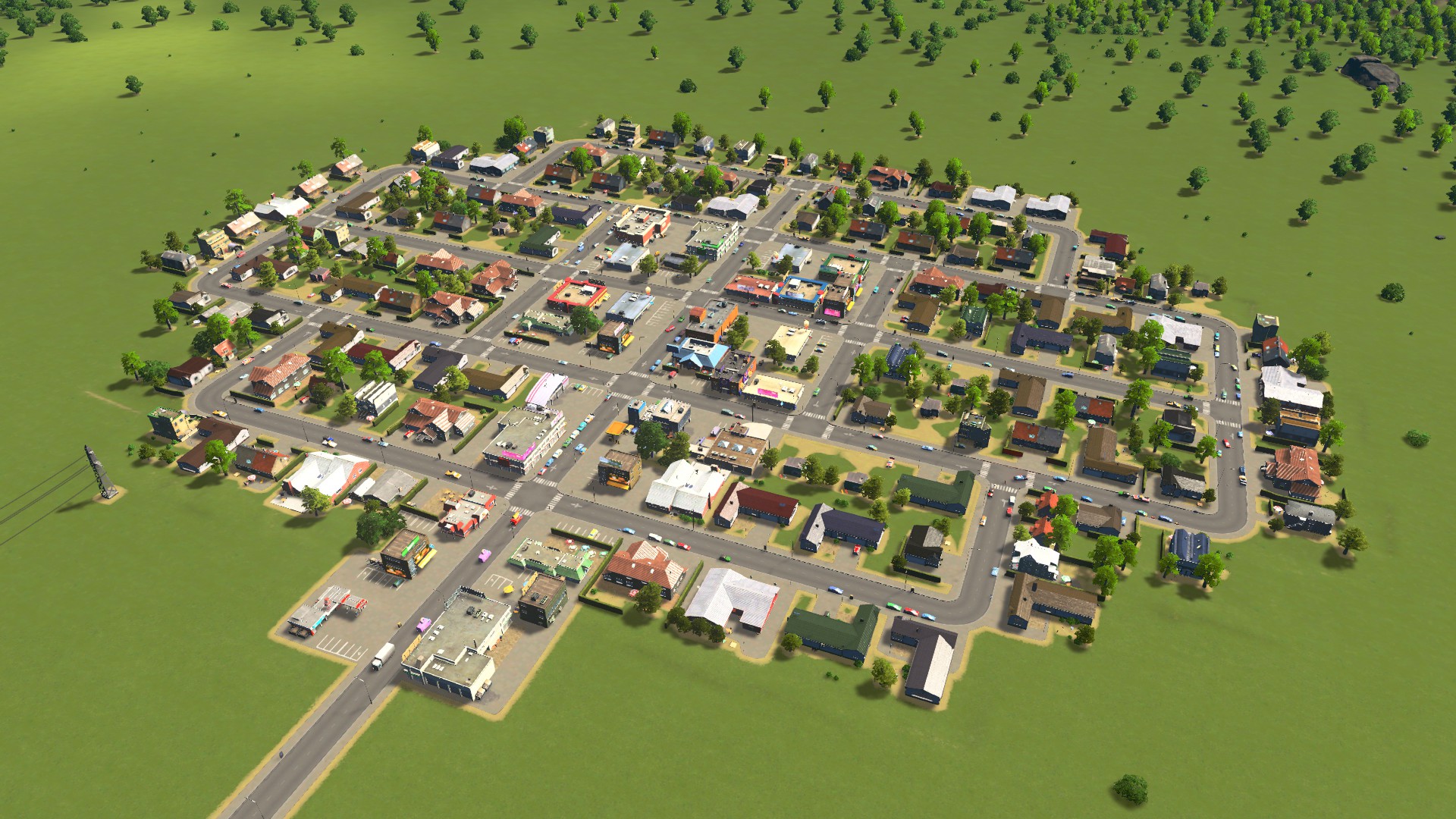 This is what a small rural US town looks like in vanilla Cities Skylines. The colors are way too bright and yellowish, the assets don't look American and nothing else really fits the style we try to go for.
Step 2: Choosing a good map theme
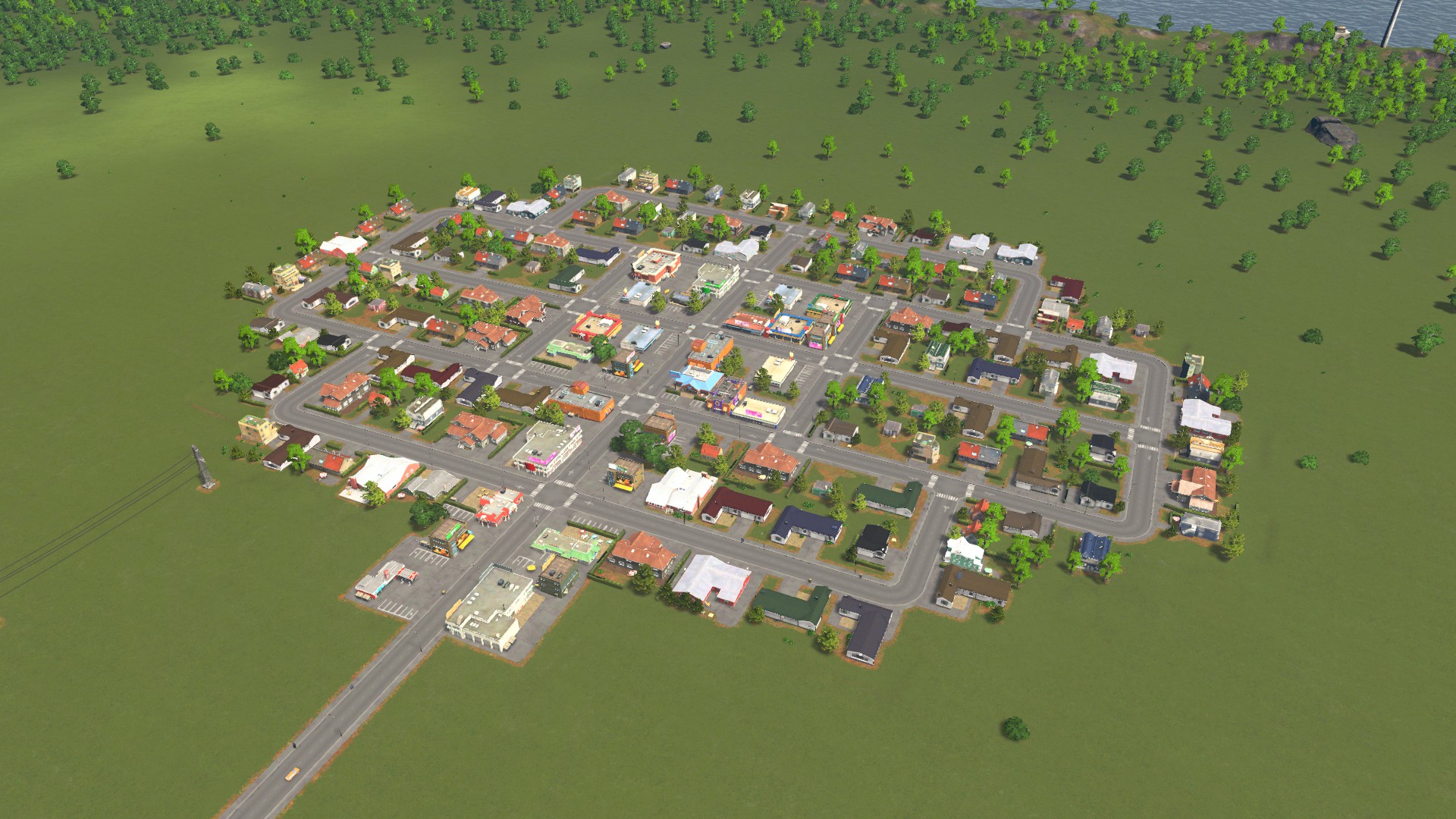 This is what our village looks like with a good map theme, in this case the Cedar Valley 4K map theme. I advise using the Environment Changer Mod to easily switch between map themes when loading a save game. With a map theme you set the general feeling of a map. There are arid and desert styles for cities like Dubai or Los Angeles, tundra styles for cities in Northern Europe or Canada, snow styles or more generic ones as well. So choose whatever you see fit for the city you want to build,
 no matter if US based or not.
Attention though, map themes, especially 4K resolution ones, can decrease performance due to being multiple megabytes large. This means that they have to be loaded into RAM and VRAM. The performance impact generally however is very small.
Step 3: Choosing a nice LUT
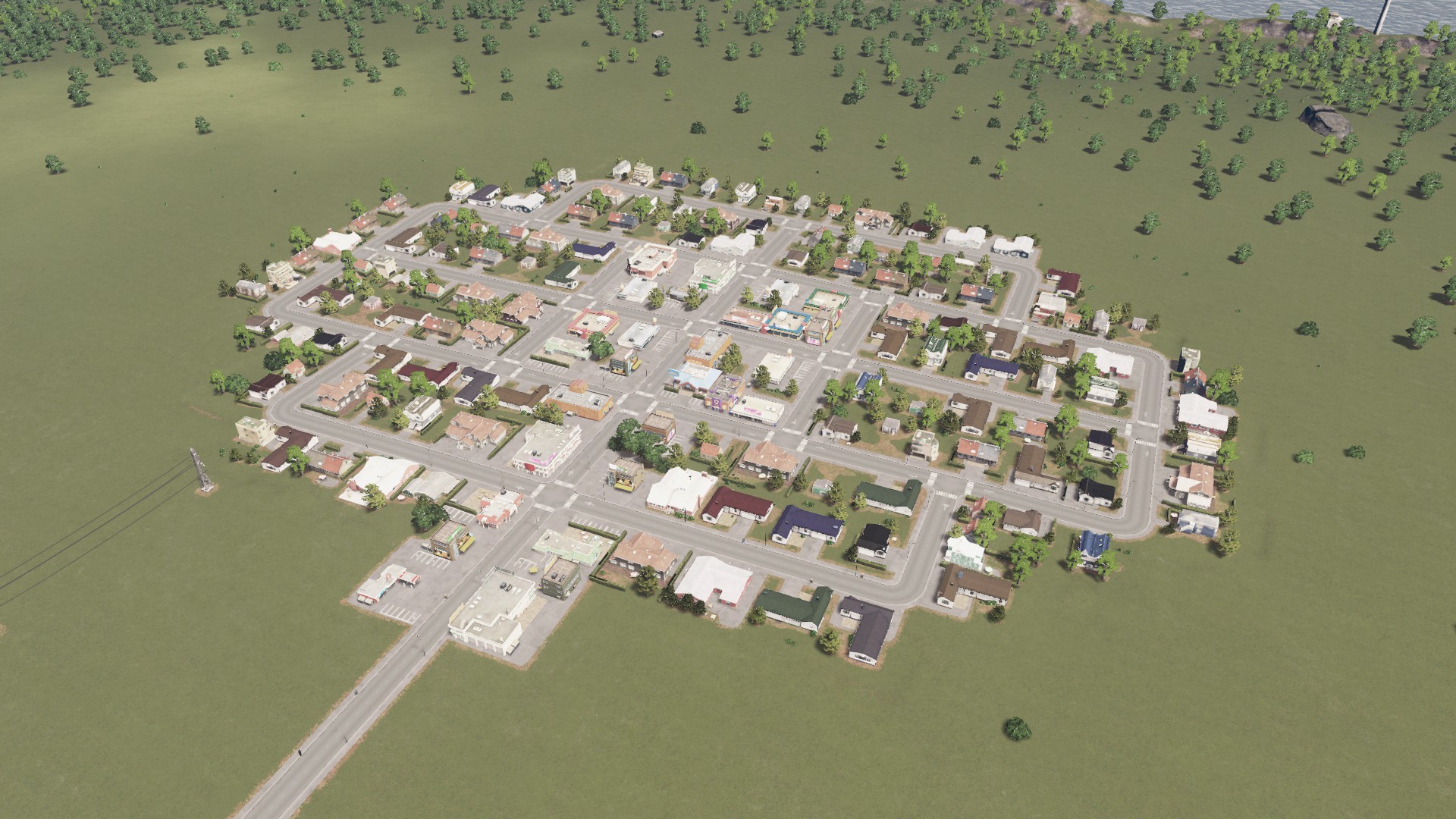 A good LUT changes brightness, contrast and hue of colors and in this case makes our scene look more realistic. How about we go with the Photorealistic LUT by Reaper? Or you can choose a bleaker LUT for more northern cities. Or how about a bright LUT for desert cities? The LUT should somewhat match the previous chosen map theme, so keep that in mind. Oh and did I mention the best thing: LUTs have absolutely 0 fps impact! Now back to our scene: the whiter areas look too bright, but stay with me, we are changing this in the next step!
Step 4: Better lighting and softer shadows
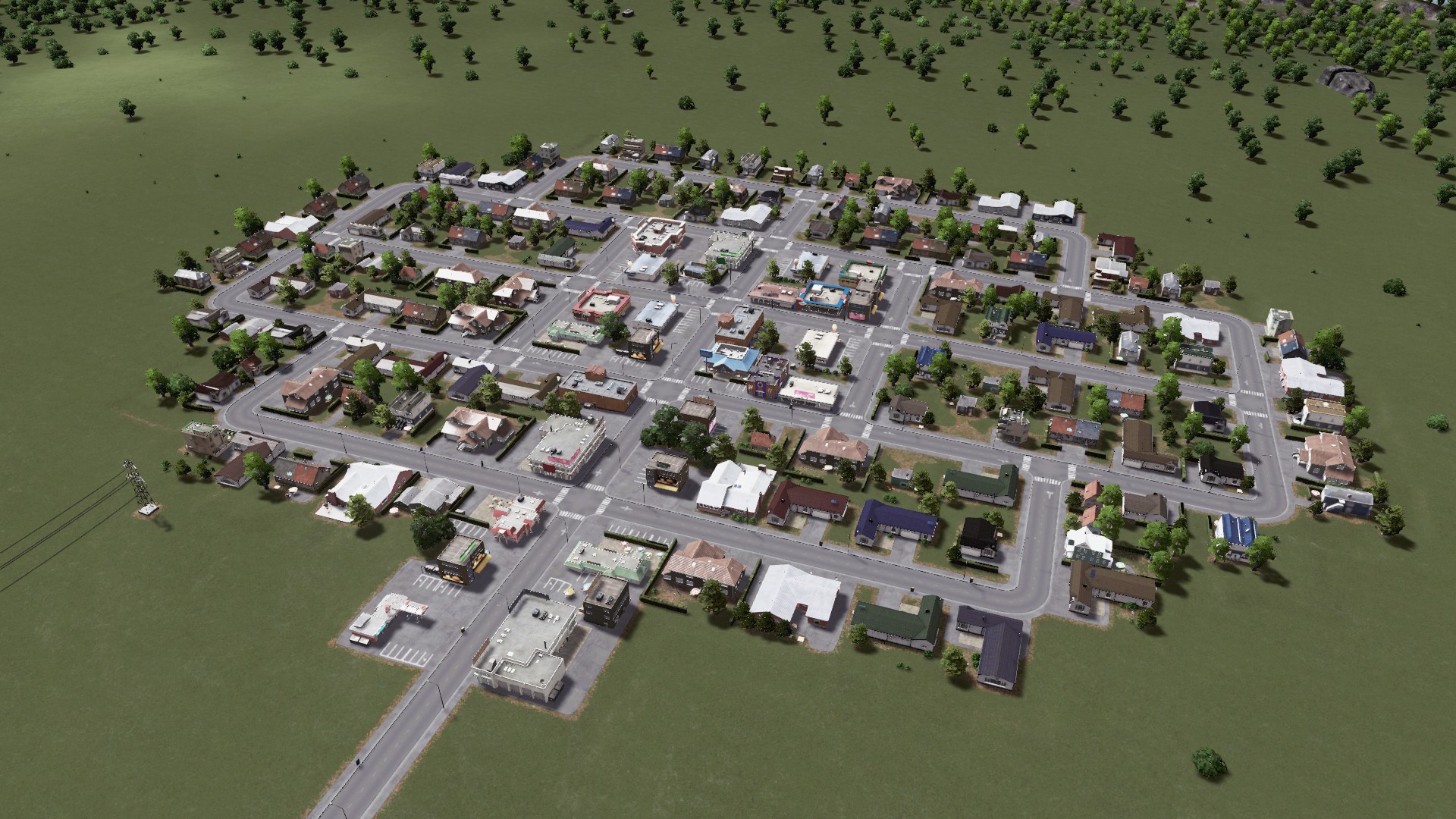 We are using two mods in this step to achieve the picture above. In order to achieve better lighting with less stark contrast and yellowish hue, we are going to use the Dailight Classic mod and combine it with the Softer Shadows mod. Both mods have no fps impact at all and this step applies to both US and other cities.
Step 5: Better roads
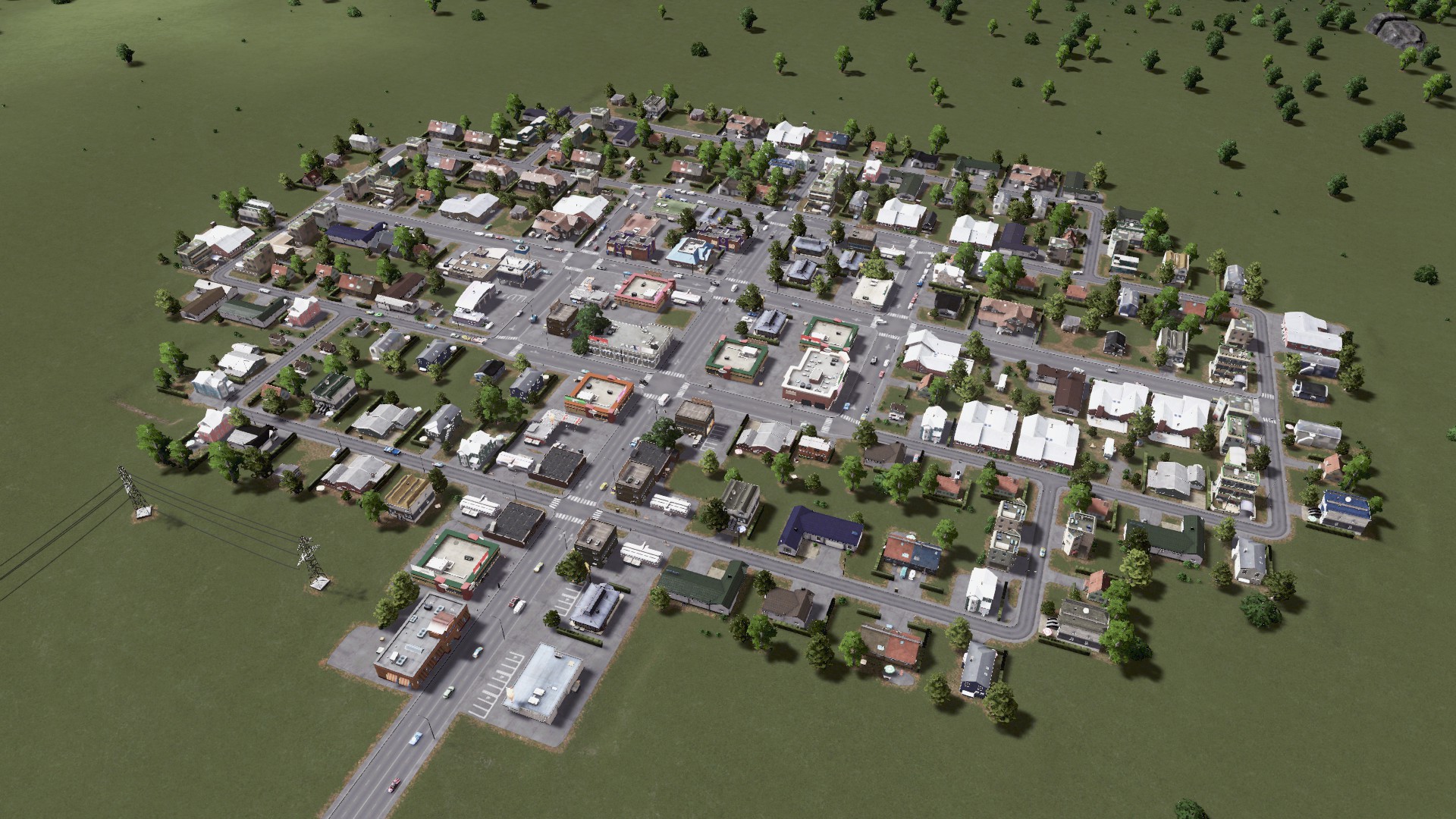 Let's increase the lanes on the main road to 4 and the residential roads should be a little smaller. To achieve this we use the Network Extensions mod. The problem now is that the roads don't really look american and lack the double yellow in the middle. Changing the road texture to a US-style is achieved through the Road United: Core mod and by downloading one of the US based texture packs. Together with the texture pack from the previous step the whole scene now already looks more realistic. The Roads United mod also is capable of switching to German, UK, Russian and other country roads as well, so feel free to choose whatever fits best for your city.
As with map themes, keep in mind that the textures can be quite large and take up some space in your RAM and VRAM. If you are low on both this can decrease fps. Otherwise the fps impact is neglegible.
Step 6: Details
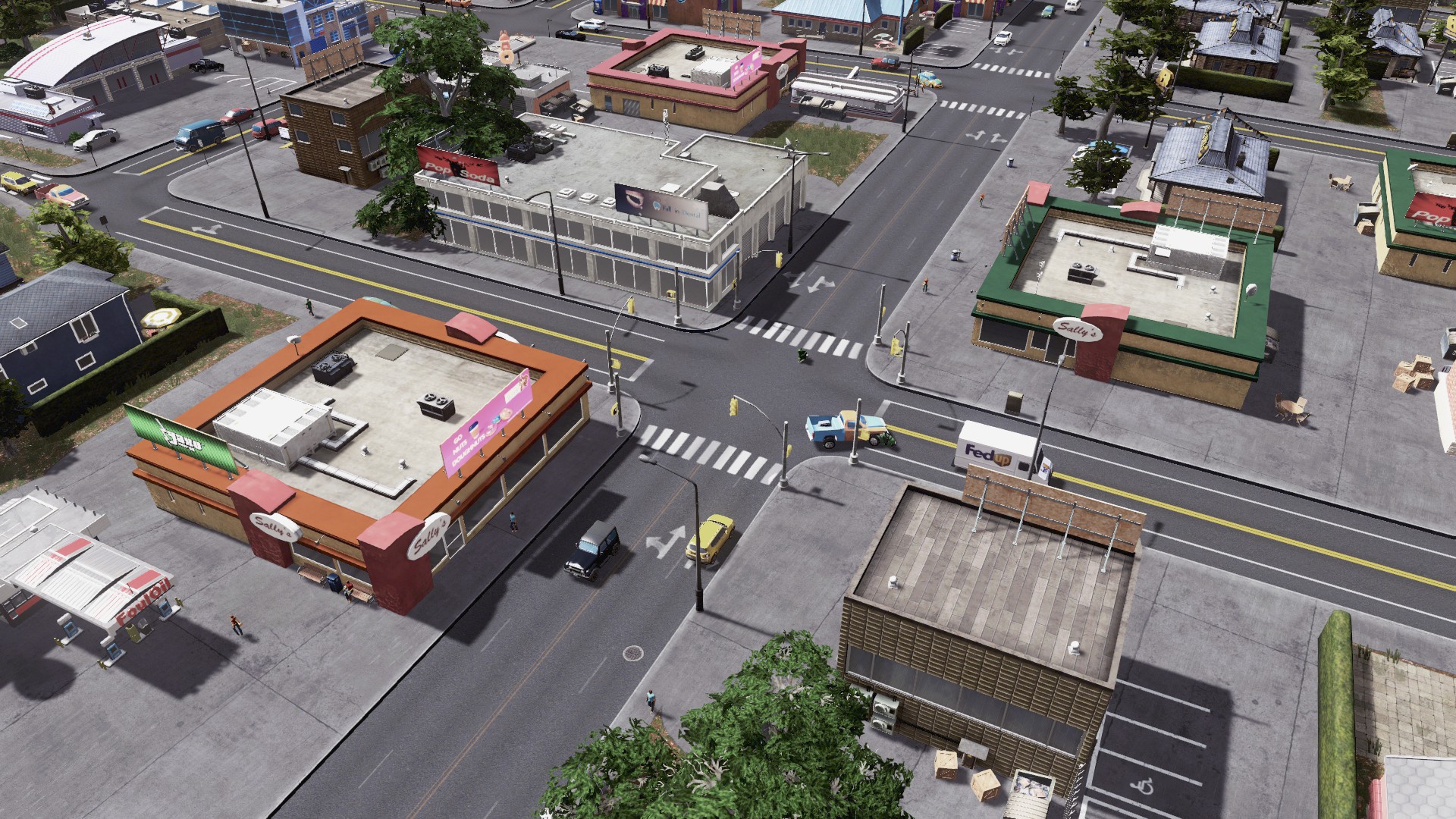 We are now going to change the traffic lights to the American version. If you build a European city this is not needed.
But how about we take a llok at another detail that can greatly enhance the immersion of your city. With the mod Emergency Lights Changer Plus we can choose between blue only (European) or blue and red (American) or red only (Japanese) emergency lights for ambulances, police cars and fire trucks.
Step 7: Assets and trees
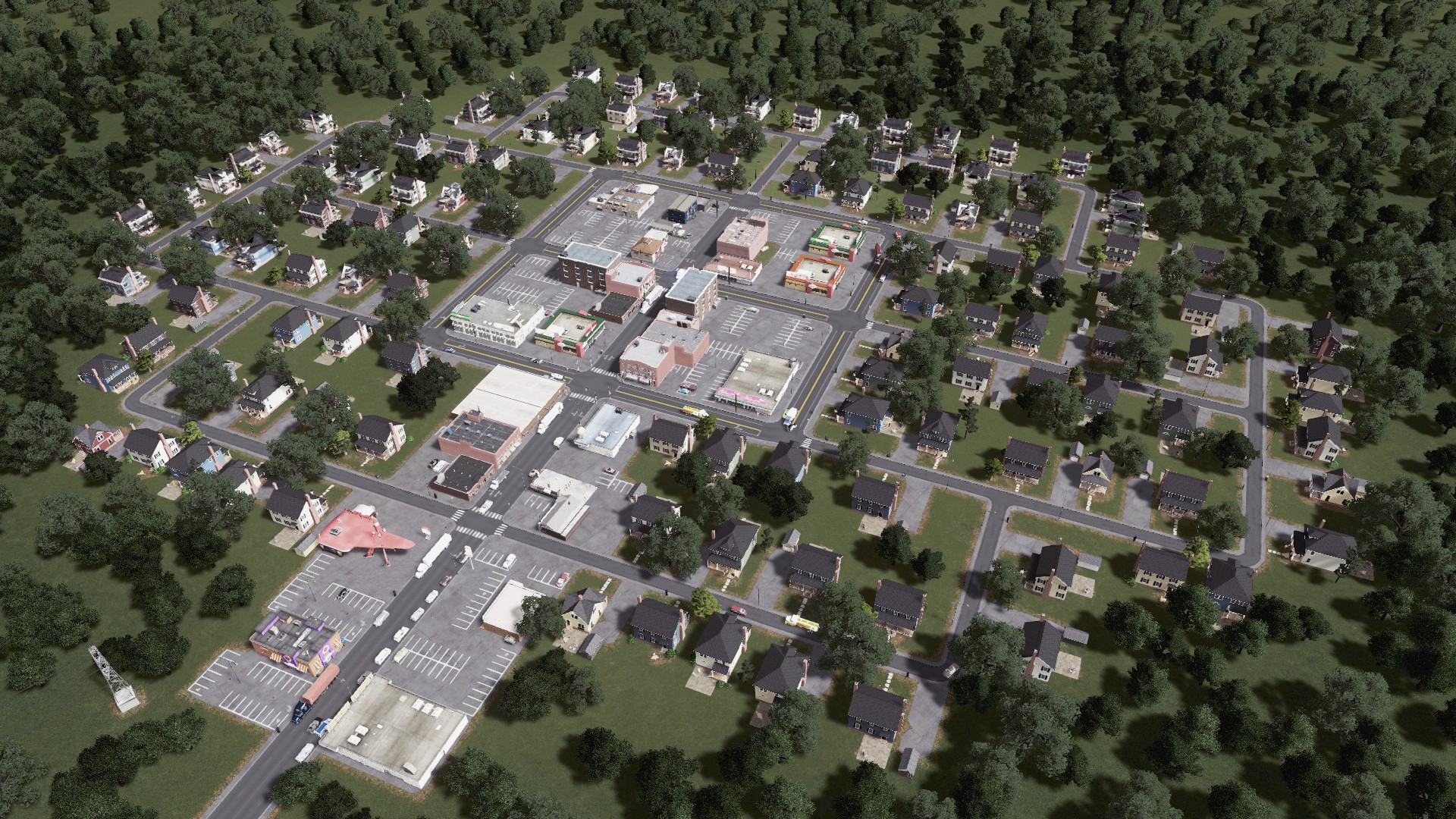 It is now time to download US style houses, shops and cars from the workshop. In order to easier assign the new buildings to a theme we are going to use the Building themes mod. There are hundreds of assets available so enjoy choosing the ones that you like! Attention though: some assets are way more graphically complex than vanilla buildings and might slow your PC down. Also you will need a lot of RAM because the game will need to load all the additional assets into it. So be mindful of how many new assets you download. Together with some custom trees the whole scene already looks way better than our initial vanilla screenshot.
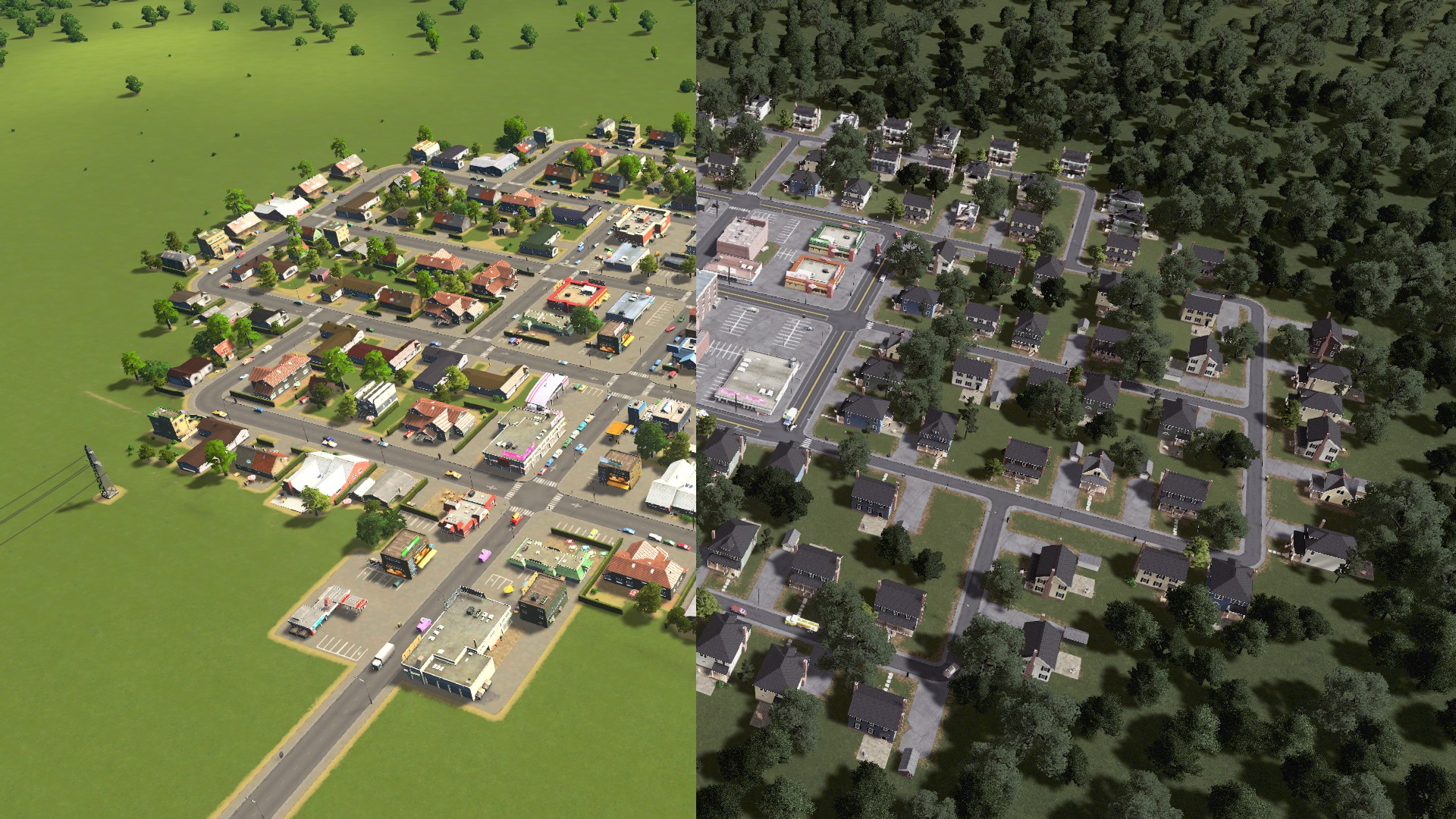
This is the end result compared to the vanilla scene:
Asset Collections
To make your game load WAY faster with many assets you will need the Loading Screen Mod!
US
Pre WW2 suburban houses
Suburban McMansions
Americana old houses
Brooklyn rowhouses
Ghetto houses (needs RICO mod!)
Manhatten growables
American 1900s highrises
Suburban Mall (needs RICO mod!)
1900s commercial
1900s commercial additions
parking lots (no US city would be complete without them!)
American vehicles
Europe
Berlin rowhouses
Modern European residential
UK terraced residential and commercial
Paris houses
European Suburbia official DLC (not a free mod!)[www.paradoxplaza.com]
More Cities: Skylines guides
- The Beginner's Guide to Traffic★ 5 (5.9k)167k views13k ♥27 minUpdated Sep 26, 2015
- HOW TO TRAFFIC★ 5 (3.5k)95k views5.2k ♥33 minUpdated Mar 26, 2017
- 都市天际线模组推荐指南V5.1★ 5 (1.9k)67k views6.5k ♥29 minSimplified ChineseUpdated Dec 26, 2023
- Cities Skylines: An In-Depth Beginner's Guide & Walkthrough★ 5 (926)66k views2.8k ♥37 minUpdated Apr 9, 2015
- Traffic Planning Guide for Realistic Cities★ 5 (1.4k)59k views3.1k ♥30 minUpdated Jul 20, 2017
- Cities Skylines | A Beginner's Guide To Using Mods & Custom Content★ 5 (898)47k views2k ♥28 minUpdated May 21, 2023


🔥 Popular guides
- Upgrading to PremiumTeam Fortress 2★ 5 (20k)1441k views11k ♥6 minUpdated May 11, 2022
- No More Room in Hell Official ManualNo More Room in Hell★ 5 (2.8k)569k views2.1k ♥29 minUpdated Apr 22, 2019
- NMRiH Community Hosting GuidesNo More Room in Hell★ 5 (526)351k views653 ♥1 minUpdated Aug 10, 2022
- How to 'Git Gud' Soon™MORDHAU★ 5 (2k)318k views3k ♥68 minUpdated Nov 16, 2024
- Лучшие кооперативные игры SteamPAYDAY 2★ 5 (1.5k)315k views2.1k ♥56 minRussianUpdated Apr 27, 2025
- Desert Eagle Heat Treated | Blue GemCounter-Strike 2★ 5 (1.6k)293k views1.5k ♥2 minUpdated Jan 16





This guide was created by its original author on the Steam Community. Are you the author and want it removed? Request removal.