How to make "Himeyama Shinkansen Station" by Ronyx69 accept intercity trains
Guide
Original asset by Ronyx69
https://steamcommunity.com/sharedfiles/filedetails/?id=1779450746
If you want this asset to work with intercity trains, I couldn't quite find an easy workaround so if someone knows, please comment here or on the actual asset page linked above. There are other comments mentioning using some tricks with Upgrade Untouchable, but the trains still won't stop at the station. The workaround I found is a bit annoying to do, but does work well enough. All of the below assumes you only want to use this station as an intercity connection. Connecting your own lines is a lot easier by just using Upgrade Untouchable and copying a track from an existing station.
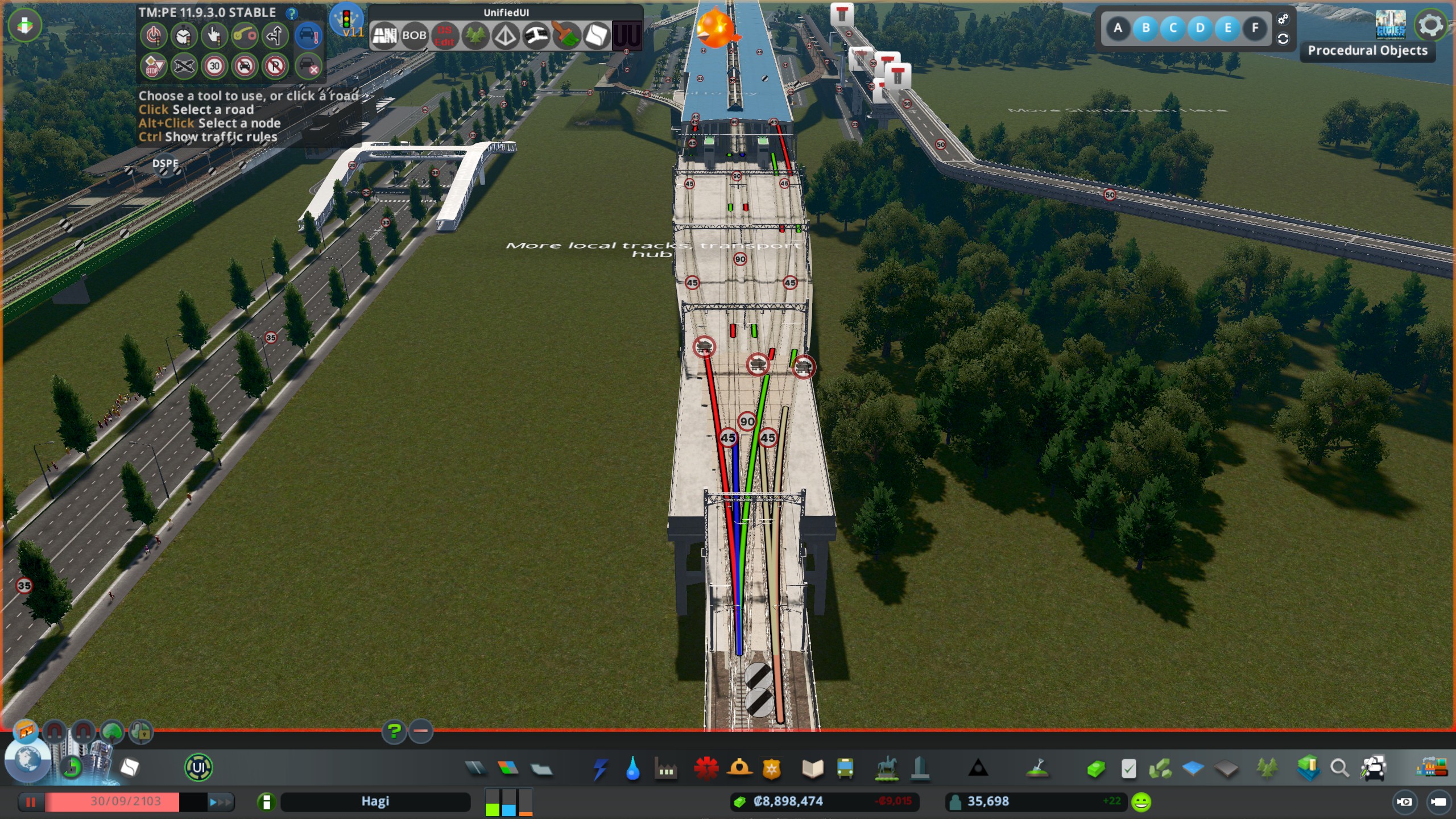
Get Upgrade Untouchable mod to modify the tracks within the station. Simply copy the track and paste it over itself so it can be adjusted with MoveIt if needed. Make sure you are not copying and pasting the overhead wires, which is a separate network. Use CTRL while hovering your cursor to double check what you are pasting over, as the mod will tell you which track it is when you hover over it. Why adjust with MoveIt? Because it can help you with adjusting TMPE lines which is essential for this. It also makes the train connections less scuffed on the station, but that's more for visual aesthetics.
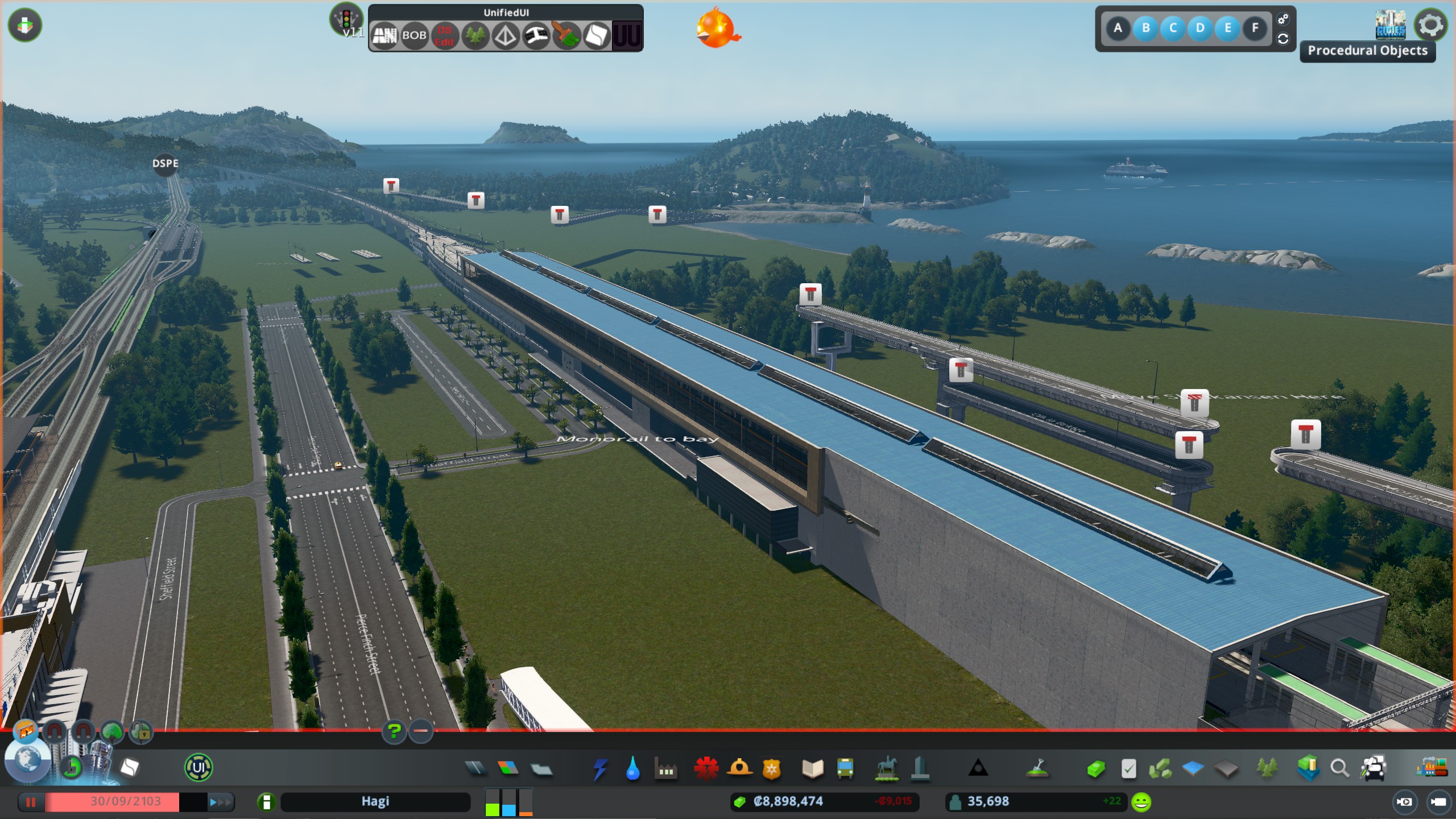
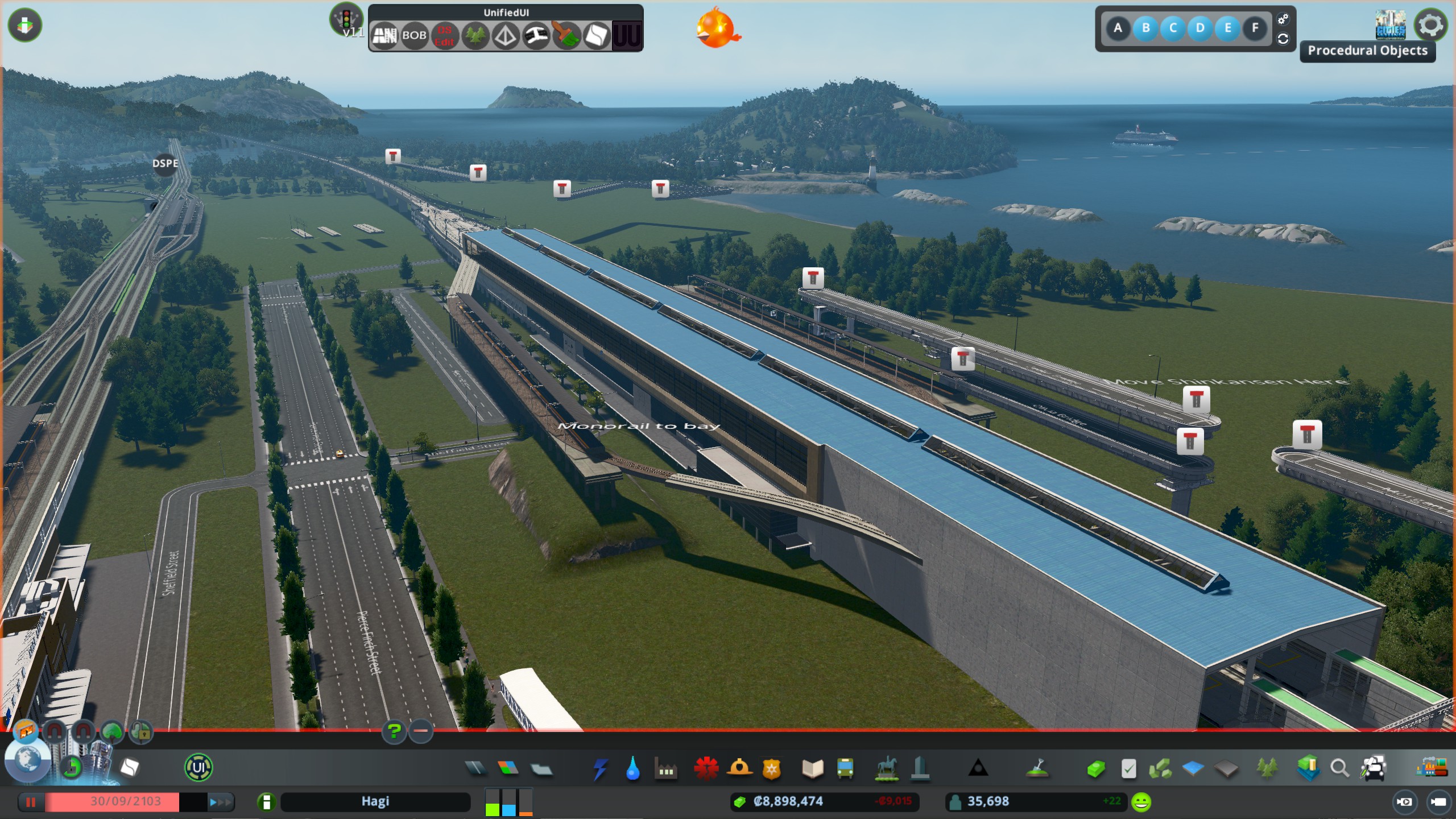
Next, if you want intercity trains to stop on the outside tracks of the station, grab a third party elevated station, or really any type of station you're ok with moving into the station using MoveIt. Connect tracks to the new "hidden" stations on each side. Use TMPE to connect lanes to each station. If the third party station you use is small profile enough, it is hardly noticeable.
Now another important note is that intercity trains love to exit the same way they enter, so if you continue using one way tracks, the trains will just despawn. And if you upgrade the one way tracks to two way, but still single lane, the trains will leave but they can back up. You'll have to use two way two lane tracks all the way up to the two new hidden stations. Again, make sure to connect everything with TMPE, making sure trains have a way out on both ends of the station, and a way in and a way out on the end of the station it enters from (again, because intercity trains love leaving in the way they came, so make sure they can do this). Nearly every node in the tracks you make need to have TMPE connections, I'm not quite sure why but without it sometimes trains get stopped in the station and despawn. Make sure you use Upgrade Untouchable to modify the station tracks going into the building as well, to have those be two lane two way as well.
Just do all of the track work, TMPE, and so on while the stations are still outside, then once all connected use MoveIt to push them inside and up to the same level as the Shinkansen track.
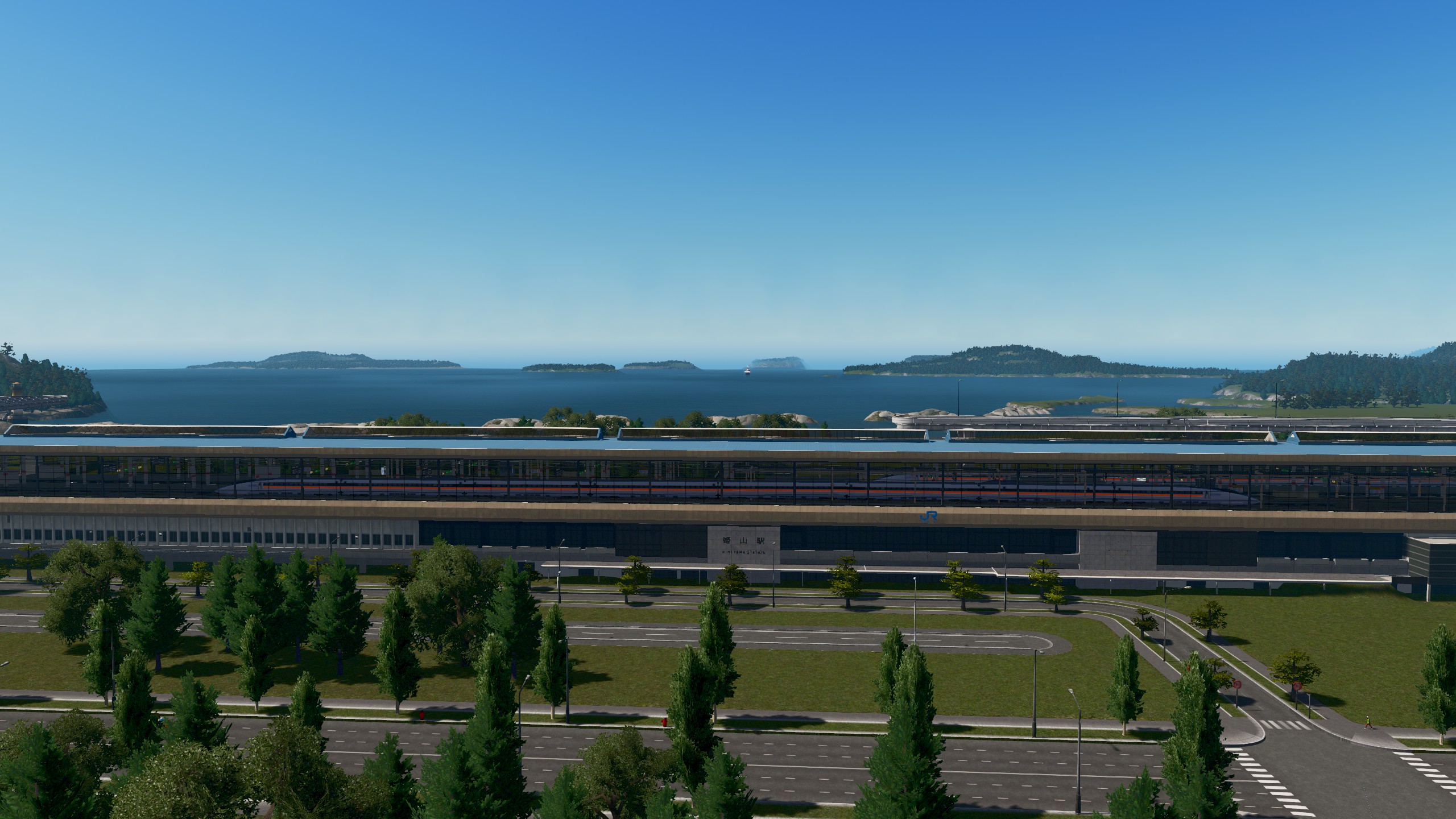
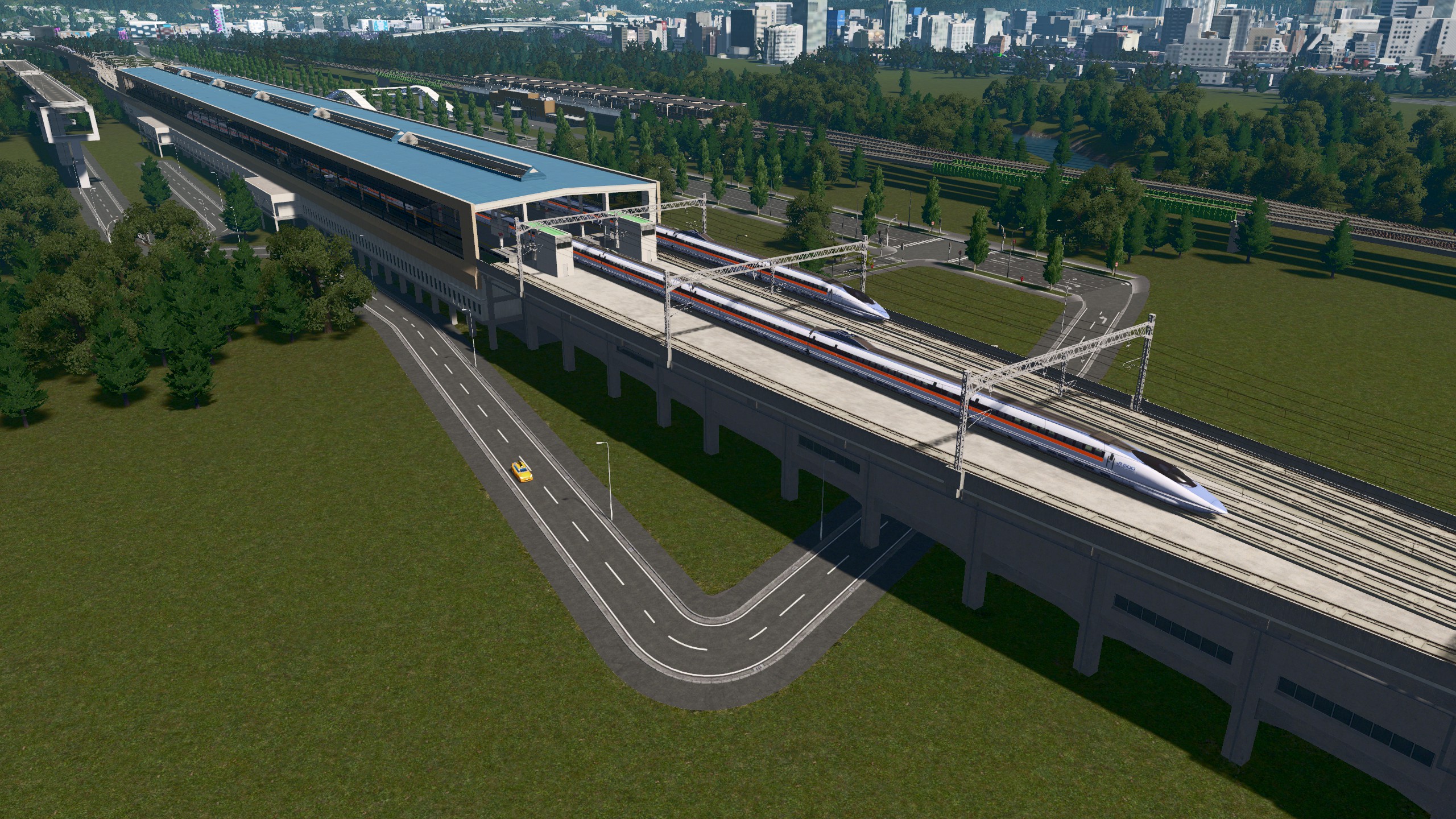
I've tested this extensively and it seems to work. Even when a long train queues up behind another, as long as you have a two lane two way rail entering your hidden stations, the trains will be able to leave. Sometimes trains will stop in a station and despawn, but I'm not sure how to fix that, and it only happens occasionally anyway. Sometimes trains even use the middle rail when passing through which is quite nice, but it seems random whether the middle or side rail is used as for trains to pass through. Images below. I'm sure there's a much easier solution to this, but a lot of the comments on the original asset post are a bit confusing, and I haven't found anything else that works.
https://steamcommunity.com/sharedfiles/filedetails/?id=3659538724
https://steamcommunity.com/sharedfiles/filedetails/?id=3659539011
https://steamcommunity.com/sharedfiles/filedetails/?id=3659539031
https://steamcommunity.com/sharedfiles/filedetails/?id=3659539053
https://steamcommunity.com/sharedfiles/filedetails/?id=3659539078
https://steamcommunity.com/sharedfiles/filedetails/?id=3659539096
https://steamcommunity.com/sharedfiles/filedetails/?id=3659539113
https://steamcommunity.com/sharedfiles/filedetails/?id=3659540406
https://steamcommunity.com/sharedfiles/filedetails/?id=3659536893
Screenshots
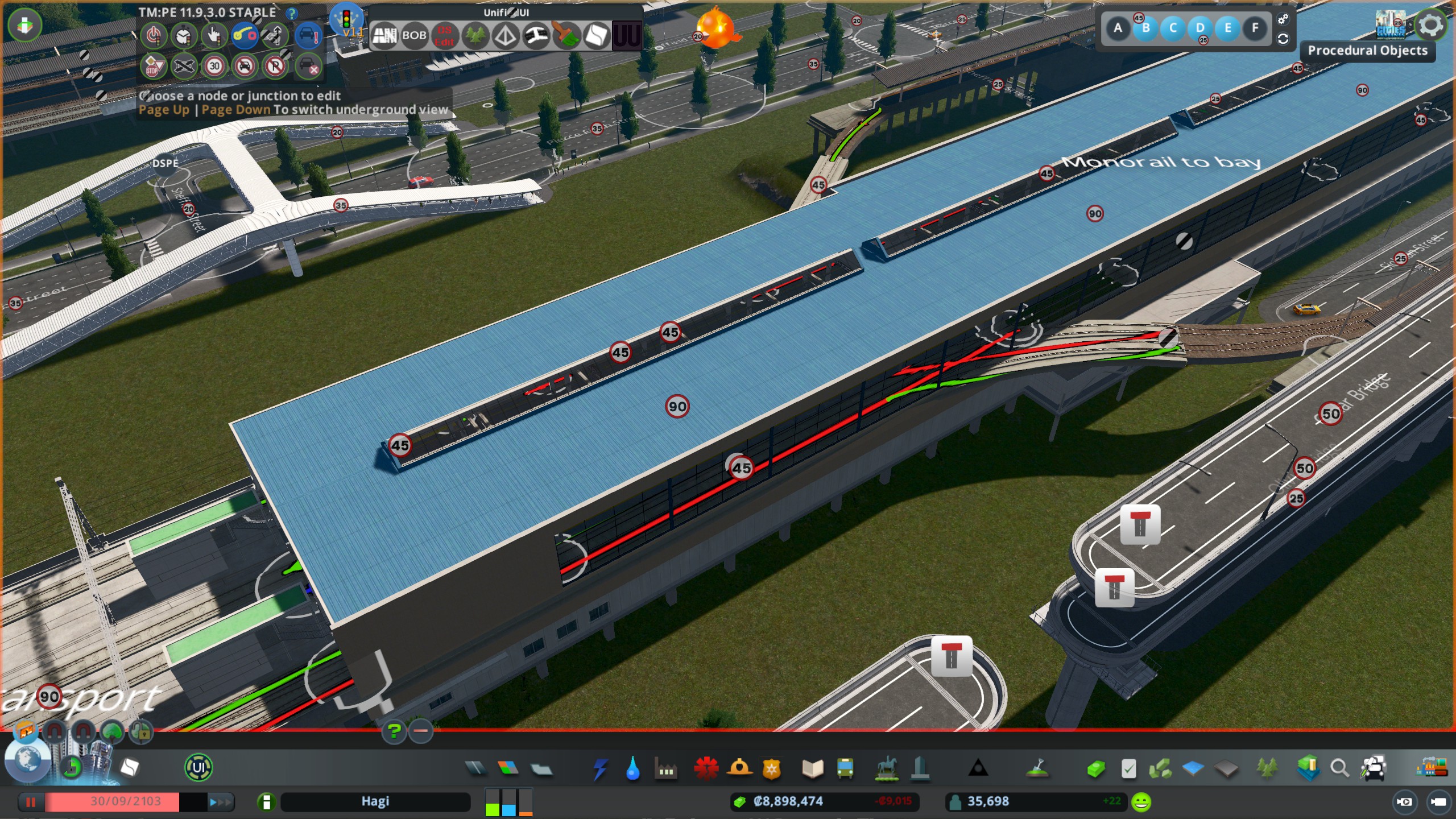
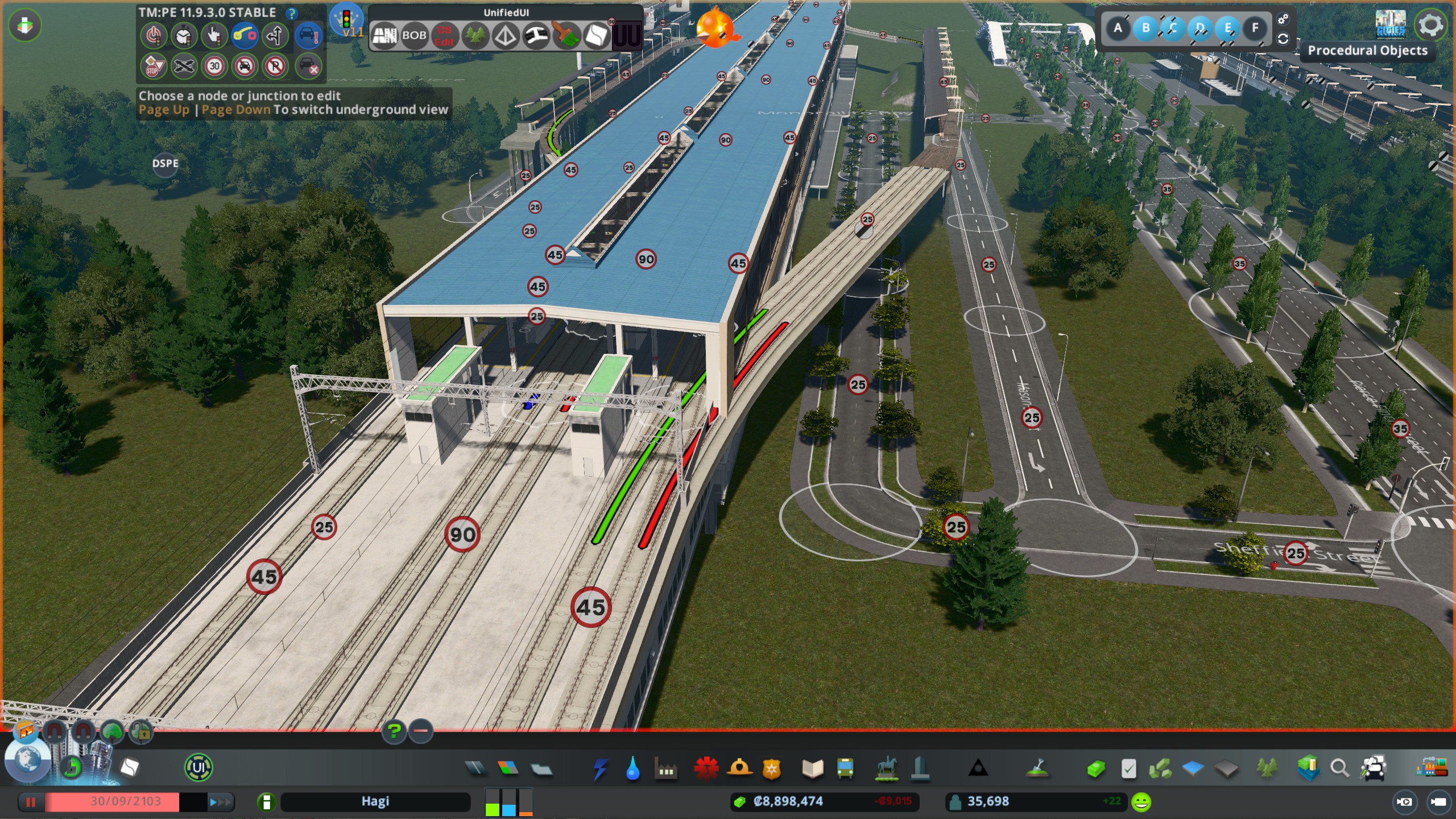
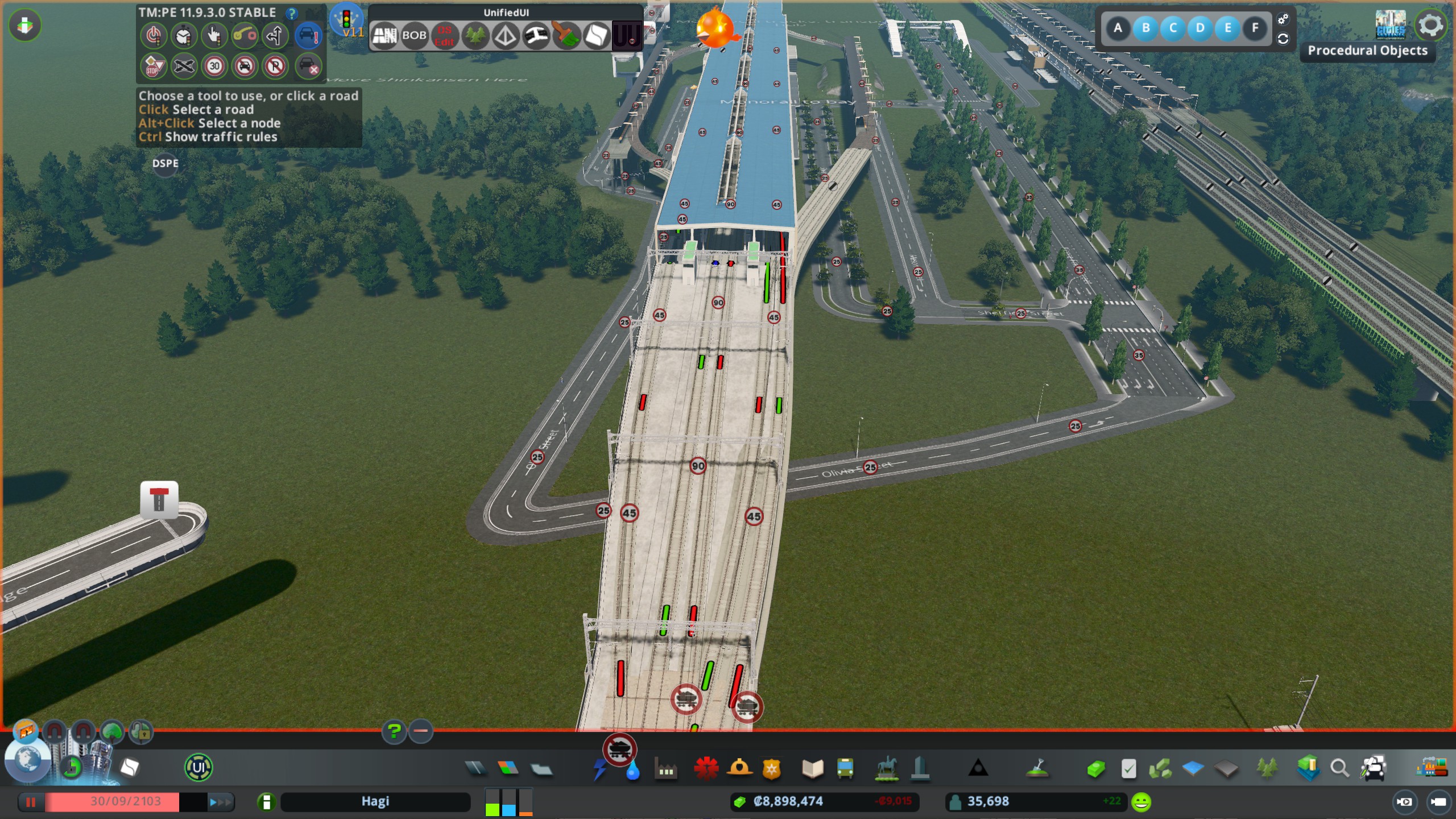
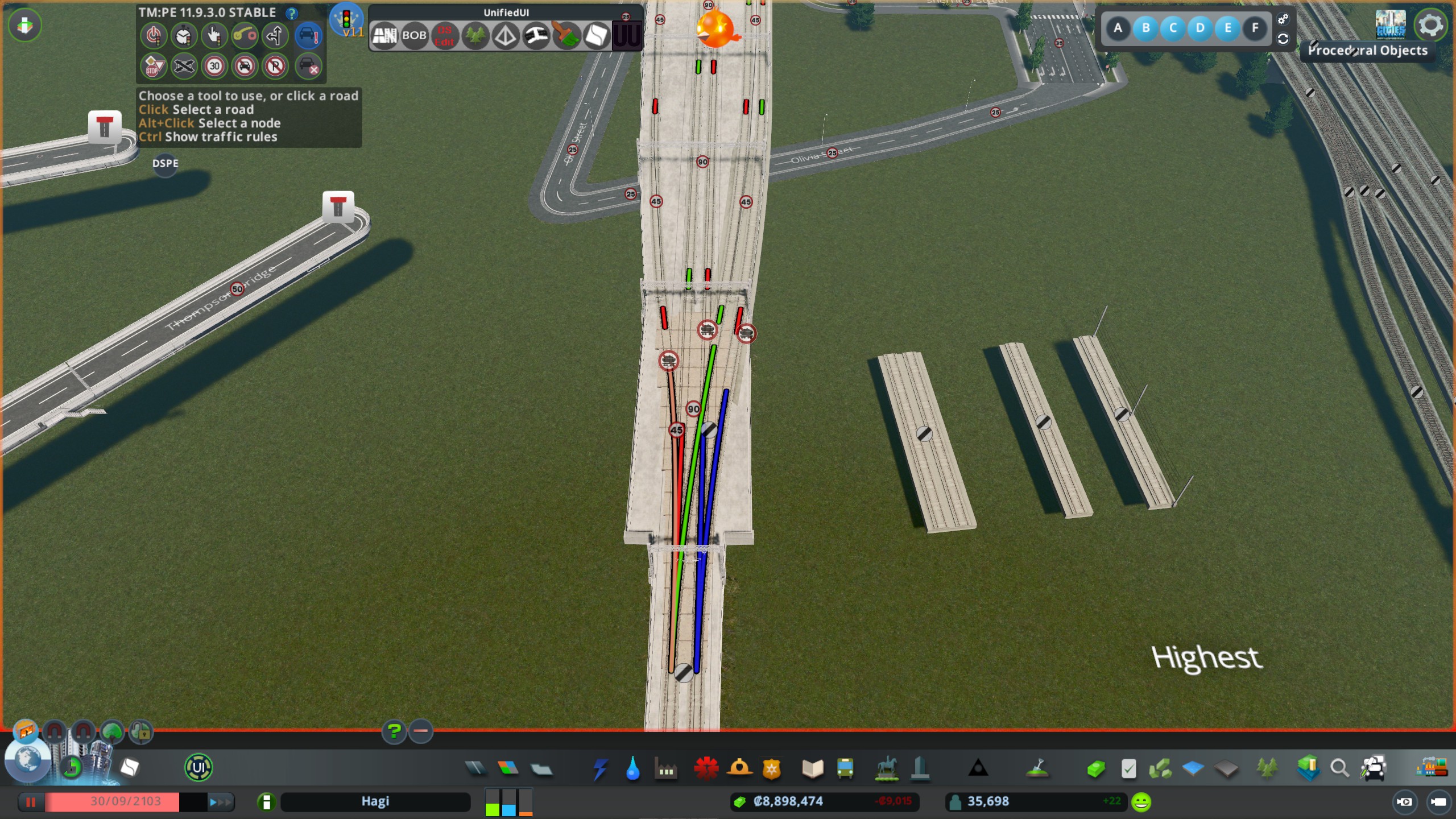
- The Beginner's Guide to Traffic★ 5 (5.9k)167k views13k ♥27 minUpdated Sep 26, 2015
- HOW TO TRAFFIC★ 5 (3.5k)95k views5.2k ♥33 minUpdated Mar 26, 2017
- 都市天际线模组推荐指南V5.1★ 5 (1.9k)67k views6.5k ♥29 minSimplified ChineseUpdated Dec 26, 2023
- Cities Skylines: An In-Depth Beginner's Guide & Walkthrough★ 5 (926)66k views2.8k ♥37 minUpdated Apr 9, 2015
- Traffic Planning Guide for Realistic Cities★ 5 (1.4k)59k views3.1k ♥30 minUpdated Jul 20, 2017
- Cities Skylines | A Beginner's Guide To Using Mods & Custom Content★ 5 (898)47k views2k ♥28 minUpdated May 21, 2023


- Upgrading to PremiumTeam Fortress 2★ 5 (20k)1441k views11k ♥6 minUpdated May 11, 2022
- No More Room in Hell Official ManualNo More Room in Hell★ 5 (2.8k)569k views2.1k ♥29 minUpdated Apr 22, 2019
- NMRiH Community Hosting GuidesNo More Room in Hell★ 5 (526)351k views653 ♥1 minUpdated Aug 10, 2022
- ULTIMATE GUIDE FOR GAME DEV TYCOONGame Dev Tycoon★ 5 (5.8k)326k views10k ♥4 minUpdated 23 Jan, 2014
- How to 'Git Gud' Soon™MORDHAU★ 5 (2k)318k views3k ♥68 minUpdated Nov 16, 2024
- Лучшие кооперативные игры SteamPAYDAY 2★ 5 (1.5k)315k views2.1k ♥56 minRussianUpdated Apr 27, 2025






This guide was created by its original author on the Steam Community. Are you the author and want it removed? Request removal.