How to make trolleybusses: Asset Creation Guide
1. Basics
Trolleybusssesss are the one of the new types of public transport that was introduced with Sunset Harbor DLC. More flexible than trams but limited compared to busses, trolleybusses address a specific niche in modern cities, which is clean, electric powered public transport while using bus infrastructure, drivers with minimal supplemental costs (maintenance and implementation of wire systems, different vehicle and components).
Trolleybusses have a special feature; they are powered via trolley poles located on the top of the vehicle, that are always following trolley wires on the road network. While it looks very cool, it also requires a special calculation done by AI and different approach by the content creator.
As I'm pretty good stuff that involves wires (trains) and living in the country of trolleybusses, I decided to make a guide that hopefully simplifies the process of trolleybus creation.
This guide assumes you are familiar with vehicle and mesh/texture creation and that you are capable of making reasonable main and LOD meshes.
2. Modeling
Trolleybus itself is a separate mesh, just like a normal vehicle. Trolleybus poles are independent meshes from the vehicle itself, and they are imported to the game by using submesh function of the asset editor. However, unlike normal submesh procedure, they have their own pivot. This can be seen in the picture below. Trolley bus pole structure must have pivot on the point where pole structure will rotate. In adition to this, each pole is a different submesh. Meaning, you will import them twice. I recommend to create one pole with lod and textures, then copy paste this 'set' to import folder and rename as "pole 2".
Anything that is connected to the pole structure, such as wires, suspensions, connectors or related component must be part of trolley pole mesh. As they have much wider angle of rotation compared to real life counterparts, I do not recommend to model extra base structure on vehicle mesh. Decent complexity on trolley pole should be sufficent.
Trolley poles should be modeled in retracted position, as said above, independent from the bus itself.
It's higly recommended to create a LOD mesh for poles. it is relatively a big moving piece on top of the bus, so have something there please.
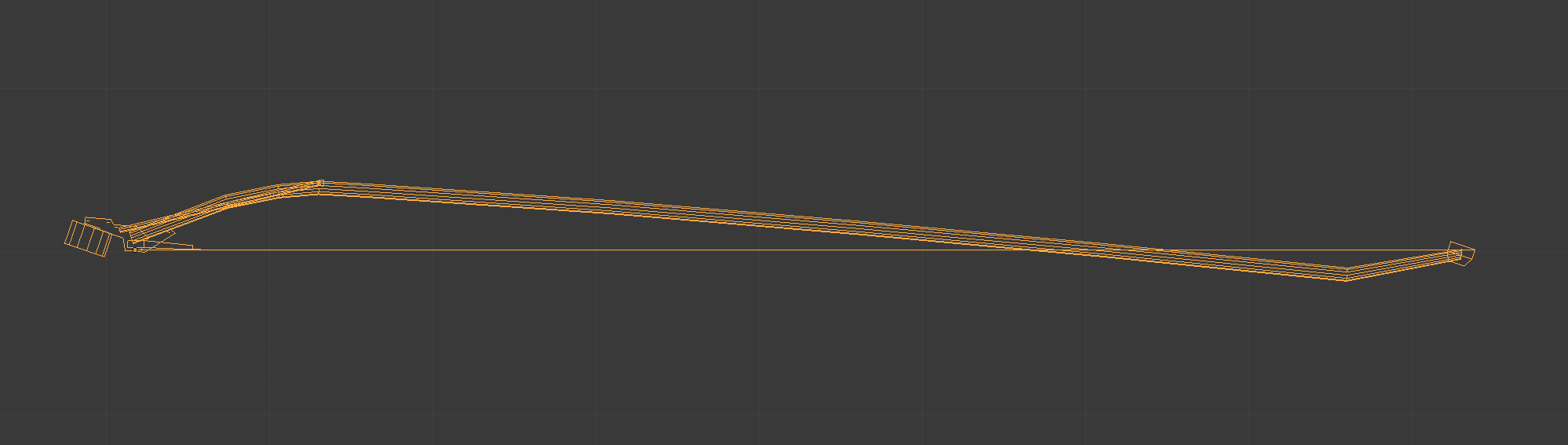

Notice the pivot position; it's located under metal joint piece, where trolley is attached to the rest of the equipment on bus roof.
I recommend to position 2 vertices; one on pivot and other on the 'tip' of the pole. The distance between these vertices will be used in asset editor.
3. Asset Editor
Once you're in editor, you will select trolleybus template and then your bus mesh. It is not possible to convert existing busses as trolleybus, as they have their own template with custom options. You can however reimport existing bus meshes as trolleybus by using the template provided by the game editor, assuming you have source files.
Once you're in the editor, you will notice different settings on the rightside panel.
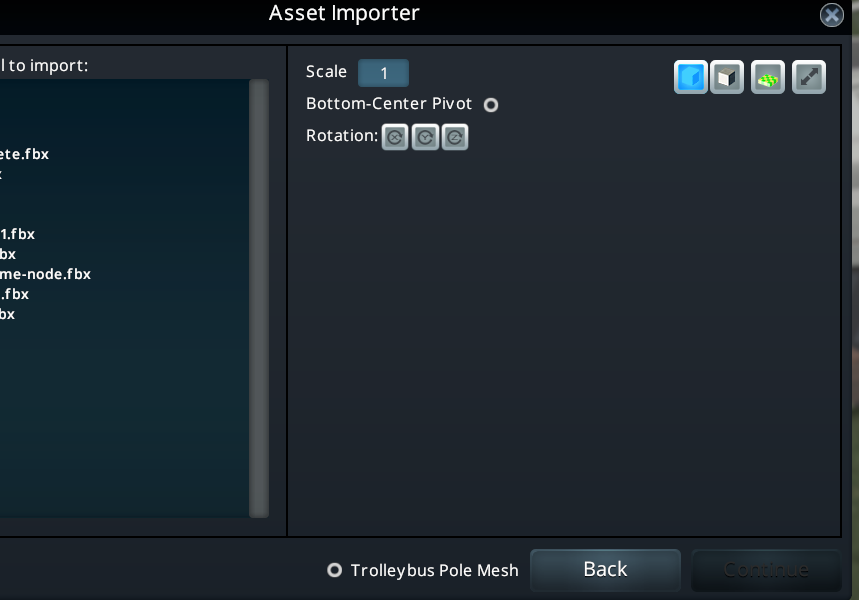
Poles lenght: Lenght of the pole mesh you imported from pivot to tip of the pole. As it's seen in the screenshot, it is set to 6.54m, which is the exact lenght of the pole you saw in previous section. It is imperative you set this right, otherwise your poles will cut through the wire or they there will be a gap between wire and poles.
Pole X Offset: Sets the 'width' of poles. Bigger the value is wider the poles will be positioned. Keep in mind that, regardless this setting, poles will always touch the wire. Meaning, if you increase the value, trolley poles will 'bend' inwards in order to match the wire width, which is not realistic. After my testing, I decided that 0.5 value works the best. So stick to that value.
Poles Y Position: Rotates trolley poles with respect to wire height. This is useful to align the base of the trolley pole to the roof structure, so its pivot or 'base' wont sink inside the bus. Manipulate this setting until you have perfect alignment with the trolley base and rest of the roof structure.
Poles Z position: Moves poles back and forward over roof. Use it to align poles on the roof structure.
4. Finish
- I did not test the feasibility of single wire trolleypoles or trams using the said template, so uncertain.
- As of now, it's impossible to use trolley poles on trailers. In other words, it's not possible to make articulated buses or double bendy buses right from the starts.
- It's possible that trolley poles might pop under the bus. That's a bug of editor, it's doesnt occur in-game.
- The Beginner's Guide to Traffic★ 5 (5.9k)167k views13k ♥27 minUpdated Sep 26, 2015
- HOW TO TRAFFIC★ 5 (3.5k)95k views5.2k ♥33 minUpdated Mar 26, 2017
- 都市天际线模组推荐指南V5.1★ 5 (1.9k)67k views6.5k ♥29 minSimplified ChineseUpdated Dec 26, 2023
- Cities Skylines: An In-Depth Beginner's Guide & Walkthrough★ 5 (926)66k views2.8k ♥37 minUpdated Apr 9, 2015
- Traffic Planning Guide for Realistic Cities★ 5 (1.4k)59k views3.1k ♥30 minUpdated Jul 20, 2017
- Cities Skylines | A Beginner's Guide To Using Mods & Custom Content★ 5 (898)47k views2k ♥28 minUpdated May 21, 2023




- Upgrading to PremiumTeam Fortress 2★ 5 (20k)1441k views11k ♥6 minUpdated May 11, 2022
- No More Room in Hell Official ManualNo More Room in Hell★ 5 (2.8k)569k views2.1k ♥29 minUpdated Apr 22, 2019
- NMRiH Community Hosting GuidesNo More Room in Hell★ 5 (526)351k views653 ♥1 minUpdated Aug 10, 2022
- ULTIMATE GUIDE FOR GAME DEV TYCOONGame Dev Tycoon★ 5 (5.8k)326k views10k ♥4 minUpdated 23 Jan, 2014
- How to 'Git Gud' Soon™MORDHAU★ 5 (2k)318k views3k ♥68 minUpdated Nov 16, 2024
- Лучшие кооперативные игры SteamPAYDAY 2★ 5 (1.5k)315k views2.1k ♥56 minRussianUpdated Apr 27, 2025






This guide was created by its original author on the Steam Community. Are you the author and want it removed? Request removal.