How to prevent server browser spam
Introduction
This is a introduction to reduce the server browser spam in CS:S
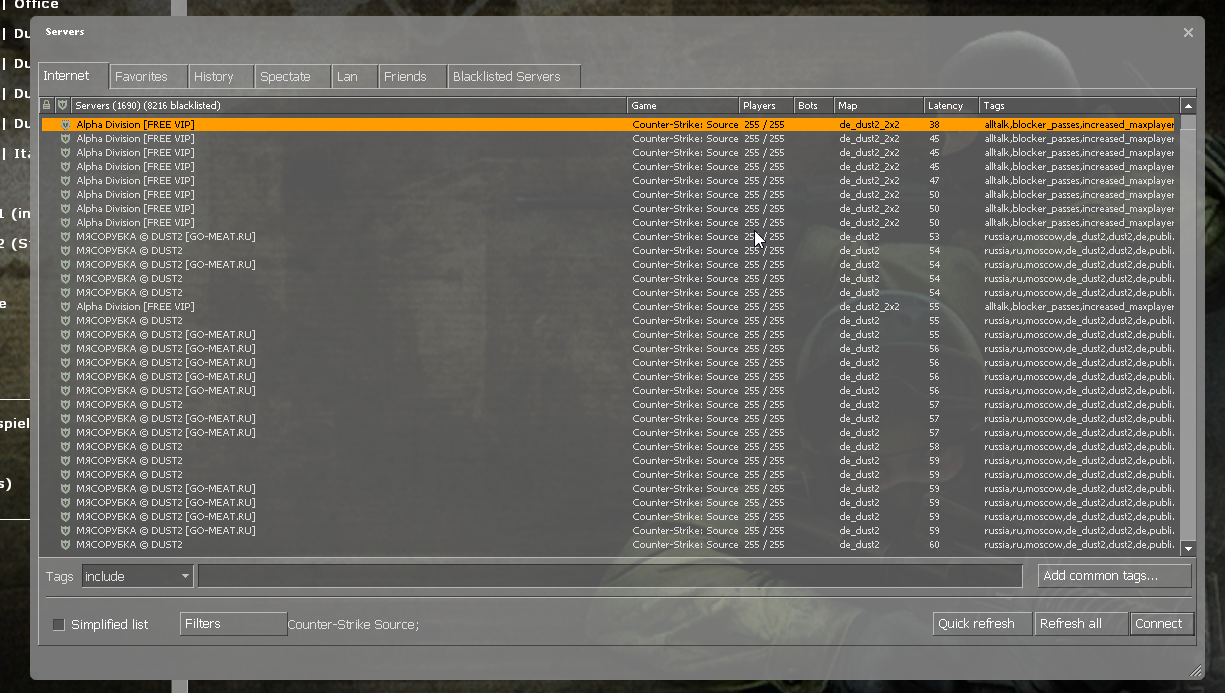
This spam looks like this.
or like this
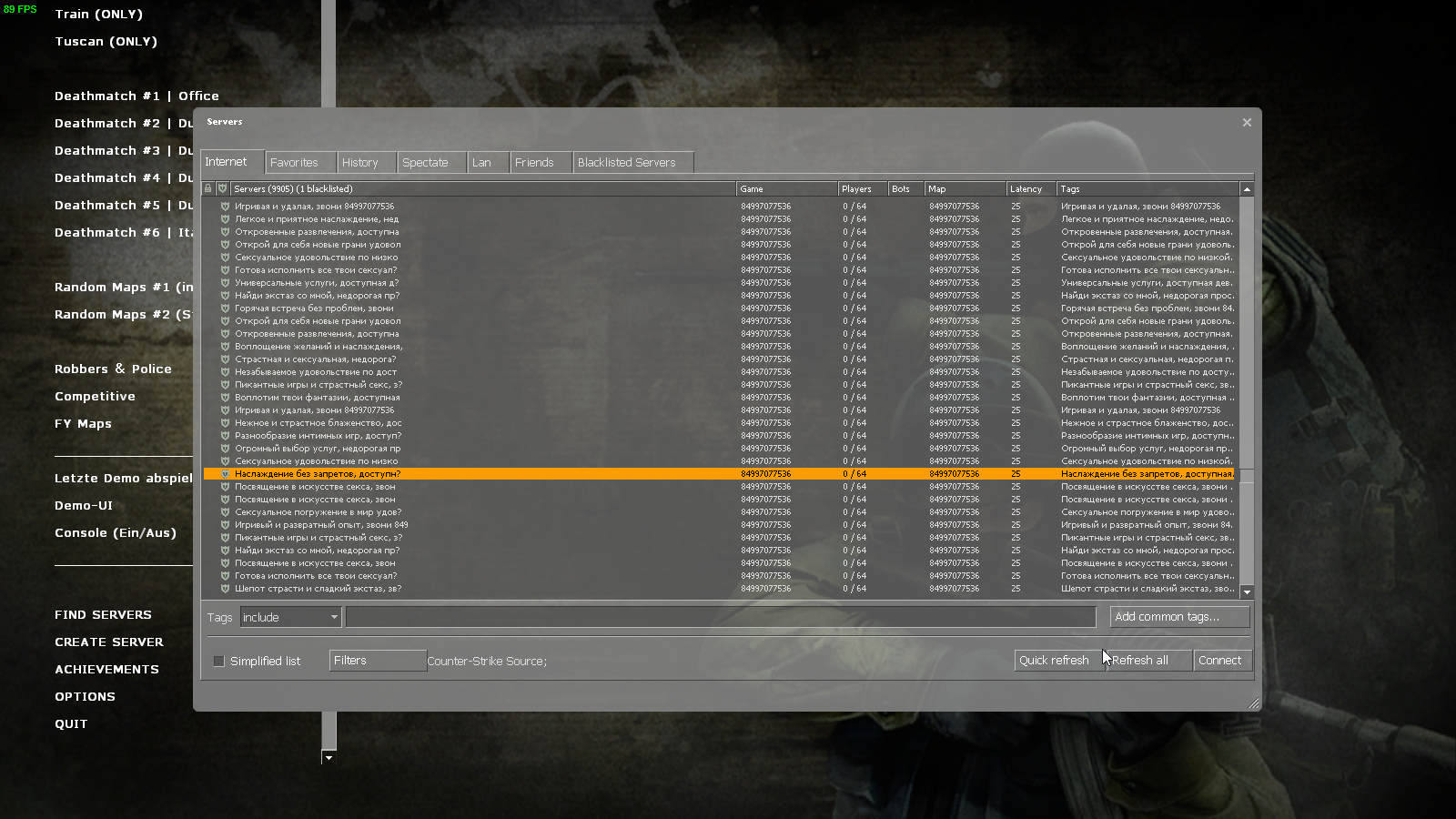
The latter are just fake servers, that you can't even connect to because the IPs are fake.
In this guide I will be showing you how to fix it.
Note that both methods will make it longer to populate the server browser with servers, but this is because the game still contacts the masterserver and gets these servers. The only way to truly fix this is to comment under this steam discussion or this github issue[github.com] to get valve's attention
This spam looks like this.
or like this
The latter are just fake servers, that you can't even connect to because the IPs are fake.
In this guide I will be showing you how to fix it.
Note that both methods will make it longer to populate the server browser with servers, but this is because the game still contacts the masterserver and gets these servers. The only way to truly fix this is to comment under this steam discussion or this github issue[github.com] to get valve's attention
Filter Server Tags
The jist of it is you can use tags to exclude results. So by adding tags only the biggest spammers use they are not shown in results. It works okay and is quick. The hard part is selecting which tags to use.
Do not include tags example:
no-steam,nosteam,nonsteam,fox,perfect,ru,naykon,gomeat,serverigr,c400,11,v34,v93,blocker_passes
Can add any tag you see that is specific to a server or spam server you want to exclude. Great for keeping most newly appearing spam suppressed between blacklist updates.
Also helps to set max players to 64, select drop down for secure servers only, selecting a ping limit you find reasonable, and maybe selecting a region. This helps target servers you want to see and filters 10s of thousands of spam servers right away.
Below is an image of how it should look like in your server browser at the very least.
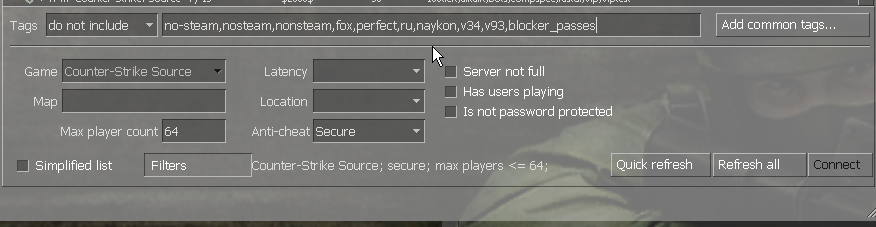
Do not include tags example:
no-steam,nosteam,nonsteam,fox,perfect,ru,naykon,gomeat,serverigr,c400,11,v34,v93,blocker_passes
Can add any tag you see that is specific to a server or spam server you want to exclude. Great for keeping most newly appearing spam suppressed between blacklist updates.
Also helps to set max players to 64, select drop down for secure servers only, selecting a ping limit you find reasonable, and maybe selecting a region. This helps target servers you want to see and filters 10s of thousands of spam servers right away.
Below is an image of how it should look like in your server browser at the very least.
Importing a server blacklist
Note that this method will make the game freeze each time you open the server browser, I would only recommend this on fast computers using a SSD and a fast CPU.
First things first, you want to download the server blacklist from here[github.com]
(thanks to Ballganda for this updated list)
There should be a download raw file at the right side of the page

After you've downloaded it, open CS:S and open the server browser and switch to the "blacklisted servers" tab
Click "import servers from file" at the bottom
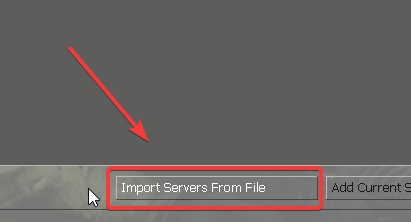
A file picker should appear and you should select the server_blacklist.txt file you downloaded, the game should freeze for a bit and servers will appear in the blacklisted servers tab.
If this does not work for you, copy over the server_blacklist.txt file to the cstrike/cfg folder.
First things first, you want to download the server blacklist from here[github.com]
(thanks to Ballganda for this updated list)
There should be a download raw file at the right side of the page
After you've downloaded it, open CS:S and open the server browser and switch to the "blacklisted servers" tab
Click "import servers from file" at the bottom
A file picker should appear and you should select the server_blacklist.txt file you downloaded, the game should freeze for a bit and servers will appear in the blacklisted servers tab.
If this does not work for you, copy over the server_blacklist.txt file to the cstrike/cfg folder.
The end
After you've imported the server blacklist, your server browser should look like this
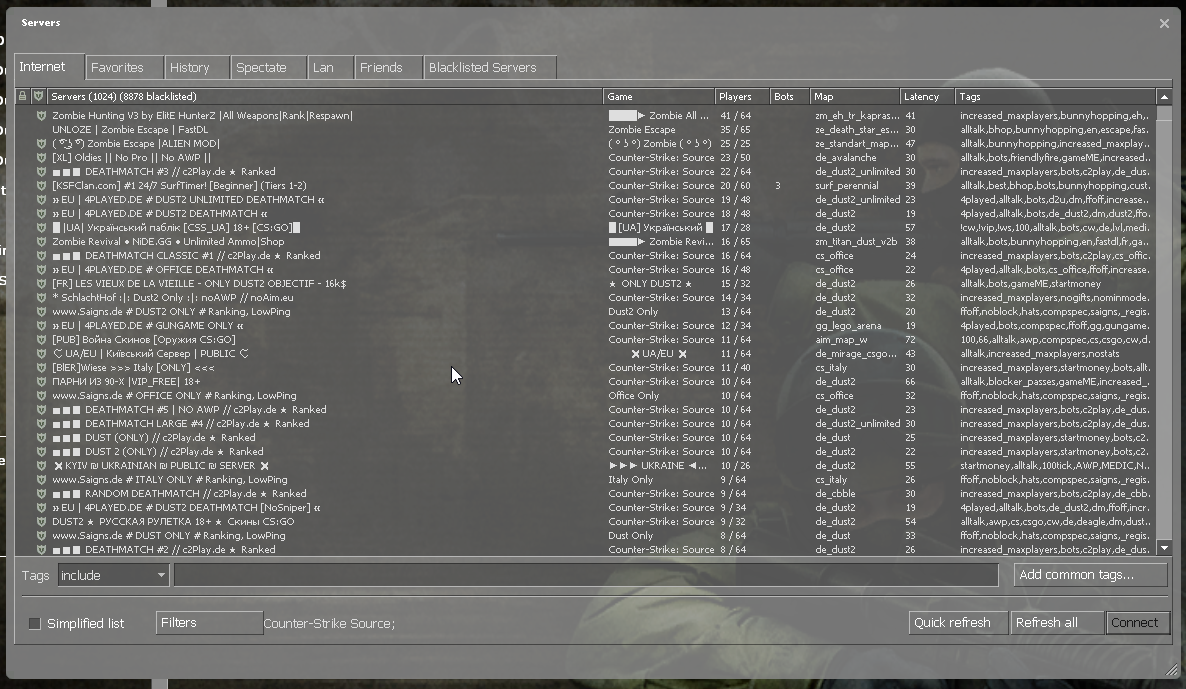
If some new servers appear, right click and add to blacklist, if there are a lot, click one then hold shift and click the one you want to end on and right click and add to blacklist. (game might freeze during this)
If some new servers appear, right click and add to blacklist, if there are a lot, click one then hold shift and click the one you want to end on and right click and add to blacklist. (game might freeze during this)
More Counter-Strike: Source guides
- Bot Abuse Achievement Guide★ 5 (1.2k)38k views2k ♥44 minUpdated Dec 19, 2020
- Use the Console & Commands List in CS:S★ 5 (609)34k views912 ♥5 minUpdated May 31, 2021
- Получаем достижения легкими путями★ 5 (1.5k)25k views2.3k ♥22 minRussianUpdated Dec 4, 2023
- creating a good config and binds★ 5 (335)20k views590 ♥52 minBulgarianUpdated Dec 4, 2020
- Консольные команды для Counter-Strike: Source★ 5 (311)16k views372 ♥10 minRussianUpdated Oct 31, 2020
- Gift Grab - Achievement Fix★ 5 (573)15k views618 ♥3 minUpdated Dec 1, 2024


This guide was created by its original author on the Steam Community. Are you the author and want it removed? Request removal.