How to transfer a save from Repentagon | to Repentagon
first act
before copying save go to "C:\Users\1\Documents\My Games\Binding of Isaac Repentance+\options.ini" and turn off steam cloud (SteamCloud=0)
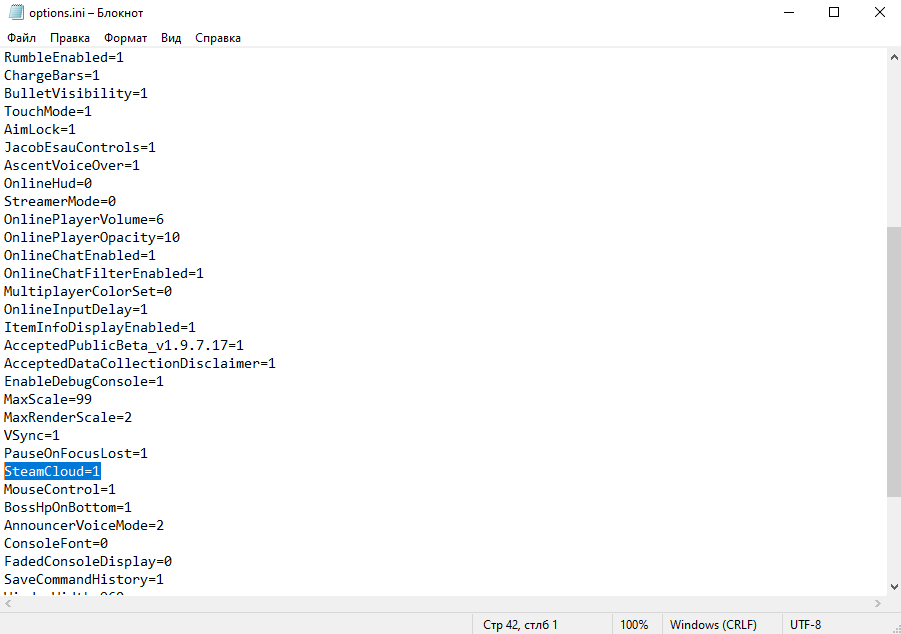
or turn it off in steam:
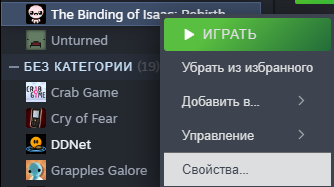
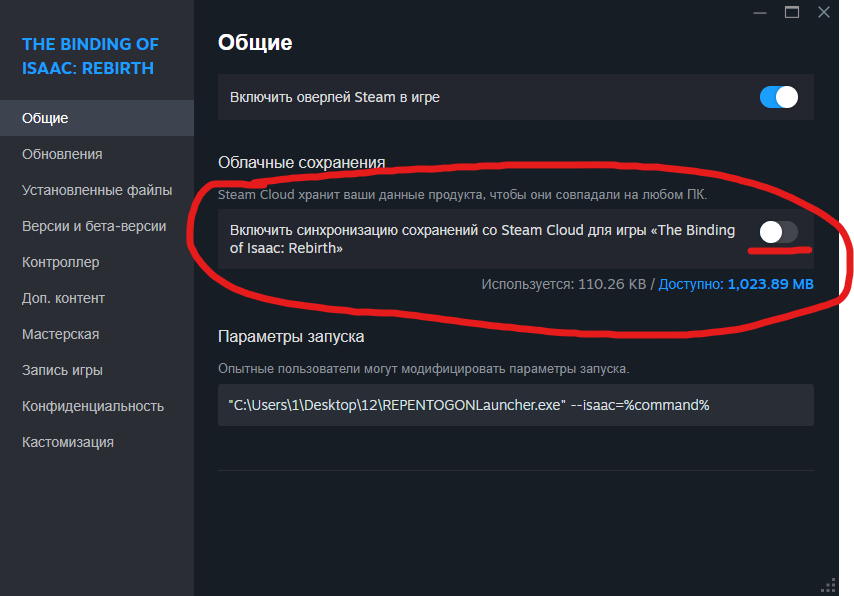
or turn it off in steam:
Open folder
first by first you need to find save folder
standard: C:\Users\ "your username" \Documents\My Games\Binding of Isaac Repentance+\save_backups
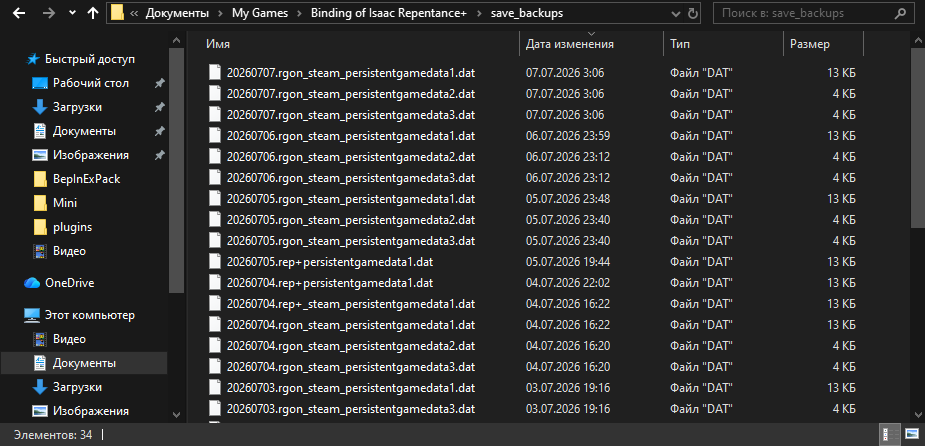
standard: C:\Users\ "your username" \Documents\My Games\Binding of Isaac Repentance+\save_backups
copy and rename your save
now you need to ctrl+c ctrl+v your last save from repentagon | repentance(+) and raname it
(if you want it as another save slot just change the number at the end "1/2/3")


(if you want it as another save slot just change the number at the end "1/2/3")
thats it
now you dont need to replay the entire game!
More The Binding of Isaac: Rebirth guides
- Most & Least Important Unlocks (Repentance+)★ 5 (774)82k views2.3k ♥49 minUpdated Jul 19
- The Bindening™ - A Comprehensive Guide to Everything Isaac: Rebirth★ 5 (1.5k)50k views3.5k ♥666 minUpdated Sep 10, 2025
- Dead God - Roadmap for 100% completion★ 5 (853)47k views2.7k ♥15 minUpdated Jan 17
- Unlocking Everything In The Binding of Isaac (Repenting Update!)★ 5 (567)43k views1.6k ♥122 minUpdated Nov 18, 2024
- Предметы / Артефакты★ 5 (2.4k)37k views4.1k ♥86 minRussianUpdated Sep 18, 2021
- Персонажи: Как открыть и их описание. (AB, AB+ & Rep)★ 5 (386)35k views1.1k ♥13 minRussianUpdated Jul 14, 2021





This guide was created by its original author on the Steam Community. Are you the author and want it removed? Request removal.