Learning MORE Lua - An intermediate guide to scripting
Introduction
Welcome to Part 2 of the Learning Lua series. This guide is designed to teach you some good coding practices and introduce you to various techniques that are available. This guide also has a companion workshop table which can be found here. You will be told when the guide starts to reference that table.
There is more than one good way to accomplish a given idea usually, so keep an open mind and don't be afraid to try to combine ideas. The more you learn about scripting, the more flexibility you will have when trying to accomplish various tasks.
This is the second part of the Learning Lua series. Check out part one if you are just getting started.
Before the First Keystroke
Instructions on installation and setup of Atom[berserk-games.com]
Next you should bookmark the documentation knowledge base[berserk-games.com]. You will be referencing this site often once you start to write your own scripts. Its where you go to find Tabletop Simulator specific functions and how they work. You will most often use the API and Objects pages, at least in my experience.
Creating/Calling New Functions
A common practice in coding is to "call" another function. Some of these functions are part of the API. For example, using print("Word") is calling the function to put that string into the host's chat log. However we are not only limited to developer created functios, we can create out own. This can either be to continue a process elsewhere or to create your own function to create/modify/find information.
Calling another function you create is as easy as making up a name for the function.You can send parameters to your new function too.
You can also use functions to separate out work. There are multiple reasons you may choose to do this. You can use it on code that repeats or you can use it to make your code easier to read, avoiding large, bloated functions that try to do everything on their own. Plus, these functions can "return" information.
Return will automatically end your function as soon as it runs, so it should always be the last step in a line of logic.
Then you have larger functions, it can be hard to track what is being done at each step, leading to confusion. If this is a problem you are having, breaking one large function down into smaller functions can help you find problems.
Local/Global Variables
But for most applications, using a local variable is preferred. They are created by placing the word "local" before your variable name when the variable is being created. Local variables only exist within the function they are created. When the function ends, a local variable is forgotten. If you only use Global variables, in longer scripts you will find yourself thinking of more and more complicated variable names, accidentally overwriting variables, accidentally using old variables, etc. So below is an example of how this local variable would be different.
But as you move your code into different functions, they will need a way to communicate and share these local variables sometimes. If that is the case, you can share a local variable with another function by sending it as a parameter.
I personally avoid general variables as much as possible. I only ever use them if I need data to persist. For example, if you reference the example table, the "Save/Load" memory example has a Global variable which tracks the value of a counter.
Coroutines
When we go to use a coroutine, rather than just calling a function's name, we use startLuaCorotuine to trigger it instead. All coroutines should end with return 1 in Tabletop Simulator, to properly terminate them when they are over. When using startLuaCoroutine, the first parameter is a reference to where the coroutine script can be found (in this example, Global script). The second parameter is the function name.
That example of a coroutine did not pause at all. If we want to add a pause, we run the code coroutine.yield(0). This will "yield", making the coroutine wait until the next frame before it continues. So in this next example, we will yield for 200 frames.
---BEGINNING OF EXAMPLES---
From this point forward, you should have a pretty good grasp of the basic concepts of making a good script. Now you just need to learn to put those concepts into practice. In my opinion, the best way to manage that is learning by example. If you have not already, subscribe to the WORKSHOP COMPANION TABLE for this guide.
What follows will be short, simple descriptions of the concepts behind each example and what they do. On the example table, each token has scripting saved onto it, with detailed comments, explaining the inner workings of these tools. They also have information in their names/descriptions on what they are supposed to do.
At this point in your learning, all the basics are covered, so all that is left is to learn from specific examples and, occasionally, googling for specific Lua functions (ex. a rounding function). Happy tinkering.
Example: takeObject()
 takeObject() is how you get an object out of a container (deck or bag). This is used VERY commonly, and also has many core concepts associated with it you will come to rely on. There are two I specifically want you to learn about.
The first is the concept of giving a function parameters to tell it what you want it to do. You create a table which contains certain named elements (ex: position, rotation, etc) and give it to takeObject. (ex. takeObject(parameters) ). The Knowledge Base outlines what parameters functions can accept.
The second is the "callback" portion of the function. Some functions allow for a "callback", which means after the object from the function loads, it can call on another function to act. This is important, because when you use takeObject, you can't immediately take certain actions because the object doesn't physically exist on the table yet. So you can't lock it, set its tint, etc. So a callback will allow you to perform those actions after it has loaded into the world. Understanding callbacks is vital to manipulating objects after using takeObject.
Example: spawnObject()
 This is used less commonly, but it allows you to spawn objects from nothing. It requires you to look up some information from the Knowledge Base, but other than that it is no more complicated than takeObject. Just think of it as takeObject but you are taking a blank slate out of thin air, and it is up to you to tell it what you want it to become.
Example: Timer
 THIS FUNCTION IS NOW DEPRECIATED. It has been replaed with Wait.time(yourFunction, seconds). Please check out http://api.tabletopsimulator.com, under the Wait class, for multiple examples. I will leave this example here now, for the time being, and hopefully replace it later.
The timer function allows you to trigger a function after X amount of time. The timers require a UNIQUE identifier. The name you use cannot be shared by any variable in ANY code on the table. Because of this restriction, it is a common practice to use an object's GUID when creating a timer, because that GUID should be unique.
Currently in Tabletop Simulator timers will continue to run if the code is stopped/deleted. So if you have a recurring timer running, it will CONTINUE to run, and throw errors, if you end that instance of the code. Hitting undo or loading away from the table will cause these timer errors too, if the timer was running when the action was taken. This is a bug in TTS. In the Knowledge Base, you may see the option to repeat a timer automatically. I recommend not using it until this bug is rectified in the future.
Example: Locating Objects
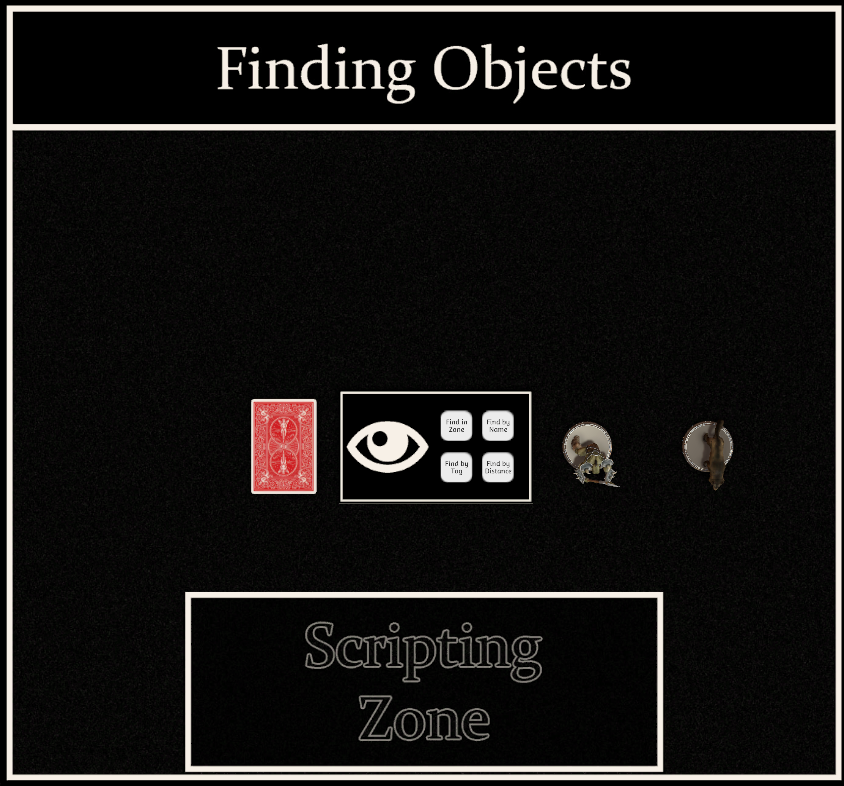 Locating objects is one of the things you do most in Tabletop Simulator, and often times you will find GUIDs an inconvenient or impossible way to manage it. There are many different ways to locate items, and they can be combined in various ways to get different results. But they all boil down to this: getting a pool of possible items that the item you want is a part of, and then going through and looking for some unique identifying information.
You can use these same methods with many of the "Member Variables" listed in the Knowledge Base. What you will use is 100% dependent on the situation you are using it in, so be flexibile.
Example: onSave()
 Any time that you hit Undo or Redo or load a table, all of your scripts are starting anew. So if you were tracking a number using a Global variable, when you hit Undo that Global variable is going to be reset back to its default value you started it with.
This is where onSave comes into play. It allows you to put anything you would like the script to remember between loads into a table. Then, when you load the table next, it will pull that information back out during onLoad() and let you access it. This is a fairly simple function that is vital to some scripts.
A piece of personal advice, I recommend always leaving onSave() for last when scripting. The reason is that sometimes some information can be saved due to a bug in your script and saving over it is required to fix it, which can be tedious to keep track of. I typically set my script up to use onSave but then don't actually activate it until I feel like I have everything else working how I intend it to.
Example: math.random()
 These are important for selecting random players, items, etc. They can be used to pick an element out of a table or select random colors for RGB and more. If you give math.random() no parameters it will pick a number between 0 and 1 (ex. 0.24531). If you give if 2 parameters, it will use those as the floor/ceiling values to pick from. Example: math.random(1,3) would result in a whole number (1, 2 or 3) being returned.
But getting truly random numbers in scripting can be a bit tricky. The way they are generated is with a math formula which uses a "seed" number as its basis. You can set this seed value with math.randomseed(numberhere). If you used the number 1 for numberhere and then did math.random(), it would give you a result. If you set the randomseed to number here again and did another math.random, you'll end up with the same exact result. Because it is just based on that formula.
I do not have a perfect to avoid this problem so that different players all get different random numbers in different orders, but in my example I have included some tricks I often use. One of them involves using os.time(), which is the current time on the host PC, as the seed. Then occasionally changing seeds. You just need to be careful with this method because it only uses whole seconds. Good luck.
Conclusion
Once you are familiar with the concepts described in this guide, the best way to continue to learn is by doing. Make sometime, check out how other people managed the same thing, play with ideas.
The third part in the Learning Lua series (Learning Lua Functions) isn't a tutorial. It is just a collection of useful functions to help you accomplish your goals. It also highlights the usefulness of using separate functions to return specific results.
I hope you have gotten enough out of these guides to continue on your own. If you're like me, the satisfaction of making some neat little bit of script that does something interesting will keep you learning. Who knows, maybe one day we'll actually be good at scripting. haha
Thanks for reading. If you spotted any bugs, please leave a comment to let me know.
- D&D Setup [Up to 9 Players]★ 5 (513)35k views1.6k ♥5 minUpdated Nov 26, 2021
- Achievement Guide★ 5 (550)34k views880 ♥7 minUpdated Nov 9, 2024
- Learning Lua - A beginner's guide to scripting★ 5 (576)29k views1.5k ♥15 minUpdated Jul 3, 2017
- [RUS] Тайный Гитлер / Secret Hitler★ 5 (582)27k views1.1k ♥8 minRussianUpdated May 5, 2019
- Making Card Games★ 5 (310)27k views734 ♥3 min
- 100% Achievements: A Comprehensive Guide★ 5 (303)26k views515 ♥7 minUpdated Jul 11






- Upgrading to PremiumTeam Fortress 2★ 5 (20k)1441k views11k ♥6 minUpdated May 11, 2022
- No More Room in Hell Official ManualNo More Room in Hell★ 5 (2.8k)569k views2.1k ♥29 minUpdated Apr 22, 2019
- NMRiH Community Hosting GuidesNo More Room in Hell★ 5 (526)351k views653 ♥1 minUpdated Aug 10, 2022
- ULTIMATE GUIDE FOR GAME DEV TYCOONGame Dev Tycoon★ 5 (5.8k)326k views10k ♥4 minUpdated 23 Jan, 2014
- How to 'Git Gud' Soon™MORDHAU★ 5 (2k)318k views3k ♥68 minUpdated Nov 16, 2024
- Лучшие кооперативные игры SteamPAYDAY 2★ 5 (1.5k)315k views2.1k ♥56 minRussianUpdated Apr 27, 2025






This guide was created by its original author on the Steam Community. Are you the author and want it removed? Request removal.