Not a Great Landing! Achievement [SAVE FILE]
Save File
By default, save files are located here:
C:\Users\[your username here]\AppData\LocalLow\Redbeet Interactive\Raft\User\User_[your Steam User ID here]\World
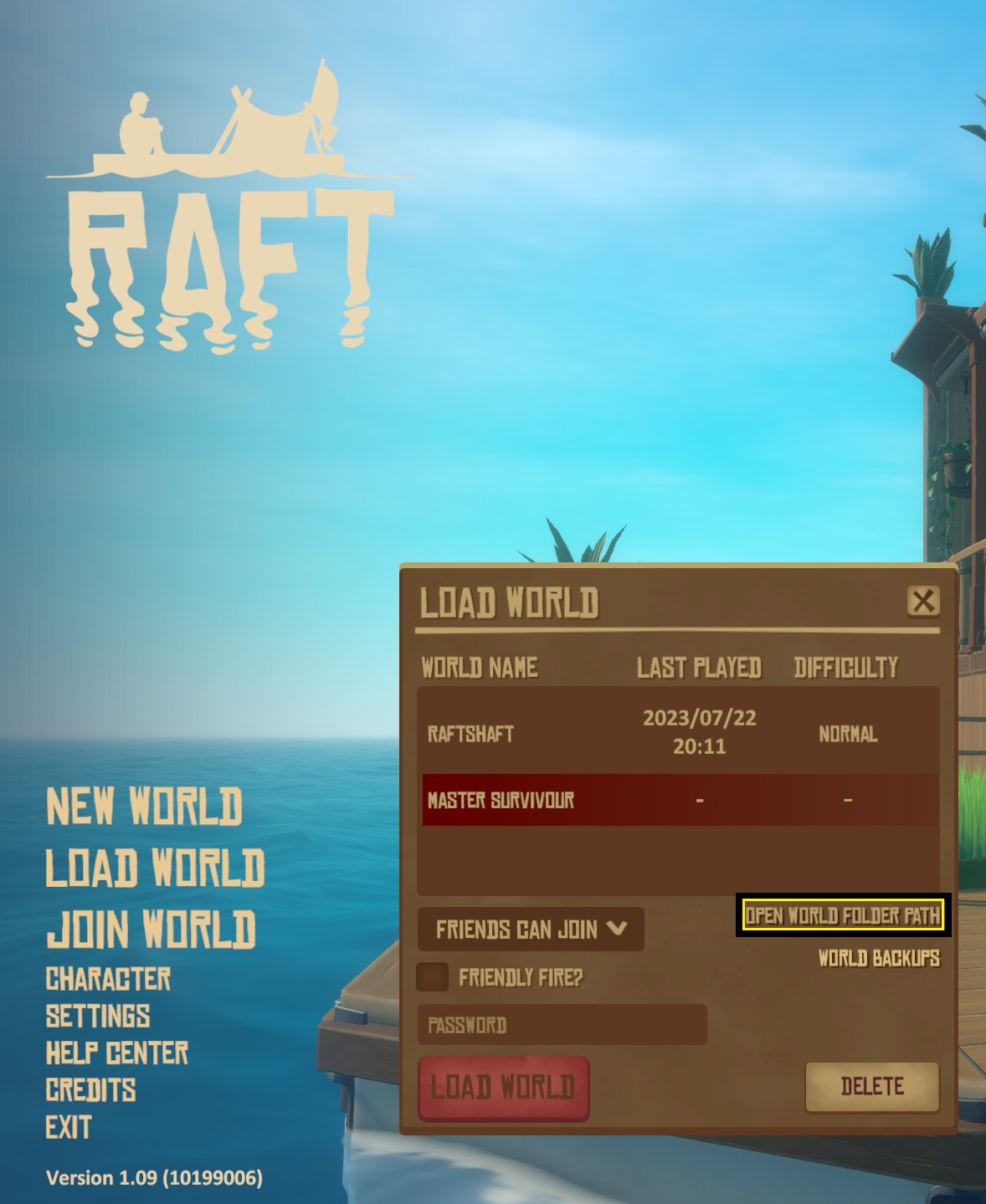
Click "Load game"
Click "Open World Folder Path" and it will take you right to where the save files are kept
 * Create a new folder in the "World" folder and name it whatever you wish the world to be named
Place the downloaded file into the newly created folder
Doing this should cause the downloaded world to appear as white and not red within the in game menus and mean it is loadable without having to use backup worlds
* Thank you and credit to Joseph1879 for working out how to make the saves viable without having to rely on backups
Google Drive [drive.google.com]
Make sure to download the one that says "LATEST"
Enjoy!
If you want to contact me about this there is no need to send a friend request; just leave a comment and I will do my best to answer.
Thank you
If the file appears in red
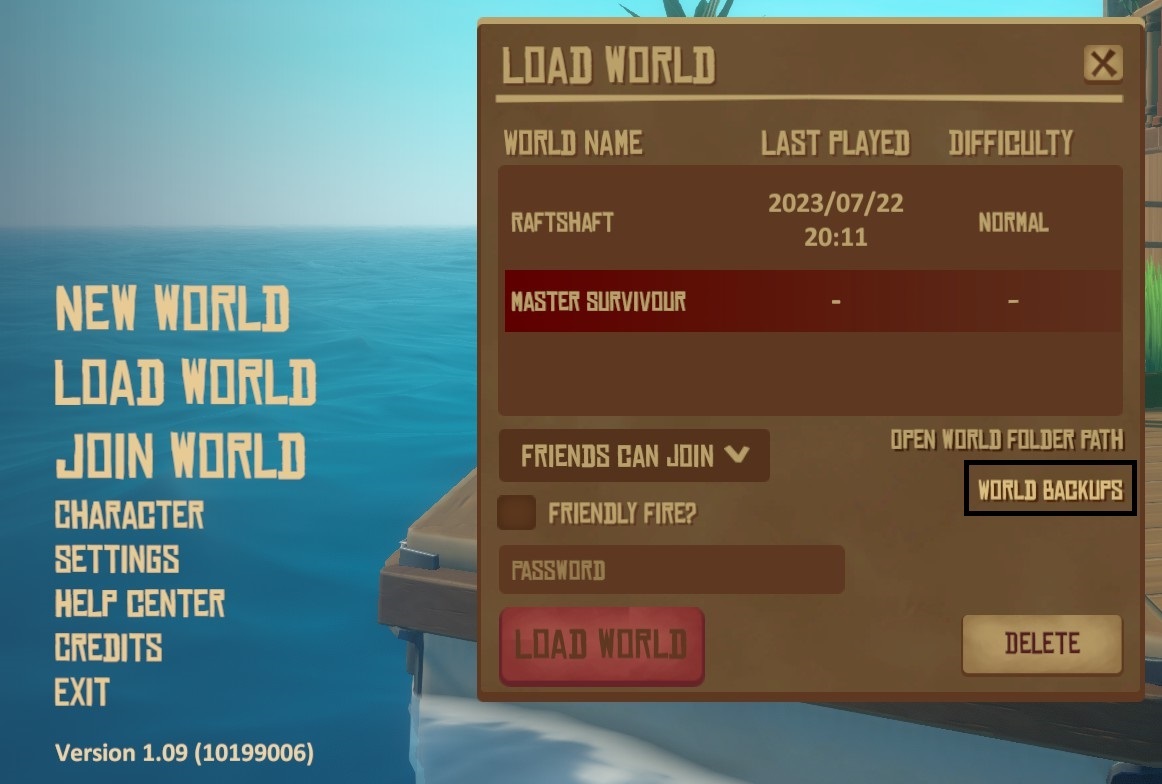
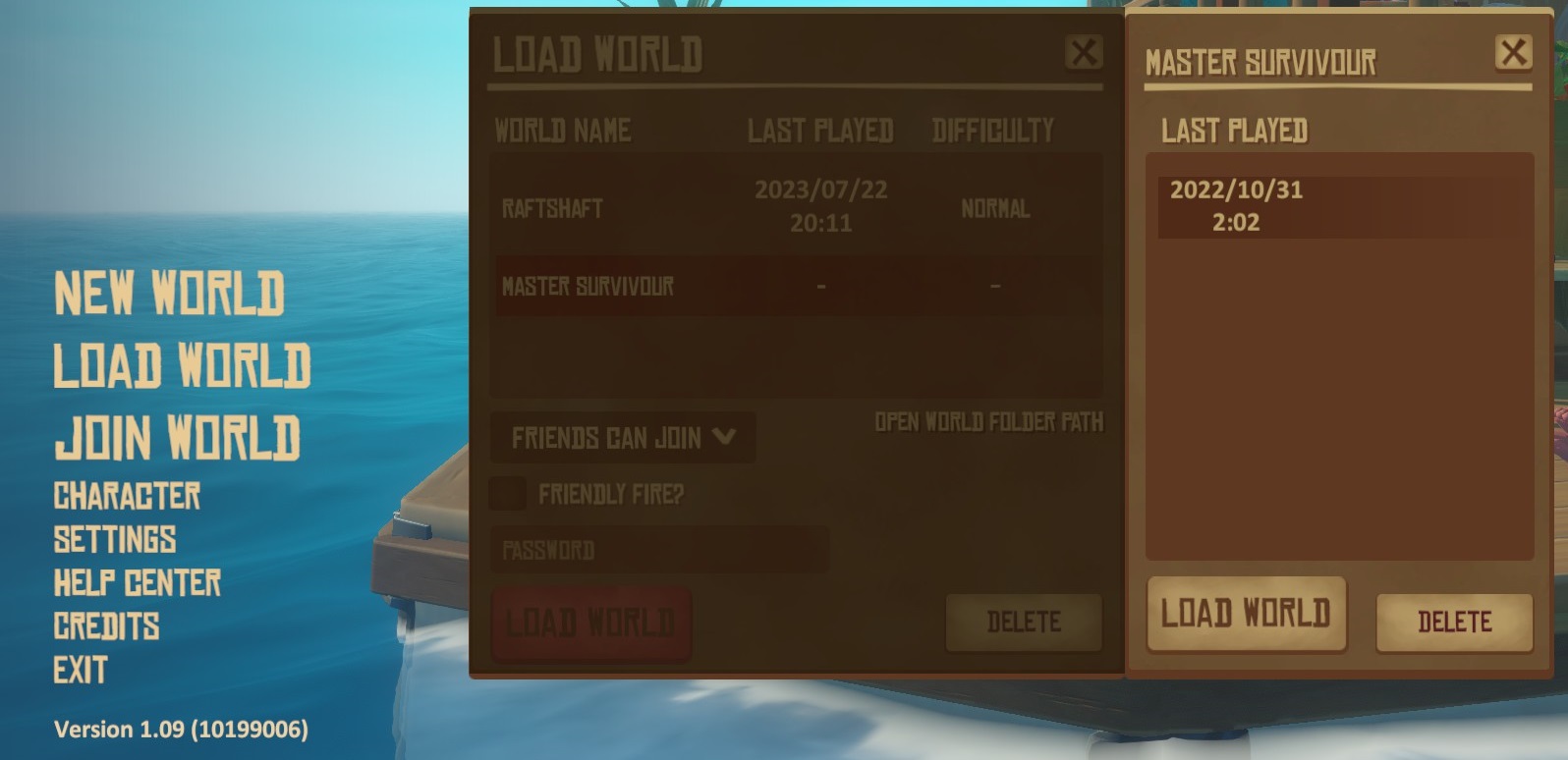
Download the file, place it in the right folder, if the file shows up red in your in game loader then on the loader there should be an option for "world backups" just below the "open world folder path". Click the "world backups", load the back up and there you go. Everything should be there.
🏆
Beat Raft's achievements?
Flex it — let your friends know you pulled it off.
More Raft guides
- Raft - Complete Guide★ 5 (2.3k)126k views4.3k ♥208 minUpdated 14 Nov, 2025
- Советы по развитию и полному прохождению Raft [RU]★ 5 (627)43k views762 ♥29 minRussianUpdated 15 Oct, 2020
- Raft - All in one GUIDE★ 5 (370)32k views588 ♥33 minUpdated 25 Jul, 2022
- Master Achiever - 100% Achievement Guide (Update 11)★ 5 (459)29k views1k ♥32 minUpdated 29 Aug, 2020
- Raft 100% achievement★ 5 (399)27k views760 ♥8 minUpdated 28 Jun, 2022
- 【RAFT木筏】标准100%全成就攻略、食谱大全、常见联机问题★ 5 (598)24k views1.2k ♥6 minSimplified ChineseUpdated 11 Apr


🔥 Popular guides
- Upgrading to PremiumTeam Fortress 2★ 5 (20k)1441k views11k ♥6 minUpdated May 11, 2022
- No More Room in Hell Official ManualNo More Room in Hell★ 5 (2.8k)569k views2.1k ♥29 minUpdated Apr 22, 2019
- NMRiH Community Hosting GuidesNo More Room in Hell★ 5 (526)351k views653 ♥1 minUpdated Aug 10, 2022
- How to 'Git Gud' Soon™MORDHAU★ 5 (2k)318k views3k ♥68 minUpdated Nov 16, 2024
- Лучшие кооперативные игры SteamPAYDAY 2★ 5 (1.5k)315k views2.1k ♥56 minRussianUpdated Apr 27, 2025
- Desert Eagle Heat Treated | Blue GemCounter-Strike 2★ 5 (1.6k)293k views1.5k ♥2 minUpdated Jan 16





This guide was created by its original author on the Steam Community. Are you the author and want it removed? Request removal.