Perfect Fog of War [D&D, Wargames, etc]
Place the Fog
1. Click the Zones button and select the Fog of War tool
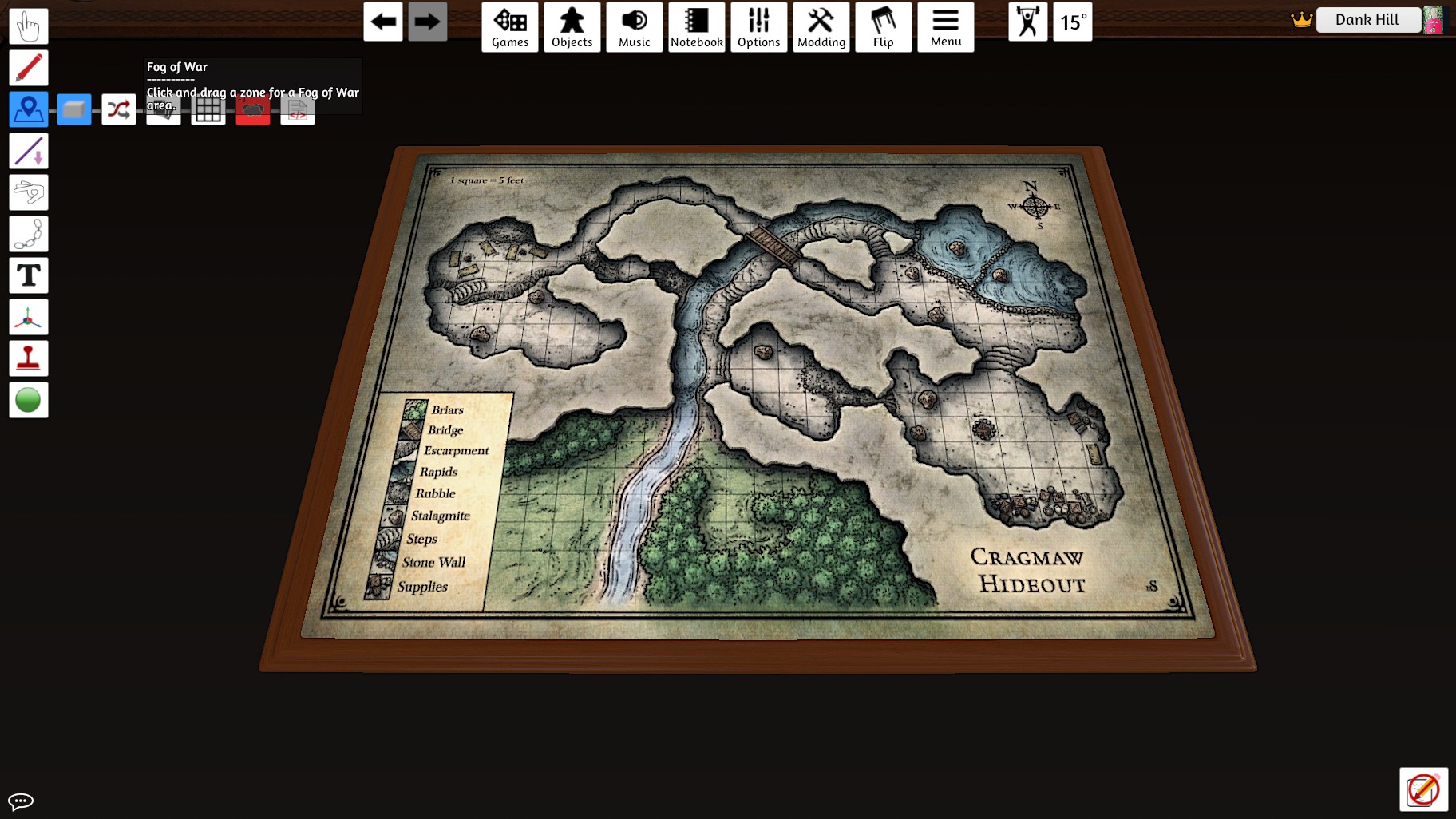 2. Click and drag a nice fog over your map
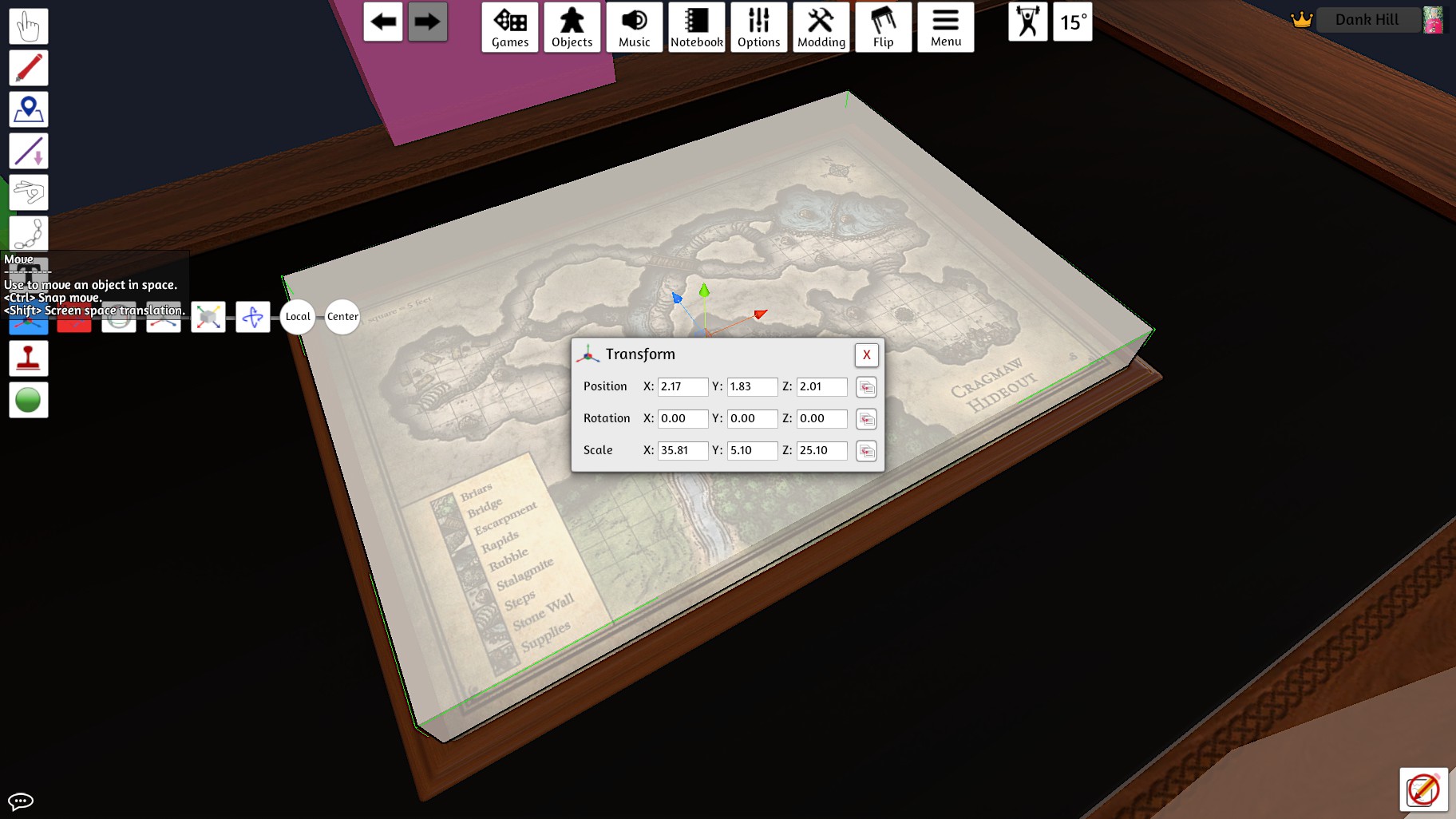
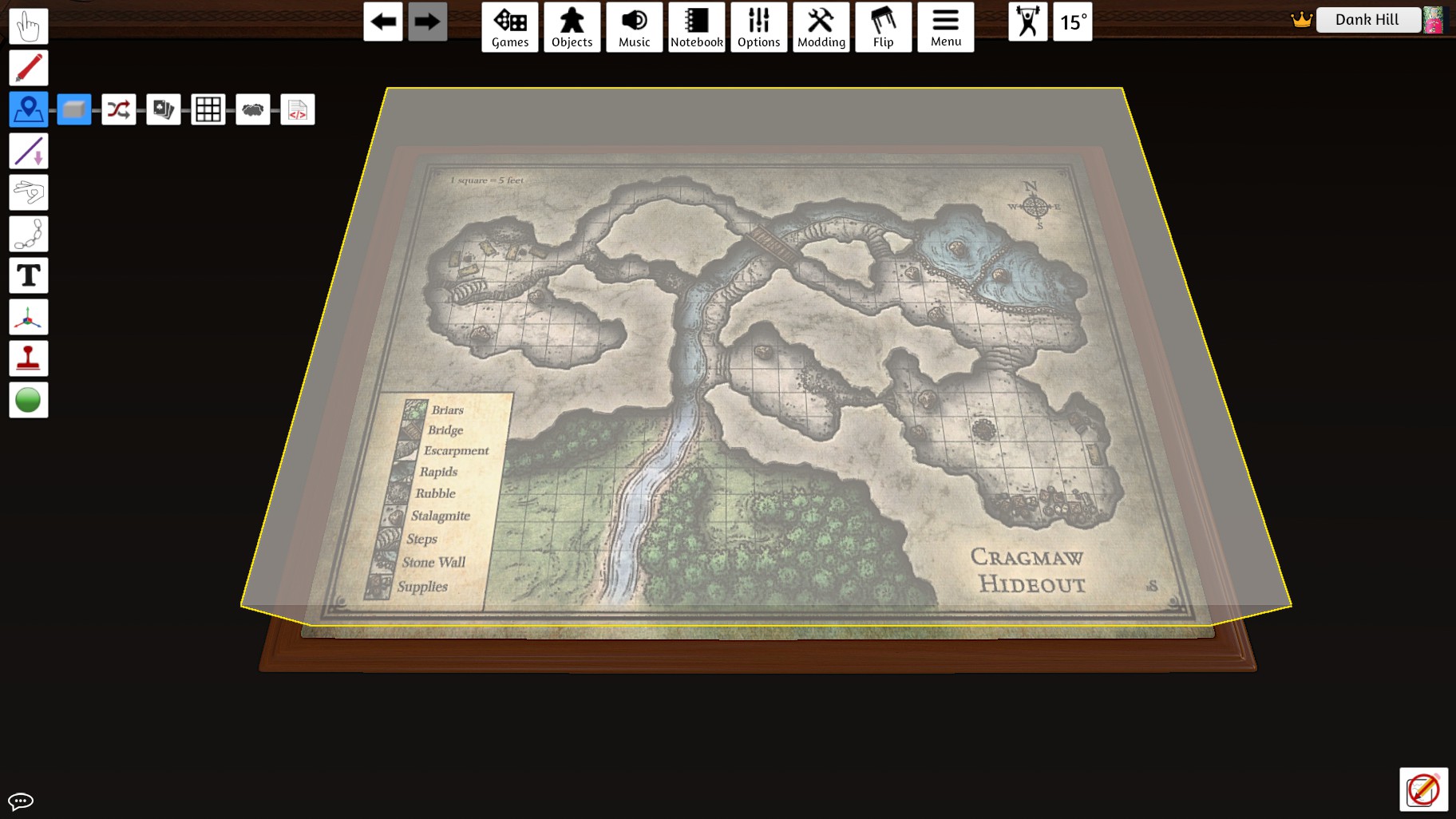 3. Use the Move tool to raise it vertically off the table until the board is greyed out
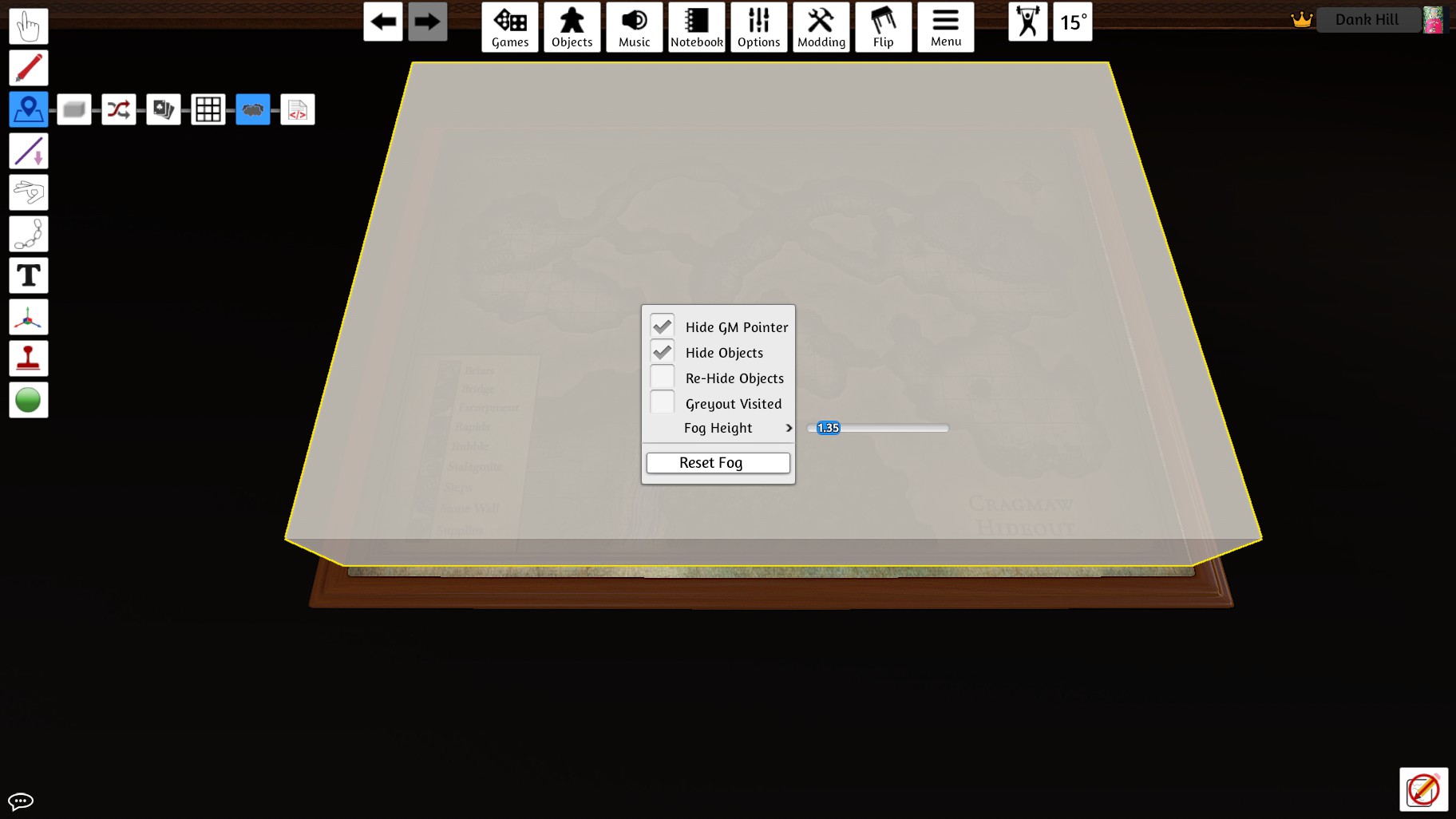
 4. With the Fog of War tool selected, click on the box and deselect Rehide Objects and Grey Out Visited
 5. Spooky!
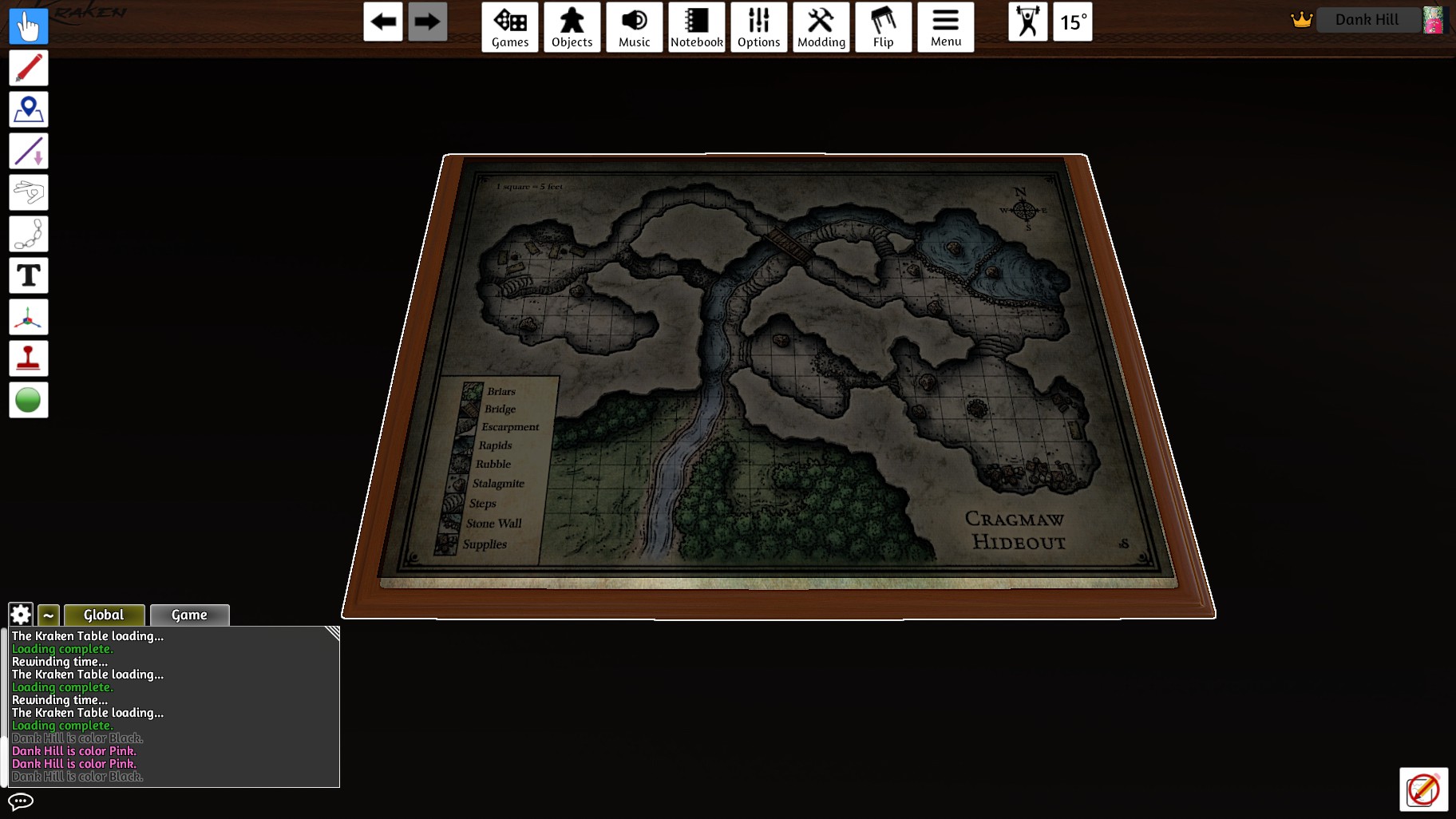
2. Click and drag a nice fog over your map
3. Use the Move tool to raise it vertically off the table until the board is greyed out
4. With the Fog of War tool selected, click on the box and deselect Rehide Objects and Grey Out Visited
5. Spooky!Create an Eraser
You can skip this section if you like, and use the workshop upload I made:
https://steamcommunity.com/sharedfiles/filedetails/?id=2650608890 If not, read on!
https://steamcommunity.com/sharedfiles/filedetails/?id=2650608890 If not, read on!
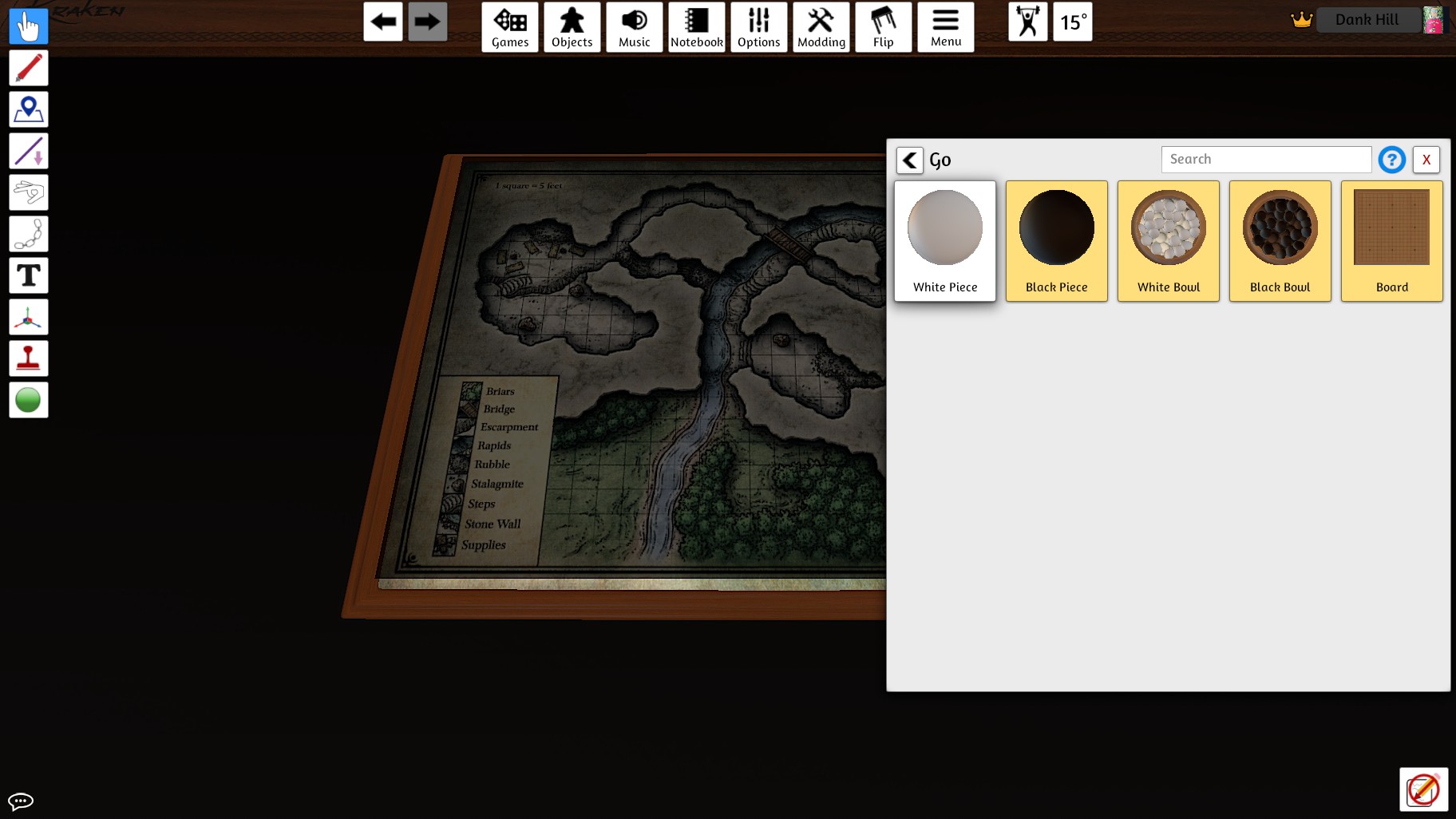
1.Open the Objects > Components > Go menus and spawn a white piece
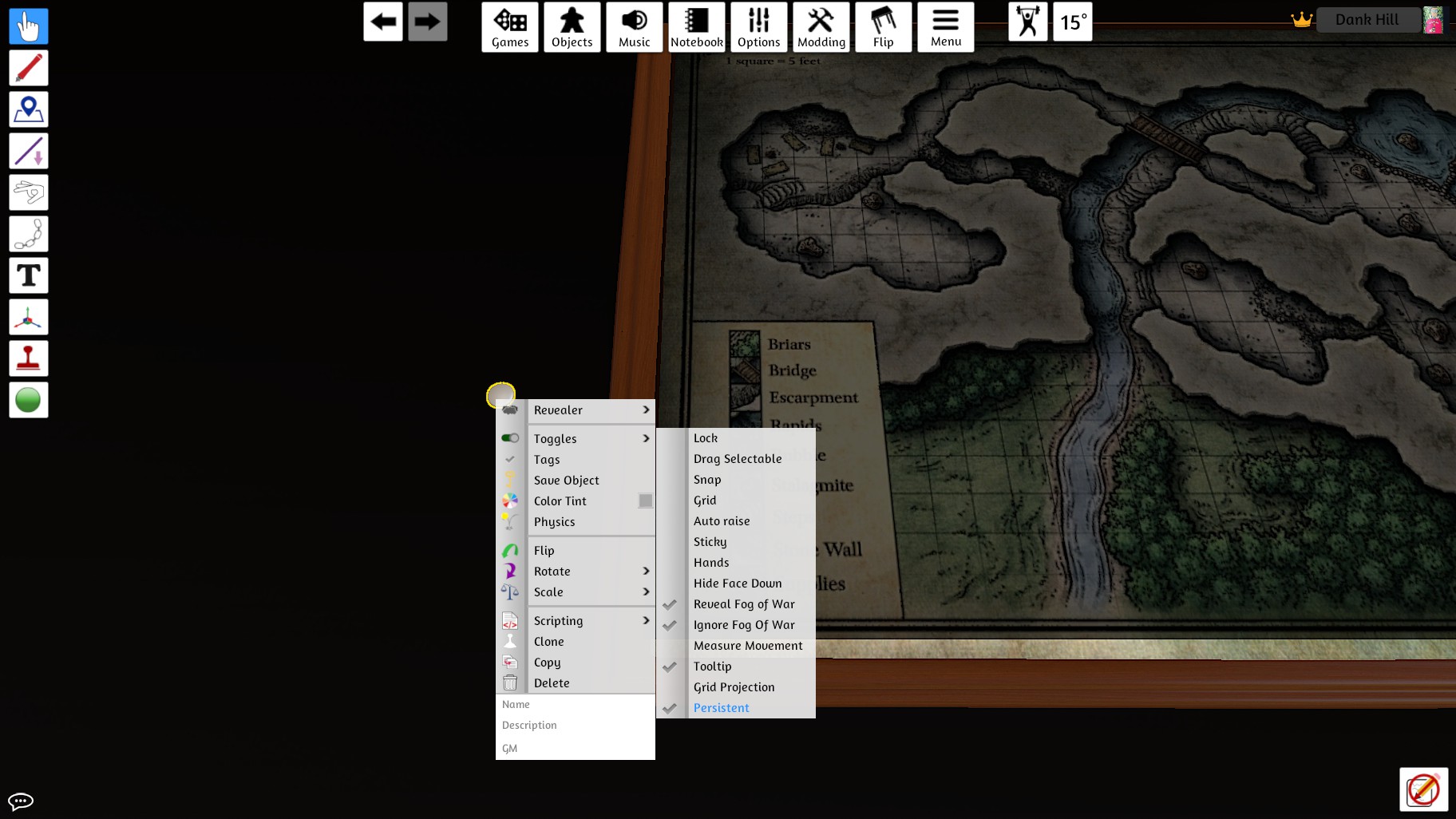
 2. Right-click on the piece and replicate these options
 3. Using the Revealer and Color tint menus (Revealer should appear after the last step) adjust your eraser to taste (I like a radius of about 2 with a black tint so it's not too distracting and Visualize FOV switched on if the map is complex)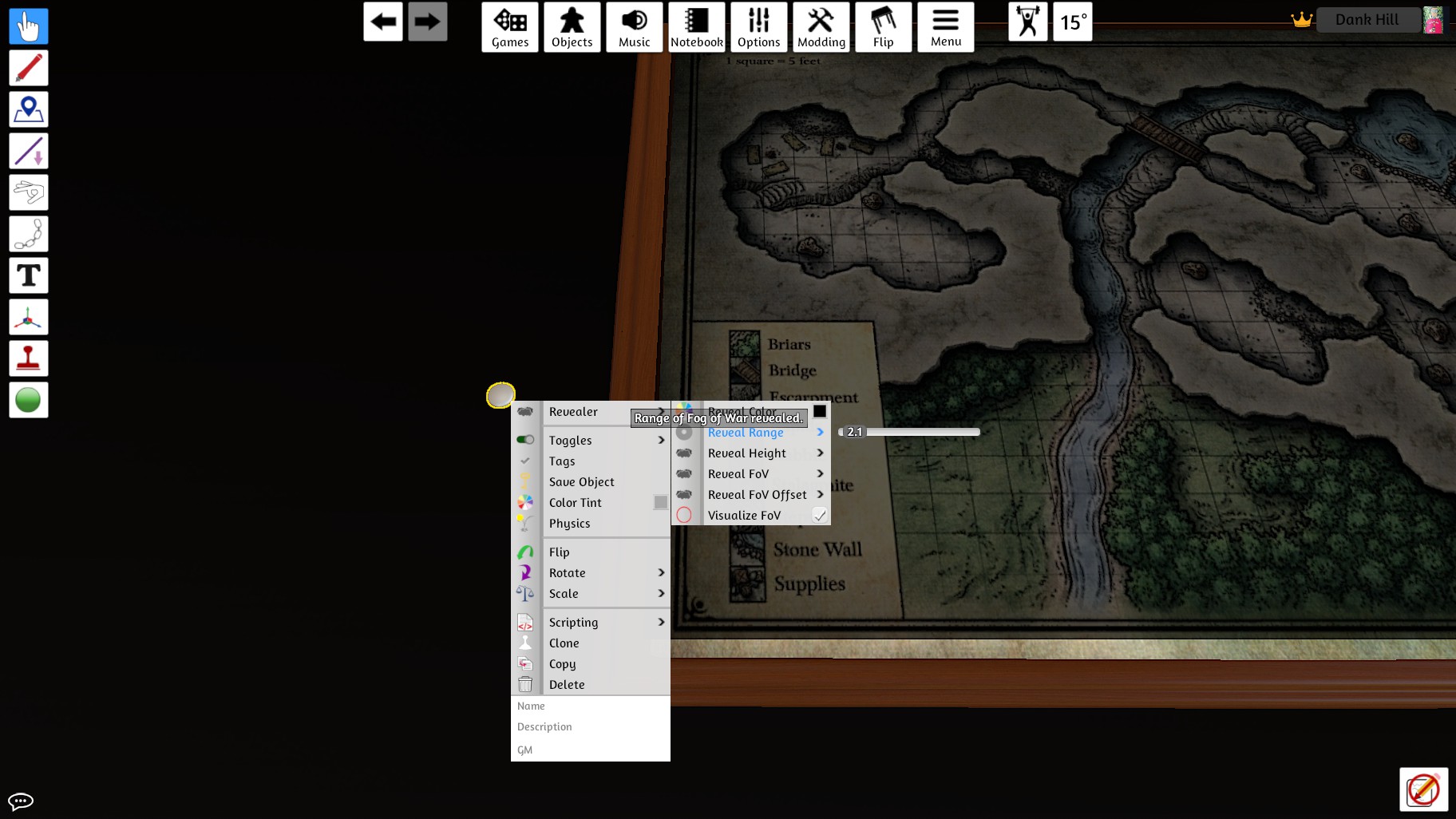
Reveal & Secure
Now for the fun part!
1. Use your eraser to reveal the Fog of War at your leisure!
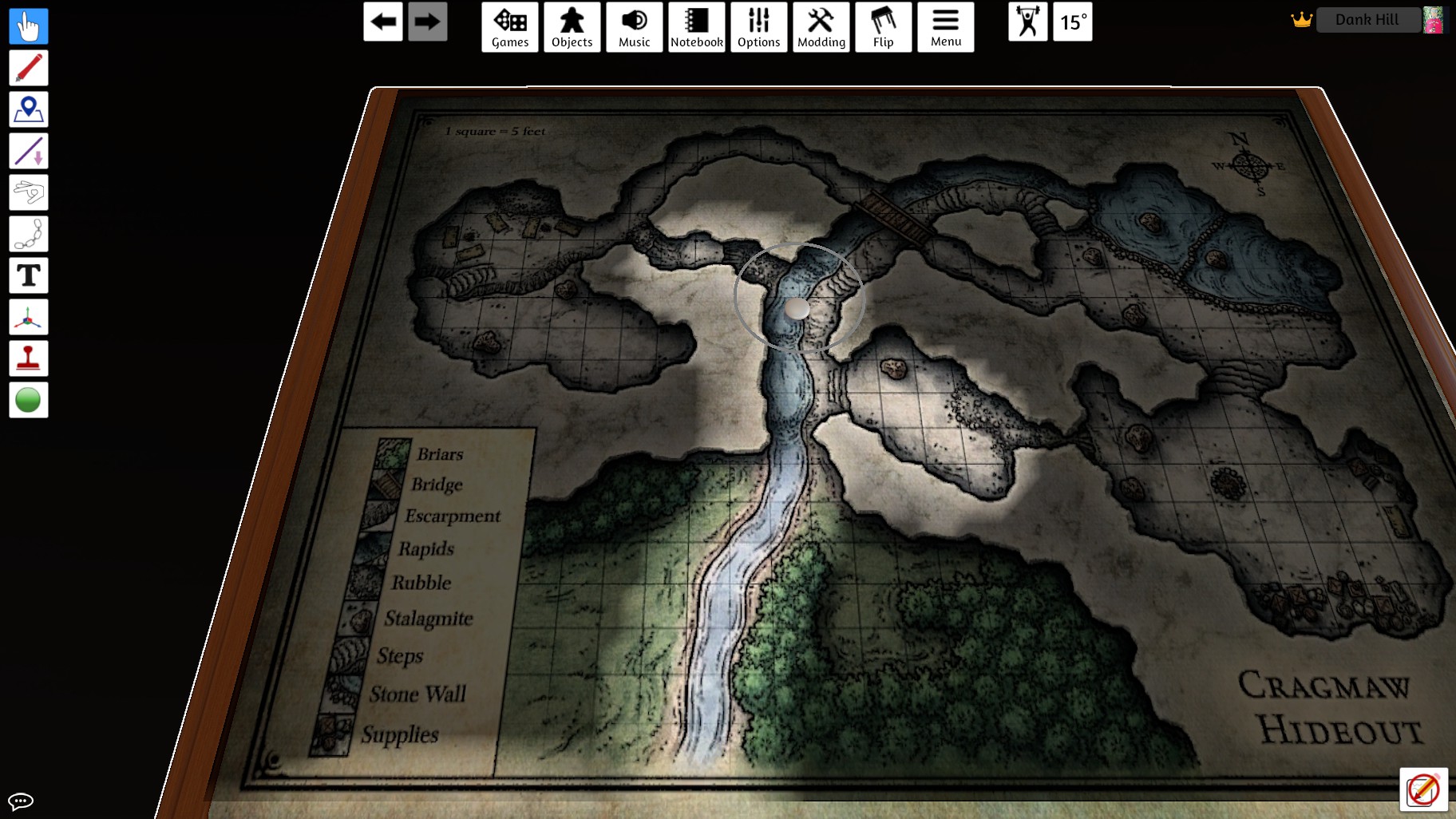 2. Test as a Player if you like xd
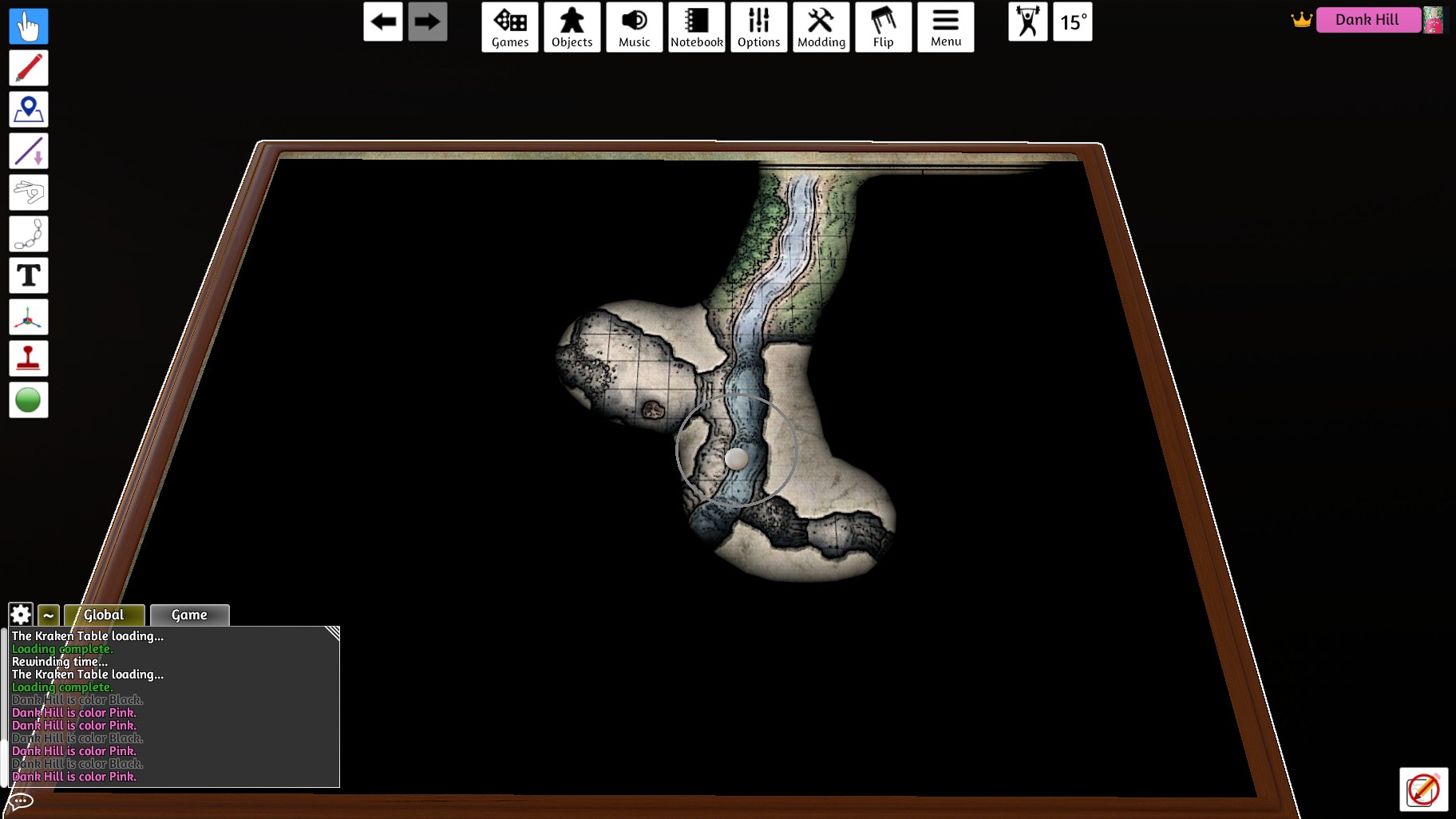 This is what your players will see (you can deselect the "Visualize FOV" option in the Revealer menu to minimize distraction if you like)
3. (Recommended) Lock the Eraser down between turns by mousing over it and pressing the "L" key or right-clicking on it and going to Toggles and making sure "Lock" is selected.
4. (Optional, good for rowdy players) Go the the Permissions menu at the top and deselect the "Locking" option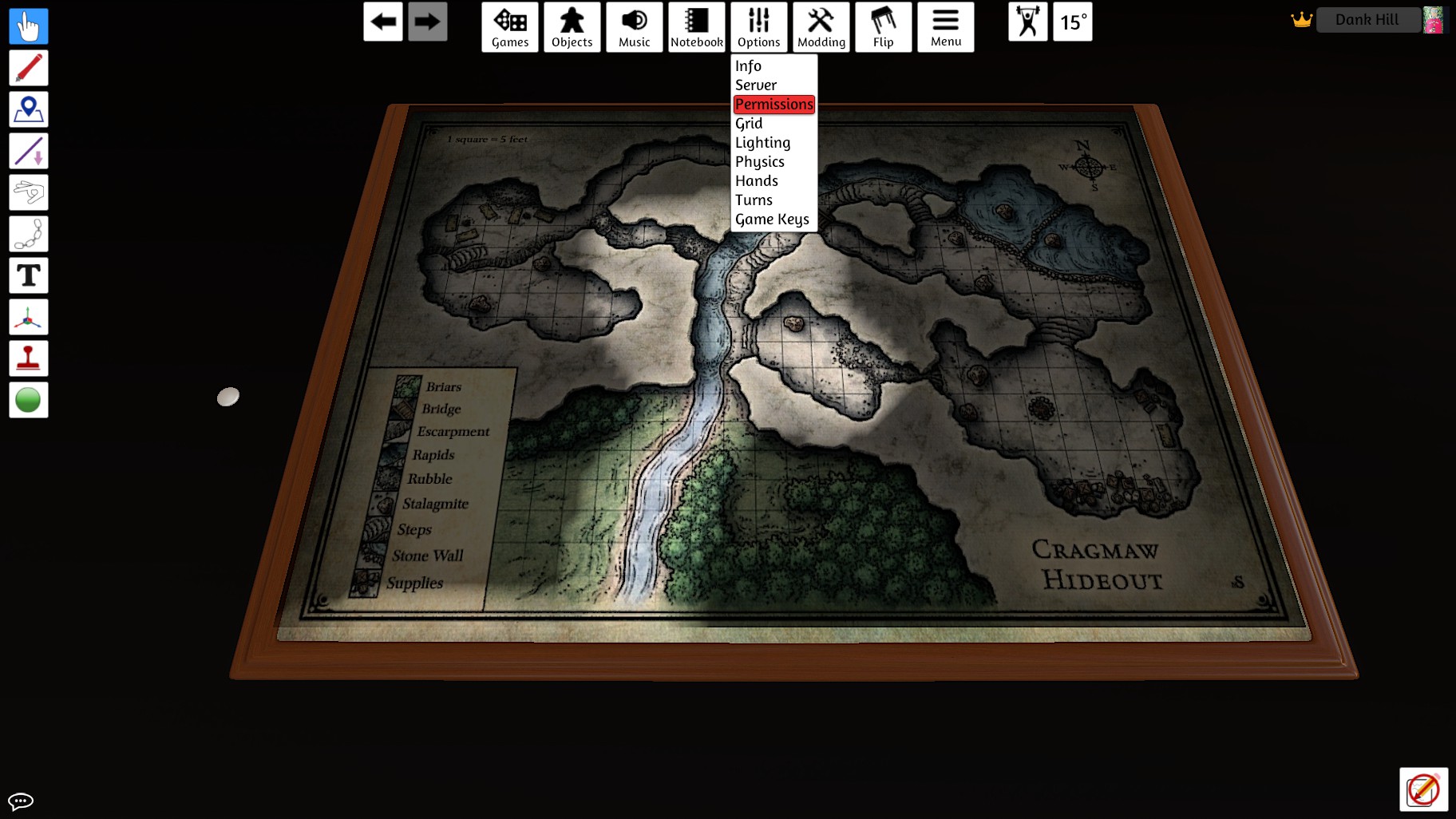
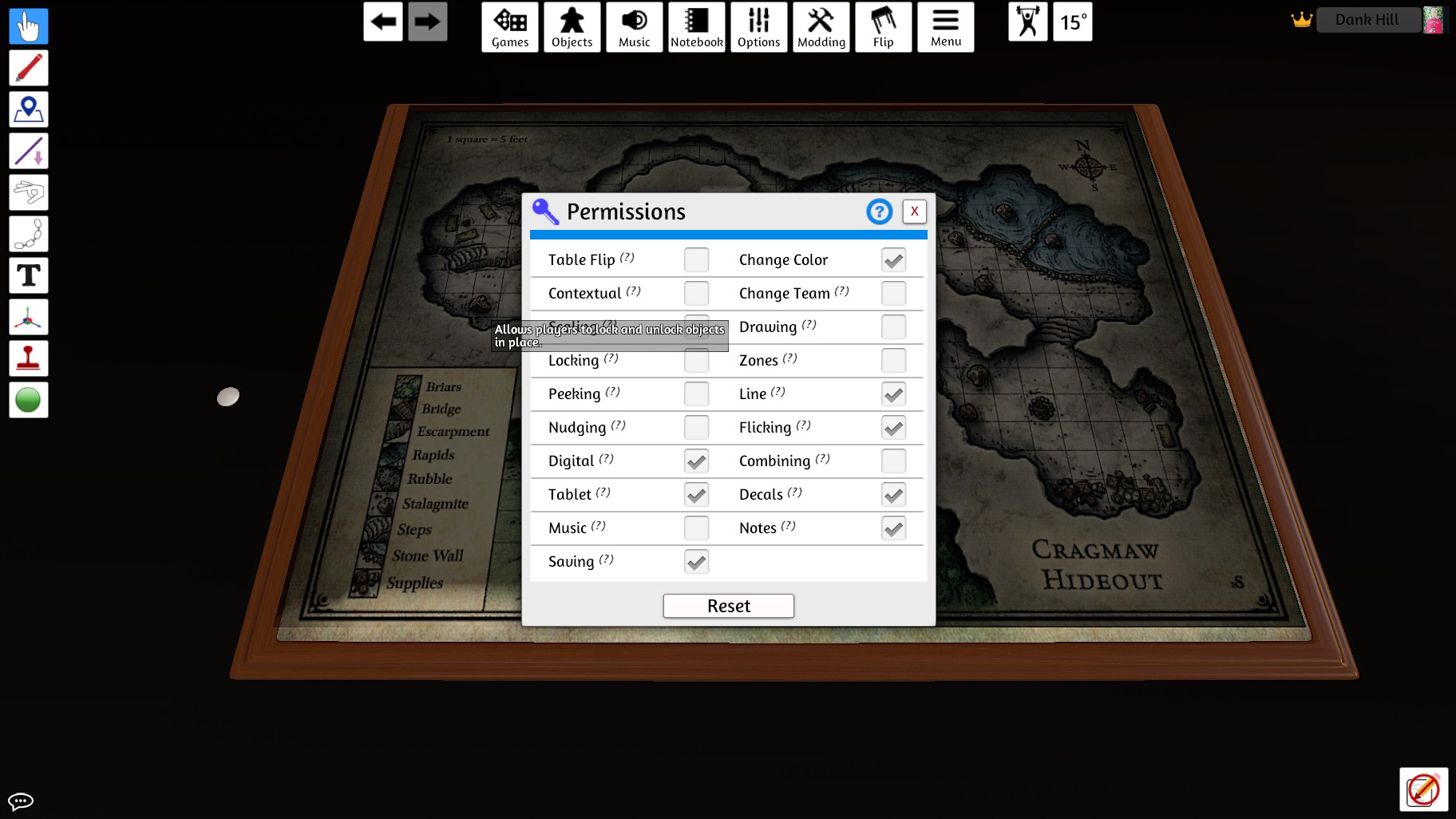
This will keep the chaotic neutral players from messing with the eraser on their turn ;)
Set the Perfect Ambush for your Players >:)
1. Fill your Fog with all manner of beastly aberrations and abominations
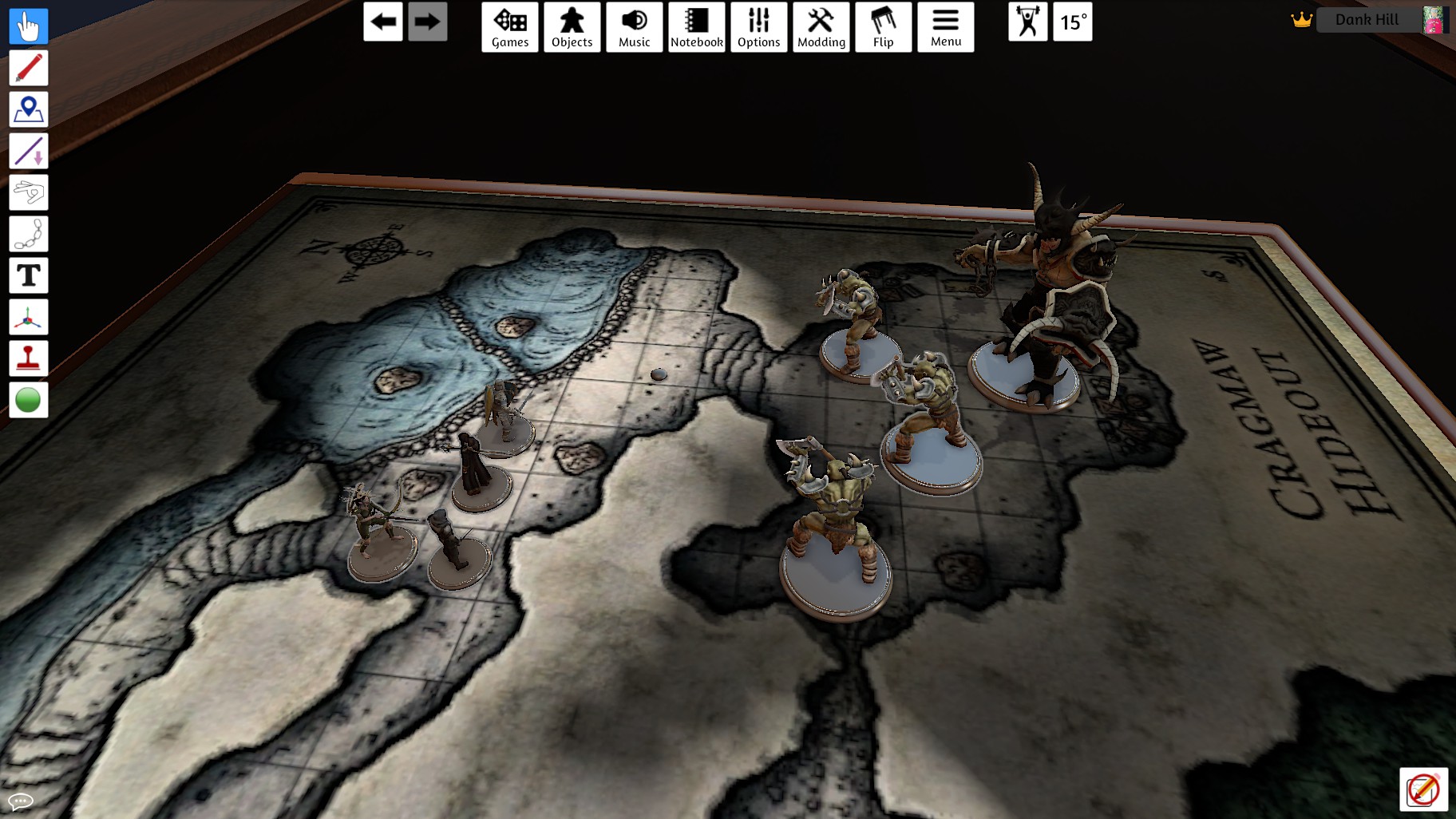
They won't suspect a thing! (unless they have a good Perception score)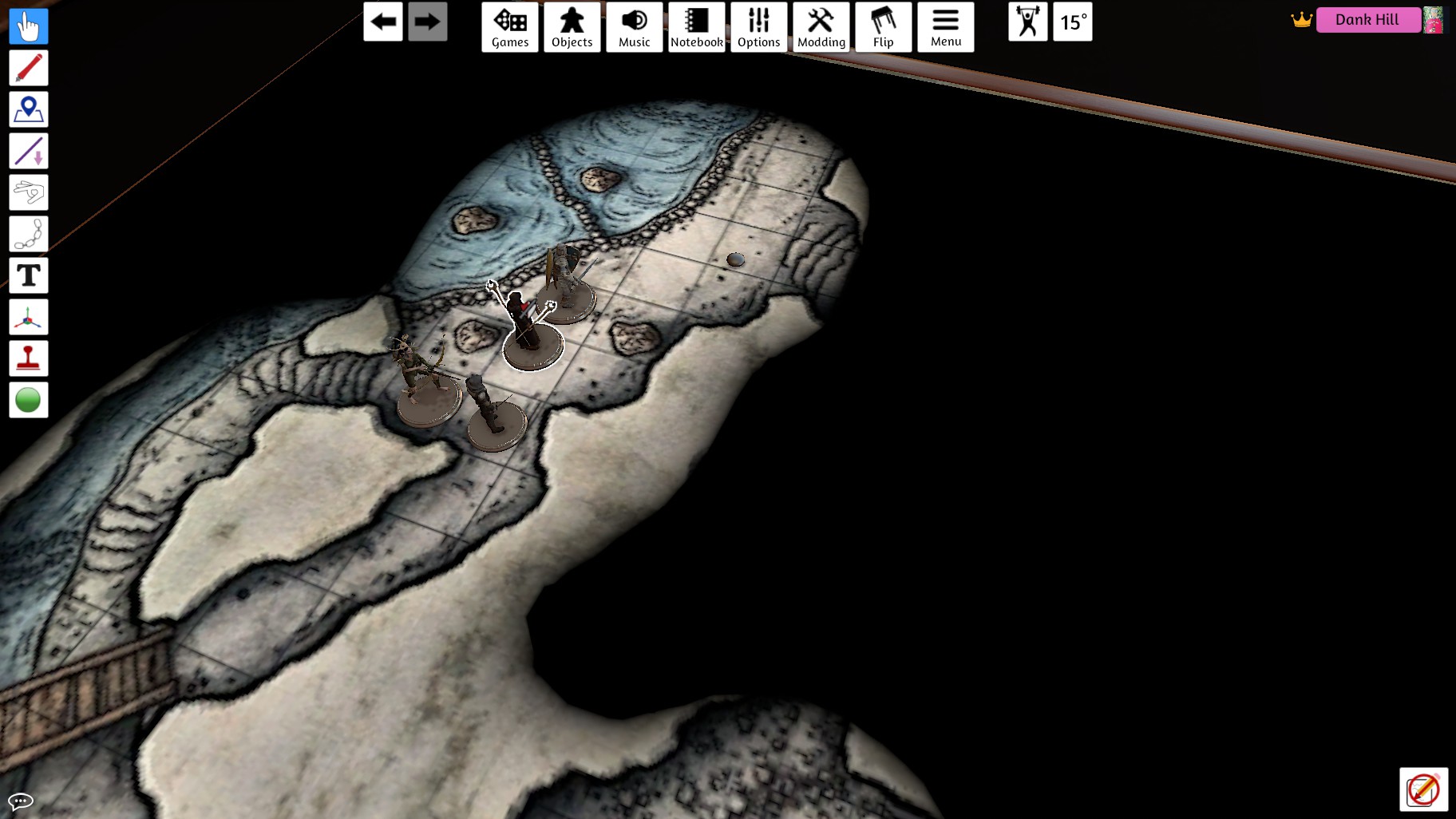
2. ???
They won't suspect a thing! (unless they have a good Perception score)
2. ???
- PROFIT!
More Tabletop Simulator guides
- D&D Setup [Up to 9 Players]★ 5 (513)35k views1.6k ♥5 minUpdated Nov 26, 2021
- Achievement Guide★ 5 (550)34k views880 ♥7 minUpdated Nov 9, 2024
- Learning Lua - A beginner's guide to scripting★ 5 (576)29k views1.5k ♥15 minUpdated Jul 3, 2017
- [RUS] Тайный Гитлер / Secret Hitler★ 5 (582)27k views1.1k ♥8 minRussianUpdated May 5, 2019
- Making Card Games★ 5 (310)27k views734 ♥3 min
- 100% Achievements: A Comprehensive Guide★ 5 (303)26k views515 ♥7 minUpdated Jul 11






🔥 Popular guides
- Upgrading to PremiumTeam Fortress 2★ 5 (20k)1441k views11k ♥6 minUpdated May 11, 2022
- No More Room in Hell Official ManualNo More Room in Hell★ 5 (2.8k)569k views2.1k ♥29 minUpdated Apr 22, 2019
- NMRiH Community Hosting GuidesNo More Room in Hell★ 5 (526)351k views653 ♥1 minUpdated Aug 10, 2022
- ULTIMATE GUIDE FOR GAME DEV TYCOONGame Dev Tycoon★ 5 (5.8k)326k views10k ♥4 minUpdated 23 Jan, 2014
- How to 'Git Gud' Soon™MORDHAU★ 5 (2k)318k views3k ♥68 minUpdated Nov 16, 2024
- Лучшие кооперативные игры SteamPAYDAY 2★ 5 (1.5k)315k views2.1k ♥56 minRussianUpdated Apr 27, 2025






This guide was created by its original author on the Steam Community. Are you the author and want it removed? Request removal.