The Essentials
Universal Tools
Right click to smack things to dislodge them if they are stuck.
Tap left click to reset an object to default orientation.
Tap right click to release the object.
Tap E to throw the object.
If you move your mouse rapidly and throw or release an object, you can throw objects extremely long distances.
Right click to detect trash and bullet holes and bullet hole-like decals.
The Sniffer detects mess around your current position, not where you are looking.
Gamers don't look up! If the Sniffer is going crazy and you can't see anything, look up!
If you don't know if something counts as trash, always use the Sniffer first. Incinerating non-mess objects is a waste of time, and you risk incinerating secondary objectives.
Do not fire it for too long, as it will overheat itself/the surface and create fire which will produce ash.
The time to fix bullet or laser holes increases with the size of the decal.
It approximately takes this long to fix these common decals:
Normal size bullet hole: 1.15s
Normal size laser hole: 1.4s
To more easily dispose of large objects that are far from the incinerator, you can use the Laser Welder to melt them into smaller pieces so you can fit more in a bin. If it makes a large meatball which would be inefficient to put in a bin, you can just throw them towards the incinerator, as lasered objects don't leave blood splats because they are cauterized.
Lasering objects that have already been lasered (melted synthetic objects and meatballs) causes them to vanish, but it takes a very long time, so it's more efficient to just throw them all toward the incinerator if they are too large for a bin.
Map-Specific Tools
Useless except for Core Sample where it is needed to sweep up crystal dust.
Can malfunction by duplicating items or killing Janitors instead of teleporting them.
How To Be Efficient
You might think "I should get rid of all the trash and body parts before mopping up, because this is logical in real life!", but you are wrong. The opposite is actually true in this game.
Because;
- walking over body parts doesn't leave footprints,
- viscera doesn't leave more blood if you mop underneath it unless you cause the object to move by mopping too close,
- and leaving fresh footprints is extremely inefficient,
the most efficient order to clean a level is:
- Laser things that will cause more mess by being lasered, such as reducing the size of bodies, getting rid of roots etc.
- Mop everything.
- Use bins to remove body parts and trash, while throwing large lasered objects toward the incinerator.
- Fix bullet holes and other similar decals.
- Do secondary objectives.
Remember to stack 2 buckets when transporting water.
Incinerator efficiency increases the more doors that are closed.
How To Open Locked Doors
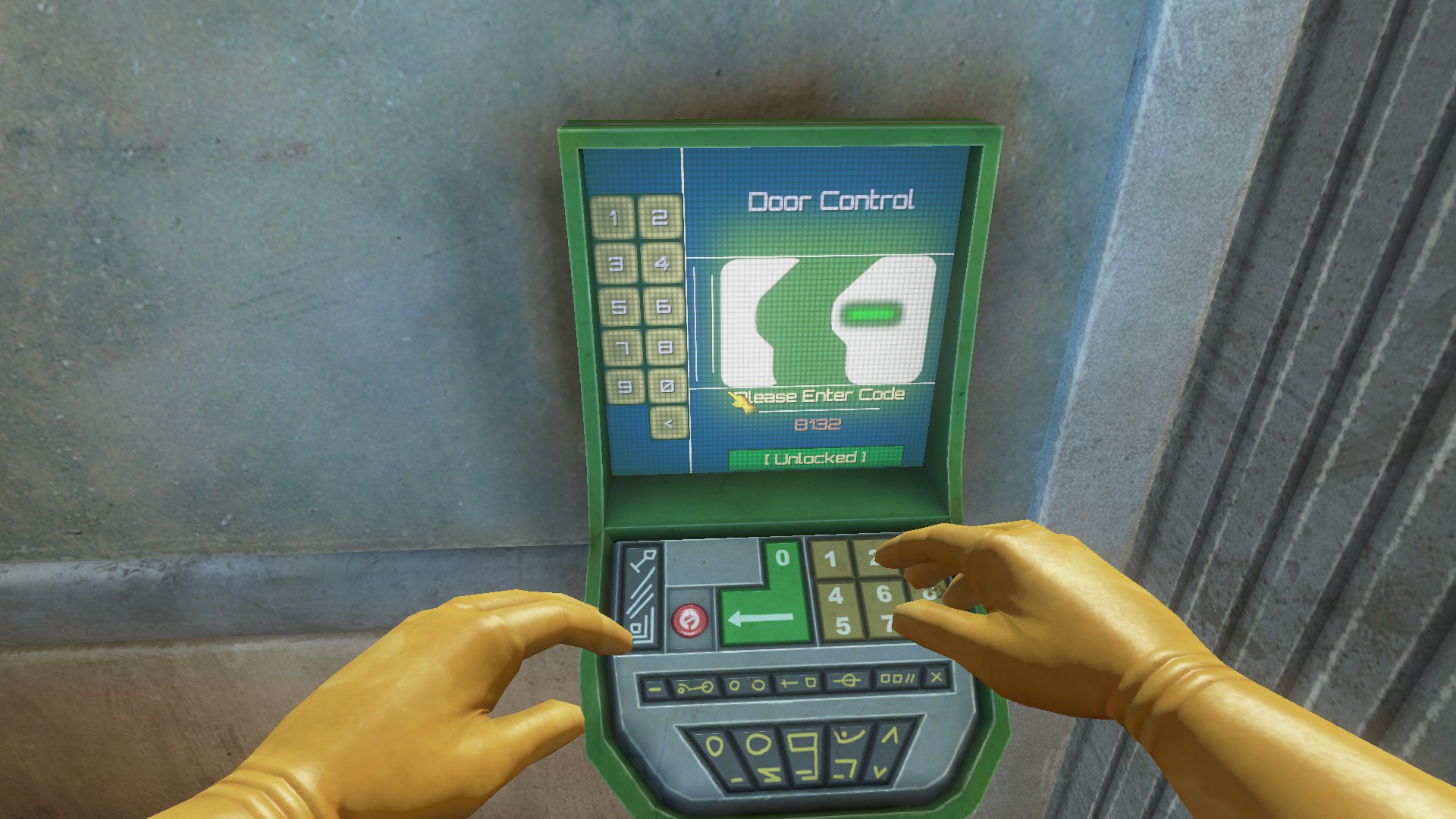
You can only open a locked door if you are able to type digits into the screen.
Passwords for keypads can be found in notes, data logs and even written in blood around the level.
If you misplace a code in any way, you can still get the door open by hacking the keypad.
The codes for the doors around the office are randomly generated every time the office is loaded and aren't written anywhere, so you need to hack them, there is no other legitimate way.
To hack keypads, spam a single number at a time for the entire code length. If a correct number is in the correct position, there will be a "click" noise and the screen on the keypad will flash green for a split second.
For example, if you press 1 for an entire code's length, and the screen flashes the second time you press it, then you know the second digit in the code is 1 and that it is not repeated.
How To Get a Higher Score
- Do secondary objectives, like stacking items in designated areas and refilling medical supplies.
- Collect PIDs (the usb sticks) and upload them to the punchomatic by holding them against it.
- Fill out paperwork on the punchomatic for the whole incident and for each death.
If you do at least some of these things, you can get well over a 100% score even if you haven't cleaned 100% of the mess.
All of these extras are found below.
Stacking Areas
Stack areas are color-coded and labelled with what they need to be stacked with. You just need to look carefully at the floor.
To count as being inside the stacking area, the center of the item must be inside the border.
Crates and barrels need to be upright to get points for stacking them. Any barrels not upright, no matter where they are placed, will deduct points.
"Crates" (Green text): Medical crates (the white crates with a green cross).
"Med-Waste" (Green text): Medical waste crates (Only in Caduceus).
"Barrels" (Yellow text): All barrels (or only yellow barrels, if you are in Unearthly Excavation).
"Barrels" (Blue text): Blue barrels (only in Unearthly Excavation).
"Nitrogen" (Blue text): Cryogenic storage canisters (only in Cryogenesis and Evil Science).
"Signs" (Yellow text): Wet floor signs (only in Evil Science).
Other Secondary Objectives
Carry them to a first-aid wall container, reset the orientation, and release it when it is in the container and it should snap in. You can then close the container.
Remove the weeds from the planters and replace them with seeds until the display says that it is full.
Get rid of the broken guns on the ceiling and replace them with new ones, then attach ammo that can also be dispensed from the vending machine.
Replace all light bulbs and eggs in the various cases throughout the level.
Use a shovel to fill them in with dirt or sand.
Must be incinerated.
Paperwork
Use environmental clues along with notes and data logs found throughout the level to determine the incident particulars and the cause of each employee's death. Definitions for these are linked at the end of this section.
For some reason, all mutants count as aliens even if they seem man-made with no alien influence, but not all aliens count as mutants. For example, Hydroponic Hell has mutants AND aliens, even though aliens are never mentioned. Whereas Pestilent Penitentiary only has aliens and not mutations.
So if you see evidence of mutations or mutants, then "aliens" MUST also be checked.
The only box you should leave blank is the one UNDER where you put your union number, as this is you complaining about the company to the union, so the company will punish you.
Full list of definitions for Causes of Death: https://viscera-cleanup-detail.fandom.com/wiki/Punchomatic#Cause_of_Death:_Definitions
How to deal with unreachable mess
If any mess is unreachable or unable to be unstuck, you can type KillNearestMess in the console.
You can access the console by pressing ~ or @ depending on your keyboard.
The devs fully expect you to use this feature because things get stuck and broken so often, that using commands like this doesn't disable achievements.
- Viscera Cleanup Detail: 100% Achievements★ 5 (2.3k)58k views4.5k ♥40 minUpdated Aug 4, 2020
- Punchomatic Cheat Sheet★ 5 (1.6k)54k views3.9k ♥38 minUpdated Sep 14, 2024
- Viscera Cleanup Detail for beginners★ 5 (761)50k views818 ♥9 minUpdated Dec 16, 2016
- Unlocking your Office!★ 5 (443)44k views515 ♥4 minUpdated Jan 28, 2022
- Buckets, Baskets, and Mops [How-to and advanced advice]★ 5 (673)32k views727 ♥11 minUpdated Jul 2, 2018
- Highest Completion Percentage For Each Level★ 5 (481)25k views1.2k ♥7 minUpdated May 14, 2019




- Upgrading to PremiumTeam Fortress 2★ 5 (20k)1441k views11k ♥6 minUpdated May 11, 2022
- No More Room in Hell Official ManualNo More Room in Hell★ 5 (2.8k)569k views2.1k ♥29 minUpdated Apr 22, 2019
- NMRiH Community Hosting GuidesNo More Room in Hell★ 5 (526)351k views653 ♥1 minUpdated Aug 10, 2022
- How to 'Git Gud' Soon™MORDHAU★ 5 (2k)318k views3k ♥68 minUpdated Nov 16, 2024
- Лучшие кооперативные игры SteamPAYDAY 2★ 5 (1.5k)315k views2.1k ♥56 minRussianUpdated Apr 27, 2025
- Desert Eagle Heat Treated | Blue GemCounter-Strike 2★ 5 (1.6k)292k views1.5k ♥2 minUpdated Jan 16





This guide was created by its original author on the Steam Community. Are you the author and want it removed? Request removal.