Useful console commands
Enabling Console
1. Start up Call of Duty 4: Modern Warfare Multiplayer and select Options
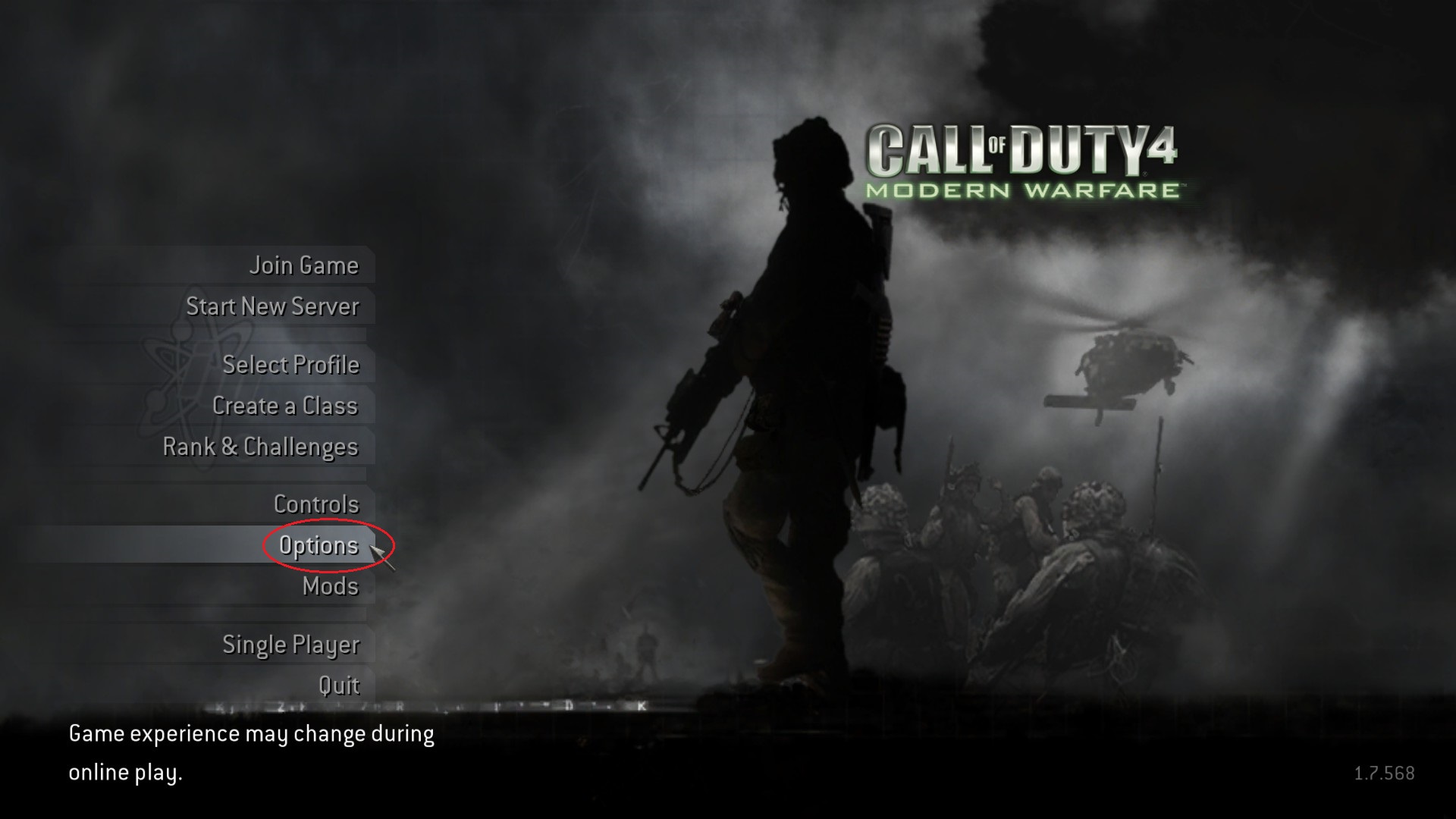
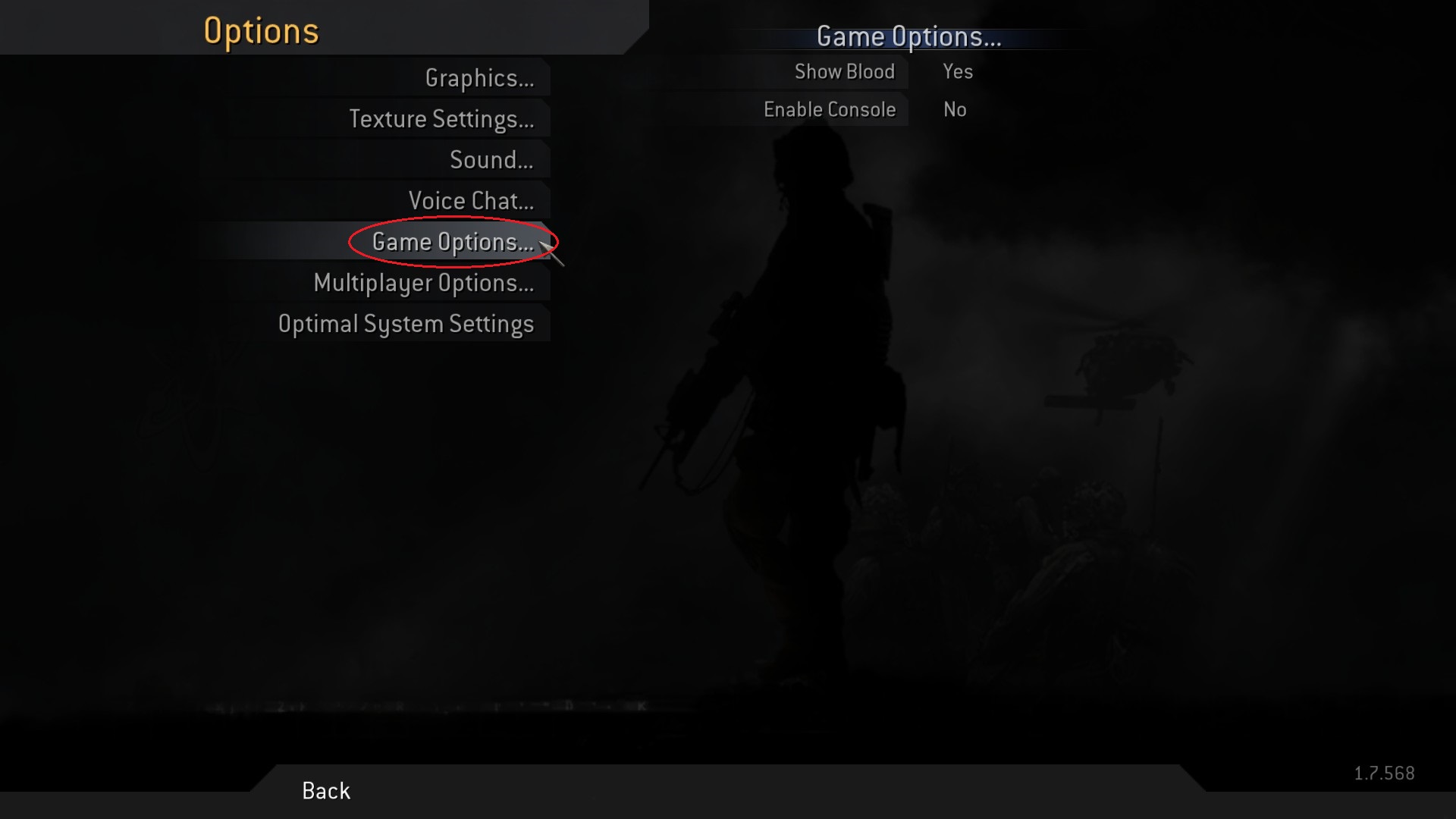
2. Select Game Options
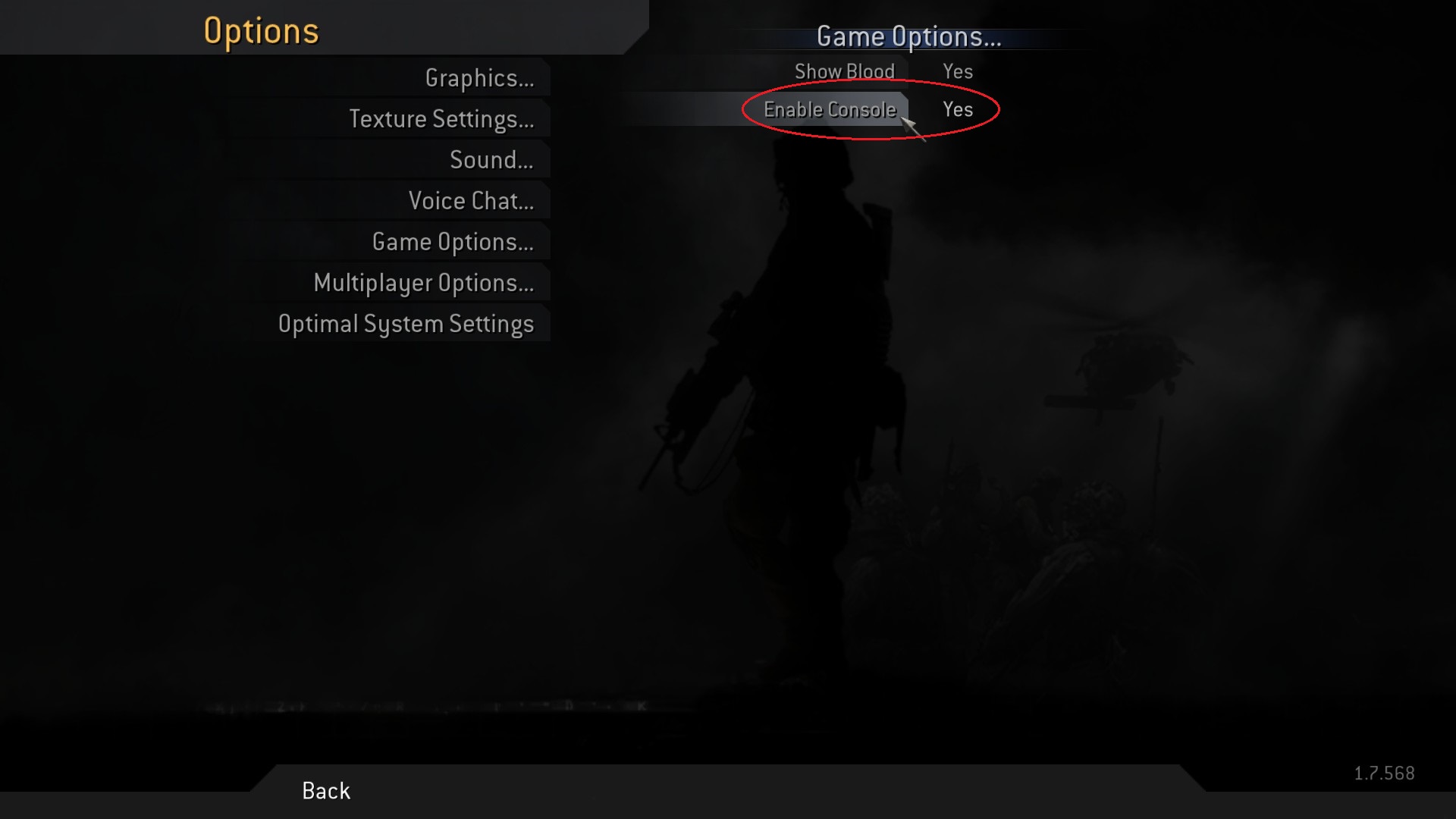
3. Select Enable Console and make sure it shows "Yes"
Now you can press the tilde key ~ to show the console.
2. Select Game Options
3. Select Enable Console and make sure it shows "Yes"
Now you can press the tilde key ~ to show the console.
Console commands
Netcode commands
Change field of view
Sources:
http://www.funender.com/quake/console/q3connection.html
http://wiki.modsrepository.com/index.php?title=Call_of_Duty_:_A_Study_on_FPS
https://linustechtips.com/main/topic/246033-truth-about-91-fps-in-the-new-call-of-duty/
https://steamcommunity.com/app/7940/discussions/0/528398719800788355/?ctp=2#c527273452881706687
Thanks to Cucurbito for linking new information regarding max fps and max packets.
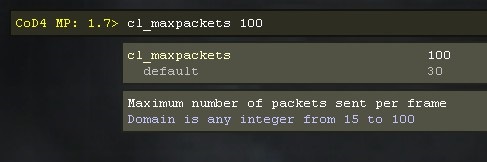
cl_maxpackets 100
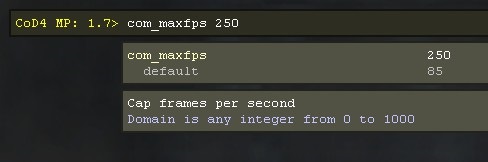
com_maxfps 100
- if set to 0, there weill be no cap, though this setting can get you kicked from servers
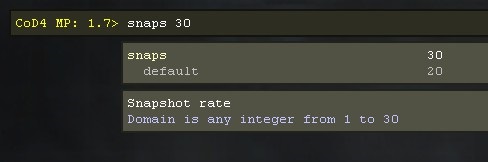
snaps 30
- essentially the update frequency of the client
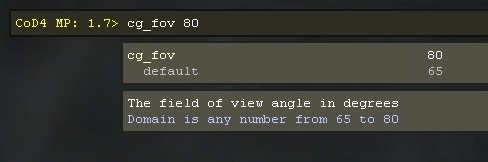
Change field of view
cg_fov 80
Sources:
http://www.funender.com/quake/console/q3connection.html
http://wiki.modsrepository.com/index.php?title=Call_of_Duty_:_A_Study_on_FPS
https://linustechtips.com/main/topic/246033-truth-about-91-fps-in-the-new-call-of-duty/
https://steamcommunity.com/app/7940/discussions/0/528398719800788355/?ctp=2#c527273452881706687
Thanks to Cucurbito for linking new information regarding max fps and max packets.
More Call of Duty 4: Modern Warfare (2007) guides
- Русификатор Call of Duty 4: Modern Warfare [v1.7.568]★ 5 (953)38k views1.4k ♥1 minRussianUpdated Jul 20, 2024
- How to change your Field Of View in Call of Duty 4.★ 5 (333)34k views495 ♥1 minUpdated Dec 4, 2018
- Intel Laptops locations★ 5 (653)18k views1.1k ♥8 minUpdated Jul 3, 2023
- How to install and play Star Wars: Galactic Warfare★ 5 (245)17k views527 ♥3 minUpdated May 17, 2017
- PezBOT Setup: How to play Bot Matches offline!★ 5 (319)16k views713 ♥3 minUpdated Nov 26, 2019
- COD4 Console Commands & CFGs★ 4 (126)14k views255 ♥1 minUpdated Jun 15, 2025


This guide was created by its original author on the Steam Community. Are you the author and want it removed? Request removal.