Using Stellaris Species Mod Generator
What is this exactly?
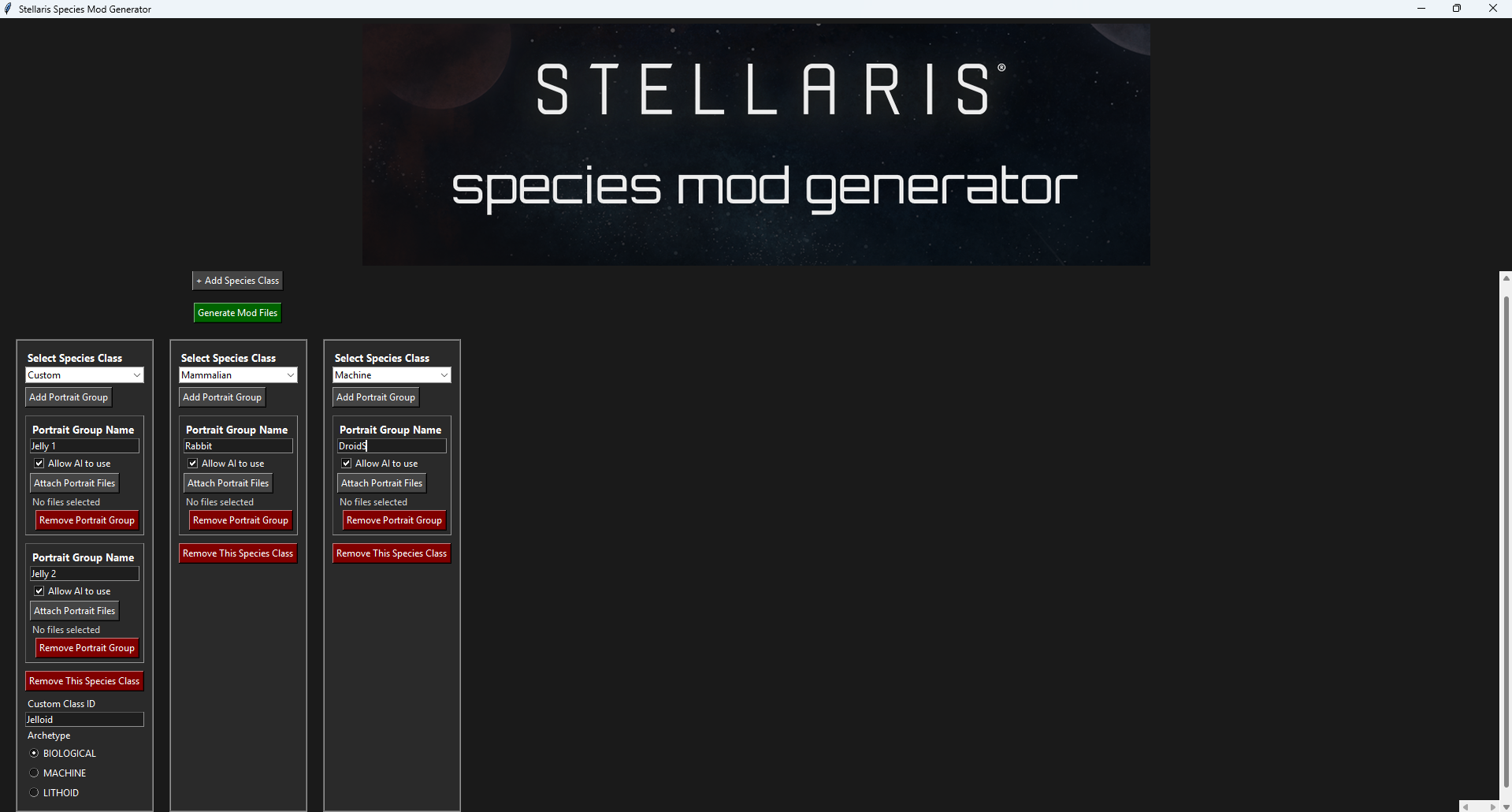
Shown here is the layout of the programme. You can create new species classes and add portrait groups to them (by portrait group I mean the particular look of a species you pick at empire creation), or you can add portrait groups to existing vanilla species classes.
Getting Ready
You will need to create the file for your mod in the Stellaris launcher:
Mod Library->upload mod->create a mod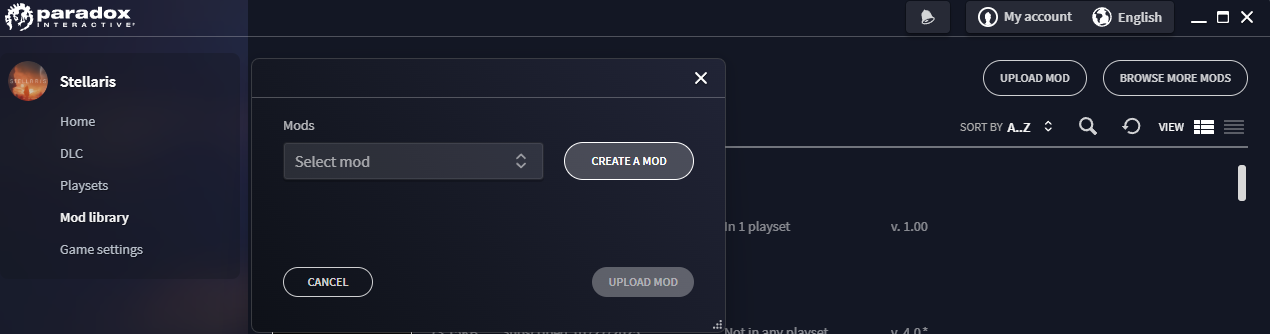
You will find your mod file at C:\Users\username\Documents\Paradox Interactive\Stellaris\mod.
Now you need to prepare the images you will use. They must be .dds images, and I use paint.net.
Let's say I wanted to add John Cena; these are the steps I would take: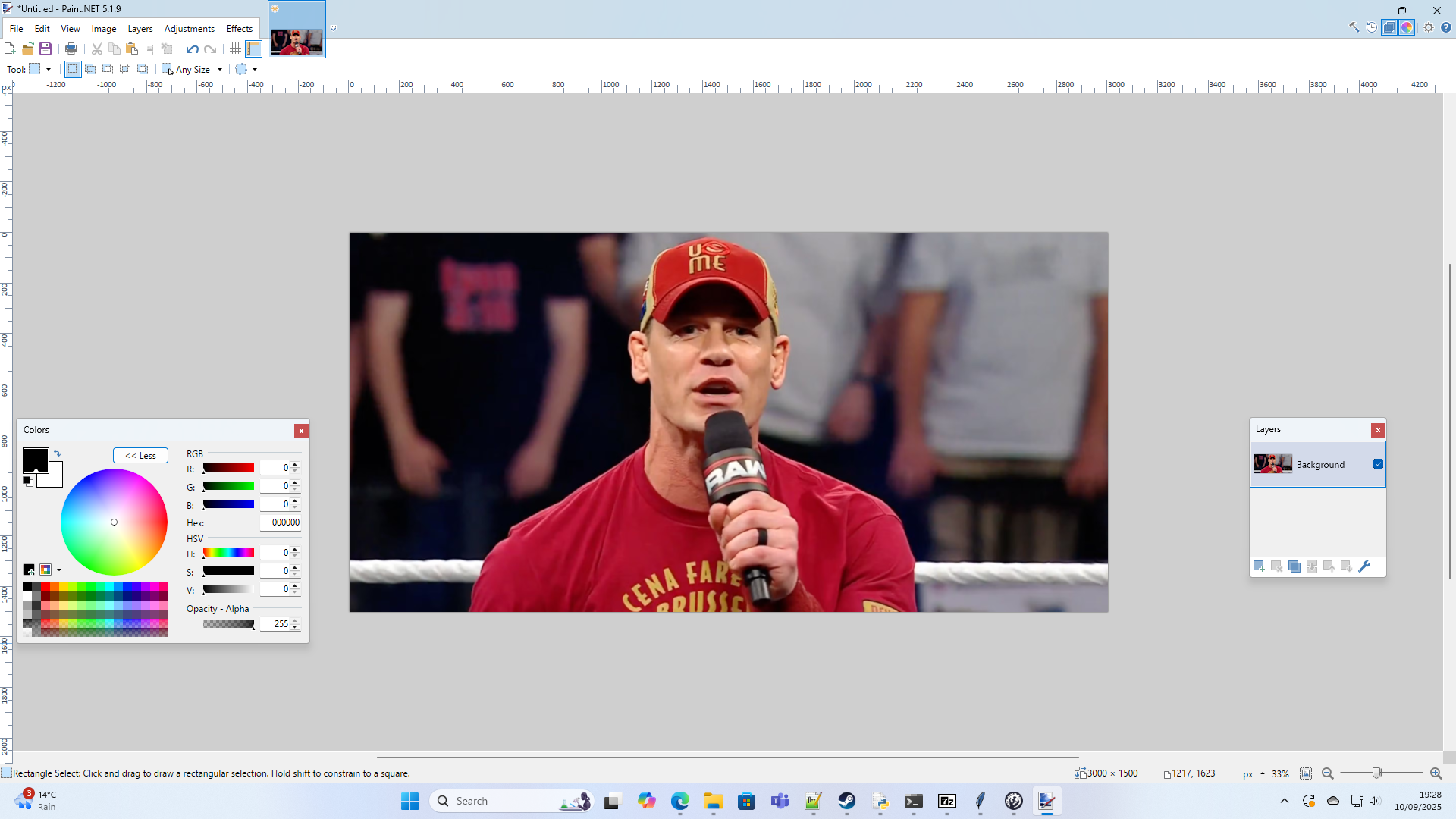 1. Select around him and Crop to Selection
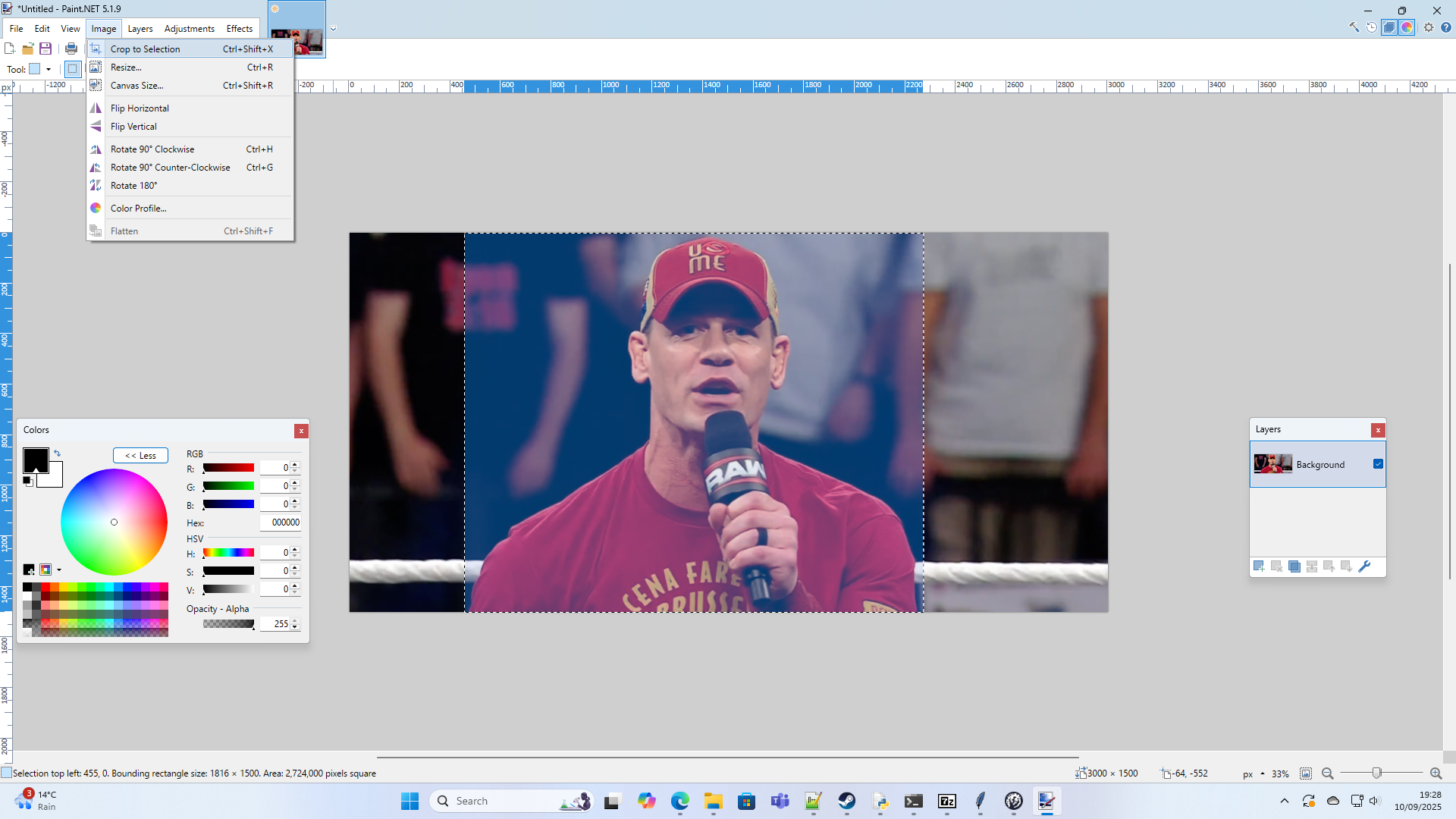 2. Resize the image. If the height is any more than 340 pixels part of it will be cut off at the top in game.
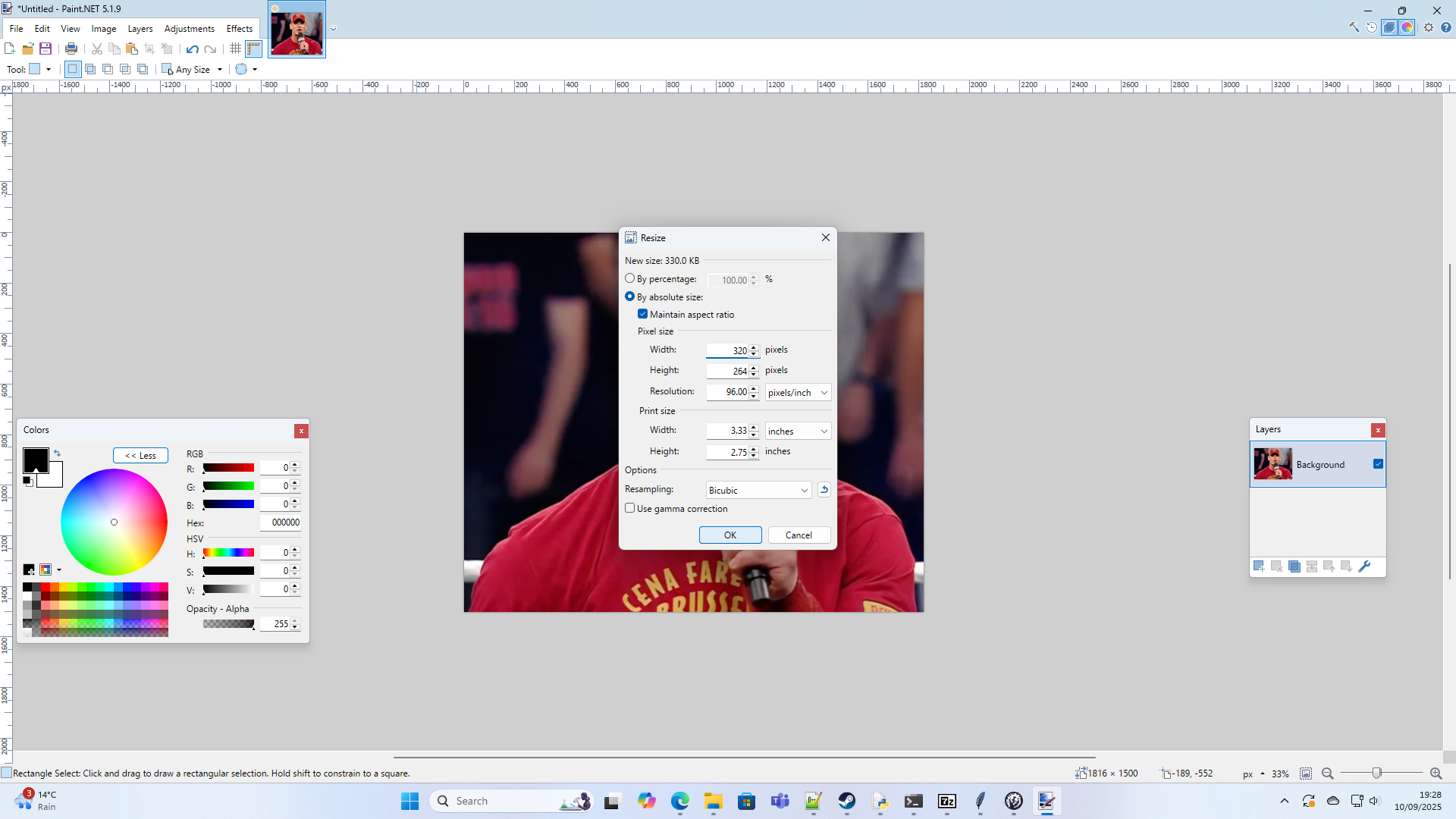 3. I then use a large eraser to roughly remove most of the background
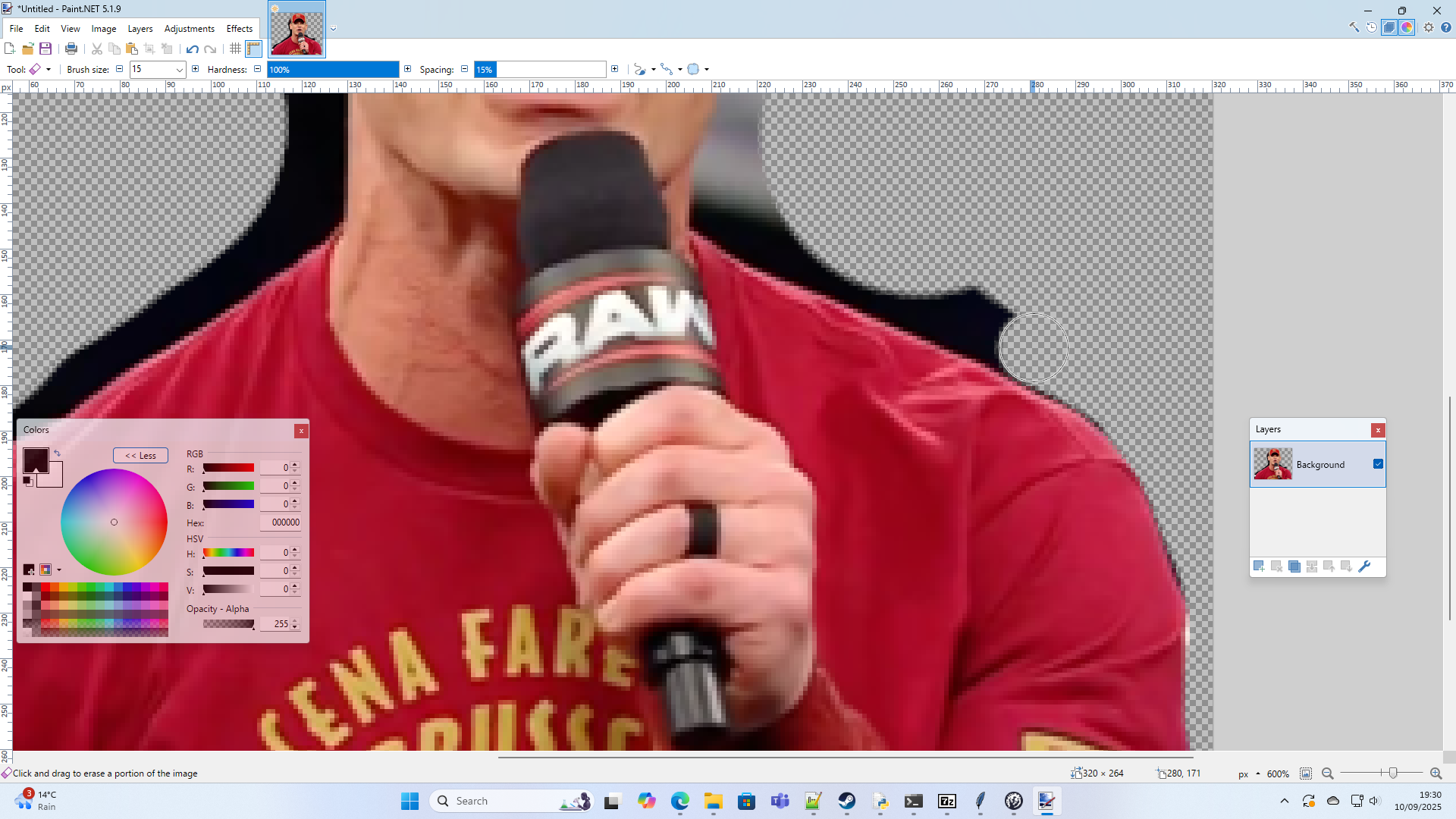
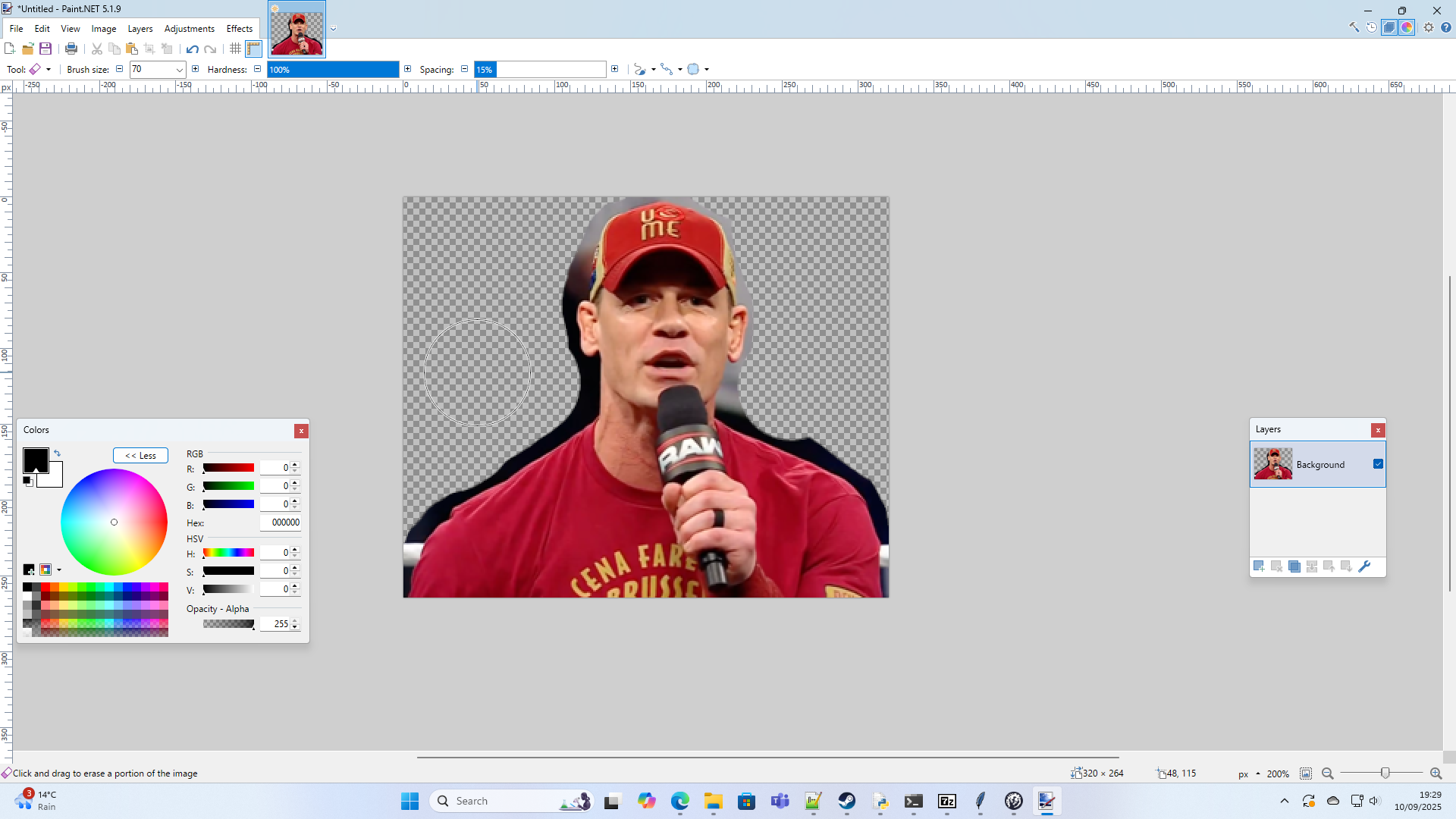 4. I use a small eraser for finer details
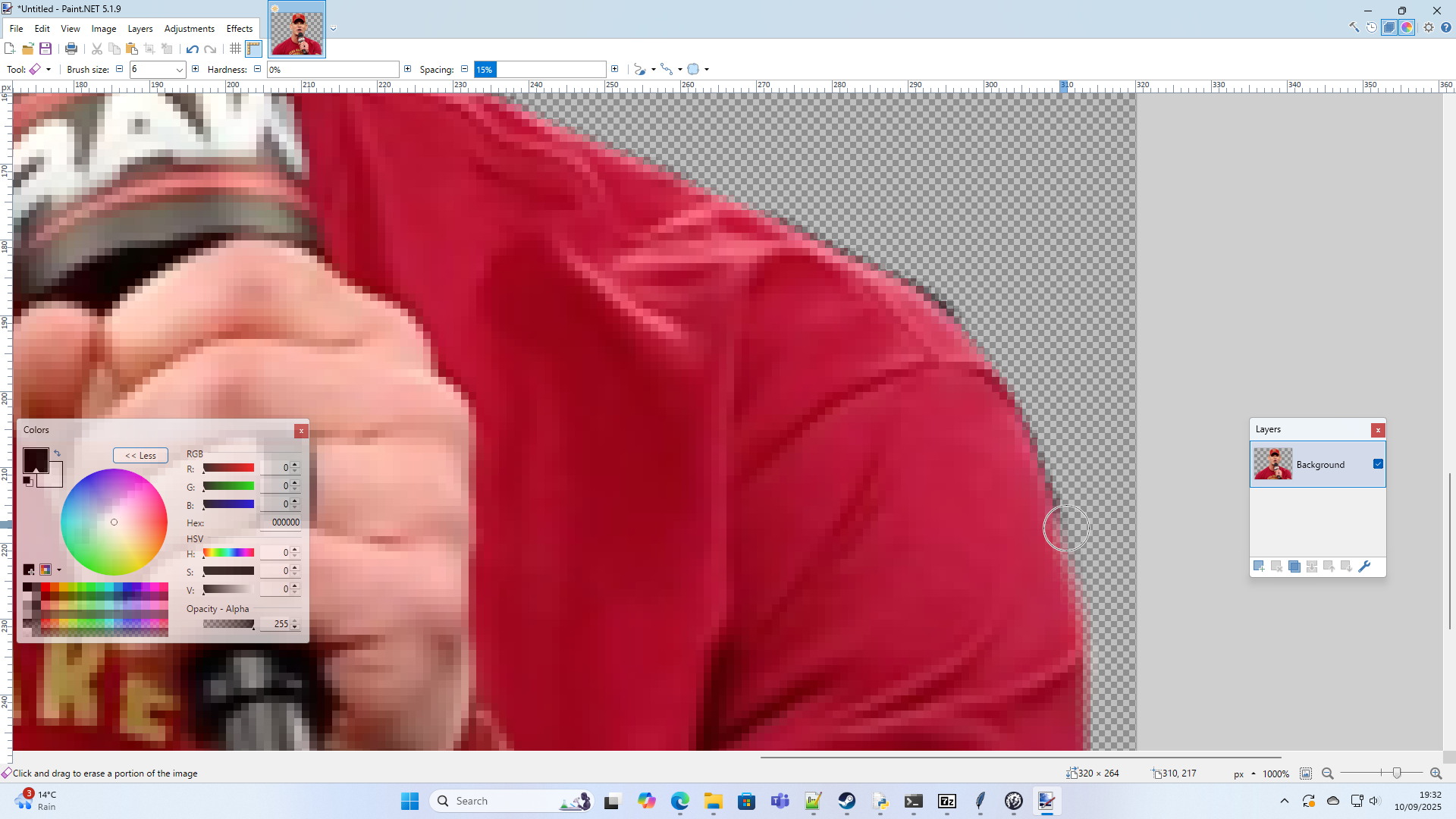
 5. To finish up, I go around with an eraser at 0% hardness to create a light blur outline
 6. The finished image looked like this
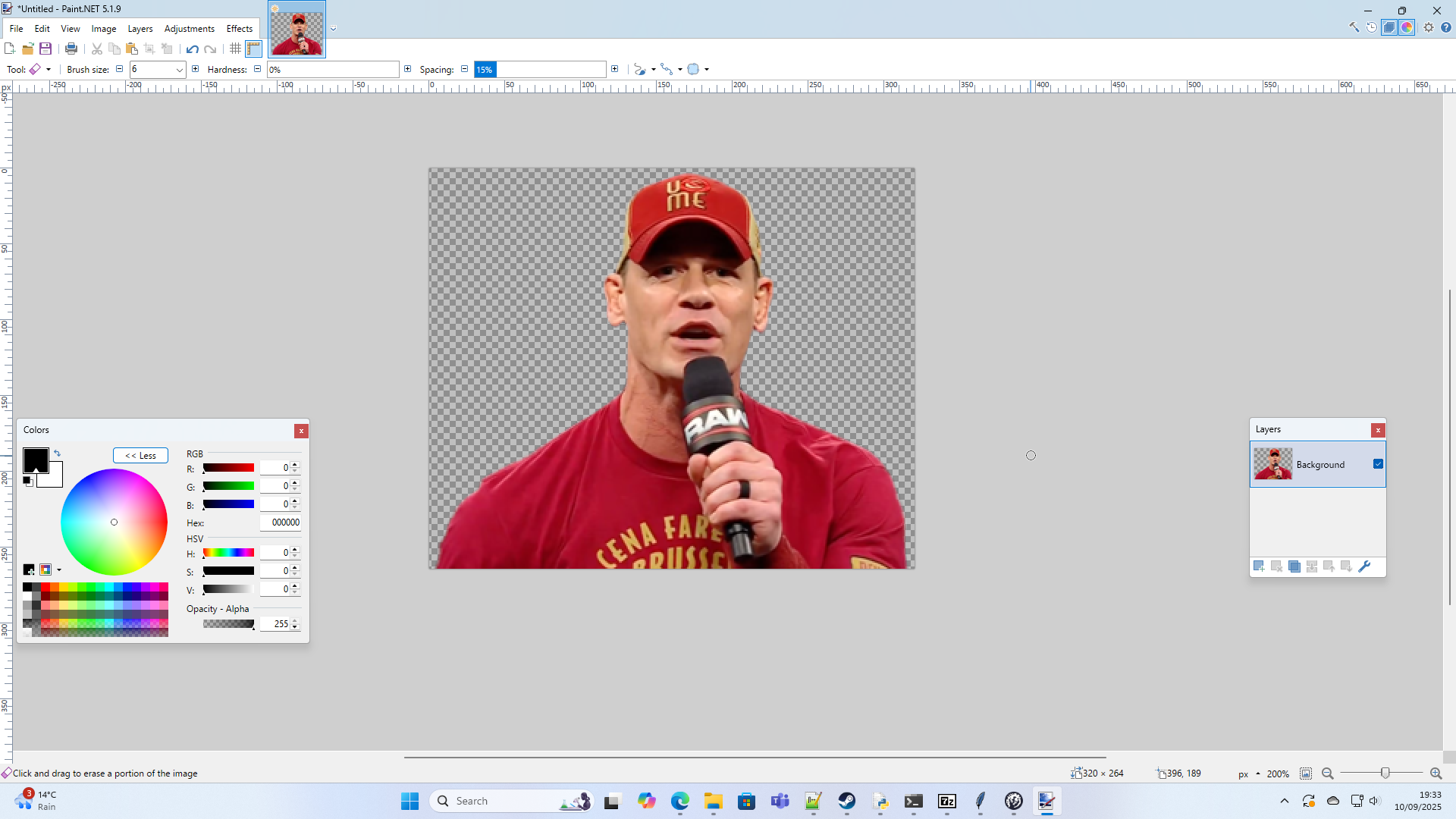 Before finishing, you can fill a lower layer with a contrasting colour such as black to make sure there aren't any spots you have left behind.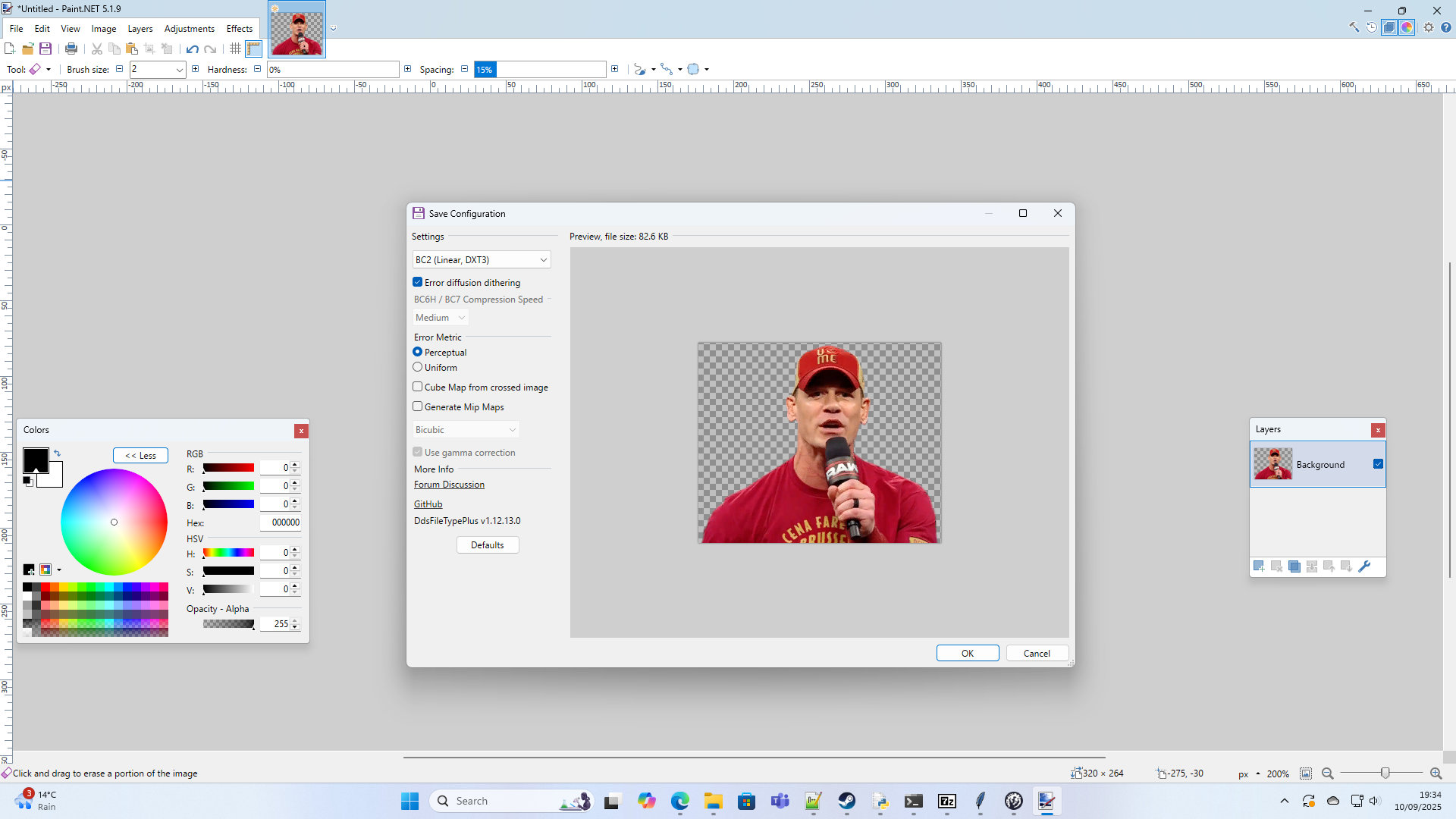
When saving, don't use a setting which replaces the blur with a spiky pixel outline. You can check this is the preview.
Downloading the Generator
This is the link to the zip file containing the programme on Google Drive: https://drive.google.com/file/d/1J82kenh7zbH6YC5Co_2GSXAWeBzRnC6a/view?usp=sharing
There are problems downloading it because of virus alerts, so I had to encrypt the ZIP file with a password - the password is simply 'stellaris'.
Once unzipped, you should be able to open the generator.
Using the Generator
I've tried to make most of it intuitive, but there are still things I have to explain just for clarity.
Add Species Class
Adds a species class to the interface that you can add portraits to.
Select Species Class
Choose a species class from the scrollable list, including all vanilla playable classes as well as the custom option. Enter a Custom Class ID to name a new custom species class.
Add Portrait Group
Adds a Portrait Group. The Portrait Group Name you choose doesn't appear in-game, but make sure it isn't identical to another or one will likely be overwritten.
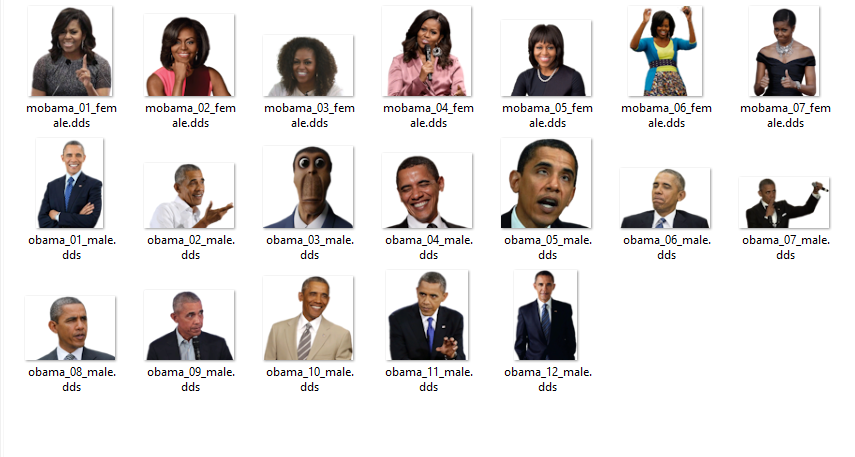
DO NOT USE ANY SPACES OR '#'s IN THE NAMES OF YOUR .dds IMAGES
Select the files from a folder you wish to use. If you wish for certain images to correspond to male characters and other to female characters, the image must include either '_male' or '_female' in its name.
Using Barack and Michelle Obama to demonstrate:
Allow AI to use
This decides whether AI generated empires can use this portrait for their species. If it is selected as yes, then you will need to create a species names file in common, designating the name, name list, home planet and home system of this empire, otherwise these details will be blank. Otherwise, I would recommend that this is not ticked.
Once you are done, click Generate Mod Files, and then use the file explorer to click on your mod file in C:\Users\username\Documents\Paradox Interactive\Stellaris\mod.
At this point your mod should be good to go!
- 3.8 Guide to Traits, Ethics, Origins, Civics, Traditions and APs [ UPDATE HIATUS ]★ 5 (1.8k)82k views4.3k ♥147 minUpdated Jan 9, 2024
- Beginner's guide to Stellaris★ 5 (784)69k views1.7k ♥49 minUpdated Mar 29, 2018
- Combat and Ship Design: A Comprensive Guide★ 5 (1.3k)63k views2.8k ♥37 minUpdated Feb 16, 2021
- 奇观拓展巨构介绍★ 5 (752)53k views144 ♥1 minSimplified ChineseUpdated Feb 19, 2024
- Stellaris:Читы/Консольные команды/Редактирование сохранений★ 5 (642)51k views1.5k ♥15 minRussianUpdated Jan 1, 2025
- Buying Guide to Stellaris DLCs★ 5 (809)45k views1.3k ♥66 minUpdated May 8, 2024



- Upgrading to PremiumTeam Fortress 2★ 5 (20k)1441k views11k ♥6 minUpdated May 11, 2022
- No More Room in Hell Official ManualNo More Room in Hell★ 5 (2.8k)569k views2.1k ♥29 minUpdated Apr 22, 2019
- NMRiH Community Hosting GuidesNo More Room in Hell★ 5 (526)351k views653 ♥1 minUpdated Aug 10, 2022
- Лучшие кооперативные игры SteamPAYDAY 2★ 5 (1.5k)315k views2.1k ♥56 minRussianUpdated Apr 27, 2025
- Desert Eagle Heat Treated | Blue GemCounter-Strike 2★ 5 (1.6k)292k views1.5k ♥2 minUpdated Jan 16
- Treasure Hunt Puzzle SolutionsTotal War: WARHAMMER II★ 5 (6.9k)281k views15k ♥3 minUpdated Aug 19, 2021






This guide was created by its original author on the Steam Community. Are you the author and want it removed? Request removal.