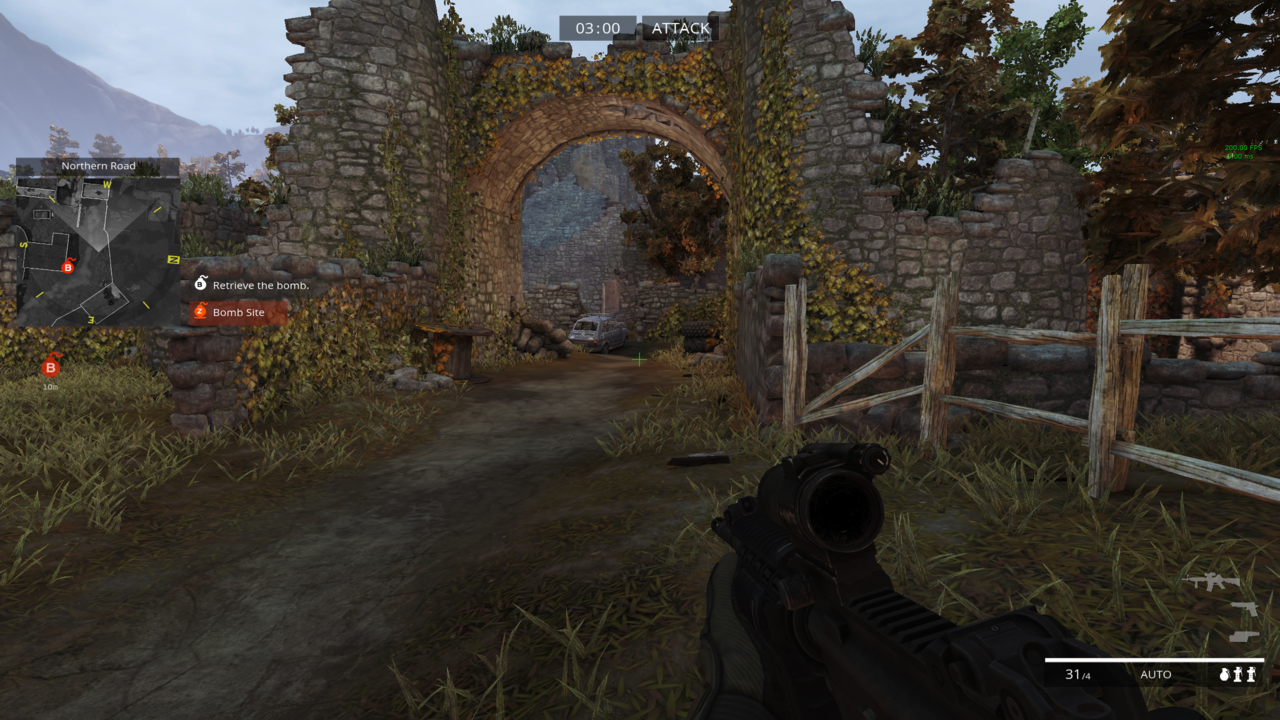
Change Mini map
Mini map
Go to the Documents folder>American Army Proving Grounds>AAgame>Config>AAUI
Click to locate and type voip, arrow down and you will find
copy and paste or change the same as I left
I will leave the commands
[AAGame.AAUIComponent_Radar]
ComponentAnchor=(bAnchorTop=true=0.105,bAnchorLeft=true,bAnchorBottom=true,Bottom=0,Left=0.160f,bIgnoreVerticalBounds=true,bIgnoreHorizontalBounds=true)
[AAGame.AAUIComponent_VoipNotification]
ComponentAnchor=(Left=0.0125f,Top=0.46f)
Follow the link to the tutorial to change
https://www.youtube.com/live/uAr1jRBrKXk
More America's Army: Proving Grounds guides
- America's Army: Proving Grounds Quick Start Guide★ 5 (203)11k views121 ♥14 minUpdated Jul 2, 2014
- Official Weapon Challenge Guide★ 5 (215)9k views250 ♥13 minUpdated Mar 4, 2016
- The Art of Takedown★ 4 (91)7.4k views59 ♥11 minUpdated Dec 30, 2023
- FPS improvement (AASystemSettings.ini tweaking)★ 4 (93)7.4k views157 ♥8 minUpdated Nov 22, 2015
- Using the nVidia Override for Anti-Aliasing★ 3 (33)5.7k views22 ♥4 minUpdated Jul 2, 2014
- Official XP and Leveling Guide★ 4 (80)3.8k views94 ♥2 minUpdated Dec 9, 2015





This guide was created by its original author on the Steam Community. Are you the author and want it removed? Request removal.