Controller Enhancement for Steam AC7
Yo
I'm really surprised that no one made a tutorial about this. It's been 7 (edited) years since the game came out and PA didn't do s*#t about it. I'll just give away the solution here.
*Edit (1/25/2023) : Steam updated their interface to match Steam Deck, which simplified the process a lot, which also means the same method works on Steam Deck as well.
No mods are required.
Controllers known that is available for this method:
Xbox, Xbox elite series 1&2, PlayStation, DualShock, DualSense, Nintendo Switch Pro Controller.
Outcome for unknown controllers are not guaranteed.
Why?
When playing AC7 on consoles, all players have the same input platform: the controller,
so there’s not really a problem. But thanks to PA's "optimization" on PC, keyboard and controller have very different experiences.
The game translates keyboard input signals to your plane with the input VALUE instead of input percentage, meaning more travel distance = more maneuverability.
Let's say when keyboard do pitch & roll at the same time, it always has full input on both directions of maneuver. Resulting the actually input value being the half diagonal distance of a square.
However when controller tries to do the same maneuver, the actual input value is reduced because the joystick’s input deadzone shape is a CIRCLE.
If keyboard input shape is seen as a square with value 100 as its sides, the diagonal input value will be 50 x √2 = 70.71.
If controller input shape is seen as a circle with value 100 as its diameter, the diagonal input value will be just its radius: 50.
Issues caused by these different logics are slight in early stage gameplay, but as your skills improve, the issues will become obvious, especially in PSM fights.
This method is meant to extend the upper limit of controller users’ performance. You will still need to learn necessary skills and strategies, and a lot of practice to actually improve.
Another thing before we begin, you can enter the free flight mode in game and configure at the same time; this way you can change certain values while testing it out, so you can get the best setup for yourself.
Alright, let’s get started.
Da Way
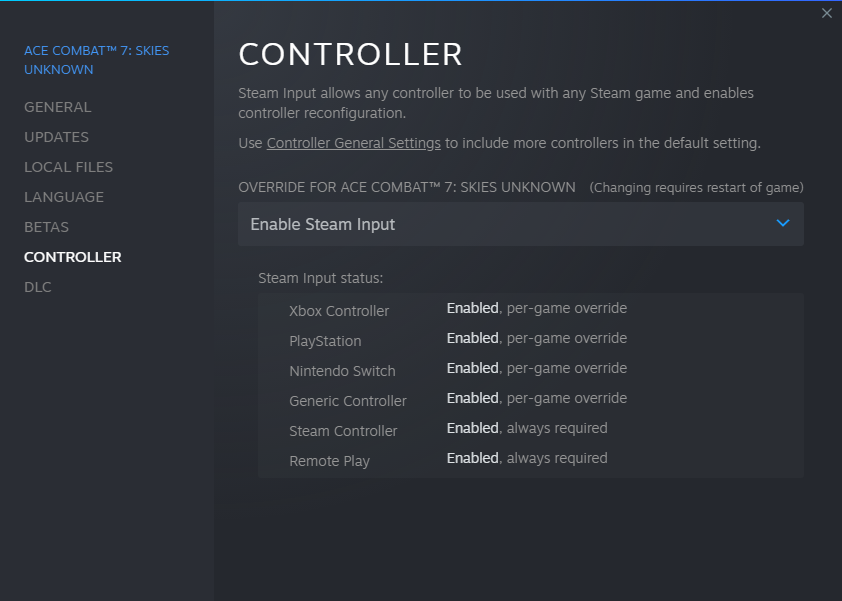
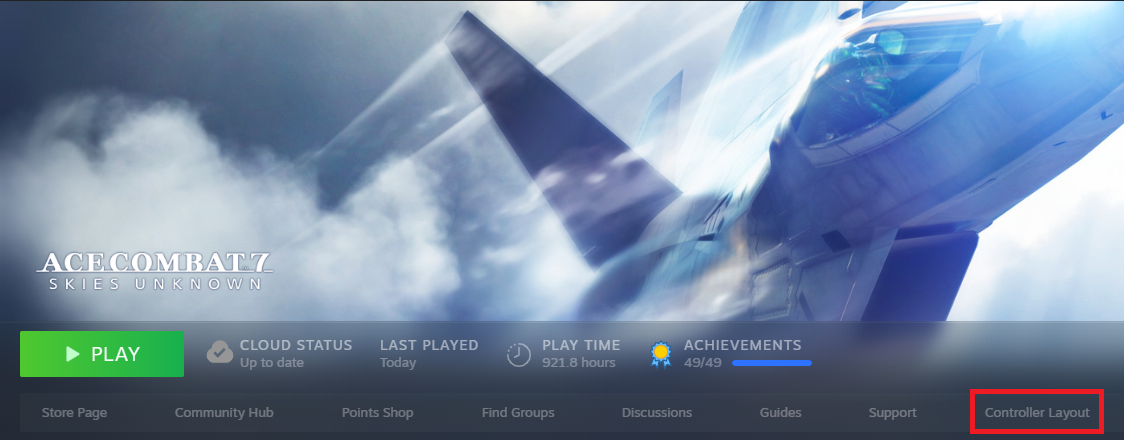 or "Controller Configuration" from in-game overlay.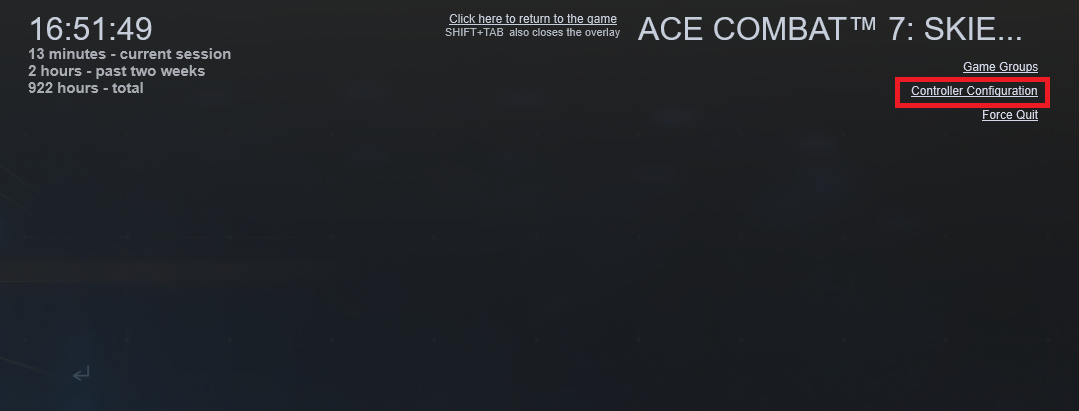
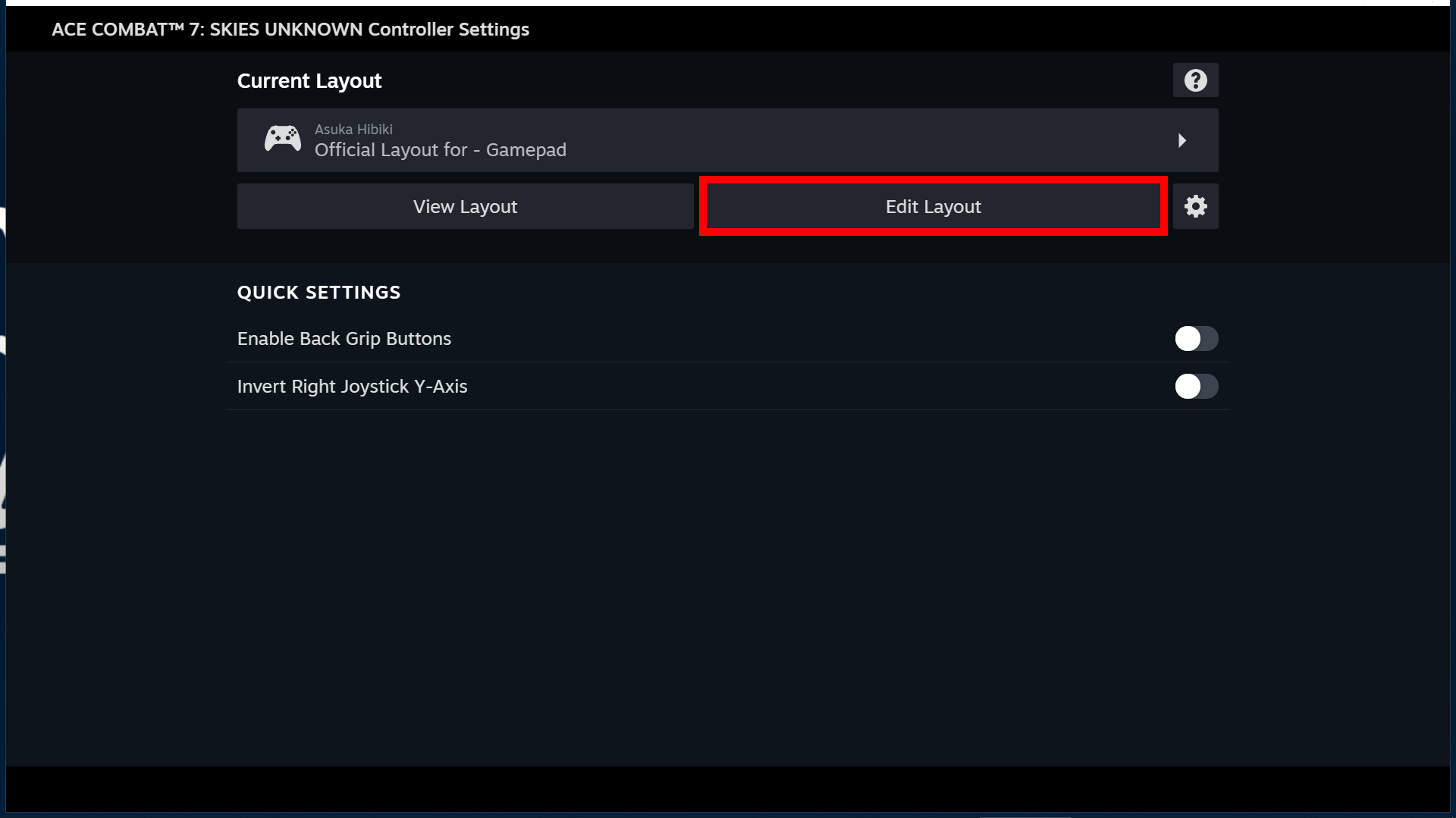
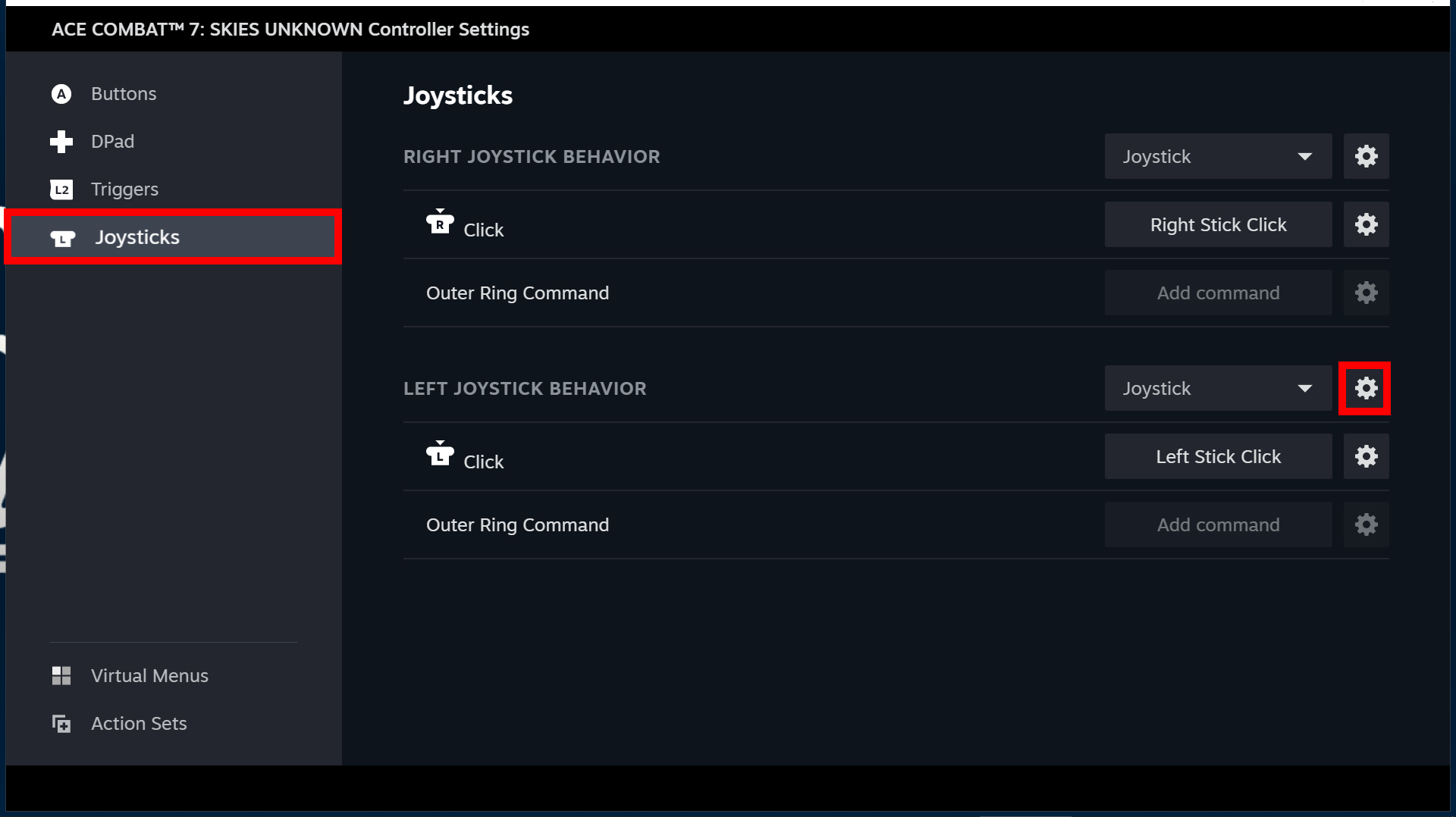
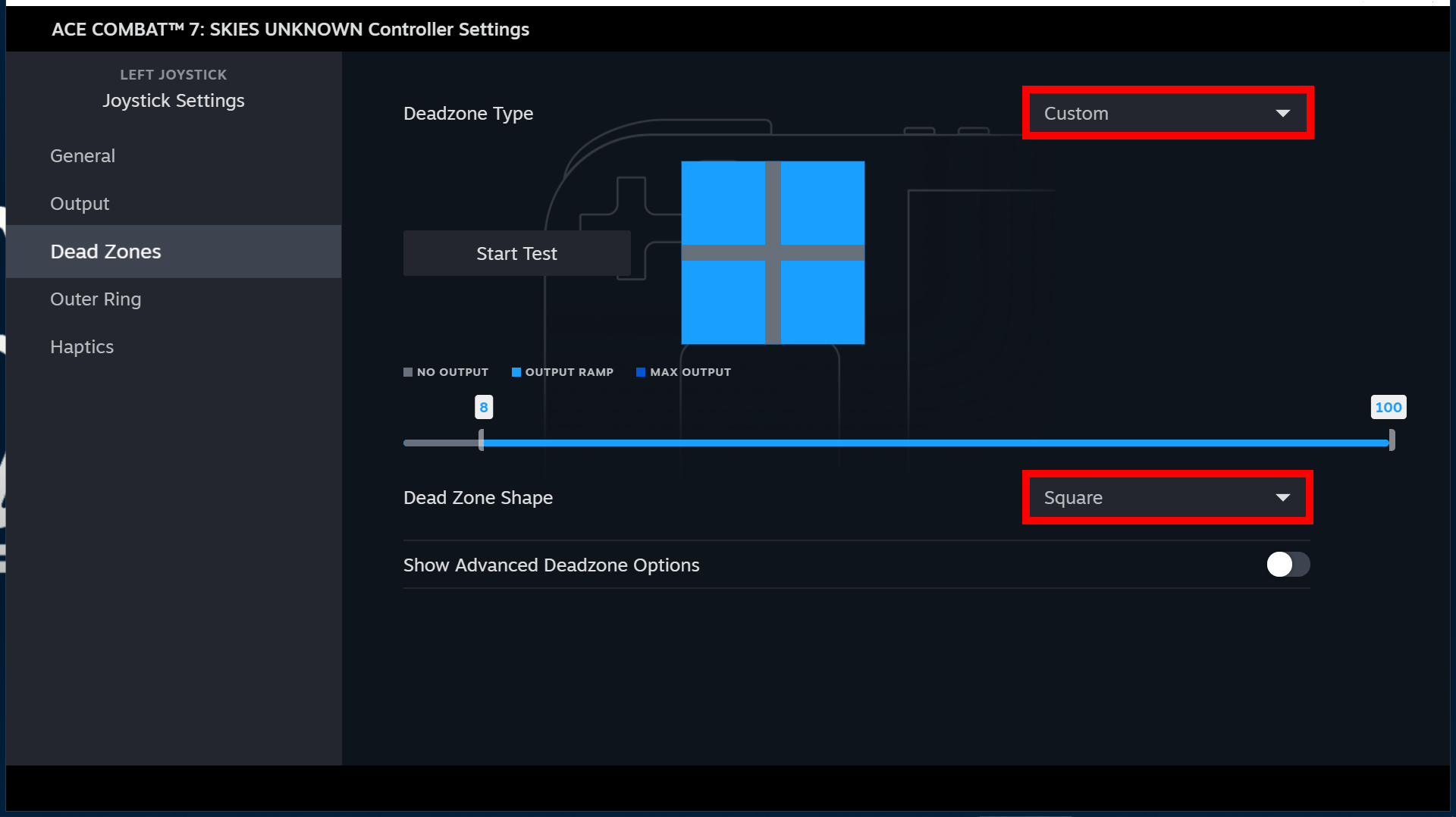
Make sure you max out both sides of the output.
Yep, that's it.
That's how easy it is. You now have 30% more maneuverability in diagonal movements.
Happy hunting everyone.
by. Asuka Hibiki
- How to S rank all missions on ACE difficulty - ACE of ACES achievement★ 5 (717)26k views1.6k ♥23 minUpdated May 12, 2019
- Native Flightstick Configuration★ 5 (316)24k views670 ♥8 minUpdated Oct 15, 2025
- Named Aircraft/"Bird of Prey" Guide★ 5 (980)20k views1.9k ♥10 minUpdated Feb 8, 2019
- All Aircraft Skins {Detailed Unlocks}★ 5 (414)19k views873 ♥15 minUpdated Dec 13, 2022
- Quick Guide to Maximum Texture Quality★ 5 (405)19k views721 ♥2 minUpdated Jan 16, 2020
- The ultimate(ish) nugget's guide to Ace Combat 7★ 5 (290)17k views540 ♥27 minUpdated Sep 8, 2022




- Upgrading to PremiumTeam Fortress 2★ 5 (20k)1441k views11k ♥6 minUpdated May 11, 2022
- No More Room in Hell Official ManualNo More Room in Hell★ 5 (2.8k)569k views2.1k ♥29 minUpdated Apr 22, 2019
- NMRiH Community Hosting GuidesNo More Room in Hell★ 5 (526)351k views653 ♥1 minUpdated Aug 10, 2022
- ULTIMATE GUIDE FOR GAME DEV TYCOONGame Dev Tycoon★ 5 (5.8k)326k views10k ♥4 minUpdated 23 Jan, 2014
- How to 'Git Gud' Soon™MORDHAU★ 5 (2k)318k views3k ♥68 minUpdated Nov 16, 2024
- Лучшие кооперативные игры SteamPAYDAY 2★ 5 (1.5k)315k views2.1k ♥56 minRussianUpdated Apr 27, 2025






This guide was created by its original author on the Steam Community. Are you the author and want it removed? Request removal.