EaglePatch AC2: Controllers, Graphics fix & Unlock Uplay Bonuses
Why?
Assassin's Creed 2 is an old game, and Ubisoft doesn't bother updating their old games for preservation purposes, even actively locking away content due to shutting down online servers, instead of opening them up free for everyone, or making them work offline.
In particular this game:
- Uses DirectInput, which means trigger button and rumble won't work on newer controllers supported via Steam Input.
- Has some old graphic issues with LOD and shadow quality.
- Can't unlock Uplay bonuses anymore as the service has been terminated.
EaglePatch AC2[github.com], made by Sergeanur[github.com], fixes this issues.
Installing EaglePatch AC2
Features
- Improved shadow map size from 1024 to 4096 (only when shadow quality is maxed out in game's settings; can be disabled in ini)- Draw distance maxed out for buildings, peds and flags (can be disabled in ini)
- Enables UPlay bonuses - Auditore Crypt, Altair robes, extra knifes, bonus dye (can be disabled in ini)
- Added support of all XInput controllers
- Added detection of hotplugged controllers
- Removed support of DInput controllers
- Gamepad and kb/mouse controls work at the same time (read note below)
- Added ini setting for enabling PS3-like controls
- Added ini setting to skip intro videos (without having to rename files)
Note: switching controls layout in game settings has no effect anymore, if you didn't use KeyboardMouse2 layout for keyboard, you need to change KeyboardLayout setting in EaglePatchAC2.ini
Installation
1. Download Ultimate ASI Loader: Ultimate ASI Loader[github.com] & EaglePatch AC2[github.com].
- Put dinput8.dll from Ultimate ASI Loader into your Assassin's Creed II directory.
- In your Assassin's Creed II directory create a folder named scripts.
- Put EaglePatchAC2.asi and EaglePatchAC2.ini from EaglePatch AC2 into a newly created scripts folder/
- Done! You may want to check EaglePatchAC2.ini for any settings you want to enable or disable.
Crash bug when returning to Florence for the first time
Sadly the patch has a crash issue when returning to Florence for the first time, if you encounter it, disable the patch by renaming/deleting it's file from scripts, progressing in the game and restoring it afterwards.
Configuring Steam Input
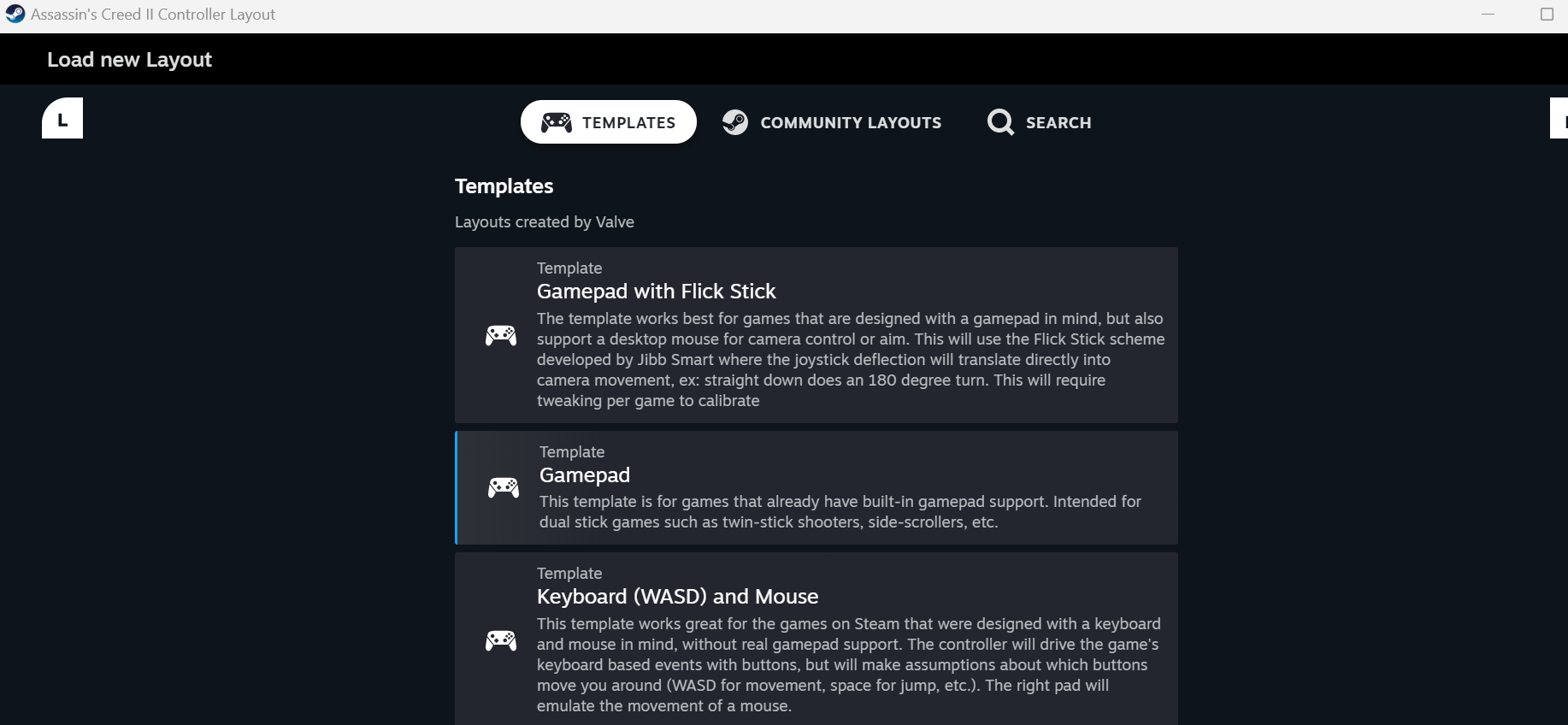
Steam Input might default to the "Keyboard (WASD) and Mouse" template which emulators keyboard and mouse using your controller for games with no or poor controller support, with this patch you no longer need to emulate and can use your controller as usual. So you need to switch to the "Gamepad" template or any other Steam Input template of your choice.
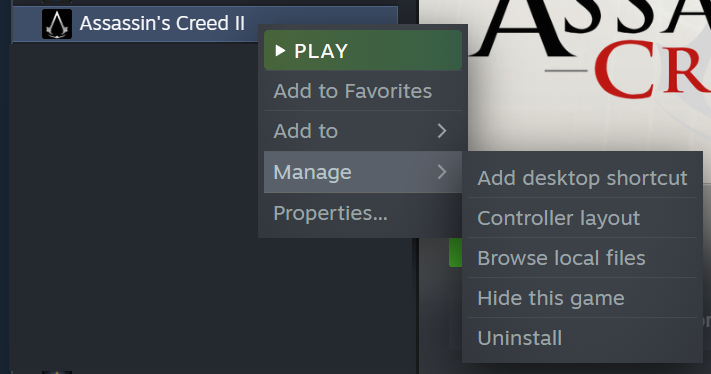
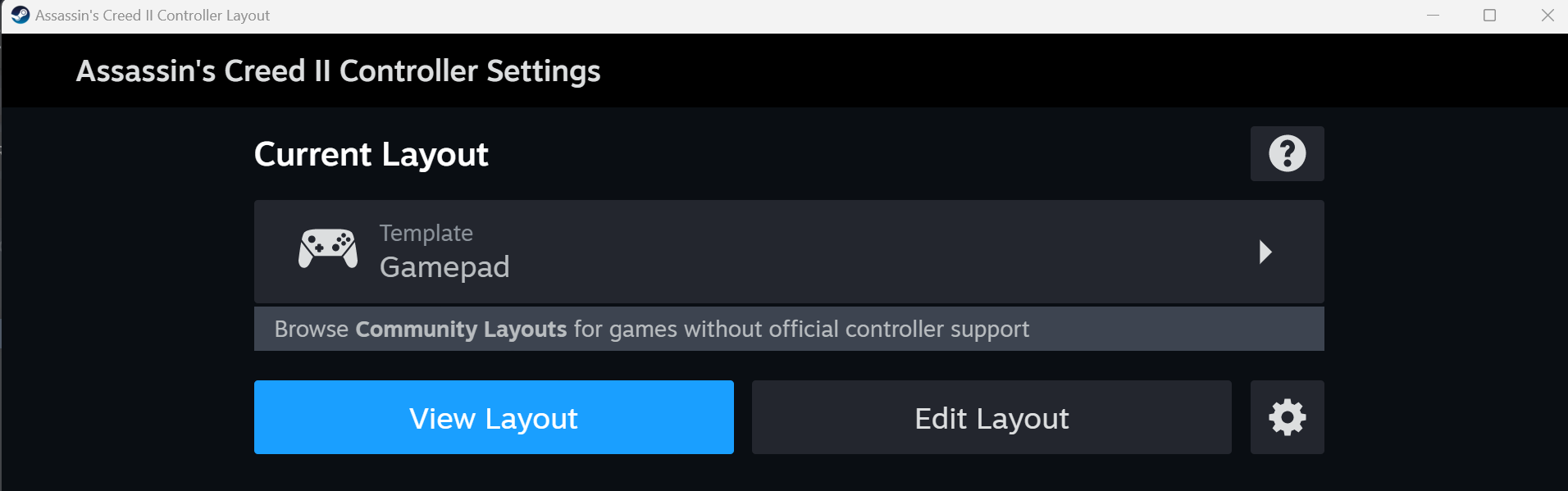
- With a controller connected, open the game's "Controller layout" options.
- Click "Template".
- Select "Gamepad" or something else if you want to.
See Also
Also see: https://steamcommunity.com/sharedfiles/filedetails/?id=2915126585 For a similar patch for AC1.
More Assassin's Creed II guides
- Xbox Controller Fix★ 5 (744)55k views785 ♥1 minUpdated Feb 25, 2014
- Assassin's Creed II Glyph puzzles (from Gamesradar.com)★ 5 (362)36k views630 ♥7 min
- RU | Русификатор для Assassin's Creed II Текст/Звук 2025★ 5 (533)36k views1.2k ♥3 minRussianUpdated Nov 18, 2025
- All Glyph Locations and Solutions - Assassin's Creed II★ 5 (360)32k views845 ♥1 minUpdated Jul 9, 2018
- Русификатор Assassin's Creed II★ 5 (247)29k views543 ♥1 minRussianUpdated Apr 13, 2023
- Делаем оригинальную озвучку + рус.сабы.★ 5 (330)25k views609 ♥1 minRussianUpdated Dec 6, 2020




🔥 Popular guides
- Upgrading to PremiumTeam Fortress 2★ 5 (20k)1441k views11k ♥6 minUpdated May 11, 2022
- No More Room in Hell Official ManualNo More Room in Hell★ 5 (2.8k)569k views2.1k ♥29 minUpdated Apr 22, 2019
- NMRiH Community Hosting GuidesNo More Room in Hell★ 5 (526)351k views653 ♥1 minUpdated Aug 10, 2022
- ULTIMATE GUIDE FOR GAME DEV TYCOONGame Dev Tycoon★ 5 (5.8k)326k views10k ♥4 minUpdated 23 Jan, 2014
- How to 'Git Gud' Soon™MORDHAU★ 5 (2k)318k views3k ♥68 minUpdated Nov 16, 2024
- Лучшие кооперативные игры SteamPAYDAY 2★ 5 (1.5k)315k views2.1k ♥56 minRussianUpdated Apr 27, 2025






This guide was created by its original author on the Steam Community. Are you the author and want it removed? Request removal.