Guide to improve graphics in Half-Life Source
Install AI upscale mod
Download this archive:
https://www.moddb.com/mods/ai-uspcaled-textures/downloads/16x-ai-upscaled-textures-for-half-life-source-07
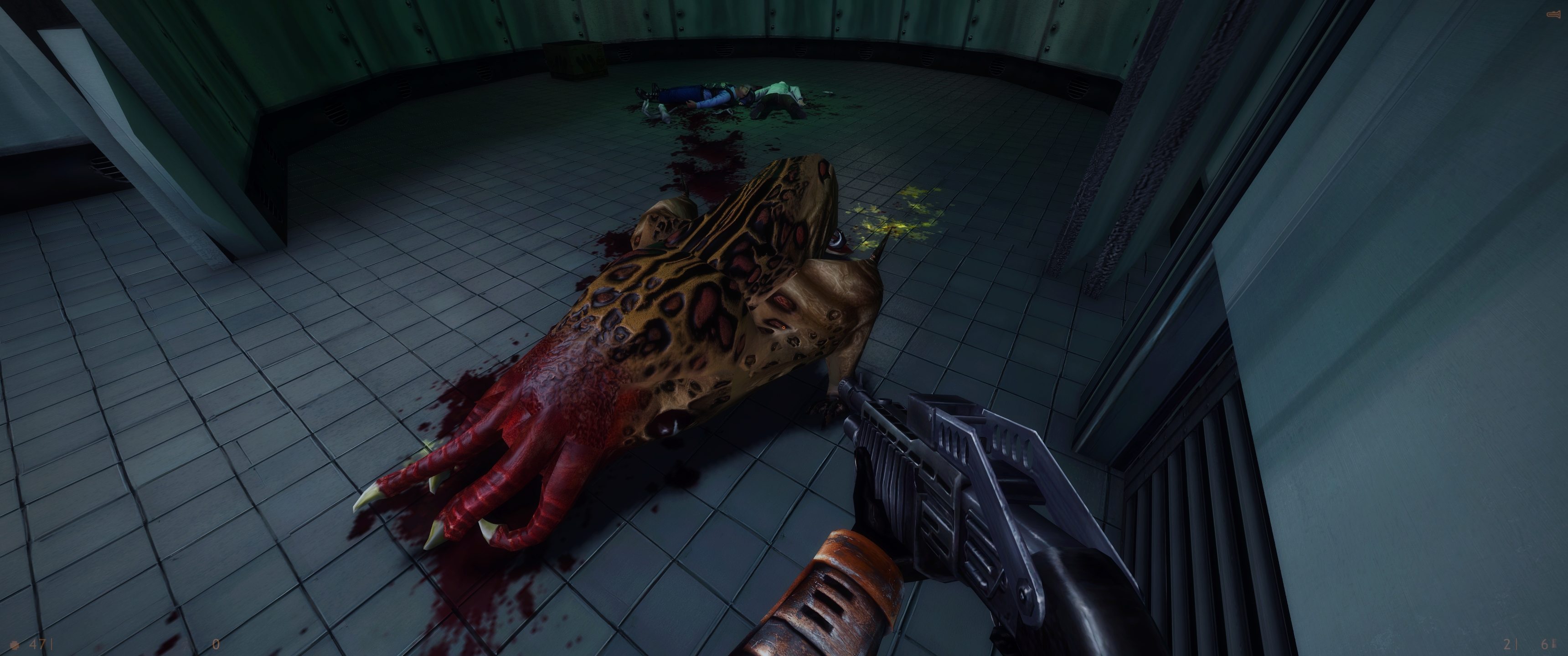
This mod replaces all default Half-life Source textures with the ones upsclaed through Topaz Labs AI Gigapixel software making the classic game look sharp and modern, while keeping true to the original aesthetic. The archive now contains upscale for both textures and HD models. The archive also includes normalmaps, HD scientists (ported from PS2 version of HL) and fix for missing weapons sounds in HD content.
How to install:
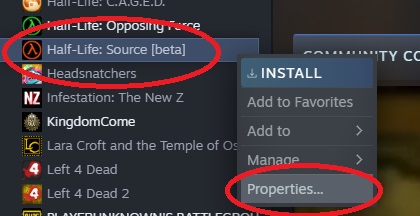
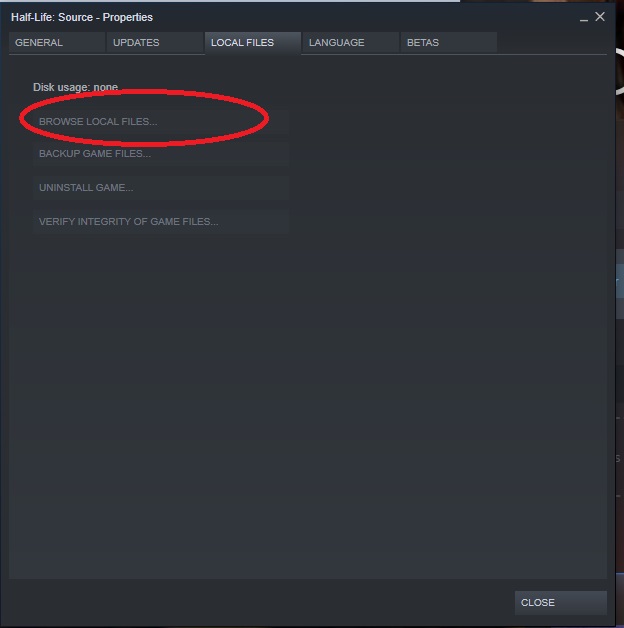
1) Find your installation directory in Half-Life Source properties in Steam and extract hl1_hd from the archive into Half-Life 2 directory with replacing all files.
2) Launch Half-Life Source
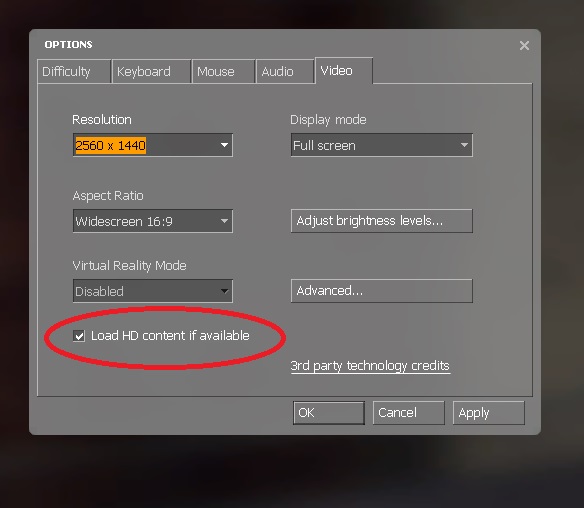
3) Enable HD content in settings
4) Restart the game
Turn on ambient occlusion (for NVidia cards)
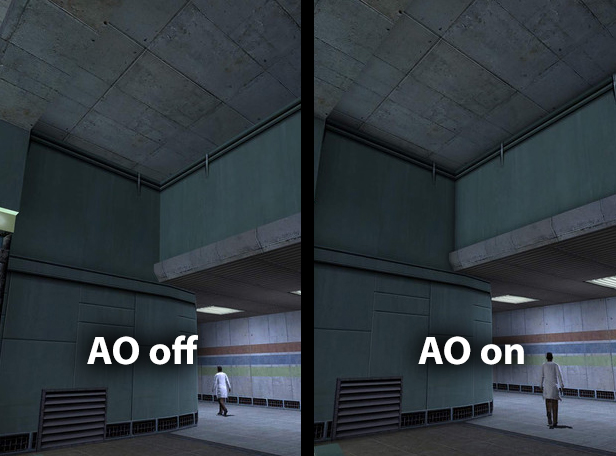
This trick adds extra shadows to the game. Here's a guide how to enable them.
1) Download Nvidia Profile Inspector: https://nvidiaprofileinspector.com/download-nvidia-profile-inspector/
2) Extract archive and launch NVidiaProfileInspectorDmW.exe
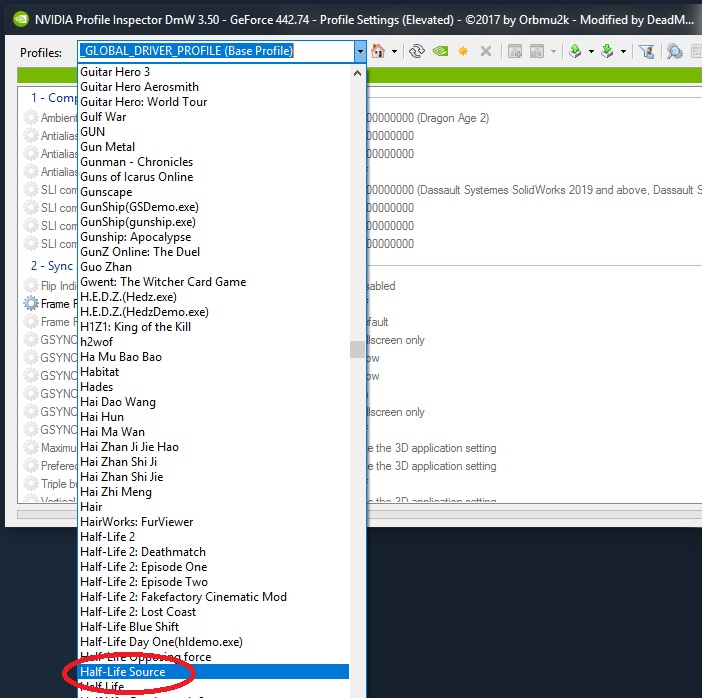
3) In profiles pick Half-Life Source.
4) Press this little button to add execution file (hl2.exe) from Half-Life 2 folder
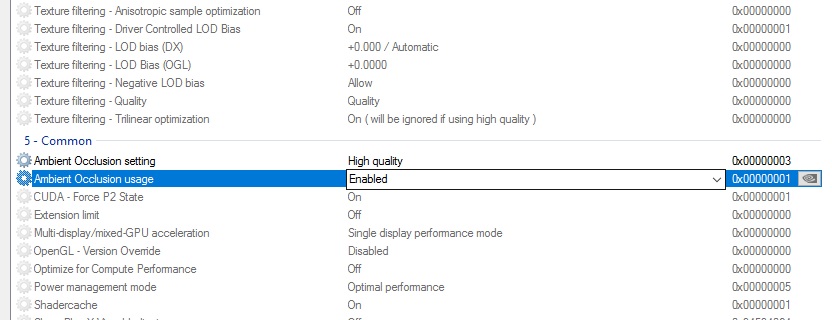
5) Set Ambient Occlusion to Enabled and Ambient Occlusion setting to High quality.
6) Press Apply Changes and launch the game


Install ReShade
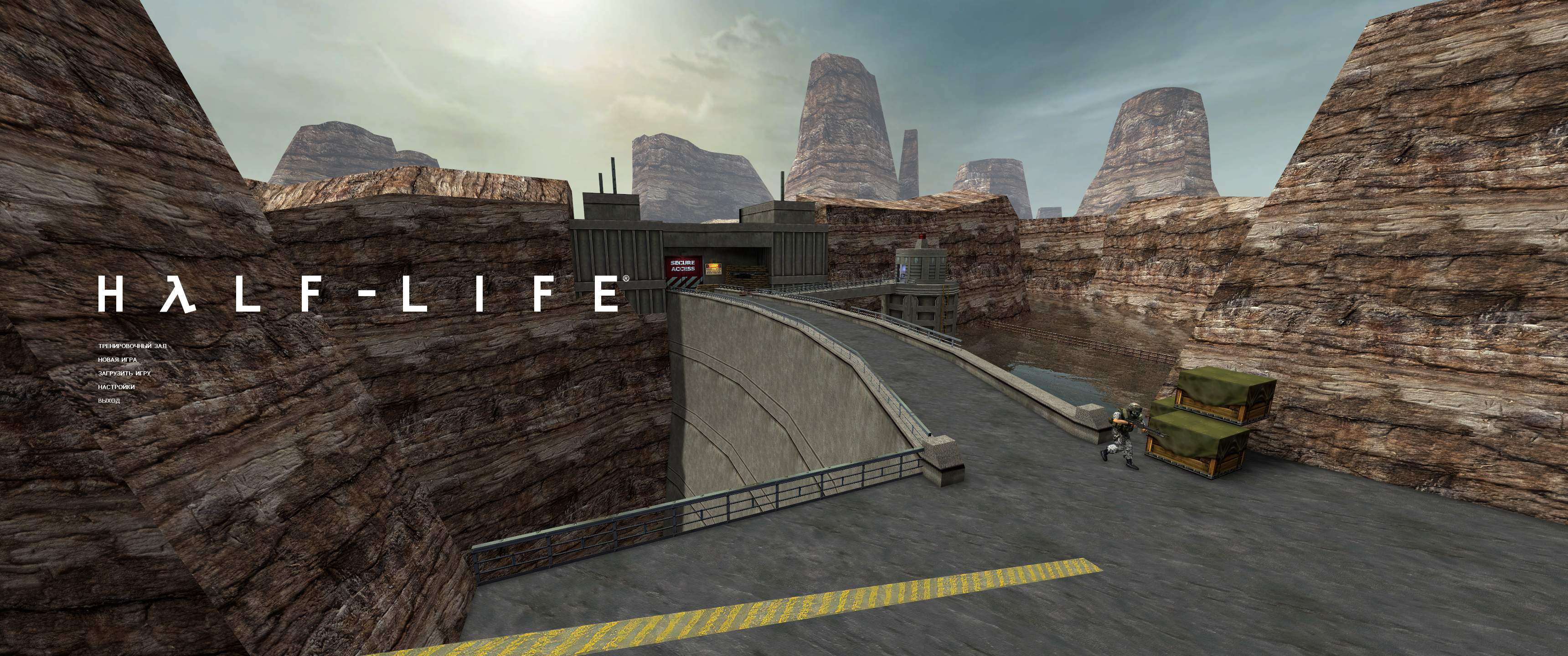
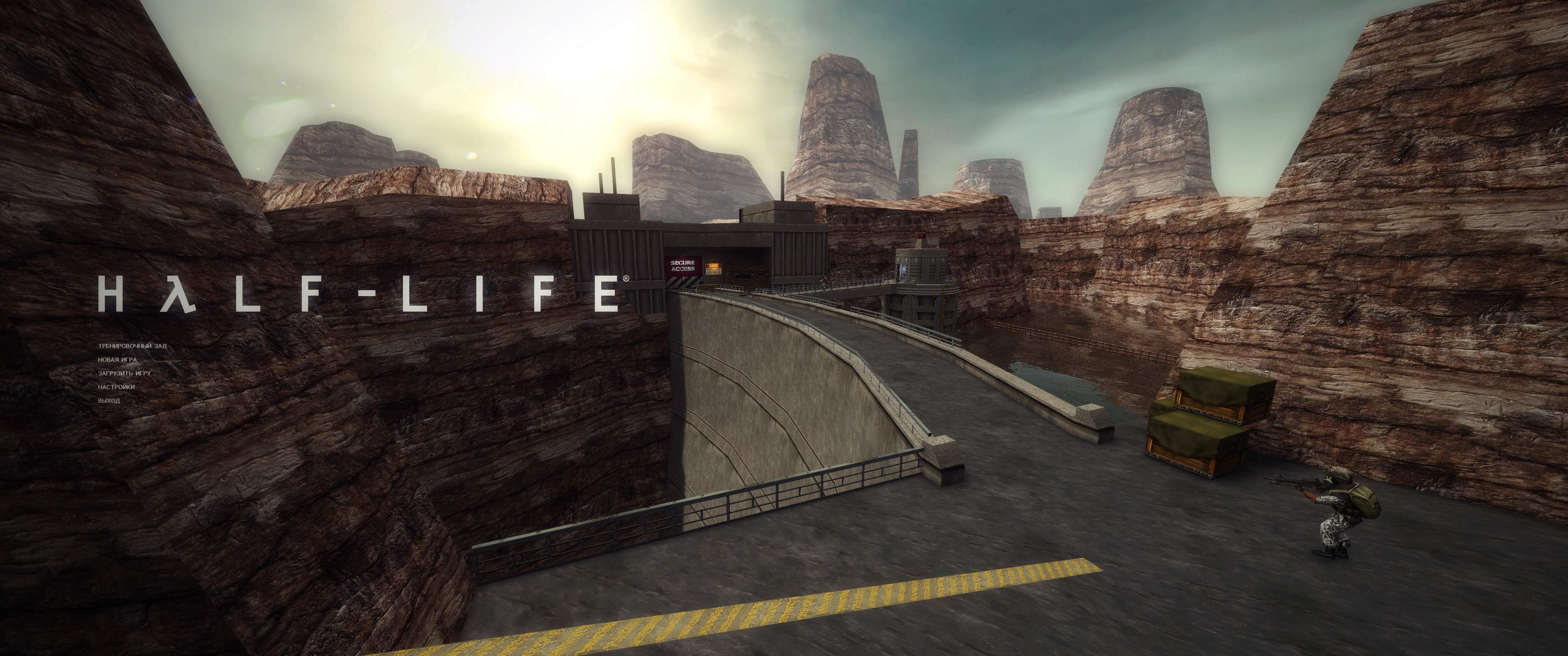
ReShade is a generic post-processing injector for games. It perfectly works with Source version of Half-Life.
Note: It requires a good PC and graphic card for stable frame rate.
To install:
1) Download it from: https://reshade.me/
2) Inject it into hl2.exe found in your Half-Life 2 directory
3) Click on Direct3D 9
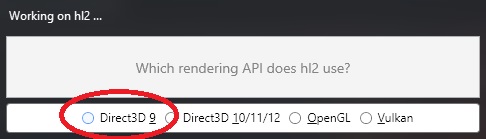
4) All shaders should be ticked, then press ok.
5) Move files d3d9.dll, ReShade.ini and folder "reshade-shaders" from Half-Life 2 folder into "bin" folder
6) Download this ReShade preset: https://www.moddb.com/mods/ai-uspcaled-textures/addons/reshade-preset and extract the archive into Half-Life 2 directory (file Half-Life-Source-preset.ini should be in there)
7) Launch the game, press Home button and select this preset in top line.
More Half-Life: Source guides
- Классический русификатор для Half-Life: Source★ 5 (453)18k views460 ♥1 minRussianUpdated Sep 20, 2017
- How to fix Half-Life: Source★ 5 (299)17k views481 ♥2 minUpdated Nov 1, 2023
- How to enable HD models★ 4 (86)15k views85 ♥1 minUpdated Feb 21, 2023
- How to make Half Life Source look really bad★ 5 (205)11k views373 ♥1 minUpdated Nov 8, 2023
- How to Bernie Sanders in Half-Life: Source★ 4 (315)9.6k views206 ♥11 minUpdated Nov 30, 2025
- How to spawn any kind of NPC and create squads.★ 4 (142)8.7k views226 ♥3 minUpdated May 3, 2015




This guide was created by its original author on the Steam Community. Are you the author and want it removed? Request removal.