How to make it so you can see your cursor
Guide
One of the most annoying things about Monaco is that it hides your cursor. This is fine in fullscreen mode, but for windowed users it keeps you from minimizing the game, or clicking elsewhere on your screen. So here's how to keep the game from hiding your cursor
Disclaimer: Sadly this doesn't make it so you can click on options in the menu, but this is still a helpful trick if you prefer playing in windowed mode.
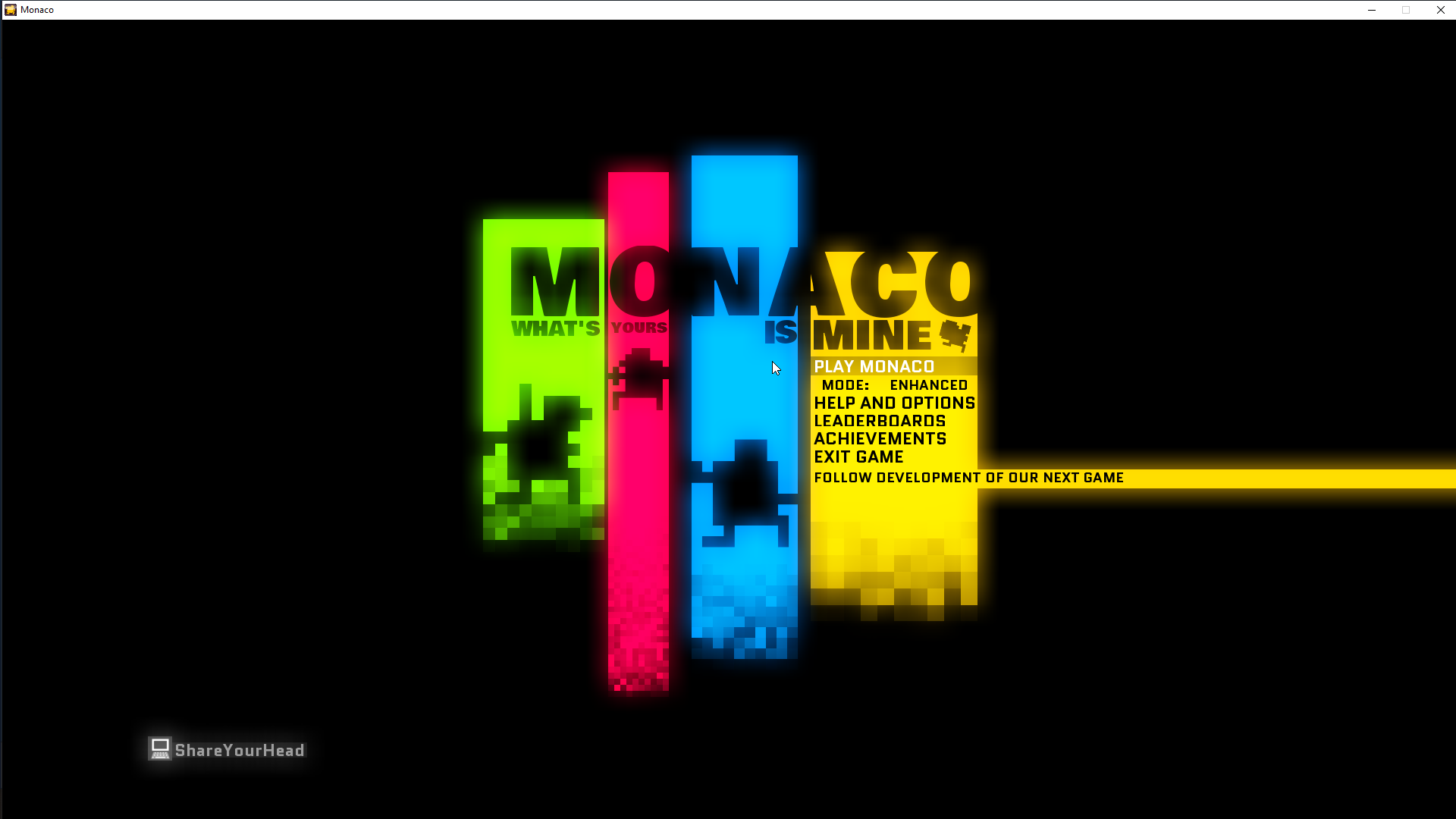
Disclaimer: Sadly this doesn't make it so you can click on options in the menu, but this is still a helpful trick if you prefer playing in windowed mode.
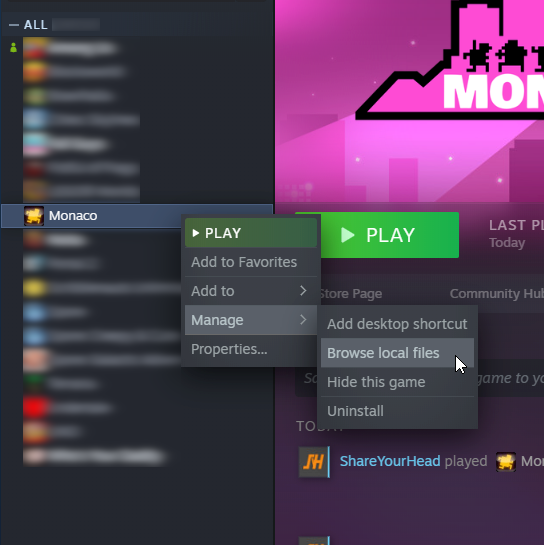
First go to your game library. Right click on Monaco, and go to Manage > Browse local files
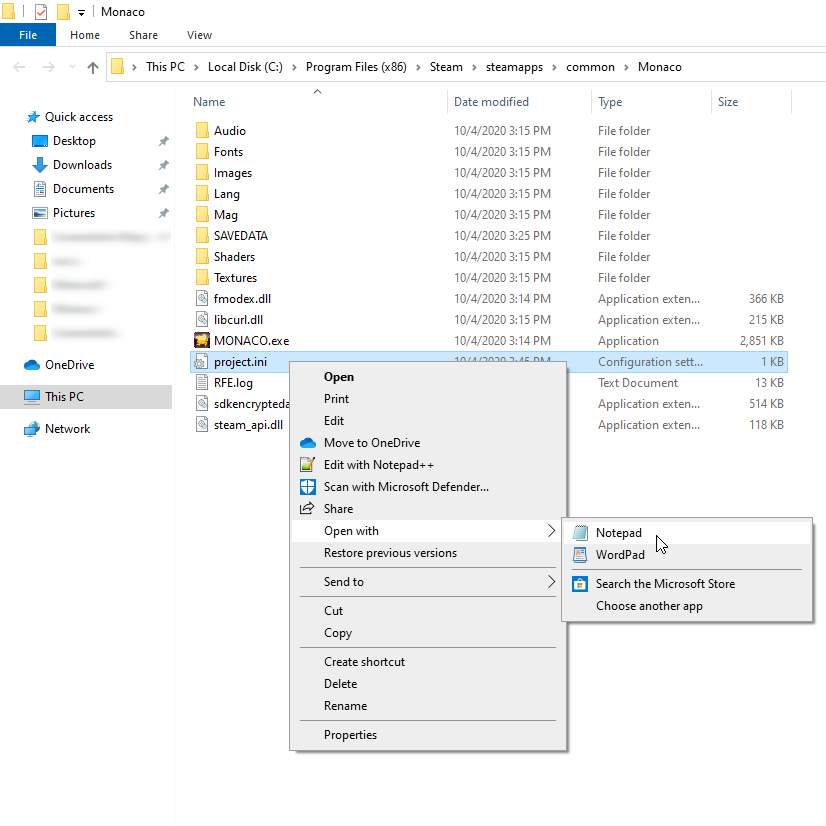
After you click this you should be brought to file explorer. Find the file called "project.ini" It should open in notepad by default when you double click it, but if not just manually open it with whatever text editor
Finally, all you have to do is change the value next to MOUSE_EXCLUSIVE.
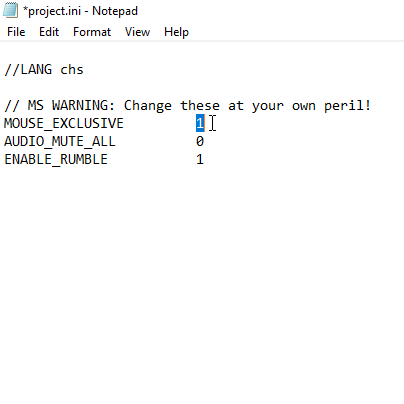
By default it will say 1, but you need to change this to 0
Oh and remember to save the fileAfter you click this you should be brought to file explorer. Find the file called "project.ini" It should open in notepad by default when you double click it, but if not just manually open it with whatever text editor
Finally, all you have to do is change the value next to MOUSE_EXCLUSIVE.
By default it will say 1, but you need to change this to 0
You're done! Boot up the game and voila you can use your mouse!
Disclaimer still applies ;) Sorry!
More Monaco guides
- Character cheat sheet★ 5 (498)27k views378 ♥3 minUpdated Aug 8, 2021
- Achievements Guide in Monaco: What's Yours is Mine!★ 5 (224)9.5k views243 ♥6 minUpdated Apr 8, 2020
- Monaco 日本人用ガイド★ 5 (534)8.4k views710 ♥2 minJapaneseUpdated Sep 6, 2014
- Editor: A comprehensive guide★ 5 (356)7.9k views432 ♥44 minUpdated Apr 20, 2014
- "Play It Again Sam" Achievement Guide★ 4 (39)4.6k views25 ♥2 minUpdated Dec 25, 2023
- Strategy behind each pickup★ 4 (76)4.3k views71 ♥8 minUpdated Feb 1, 2015


This guide was created by its original author on the Steam Community. Are you the author and want it removed? Request removal.