Как удалить Рекламу | How to remove Advertising
1. Как удалить рекламу | RUS
1. Перейти в папку игры -
\Steam\steamapps\common\Borderlands 2\WillowGame\CookedPCConsole
2. Удалить следующие файлы:
3. Вы великолепны.
До:
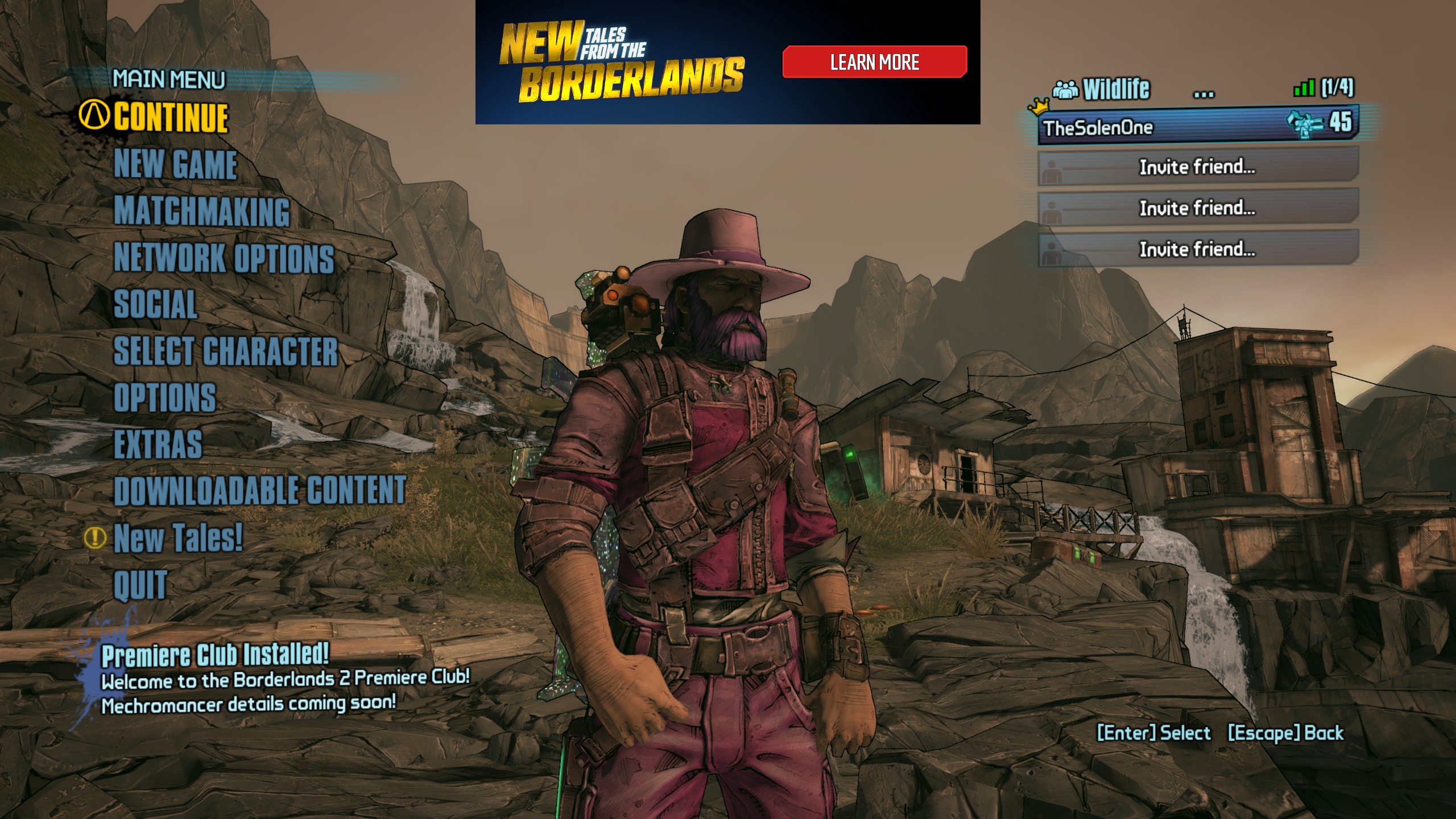
После:
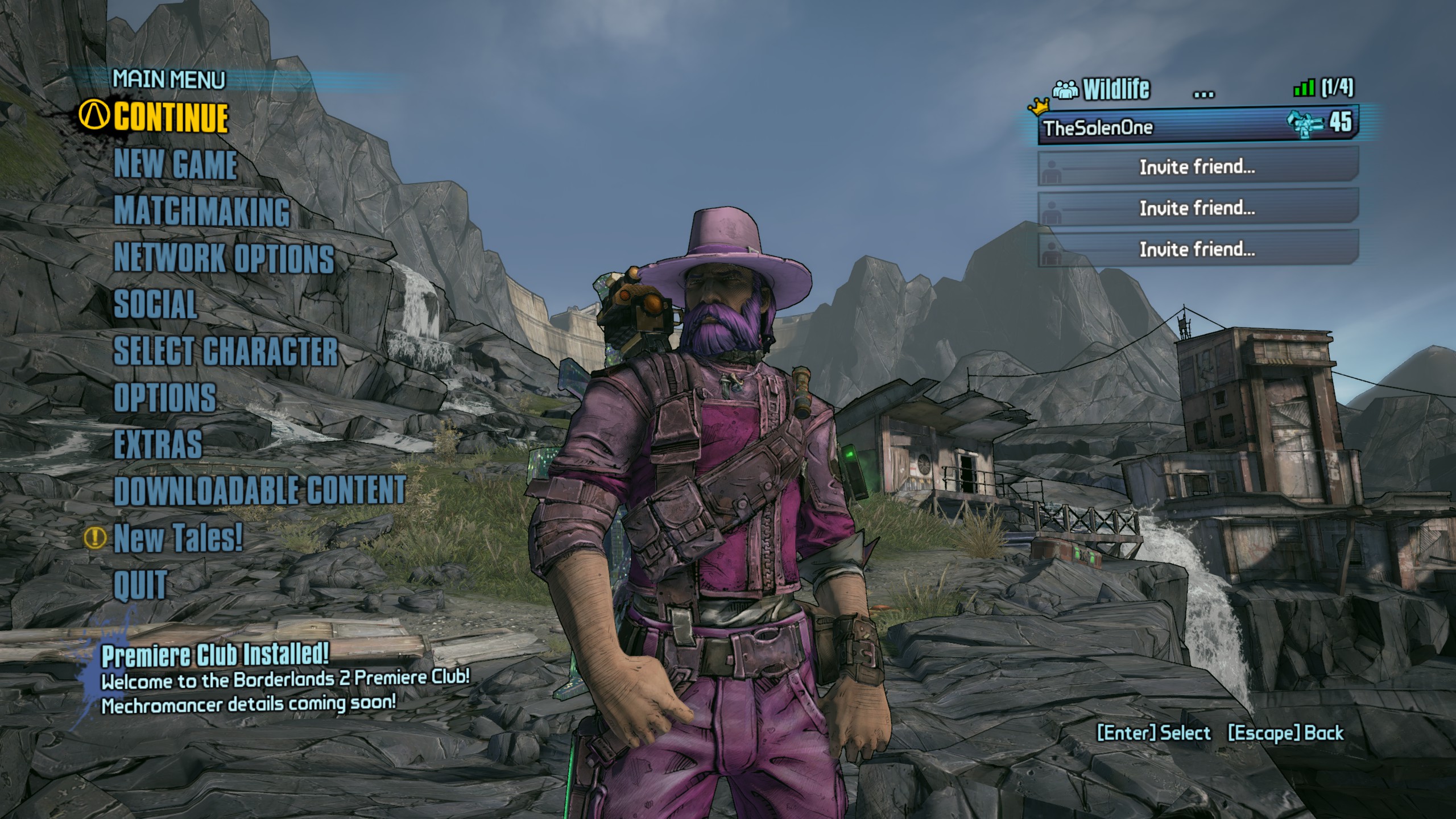
P.S. К сожалению удалить строку меню "New Tales" нельзя.
\Steam\steamapps\common\Borderlands 2\WillowGame\CookedPCConsole
2. Удалить следующие файлы:
- UI_Frontend_Upsell_SF.upk
- UI_Frontend_Upsell_Texture_INT_SF.upk
3. Вы великолепны.
До:
После:
P.S. К сожалению удалить строку меню "New Tales" нельзя.
2. Как пропустить видео-вступления | RUS
1. Перейти в папку игры - \Steam\steamapps\common\Borderlands 2\WillowGame\Movies
2. Удалить следующие файлы:
3. Или же использовать параметр запуска -nomoviestartup
ПКМ по Borderlands 2 в библиотеке --> Свойства --> Общие --> Параметры запуска
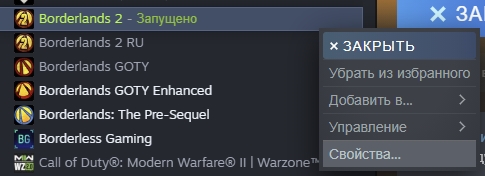
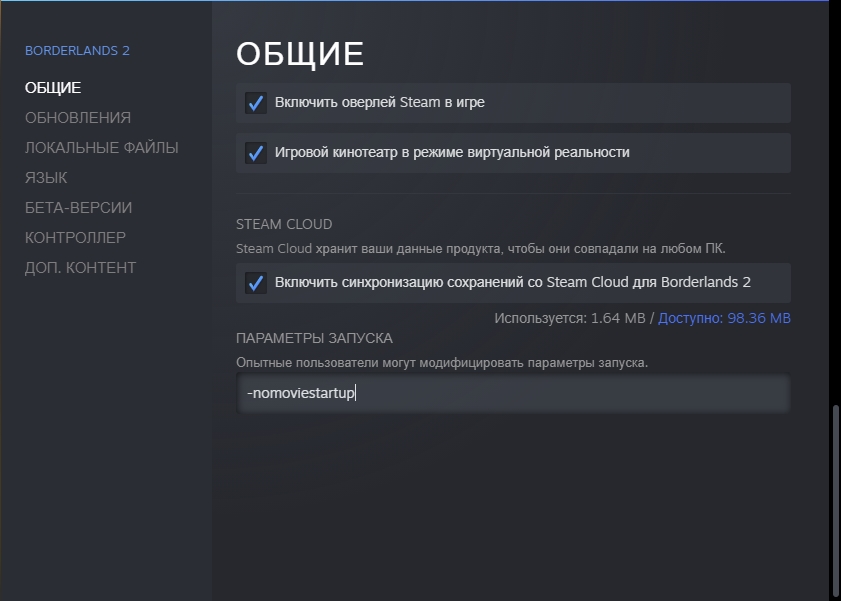
3. Вы великолепны.
2. Удалить следующие файлы:
- 2K_logo.bik
- 2K_logo_4K.bik
- Gearbox_logo.bik
- Gearbox_logo_4K.bik
- NVidia.bik
- NVidia_4K.bik
3. Или же использовать параметр запуска -nomoviestartup
ПКМ по Borderlands 2 в библиотеке --> Свойства --> Общие --> Параметры запуска
3. Вы великолепны.
3. Как пропустить лаунчер | RUS
1. Используем параметр запуска -nolauncher
ПКМ по Borderlands 2 в библиотеке --> Свойства --> Общие --> Параметры запуска
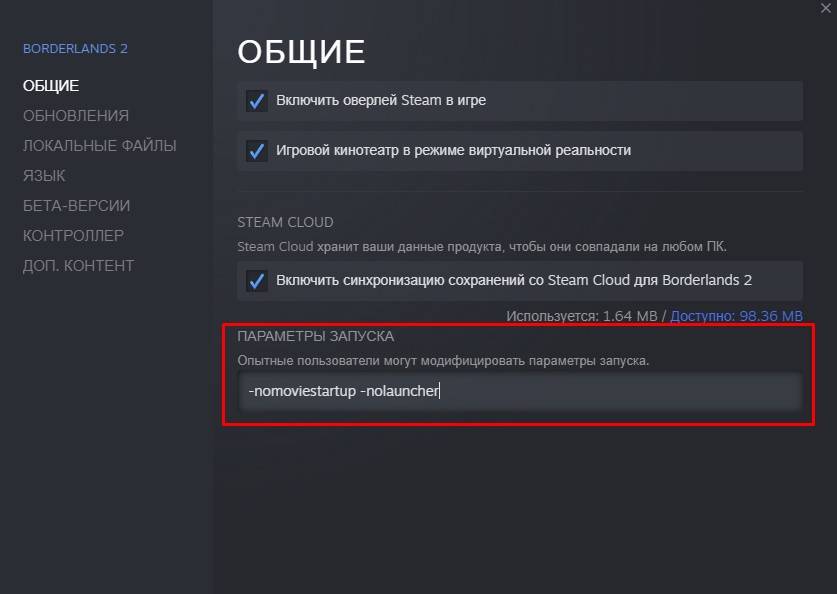
2. Вы великолепны.
ПКМ по Borderlands 2 в библиотеке --> Свойства --> Общие --> Параметры запуска
2. Вы великолепны.
1. How to remove advertising | ENG
1. Open game folder - \Steam\steamapps\common\Borderlands 2\WillowGame\CookedPCConsole
2. Delete these files :
Before:
After:
P.S. Unfortunately, the "New Tales" menu bar cannot be removed.
2. Delete these files :
- UI_Frontend_Upsell_SF.upk
- UI_Frontend_Upsell_Texture_INT_SF.upk
Before:
After:
P.S. Unfortunately, the "New Tales" menu bar cannot be removed.
2. How to skip video intros | ENG
1. Go to the game folder - \Steam\steamapps\common\Borderlands 2\WillowGame\Movies
2. Delete the following files:
3. Or use the startup option -nomoviestartup
RMB on Borderlands 2 in Library --> Properties --> General --> Launch Options
3. You are wonderfull.
2. Delete the following files:
- 2K_logo.bik
- 2K_logo_4K.bik
- Gearbox_logo.bik
- Gearbox_logo_4K.bik
- NVidia.bik
- NVidia_4K.bik
3. Or use the startup option -nomoviestartup
RMB on Borderlands 2 in Library --> Properties --> General --> Launch Options
3. You are wonderfull.
3. How to skip launcher | ENG
1. We will use startup option -nolauncher
RMB on Borderlands 2 in Library --> Properties --> General --> Launch Options
2. You are wonderfull.
RMB on Borderlands 2 in Library --> Properties --> General --> Launch Options
2. You are wonderfull.
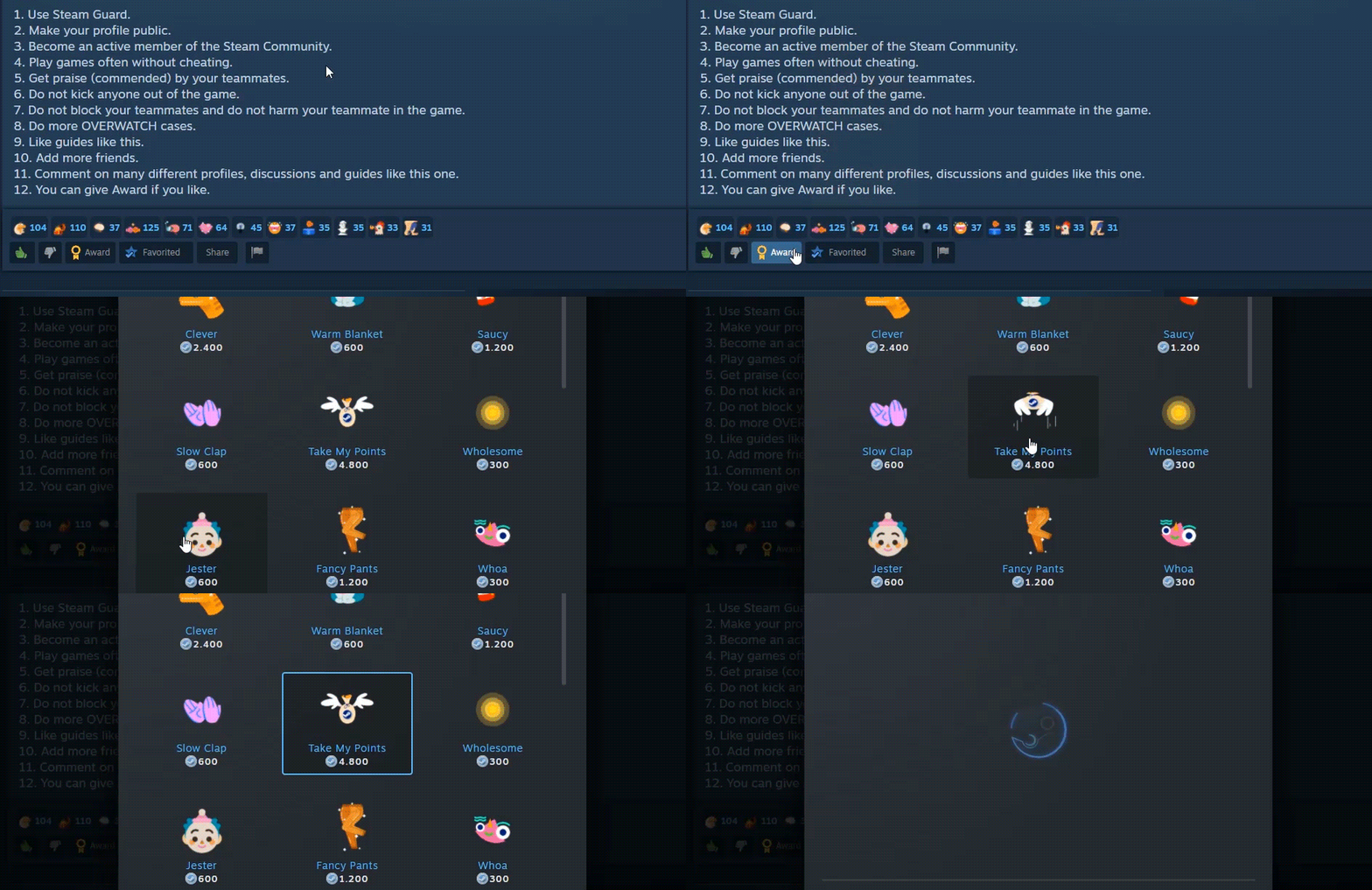
Сказать "Спасибо" | Say "thank you" to me
Ссылки | Links
More Borderlands 2 guides
- Dashi's Comprehensive Guide to: Maya from LVL 1 to OP8★ 5 (2.6k)79k views6.1k ♥60 minUpdated Jul 4, 2019
- Leveling As: Gaige, the Mechromancer★ 5 (1.8k)78k views5k ♥18 minUpdated Jul 3, 2014
- Русификатор текста для EU версии + Epic Games★ 5 (1.8k)75k views2.8k ♥1 minRussianUpdated Jul 6, 2025
- Borderlands 2 | Ultimate Parts & Prefixes Guide★ 5 (2.2k)60k views5.9k ♥1 minUpdated Jun 15, 2020
- РУСИФИКАТОР звука и текста BORDERLANDS 2 от студии GamesVoice★ 5 (1k)53k views1.3k ♥1 minRussianUpdated Feb 2, 2022
- The Ultimate Badass Build Guide★ 5 (806)51k views2.4k ♥103 minUpdated Apr 13



This guide was created by its original author on the Steam Community. Are you the author and want it removed? Request removal.