How to uninstall Rep+ (And get better Isaac version).
Step 1: Find the game
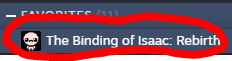
Find Isaac on steam, it is in your library, use the search bar if you are having issues finding Isaac!
Step 2: Find dlc tab
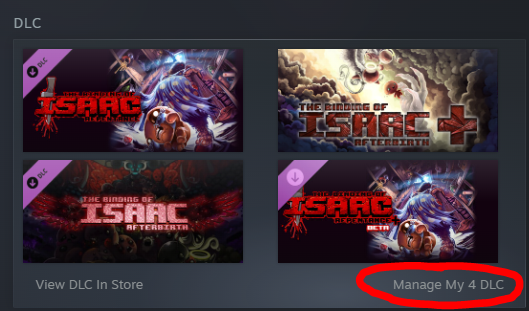
After clicking on Isaac, scroll down to the dlc tab, on PC it is on the right hand side i'm not sure about steam deck, click on the "manage DLC" button.
Step 3: Find Repentance+
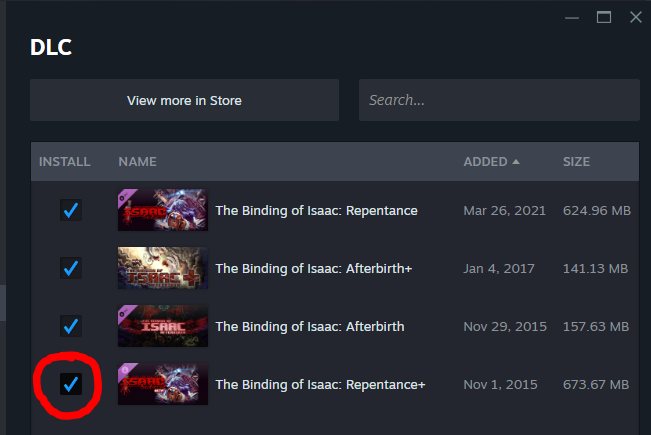
If you still have this trash farm enabled, it will have a tick in the box next to its name!
Step 4: Blow it up
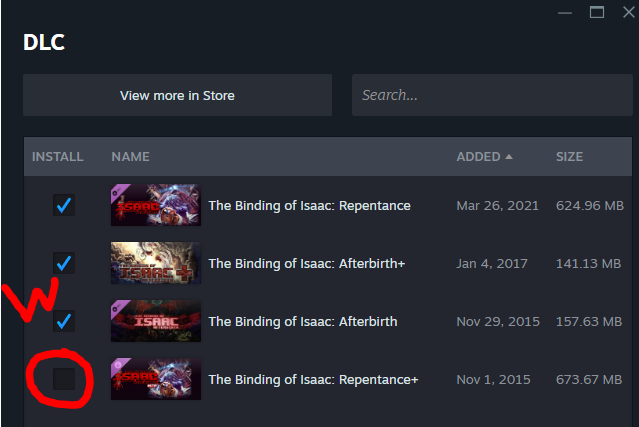
Untick repentance+, its gone! you have become back your money!
Step 5: Replacing the dlc
So you dont have the new dlc anymore, but we can replace it with something better!
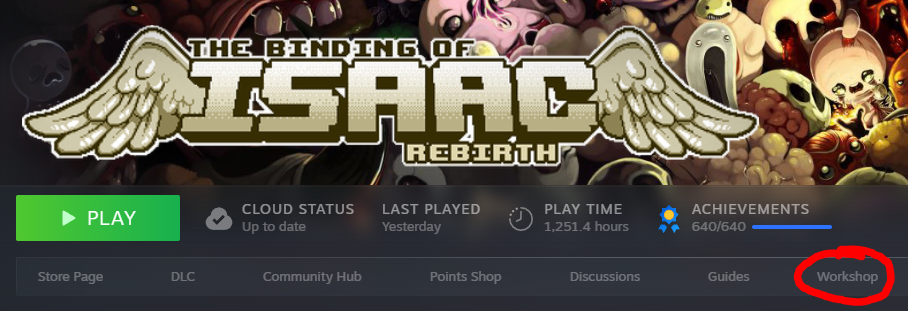
Click on the workshop tab for Isaac.
Click on the workshop tab for Isaac.
Step 6: Search tab.
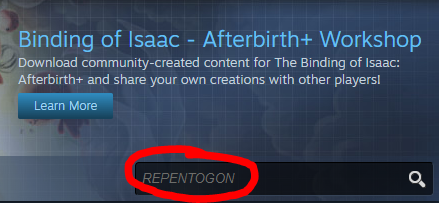
Type "REPENTOGON" into the search bar.
Step 7: You have arrived at the best version of isaac.
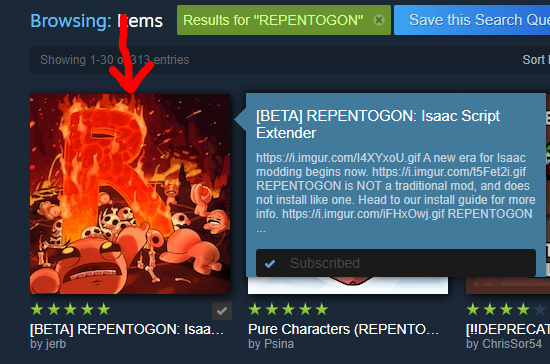
Click on the Repentogon logo, its a very spicy looking capital "R".
Follow the instructions on the mod page to download it.
Now you are on the community DLC, The binding of isaac Repentogon. Feel free to search for "Repentogon" again to find things you can add to this new version!
Ending
If you found this guide useful, please give it a thumbs up and share it with any friends who still have repentance+, we can save the basement together!
More The Binding of Isaac: Rebirth guides
- Most & Least Important Unlocks (Repentance+)★ 5 (774)82k views2.3k ♥49 minUpdated Jul 19
- The Bindening™ - A Comprehensive Guide to Everything Isaac: Rebirth★ 5 (1.5k)50k views3.5k ♥666 minUpdated Sep 10, 2025
- Dead God - Roadmap for 100% completion★ 5 (853)47k views2.7k ♥15 minUpdated Jan 17
- Unlocking Everything In The Binding of Isaac (Repenting Update!)★ 5 (567)43k views1.6k ♥122 minUpdated Nov 18, 2024
- Предметы / Артефакты★ 5 (2.4k)37k views4.1k ♥86 minRussianUpdated Sep 18, 2021
- Персонажи: Как открыть и их описание. (AB, AB+ & Rep)★ 5 (386)35k views1.1k ♥13 minRussianUpdated Jul 14, 2021



This guide was created by its original author on the Steam Community. Are you the author and want it removed? Request removal.