How to use Xbox controller with Steam Input
How to Do it
So you want to use a Xbox controller for Oblivion? I gotchu!
First, make sure your controller is plugged in. It won't let you do it without it.
Then let's get the party started by going to Oblivion in your game library:
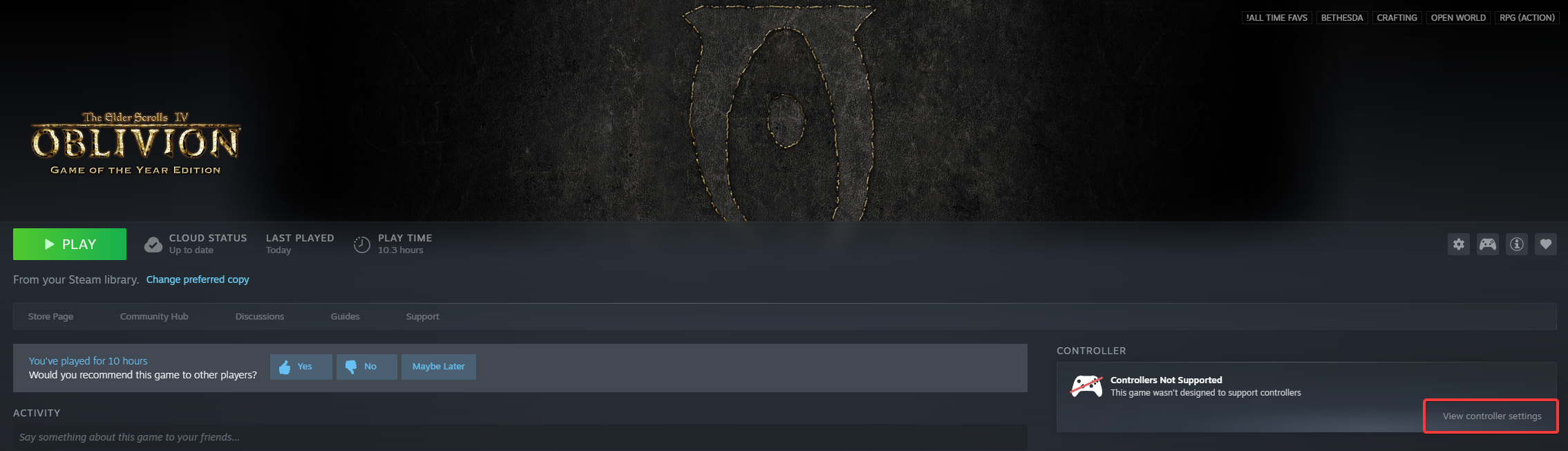 As you can see on the right, it says controllers not supported. Underneath that is a gray text that reads view controller settings, I have it on here surrounded by a red box.
Note: You could also hit the controller button above this text box, but apples and oranges it opens the same menu.
Clicking that text opens this pop-up:
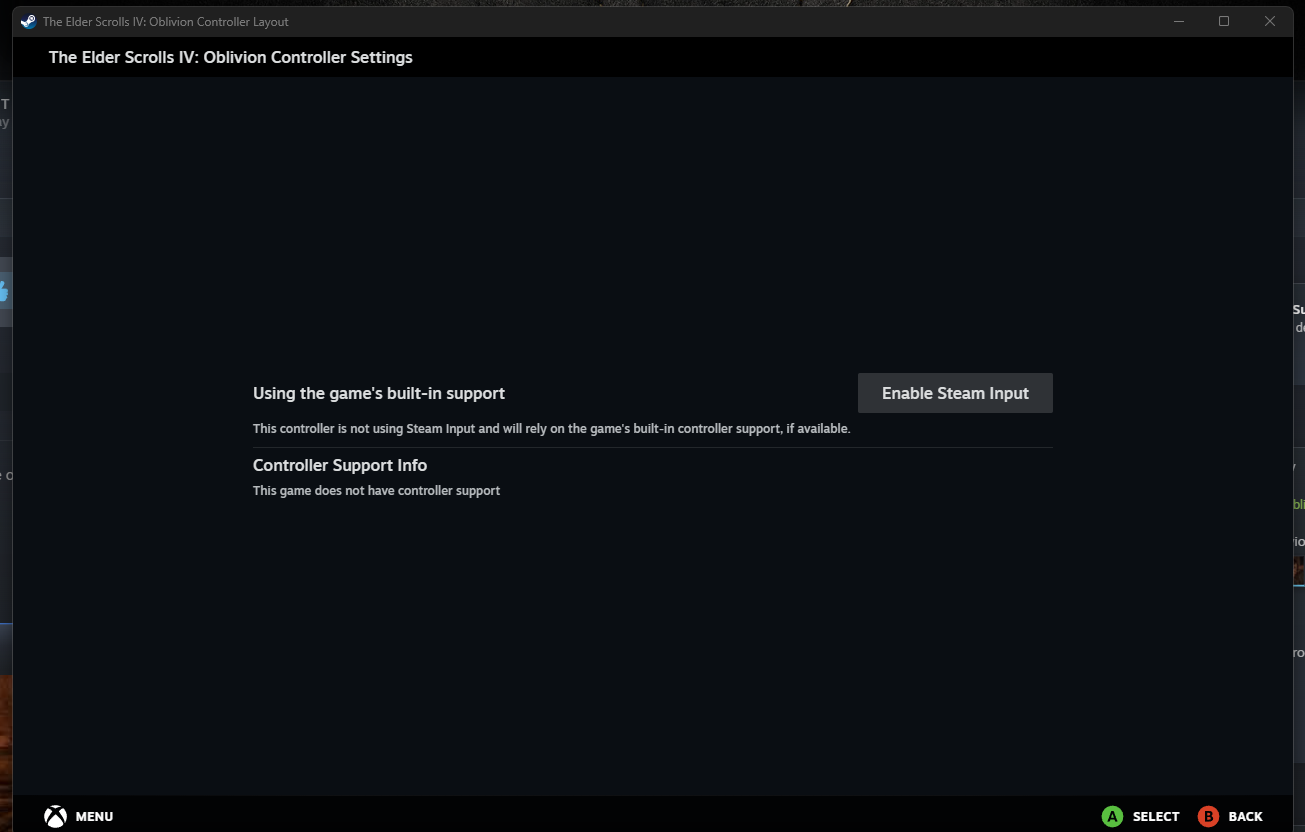 Steam Input allows you to map custom key binds with your controller for games with no controller support. We will enable it here.
Note: If you already have it enabled, skip this step. Your popup will look like my next image.
Now we see this:
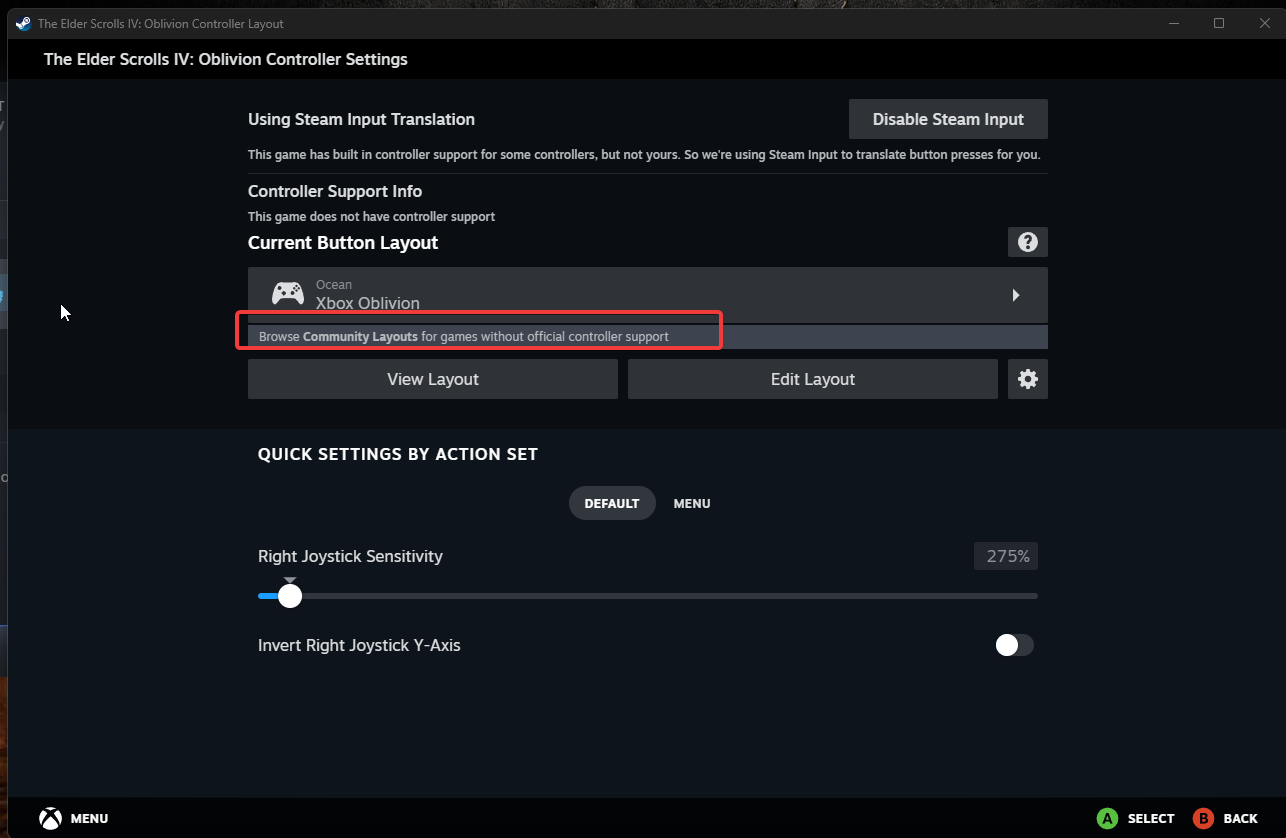 We have several options here:
So after clicking browse community layouts we see:
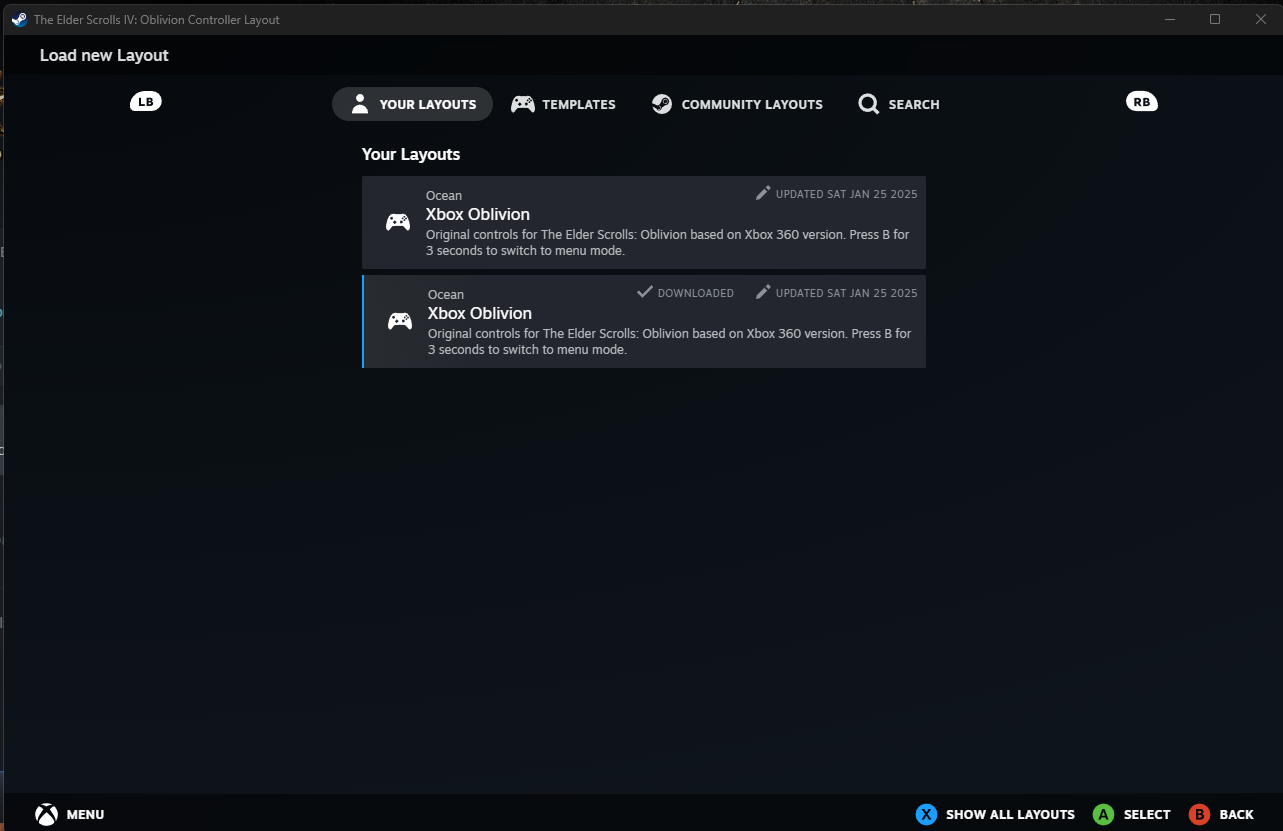
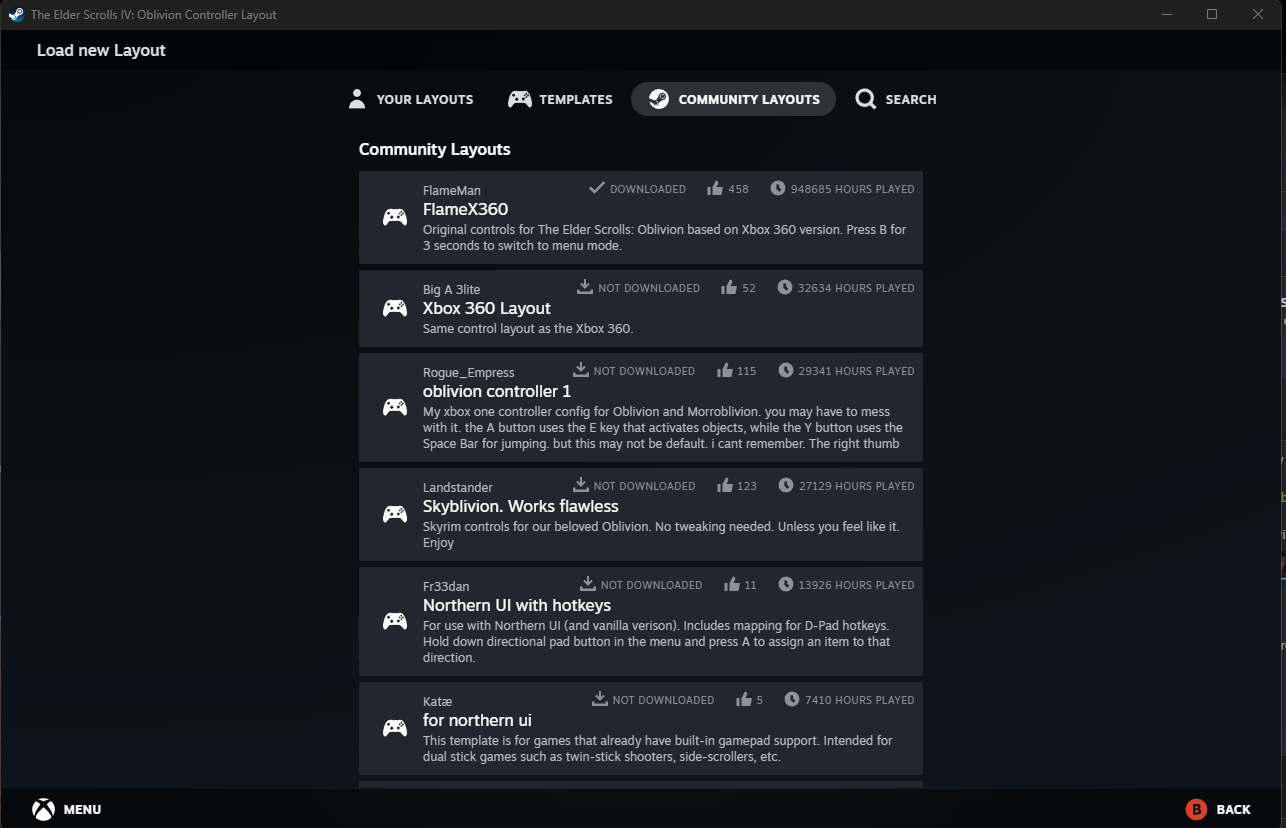 The first image, shows your layouts. Here mine are displayed. If I click templates, that's templates from Valve. The real gold is Community Layouts, in the second image. Here community members share their layouts for you to use! Search helps you find specific layouts. After finding a layout you are interested in, click on it.
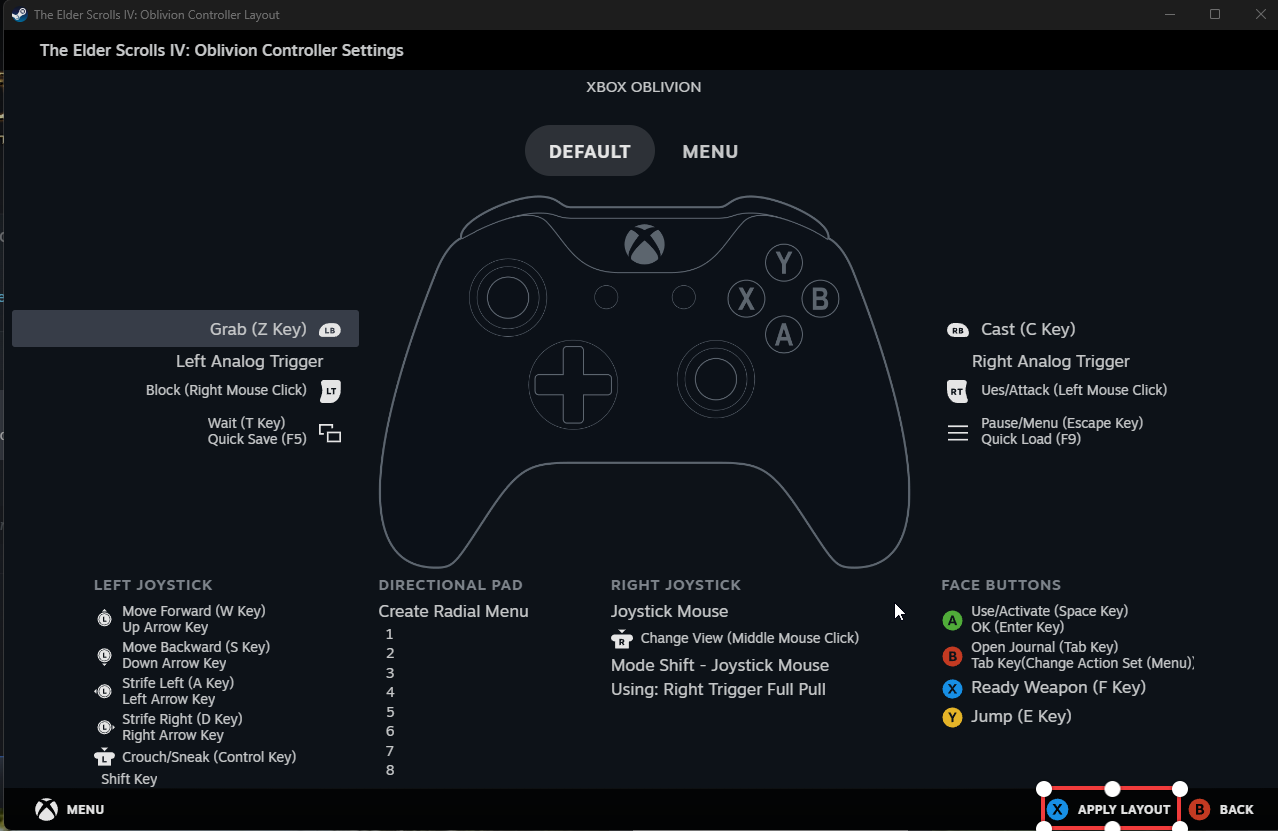 A diagram of layout will appear and if it is to your liking, press X on your controller and you will be taken back to the original screen. You can from there tinker, modify, save, and share the mapping if you wish. After closing out the controller settings pop up, launch the game and it will work right away!
First, make sure your controller is plugged in. It won't let you do it without it.
Then let's get the party started by going to Oblivion in your game library:
As you can see on the right, it says controllers not supported. Underneath that is a gray text that reads view controller settings, I have it on here surrounded by a red box. Note: You could also hit the controller button above this text box, but apples and oranges it opens the same menu.
Clicking that text opens this pop-up:
Steam Input allows you to map custom key binds with your controller for games with no controller support. We will enable it here. Note: If you already have it enabled, skip this step. Your popup will look like my next image.
Now we see this:
We have several options here: - Edit layout - This will allow you to make your own custom layout or modify a community one.
- View layout - Allows you to view your layout and what you have mapped.
- Browse Community Layouts - Unless you want something completely custom, I would start here. I have it in a red box in my screenshot above.
So after clicking browse community layouts we see:
The first image, shows your layouts. Here mine are displayed. If I click templates, that's templates from Valve. The real gold is Community Layouts, in the second image. Here community members share their layouts for you to use! Search helps you find specific layouts. After finding a layout you are interested in, click on it. A diagram of layout will appear and if it is to your liking, press X on your controller and you will be taken back to the original screen. You can from there tinker, modify, save, and share the mapping if you wish. After closing out the controller settings pop up, launch the game and it will work right away!
Hope it helps!
I hope this was useful and saves you the frustration we had. It does take a bit of getting used to, and shout out to the goats who have uploaded their layouts already!
I have a few layouts I recommend to try:
If you have any others to suggest feel free!
I have a few layouts I recommend to try:
- Xbox Oblivion - My layout
- Flamex360
- Xbox 360 Layout
- Skyblivion Works Flawless - Skyrim controls for Oblivion
- Northern UI with Hotkeys - Probably the best Northern UI layout.
If you have any others to suggest feel free!
More The Elder Scrolls IV: Oblivion Game of the Year Edition (2009) guides
- Essential Mods List★ 5 (1.1k)90k views3k ♥6 minUpdated Jun 7, 2022
- Almost Essential Mods★ 5 (1.2k)84k views2.5k ♥1 minUpdated Jan 16
- 1,200 Hours Played; What you NEED to know in Oblivion.★ 5 (1.2k)65k views2.3k ♥7 minUpdated Apr 25, 2025
- Русификация Oblivion + все DLC★ 5 (1.6k)65k views2.6k ♥1 minRussianUpdated Feb 23, 2025
- Oblivion 2024 Essential Modding Guide★ 5 (457)48k views1.5k ♥42 minUpdated Apr 25, 2025
- Quest Orders★ 5 (664)40k views1.3k ♥1 minUpdated May 26, 2020



This guide was created by its original author on the Steam Community. Are you the author and want it removed? Request removal.