Linux: Failed to allocate vram fix on nvidia graphics cards
Downgrading your drivers
On Debian/Ubuntu
Go to Additional Drivers and select NVIDIA driver metapackage from nvidia-driver-470
Or follow a tutorial video on how to downgrade a graphics card
![]()
Go to Additional Drivers and select NVIDIA driver metapackage from nvidia-driver-470
Or follow a tutorial video on how to downgrade a graphics card
Launch Options
After you reinstalled your drivers, reboot your pc
Then go to Steam > Library > DOOM Eternal > Right Click > Properties
And add this into the launch options:
RADV_PERFTEST=llvm PROTON_NO_ESYNC=1 %command% +in_terminal 1 +com_skipIntroVideo 1 +com_skipKeyPressOnLoadScreens 1 +com_skipSignInManager 1
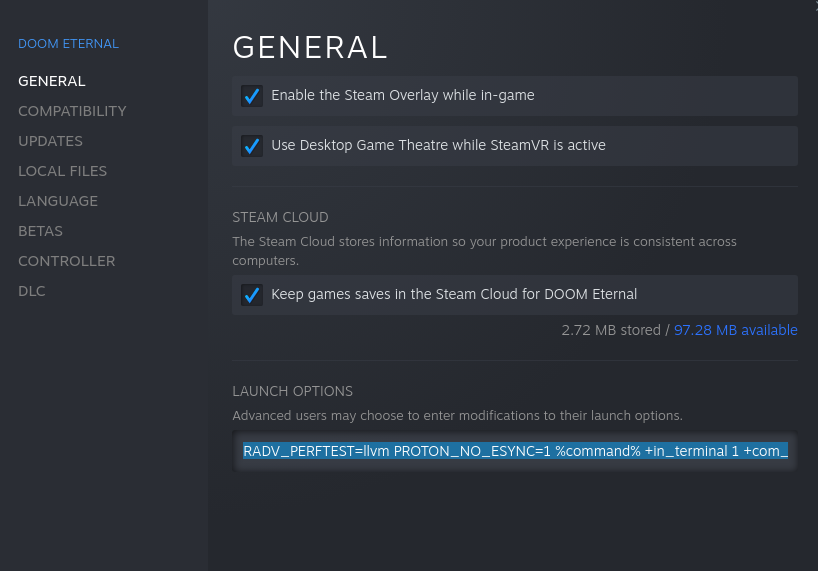
Then go to Steam > Library > DOOM Eternal > Right Click > Properties
And add this into the launch options:
RADV_PERFTEST=llvm PROTON_NO_ESYNC=1 %command% +in_terminal 1 +com_skipIntroVideo 1 +com_skipKeyPressOnLoadScreens 1 +com_skipSignInManager 1
Done!
Now you can enjoy killing demons on linux!
This worked for me so if it doesnt works for you then well might be a graphics card issue
This worked for me so if it doesnt works for you then well might be a graphics card issue
More DOOM Eternal guides
- DOOM Eternal 100% Achievement Guide★ 5 (677)39k views1.6k ♥15 minUpdated Apr 9, 2024
- DOOM Eternal Written Guide/Walkthrough for all collectables and secrets inc DLC.★ 5 (1.7k)36k views3.9k ♥129 minUpdated May 22, 2025
- Секреты Doom Eternal★ 5 (874)32k views1.7k ♥23 minRussianUpdated Apr 17, 2023
- Console Commands for DOOM Eternal★ 5 (213)29k views502 ♥18 minUpdated Mar 30, 2021
- Collectibles and Secrets Guide 100% DOOM Eternal★ 4 (370)26k views589 ♥1 minBulgarianUpdated Apr 2, 2021
- DOOM for Dummies [Tweaks, Fixes, Problem solving] [EN]★ 5 (720)23k views878 ♥15 minUpdated Jun 18, 2020




This guide was created by its original author on the Steam Community. Are you the author and want it removed? Request removal.