Migrating from Bethesda.net Launcher without redownloading entire game
What you do
1. Go to wherever you installed the game with Bethesda.net launcher
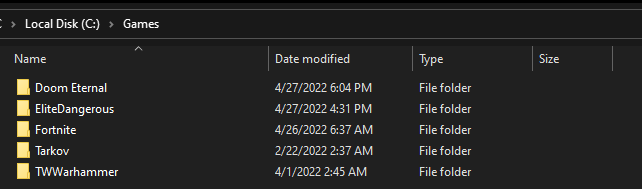
2. Move it to you steam library location, under the "Common" folder
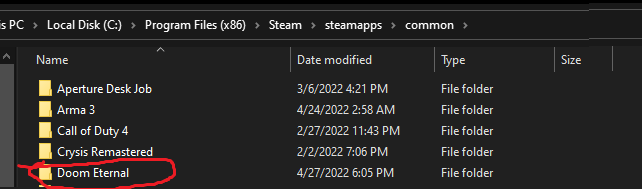
3. (IMPORTANT) Rename it to DOOMEternal BEFORE you start installing it via steam
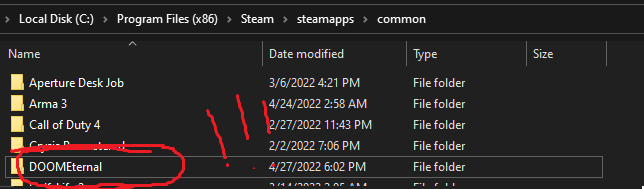
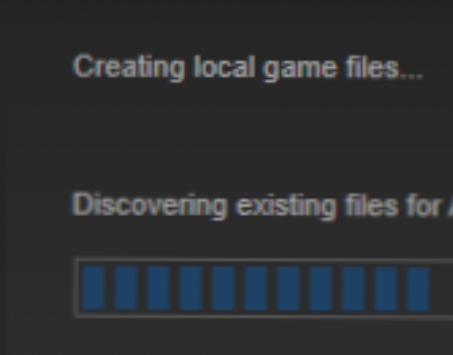
4. Start installing it via steam. If you did it right it'll say "Discovering Existing Files for Doom Eternal" and detect the version of the game you already installed.
5. rip tear

2. Move it to you steam library location, under the "Common" folder
3. (IMPORTANT) Rename it to DOOMEternal BEFORE you start installing it via steam
4. Start installing it via steam. If you did it right it'll say "Discovering Existing Files for Doom Eternal" and detect the version of the game you already installed.
5. rip tear
More DOOM Eternal guides
- DOOM Eternal 100% Achievement Guide★ 5 (677)39k views1.6k ♥15 minUpdated Apr 9, 2024
- DOOM Eternal Written Guide/Walkthrough for all collectables and secrets inc DLC.★ 5 (1.7k)36k views3.9k ♥129 minUpdated May 22, 2025
- Секреты Doom Eternal★ 5 (874)32k views1.7k ♥23 minRussianUpdated Apr 17, 2023
- Console Commands for DOOM Eternal★ 5 (213)29k views502 ♥18 minUpdated Mar 30, 2021
- Collectibles and Secrets Guide 100% DOOM Eternal★ 4 (370)26k views589 ♥1 minBulgarianUpdated Apr 2, 2021
- DOOM for Dummies [Tweaks, Fixes, Problem solving] [EN]★ 5 (720)23k views878 ♥15 minUpdated Jun 18, 2020




This guide was created by its original author on the Steam Community. Are you the author and want it removed? Request removal.