PC>HDMI>TV Display issue - Noob guide 1
Introduction
Fellow noobs! I am here to tell you what I have learned.
SO, If you are having issues with corectly displaying your game on your TV, don't worry, the game has settings you can adjust to fix this. This issue and solution occur and applie mainly in the instance of having connected your PC to your TV via HDMI (which is pretty easy btw just check it out on google it's easy to find if you don't know how to do that). This may help you in some other display issue scenarios aswell, but I'm not aware of any others.
SO! If you manage to connect your PC to your TV and open up the game you'll probably experience the same issue I did;
SO, If you are having issues with corectly displaying your game on your TV, don't worry, the game has settings you can adjust to fix this. This issue and solution occur and applie mainly in the instance of having connected your PC to your TV via HDMI (which is pretty easy btw just check it out on google it's easy to find if you don't know how to do that). This may help you in some other display issue scenarios aswell, but I'm not aware of any others.
SO! If you manage to connect your PC to your TV and open up the game you'll probably experience the same issue I did;
The Issue
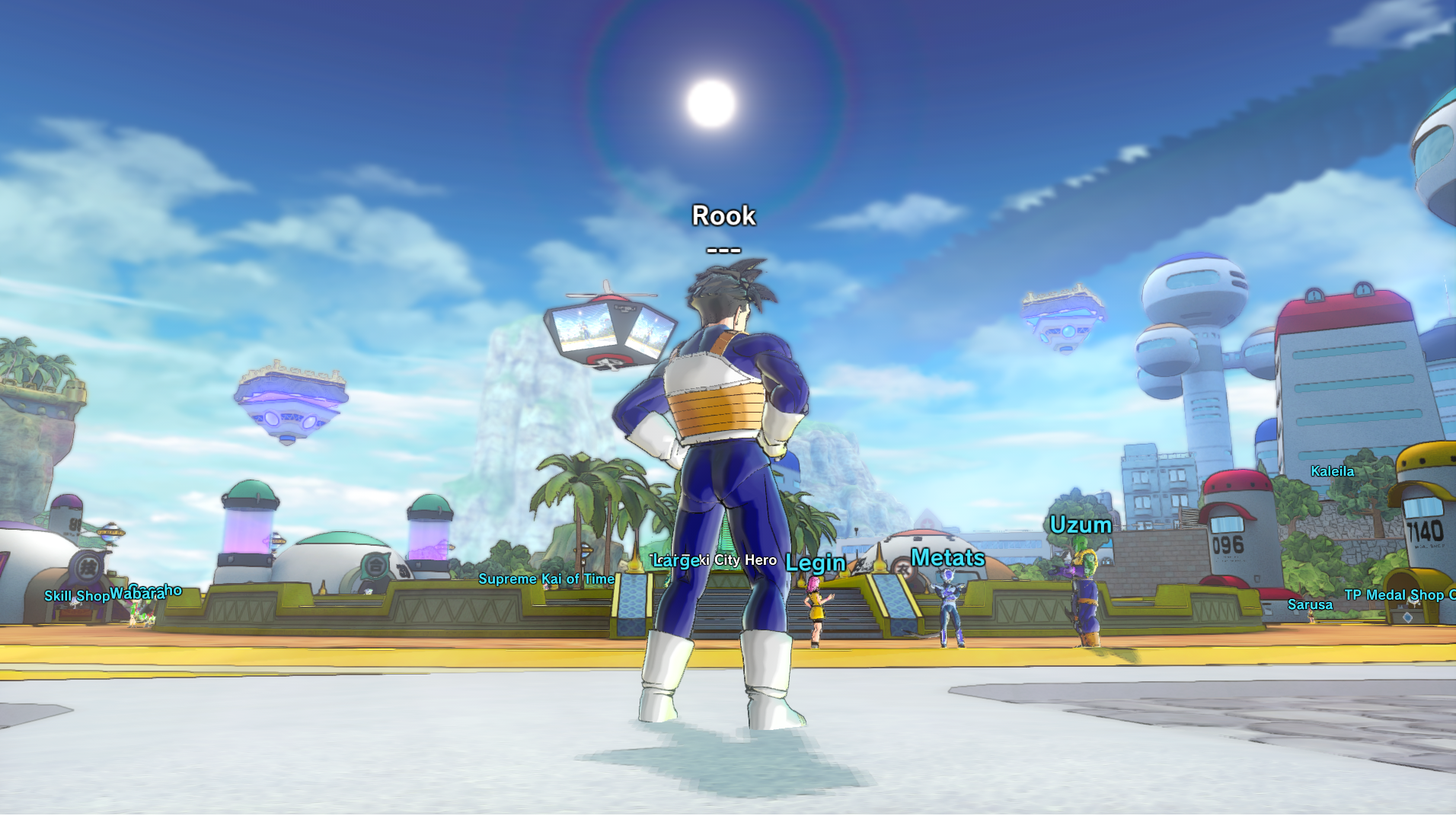
Issue: the game window is not displayed correctly! it is slightly misplassed and out of borders and you cannot a priori move it to around with your mouse. At this point the inro of the game is playing and you can either skip it or leave it playing. If you seem blocked in the game window and are unable to use your mouse, fret not! To exit the game window (and any window for that matter) press Shift+Alt+Tab simultaneously (you can find these keys at the left end of your keyboard). That was just in case you didn't know. If you are experiencing any other, different simptoms to the ones described I do not have any more advice for you unfortunately; since I am simply sharing this, one, enlightening experience I just had. If something else is not working it is probably due to some other issue I am not aware of that might be in combination with this one. Seek help! idk :/
Solution
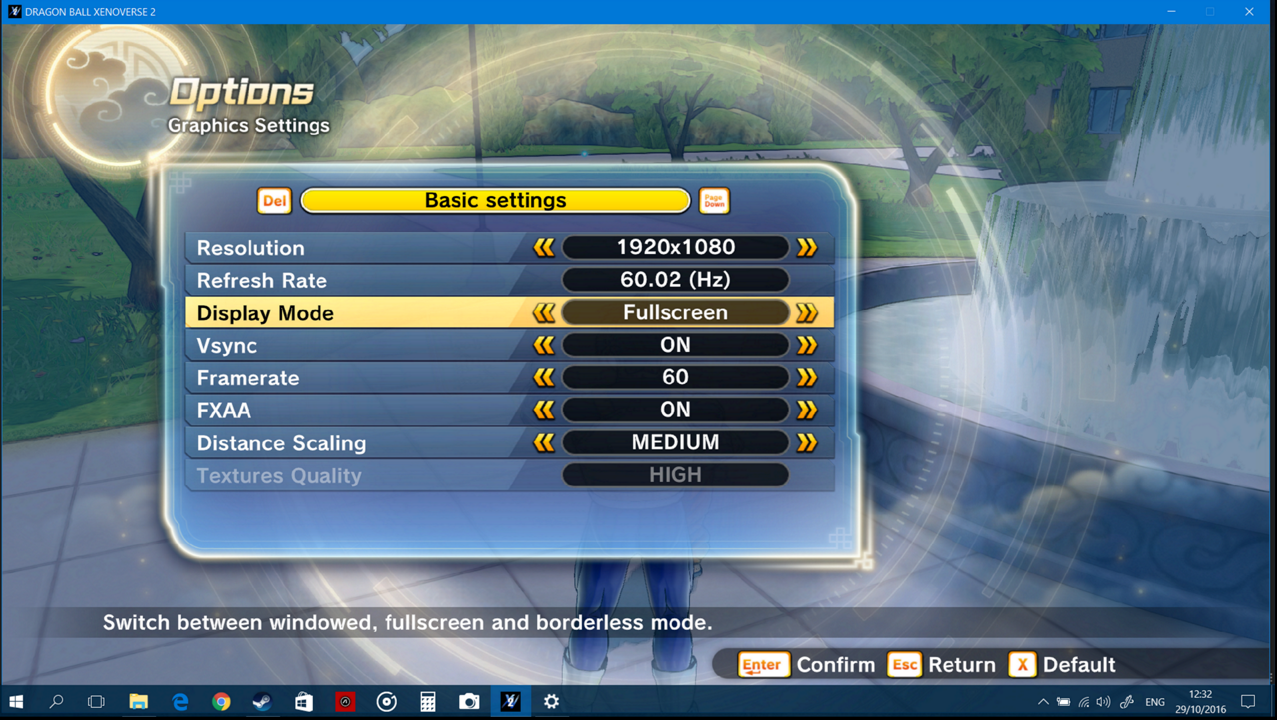
Solution: Access the game settings either on the title screen or from inside, during the the game session. Go to Graphics Settings>Display Mode and select Bordless. This was in fact just a settings adjustment.
Outro
So that is where my wisdom sharing ends. I hope the people in need actually stumble upon this and can save themselves the trouble I had to go through. Hope this helped. See you online ;)
Updates
Update: Sooo. Apparently, that is not all. The image is still not optimal and the window is sort of stretched.. I learned that video cards like NVIDIA GEFORCE have got some setting for monitors but I'll say more when I find out more. I'll either update this guide or publish a part 2
More DRAGON BALL XENOVERSE 2 guides
- Dragon Ball Xenoverse 2 - All 186 Parallel Quests - RANK Z - Videos★ 5 (738)33k views1.9k ♥77 minUpdated Jul 11
- How to play a Female Majin★ 5 (404)28k views807 ♥13 minUpdated Dec 23, 2016
- The Numbers Guide★ 5 (625)27k views1.3k ♥9 minUpdated Dec 16, 2016
- Buu's house : Majin kids foods & rewards★ 5 (454)25k views929 ♥14 minUpdated May 1, 2017
- I wish for... a simple Wish Guide!★ 5 (484)25k views1k ♥2 minUpdated Apr 13, 2022
- Definitive Xenoverse 2 Transformation stats 2026 (Updated with Final DLC and New Transformation★ 5 (229)22k views495 ♥20 minUpdated Jul 8


🔥 Popular guides
- Upgrading to PremiumTeam Fortress 2★ 5 (20k)1441k views11k ♥6 minUpdated May 11, 2022
- No More Room in Hell Official ManualNo More Room in Hell★ 5 (2.8k)569k views2.1k ♥29 minUpdated Apr 22, 2019
- NMRiH Community Hosting GuidesNo More Room in Hell★ 5 (526)351k views653 ♥1 minUpdated Aug 10, 2022
- Лучшие кооперативные игры SteamPAYDAY 2★ 5 (1.5k)315k views2.1k ♥56 minRussianUpdated Apr 27, 2025
- Desert Eagle Heat Treated | Blue GemCounter-Strike 2★ 5 (1.6k)292k views1.5k ♥2 minUpdated Jan 16
- Treasure Hunt Puzzle SolutionsTotal War: WARHAMMER II★ 5 (6.9k)281k views15k ♥3 minUpdated Aug 19, 2021






This guide was created by its original author on the Steam Community. Are you the author and want it removed? Request removal.