How to downgrade your precious Xenoverse 2 and not only.
Things requiered.
please steam don't delete links this time....

- DepotDownloader[github.com]
- my Batch file [drive.google.com]
- MUST HAVE .NET 8.0[dotnet.microsoft.com]
- Skill of observant reading, this guide is working and has helped people, it is important to read it carefully otherwise you will be making mistakes.
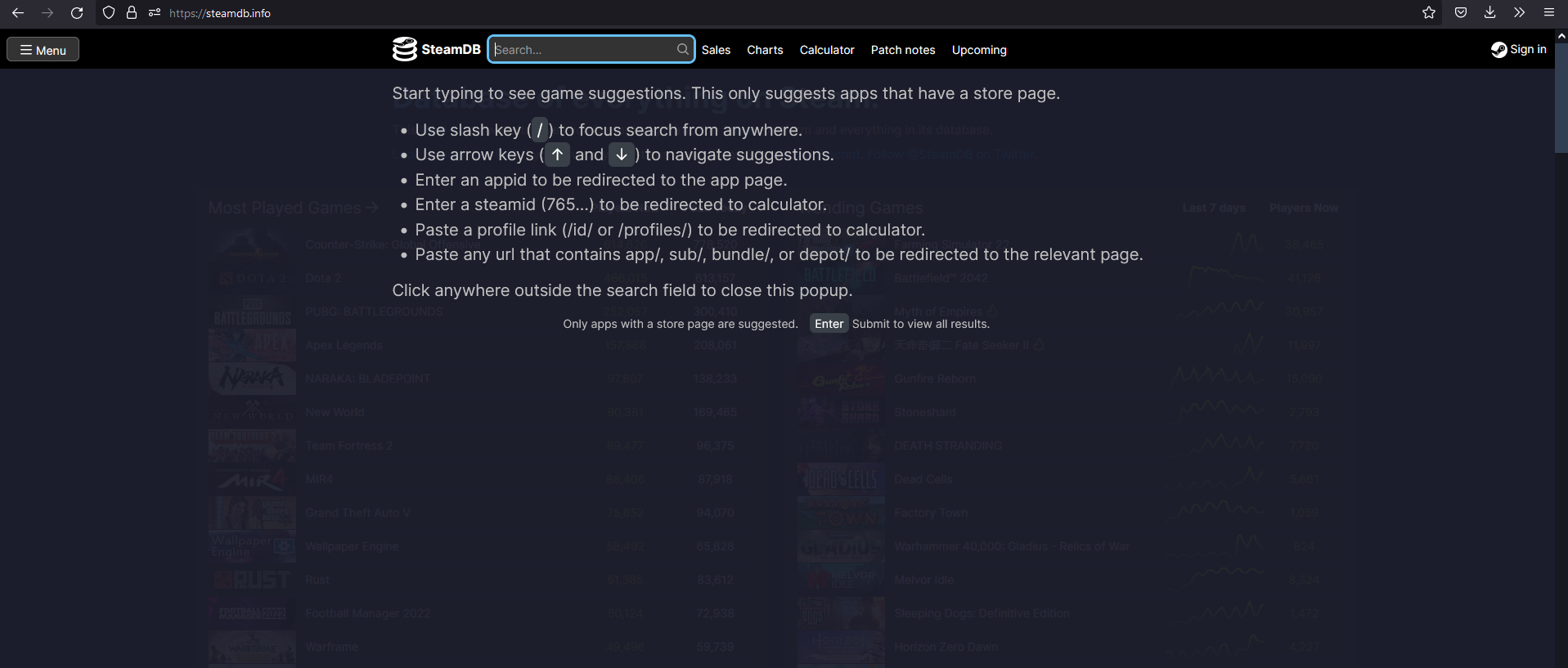
1. Go to steamdb.info and search your game
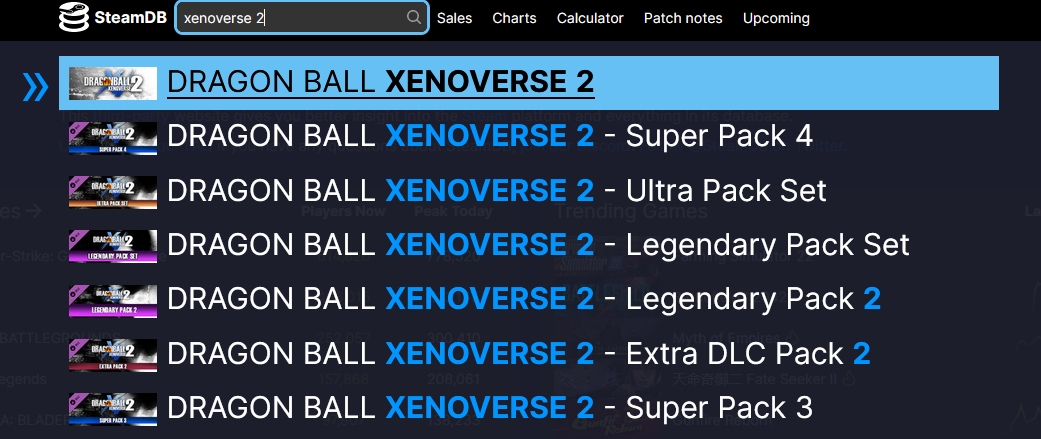
Open your internet browser and go to https://steamdb.info then type in your game name at search bar on top.
2. Open Depot page
After typed in the game's title, you will see list of results. Click on Dragon Ball Xenoverse 2.
Click on 454651 (SVAC10 Content)
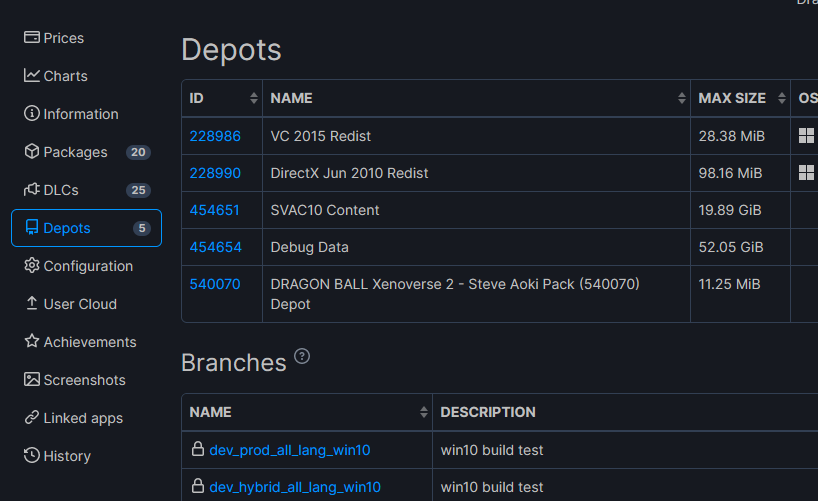
Click on 454651 (SVAC10 Content)
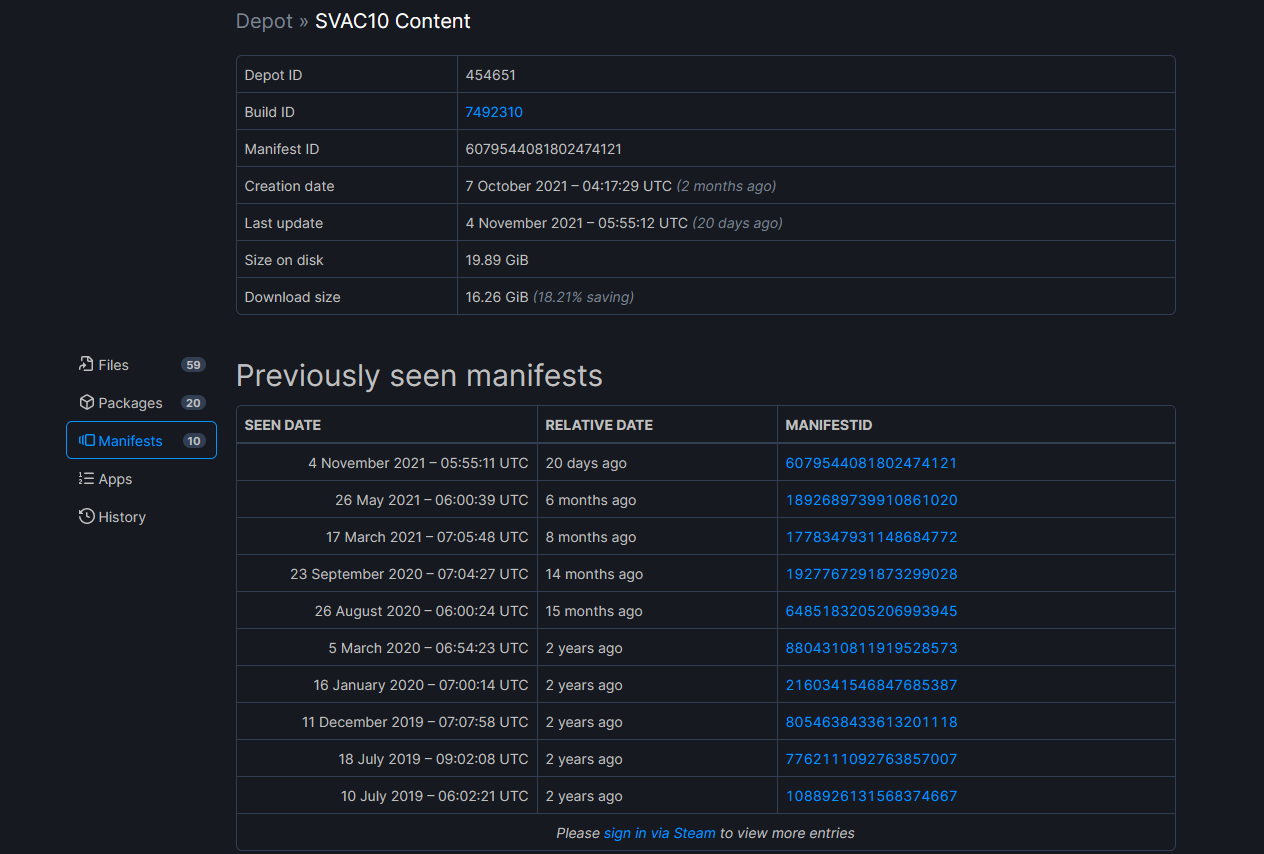
3. Get manifest ID number
Click the manifests to see all the game versions with timestamp. Pick the one you want to download. For example, 1.21.02 that is latest moddable version is 2095958944427690042.
4. DepotDownloader setup
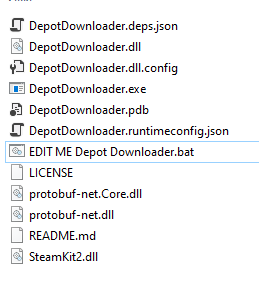
- Unzip DepotDownloader into a folder.
- Put EDIT ME Depot Downloader.bat in that folder.
- Open that Batch file with any text editor you like, there you will need to replace manifestid text with manifest Id you got before, after it should look like -manifest 1892689739910861020for 1.16, also you will need to put your steam id (not your profile name, not your profile page id, not your mom credit card and not your soul, you just need to log into your account with depotdownloader using what you always typing while loging in with steam app) and password, so you will need to have a steam account with the game.
- (Make sure you are not having any extra spaces, only those that are already were in the file, apparently even double space can ruin it all) [/u[/b]
- Save and run the Batch File, go through the verification prompts and the download will start
(NOTE: This is going to take a while. There may be points where it freezes for up to ten minutes or more, just let it do its thing and eventually it will finish. Once it will finish download 100% there will be a message where it will ask you to press any button to close. You should not close it yourself!)

4. Steve Aoki Pack
If you own Steve Aoki Pack you must repeat those steps for 540070 DRAGON BALL Xenoverse 2 - Steve Aoki Pack (540070) Depot as well (swap 454651 with 540070 in batch file too), or you game will not properly start.

5. Final steps
- Delete everything in your Xenoverse 2 Steam folder (yes, everything--your DB Xenoverse 2 folder should be empty; if anything messes up you can just redownload it from Steam after all)
- After the download has finished, go to the DepotDownloader folder, navigate: depots -> 454651 -> seven numbers folder. This is where Xenoverse 2 downloaded to. Copy all these files into your DB Xenoverse 2 Steam folder
- Make sure Steam is set to only update the game when you launch it from Steam (in Steam, right-click on DRAGON BALL XENOVERSE 2, click Properties..., Update tab, under Automatic updates, set to Only update the game when I launch it)
- Launch this game only from \DB Xenoverse 2\bin\DBXV2.exe.
THE END
Now you have downgraded your game, you know, what are you going to do with it, right?
Come here to Citadel discord if you have any problems with downgrade (it is always better to troubleshoot stuff with screenshots, right?) https://discord.gg/JmtyGVj
Come here to Citadel discord if you have any problems with downgrade (it is always better to troubleshoot stuff with screenshots, right?) https://discord.gg/JmtyGVj
More DRAGON BALL XENOVERSE 2 guides
- Dragon Ball Xenoverse 2 - All 186 Parallel Quests - RANK Z - Videos★ 5 (738)33k views1.9k ♥77 minUpdated Jul 11
- How to play a Female Majin★ 5 (404)28k views807 ♥13 minUpdated Dec 23, 2016
- The Numbers Guide★ 5 (625)27k views1.3k ♥9 minUpdated Dec 16, 2016
- Buu's house : Majin kids foods & rewards★ 5 (454)25k views929 ♥14 minUpdated May 1, 2017
- I wish for... a simple Wish Guide!★ 5 (484)25k views1k ♥2 minUpdated Apr 13, 2022
- Definitive Xenoverse 2 Transformation stats 2026 (Updated with Final DLC and New Transformation★ 5 (229)22k views495 ♥20 minUpdated 8 Jul





This guide was created by its original author on the Steam Community. Are you the author and want it removed? Request removal.