The Beginners Guide *for* For Honor
Learning the characters
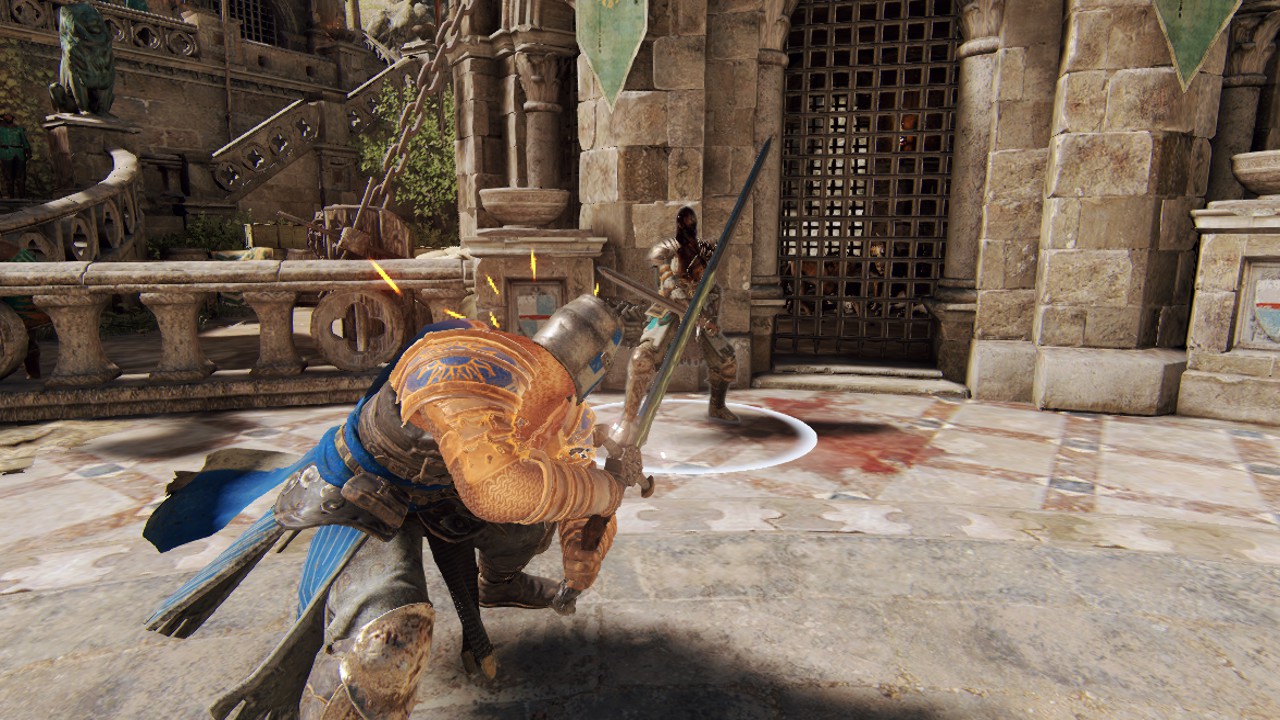 This is just a small example and I have not gone into detail.
The reputation system explained
Your character's rep and level are displayed next to its photo on the hero selection menu:
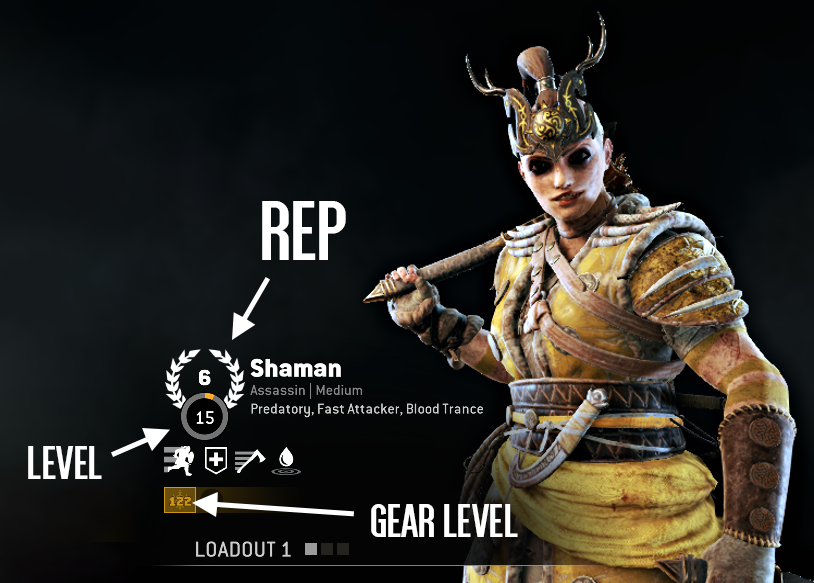
Remember, the rep system only shows how much playtime a person has with a certain character, not how much skill, so when you see someone with a high rep on their character that won't necessarily mean they are better than you.
Gear stats and perks explained
Perks
Perks are small bonuses that can give your character an extra edge in battle, perks are not available in all game modes and are only enabled in 4v4 modes(Dominion, Tribute, Elimination, Breach). Perks are activated using gear pieces.
Gear pieces
When you play with a character you sometimes get gear drops for them, you can then go to your character's inventory and there equip those gear pieces. Each gear piece has its separate perk stats.
To activate a perk for your character you need to equip gear pieces that all together give you 600
points for that perk. You can combine gear pieces to get enough points towards a certain perk for it to activate.
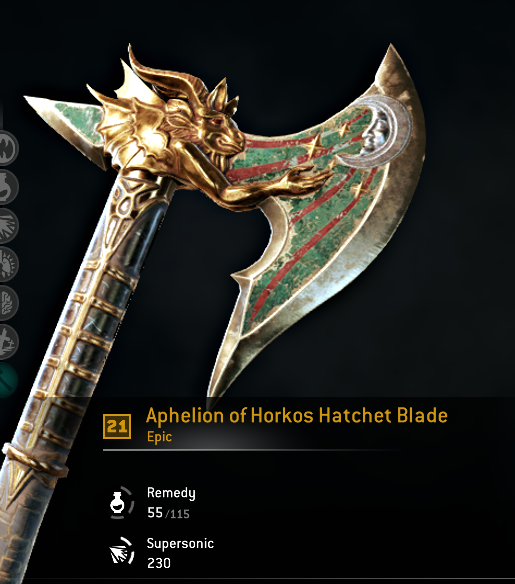
For example, this gear piece will give you 55 points towards the perk Remedy and 230 points towards the perk Supersonic.
Orders
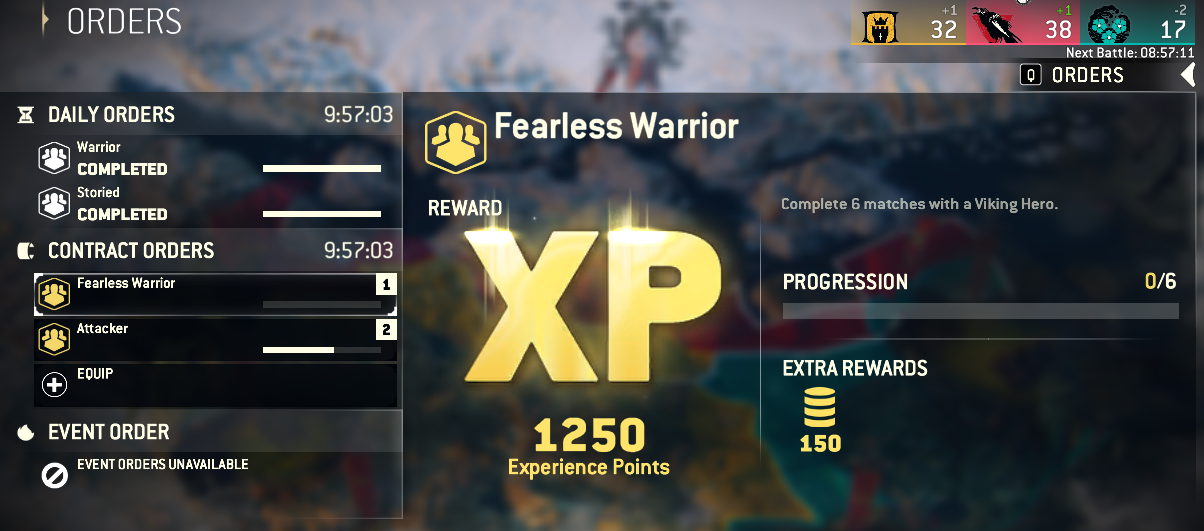
The two orders at the top are daily orders and they change daily (24 hrs), you cannot replace these orders. The other orders underneath them are contract orders and they change every 2 days (48 hrs). Each order you complete rewards you with a certain amount of steel and xp. To activate these orders you have to click on an empty order slot like the one that says "Equip" in the picture above and select an order from the list of contract orders. You can equip up to 3 orders at once and when you complete any of them you can equip another order in the spot that freed up, there are 9 contract orders every 2 days and if you complete all of them you'll have to wait for them to reset.
The orders are arguably repetitive and annoying especially if they require you to play gamemodes that lack players like Tribute but they are much faster than the normal amount of steel you get when playing(around 50~ from a normal match compared to 300 steel per one order completed).
If you want to progress quickly and unlock new characters orders will become a part of your daily routine.
Learning a moveset
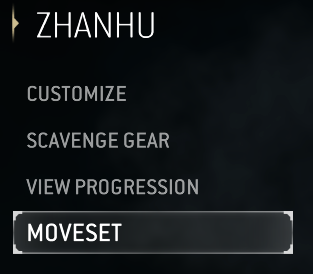
In For Honor movesets are split into two areas, hero specifics and general moves. General moves are the button combinations you need to click in order to use an ability and hero specific are usually special modifiers the hero has, like Zhanhu's modifier, unblockable finishers, whenever Zhanhu uses a finisher attack(the last attack in one of his attack combos) the attack is unblockable. The modifiers are just as important to remember as the moves are.
The Training ArenaTo quickly try out a moveset you can load into the training arena(from main menu -> Training -> Training arena) with an idle bot. In the arena your movesets will be presented on the right side of your screen.
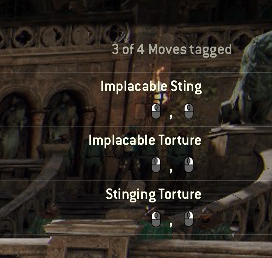
To change what moves are displayed press ESC and go into the "Arena" tab, then select movesets and click on whatever moveset you want to be displayed, note that the maximum pinned movesets for the arena are 4 so if you want to change them you have to first unpin one of the pinned movesets and then select another. You can also configure your arena settings while in the arena by pressing the quick settings button(appears on the bottom left of your screen), for example you can set your characters health to infinitely regenerate or disable your characters stamina, you can also control your opponents health, stamina and aggressiveness.
Hero Tactics
Yet another way to train with a character, you can start a hero tactics training session by going into main menu -> training -> hero tactics. Hero tactics is also set in a closed arena like the training arena but instead of you being able to configure your health, stamina and movesets it already does that for you. Think about it as a set training course made for your specific character's moveset, hero tactics is the more indepth version of the training arena because here you have specific combos and mixups you will have to do and your opponent will fight you back
Character types
Vanguards
Straightforward and easy to play characters, made this way to mostly appeal to beginners, they have strong attacks a good amount of health and good mixups and are some of the stronger characters in the game. Each faction has one of these, the Knights have Warden, the Vikings have Raider, the Samurais have Kensei and the Wu Lin have Tiandi.
Assassins
Assassins are fast and good damage dealers but have a low amount of health. They have dodge attacks, usually faster light and heavy attacks than other non assassin characters and also the assassin exclusive ability to deflect attacks.
Reflex Guard
Unlike other character types assassins have what's called a reflex guard. The normal guard mode keeps your guard up as long as you don't change its direction but when playing with a reflex guard character your guard direction lasts for a limited time period before it dissolves. To keep a guard up at a certain direction you have to repeatedly move your stick / mouse to the guard direction to renew the guard. When playing with reflex guard you don't want to hold your guard up at a certain direction and move it to block attacks towards the last phase of the incoming attack.
Hybrids
Hybrid are the middle ground between heavy and assassin, they usually have a good health pool and can range from almost heavy like to almost assassin like.
Heavies
Have a large health pool, slow attacks and deal lots of damage on both heavy and light attacks.
Faction War
When you first open the game you're presented with a choice, to pick one of the 3 main factions in the game, the Knights, the Vikings or the Samurais. No matter what you choose the only effects it will have on the game for you is the shape of your emblem shield and the rewards you get from faction events.
Faction War
There are two ways to gain faction rewards, the first is season rewards, every few months a season campaign ends, the faction with the most wins in that campaign receives a special reward such as an ornament or a steel reward. Every season is split into 5 major battles, each of these battles takes a few real life weeks and what determines the winner is the amount of troops deployed by a faction. You can get troops by playing matches and you can either place them on a specific place on the war map or the game will do that for you automatically. To see the war map you have to go into Main Menu -> Multiplayer -> F3 (War Map View).
There is a small importance to where you choose to place your troops, some war map nodes give you bonuses. If it's a forge you can get 7% more chance for gear piece drops at match ends, if its a windmill you can get 5% extra match xp and if its a fortress you can get 10% extra troops of what you deploy there.
Fortress Forge
Forge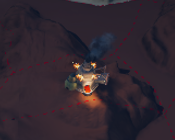 Mill
Mill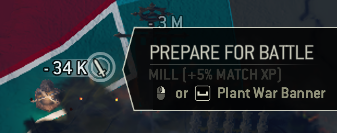 The war map changes every few hours after a battle goes on, the countdown to the end of the campaign major battle and the next small battle is displayed on the top right of your Multiplayer screen.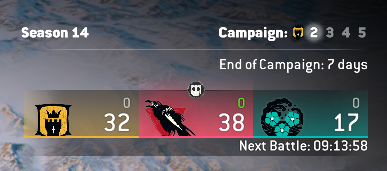
The second way of gaining faction rewards is through faction orders, once in a while the Ubisoft gods give us faction orders, think of faction orders as a competition between factions, the faction whose members complete the order the most times gets the highest reward, then the faction at the 2nd place gets a smaller reward and the faction at the last place gets no reward. For example, a faction order can be "Execute players in duels", there's no limit to how many executions you need to do like a normal order. Rewards can range from 1500 steel and 1 gear pack to 2500 steel and 3 gear packs.
Throughout most of the life of For Honor as a game the Vikings faction has been dominating the rest of the factions by a lot of points, in fact the Vikings win so much its become a meme in the For Honor community.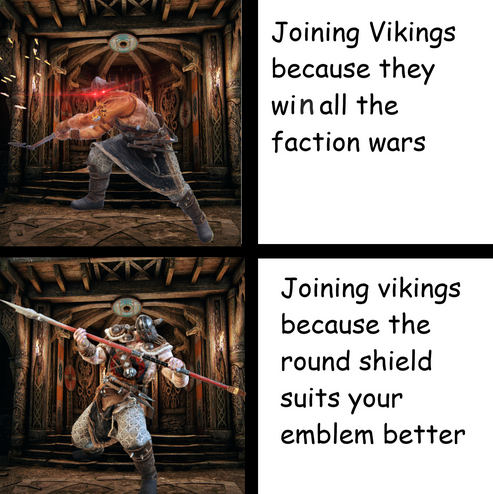
It just has the most players and thus the most troops deployed, so if you care about those little bonus rewards you get from time to time join the Vikings.
Unhappy with your choice of faction?
Once per season you can switch faction to a different one, although if you switch you won't receive faction rewards for that season.
Emblem Shapes
Each faction has its own emblem shape, here are all of them:
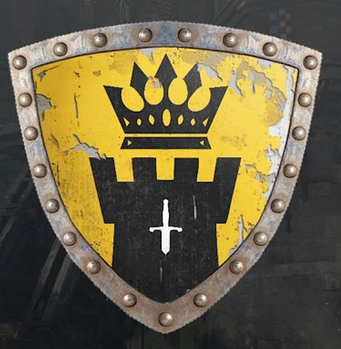
Knights have a large shield with a sharp point at the bottom
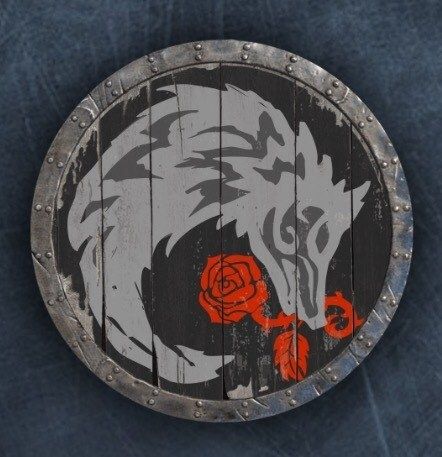
Vikings have a circular shield
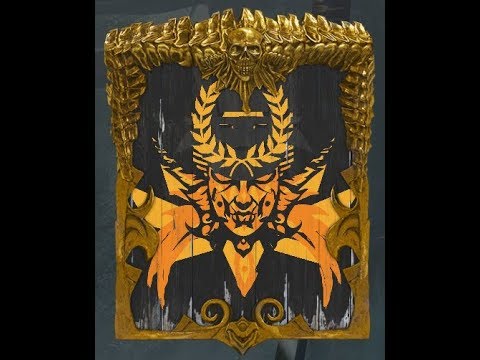
Samurais have a rectangular shield
End of guide
Thanks for reading and hopefully this helped you in one way or another, its really just the basics and the rest is up to you but its much better than going blind into the game, when I started playing about a year ago I had to look up all of these things separately and it took me a few months to know some of the things I wrote here.
If you feel generous perhaps check my Youtube channel or my other guides(which are way less serious).
Have a good one!
- how 2 get cancer★ 4 (663)36k views142 ♥1 minBulgarianUpdated Jun 7, 2018
- A Serious Guide on How to Enjoy For Honor★ 5 (630)21k views368 ♥4 minUpdated Jun 13, 2021
- How to be the average for honor player★ 5 (451)19k views177 ♥2 minUpdated May 11, 2025
- Все важные и разрушаемые объекты в сюжетной кампании For Honor★ 5 (838)16k views1k ♥25 minRussianUpdated Aug 23, 2018
- Story Mode: All Observations/Breakables★ 5 (850)16k views1.2k ♥23 minUpdated Jul 19, 2018
- How to be Happy in Real Life★ 5 (462)16k views181 ♥1 minBulgarianUpdated Feb 15, 2023


- Upgrading to PremiumTeam Fortress 2★ 5 (20k)1441k views11k ♥6 minUpdated May 11, 2022
- No More Room in Hell Official ManualNo More Room in Hell★ 5 (2.8k)569k views2.1k ♥29 minUpdated Apr 22, 2019
- NMRiH Community Hosting GuidesNo More Room in Hell★ 5 (526)351k views653 ♥1 minUpdated Aug 10, 2022
- ULTIMATE GUIDE FOR GAME DEV TYCOONGame Dev Tycoon★ 5 (5.8k)326k views10k ♥4 minUpdated 23 Jan, 2014
- How to 'Git Gud' Soon™MORDHAU★ 5 (2k)318k views3k ♥68 minUpdated Nov 16, 2024
- Лучшие кооперативные игры SteamPAYDAY 2★ 5 (1.5k)315k views2.1k ♥56 minRussianUpdated Apr 27, 2025






This guide was created by its original author on the Steam Community. Are you the author and want it removed? Request removal.