A Guide on How to fix The Binding of Isaac: Repentance+ not launching/stopping in Windows 10/11.
Updating Your Graphics Drivers
Step-1. Update Your Graphics Drivers
Outdated graphics drivers might be one of the issues that causes your game to not launch. Depending on whether or not you have Nvidia/AMD/Intel graphics card or Integrated graphics, updating your drivers might solve this issue. Here's the link to AMD & Nvidia graphics driver websites:
Nvidia App (Remember to download the Game Ready drivers):
https://www.nvidia.com/en-us/software/nvidia-app/AMD Adrenaline Drivers:
https://www.amd.com/en/products/software/adrenalin.htmlIIntel HD/UHD/ARC Graphics Drivers:
https://www.intel.com/content/www/us/en/support/detect.htmlIf that didn't solve the problem continue with the guide.
Downloading Important Redistributable Files
Step-2. Downloading all versions of Microsoft C++ Redistributable Runtimes, .Net Framework & Xna Framework
These files help applications/software to run properly on windows 10/11 and solves issues like; missing .dll files.All-in-one C++ Redistributable:
https://www.techpowerup.com/download/visual-c-redistributable-runtime-package-all-in-one/(Make sure to install each of them one-by-one or click the 'install all' file in the folder)
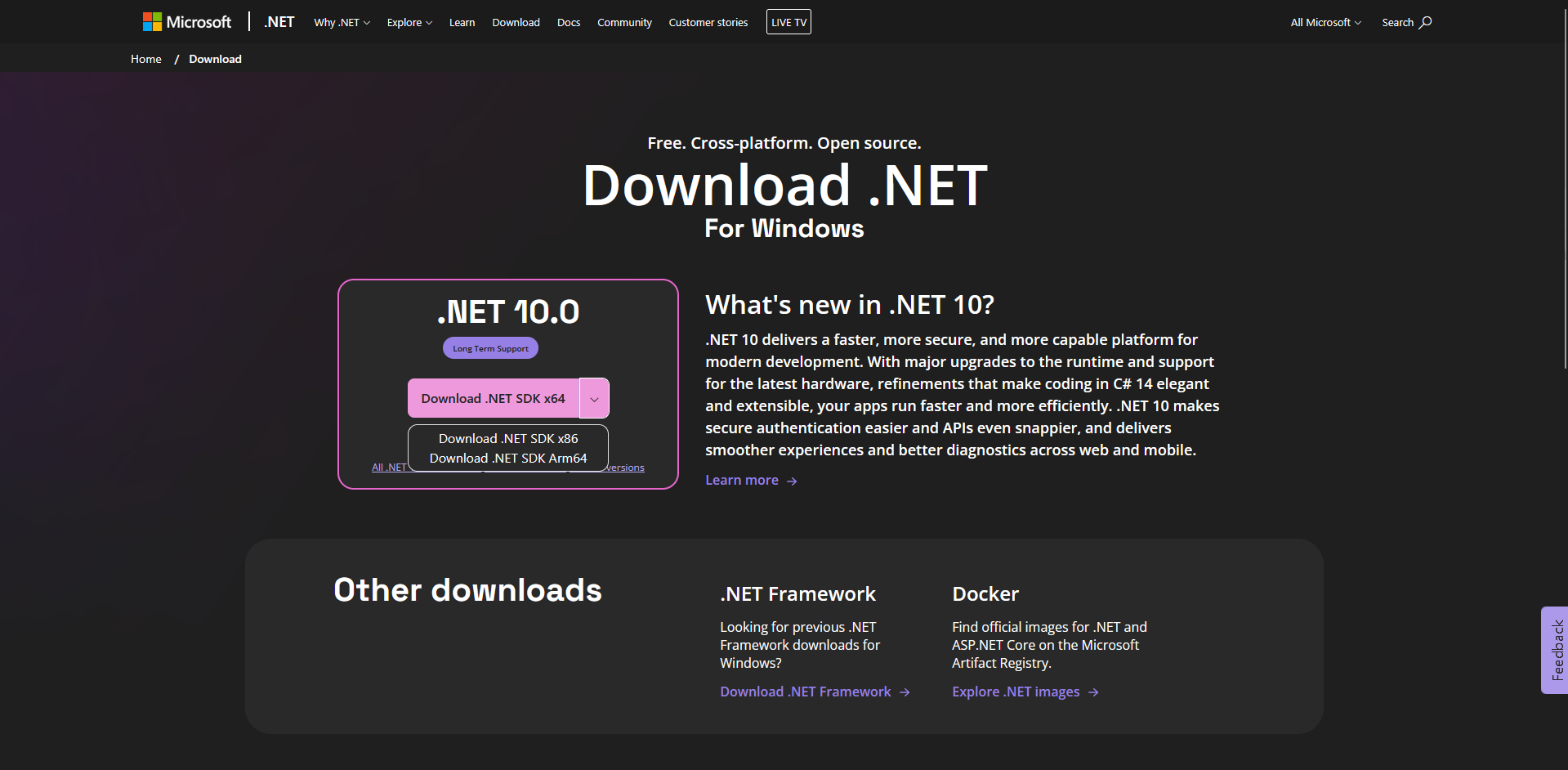
.Net Framework:
https://dotnet.microsoft.com/en-us/download(Make sure to download both the x64 and x86 versions, you can acess the x86 version by click on the drop down menu on the website next to the download button)
Xna Framework:
https://www.microsoft.com/en-us/download/details.aspx?id=20914(Just download the latest version and install it)
After doing all of that make sure to restart you computer once and then try to run the game.
If it STILL doesn't work, continue with the guide.
Enabling Compatibility Settings
Step-3. Giving Administrator Permissions & Using Compatibility Settings To Try To Run The Game
Find & click on "The Binding of Isaac in your Library"

After, click on the settings icon
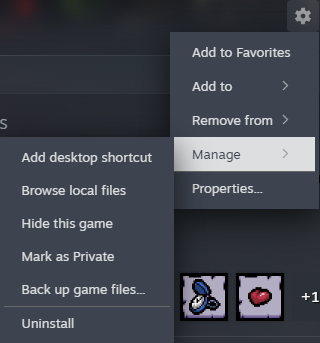
Hover your mouse cursor over "Manage" and click on "Browse local files"
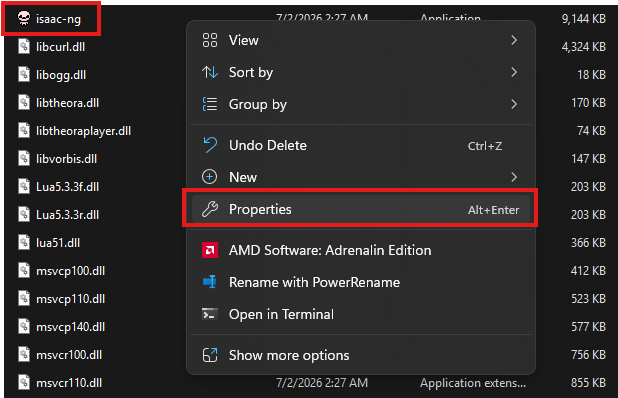
Fing "isaac-ng" and right click (mouse) on it; then go to properties.
In the Properties menu, click on "Compatibility" and enable the options shown in the image; then click on "Apply"
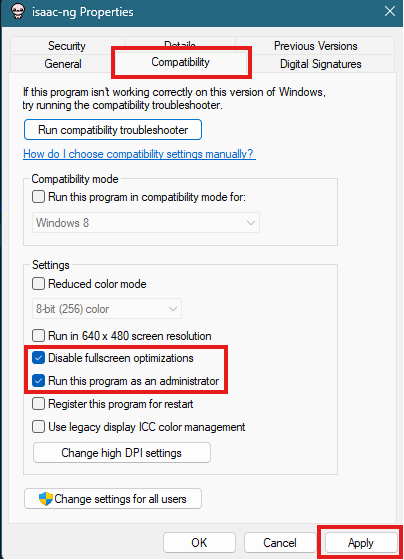
Close the menu and try to run the game again.
Getting Rid of Corrupted Files
Verifying file integrity & Reinstalling the game to remove corrupted files
Go to settings and click on "Properties"
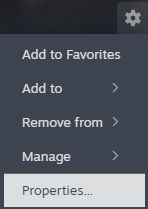
Go to the "Installed Files" tab and click on "Verify integrity of game files"
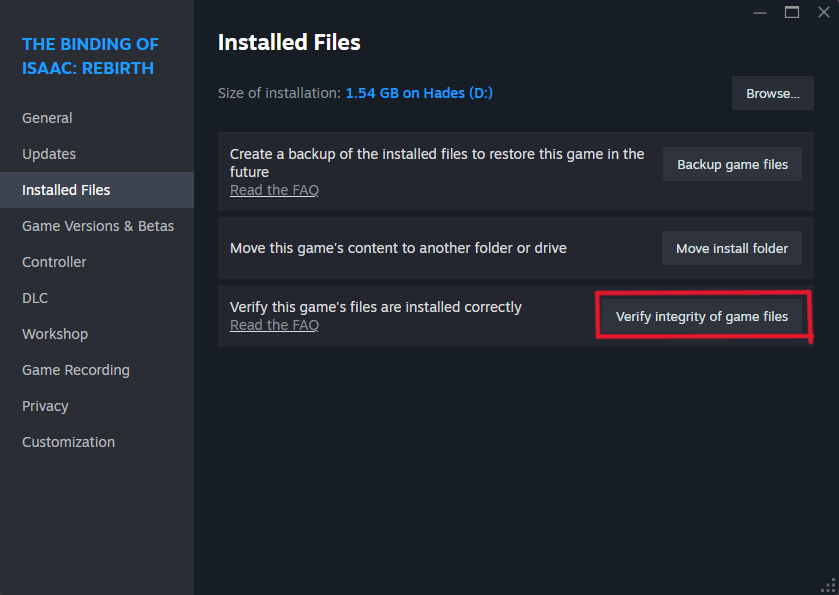 Wait for it to be completed then try to run the game. If that doesn't work you need to completely uninstall and reinstall the game.
Go to settings again; Hover over the "Manage" and click on "Uninstall"
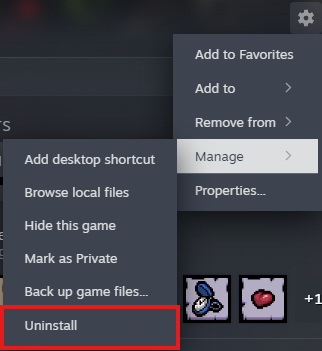
Restart your computer then reinstall the game. If you did everything correctly from step-1, the game should be able to run.
Thanks!!
Thank you for reading this guide. I hope it helped. Make sure to give it a like and rate it :D
More The Binding of Isaac: Rebirth guides
- Most & Least Important Unlocks (Repentance+)★ 5 (774)82k views2.3k ♥49 minUpdated Jul 19
- The Bindening™ - A Comprehensive Guide to Everything Isaac: Rebirth★ 5 (1.5k)50k views3.5k ♥666 minUpdated Sep 10, 2025
- Dead God - Roadmap for 100% completion★ 5 (853)47k views2.7k ♥15 minUpdated Jan 17
- Unlocking Everything In The Binding of Isaac (Repenting Update!)★ 5 (567)43k views1.6k ♥122 minUpdated Nov 18, 2024
- Предметы / Артефакты★ 5 (2.4k)37k views4.1k ♥86 minRussianUpdated Sep 18, 2021
- Персонажи: Как открыть и их описание. (AB, AB+ & Rep)★ 5 (386)35k views1.1k ♥13 minRussianUpdated Jul 14, 2021



This guide was created by its original author on the Steam Community. Are you the author and want it removed? Request removal.