Alien vs. Predator FoV Fix
1. Interface
First of all, you will need to download FOV Changer for Aliens vs. Predator (2010)
You can get it here[github.com] *
Unpack it anywhere, go to bin directory and launch AVP2010_FOVChanger.exe
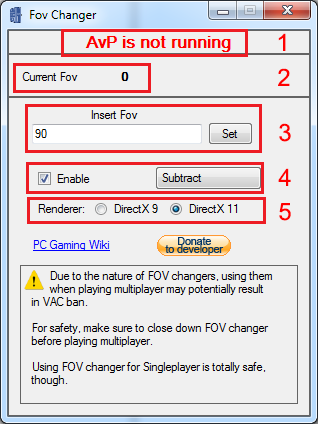
If everything works, you will encounter this screen:
*If the link doesn't work, try downloading it from here https://github.com/SuiMachine/AVP--2010--FOV-Changer:
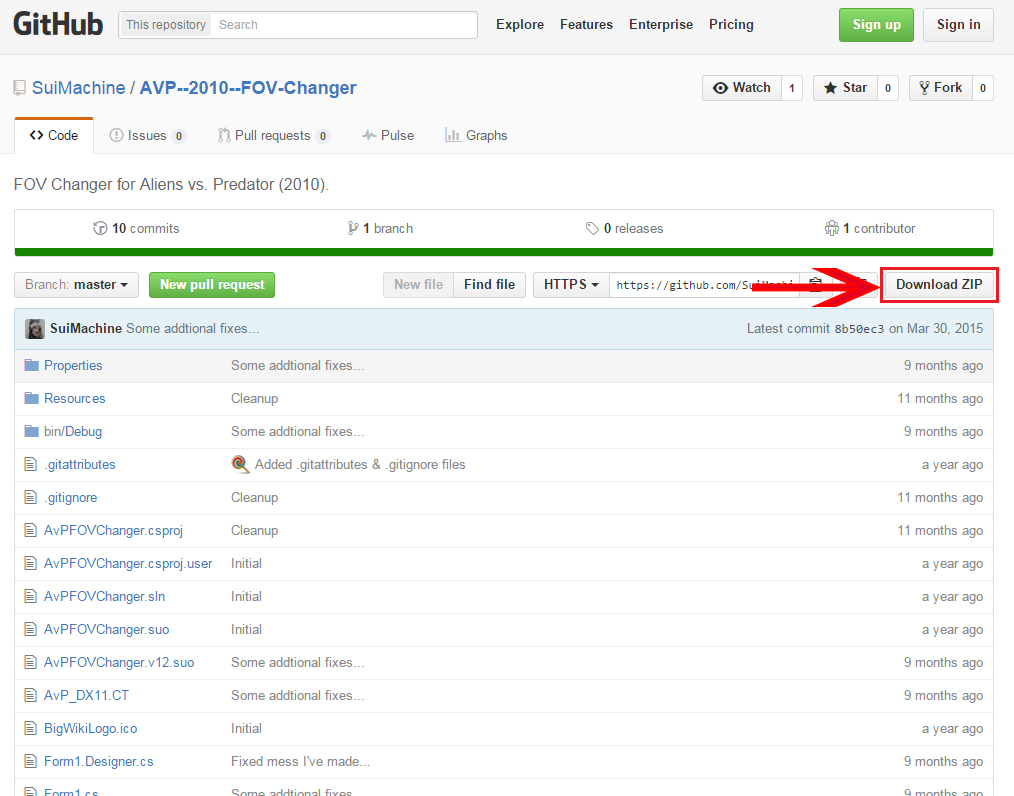
You can get it here[github.com] *
Unpack it anywhere, go to bin directory and launch AVP2010_FOVChanger.exe
If everything works, you will encounter this screen:
- Status (it will say AwP is running when it detects game running)
- Displays current FoV of running game (default for Marine and Predator campaings ~ 60)
- Insert desired horizontal FoV here (I recommend 90)
- Click this checkbox to set hotkey for changes to take effect in-game
- Select the version of the game that you are running
*If the link doesn't work, try downloading it from here https://github.com/SuiMachine/AVP--2010--FOV-Changer:
2. Getting it to work
Now with interface out of the way, here's what you need to do to get it to work:
- Run the game
- Load into the game (continue or start a new campaing)
- Alt-tab and launch AVP2010_FOVChanger.exe
- Enter desired FoV (don't forget to select correct renderer first, though! If status bar doesn't say AvP is running, you are doing something wrong.)
- Set hotkey for FoV change (I use substract) - This step is highly recommended because the game has a tendency to discard FoV changes every time it loads a save, new level or plays a cutscene.
- Alt-tab back into the game and hit the designated hotkey for changes to take effect (you have to exit the menu first, though)
- Enjoy not having a headache from tunnel vision!
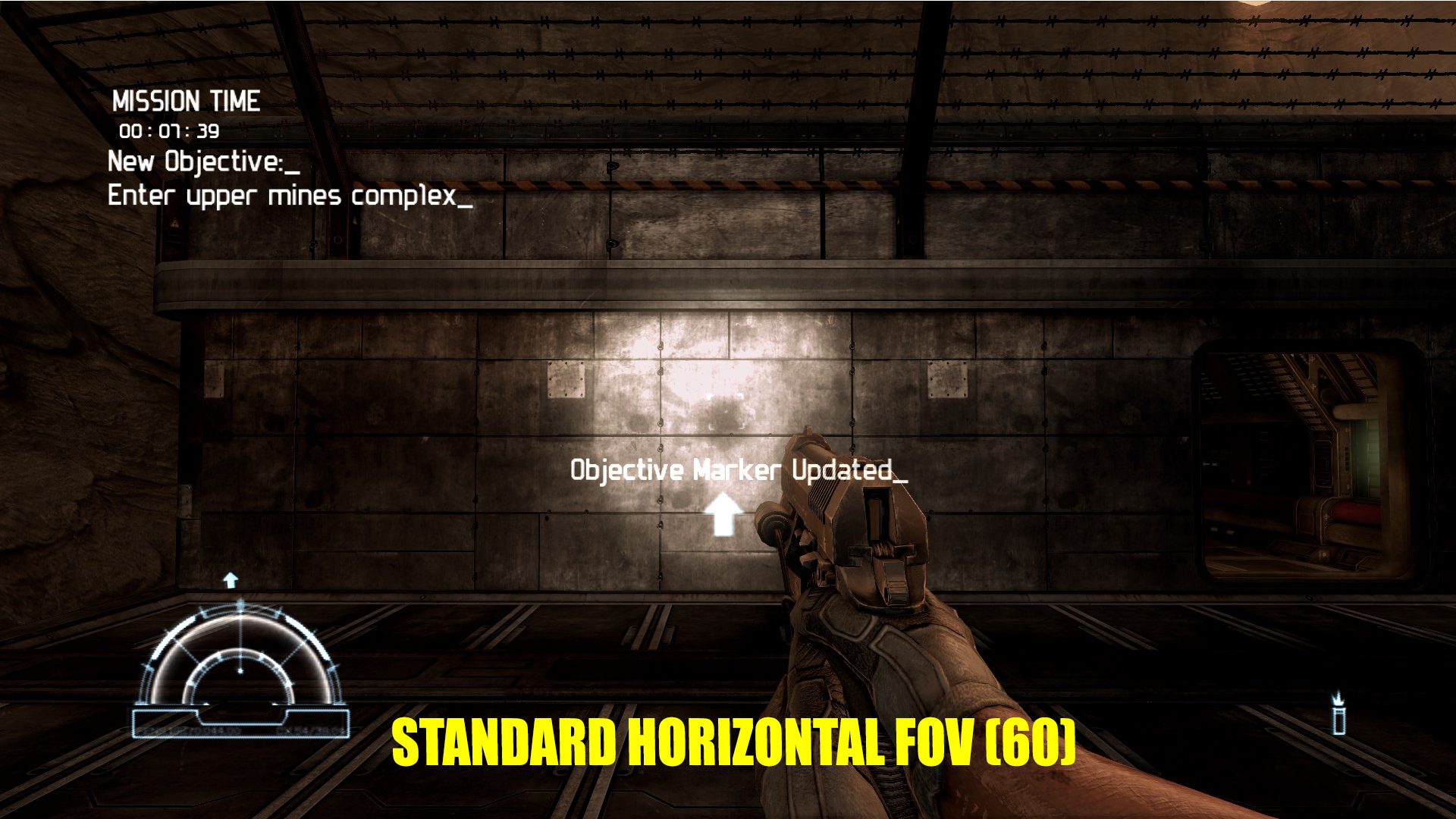
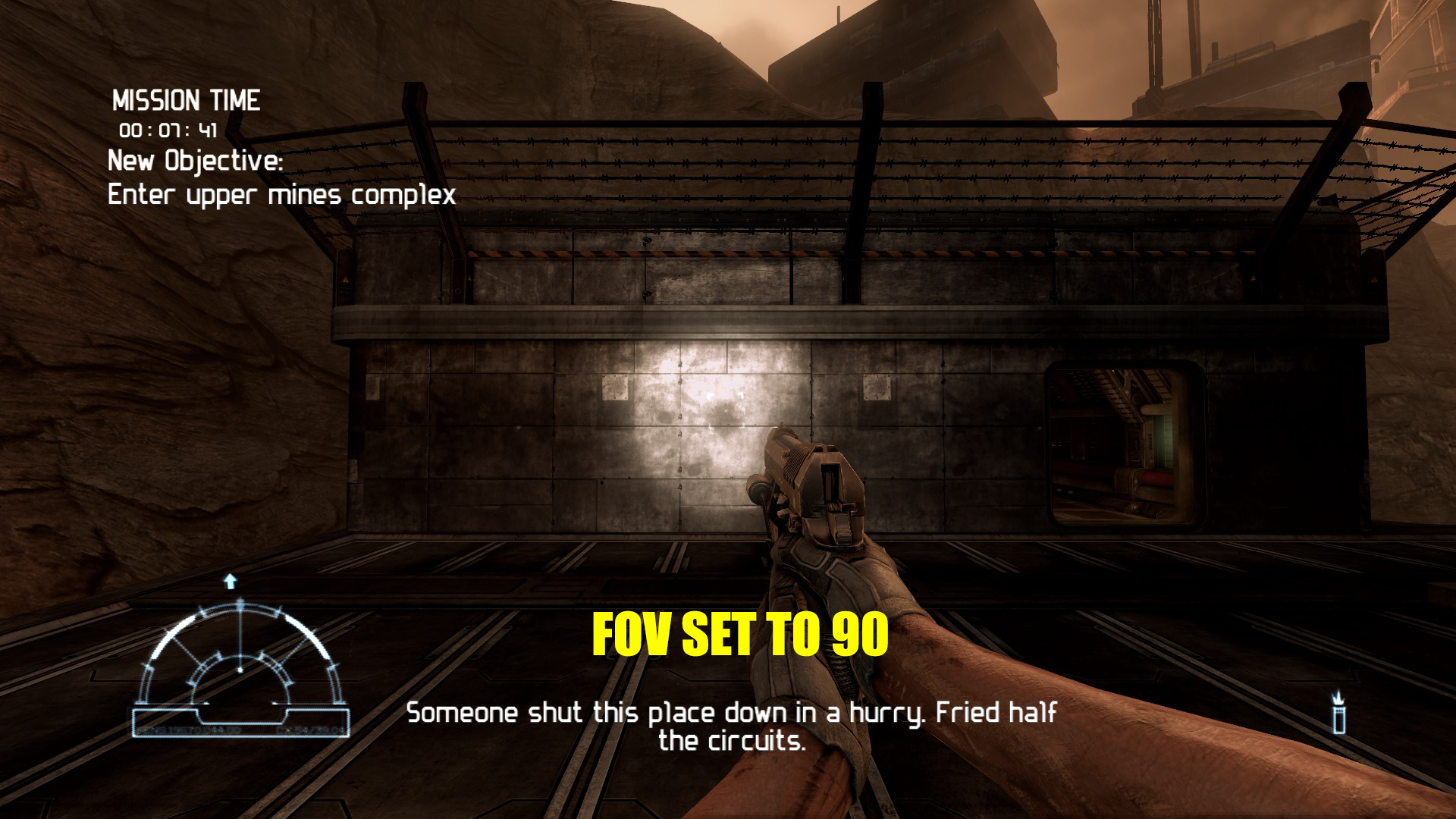
3. Comparison
Credit
I did not create the tool in question, all credit goes to SuiMachine[github.com].
More Aliens vs. Predator guides
- How to Play the Single-Player Levels Cooperatively★ 5 (497)30k views784 ♥4 minUpdated Jul 26, 2019
- REAL NASTY HABIT achievement in 30 minutes★ 5 (483)16k views556 ♥2 min
- Aliens vs. Predator - Walkthrough/Collectibles★ 5 (466)14k views598 ♥1 minUpdated Oct 16, 2025
- Play the game at 144 fps with DirectX 11 Enhanced Features★ 5 (218)13k views237 ♥1 minUpdated Oct 25, 2019
- Multiplayer Start-offs★ 5 (181)13k views176 ♥4 minUpdated Apr 3, 2022
- Руководство по получению достижений★ 5 (800)13k views770 ♥9 minRussianUpdated Mar 12, 2016


This guide was created by its original author on the Steam Community. Are you the author and want it removed? Request removal.