Bypass ISP blocking for port 6667 (without VPN)
Test Connection
Open a Windows PowerShell console and paste this, check if your ISP do block port 6667 or not.
Test-NetConnection peerchat.server.cnc-online.net -port 6667
If you results come with:TcpTestSucceeded : False
Mean your ISP is blocking port 6667.
Start Unblocking
Since only port 6667 get blocked, it's time to redirect by using proxy
In this tutorial, I using Proxifier software[www.proxifier.com] (trial, paid, tested). You can choose alternate free software such as WideCap[widecap.com]
In this tutorial, I using Proxifier software[www.proxifier.com] (trial, paid, tested). You can choose alternate free software such as WideCap[widecap.com]
Proxy Server
In this guide, we going to use SOCKS5 proxy server, either you can find on the Internet or create own proxy server.
It's better to use SOCKS5, since it support to proxy a UDP connection, just in case.
It's better to use SOCKS5, since it support to proxy a UDP connection, just in case.
Proxifier
Download & Install
- Download and Install Proxifier[www.proxifier.com].
I recommend using portable version since we going to use for Red Alert 3 only. - Launch "Proxifier.exe"
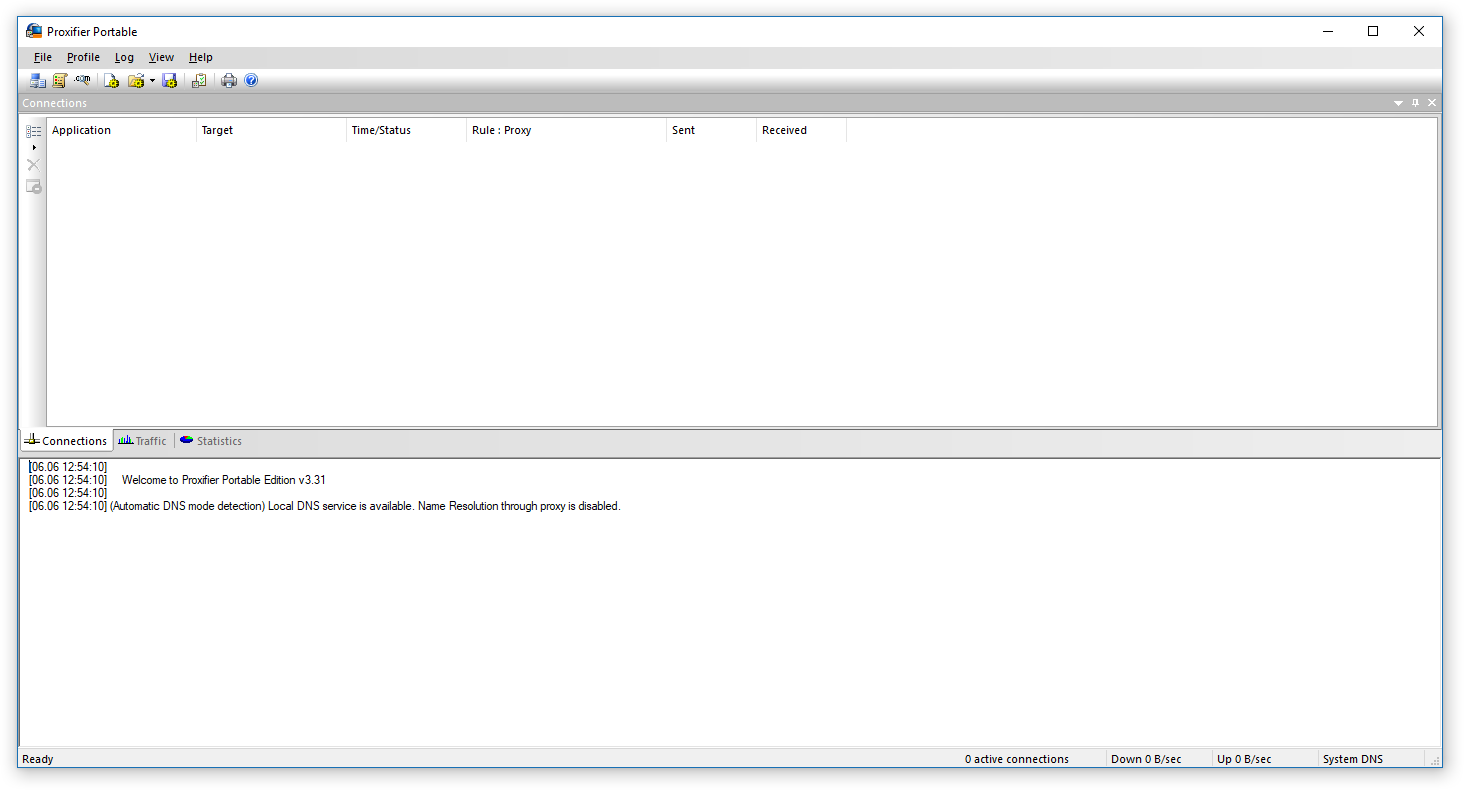
Add Proxy
- Open Proxy Servers window (ALT+P, P)
- Add proxy server or own proxy server
- Click "Check" button to test proxy server.
- If selected proxy server is working, close Proxy Checker and Click OK.
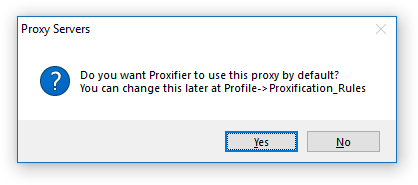
- Click "No" if this message popup. We want other connection use direct
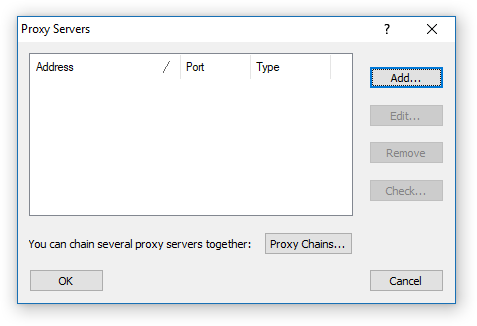
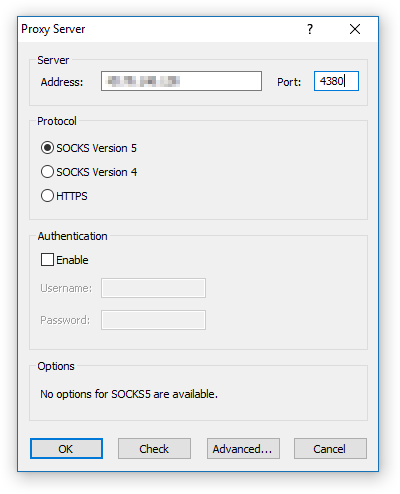
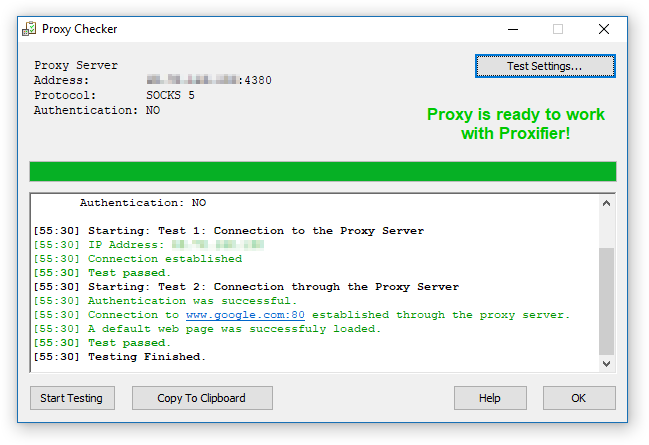
Proxification Rules
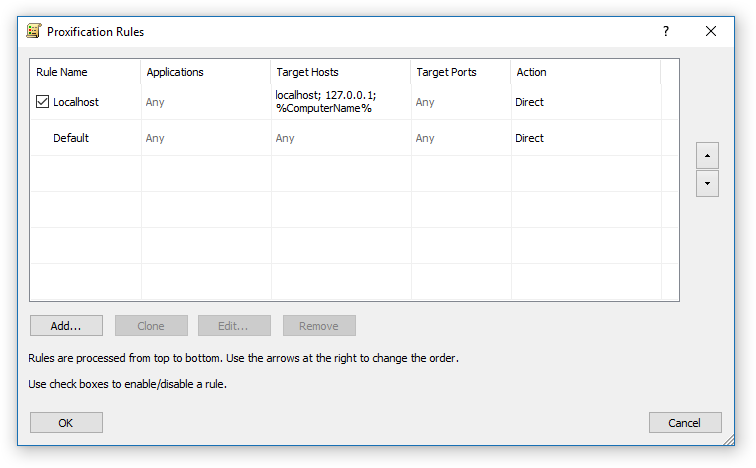
Once you have working proxy server, now we can proceed to add rules for port 6667- Open Proxification Rules window (ALT+P, R)
- Click "Add" button
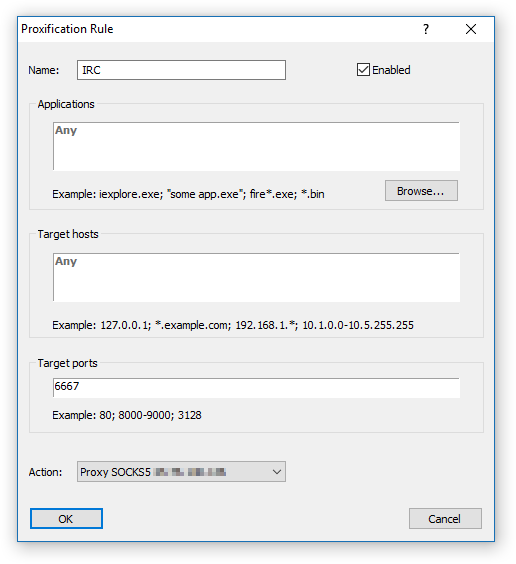
- Follow:Name: IRC Application: *leave blank* Any Target Hosts: *leave blank* Any Target Ports: 6667 Action: Proxy SOCKS5 ...
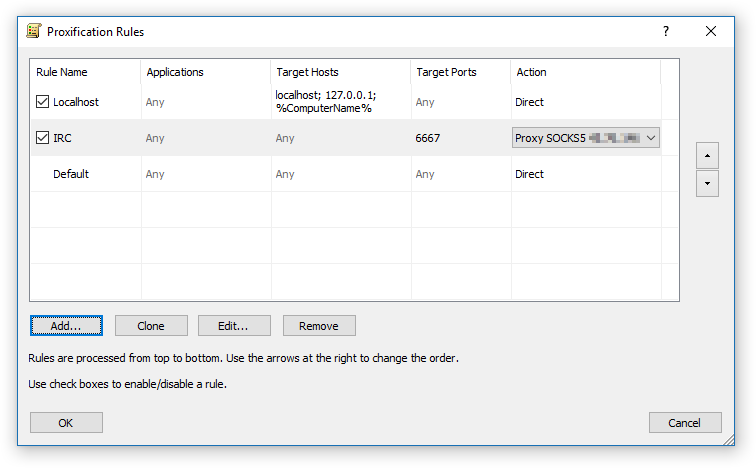
- Click OK and make sure it look like this:
Default and Localhost using "Direct" Action
Test Proxy
Run Red Alert 3 via Revora and Login.You can check Log if port redirection is successful.
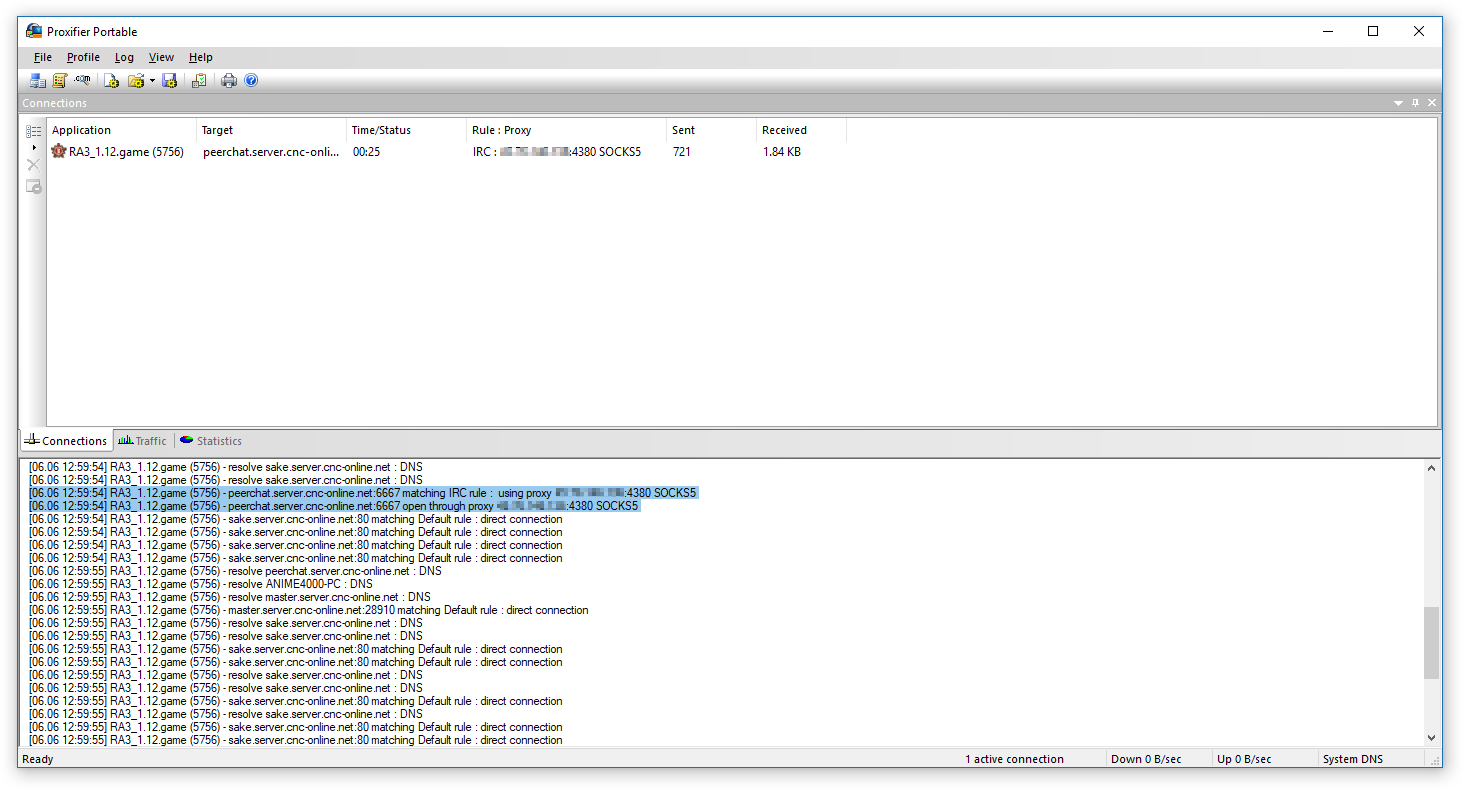
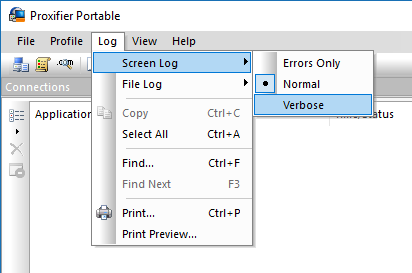
If you want to see full log, set this
Troubleshoot
Not all public proxy server accept traffic other than 80 (HTTP) or 443 (HTTPS/SSL). Keep testing until you find one. If you dont find one, it's time to create own proxy server.
One more thing... Red Alert 3 connectivity very limited.
Red Alert 3 only can be run under one Router per Public IPv4 Address, if you try co-op in same house/router/public IPv4 address, trick is one of you need use VPN :( You can share 6667 proxy server.
One more thing... Red Alert 3 connectivity very limited.
Red Alert 3 only can be run under one Router per Public IPv4 Address, if you try co-op in same house/router/public IPv4 address, trick is one of you need use VPN :( You can share 6667 proxy server.
Host own proxy server
Public proxy sometime vanished or unstable, good way is to rent cheap VPS hosting, DigitalOcean or Vultr or any VPS hosting near you
This guide will skip everything, once you have SSH console ready, follow this step:
BitTorrent works too!
This guide will skip everything, once you have SSH console ready, follow this step:
Install Dante
I using Dante SOCKS5 Proxy server, it's fast even on low spec VPSBitTorrent works too!
- You need install some development tool like GCCapt-get install build-essential zlib1g-dev libwrap0-dev screen nano wget git unzip htop iptraf uml-utilities
- Download Dante source code
- Start configure and compiling...tar -zxvf dante-1.4.2.tar.gz cd dante-1.4.2 ./configure make
- If you want to install run:make install
Dante Configuration
Here some basic configuration file- Make a blank conf filenano ~/dante.conf
- Paste this config code
You may need to change "ens3" to "eth0" or else, check it via "ifconfig"logoutput: /var/log/sockd.log #server address specification internal: 0.0.0.0 port = 4380 external: ens3 user.notprivileged: nobody clientmethod: none socksmethod: none client pass { from: 0.0.0.0/0 to: 0.0.0.0/0 log: error connect disconnect } socks pass { from: 0.0.0.0/0 to: 0.0.0.0/0 command: bind connect udpassociate log: error connect disconnect iooperation } socks pass { from: 0.0.0.0/0 to: 0.0.0.0/0 command: bindreply udpreply log: error connect disconnect iooperation } - Run Dante
That "&" will execute command line without blocking~/dante-1.4.2/sockd/sockd -f ~/dante.conf &
Have Fun!
Sorry for my bad english...
More Command & Conquer™ Red Alert™ 3 guides
- 【汉化】=链接永不失效= 红3原版+起义时刻STEAM专用汉化补丁★ 5 (640)43k views894 ♥1 minSimplified ChineseUpdated Jan 6, 2022
- how to play coop (multiplayer)★ 5 (256)27k views349 ♥3 minBulgarianUpdated Oct 4, 2021
- Unit Guide : The Soviets★ 5 (239)18k views271 ♥37 minUpdated Dec 30, 2013
- Подробное руководство по подключению мультиплеера Red Alert 3★ 5 (244)14k views353 ♥1 minRussianUpdated Dec 19, 2016
- Руководство по игре Red Alert 3: СССР★ 4 (187)13k views223 ♥21 minRussianUpdated Jan 14, 2023
- Common problem/issue fixes for C&C games★ 4 (76)13k views146 ♥8 minUpdated Mar 12, 2024






This guide was created by its original author on the Steam Community. Are you the author and want it removed? Request removal.