Playing RA3 Online using Tacitus or BattleLab (updated)
Be part of the army (register account)
You need an account, duh :p
You cannot play online with C&C:Online account. Here are the steps...Step 1: Register or Login at any supported accounts which can authorize C&C:Online
Update as of May 2026: Since the account creation has been renewed and upgraded by server, you must use Discord, Steam, Google Account, or GameReplays to register. I recommend to use Discord or Steam which are very easy for registration.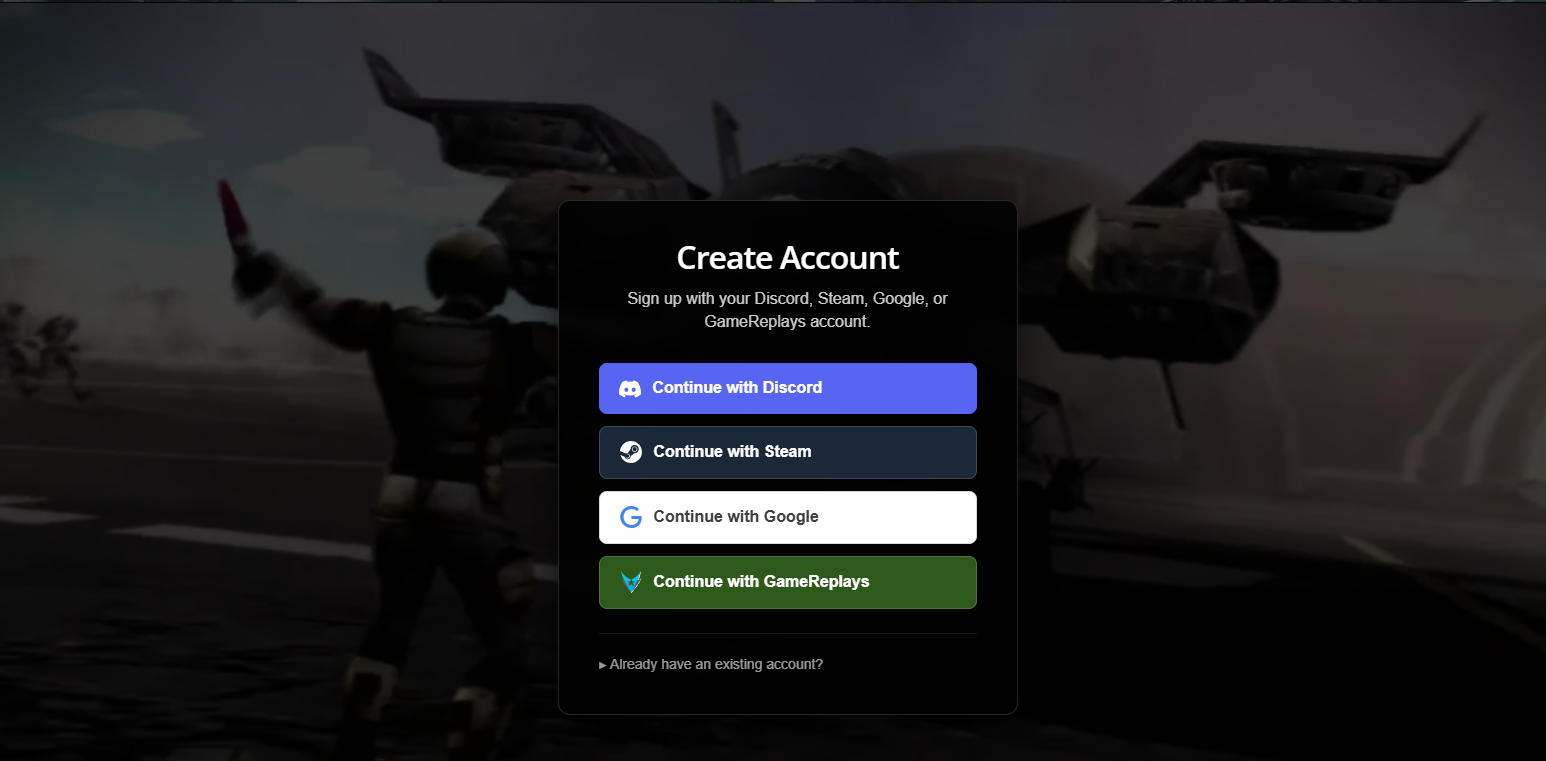
Steam
Step 2A: Login and Authorize
You must login on your Steam, then authorize your account to use it.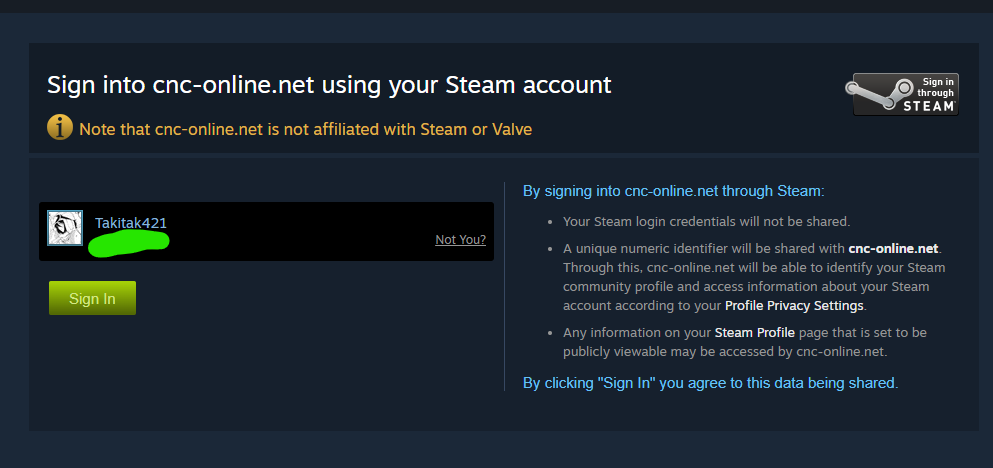
Discord
Step 2B: Login and Authorize
You must login on your Discord, then authorize your account to use it.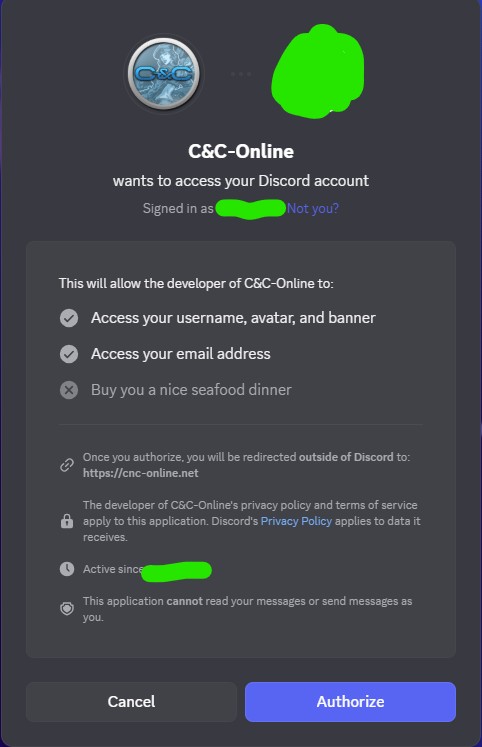
Google
Step 2C: Login, authorize, and access your information
You must login on your Google Account, then authorize your account to use it.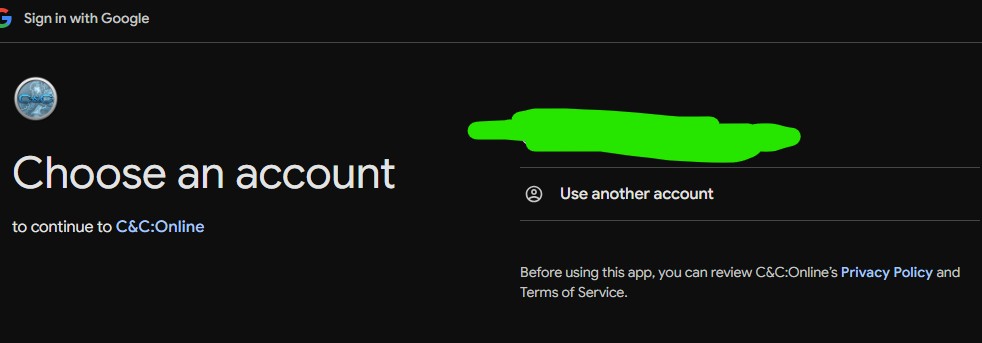
Then access your information and continue.
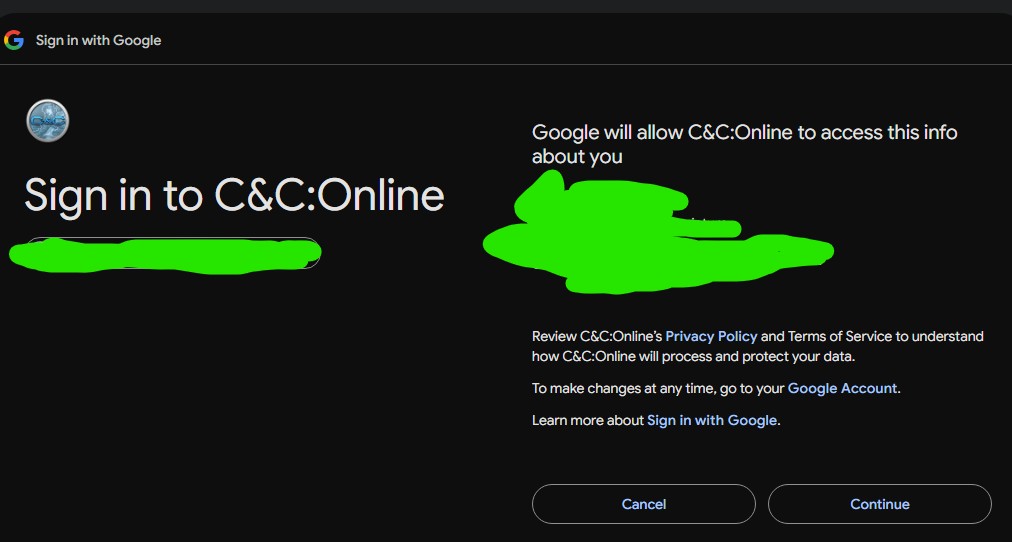
Step 3: Setup in-game account
Setup your in-game username and password, then press Create Game Account.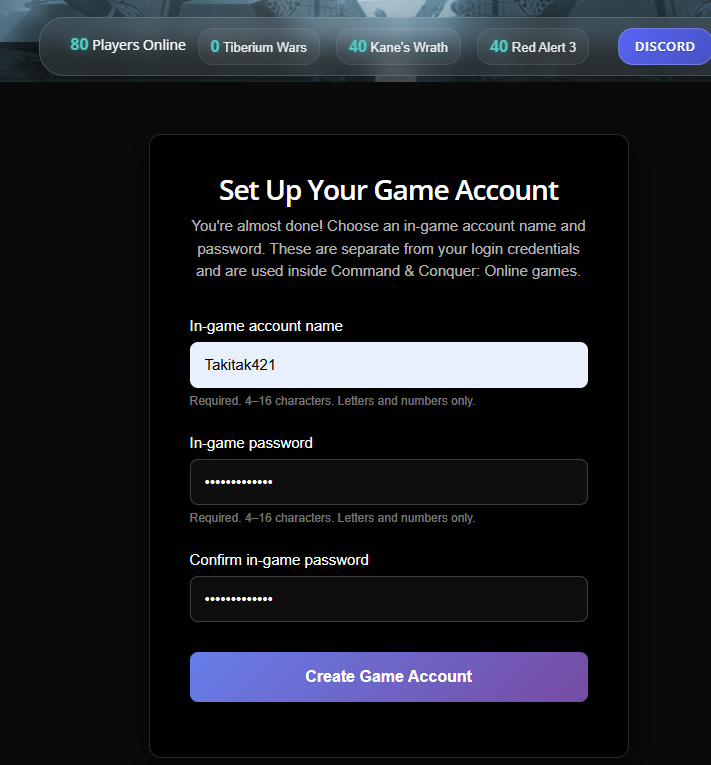
Step 4: Setup your display name
By the way, that username is only for Kane's Wrath and Tiberium Wars only. Email will auto-generate once you set your display name.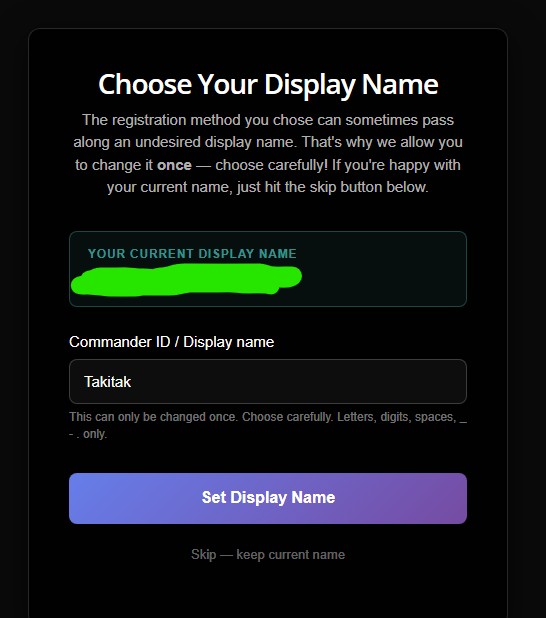
This credential must be used on RA3 in-game login...
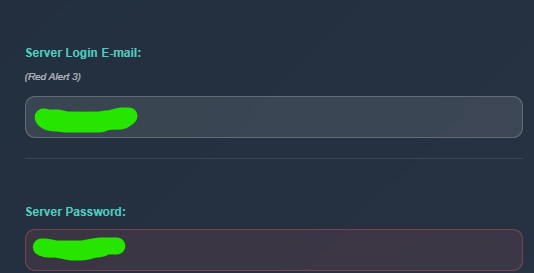
Unit promoted!
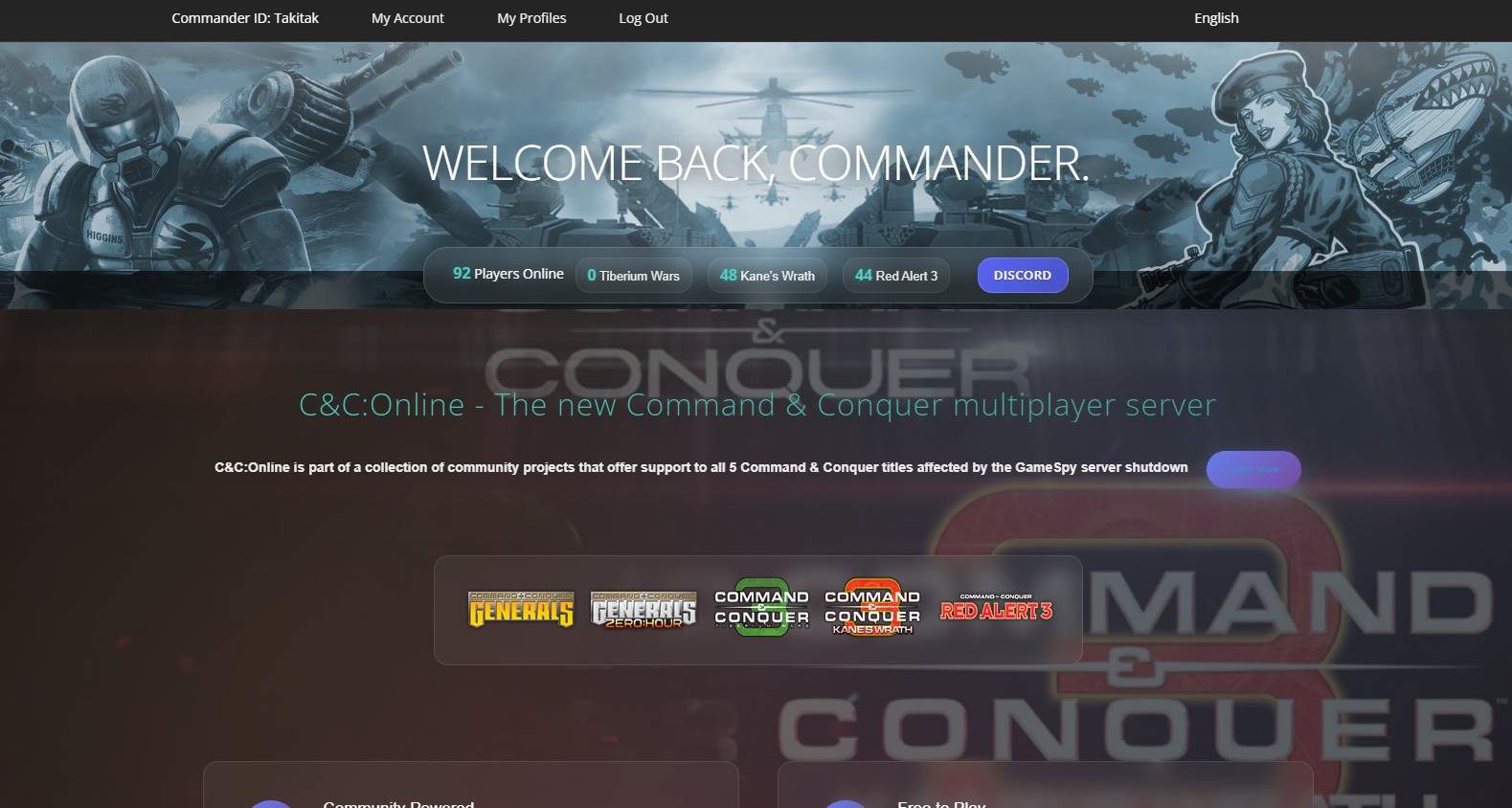
If it is successful on registration, then congrats! If not, you're forever alone. Joke. :PThis will be the home screen once you're successful in registration:
Download and Setup Tacitus/BattleLab
Battlefield control, standby
Now that registration's done, let's download and set up the online provider. :D Tacitus
Step 1: Download Tacitus
- Go on the Downloads tab[cnc-online.net], and click the Tacitus Download button.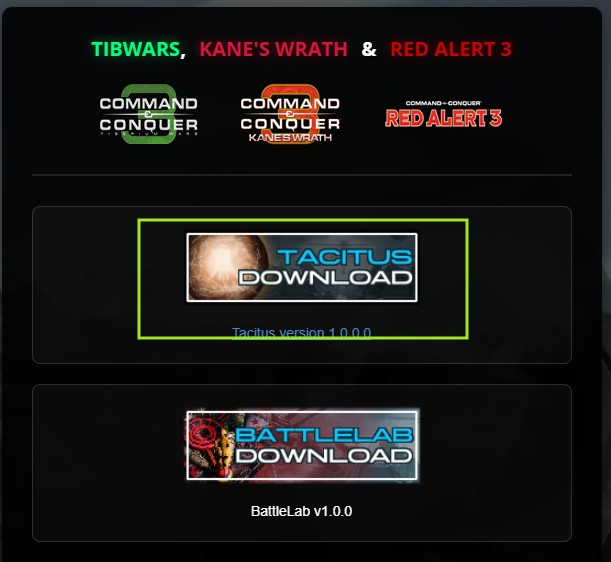
Of course, save the download so you can install it. :D
Step 1.1: Disable anti-virus or allow the install to bypass
The new application may trigger antivirus alerts, such as a COVID alert. Lol. Disable your antivirus or add an exception to run the program.Step 2: Run Tacitus
Step 2.1. Click the Tacitus installer
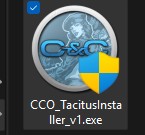
Step 2.2. Run the installer... then click next...
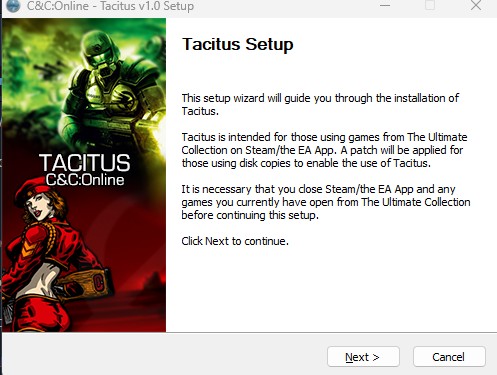
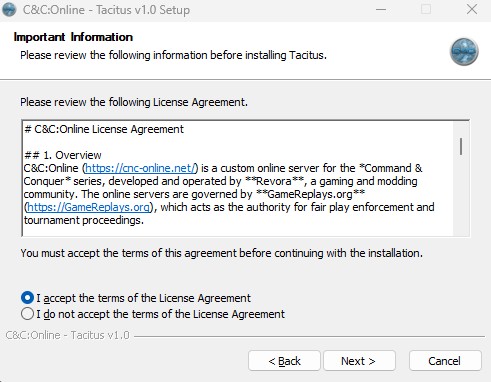
Step 2.3. You need to agree, of course.
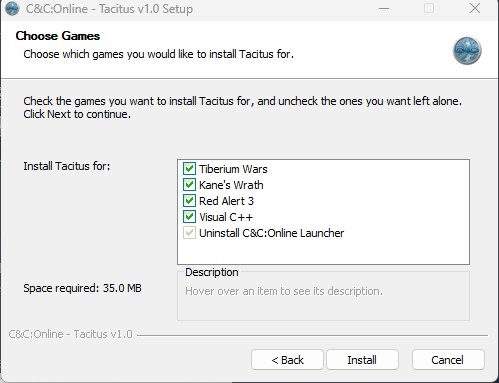
Step 2.4. Install the program on your games. Ensure you have enough space.
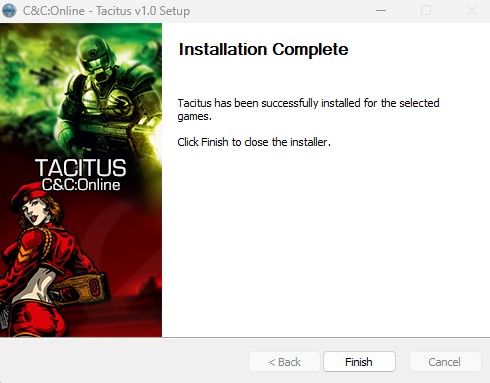
Step 2.5. Tadah! Once installation is complete, you're ready!
BattleLab
Step 1: Download BattleLab
- Go on the Downloads tab[cnc-online.net], and click the BattleLab Download button.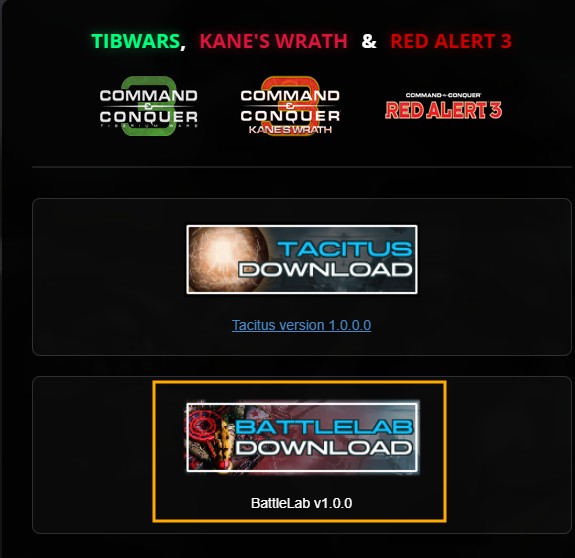
Step 2: Run BattleLab
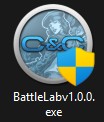
Step 2.1. Click the BattleLab installer
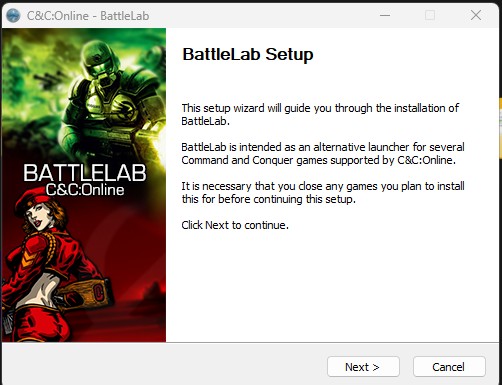
Step 2.2. Run the installer... then click next...
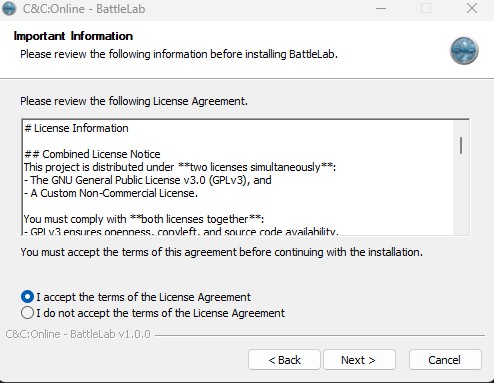
Step 2.3. You need to agree four times, of course.
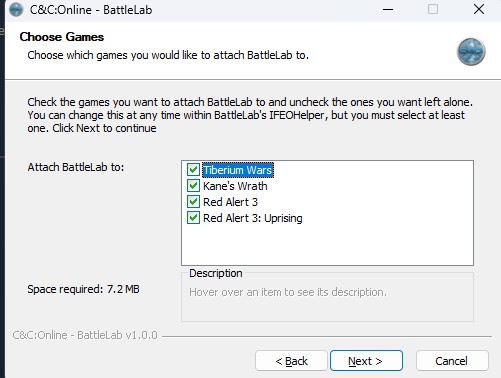
Step 2.4. Install the program on your games. Ensure you have enough space.
Step 2.5. Tadah! Once installation is complete, you're ready!
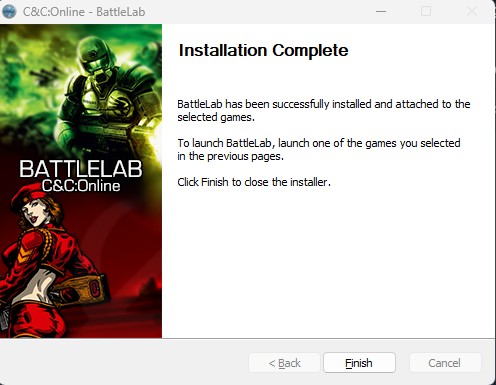
Step 3: Execute BattleLab.exe
You can apply BattleLab menu, run it, and allow all the games. Then click Apply to save changes.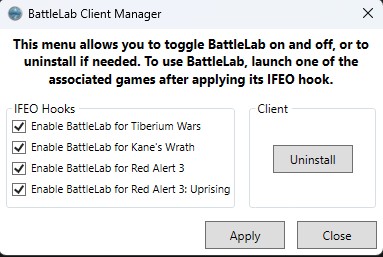
Features (from GitHub[github.com])
- Universal launcher: One launcher to rule them all. Supports Tiberium Wars, Kane's Wrath, Red Alert 3, and Red Alert 3: Uprising. More to come, if desired.1
- Game settings management: Adjust game settings such as resolution, graphics quality, and audio levels directly from BattleLab rather than from the command line.
- Automatic updates: BattleLab can automatically check for and install updates, ensuring you always have the latest features and bug fixes.
- Custom launch options: Add custom command-line arguments for anything not supported graphically.
- Replay repairs: Thanks to the research done by LanYi in his RA3 Quickloader project[github.com], replays can be repaired directly from within BattleLab. This functionality is now also available outside of Red Alert 3.
Launching RA3 and preparing for battle
Battlefield control online!
With Tacitus or BattleLab installed, you're almost ready! Let's prepare for battle, Commander!Step 1: Launch the game
- Click the game in your Steam Library to start. If you see text, QuickLauncher is ready for fast loading. 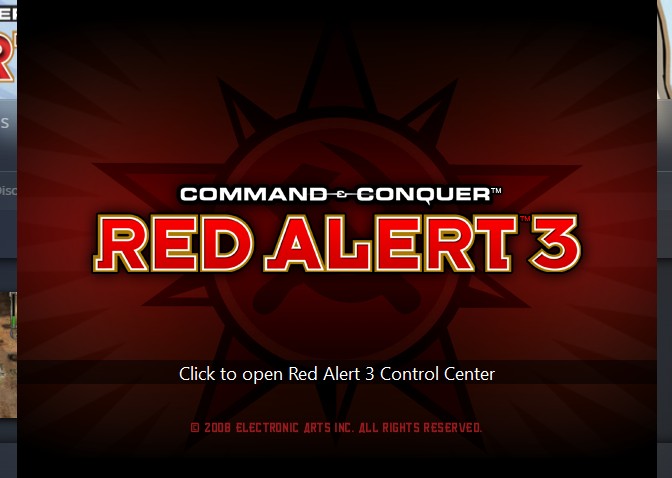
Quicklauncher can be downloaded here[www.gamereplays.org]. Extract it to your RA3 folder. (where you installed the game).
Step 2: Login on the game
Click on the Skirmish > Online, or click the star logo on the upper right side of your screen. 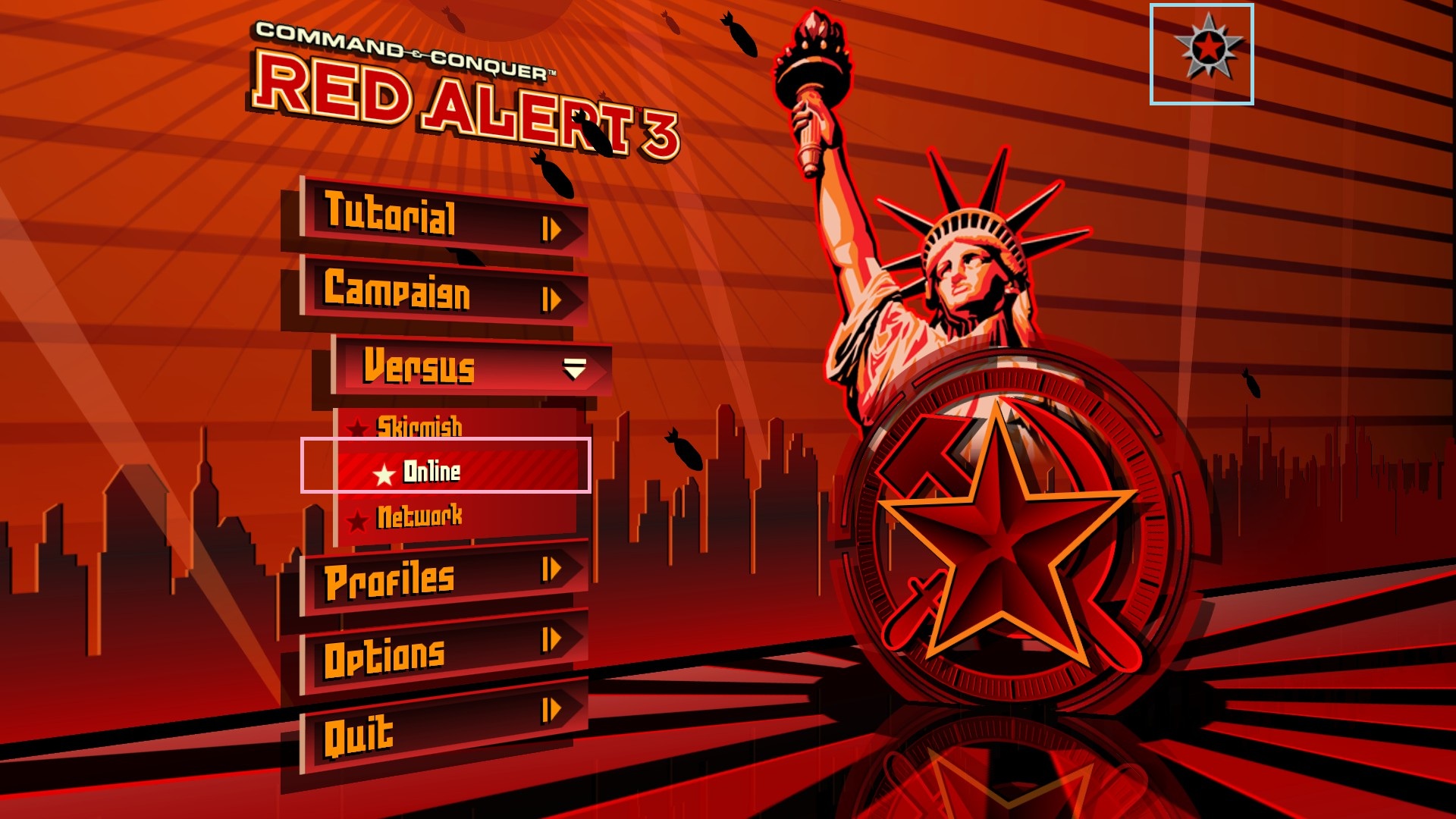
Step 2.1: Enter your credentials
Enter your credentials: the mentioned earlier were the ones you are using on RA3.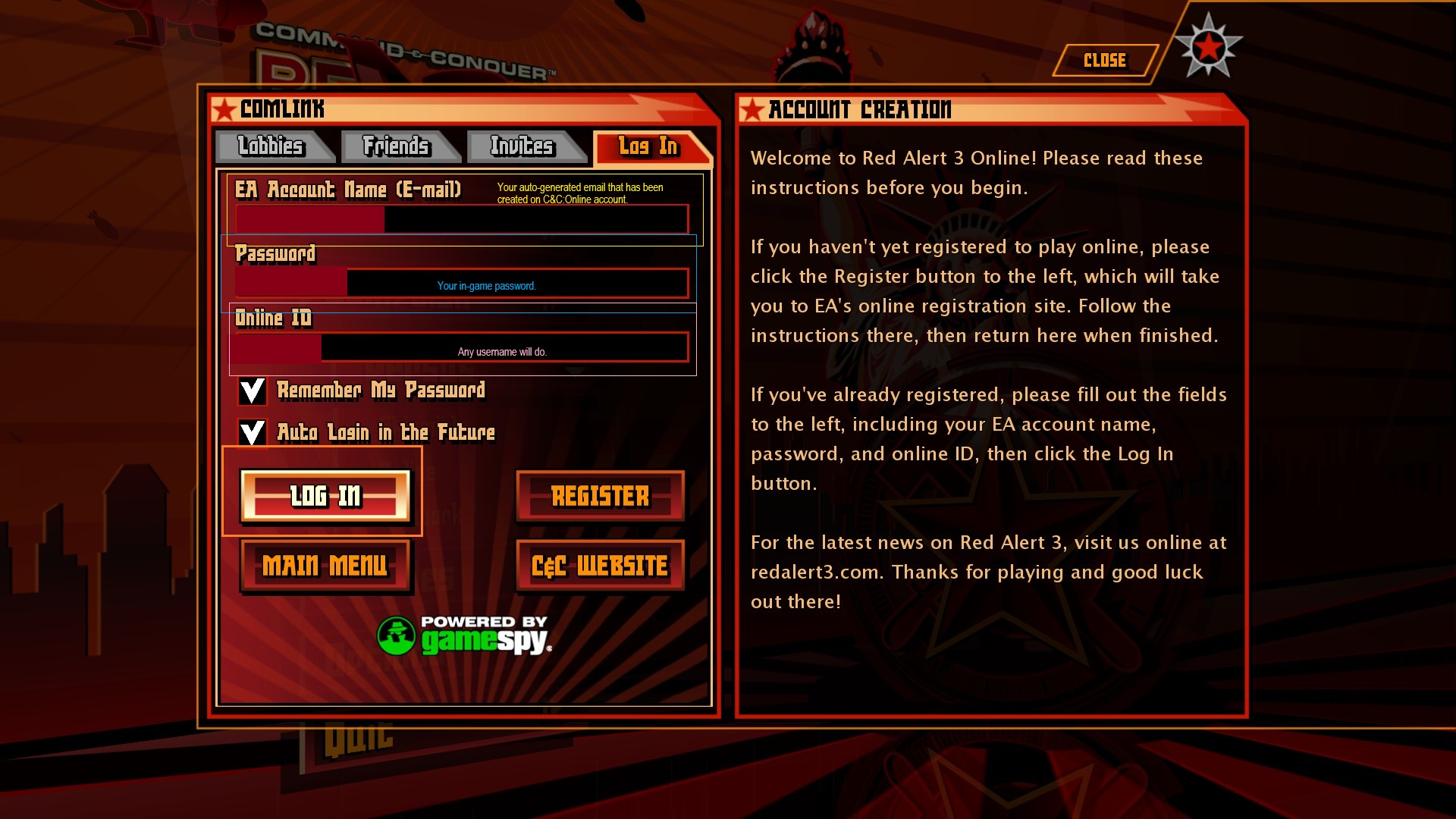
Mine is already filled because it automatically remember my credentials
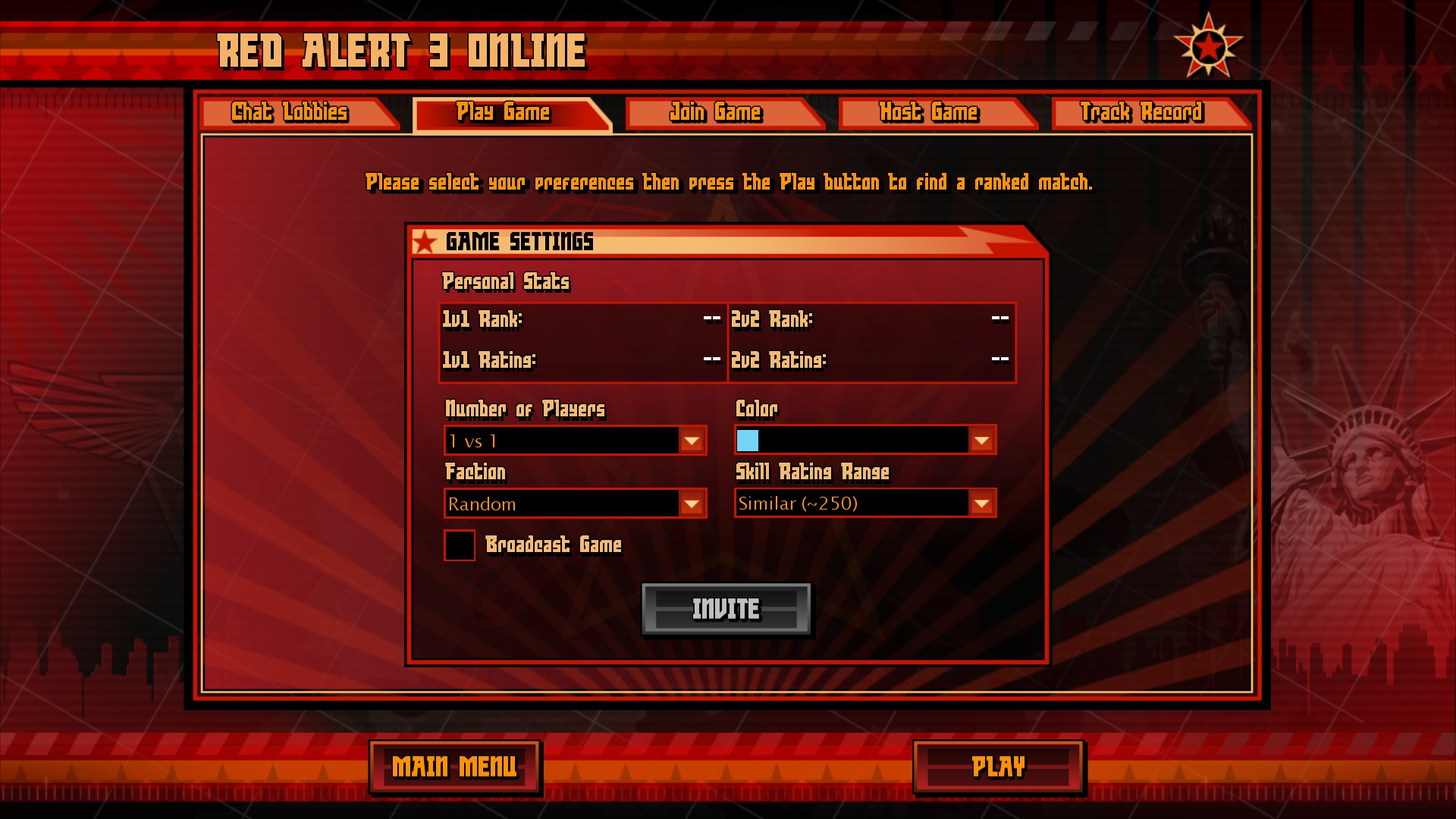
Once logged in with correct credentials, you're ready for the battlefield, Commander!
FAQs
Most common questions about playing online
Safetiness
Is this safe?
- Yes, it is. However, when you download the program, it is detected as malware. Be sure to add to your anti-virus ignore list.Connection
Can we play with friends?
- Oh, yeah! So you'll not be alone anymore. Lol. Be sure that he has the account as well. :DWhy can't I play when I'm joining?
- Tacitus recently upgraded to 1.13, so be sure to downgrade it to 1.12 in order for you to play (unless others are using the newer version). Just hit the hotkey for Tacitus, then choose Chronoshift to downgrade or upgrade it. (Note: It will restart the game once you have applied the version.)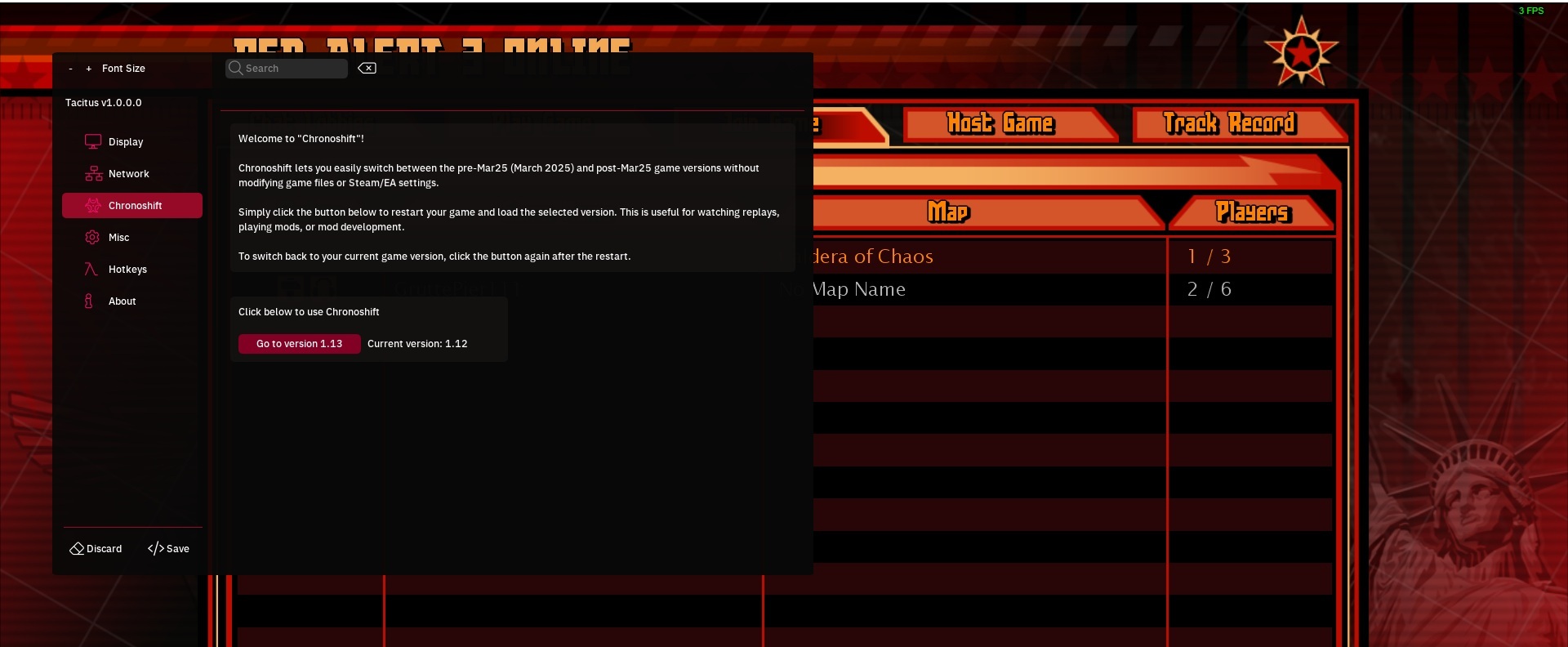
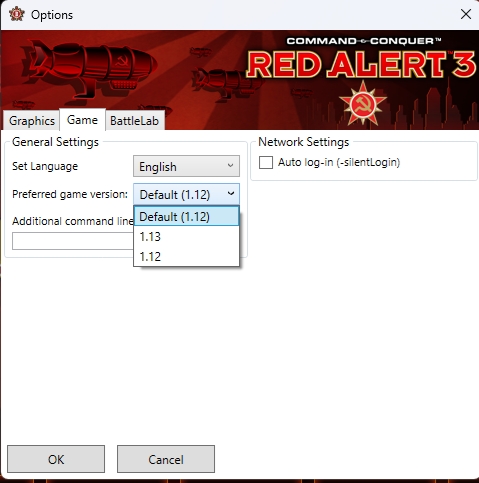
Alternatively, you can also set a version game to launcher. While the RA3 launcher loads, you need to click so you can go to UI menu.
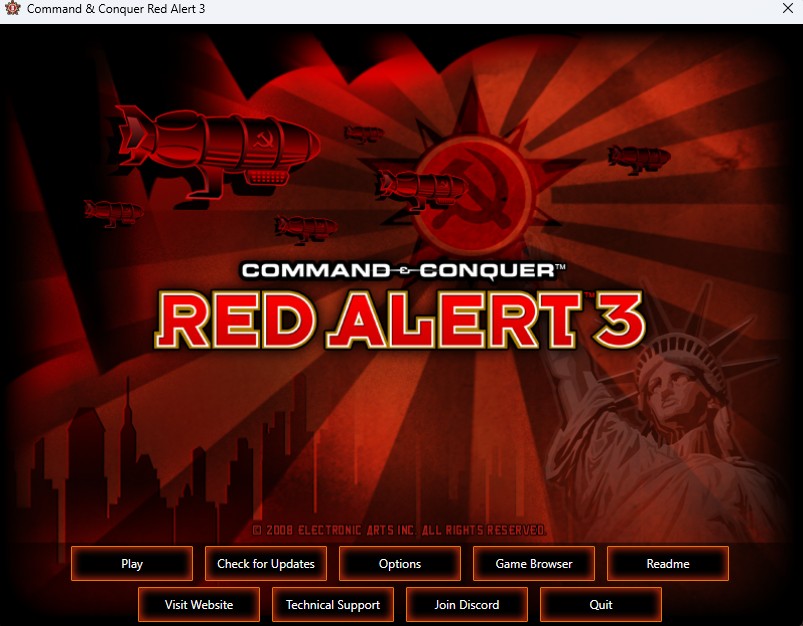
Go to Options, then set to 1.12 if the game sets 1.13.
I can't log in, how can I go online?
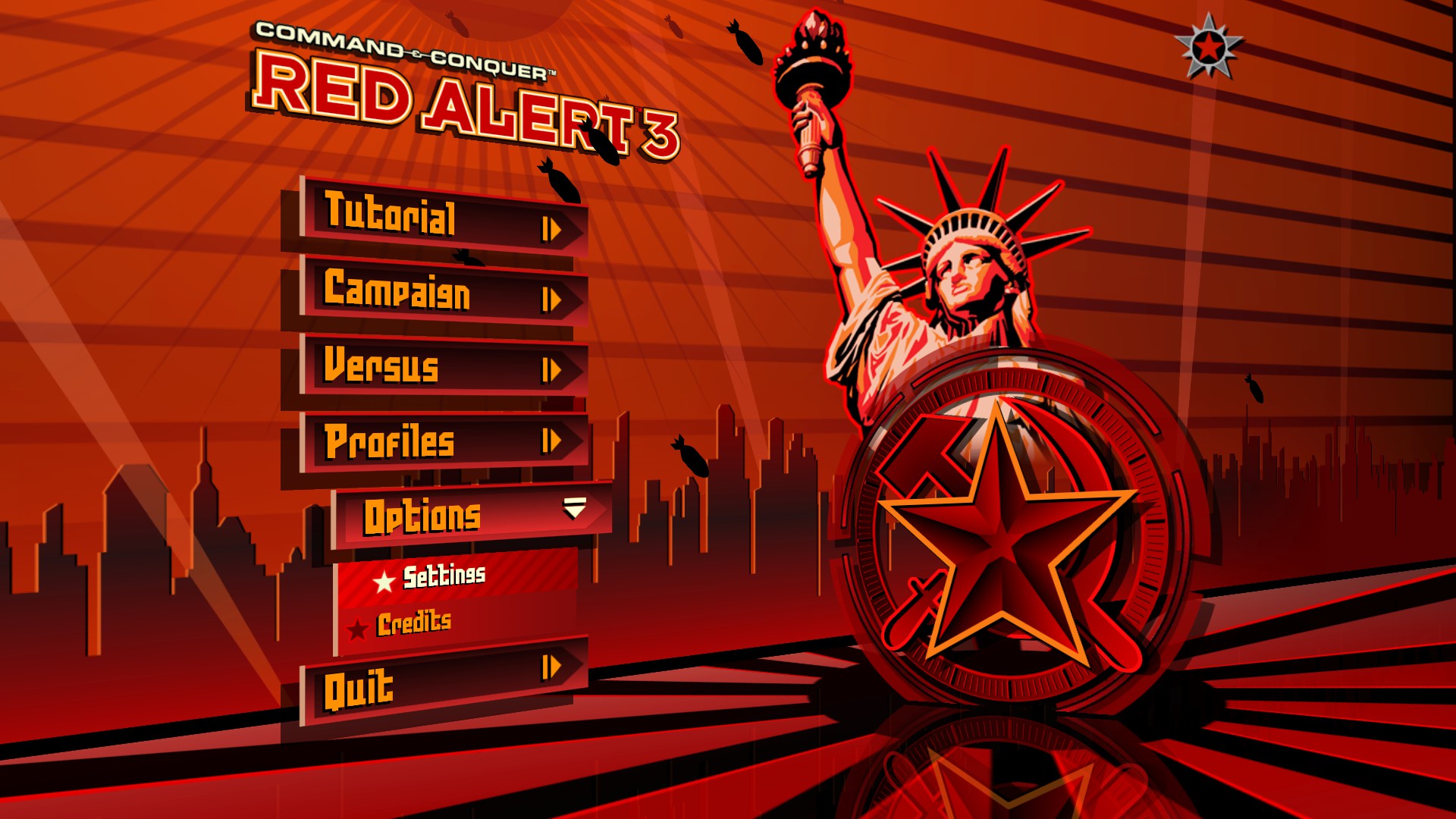
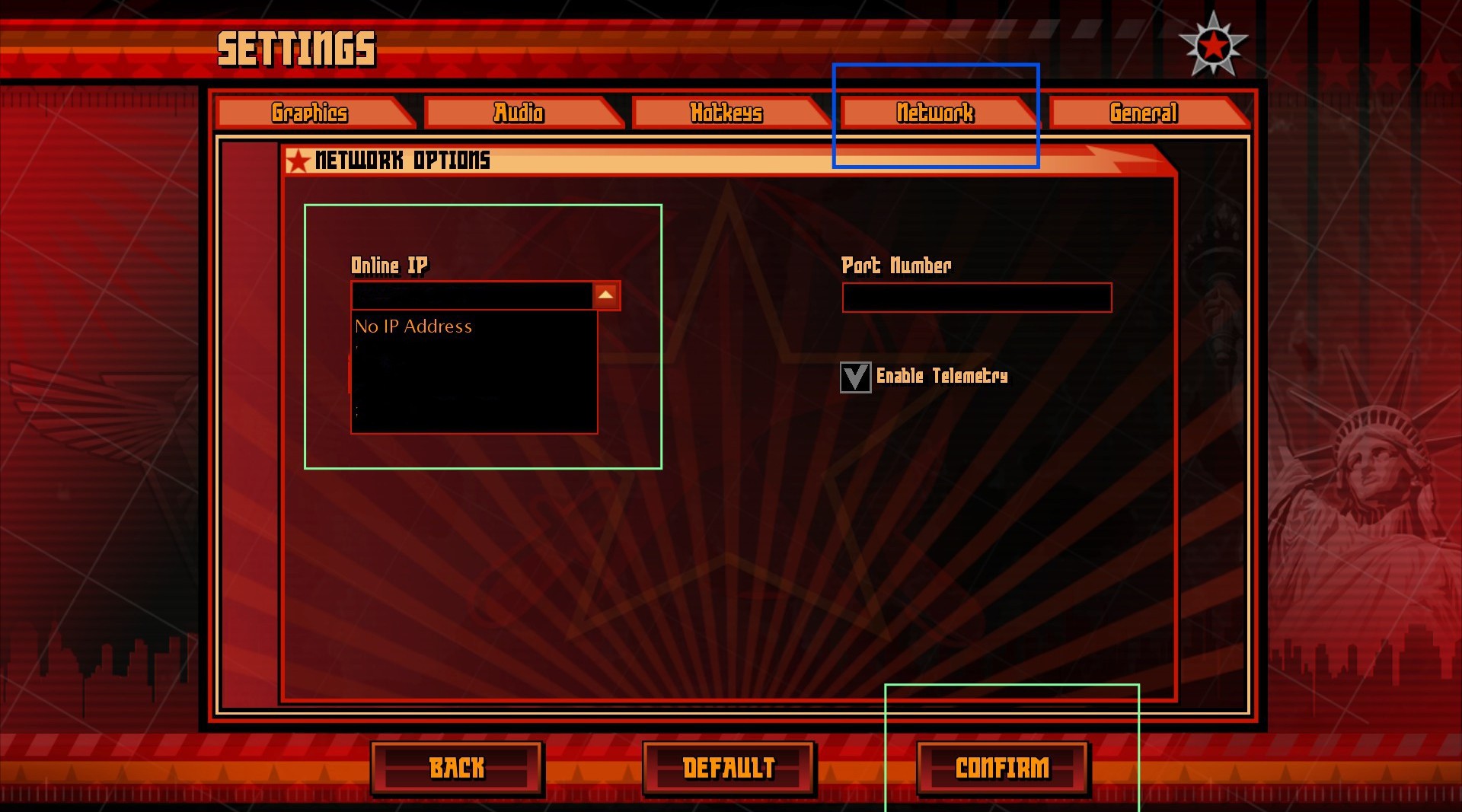
- Make sure you have a good internet connection. Sometimes the VPN is interfering with the connection; you probably need to check the network settings to see which IP you're using.Go to Options > Settings > Network
Playing
Can we play with mod(s)?
- Yes, but be sure you and your playmates have the same mods. Moreover, you need to check mods to see if they'll desync. Some mods have their own engine, like Corona mod. However, on Corona mod, you'll need another server, which is RA3Battlenet[ra3battle.net], because I'm not sure why they haven't made one for C&C:Online.Also mods for co-op play is playable as long as you have both same mods.
What if I have 1.12.6 maps? Can I play with someone?
- As far as I know, version 1.12.6 can be transferred, but if not, you need to manually download the map here[www.gamereplays.org], which has the 1.12.6 version.Can I downloaded play maps with friends?
- Yes... you can download it via Steam Workshop. You can check one of my guide for downloaded maps on workshop.https://steamcommunity.com/sharedfiles/filedetails/?id=3435900797
However, for 1.12.8 maps, you should revert the version to 1.13.
Server's Discord
This server is provided by C&C:Online. You can hop on their server[discord.com] for some questions. They can help you out more just in case you have server-related questions.
More Command & Conquer™ Red Alert™ 3 guides
- 【汉化】=链接永不失效= 红3原版+起义时刻STEAM专用汉化补丁★ 5 (640)43k views894 ♥1 minSimplified ChineseUpdated Jan 6, 2022
- how to play coop (multiplayer)★ 5 (256)27k views349 ♥3 minBulgarianUpdated Oct 4, 2021
- Unit Guide : The Soviets★ 5 (239)18k views271 ♥37 minUpdated Dec 30, 2013
- Подробное руководство по подключению мультиплеера Red Alert 3★ 5 (244)14k views353 ♥1 minRussianUpdated Dec 19, 2016
- Руководство по игре Red Alert 3: СССР★ 4 (187)13k views223 ♥21 minRussianUpdated Jan 14, 2023
- Common problem/issue fixes for C&C games★ 4 (76)13k views146 ♥8 minUpdated Mar 12, 2024





This guide was created by its original author on the Steam Community. Are you the author and want it removed? Request removal.