Cosmetics Compendium
Equipping Cosmetics
There seems to be some confusion regarding using your cosmetics in-game, so let us look at how. Everything within this guide requires you to go into the Armouring Hall within the Battle Barge. From there we can go into each class' armour and weapon settings.
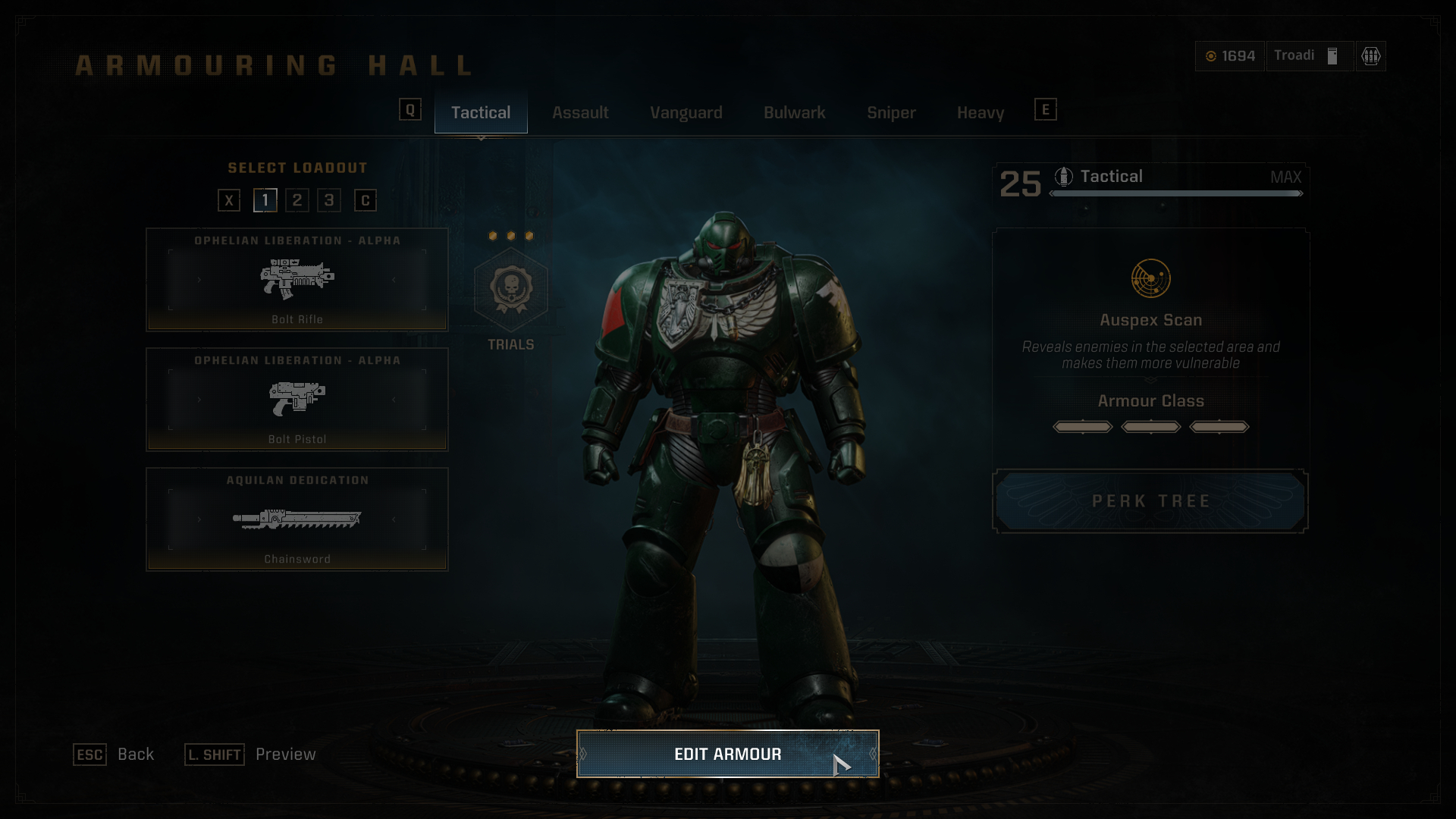
If you are trying to equip armour or colours/decals, press the 'Edit Armour' button at the bottom of the screen.
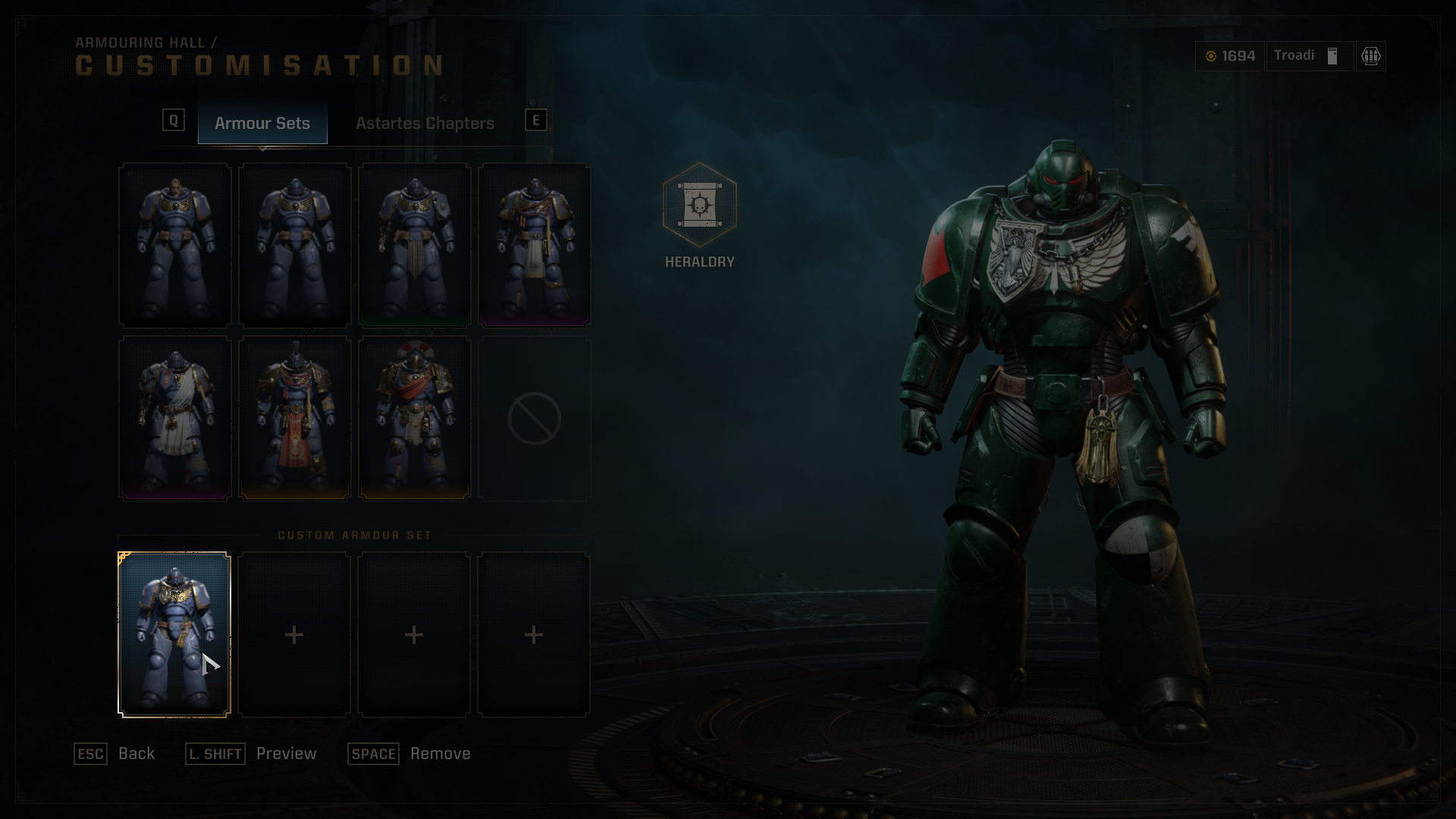
For armour pieces such as the Crux Terminatus Pauldron, from the Macragge's Chosen Pack; we will not see it in the preset armour sets page. For this we need to make a custom set of armour, click any of the four slots at the bottom of the page.
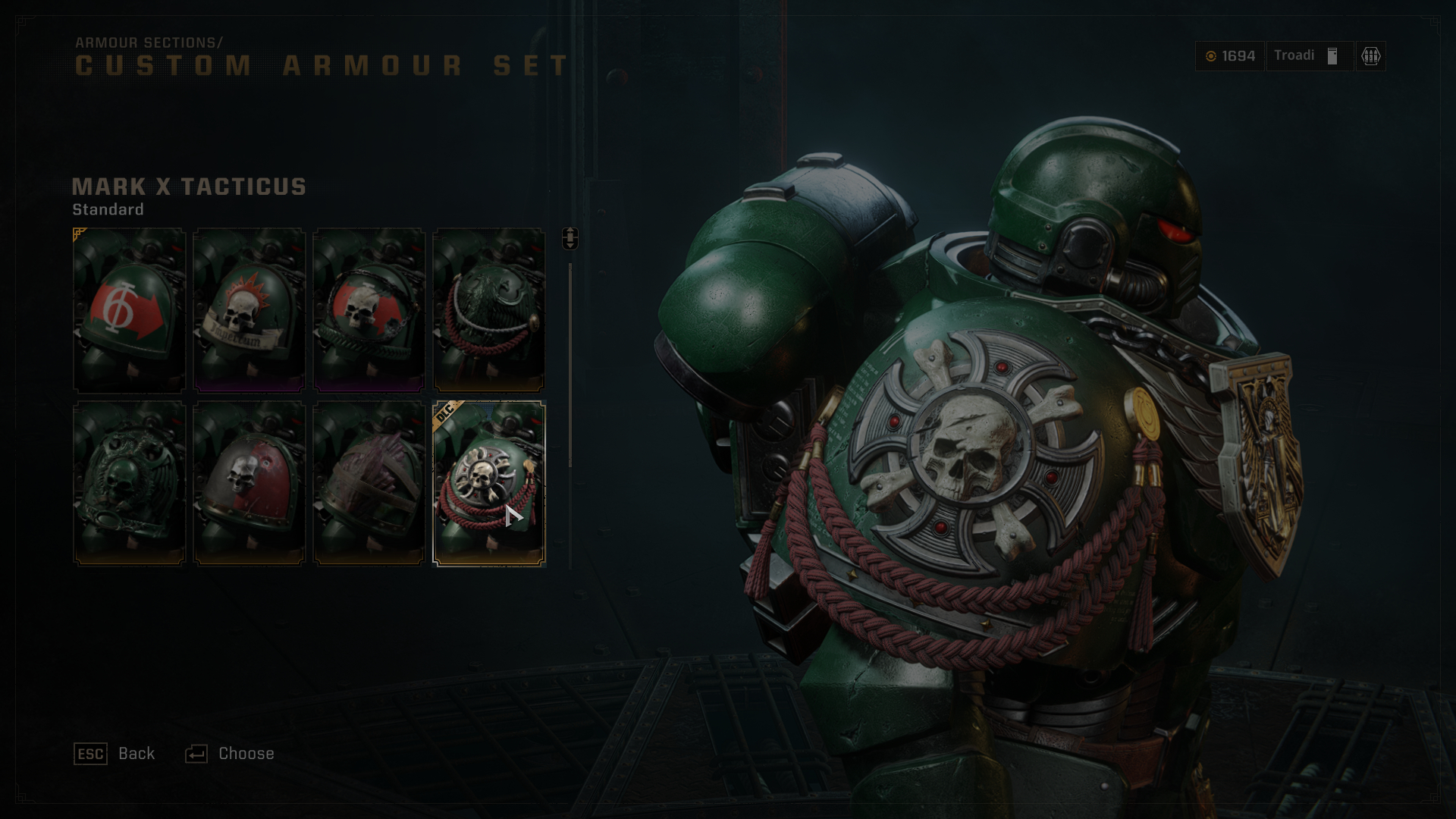
In this example the Crux Terminatus Pauldron can only be equipped on the right shoulder, so you will need to go into the right shoulder options and equip it there. You can then back out of the menu and your changes will be saved to that custom armour set.
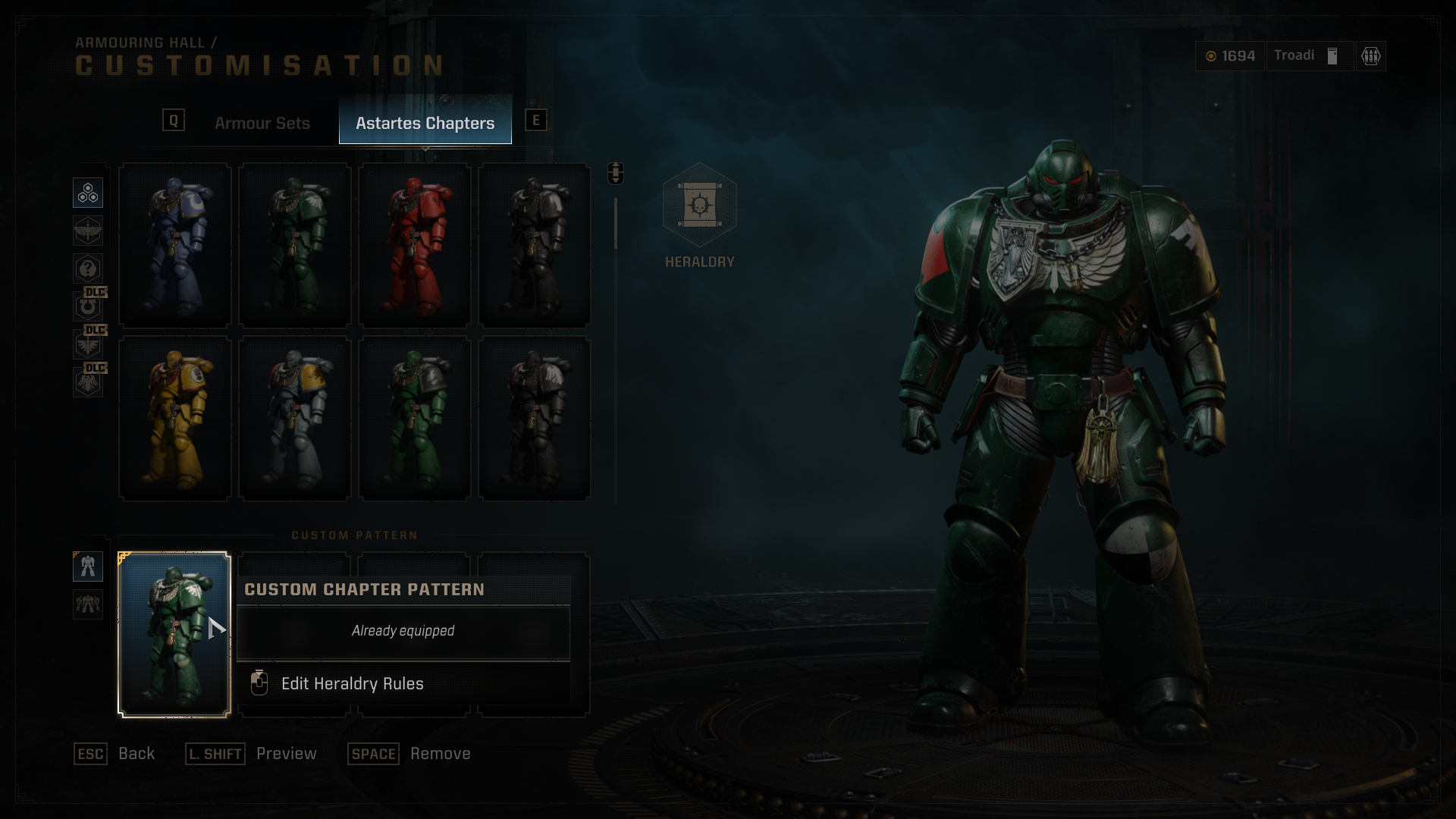
Armour colours/decals require us to go into the 'Astartes Chapters' tab from within the 'Edit Armour' menu. You will see preset Chapter colours here as well as any DLC colours from the Season Pass Cosmetic Packs (Identified with a DLC banner at the top). Similarly to the custom armour sets we can also make a combination of our choosing by selecting any of the four slots at the bottom of the page.
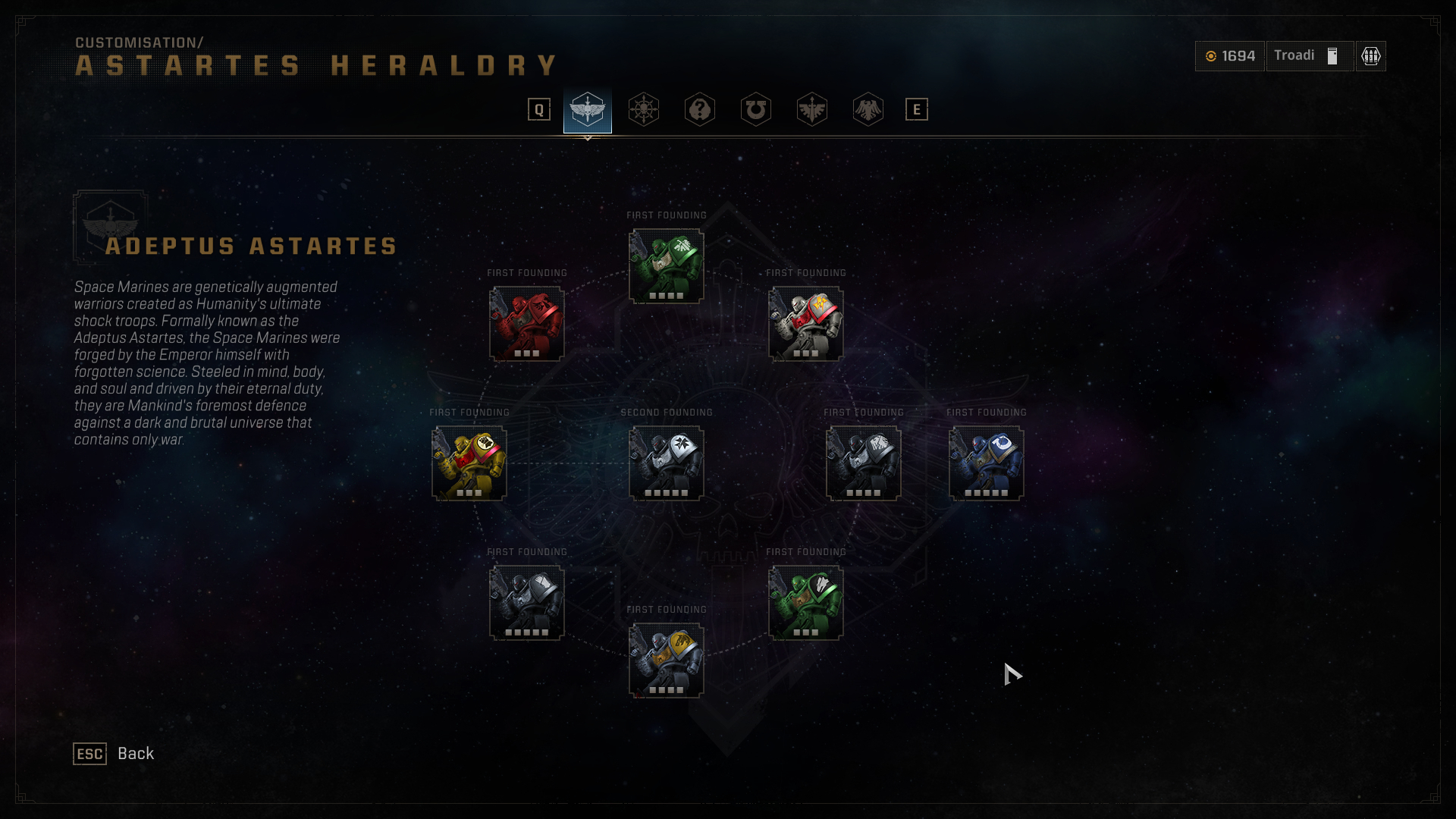
But unlike the Crux Terminatus Pauldron, we must buy colours/decals from within the 'Heraldry' menu with Requisition Points. You can find the colours/decals you are looking for either within the 'Custom Chapter Pattern' menu or within the 'Heraldry' menu. Both can be accessed from within the 'Astartes Chapters' tab. Requisition Points can be obtained by playing Operations or Eternal War modes.
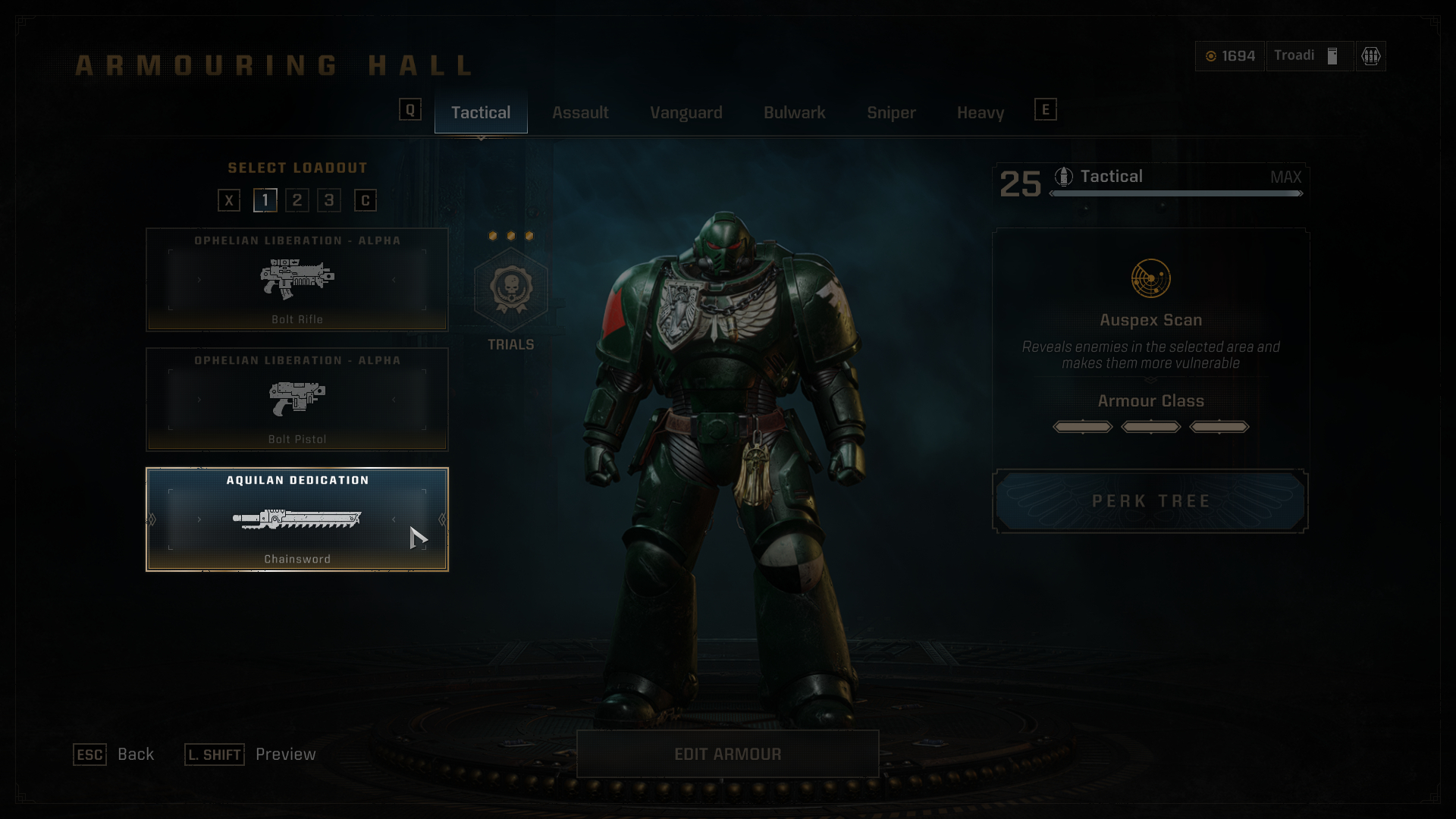
Weapon skins work a bit differently, we must equip the specific skin to the designated weapon. Keep in mind post-update weapon skins now carry across all of your loadouts, so a skin equipped on a Bolt Pistol in loadout 1 for example; will also appear in loadout 2.
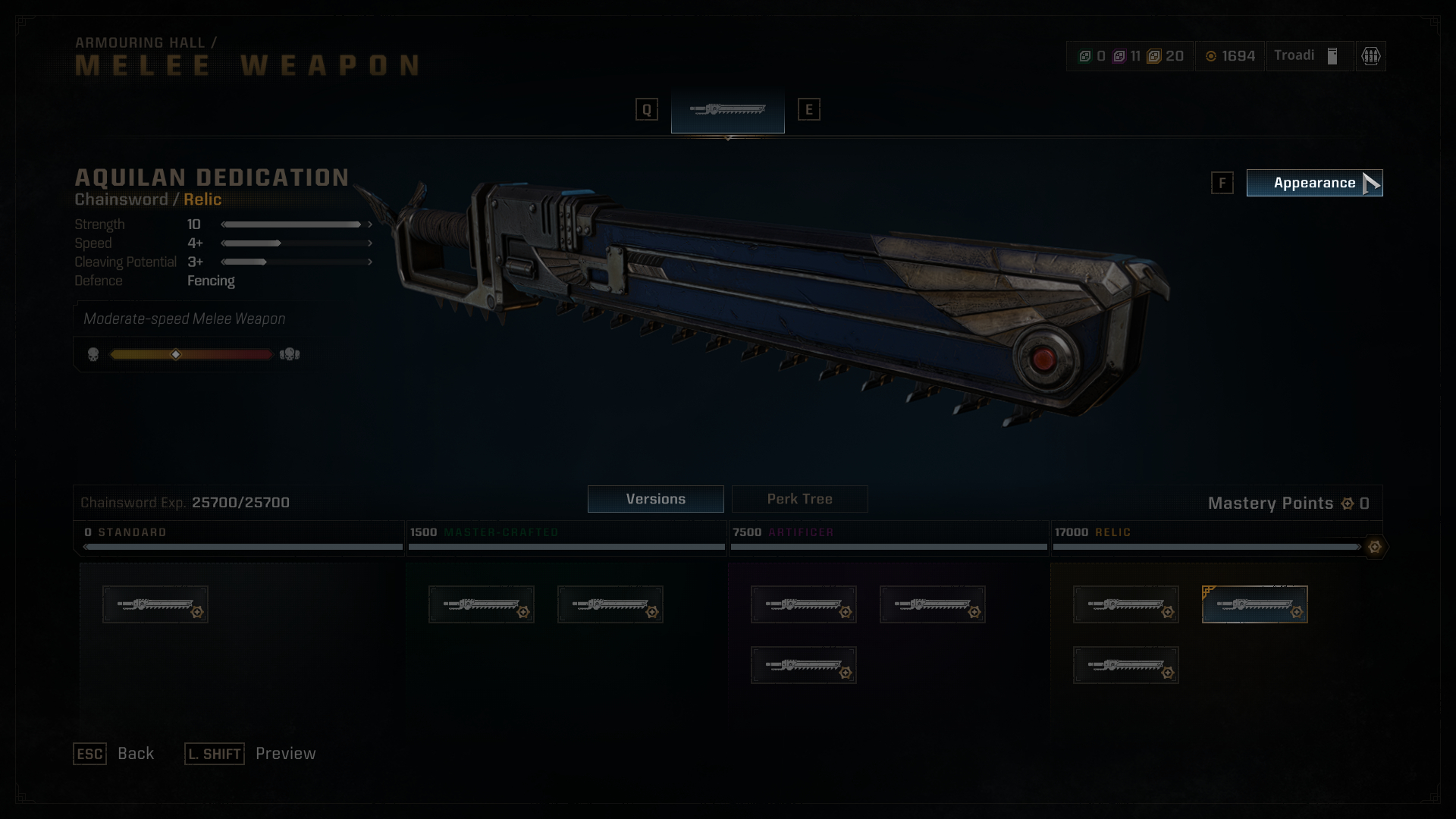
In this example, I will use the Porphyr Shield Chainsword skin from Twitch Drops. Upon selecting the melee weapon you will notice an 'Appearance' button near the top right of the screen. Click that to go into the weapons skin options.
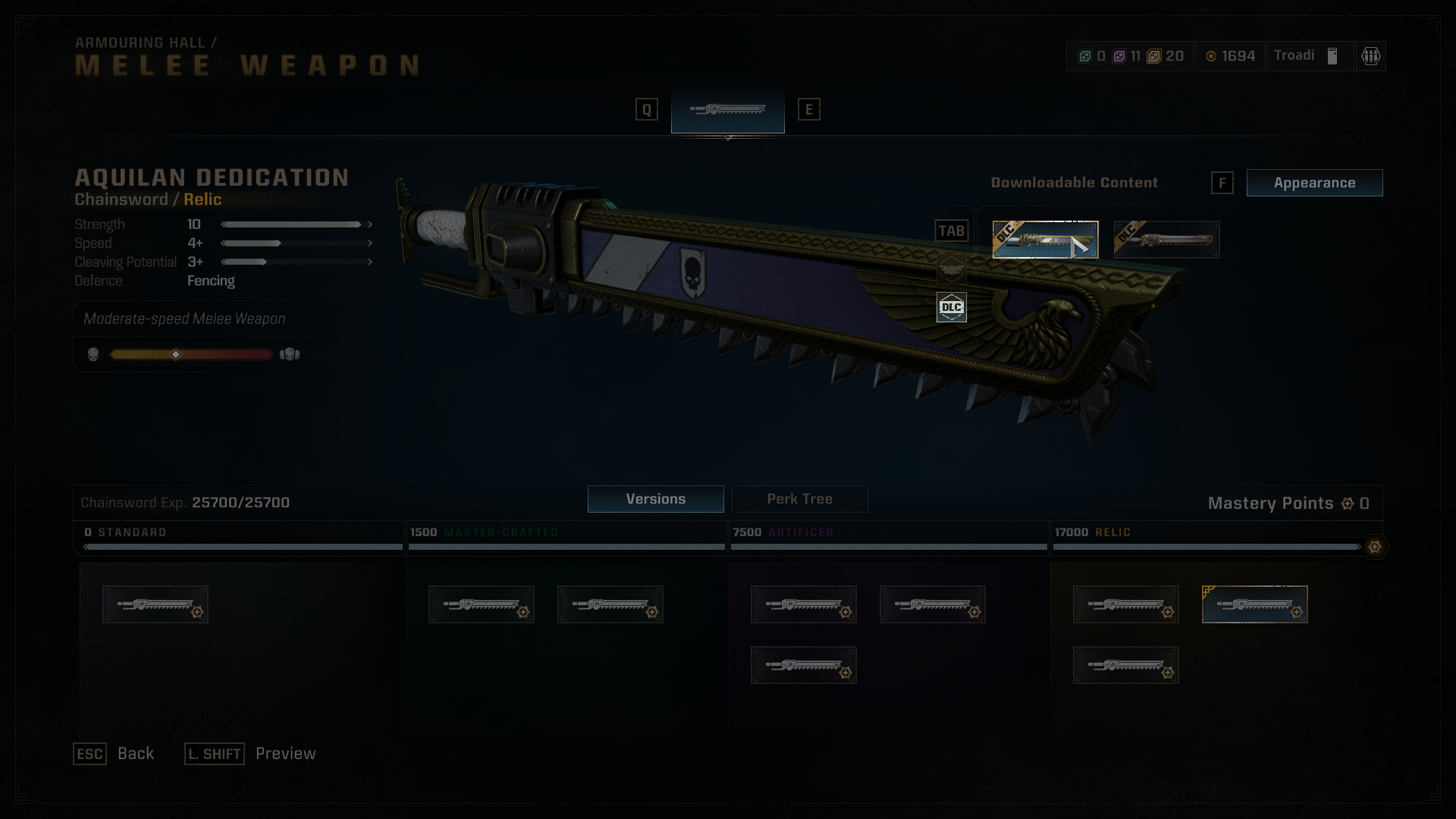
Once opened we can tab through the categories. Since Twitch Drops and other packs count as DLC, we will find them in the DLC tab. Once equipped you can back out of the menu, your skin will then be set to that specific weapon across all loadouts, but not across classes.
Armour and Colours/Decals
If you are trying to equip armour or colours/decals, press the 'Edit Armour' button at the bottom of the screen.
For armour pieces such as the Crux Terminatus Pauldron, from the Macragge's Chosen Pack; we will not see it in the preset armour sets page. For this we need to make a custom set of armour, click any of the four slots at the bottom of the page.
In this example the Crux Terminatus Pauldron can only be equipped on the right shoulder, so you will need to go into the right shoulder options and equip it there. You can then back out of the menu and your changes will be saved to that custom armour set.
Armour colours/decals require us to go into the 'Astartes Chapters' tab from within the 'Edit Armour' menu. You will see preset Chapter colours here as well as any DLC colours from the Season Pass Cosmetic Packs (Identified with a DLC banner at the top). Similarly to the custom armour sets we can also make a combination of our choosing by selecting any of the four slots at the bottom of the page.
But unlike the Crux Terminatus Pauldron, we must buy colours/decals from within the 'Heraldry' menu with Requisition Points. You can find the colours/decals you are looking for either within the 'Custom Chapter Pattern' menu or within the 'Heraldry' menu. Both can be accessed from within the 'Astartes Chapters' tab. Requisition Points can be obtained by playing Operations or Eternal War modes.
Weapons
Weapon skins work a bit differently, we must equip the specific skin to the designated weapon. Keep in mind post-update weapon skins now carry across all of your loadouts, so a skin equipped on a Bolt Pistol in loadout 1 for example; will also appear in loadout 2.
In this example, I will use the Porphyr Shield Chainsword skin from Twitch Drops. Upon selecting the melee weapon you will notice an 'Appearance' button near the top right of the screen. Click that to go into the weapons skin options.
Once opened we can tab through the categories. Since Twitch Drops and other packs count as DLC, we will find them in the DLC tab. Once equipped you can back out of the menu, your skin will then be set to that specific weapon across all loadouts, but not across classes.
Rewards (PROS)
These rewards require you to link your PROS account to Space Marine 2. If you do not have an account you can sign up for one here:
https://prismray.io/
You can then link your copy of Space Marine 2 from the game's main menu by scanning the QR code with your mobile phone.
These cosmetics can only be equipped in Space Marine 2’s Operations and Eternal War modes.
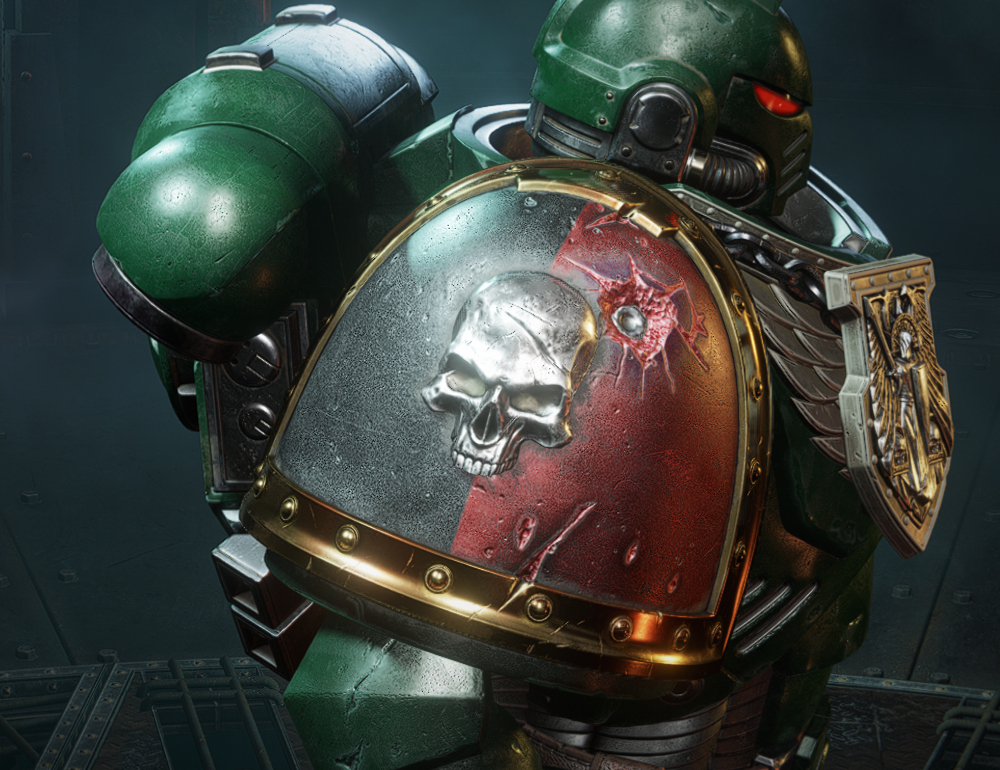
How to obtain:
How to obtain:
How to obtain:

How to obtain:
How to obtain:
https://prismray.io/
You can then link your copy of Space Marine 2 from the game's main menu by scanning the QR code with your mobile phone.
These cosmetics can only be equipped in Space Marine 2’s Operations and Eternal War modes.
Link Reward
How to obtain:
- Link your copy of Space Marine 2 to your PROS account. Scanning the QR code with your mobile phone can be done from the game's main menu.
- Chapter Command Right Pauldron
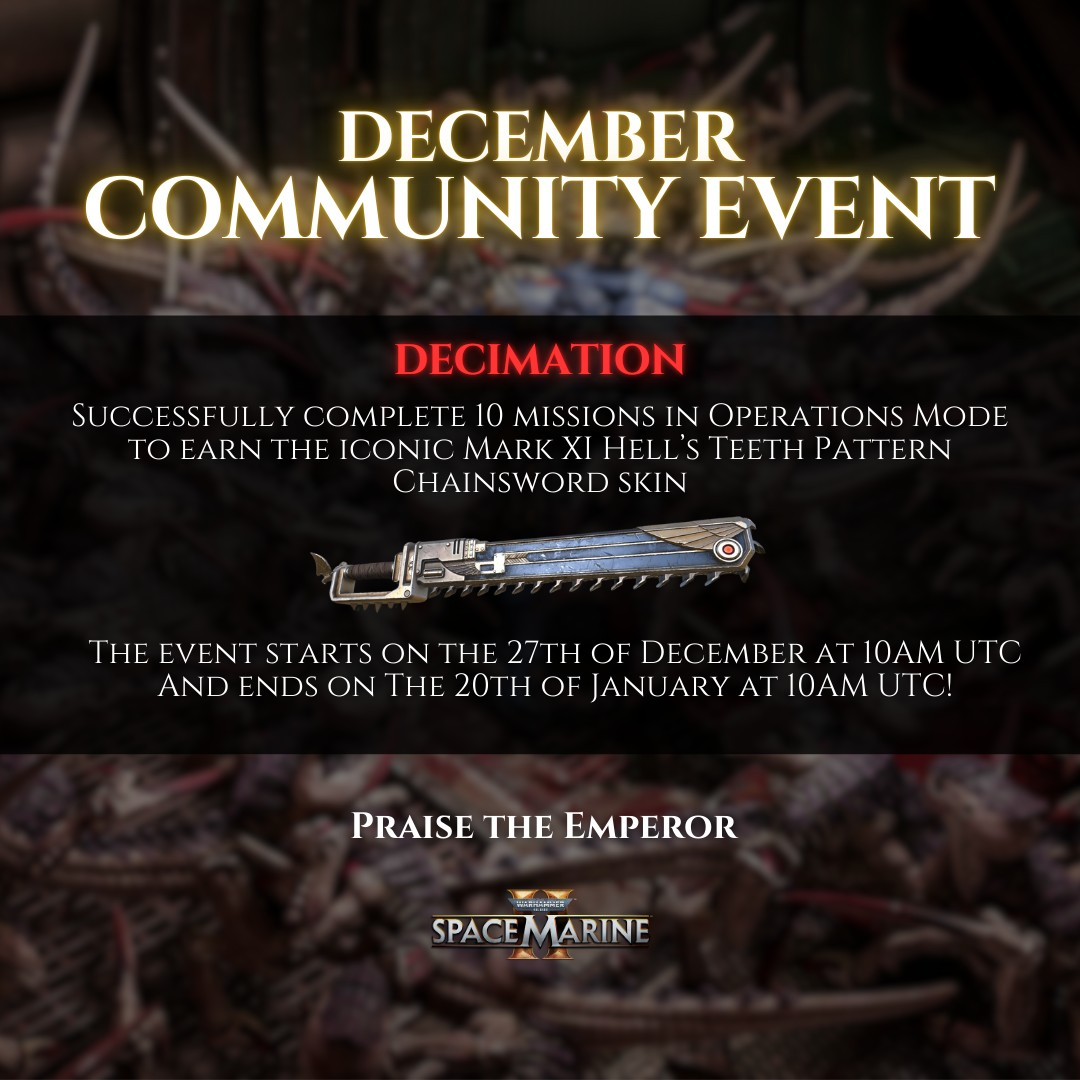
December Community Event - Decimation [EXPIRED]
How to obtain:
- Complete 10 missions in Operations mode between December 27, 2024 (10:00 am UTC) and January 20, 2025 (10:00 am UTC).
- Mark XI 'Hell's Teeth' Chainsword Skin
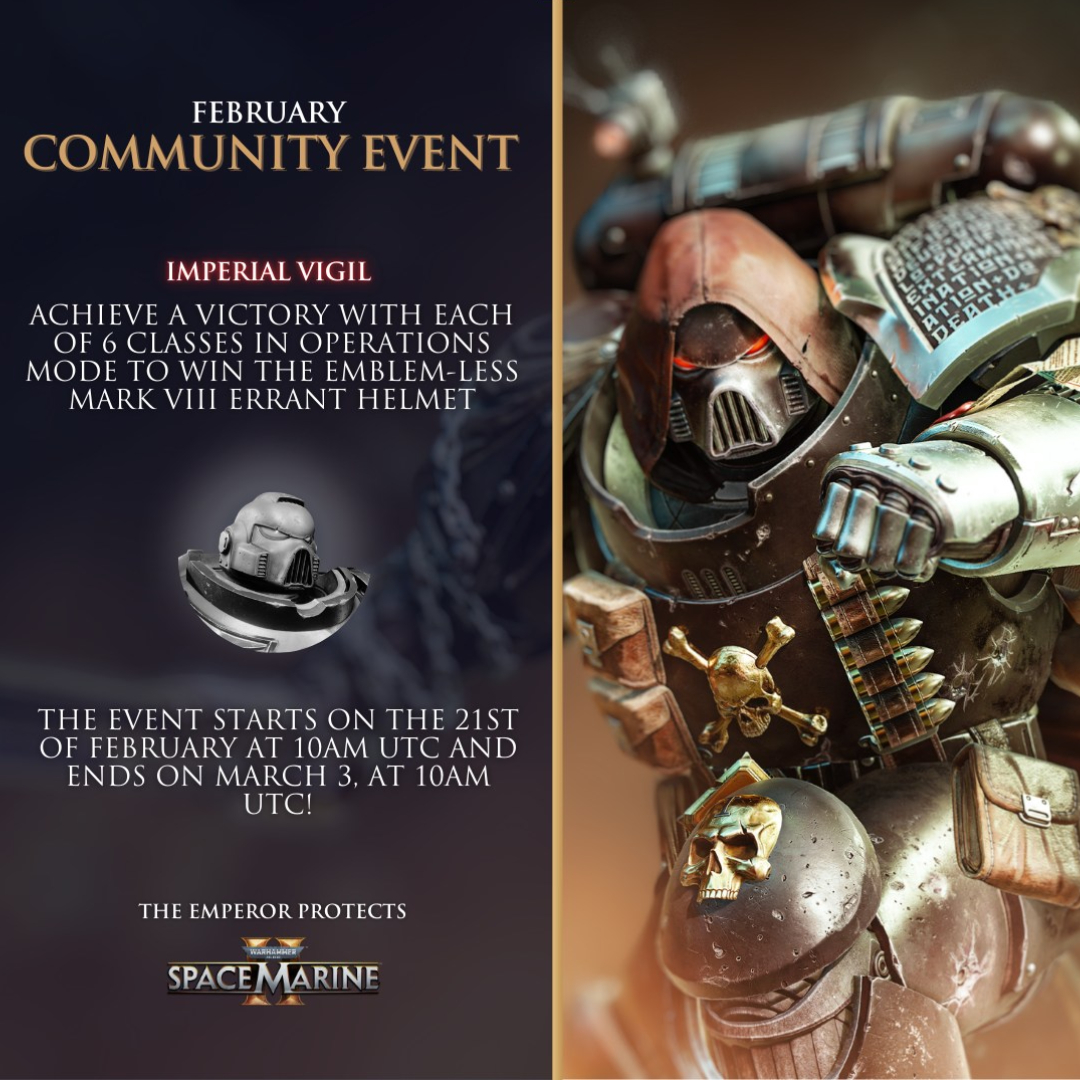
February Community Event - Imperial Vigil [EXPIRED]
How to obtain:
- Achieve a victory with each of the 6 classes in Operations mode between February 21, 2025 (10:00 am UTC) and March 3, 2025 (10:00 am UTC).
- Mark VIII 'Errant' Helmet
April Community Event - Seismic Activity [EXPIRED]
How to obtain:
- Collectively bring down 200,000 Tyragons between April 17, 2025 (10:00 am UTC) and April 27, 2025 (10:00 am UTC).
- Mark X 'Tacticus' Breastplate
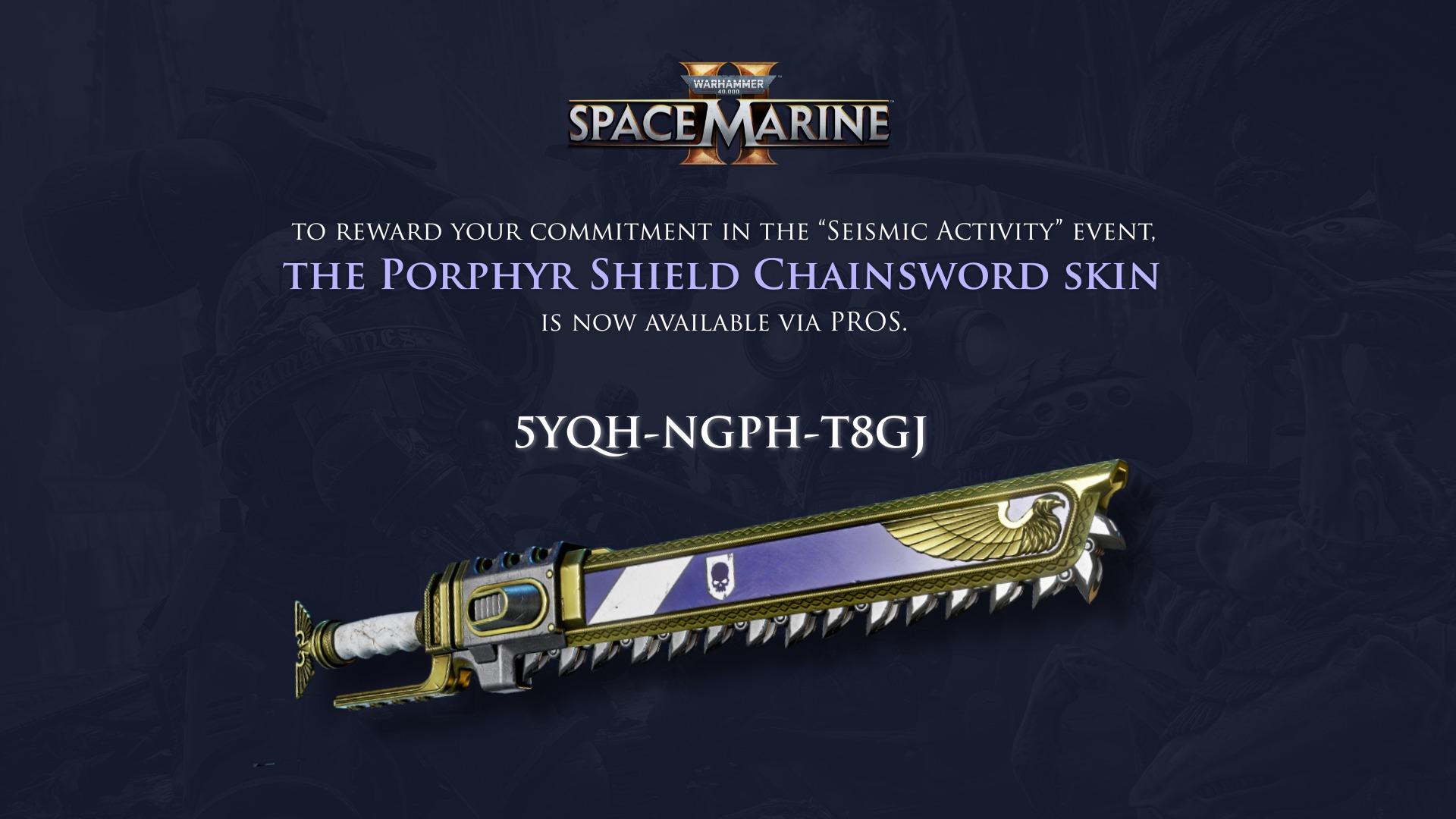
Porphyr Shield Chainsword
How to obtain:
- Ensure your PROS account is linked to your copy of Space Marine 2, then enter 5YQH-NGPH-T8GJ at the 'Redeem code' page.
- Porphyr Shield Chainsword Skin
Rewards (Lethal/Absolute Difficulty)
Unlike other customisation options, these rewards do not require standard round completion or the use of requisition points. They are instead rewarded for specific Operations completion at various difficulty modes.
These cosmetics can only be equipped in Space Marine 2’s Operations and Eternal War modes.
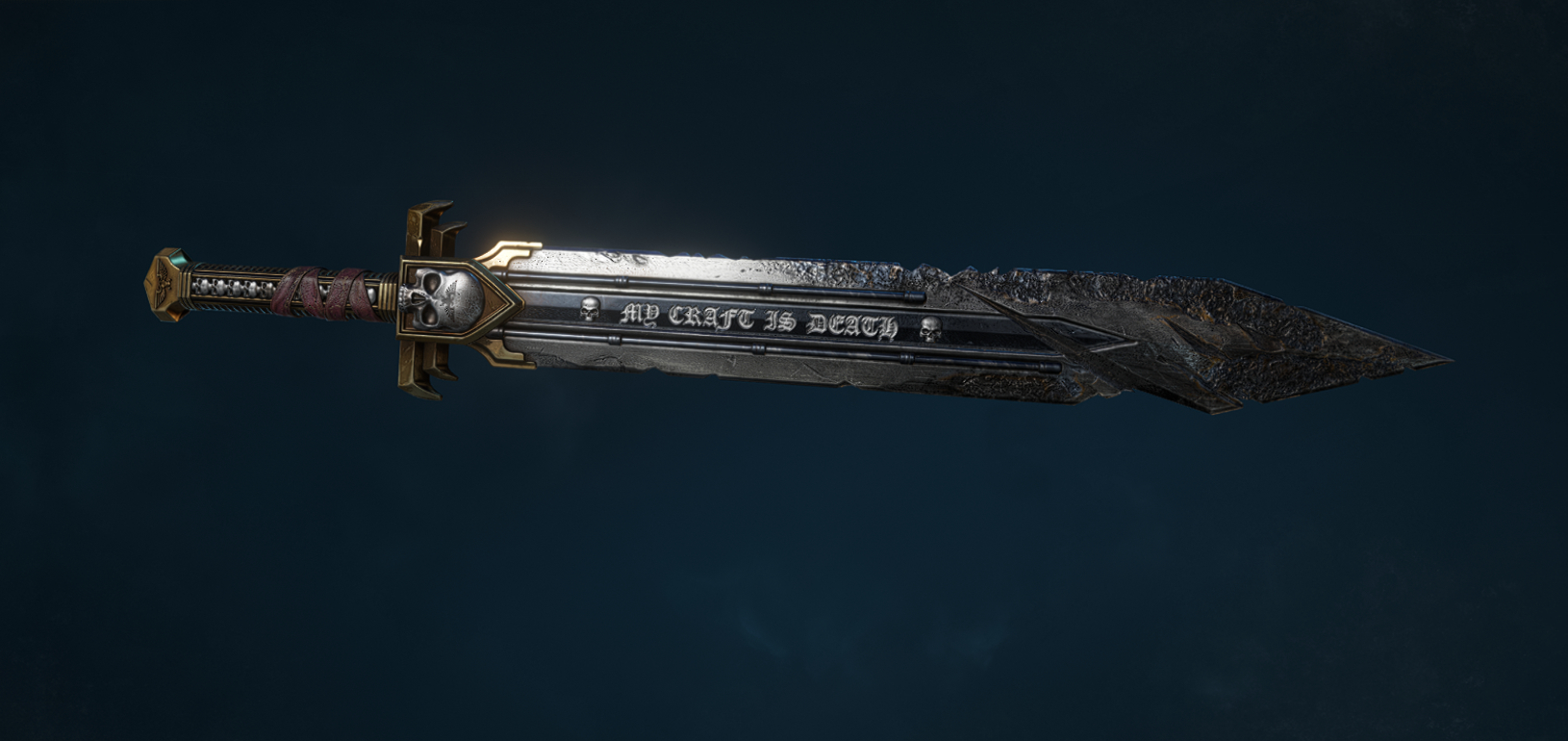
How to obtain:
Survivor's Helm
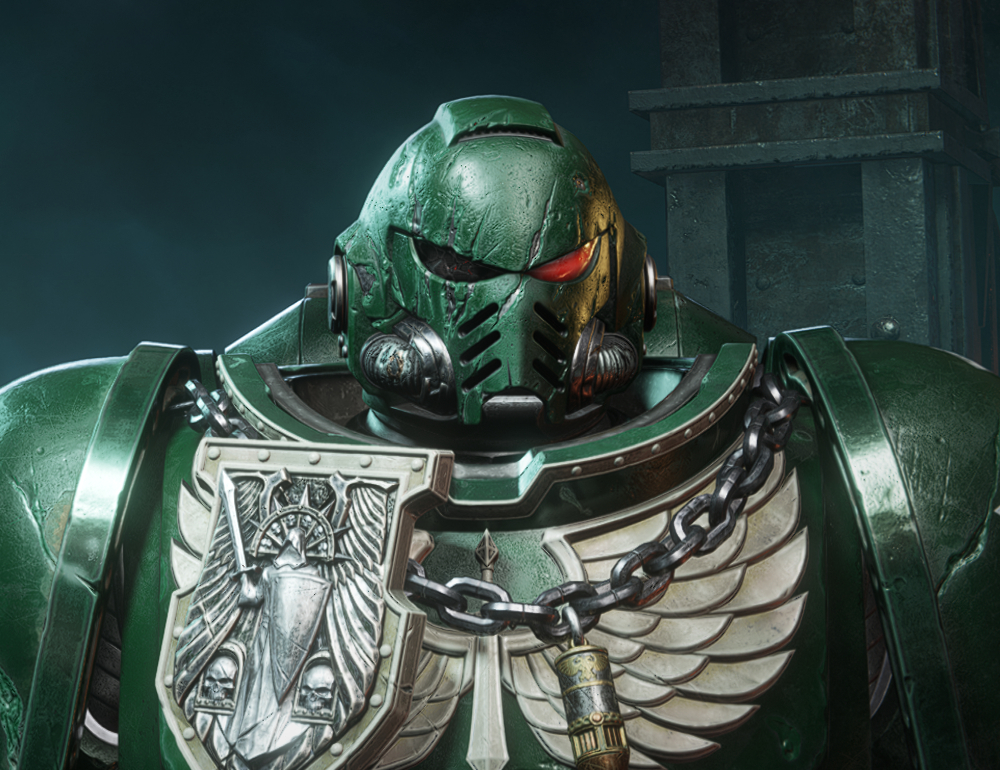
How to obtain:
Tyrannic War Badge 1
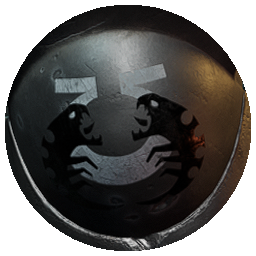
How to obtain:
Tyrannic War Badge 2
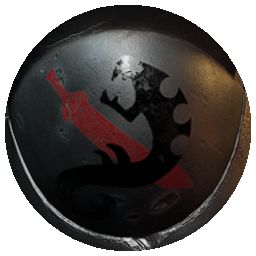
How to obtain:
Tyrannic War Badge 3
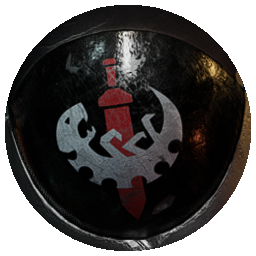
How to obtain:
Veteran Icon
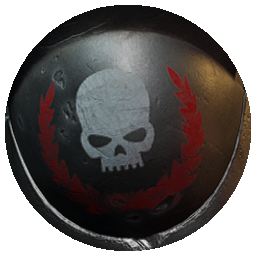
How to obtain:
Battleline Icon
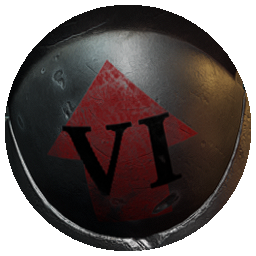
How to obtain:
Company Icon
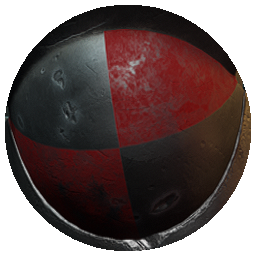
How to obtain:
Campaign Badge
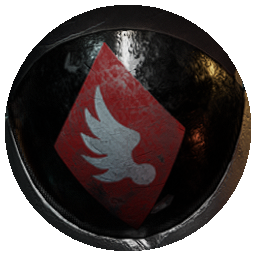
How to obtain:
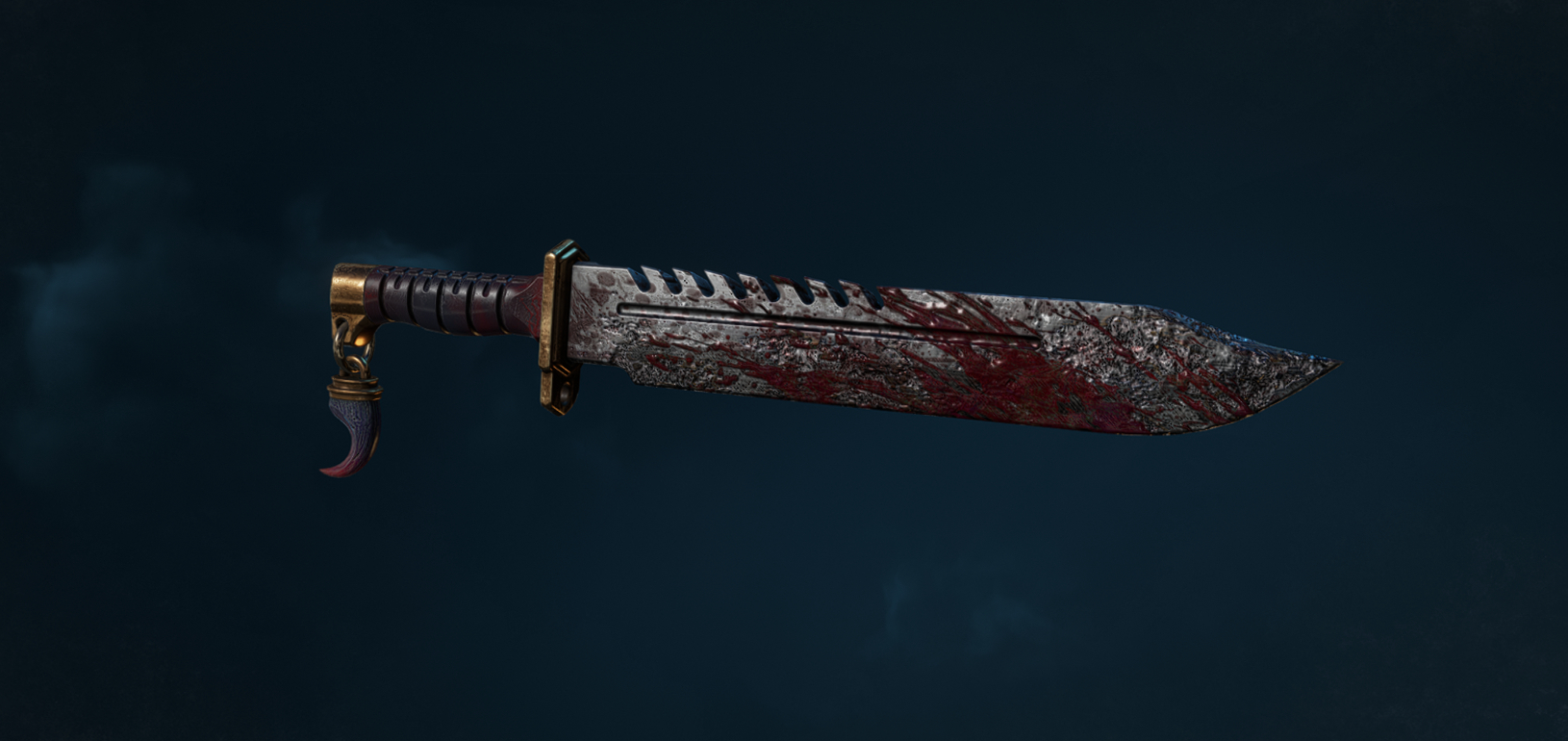
How to obtain:
Battle-Worn Pauldron
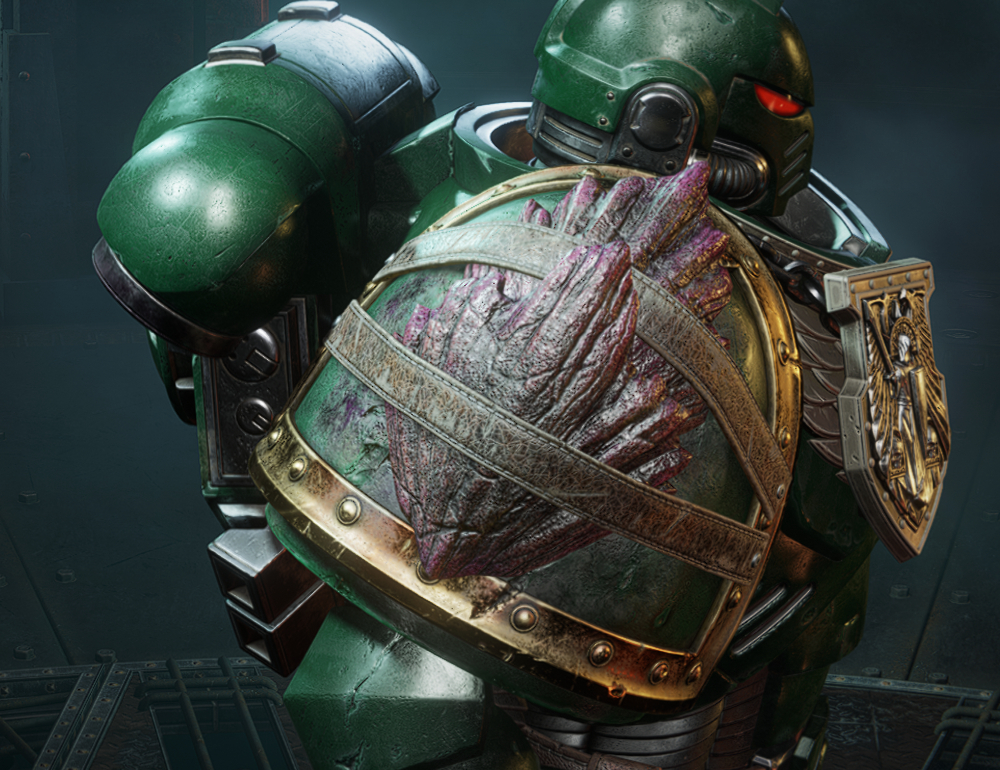
How to obtain:
These cosmetics can only be equipped in Space Marine 2’s Operations and Eternal War modes.
Lethal Difficulty Rewards
Survivor's Power SwordHow to obtain:
- Complete Operation 07: Termination on Lethal Difficulty.
- Survivor's Power Sword Skin
Survivor's Helm
How to obtain:
- Complete Operations 1-7 on Lethal Difficulty.
- Survivor's Mk X Helmet
Tyrannic War Badge 1
How to obtain:
- Complete Operation 01: Inferno on Lethal Difficulty.
- Left Greave Decal
- Right Greave Decal
Tyrannic War Badge 2
How to obtain:
- Complete Operation 02: Decapitation on Lethal Difficulty.
- Left Greave Decal
- Right Greave Decal
Tyrannic War Badge 3
How to obtain:
- Complete Operation 03: Vox Liberatis on Lethal Difficulty.
- Left Greave Decal
- Right Greave Decal
Veteran Icon
How to obtain:
- Complete Operation 04: Reliquary on Lethal Difficulty.
- Left Greave Decal
- Right Greave Decal
Battleline Icon
How to obtain:
- Complete Operation 05: Fall of Atreus on Lethal Difficulty.
- Left Greave Decal
- Right Greave Decal
Company Icon
How to obtain:
- Complete Operation 06: Ballistic Engine on Lethal Difficulty.
- Left Greave Decal
- Right Greave Decal
Campaign Badge
How to obtain:
- Complete Operation 07: Termination on Lethal Difficulty.
- Left Greave Decal
- Right Greave Decal
Absolute Difficulty Rewards
Battle-Worn BladeHow to obtain:
- Complete any Operation on Absolute Difficulty.
- Battle-Worn Combat Knife Skin
Battle-Worn Pauldron
How to obtain:
- Complete Operations 1-8 on Absolute Difficulty.
- Battle-Worn Right Pauldron
Rewards (Research Centre)
The Research Centre can be found within the Datavault. It contains a categorical progression system with tiered rewards. Unlocking tiers requires you to spend research data in that category. Research data can be earned by completing Ordeals (Challenges) also found within the Datavault.
These cosmetics can only be equipped in Space Marine 2’s Operations and Eternal War modes.
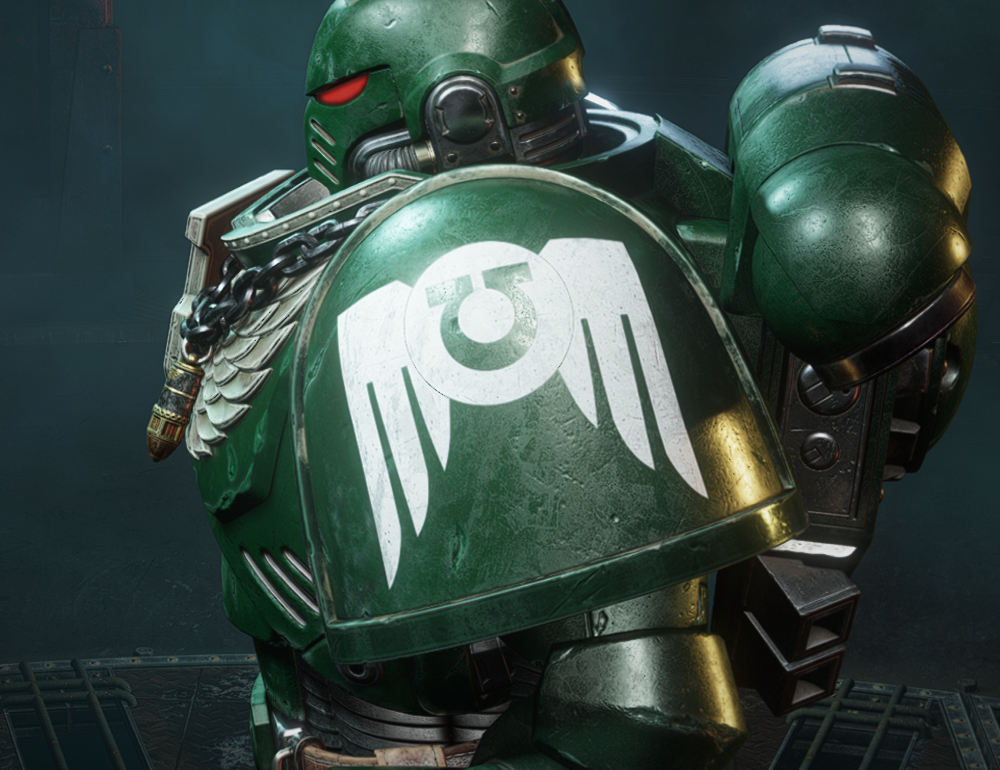
How to obtain:
Honoured Auto Bolt Rifle
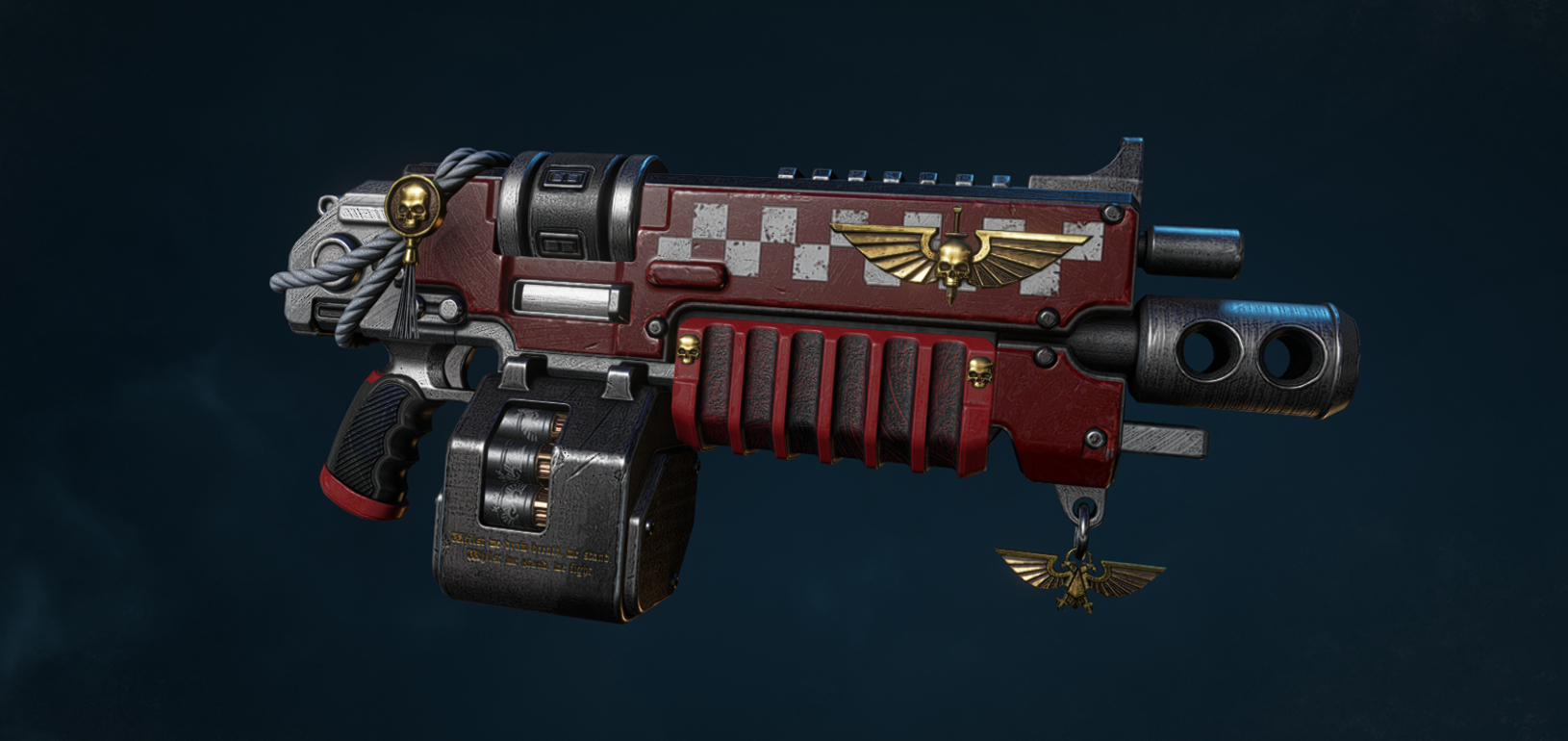
How to obtain:
How to obtain:
Inquisition Insignia
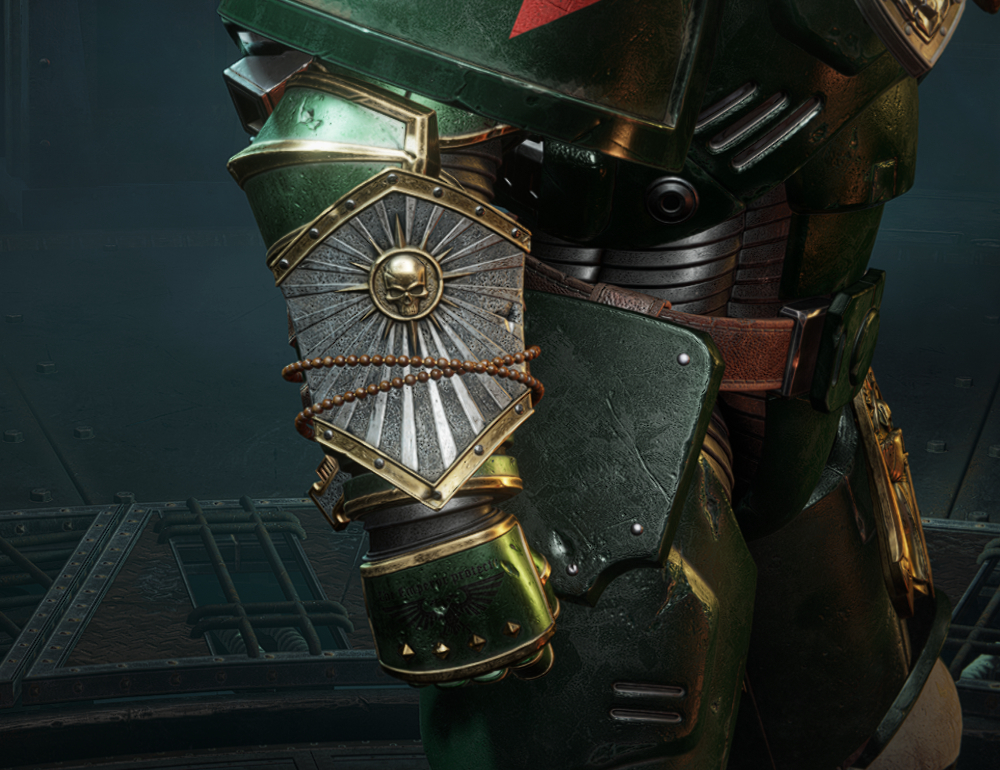
How to obtain:
How to obtain:
Tyrannic War Veteran
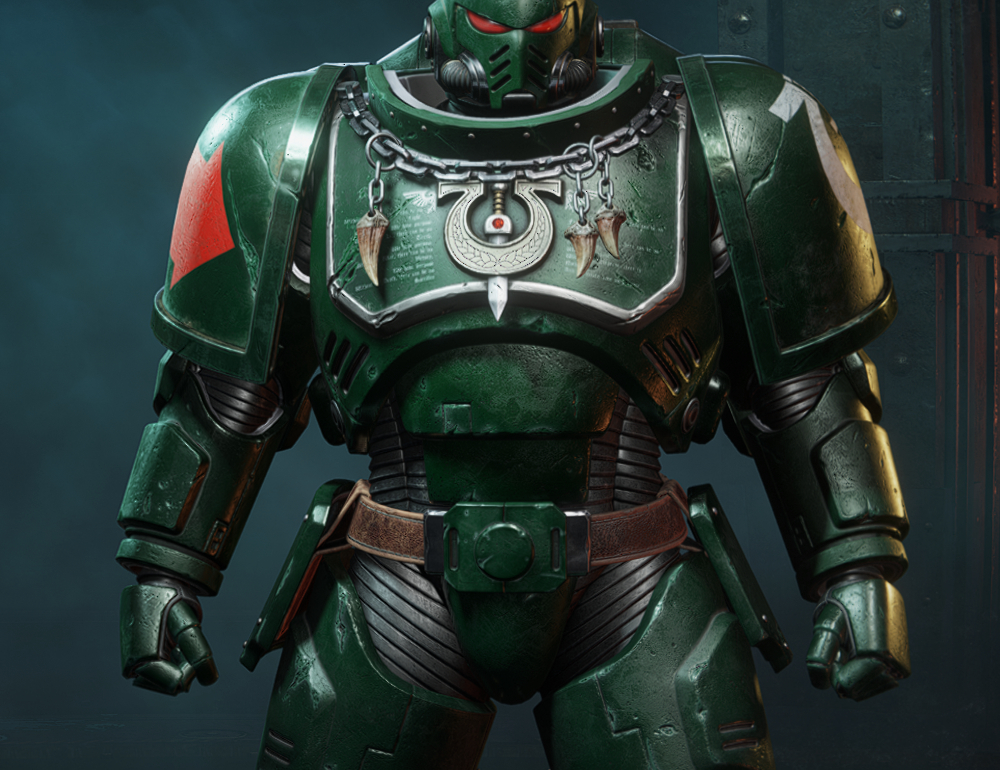
How to obtain:
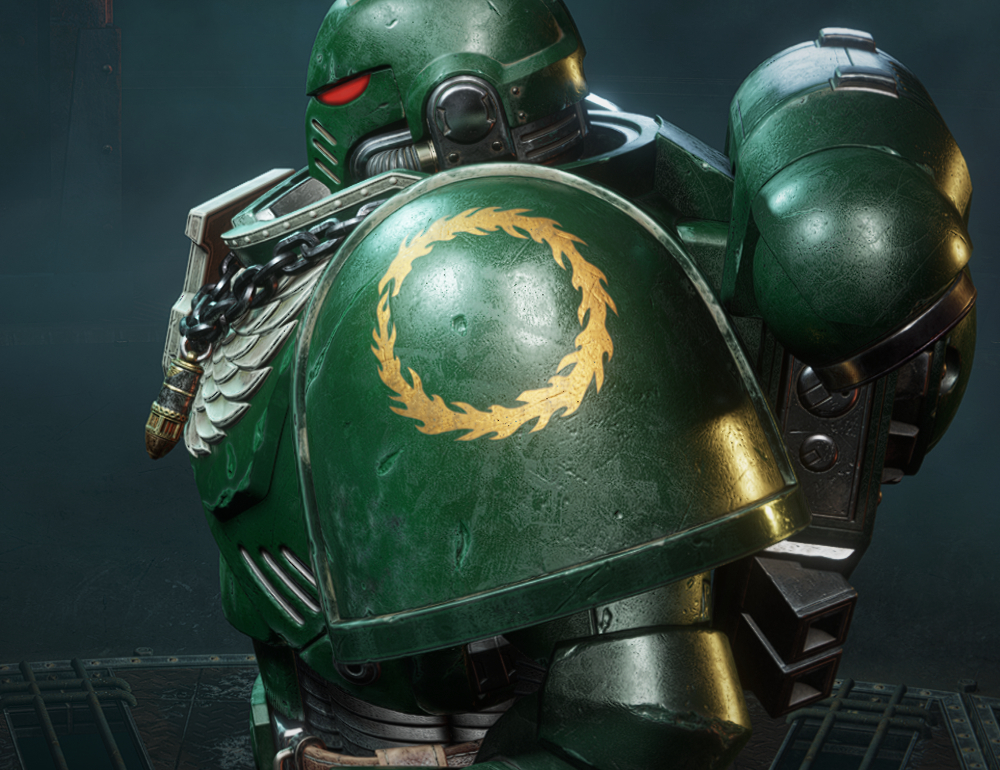
How to obtain:
Traitorous Thunder Hammer
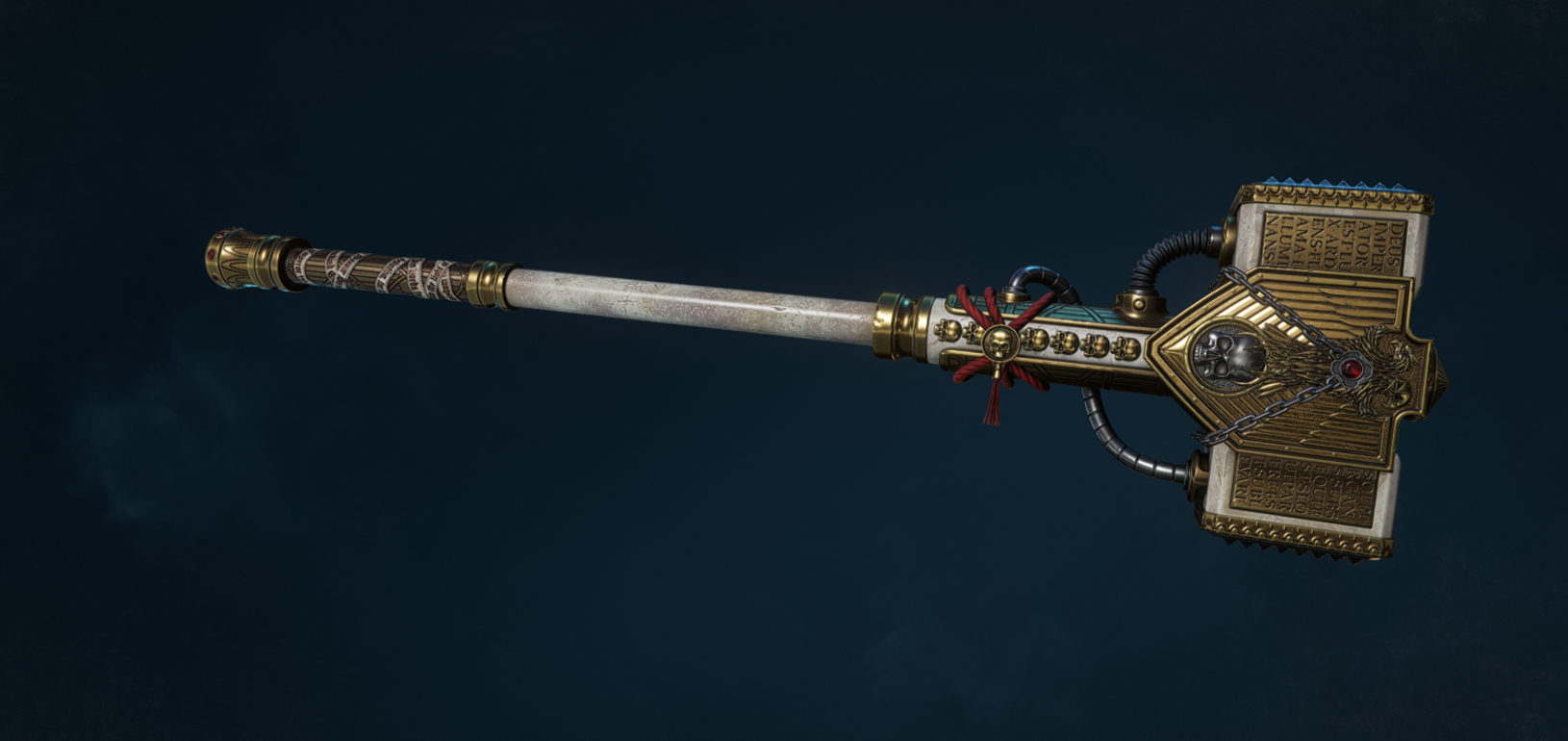
How to obtain:
These cosmetics can only be equipped in Space Marine 2’s Operations and Eternal War modes.
Adeptus Astartes
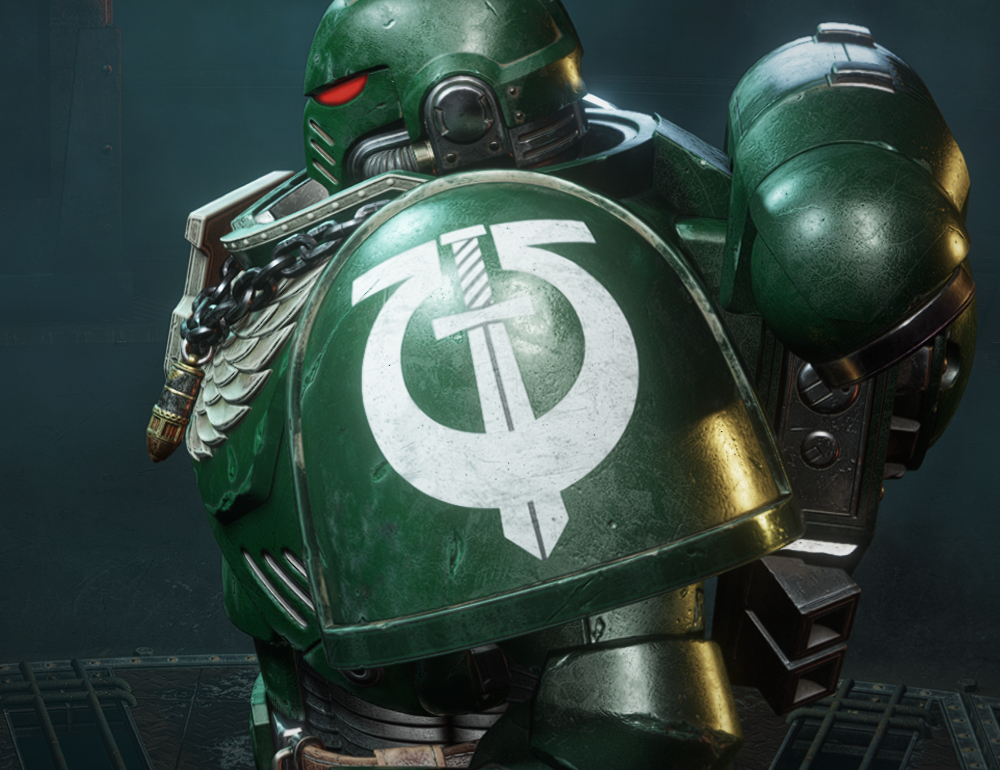
Sons of Guilliman IconHow to obtain:
- Unlocked by reaching tier 2 in the Adeptus Astartes category.
- Left Pauldron Chapter Decal
Honoured Auto Bolt Rifle
How to obtain:
- Unlocked by reaching tier 3 in the Adeptus Astartes category.
- Auto Bolt Rifle Skin
Forces of the Imperium
Imperius Reavers IconHow to obtain:
- Unlocked by reaching tier 2 in the Forces of the Imperium category.
- Left Pauldron Chapter Decal
Inquisition Insignia
How to obtain:
- Unlocked by reaching tier 3 in the Forces of the Imperium category.
- Mk X Left Gauntlet
- Mk X Right Gauntlet
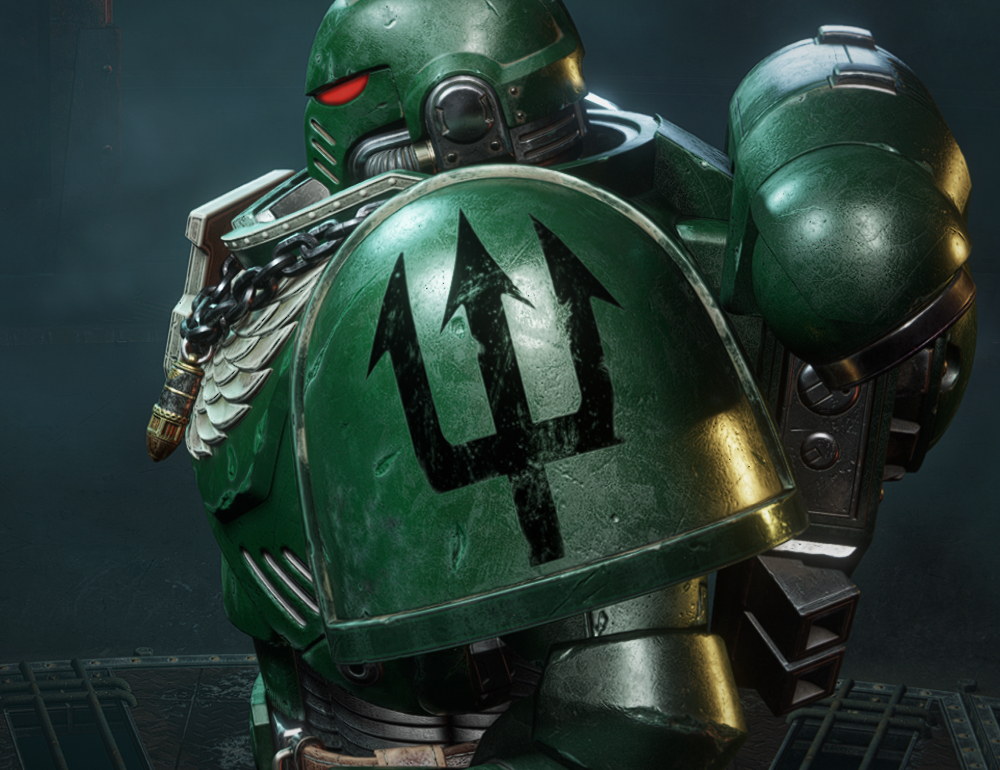
Tyranids
Atlantian Spears IconHow to obtain:
- Unlocked by reaching tier 2 in the Tyranids category.
- Left Pauldron Chapter Decal
Tyrannic War Veteran
How to obtain:
- Unlocked by reaching tier 3 in the Tyranids category.
- Mk X Breastplate
Forces of Chaos
Thousand Sons IconHow to obtain:
- Unlocked by reaching tier 2 in the Forces of Chaos category.
- Left Pauldron Chapter Decal
Traitorous Thunder Hammer
How to obtain:
- Unlocked by reaching tier 3 in the Forces of Chaos category.
- Thunder Hammer Skin
Rewards (Prestige)
Unlike other customisation options, these rewards do not require standard round completion or the use of requisition points. They are instead rewarded for specific Prestige levels per class. Prestige Levels can be unlocked from a class' perk tree menu.
These cosmetics can only be equipped in Space Marine 2’s Operations and Eternal War modes.
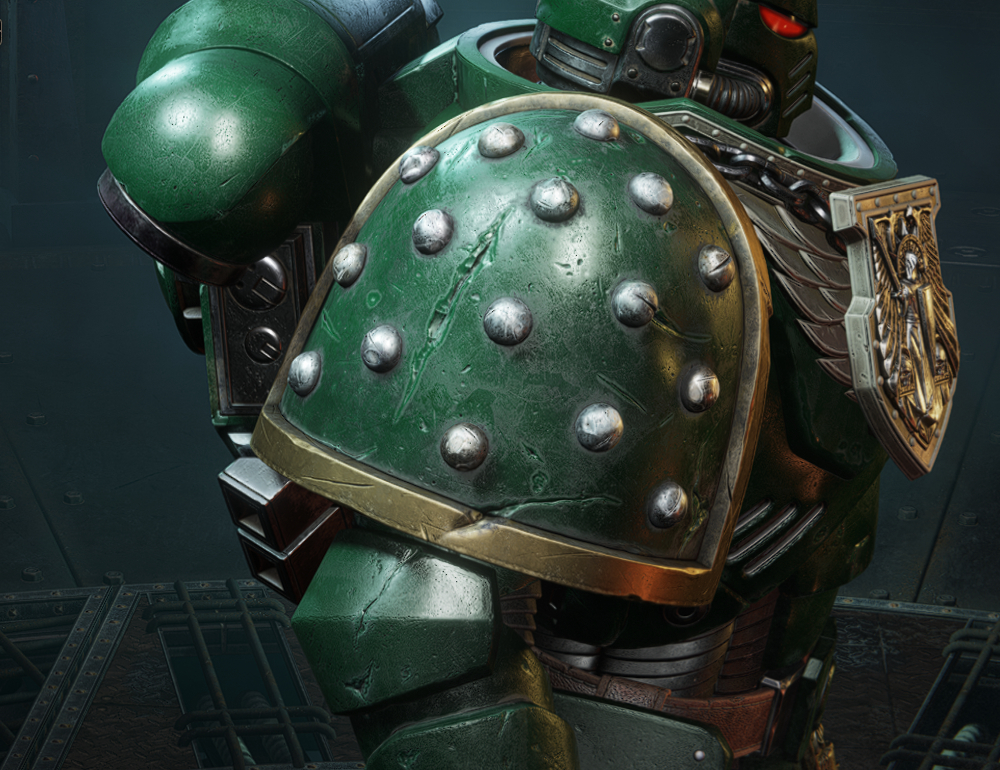
How to obtain:
Right Pauldron (Reliquary Trinket)
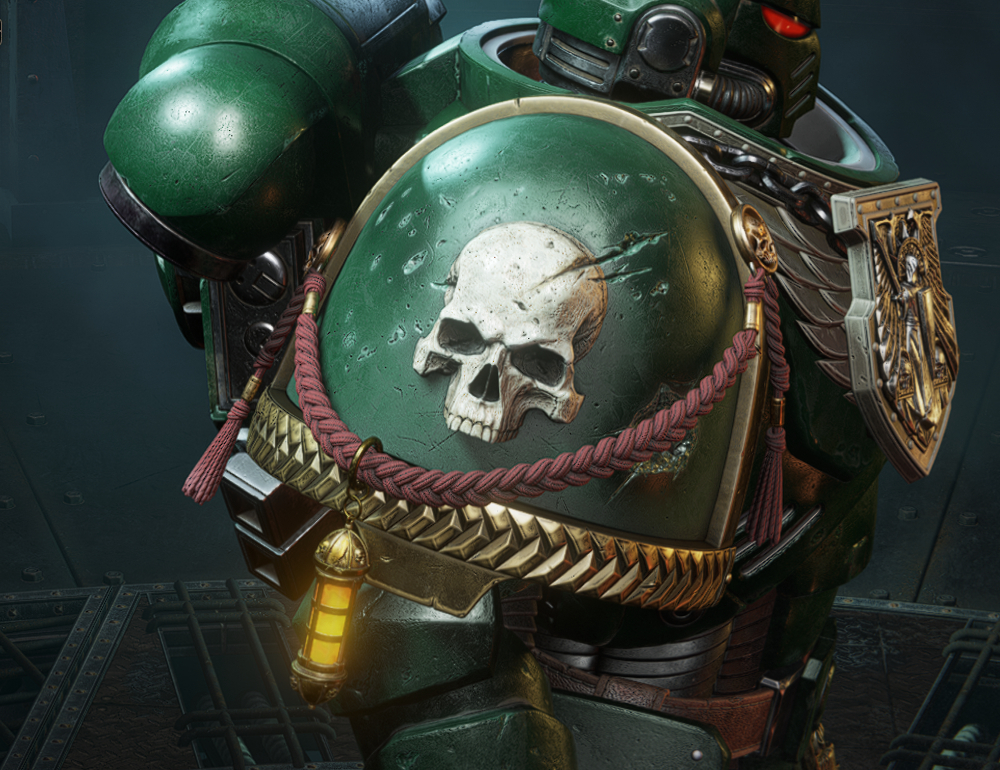
How to obtain:
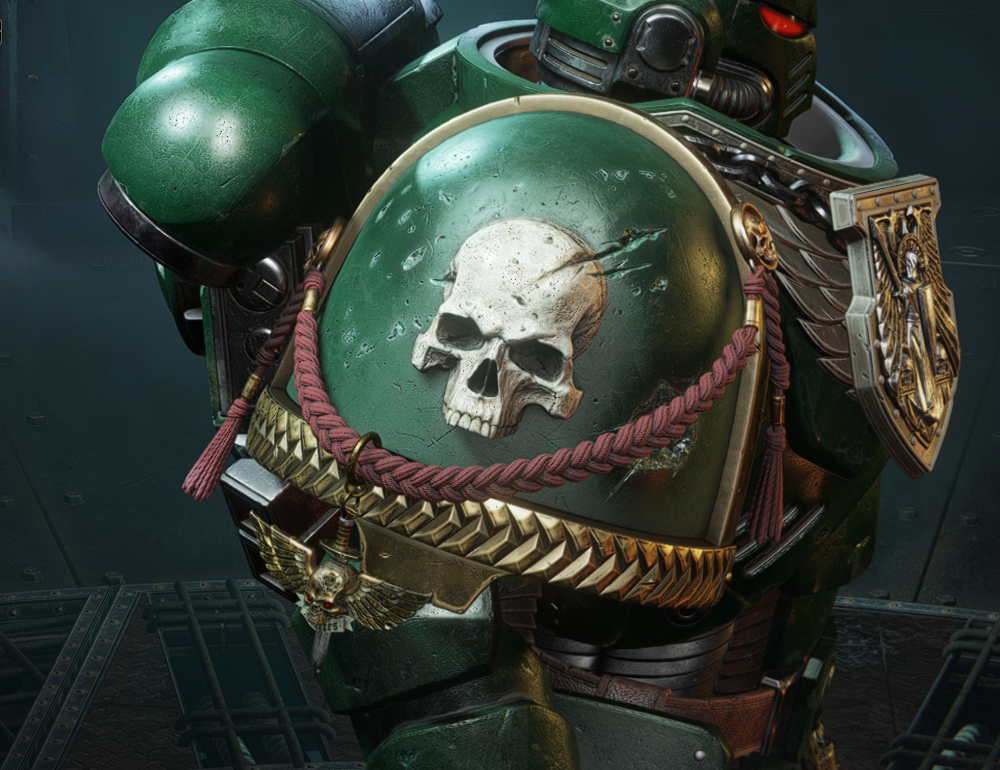
How to obtain:
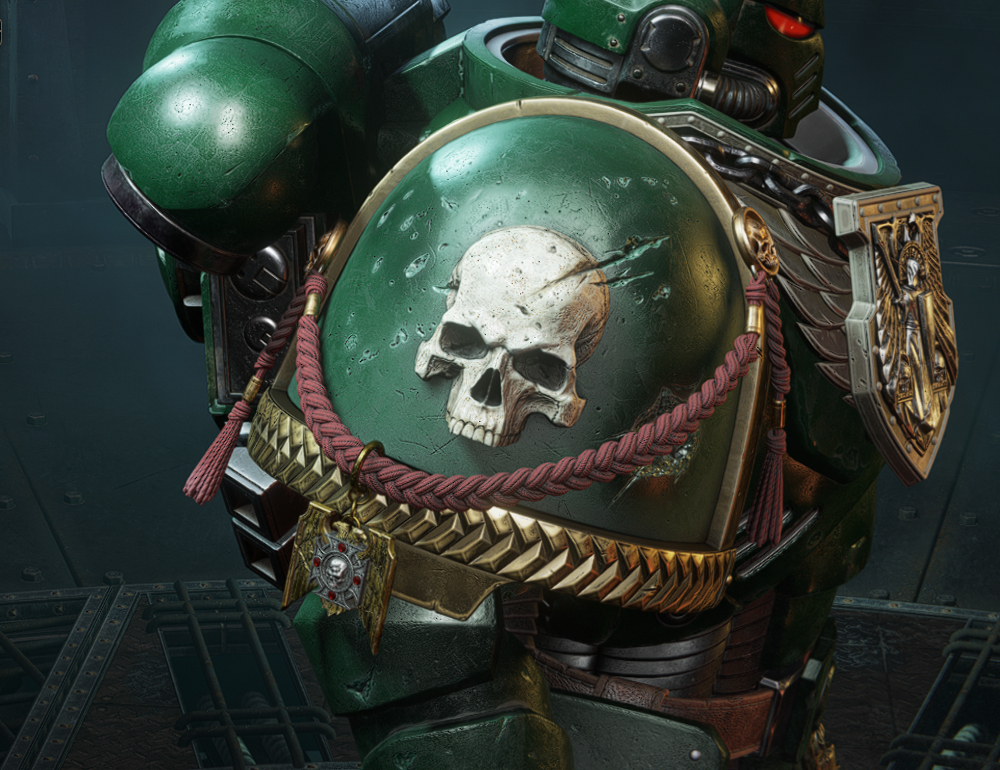
How to obtain:
These cosmetics can only be equipped in Space Marine 2’s Operations and Eternal War modes.
Prestige I
Right Pauldron with Molecular Bonding StudsHow to obtain:
- Unlocked by reaching Prestige I with every class.
- Mk X Right Pauldron with Molecular Bonding Studs
Right Pauldron (Reliquary Trinket)
How to obtain:
- Unlocked by reaching Prestige I with any class.
- Adorned Mk X Right Pauldron (Reliquary Trinket)
Prestige II
Right Pauldron (Adeptus Astartes Trinket)How to obtain:
- Unlocked by reaching Prestige II with any class.
- Adorned Mk X Right Pauldron (Adeptus Astartes Trinket)
Prestige III
Right Pauldron (Elite Trinket)How to obtain:
- Unlocked by reaching Prestige III with any class.
- Adorned Mk X Right Pauldron (Elite Trinket)
Prestige IV
Twitch Drops
Twitch Drops for Space Marine 2 requires you to have two accounts: A Twitch, and a PROS account. If you do not have one or the other, you can sign up for one here:
https://www.twitch.tv/
https://prismray.io/
You must then link these two accounts to access your rewards in-game. As shown here:
https://support.prismray.io/hc/en-us/articles/14679251154577-How-to-Link-Twitch-to-PROS
The cosmetics in this DLC can only be equipped in Space Marine 2’s Operations and Eternal War modes.
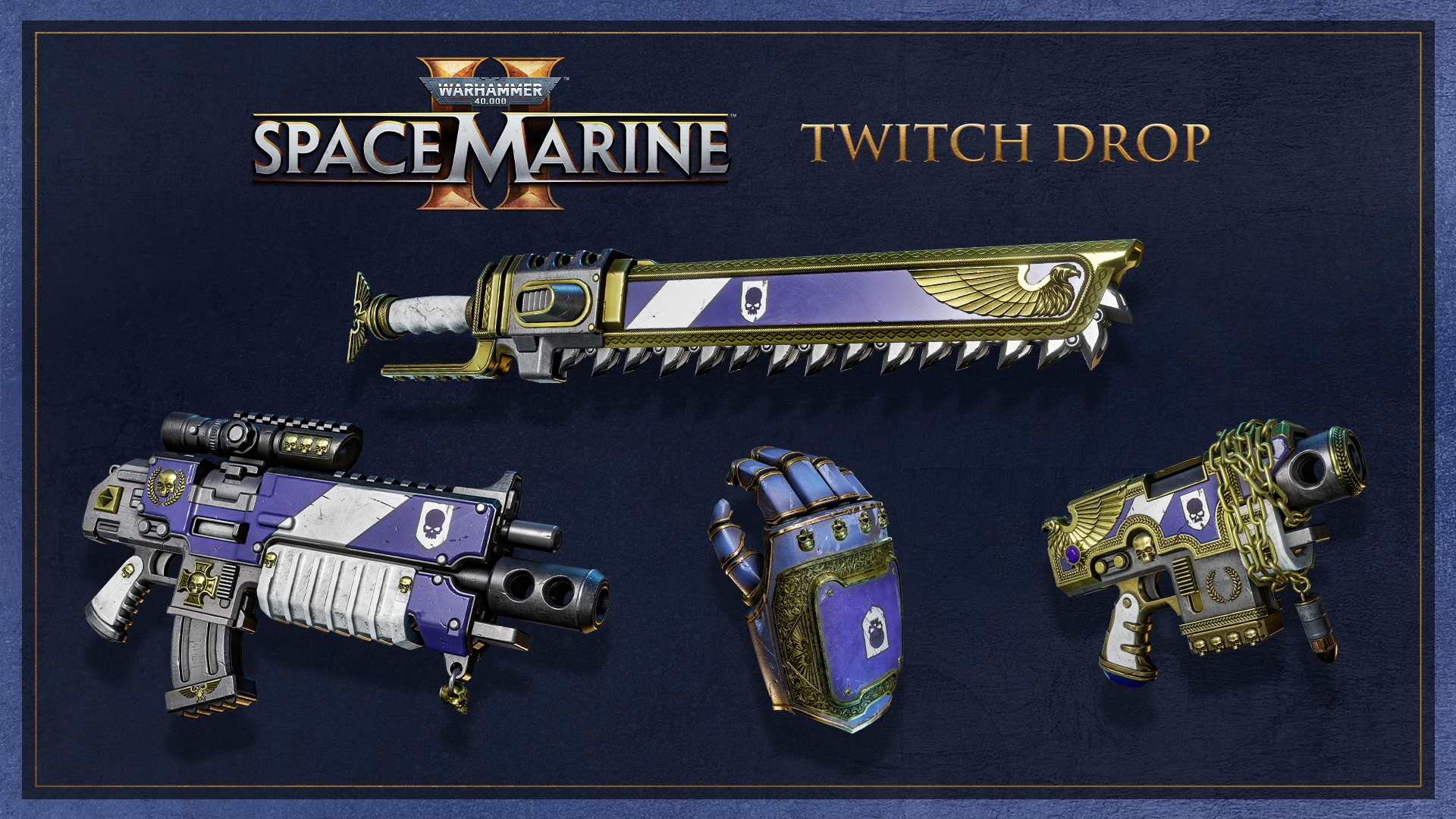
Porphyr Shield Powerfist
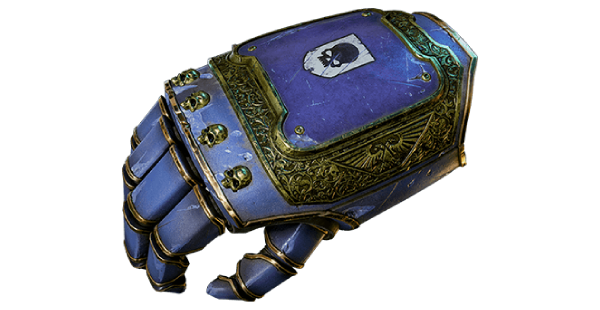
How to obtain:
Porphyr Shield Chainsword
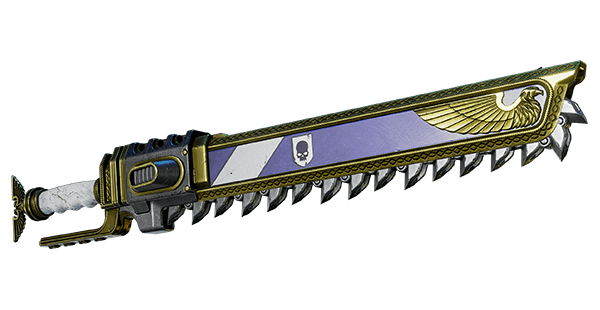
How to obtain:
Porphyr Shield Bolt Rifle
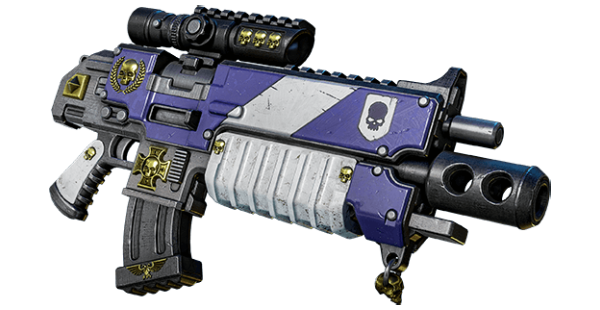
How to obtain:
Porphyr Shield Bolt Pistol
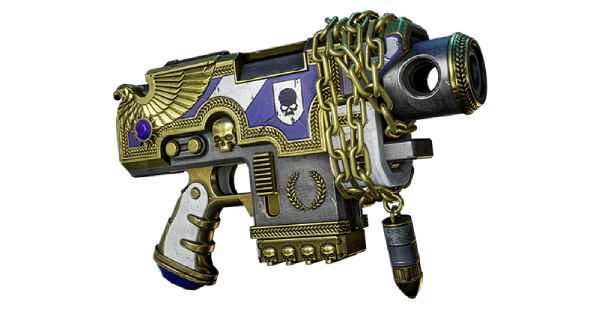
How to obtain:
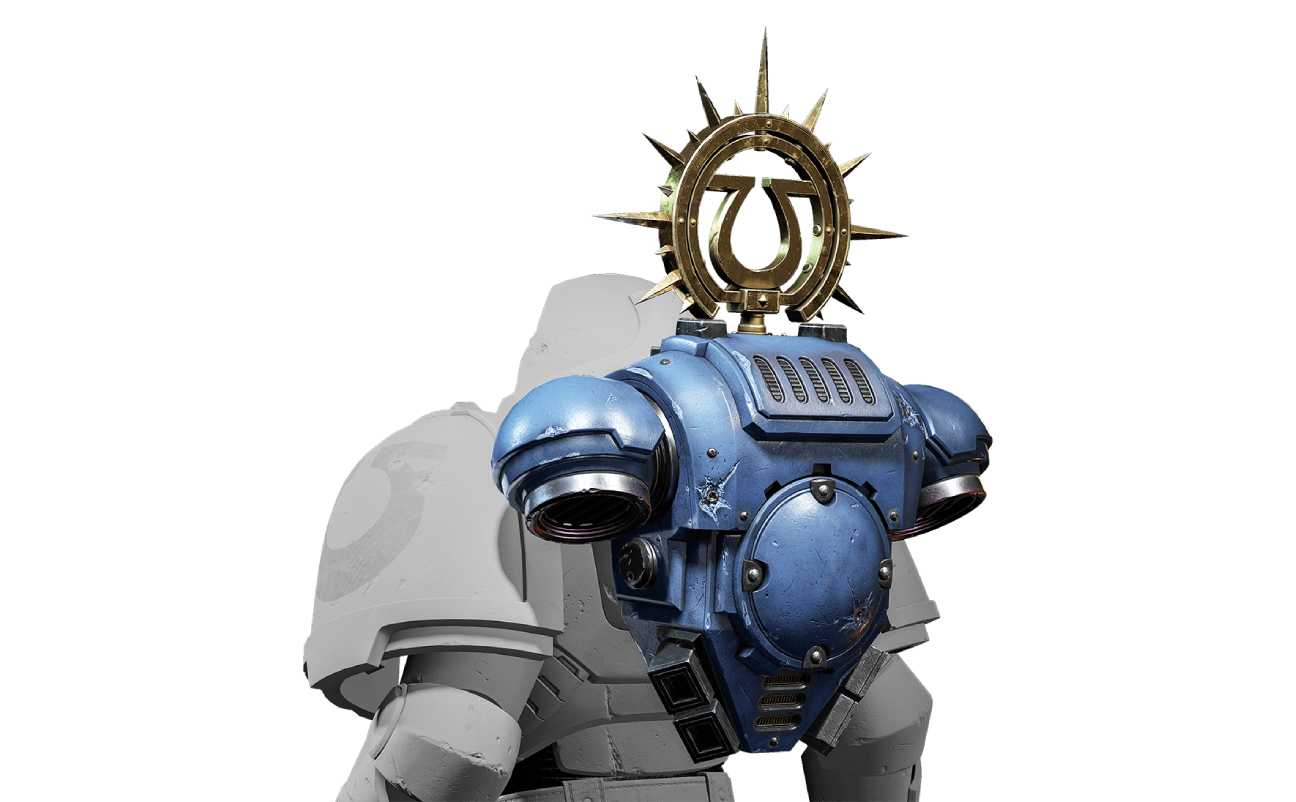
Sergeant Metaurus' Iron Halo
How to obtain:
Sergeant Metaurus' Breastplate
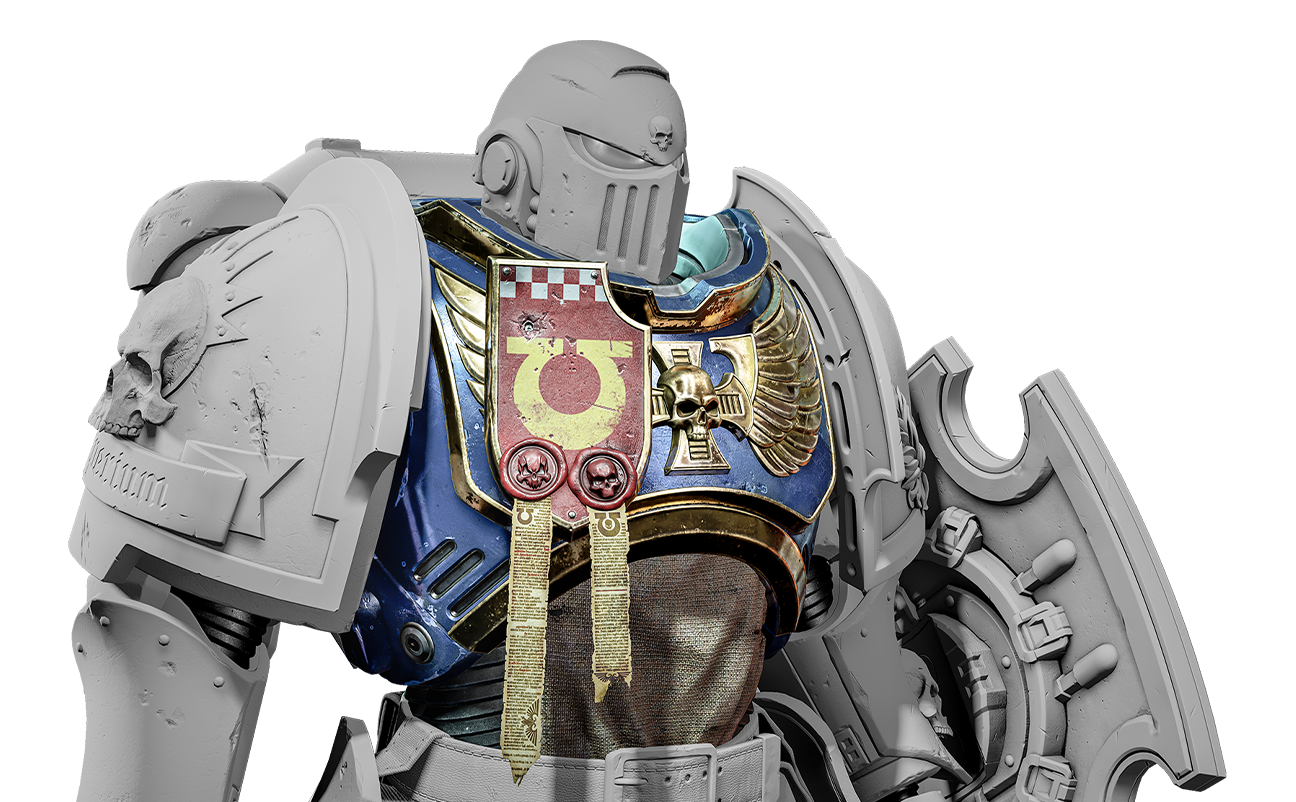
How to obtain:
https://www.twitch.tv/
https://prismray.io/
You must then link these two accounts to access your rewards in-game. As shown here:
https://support.prismray.io/hc/en-us/articles/14679251154577-How-to-Link-Twitch-to-PROS
The cosmetics in this DLC can only be equipped in Space Marine 2’s Operations and Eternal War modes.
Round One: Launch Event [EXPIRED]
Porphyr Shield Powerfist
How to obtain:
- To earn the Porphyr Shield Powerfist skin, watch one (1) hour of Warhammer 40,000: Space Marine 2 between September 4, 2024 (6:00 pm Central Europe time) and September 30, 2024 (11:59 pm Central Europe time).
- Porphyr Shield Powerfist Skin
Porphyr Shield Chainsword
How to obtain:
- To earn the Porphyr Shield Chainsword skin, watch one (1) hour of Warhammer 40,000: Space Marine 2 between September 4, 2024 (6:00 pm Central Europe time) and September 16, 2024 (11:59 pm Central Europe time).
- Porphyr Shield Chainsword Skin
Porphyr Shield Bolt Rifle
How to obtain:
- To earn the Porphyr Shield Bolt Rifle skin, watch one (1) hour of Warhammer 40,000: Space Marine 2 between September 17, 2024 (12:00 am Central European time) and September 30, 2024 (11:59 pm Central European time).
- Porphyr Shield Bolt Rifle Skin
Porphyr Shield Bolt Pistol
How to obtain:
- Gift a minimum of 2 subscriptions of any tier to any channel streaming Warhammer 40,000: Space Marine 2 between September 4, 2024 (6:00 pm Central Europe time) and September 30, 2024 (11:59 pm Central Europe time) to earn the Porphyr Shield Bolt Pistol skin.
- Porphyr Shield Bolt Pistol Skin
Round 2: Space Marine 2 x Secret Level Event [EXPIRED]
Sergeant Metaurus' Iron Halo
How to obtain:
- To earn Sergeant Metaurus' Iron Halo, watch one (1) hour of Warhammer 40,000: Space Marine 2 between December 10, 2024 (6:00 pm Central Europe time) and December 31, 2024 (11:59 pm Central Europe time).
- Sergeant Metaurus' Iron Halo (Heavy)
Sergeant Metaurus' Breastplate
How to obtain:
- To earn Sergeant Metaurus' Breastplate, watch two (2) hours of Warhammer 40,000: Space Marine 2 between December 10, 2024 (6:00 pm Central Europe time) and December 31, 2024 (11:59 pm Central Europe time).
- Sergeant Metaurus' Breastplate (Bulwark)
Warhammer+ (Subscription Bonuses)
Warhammer+ is a monthly/yearly subscription service by Games Workshop. Which includes free miniatures, animations, and access to the tabletop app. Similarly to Darktide, you can expect Space Marine 2 content to roll out to subscribers every so often.
The cosmetics in this DLC can only be equipped in Space Marine 2’s Operations and Eternal War modes.
How to obtain:
The cosmetics in this DLC can only be equipped in Space Marine 2’s Operations and Eternal War modes.
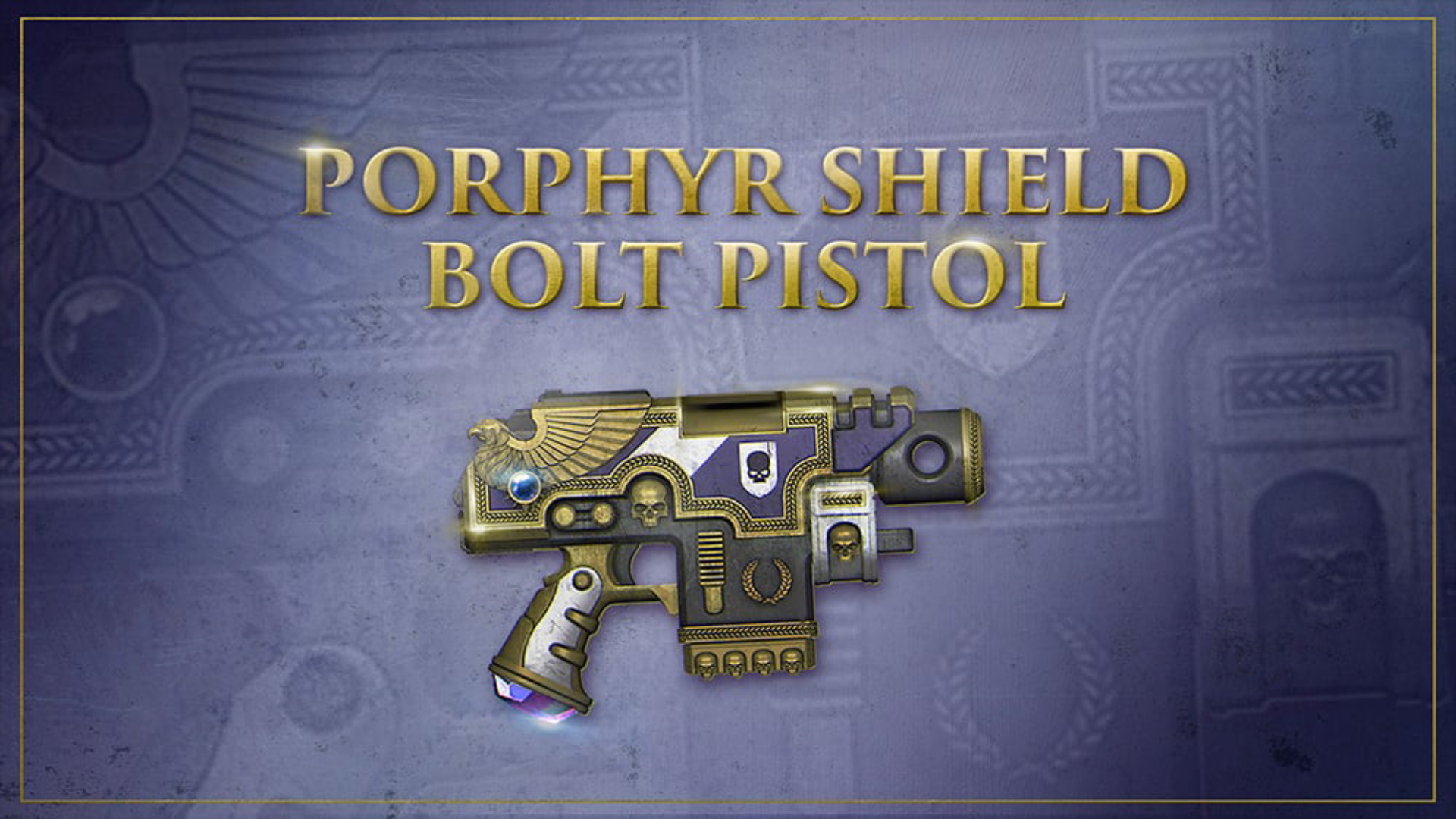
Porphyr Shield Bolt Pistol [EXPIRED]
How to obtain:
- To earn the Porphyr Shield Bolt Pistol skin, be subscribed to Games Workshop's Warhammer+ subscription service by September 30, 2024. Redemption codes will be emailed out on October 15, 2024.
- Porphyr Shield Bolt Pistol Skin
Macragge’s Chosen Pack
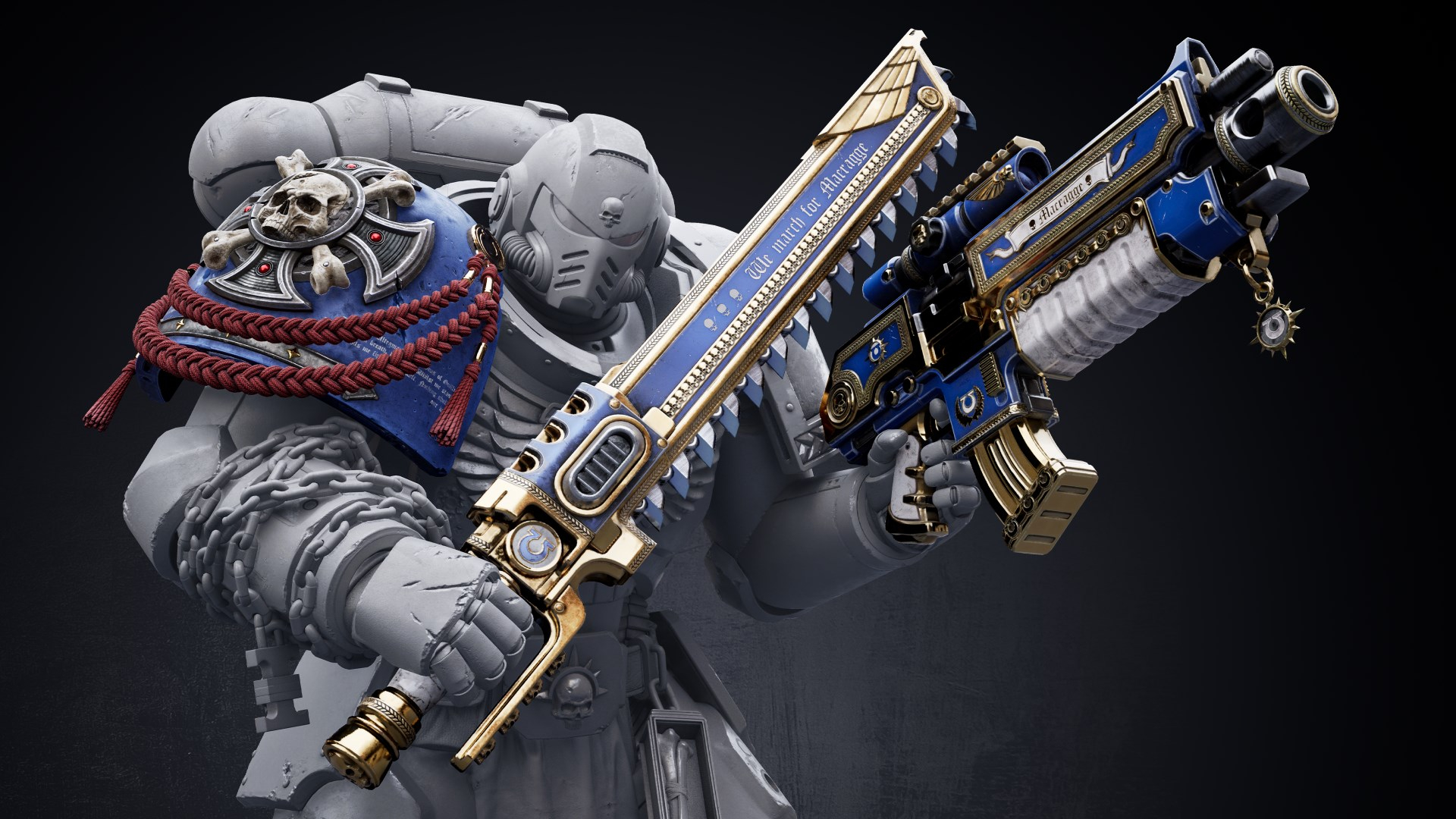
How to obtain:
- Pre-order the game before September 9, 2024 [EXPIRED] or purchase separately as DLC.
- Macragge Bolt Rifle Skin
- Macragge Chainsword Skin
- Crux Terminatus Right Pauldron
The cosmetics in this DLC can be equipped in Space Marine 2’s Campaign, Operations, and Eternal War modes.
Ultramarines Champion Pack
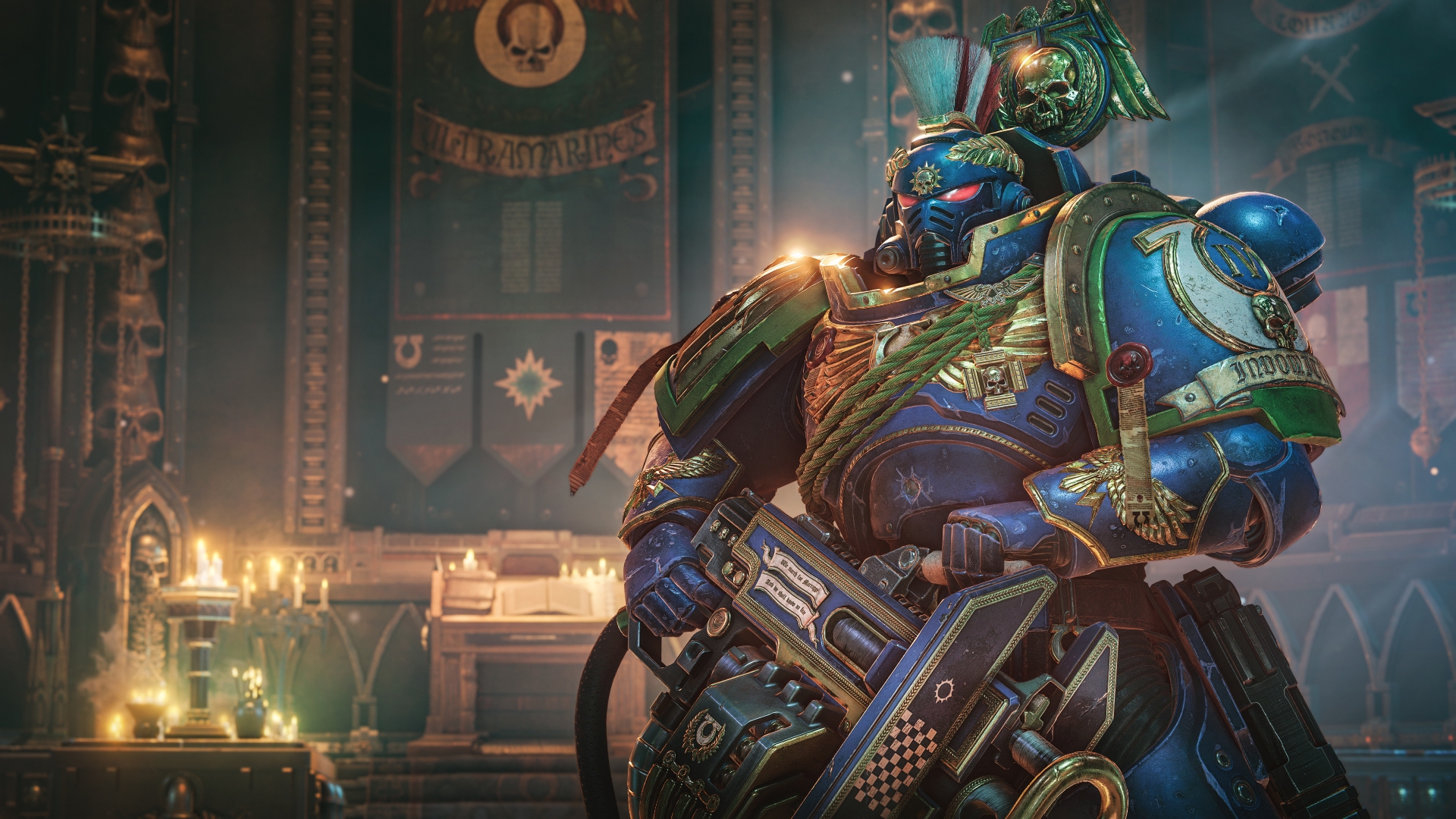
How to obtain:
- Purchase the Ultra Edition of Space Marine 2.
- Full-body Ultramarines Heavy Power Armour Skin
- Ultramarines Heavy Bolter Skin
The cosmetics in this DLC can only be equipped in Space Marine 2’s Operations and Eternal War modes.
*Note: The Power Armour skin cannot be used in the armour editor. This means you cannot use individual parts as customisation and is locked as a full set.
Season Pass
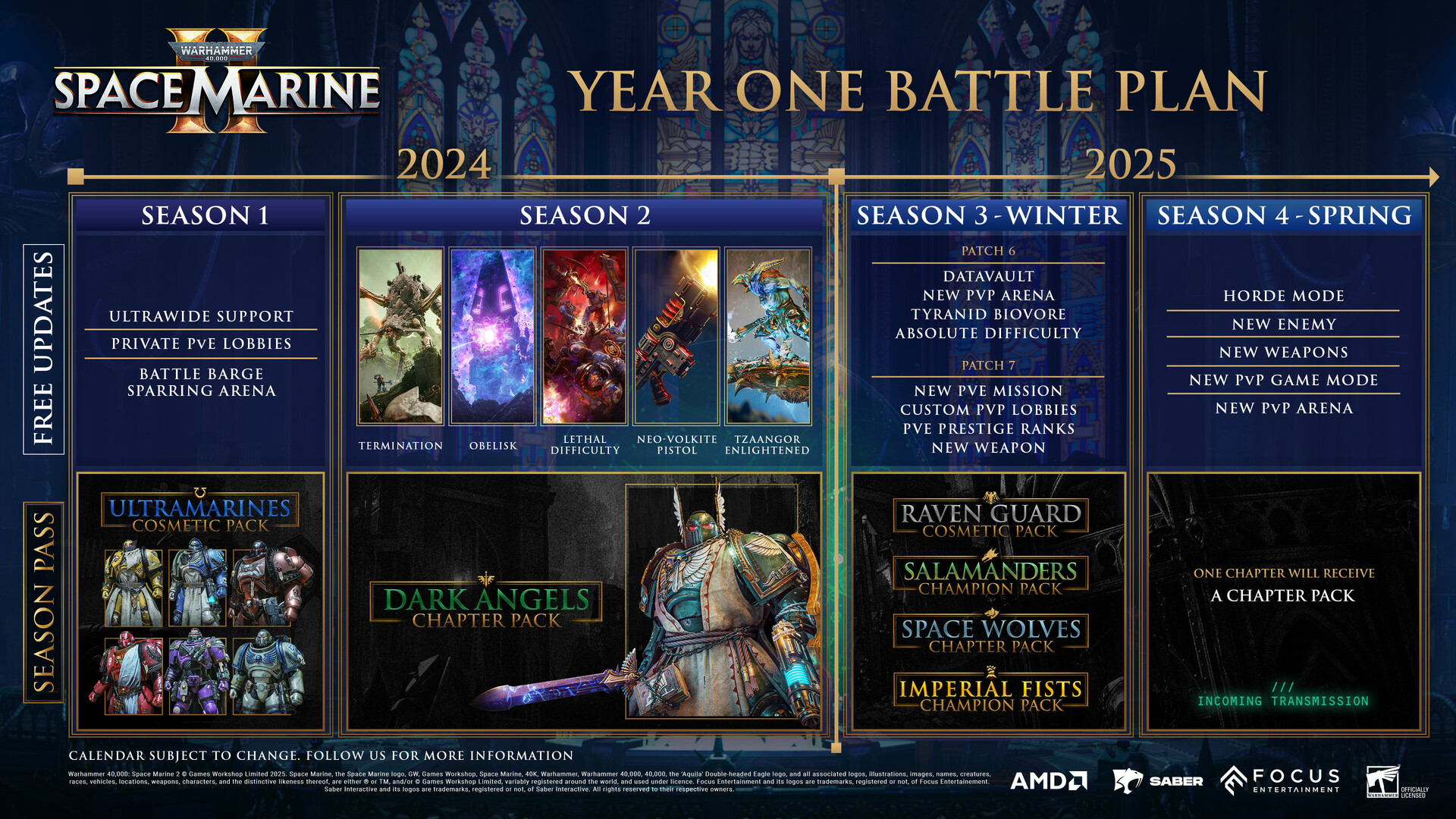
How to obtain:
- Purchase the Season Pass separately, or receive it bundled with the Gold or Ultra editions of Space Marine 2.
- Season 1: Ultramarines Cosmetic Pack
- Season 2: Dark Angels Chapter Pack
- Season 3: Raven Guard Cosmetic Pack, Salamanders Champion Pack, Space Wolves Chapter Pack, Imperial Fists Champion Pack
- Season 4: Incoming Transmission (TBC)
The cosmetics in this DLC can only be equipped in Space Marine 2’s Operations and Eternal War modes.
Season 1 (Ultramarines Cosmetic Pack)
How to obtain:
- Purchase the Season Pass separately, or receive it bundled with the Gold or Ultra editions of Space Marine 2. You can also purchase separately as DLC.
Ultramarines Cosmetic Pack
Doom Eagles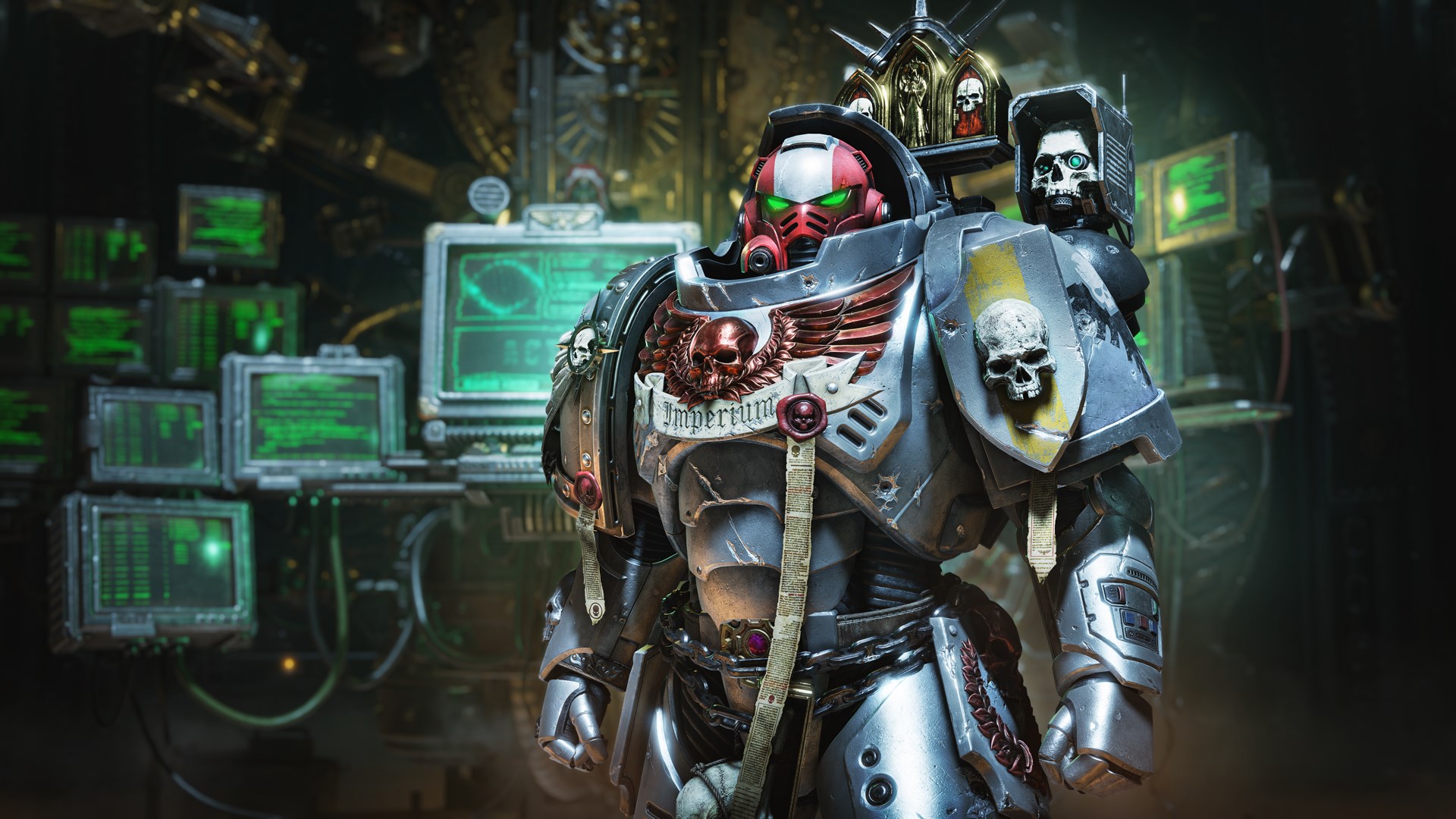
Contents:
- Left Pauldron Chapter Decal
- Ultramarines Right Greave Decal
- Leadbelcher (Metal) Colour
- Stormhost Silver (Metal) Colour
Genesis Chapter
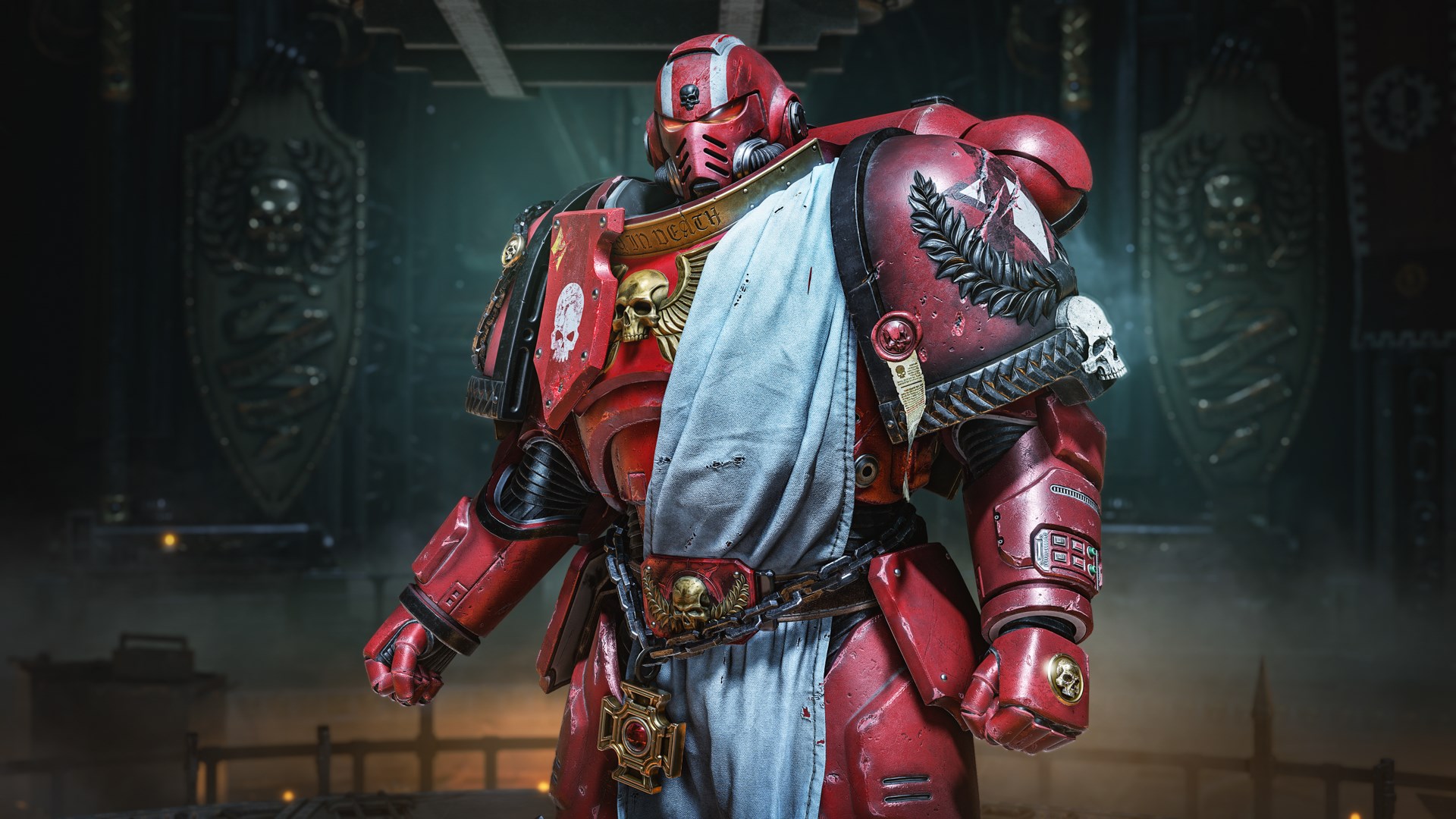
Contents:
- Left Pauldron Chapter Decal
- Evil Sunz Scarlet Colour
- Gehenna’s Gold (Metal) Colour
Libators
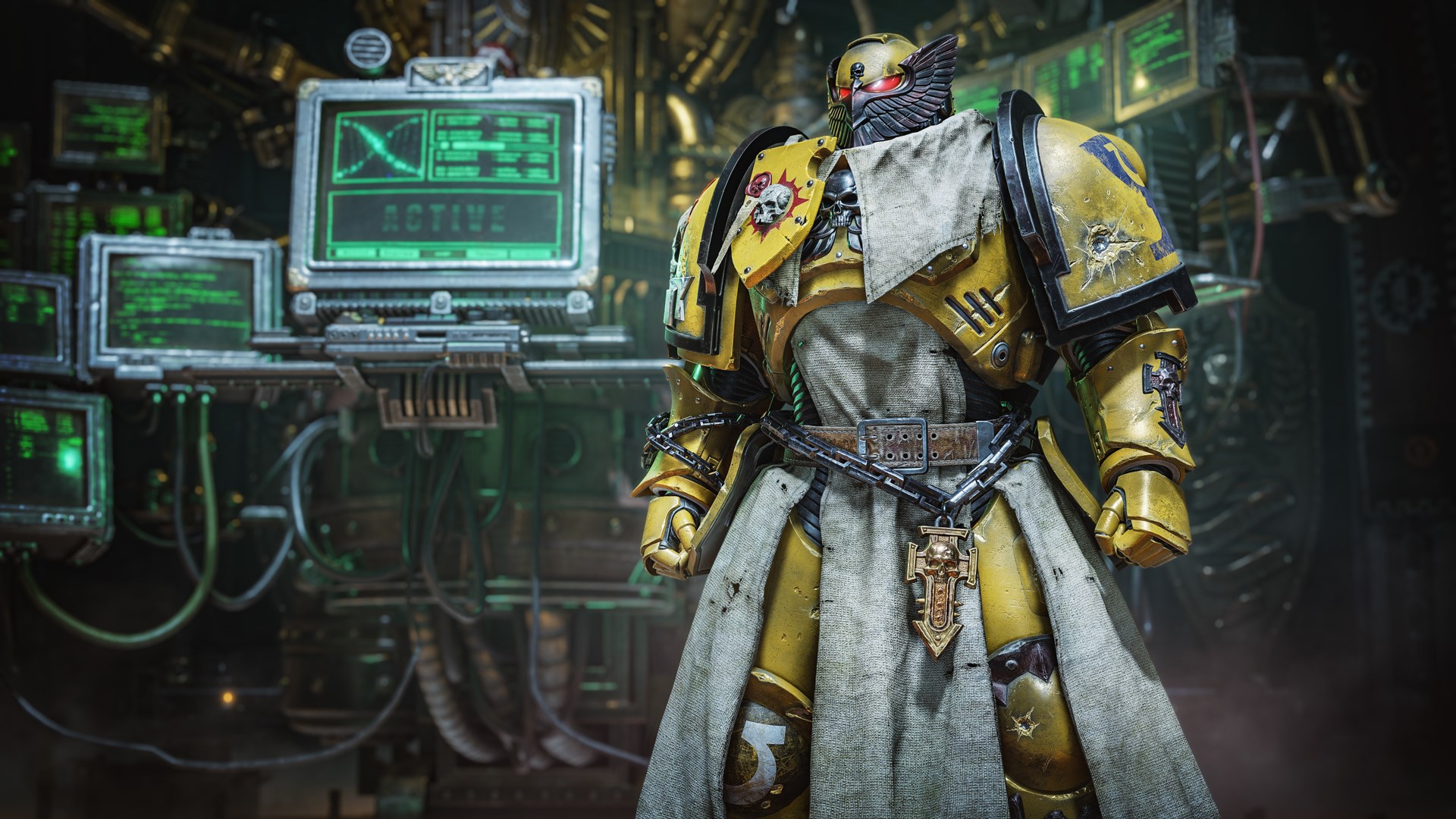
Contents:
- Left Pauldron Chapter Decal
- Ultramarines Right Greave Decal
- Zamesi Desert Colour
Novamarines
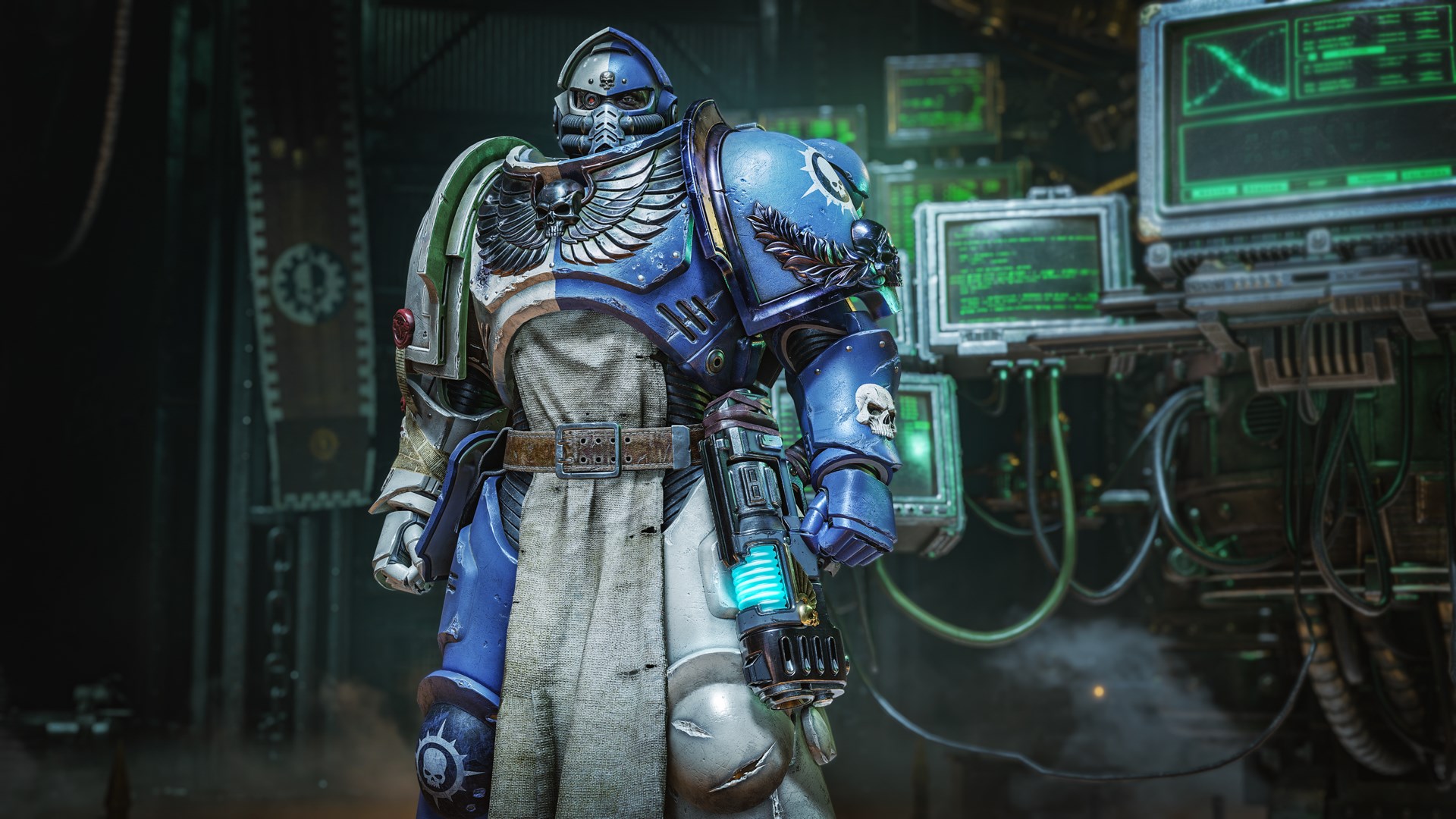
Contents:
- Left Pauldron Chapter Decal
- Novamarines Left Greave Decal
- Novamarines Right Greave Decal
- Ushabti Bone Colour
Praetors of Orpheus
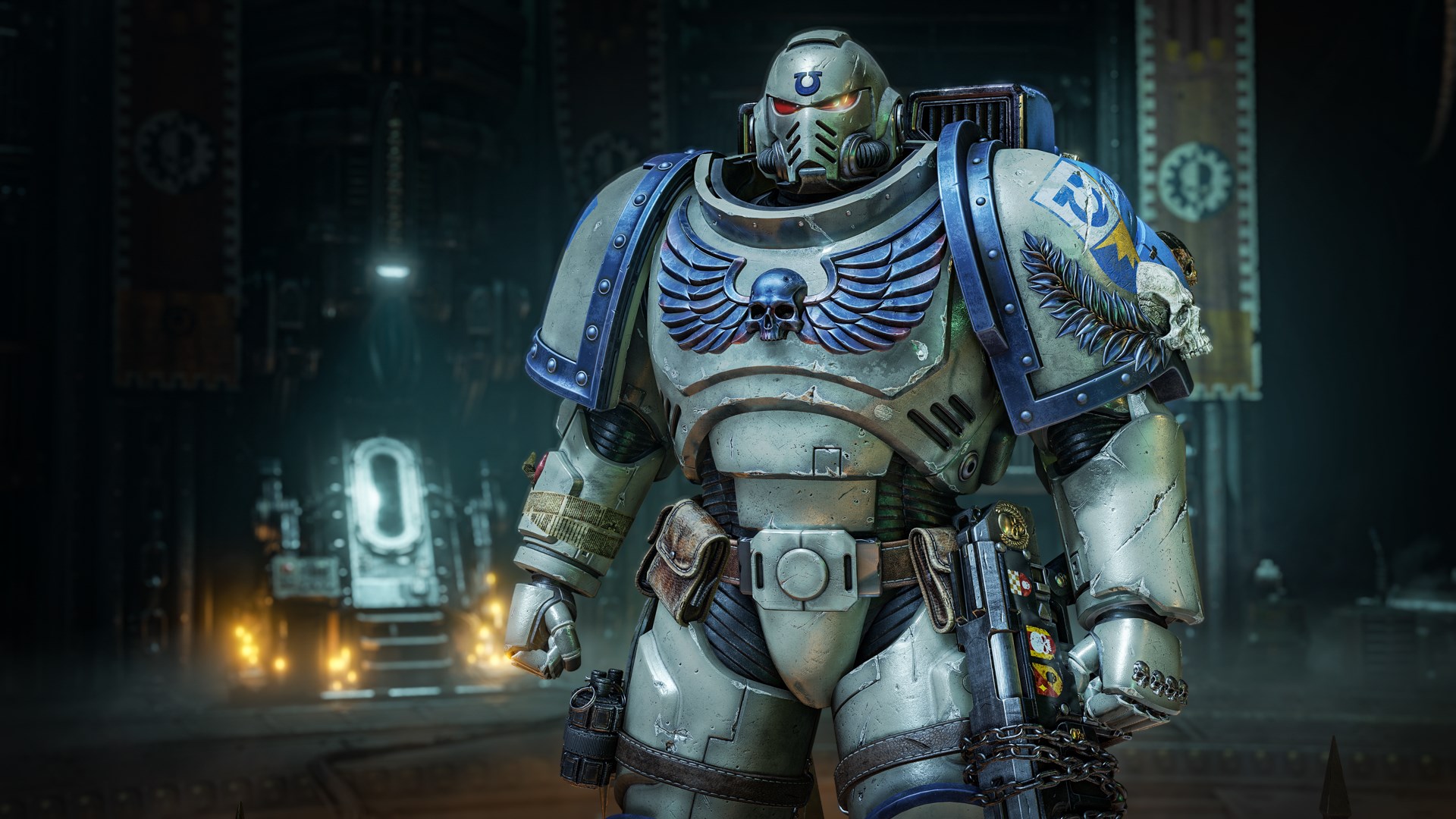
Contents:
- Left Pauldron Chapter Decal
- Lothern Blue Colour
- Lieutenant Mk X Helmet
Scythes of the Emperor
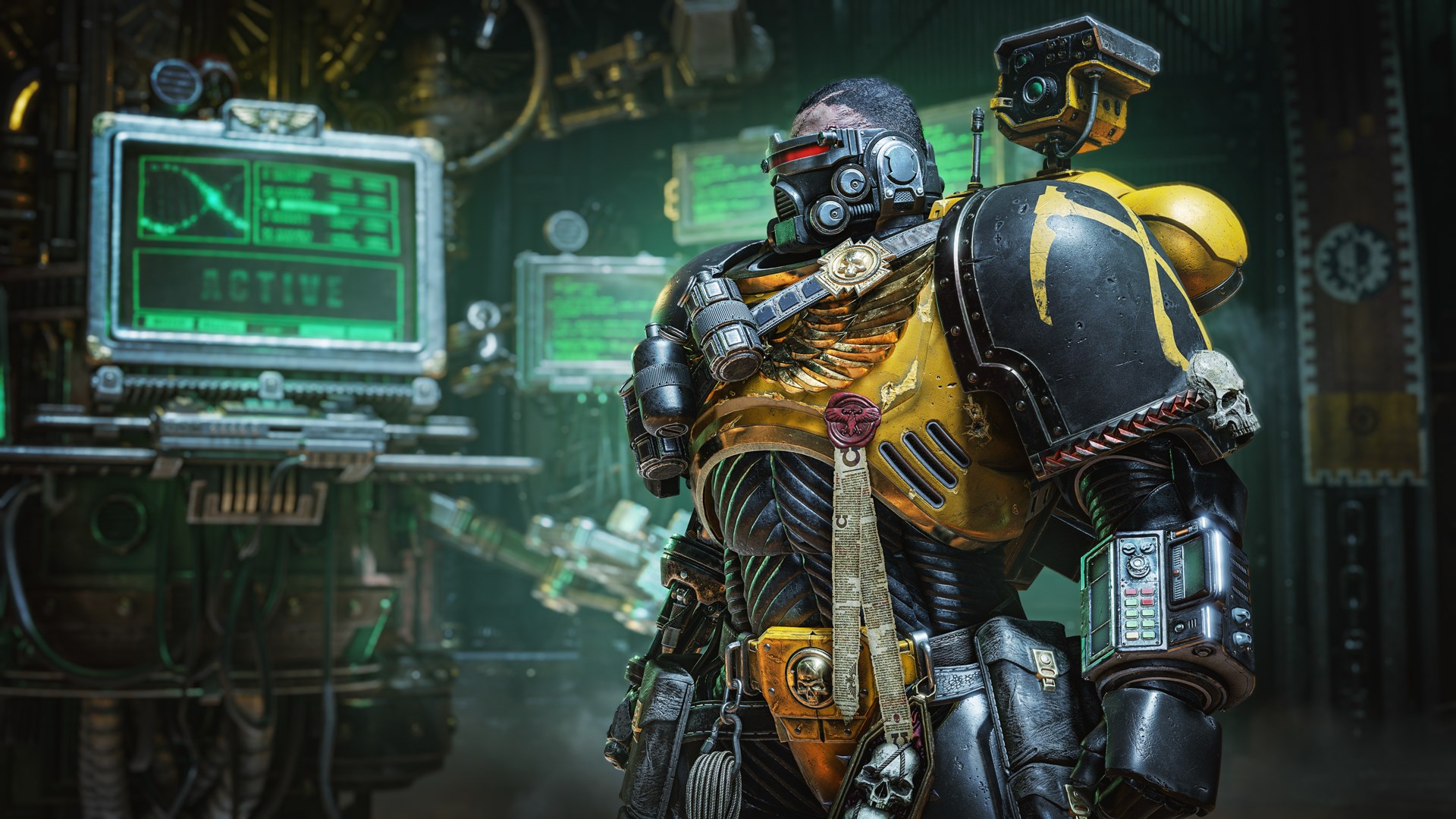
Contents:
- Left Pauldron Chapter Decal
- Ultramarines Sergeant Left Greave Decal
- Dark Reaper Colour
Iron Hounds
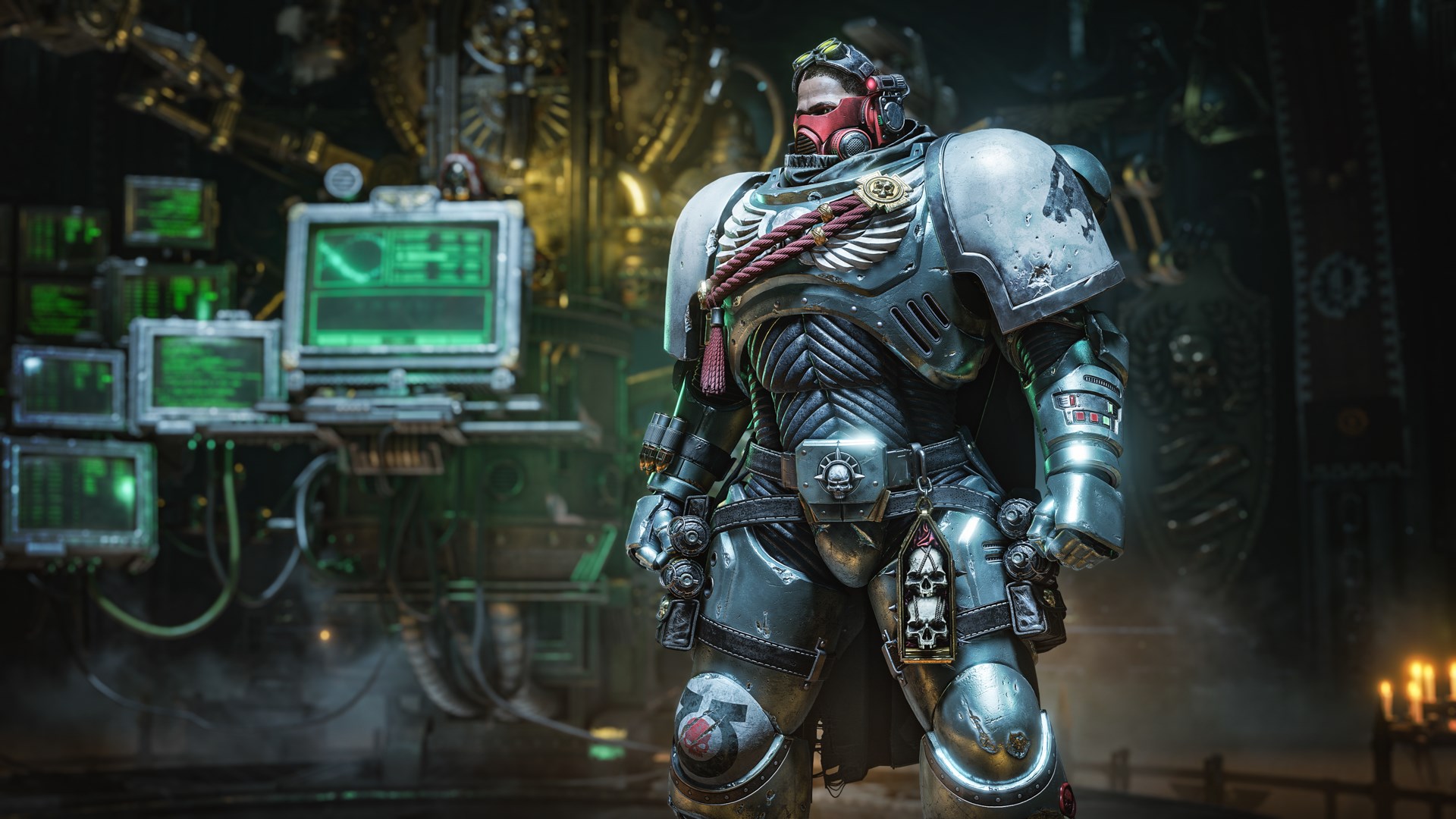
Contents:
- Left Pauldron Chapter Decal
- Helmet Mask Pattern
- Ultramarines Sergeant Right Greave Decal
Tome Keepers
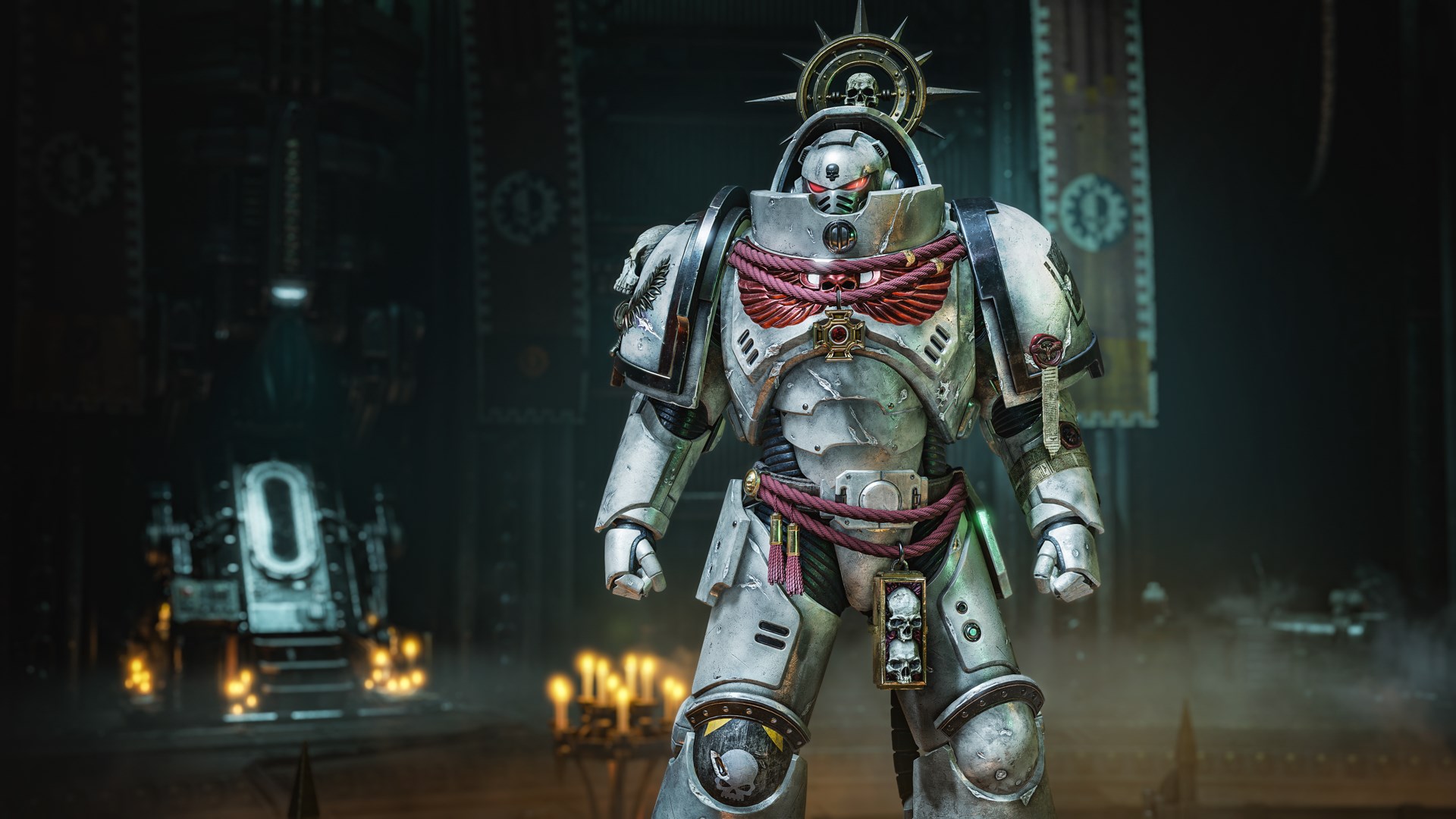
Contents:
- Left Pauldron Chapter Decal
- Right Pauldron Lieutenant Decal
- Damnos Wars Veteran Right Greave Decal
Void Tridents
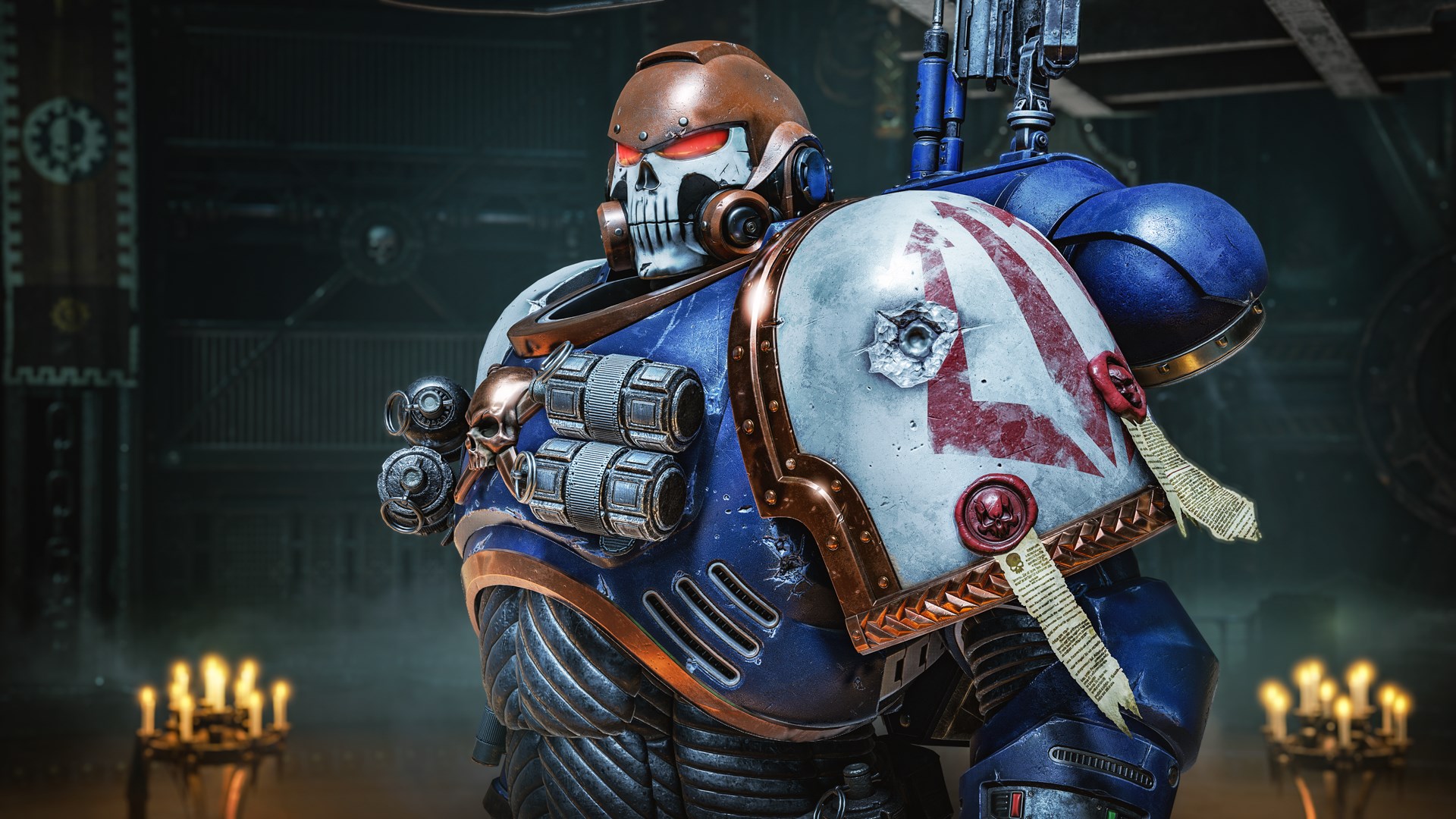
Contents:
- Left Pauldron Chapter Decal
- Hashut Copper (Metal) Colour
- Kantor Blue Colour
Castellans of the Rift
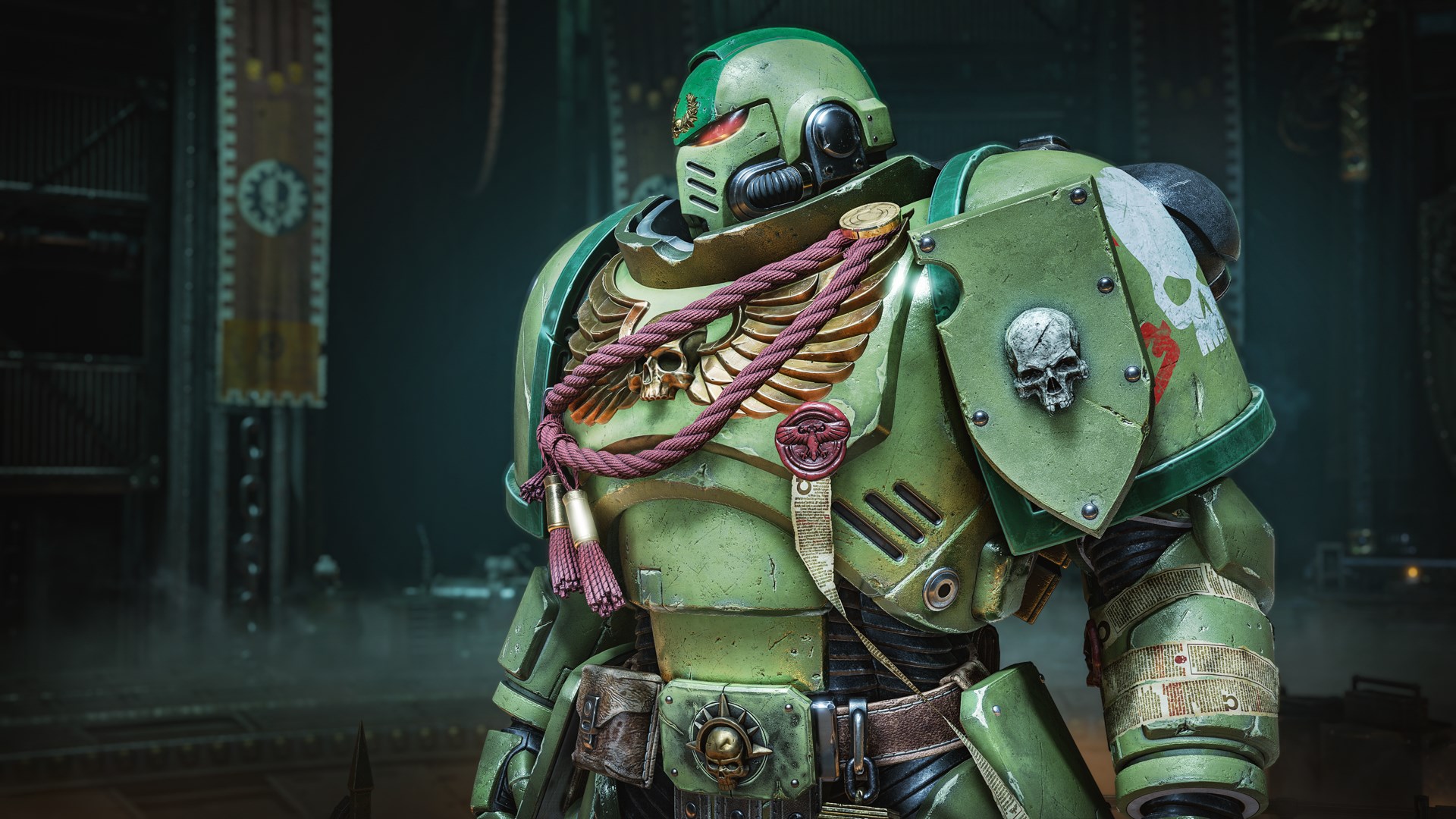
Contents:
- Left Pauldron Chapter Decal
- Incubi Darkness Colour
- Ultramarines Mk X Helmet
Brazen Consuls
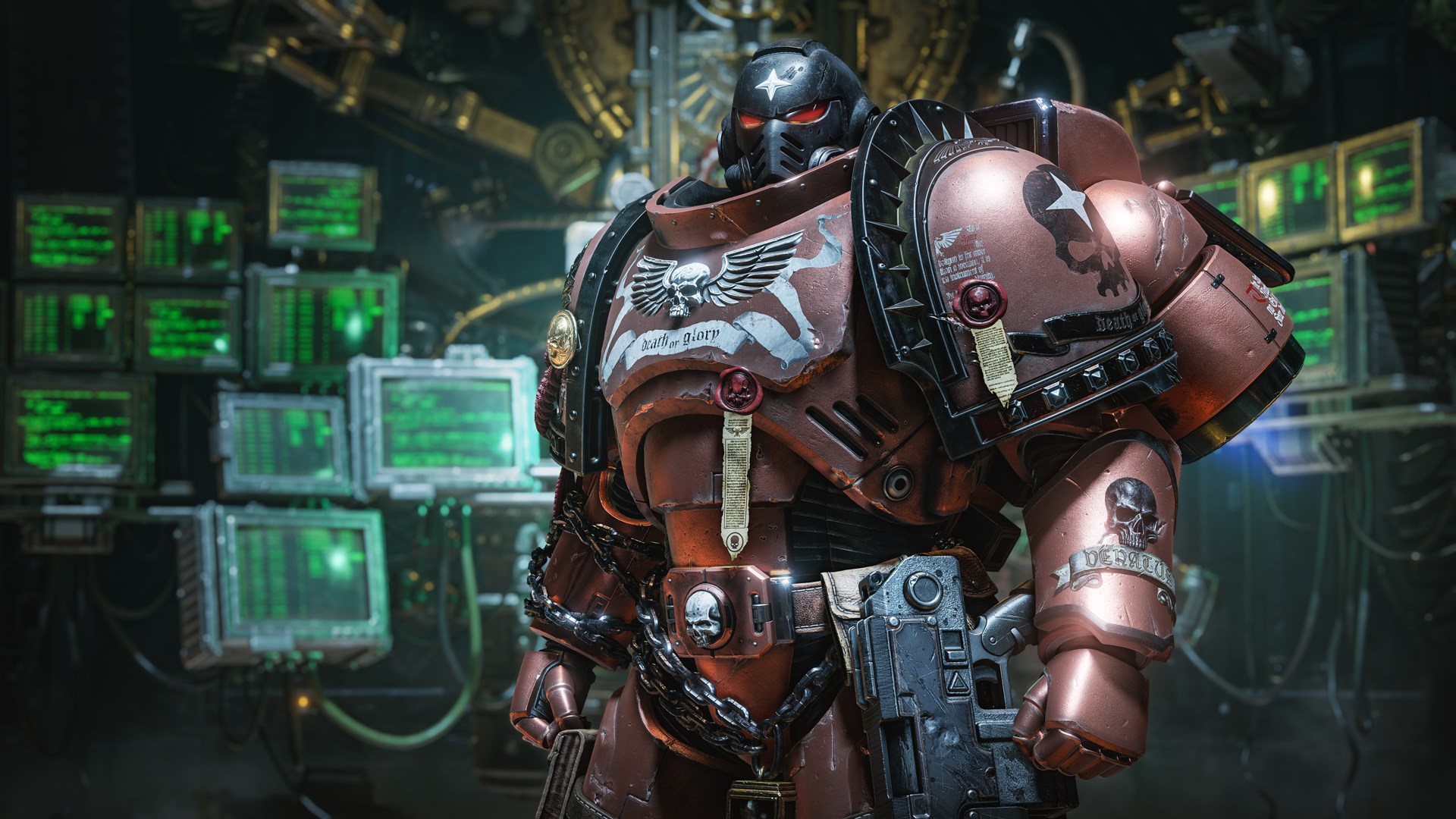
Contents:
- Left Pauldron Chapter Decal
- Deathclaw Brown (Metal) Colour
- Brazen Consuls Mk X Helmet
Hawk Lords
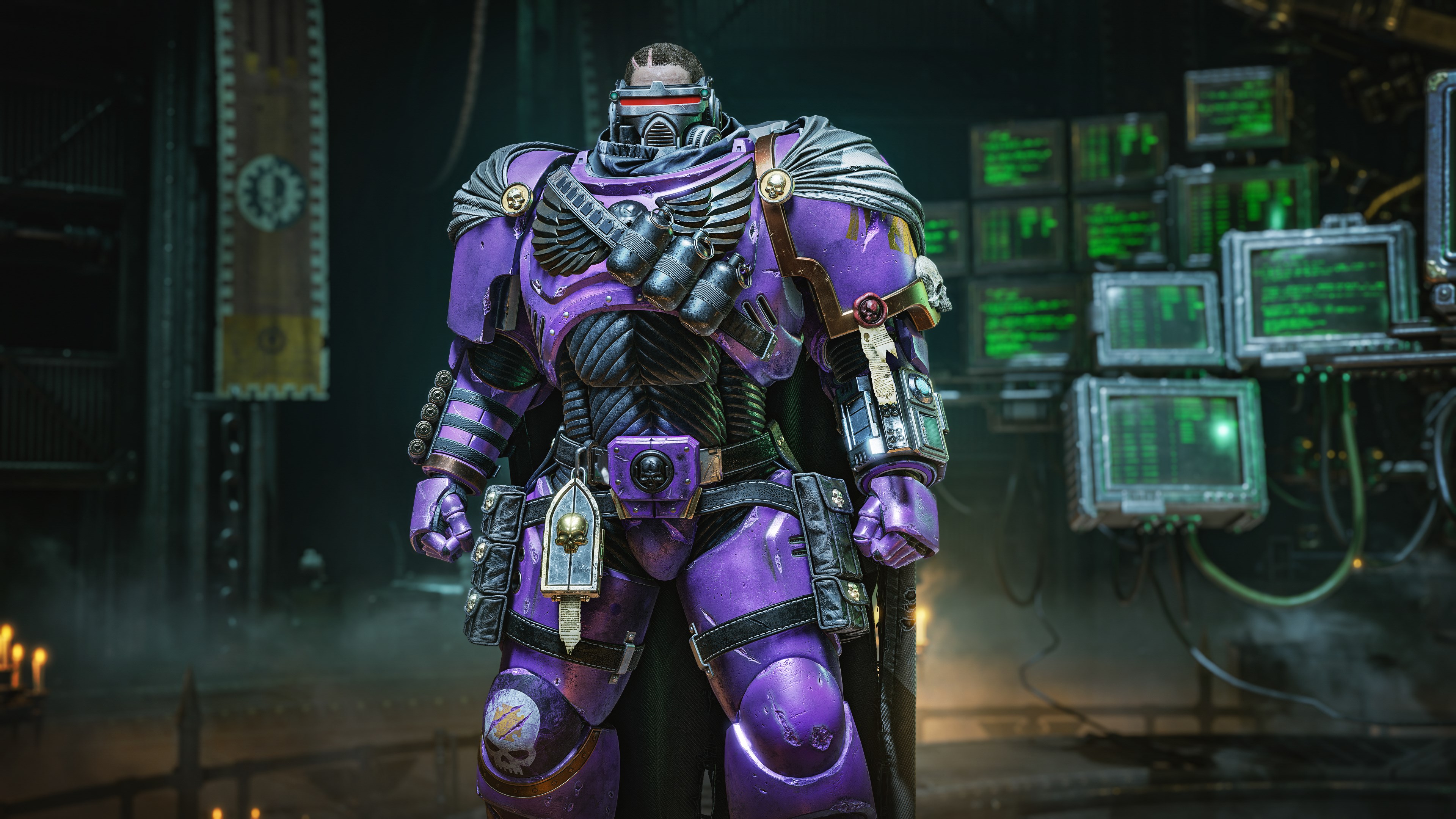
Contents:
- Left Pauldron Chapter Decal
- Veteran Right Greave Decal
- Fulgurite Copper (Metal) Colour
- Phoenician Purple Colour
Season 2 (Dark Angels Chapter Pack)
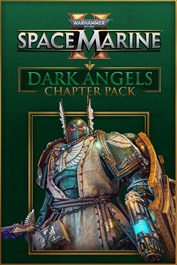
How to obtain:
- Purchase the Season Pass separately, or receive it bundled with the Gold or Ultra editions of Space Marine 2. You can also purchase separately as DLC.
Dark Angels Cosmetic Pack
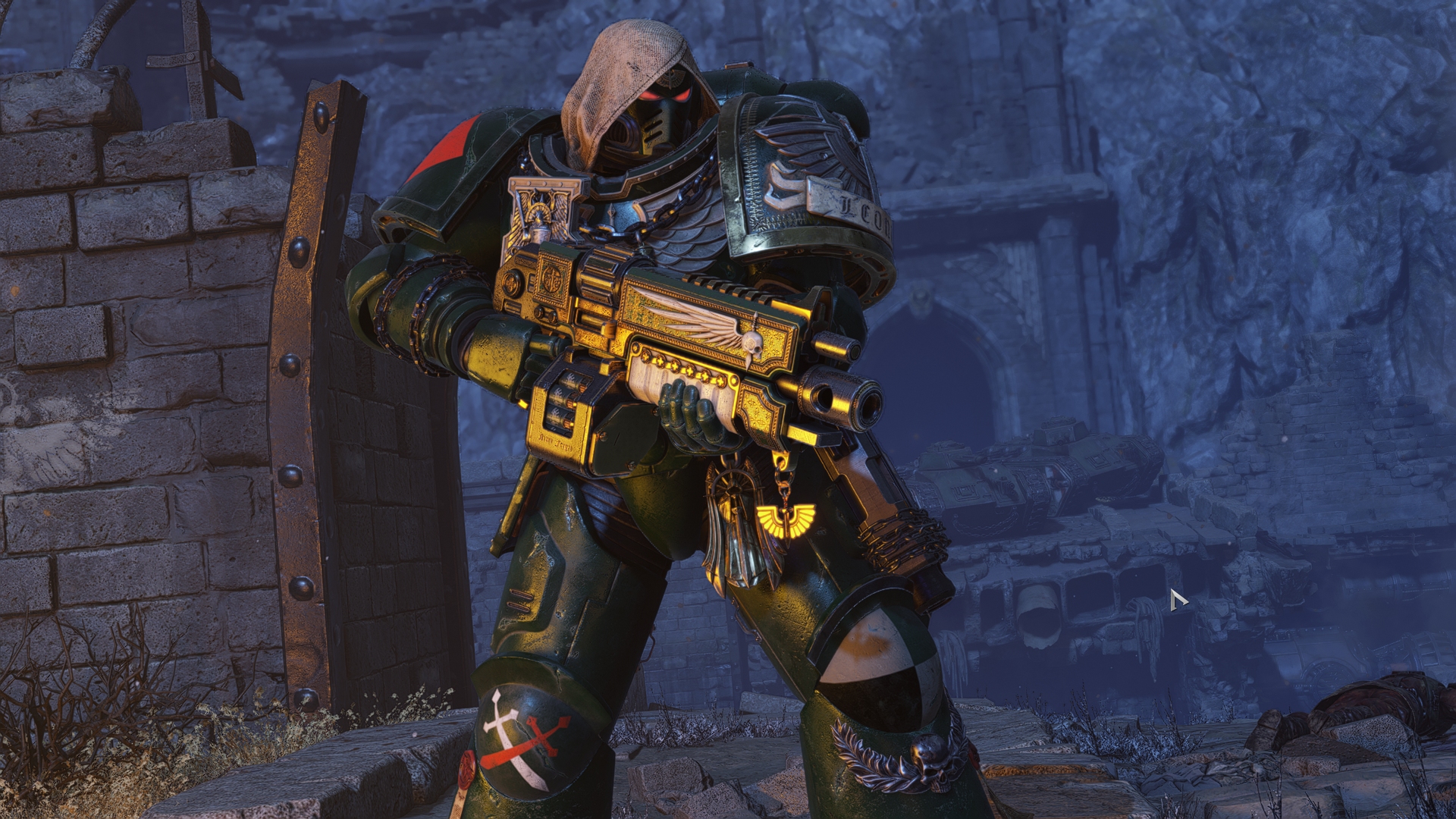
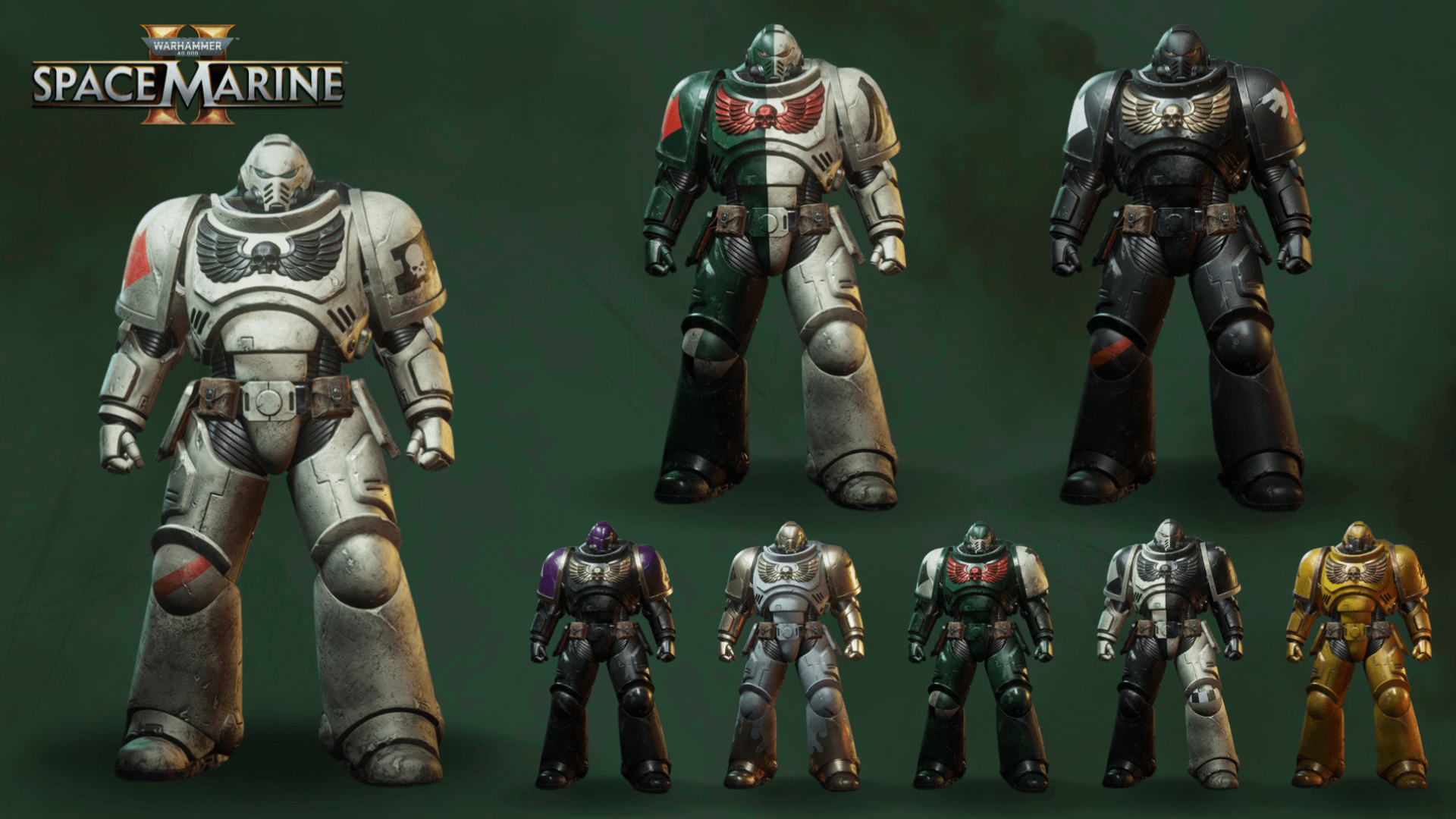
Angels of Absolution
Contents:
- Left Pauldron Chapter Decal
- Fire Support Right Pauldron Decal
- Campaign Badge Left Greave Decal
- Deathwing Left Pauldron Decal
- Deathwing Left Greave Decal
- Deathwing Right Greave Decal
Angels of Defiance
Contents:
- Left Pauldron Chapter Decal
- Campaign Badge Left Greave Decal
- Campaign Badge Right Greave Decal
- 9th Company Left Greave Decal
- Ravenwing Left Pauldron Decal
- Ravenwing Mk VIII Helmet
Angels of Redemption
Contents:
- Left Pauldron Chapter Decal
- Campaign Badge Left Greave Decal
- 3rd Company Left Greave Decal
- 3rd Company Right Greave Decal
- Ravenwing Left Greave Decal
- Ravenwing Right Greave Decal
Angels of Vengeance
Contents:
- Left Pauldron Chapter Decal
- 4th Company Left Greave Decal
- 4th Company Right Greave Decal
- 5th Company Left Greave Decal
- 5th Company Right Greave Decal
- Dark Angels Mk X Helmet
Blades of Vengeance
Contents:
- Left Pauldron Chapter Decal
- Blades of Vengeance Helmet Pattern
- Campaign Badge Right Greave Decal
- 8th Company Left Greave Decal
- 8th Company Right Greave Decal
- Dark Angels Mk X Breastplate
Bringers of Judgement
Contents:
- Left Pauldron Chapter Decal
- Bringers of Judgement Greaves Pattern
- Fire Support Right Pauldron Decal
- 9th Company Right Greave Decal
- Ulthuan Grey Colour
- Auric Armour Gold Colour
Cowled Wardens
Contents:
- Left Pauldron Chapter Decal
- Campaign Badge Right Greave Decal (x2)
- Skullcrusher Brass Colour
- Xereus Purple Colour
- Dark Angels Mk X Left Pauldron
The Unnamed
Contents:
- Left Pauldron Chapter Decal
- 6th Company Left Greave Decal
- 6th Company Right Greave Decal
- 7th Company Left Greave Decal
- 7th Company Right Greave Decal
- Yriel Yellow Colour
Dark Angels Champion Pack
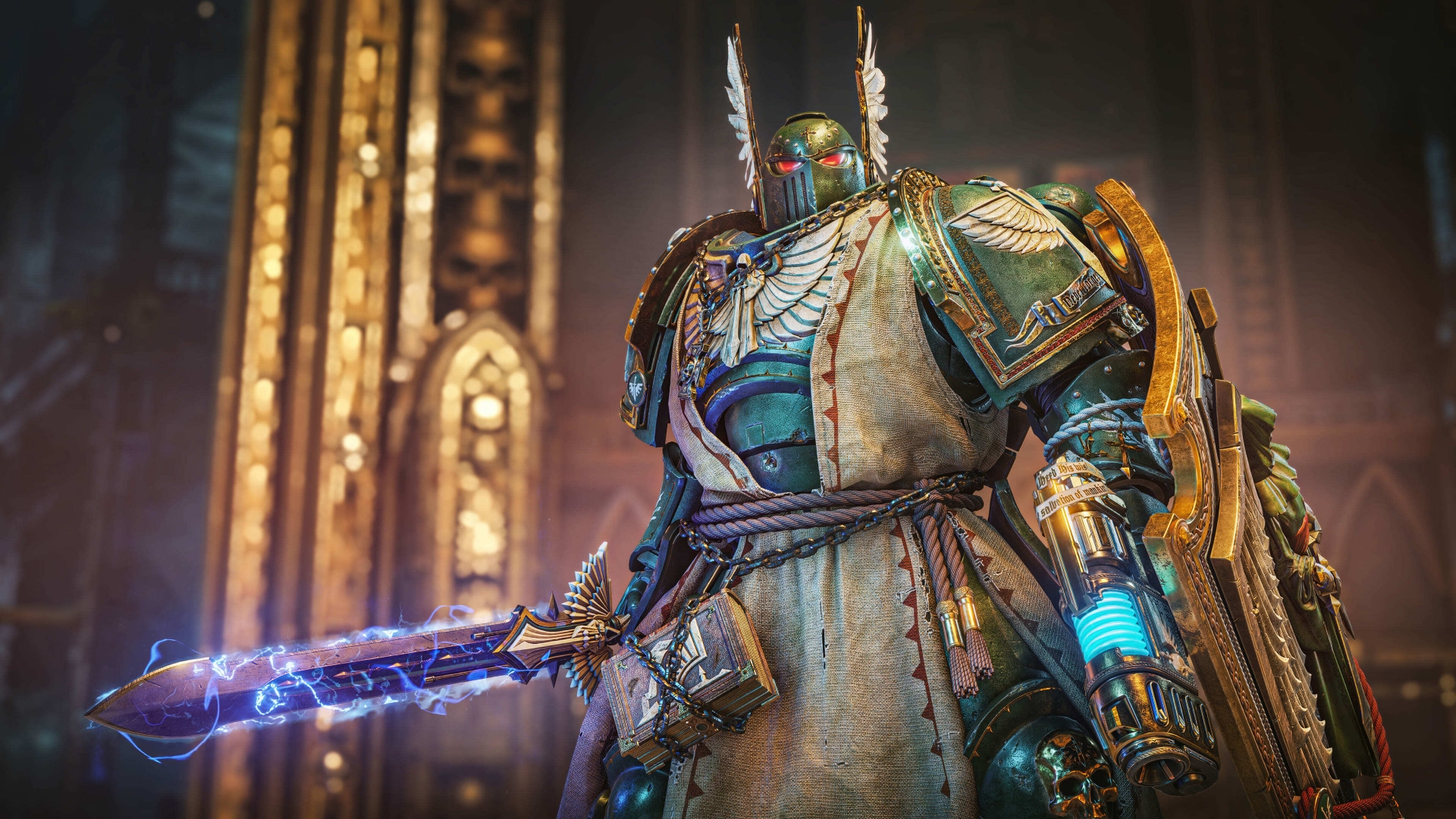
Contents:
- Dark Angels Full-body Bulwark Power Armour Skin
- Dark Angels Banner Skin
*Note: The Power Armour skin cannot be used in the armour editor. This means you cannot use individual parts as customisation and is locked as a full set.
Dark Angels Weapon Skin Pack
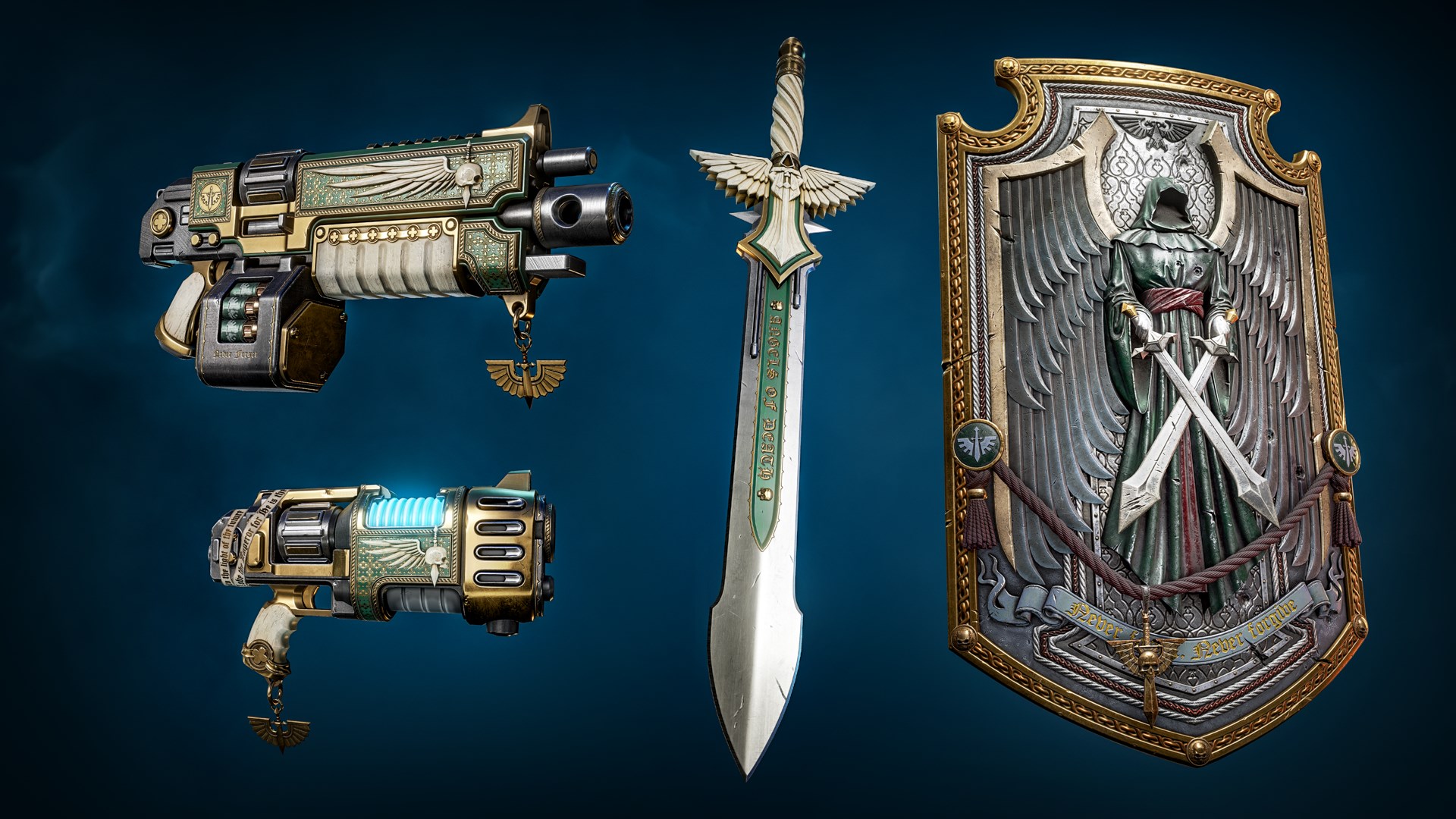
Contents:
- Dark Angels Auto Bolt Rifle Skin
- Dark Angels Plasma Pistol Skin
- Dark Angels Power Sword Skin
- Dark Angels Storm Shield Skin
Season 3 (Raven Guard Cosmetic Pack, Salamanders Champion Pack, Space Wolves Chapter Pack, Imperial Fists Champion Pack)
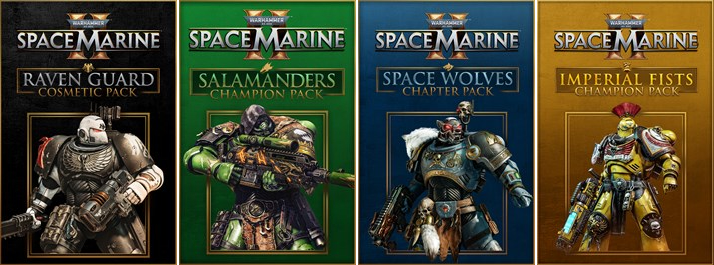
How to obtain:
- Purchase the Season Pass separately, or receive it bundled with the Gold or Ultra editions of Space Marine 2. You can also purchase separately as DLC.
Raven Guard Cosmetic Pack
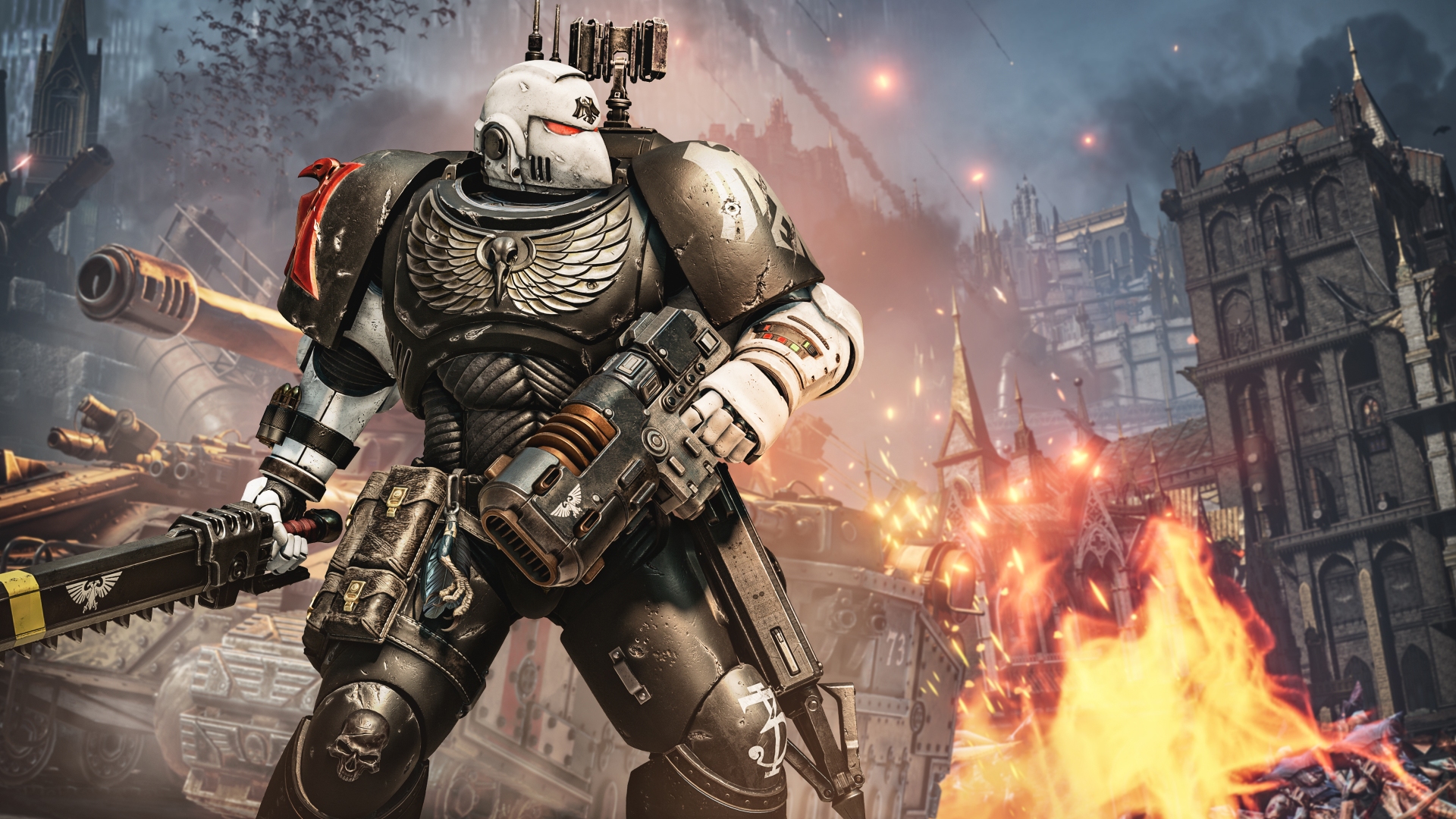
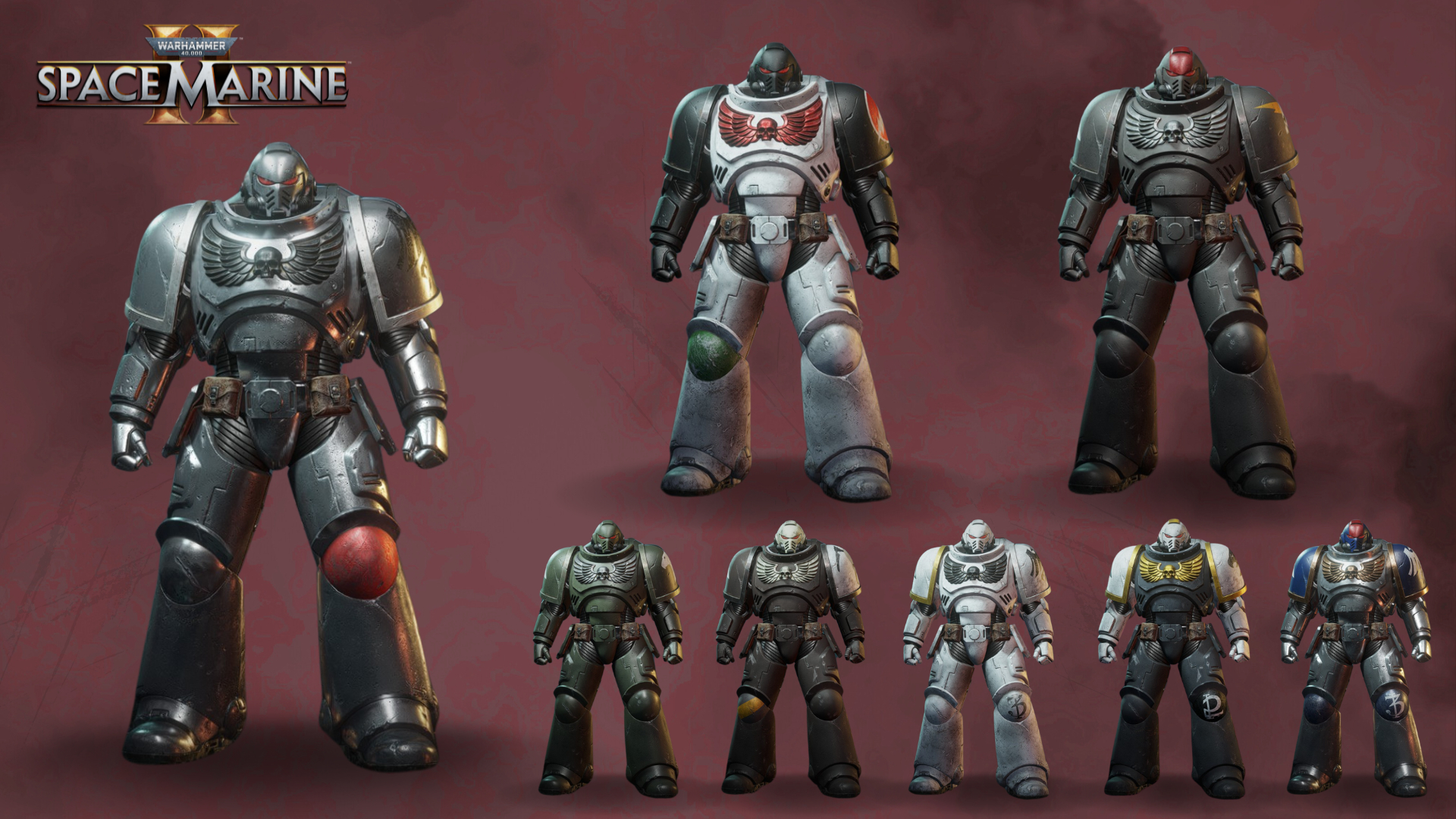
Black Guard
Contents:
- Left Pauldron Chapter Decal
- Fire Support Right Pauldron Decal
- 1st Squad Left Greave Decal
- 1st Squad Right Greave Decal
- 2nd Squad Left Greave Decal
- 2nd Squad Right Greave Decal
Death Specters
Contents:
- Left Pauldron Chapter Decal
- Battleline Right Pauldron Decal
- Close Support Right Pauldron Decal
- 4th Squad Right Greave Decal
- Warpfiend Gray Colour
- Raven Guard Mk VI “Corvus” Breastplate
Iron Ravens
Contents:
- Left Pauldron Chapter Decal
- Veteran Right Pauldron Decal
- 7th Squad Left Greave Decal
- 7th Squad Right Greave Decal
- 8th Squad Left Greave Decal
- 8th Squad Right Greave Decal
- Raven Guard Mk VI “Corvus” Right Pauldron
Knights of the Raven
Contents:
- Left Pauldron Chapter Decal
- Veteran Right Pauldron Decal
- 9th Squad Left Greave Decal
- 9th Squad Right Greave Decal
- 10th Squad Left Greave Decal
- 10th Squad Right Greave Decal
- Celestra Gray Colour
Necropolis Hawks
Contents:
- Left Pauldron Chapter Decal
- Necropolis Hawks Helmet Pattern
- Close Support Right Pauldron Decal (x2)
- 6th Squad Left Greave Decal
- Thunderhawk Blue Colour
Raptors
Contents:
- Left Pauldron Chapter Decal
- 3rd Squad Left Greave Decal
- 3rd Squad Right Greave Decal
- 4th Squad Left Greave Decal
- Deathworld Forest Colour
- Raven Guard Mk VI “Corvus” Helmet
Revilers
Contents:
- Left Pauldron Chapter Decal
- Fire Support Right Pauldron Decal (x2)
- Kayvaan Shrike Right Pauldron Decal
- Gray Seer Colour
- Mk VI “Corvus” Left Pauldron
Rift Stalkers
Contents:
- Left Pauldron Chapter Decal
- Battleline Right Pauldron Decal
- 5th Squad Left Greave Decal
- 5th Squad Right Greave Decal
- 6th Squad Right Greave Decal
- Yriel Yellow Tertiary Colour
- Mk VI “Corvus” Helmet
Salamanders Champion Pack
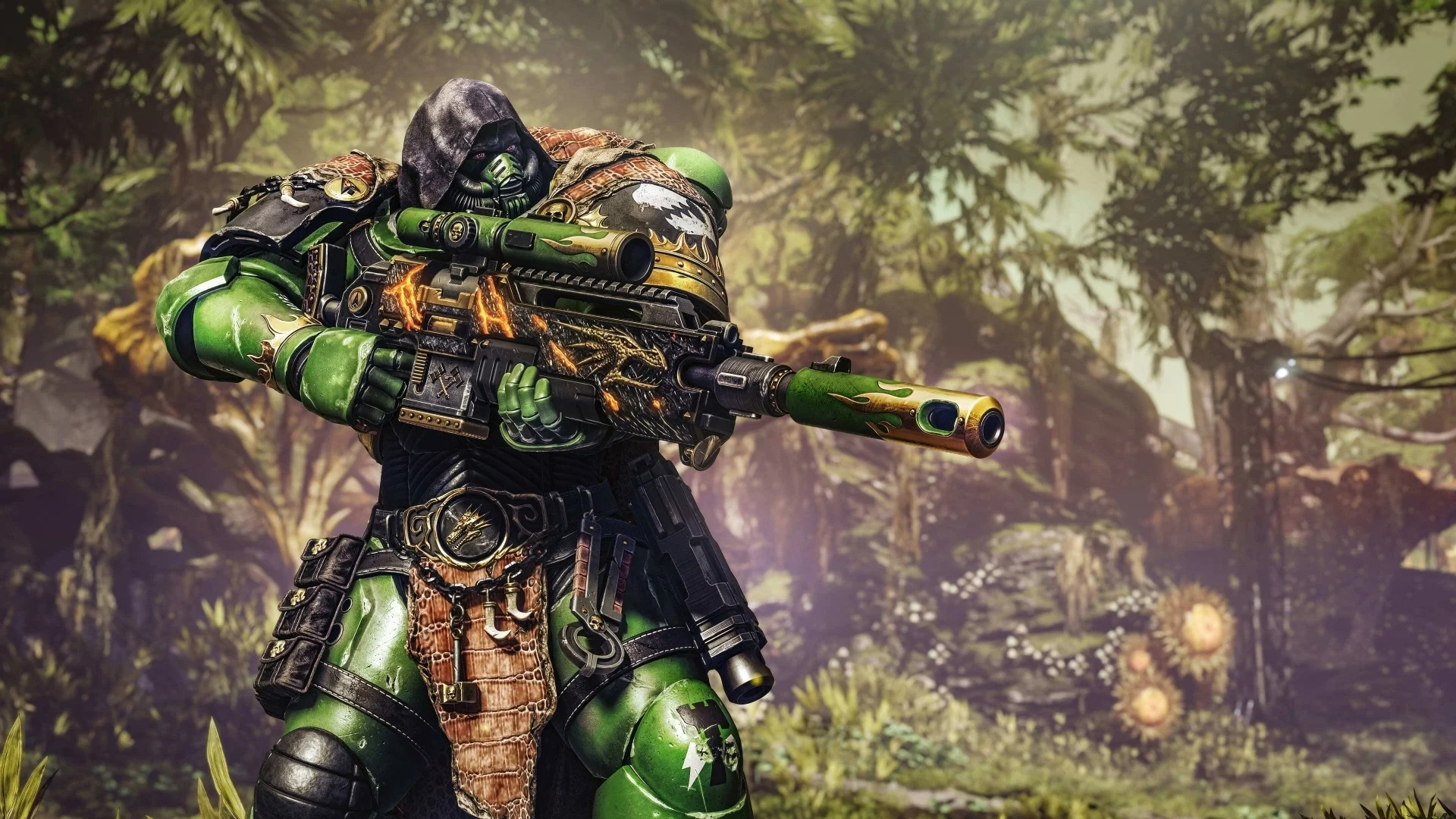
Contents:
- Salamanders Full-body Sniper Power Armour Skin
- Salamanders Bolt Sniper Rifle Skin
*Note: The Power Armour skin cannot be used in the armour editor. This means you cannot use individual parts as customisation and is locked as a full set.
Space Wolves Chapter Pack
Space Wolves Cosmetic Pack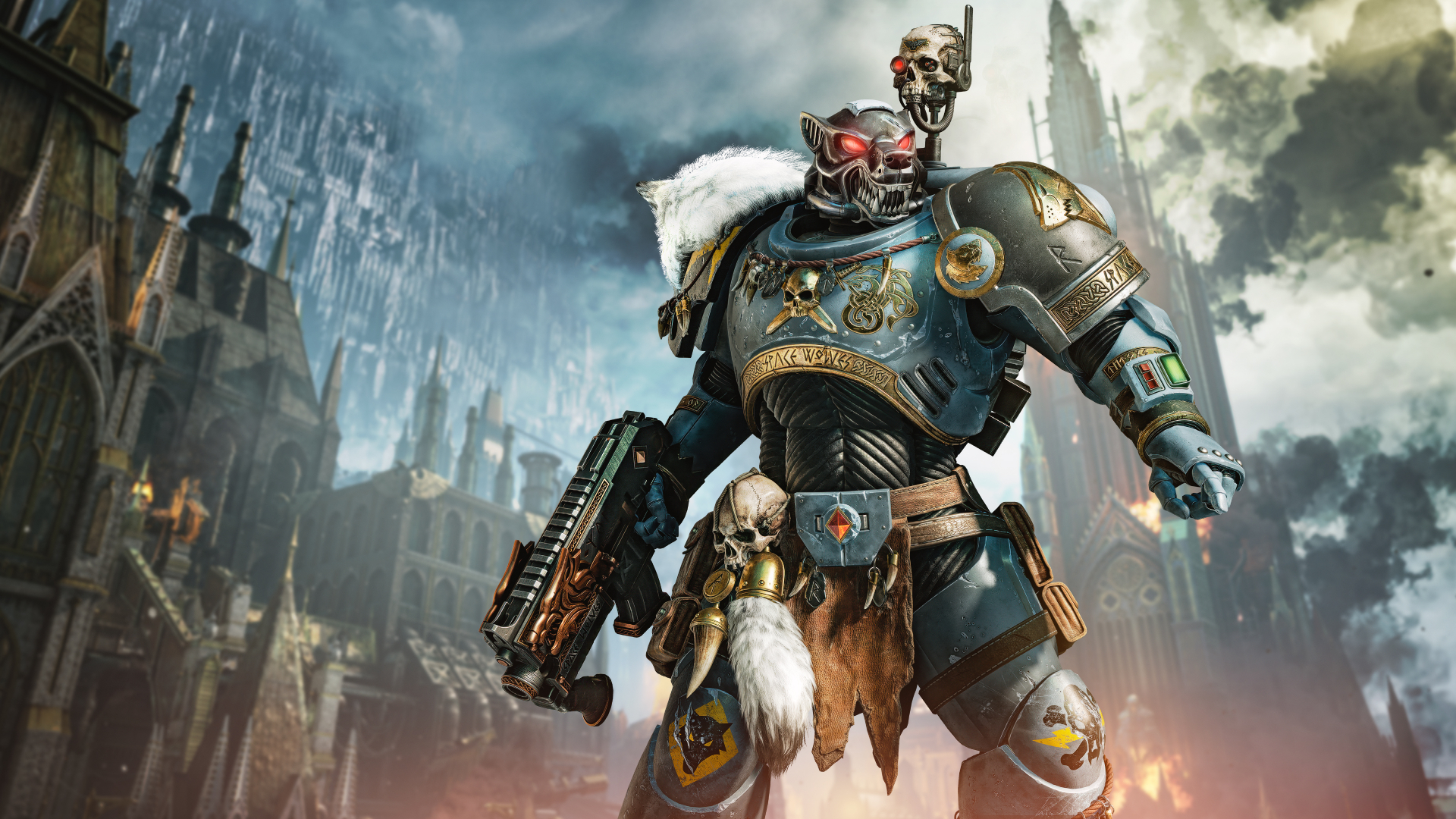
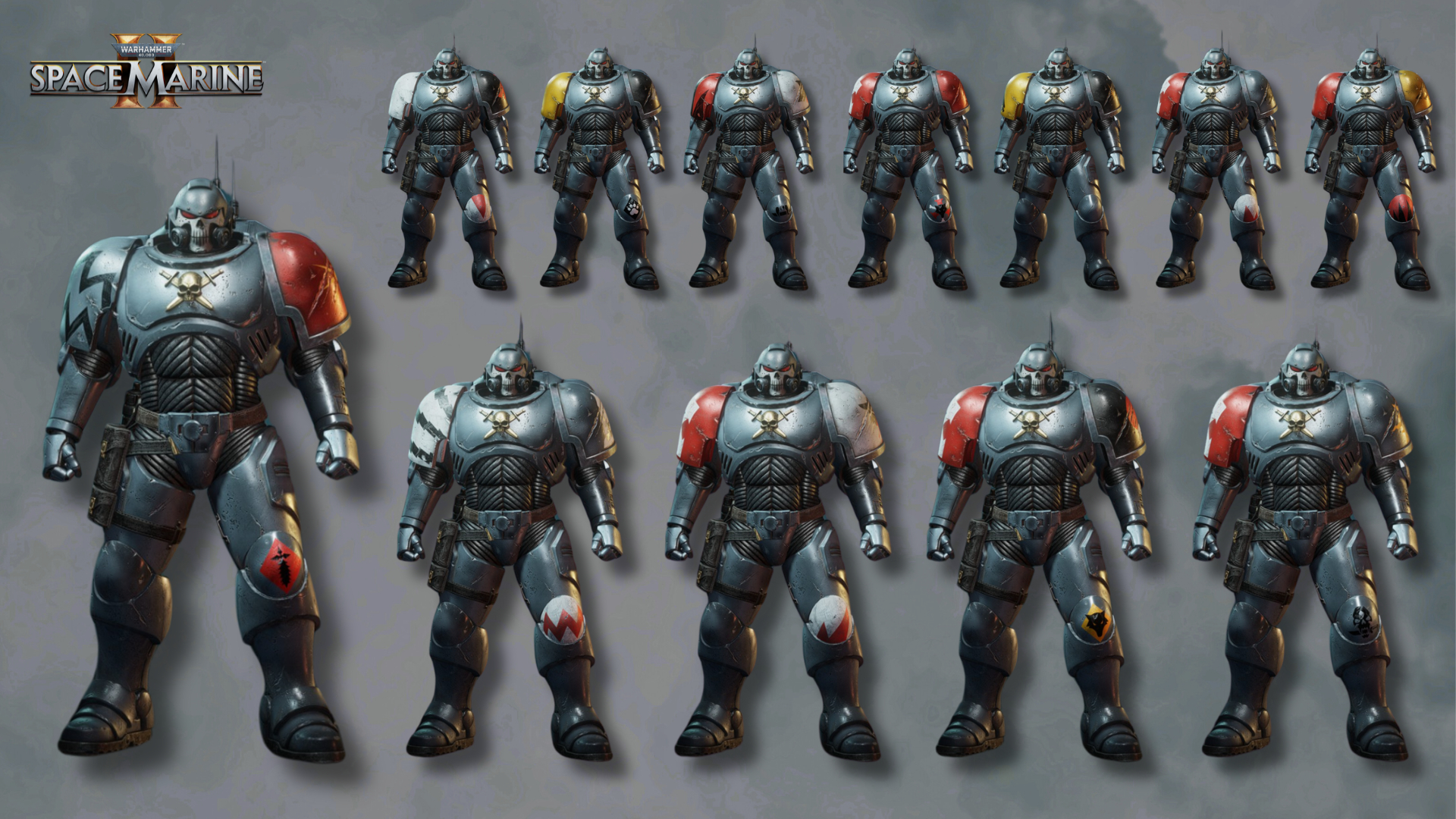
The Champions of Fenris
Contents:
- Left Pauldron Chapter Decal
- Wolf Guard Right Pauldron Decal (x2)
- Space Wolves Mk X Helmet
The Bloodmaws
Contents:
- Left Pauldron Chapter Decal
- Wolf Guard Right Pauldron Decal
- Wulfen Left Greave Decal
- Wulfen Right Greave Decal (x2)
The Seawolves
Contents:
- Left Pauldron Chapter Decal
- Fire Support Right Pauldron Decal
- Wulfen Left Greave Decal
- Battleline Right Greave Decal
- Fenrisian Grey Colour
The Sons of Morkai
Contents:
- Left Pauldron Chapter Decal
- Battleline Right Pauldron Decal
- Wolf Guard Right Pauldron Decal
- Honour Left Greave Decal
- Space Wolves Mk X Left Greave
The Red Moons
Contents:
- Left Pauldron Chapter Decal
- Wulfen Right Greave Decal (x2)
- Honour Left Greave Decal
The Deathwolves
Contents:
- Left Pauldron Chapter Decal
- Wolf Scout Right Pauldron Decal (x2)
- Honour Left Greave Decal
- Space Wolves Mk X Right Pauldron
The Stormwolves
Contents:
- Left Pauldron Chapter Decal
- Honour Right Greave Decal (x2)
- Honour Left Greave Decal
- Wulfen Left Greave Decal
The Ironwolves
Contents:
- Left Pauldron Chapter Decal
- Close Support Right Pauldron Decal (x2)
- Honour Left Greave Decal
The Drakeslayers
Contents:
- Left Pauldron Chapter Decal
- Honour Left Greave Decal
- Honour Right Greave Decal (x2)
- Space Wolves Mk X Breastplate
The Blackmanes
Contents:
- Left Pauldron Chapter Decal
- Battleline Right Pauldron Decal (x2)
- Battleline Left Greave Decal
The Firehowlers
Contents:
- Left Pauldron Chapter Decal
- Wolf Guard Right Pauldron Decal
- Honour Left Greave Decal
- Honour Right Greave Decal (x2)
The Grimbloods
Contents:
- Left Pauldron Chapter Decal
- Fire Support Right Pauldron Decal
- Veteran Right Pauldron Decal
- Wulfen Left Greave Decal
Space Wolves Champion Pack
Contents:
- Space Wolves Full-body Vanguard Power Armour Skin
*Note: The Power Armour skin cannot be used in the armour editor. This means you cannot use individual parts as customisation and is locked as a full set.
Space Wolves Weapon Pack
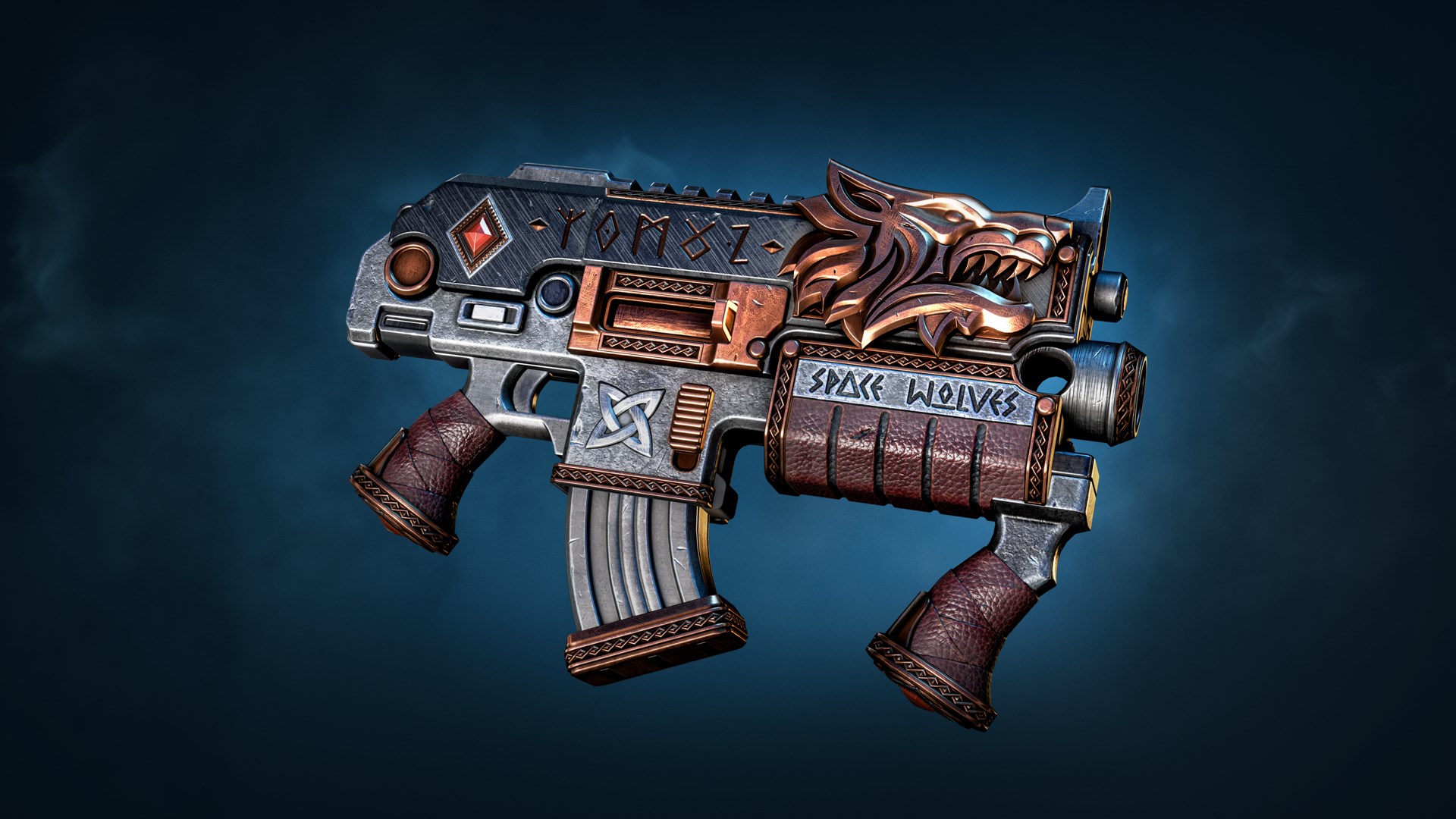
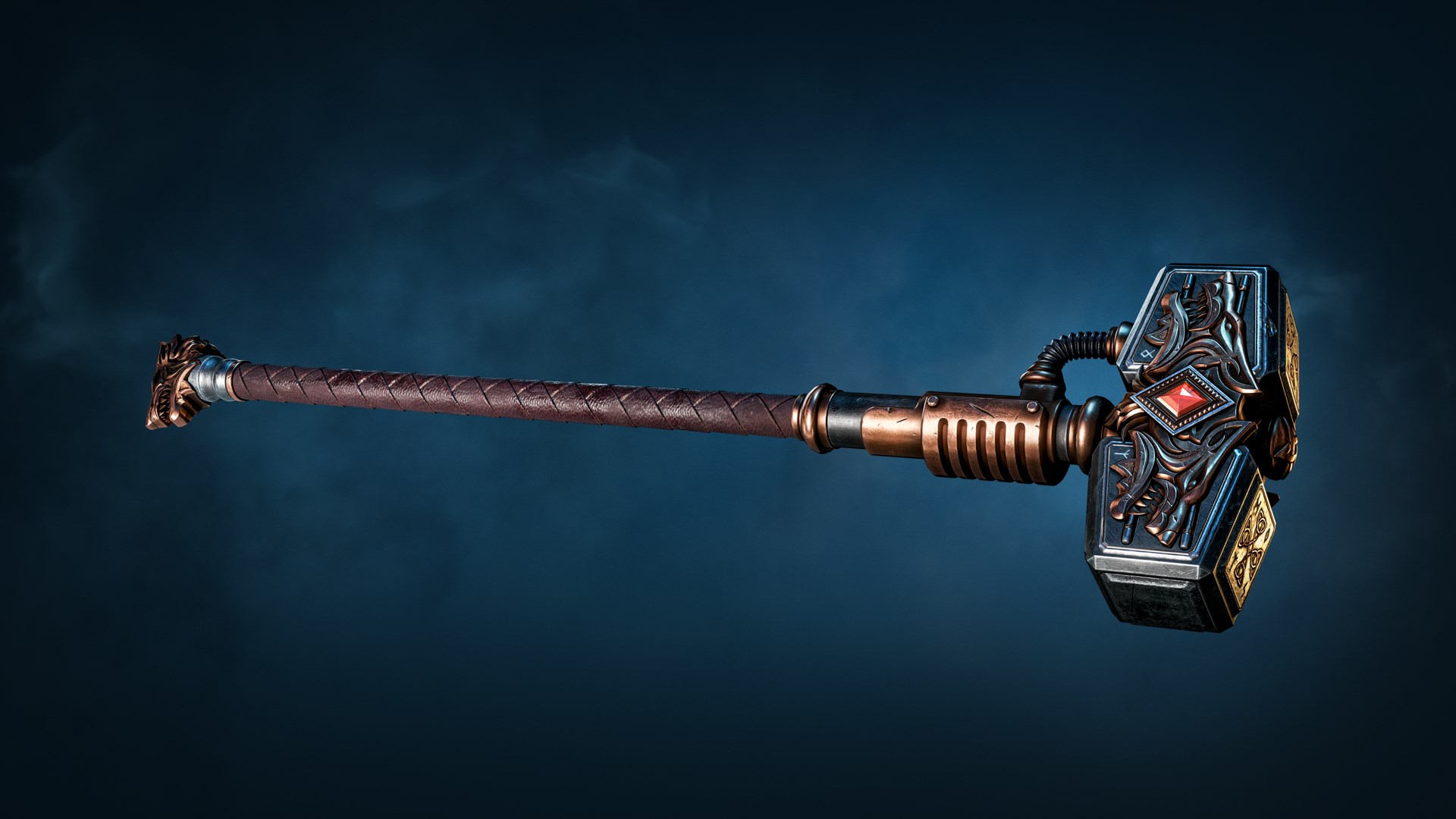
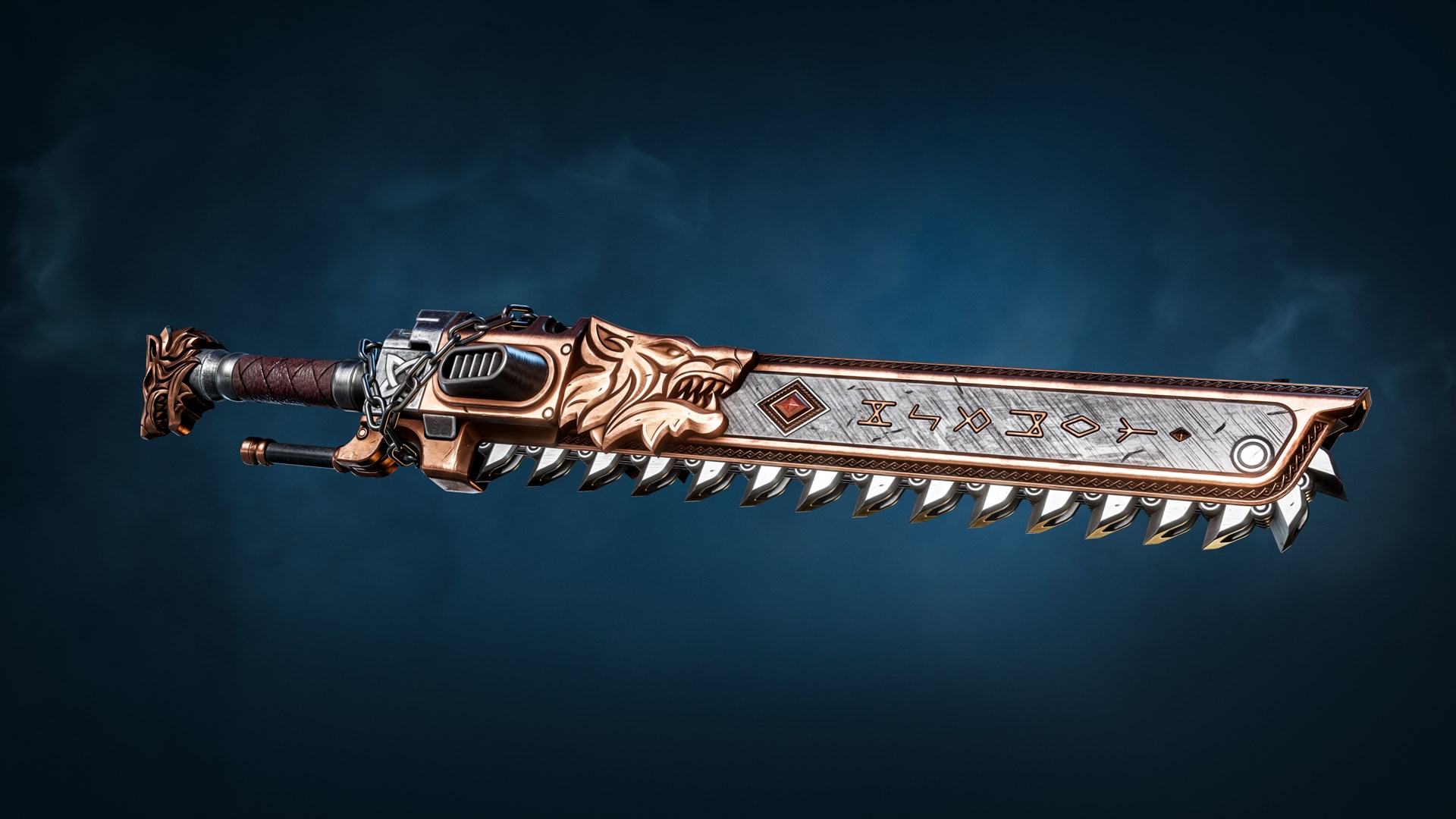
Contents:
- Space Wolves Bolt Carbine Skin
- Space Wolves Thunder Hammer Skin
- Space Wolves Chainsword Skin
Imperial Fists Champion Pack
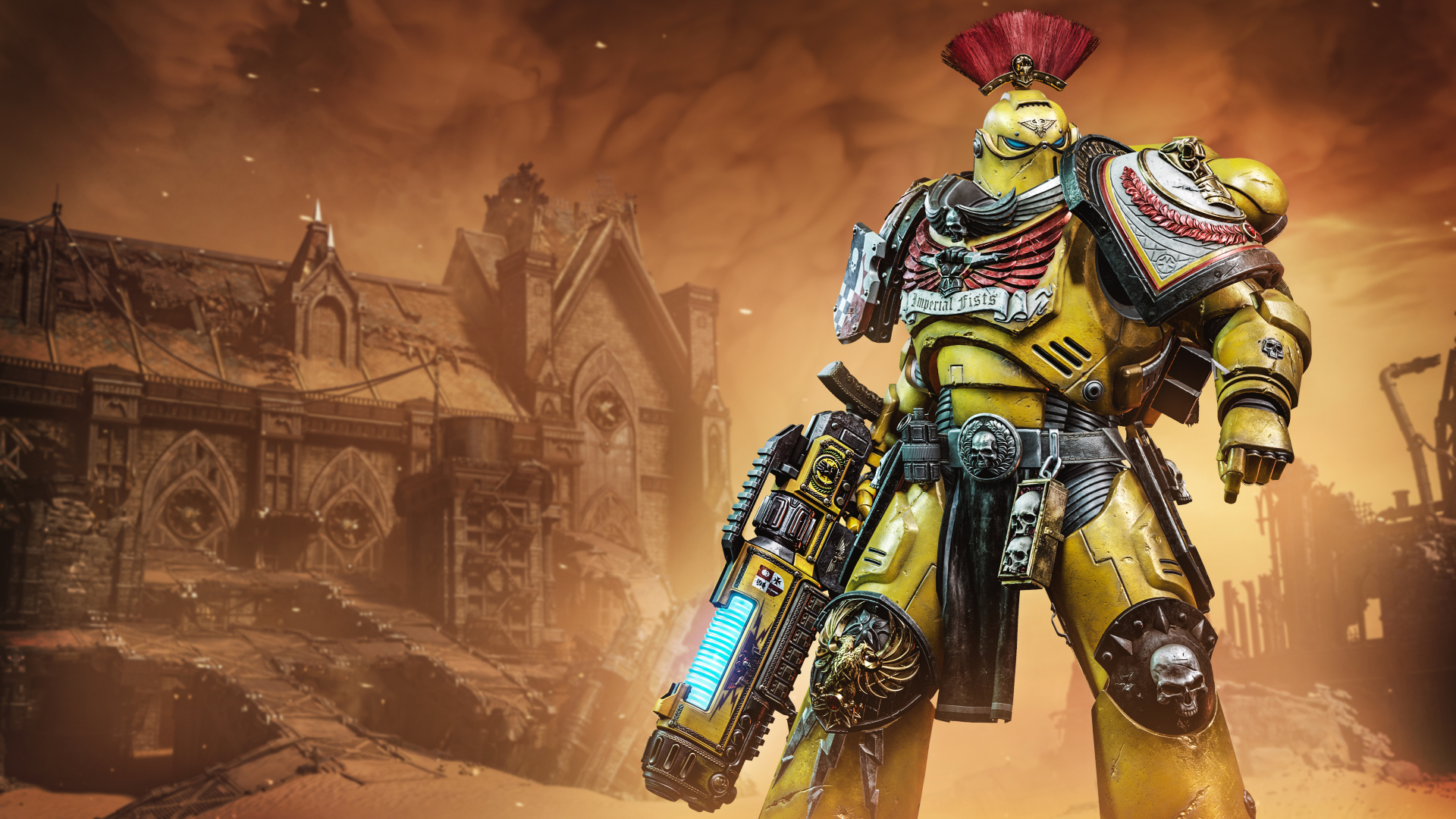
Contents:
- Imperial Fists Full-body Tactical Power Armour Skin
- Imperial Fists Plasma Incinerator Skin
*Note: The Power Armour skin cannot be used in the armour editor. This means you cannot use individual parts as customisation and is locked as a full set.
Datamined/Teased Cosmetics
These images are part of upcoming content that has either not been seen before, or is currently unknown as to how to obtain. May be subject to change.
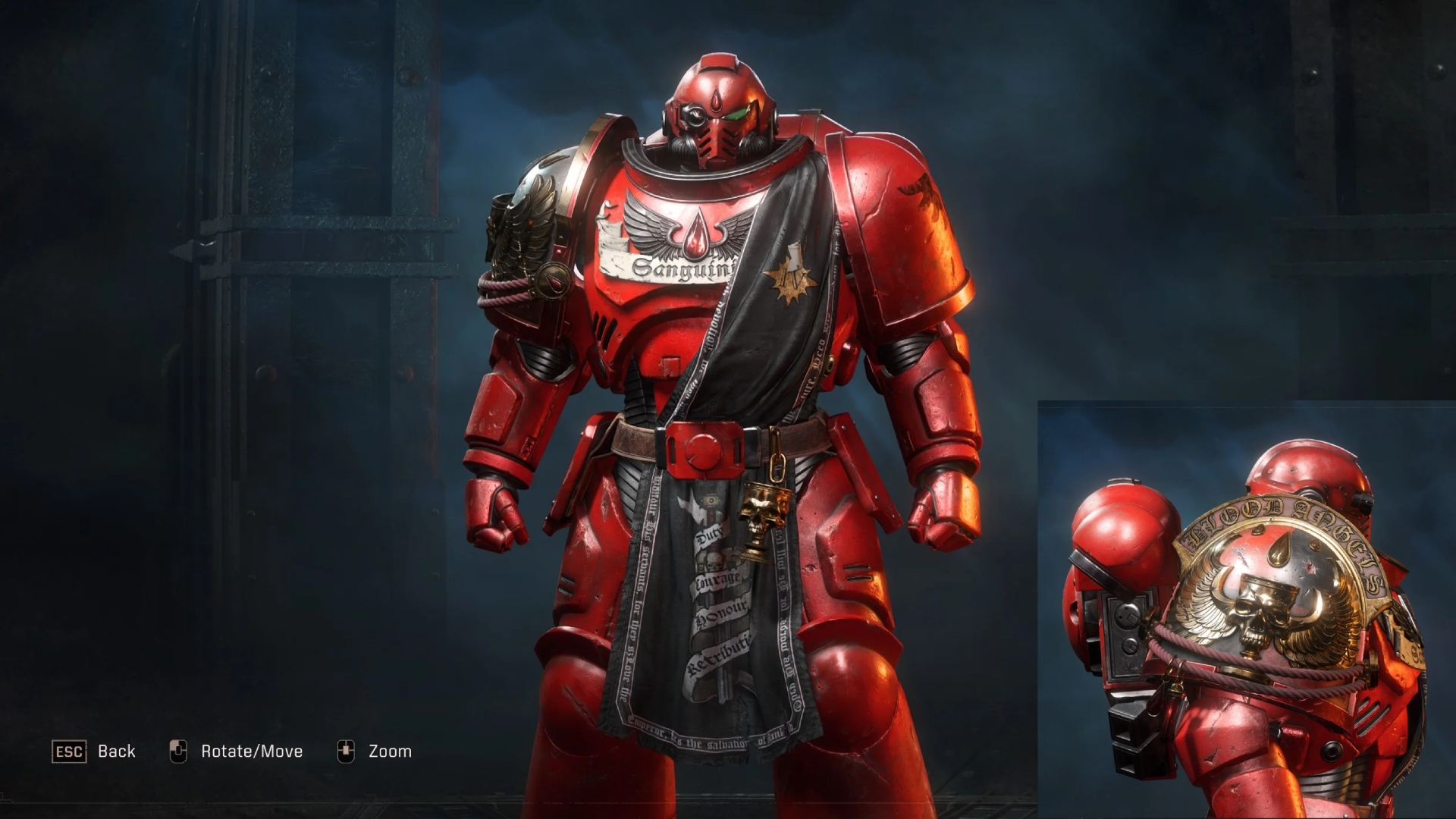
Blood Angels Cosmetics
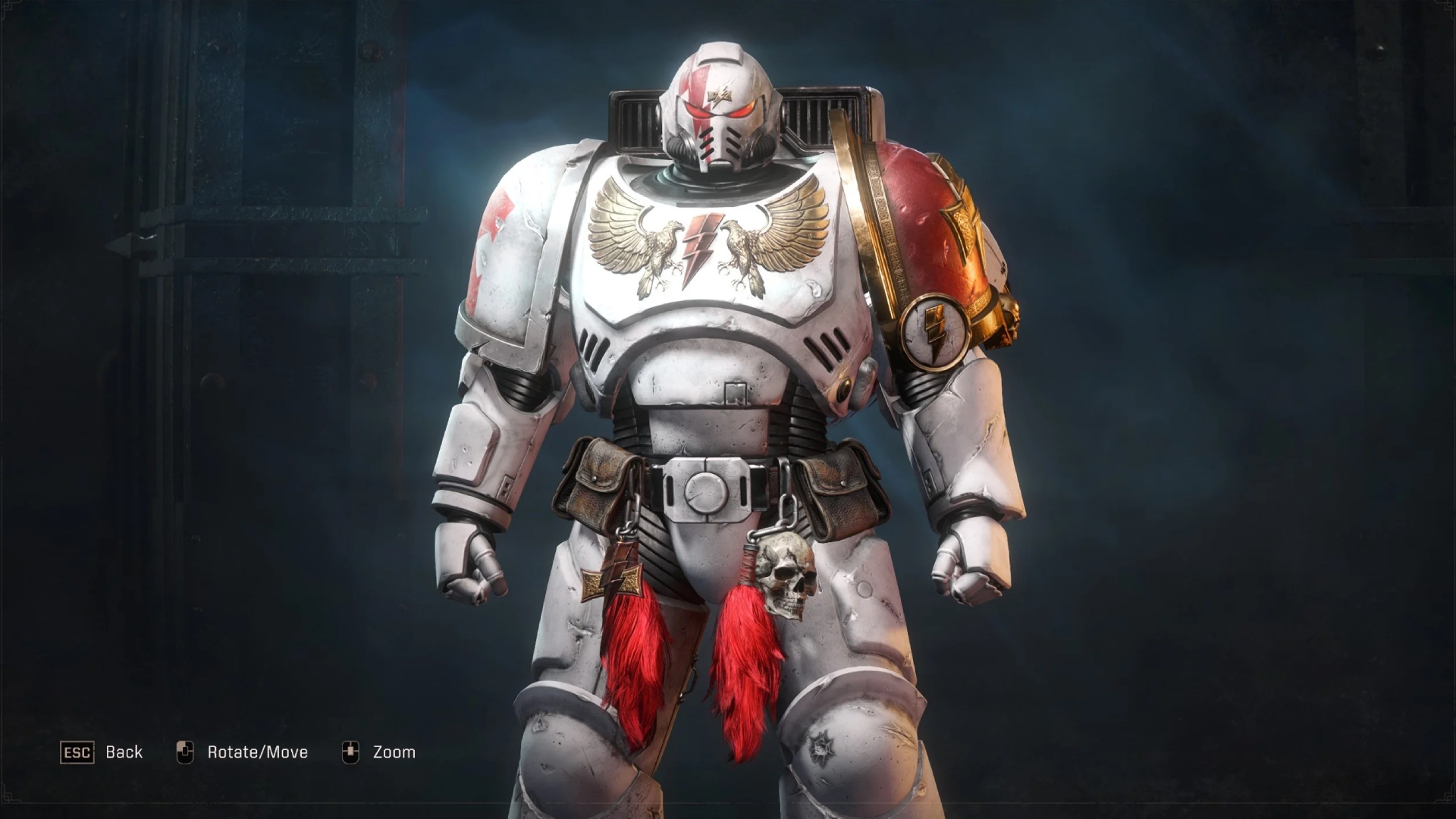
White Scars Cosmetics
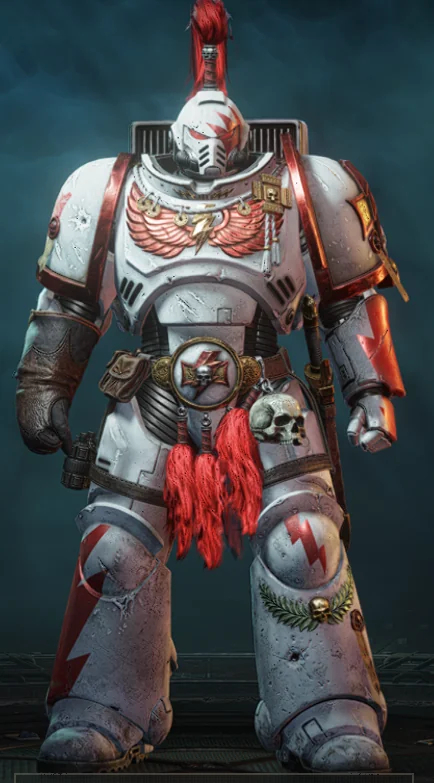
White Scars Champion Skin
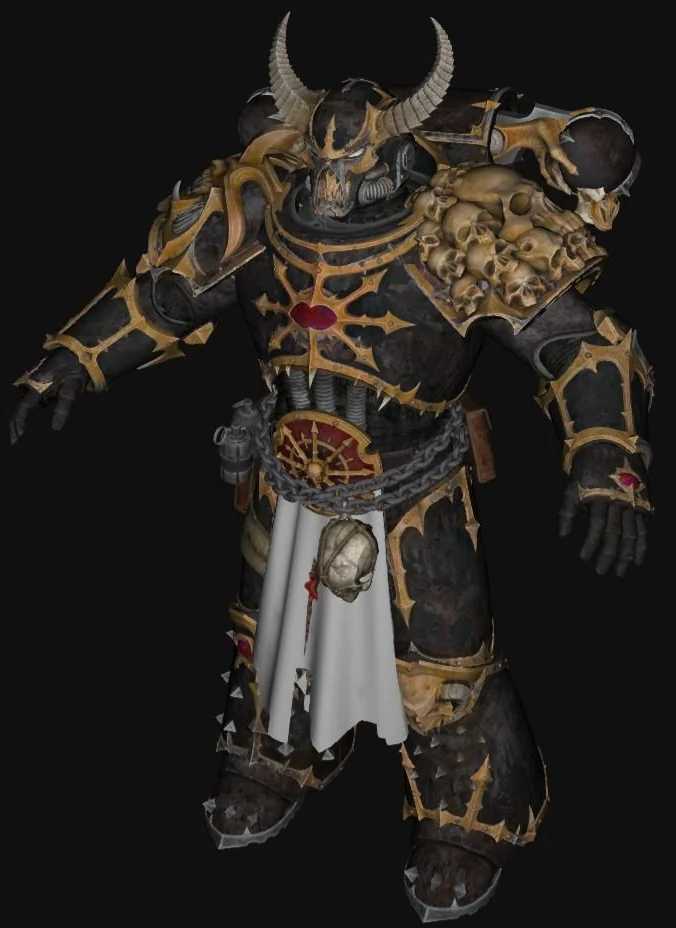
Chaos Tactical Skin
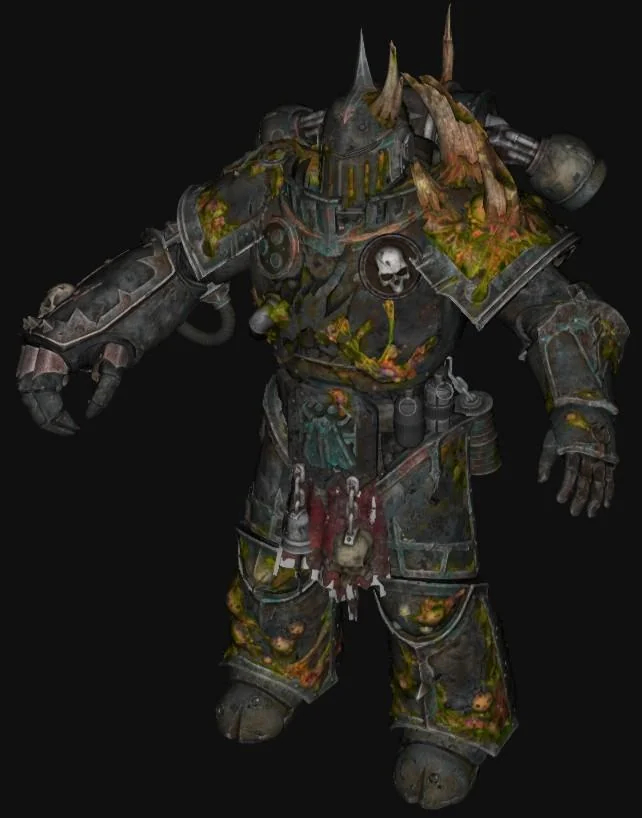
Chaos Bulwark Skin
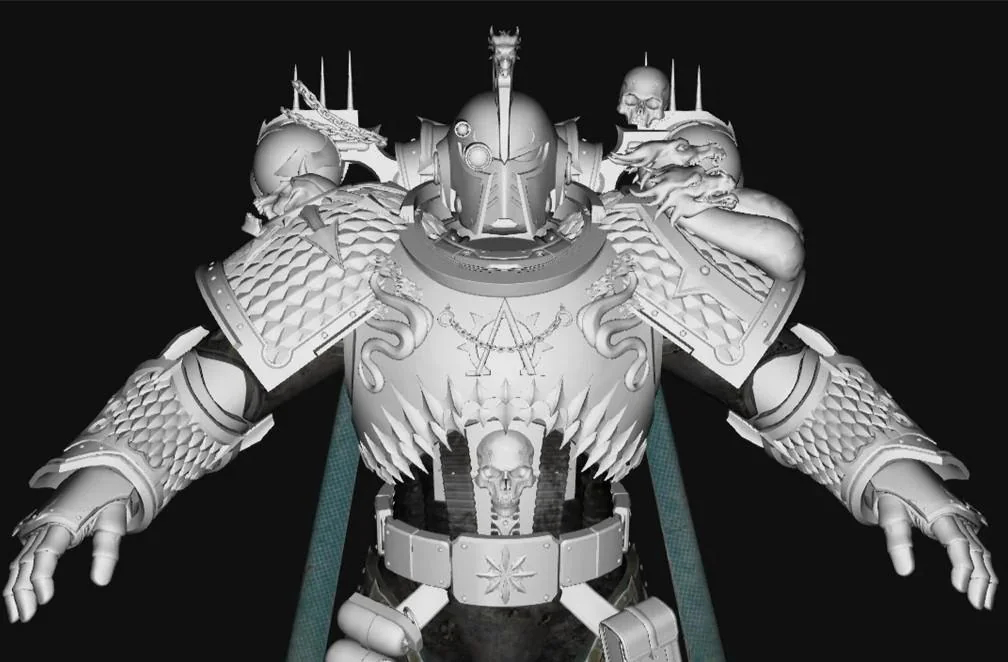
Chaos Sniper Skin
Teased Cosmetics
Blood Angels Cosmetics
White Scars Cosmetics
White Scars Champion Skin
Chaos Tactical Skin
Chaos Bulwark Skin
Chaos Sniper Skin
Hall of Heroes
Want to showcase your meticulously crafted drip? this is the place to do it! All images and information must be sent to my Discord (troadi).
Image Prerequisites:
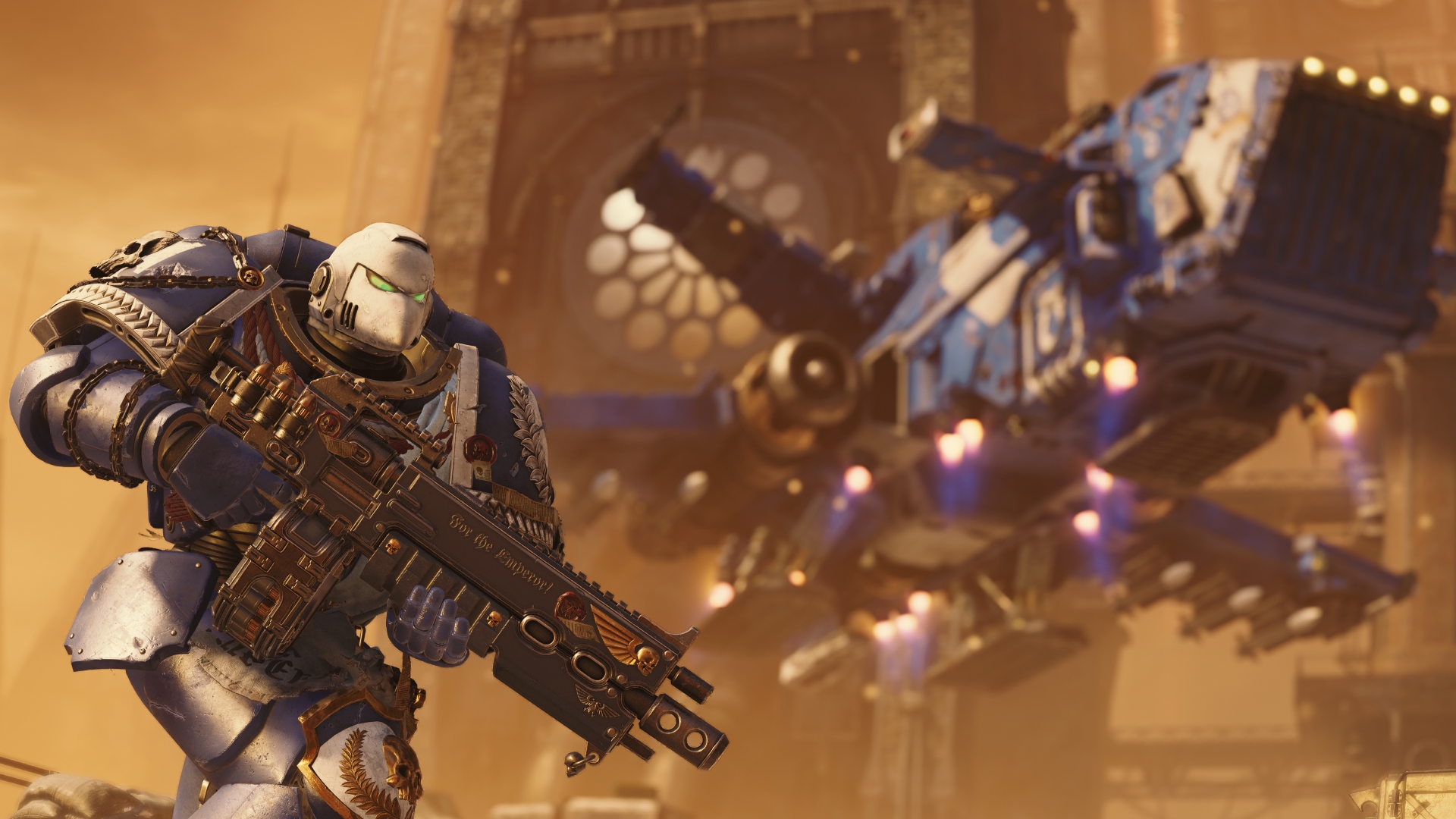
llldominator573
Ultramarines - Sternguard Veteran
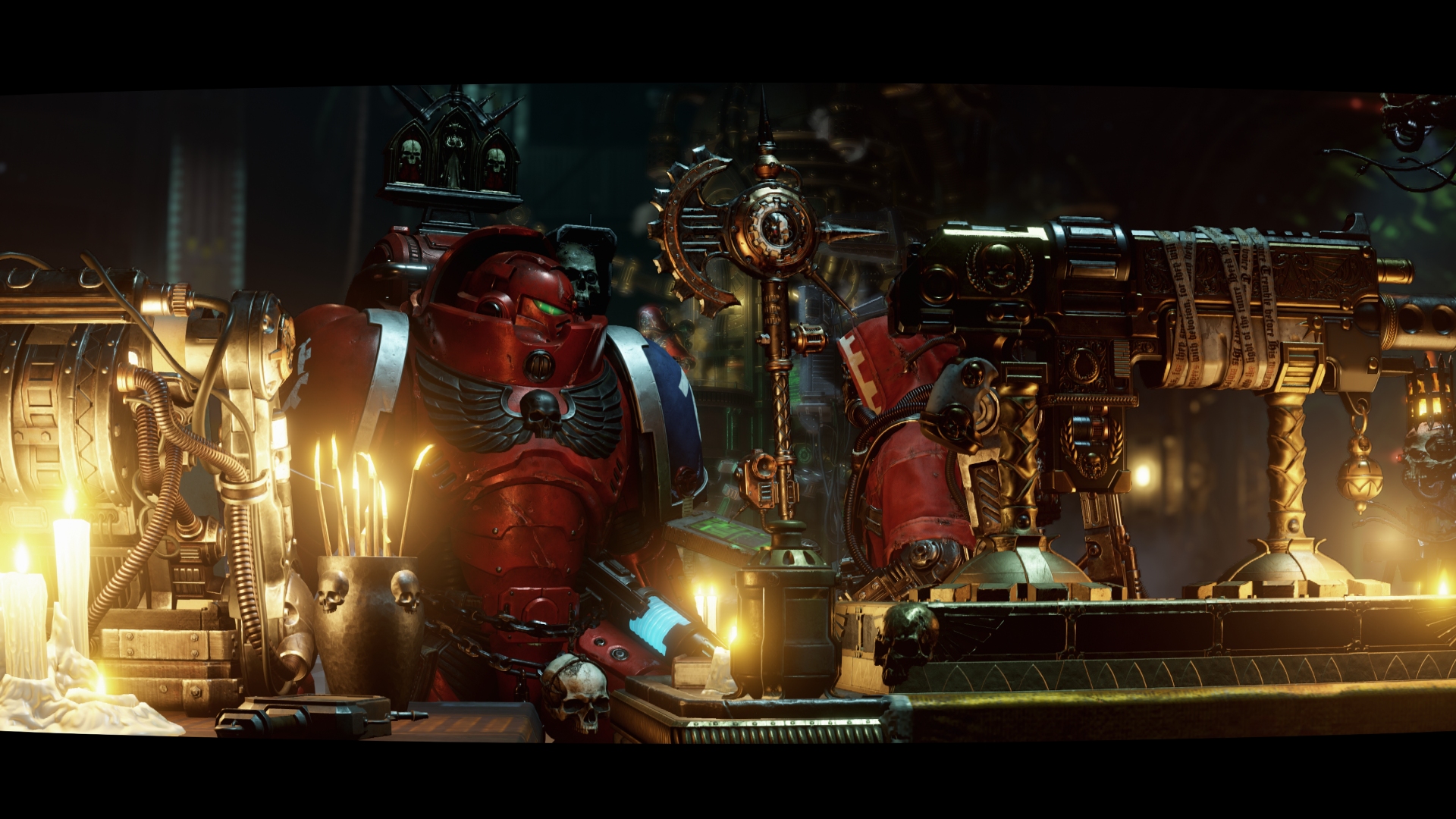
walmart_escobar
Ultramarines - Techmarine
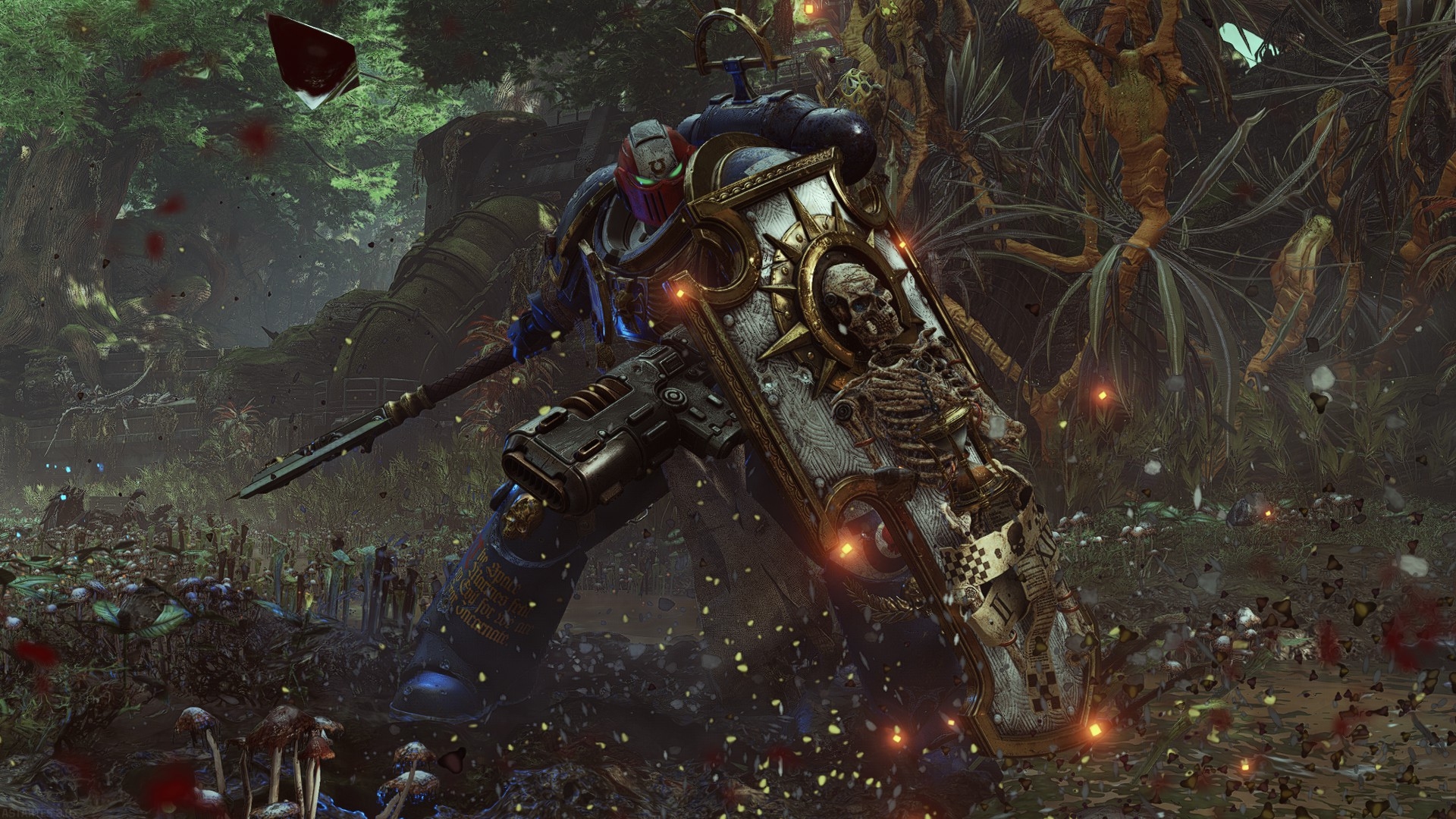
orangutansam.
Ultramarines - Bladeguard Veteran
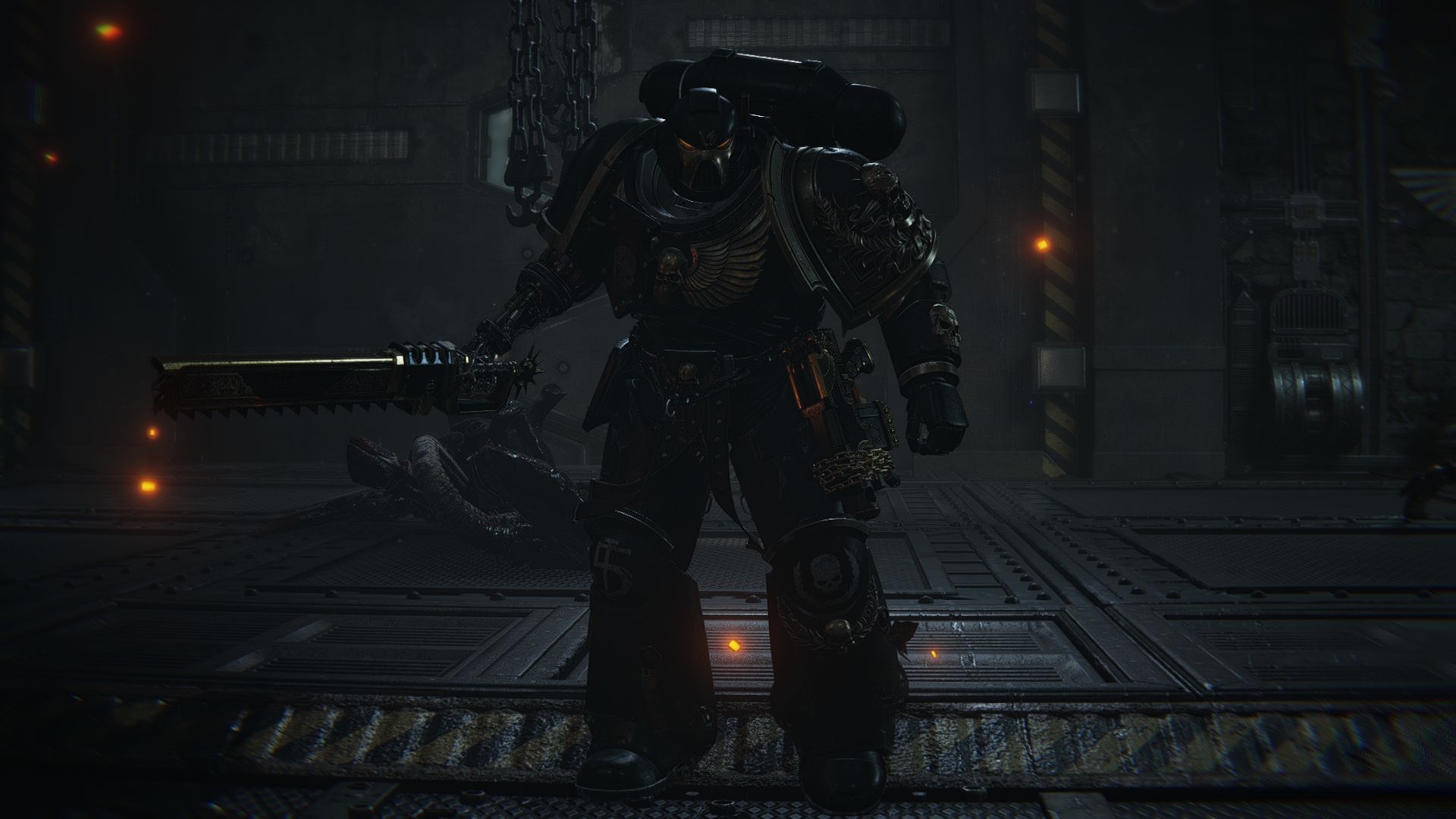
thecrusadeguy
Sons of Horus
Image Prerequisites:
- Image must be taken within photo mode
- Must contain no HUD elements (Cannot be taken within the armoury hall)
- Use a 16:9 resolution (Or be large enough to be fit into 1920x1080 resolution)
- Can be a basic standing or action shot
- Your Discord username
- Chapter: Games Workshop original or custom
- Chapter/unit rank (Optional)
llldominator573
Ultramarines - Sternguard Veteran
walmart_escobar
Ultramarines - Techmarine
orangutansam.
Ultramarines - Bladeguard Veteran
thecrusadeguy
Sons of Horus
More Warhammer 40,000: Space Marine 2 guides
- Fully Optimized PVE Builds for Every Class★ 5 (1.5k)55k views3.8k ♥36 minUpdated Apr 30, 2025
- [W40k: Space Marine 2] All dataslate locations★ 5 (1.2k)33k views2.4k ♥3 min
- Armory data / Gene Seeds Locations: WIP★ 5 (632)27k views1.6k ♥12 minUpdated Mar 12
- 100% ACHIEVEMENT GUIDE | Warhammer 40,000: Space Marine 2 👑★ 5 (597)24k views1.1k ♥11 minUpdated Aug 28, 2025
- Руководство по всем достижениям | Прохождение игры на 100%★ 5 (596)24k views1.4k ♥6 minRussianUpdated Oct 13, 2024
- [W40k: Space Marine 2] Сбор инфопланшетов★ 5 (800)20k views1.5k ♥3 minRussian




This guide was created by its original author on the Steam Community. Are you the author and want it removed? Request removal.