Diamond Hunting Made Easy: Quick Way to Find a Diamond Animal
Ensuring diamond spawn
- Download the Animal Population Scanner tool:
- Visit Nexus Mods[www.nexusmods.com].
- Download and unpack the tool.
- Visit Nexus Mods[www.nexusmods.com].
- Launch the Animal Population Scanner tool:
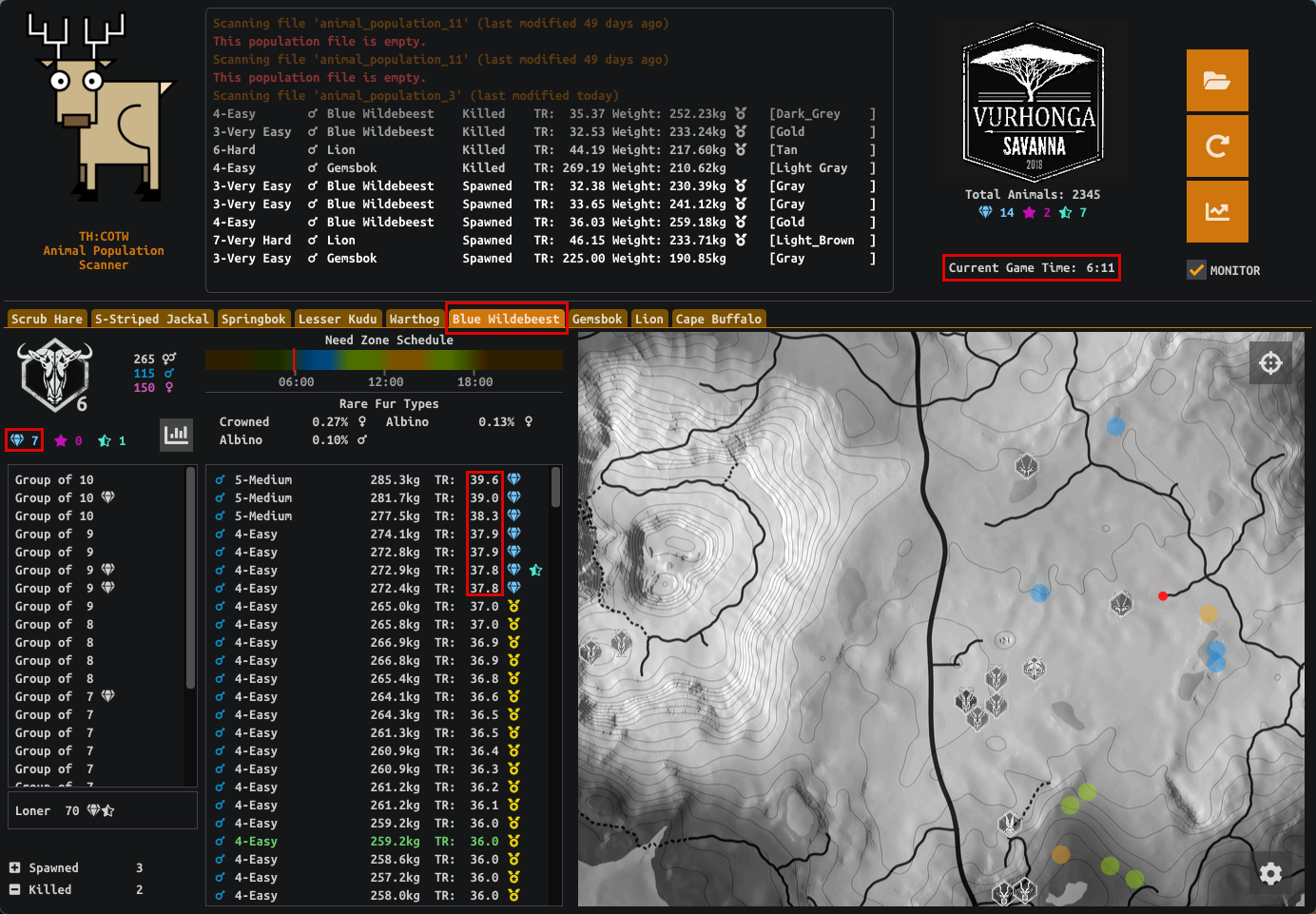
- Open the tool and select your desired reserve.
- Locate the "animal_population_x" file in the list below and open it.
- Open the tool and select your desired reserve.
- Check diamond population:
- Select the tab for the desired animal species.
- Look for the number next to the diamond icon, indicating the amount of spawned diamonds.
- If there are diamonds present, proceed to step 4.
- If there are no diamonds, close the game and delete the "animal_population_x" file.
- Note: Disable Steam cloud saving to prevent the automatic restoration of deleted files.
- Launch the game again to generate a new population file with fresh spawns.
- Return to step 2 to continue the process.
- Select the tab for the desired animal species.
- Check the TR value:
- If there are diamonds, check the TR value of the last diamond in the list.
- Take note of this value as it will be useful in the second part of this guide.
- If there are diamonds, check the TR value of the last diamond in the list.
Finding the exact location of the diamond spawn
- Access theHunter: COTW Map tool:
- Open the website[mathartbang.com].
- Select your reserve.
- Open the website[mathartbang.com].
- Load your game save data:
- Locate your "Saves" folder in %USERPROFILE%/Documents/Avalanche Studios/COTW.
- Drag and drop the "Saves" folder into the designated area to the left of the map.
- This action will load your population data into the tool.
- Locate your "Saves" folder in %USERPROFILE%/Documents/Avalanche Studios/COTW.
- Locate the desired animal species:
- Select the reserve where you want to find the diamond animal.
- Expand the desired species row in the list to the left of the map.
- Select the reserve where you want to find the diamond animal.
- Find the highest-scoring spawn:
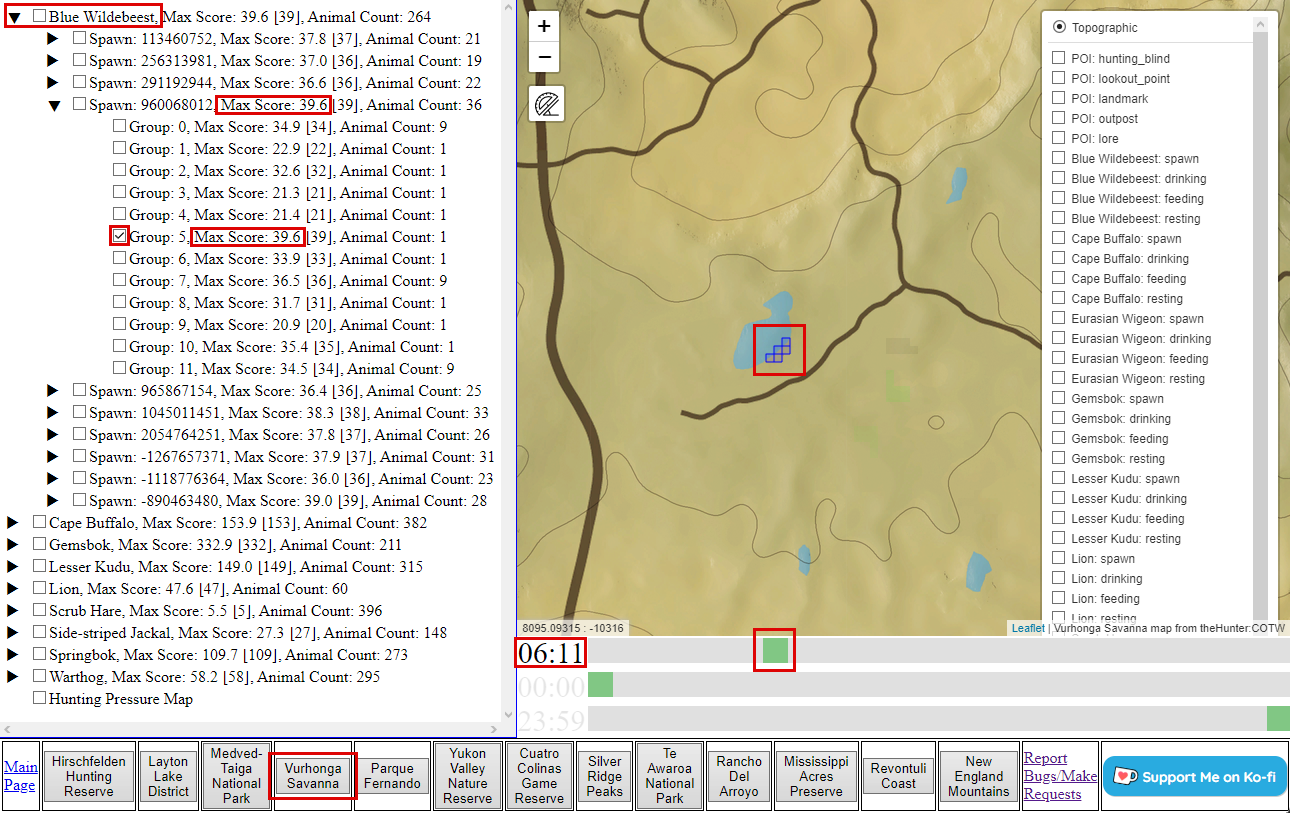
- Look for the spawn row with a score greater than or equal to the TR value obtained in the previous part of this guide.
- Expand that spawn row.
- Look for the spawn row with a score greater than or equal to the TR value obtained in the previous part of this guide.
- Identify the group with the highest score:
- Within the expanded spawn row, locate the group row with the highest score.
- This group should contain the diamond animal you seek.
- Within the expanded spawn row, locate the group row with the highest score.
- Check the wandering cycle:
- The wandering cycle of the selected group should appear on the map.
- To narrow down the location, check the current time in either the Animal Population Scanner tool or the game itself.
- Drag the topmost slider under the map to match the current time.
- The irrelevant areas should now be filtered out so you should see only one area on the map.
- The wandering cycle of the selected group should appear on the map.
- Go and get that diamond harvest:
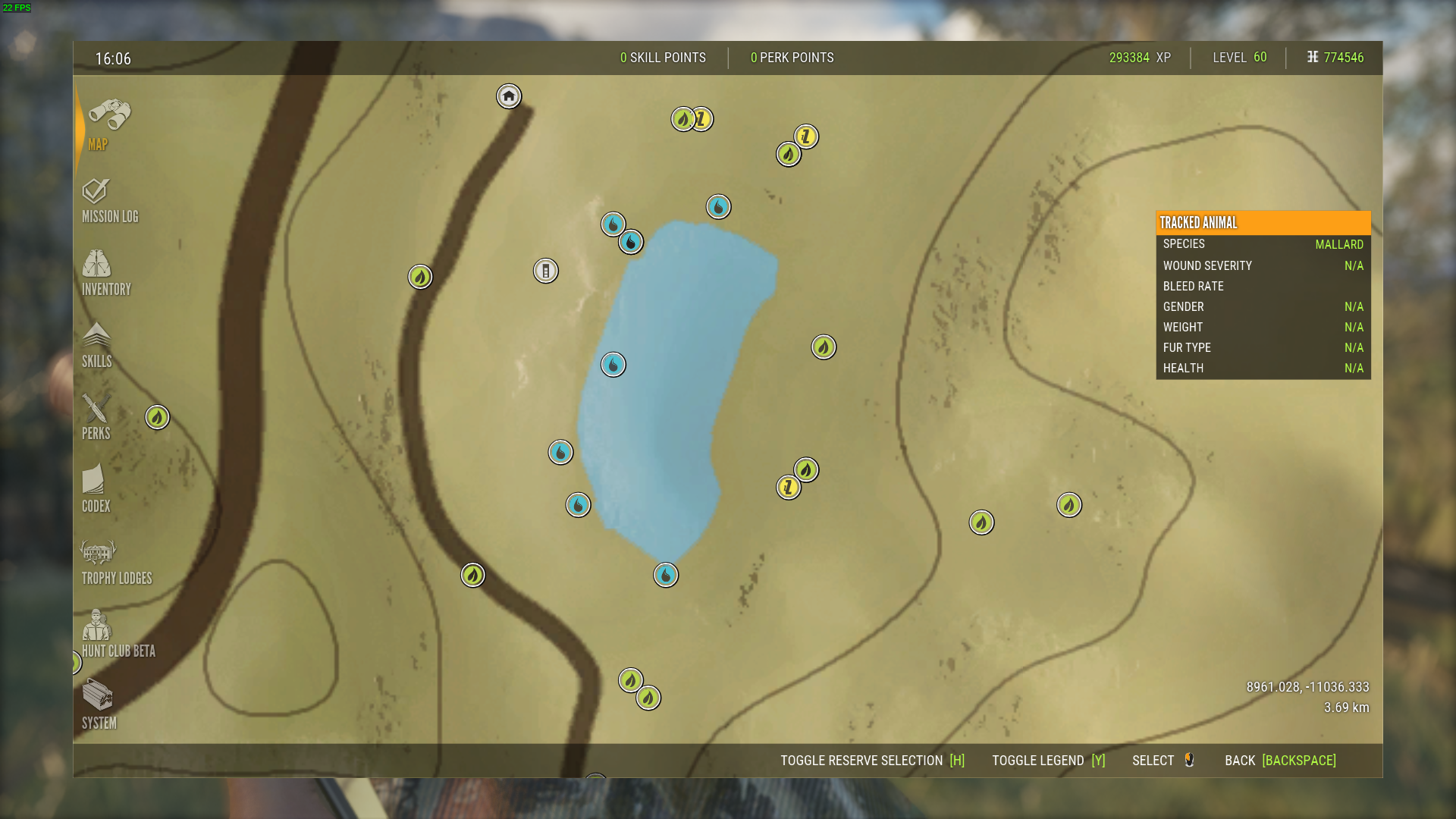
- Return to the game and navigate to the indicated area on the map.
- Use your tracking and hunting skills to locate and claim the diamond animal.
- Return to the game and navigate to the indicated area on the map.
Conclusion
By utilizing these tools, and following this step-by-step guide, you can find any diamond or any other desired animal in theHunter: Call of the Wild. Happy hunting, and may you succeed in your quest for the rarest harvests of the wilderness!
More theHunter: Call of the Wild™ guides
- Animal Location Maps (Parque update!)★ 5 (1.7k)84k views4.4k ♥1 minUpdated 1 Jan, 2019
- NEW Animal Location Maps (Hi-Res) - INTISUYU PERU UPDATE!★ 5 (1.6k)55k views4.3k ♥1 minGermanUpdated 24 Jun
- Limit FPS using only Nvidia Control Panel42k views53 ♥1 minUpdated 24 Nov, 2024
- ALL NEED ZONE TIMES FOR EVERY ANIMAL (SUNDARPATAN NEPAL)★ 5 (754)36k views2k ♥19 minUpdated 28 Jun, 2024
- Beginner's Guide: New Players, New Hunters★ 5 (405)24k views681 ♥33 minUpdated 3 Jan, 2023
- Trophy Ratings & Fur Types★ 5 (800)24k views2k ♥36 minUpdated 10 Jun




🔥 Popular guides
- Upgrading to PremiumTeam Fortress 2★ 5 (20k)1441k views11k ♥6 minUpdated May 11, 2022
- No More Room in Hell Official ManualNo More Room in Hell★ 5 (2.8k)569k views2.1k ♥29 minUpdated Apr 22, 2019
- NMRiH Community Hosting GuidesNo More Room in Hell★ 5 (526)351k views653 ♥1 minUpdated Aug 10, 2022
- ULTIMATE GUIDE FOR GAME DEV TYCOONGame Dev Tycoon★ 5 (5.8k)326k views10k ♥4 minUpdated 23 Jan, 2014
- How to 'Git Gud' Soon™MORDHAU★ 5 (2k)318k views3k ♥68 minUpdated Nov 16, 2024
- Лучшие кооперативные игры SteamPAYDAY 2★ 5 (1.5k)315k views2.1k ♥56 minRussianUpdated Apr 27, 2025






This guide was created by its original author on the Steam Community. Are you the author and want it removed? Request removal.