[EASY]How to Upload a Map to Workshop in Civilization 6 (VI) And Play Multiplayer
What You will need:
- Civilization VI
- Civilization VI Development Tools (LIBRARY/ Tools/)
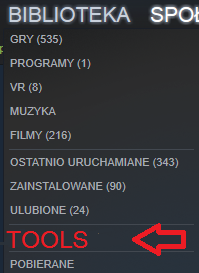

- Civilization VI Development Tools (LIBRARY/ Tools/)
You only need Development Tools (It's only a few hundred MB)
Getting Started
-Open Civilization VI Development Tools
-Select Mod Buddy
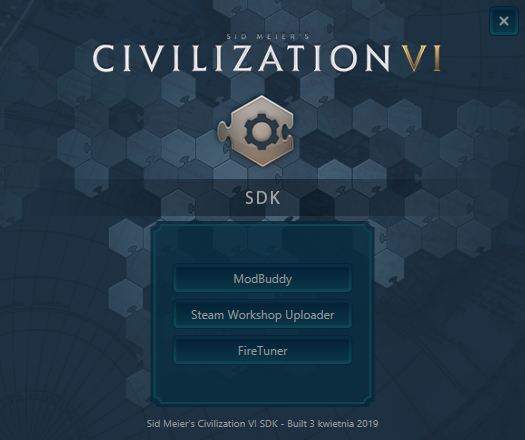
If you don't have Visual Studio 2013, you may be prompted with 800MB Install (do that).
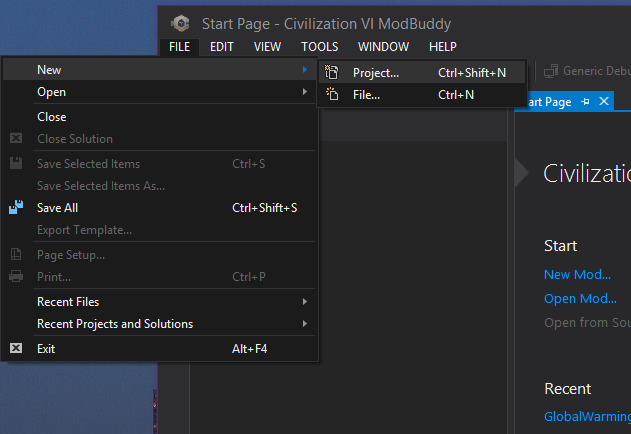
Create a New File (FILE/New/Project.../)
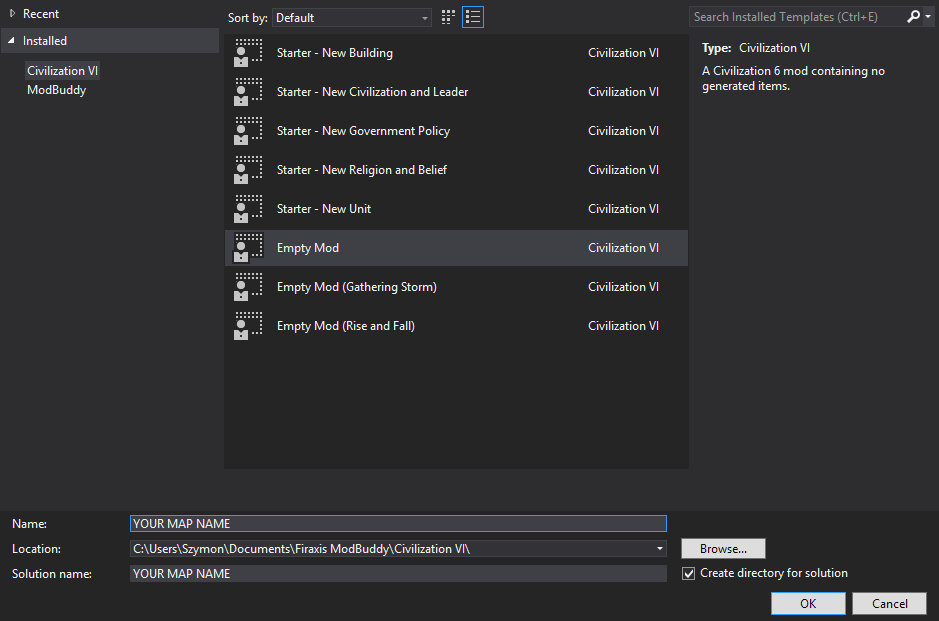
Select an Empty Mod, and name It however you like (I'd advise to name it the same as your map)
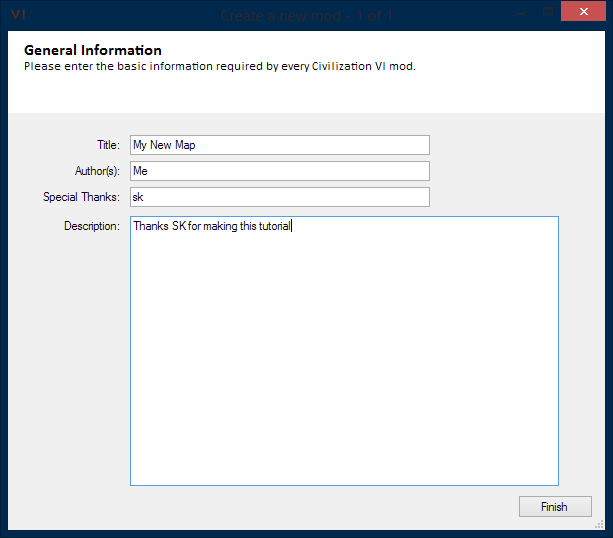
Write something in there...
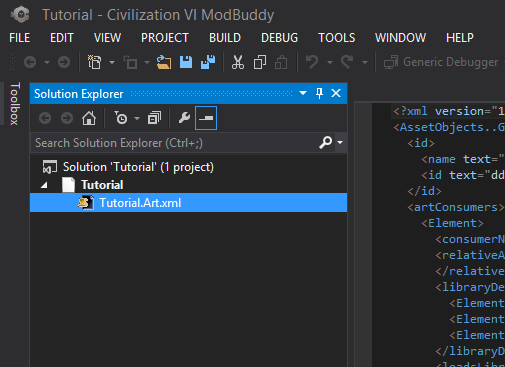
Delete this .xml file
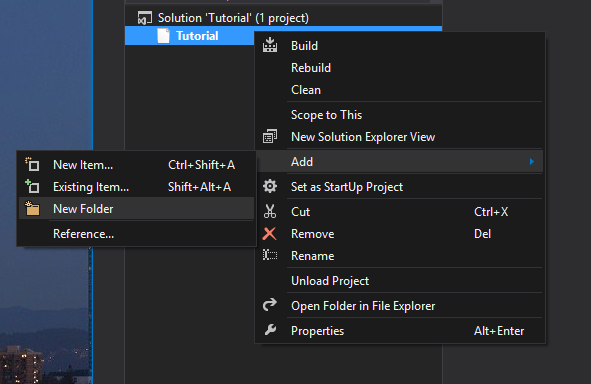
Create a New Folder and name it Maps
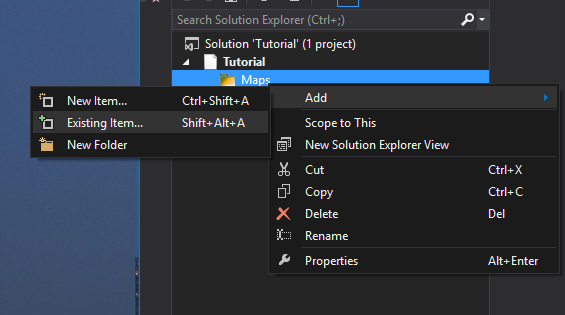
Add existing item
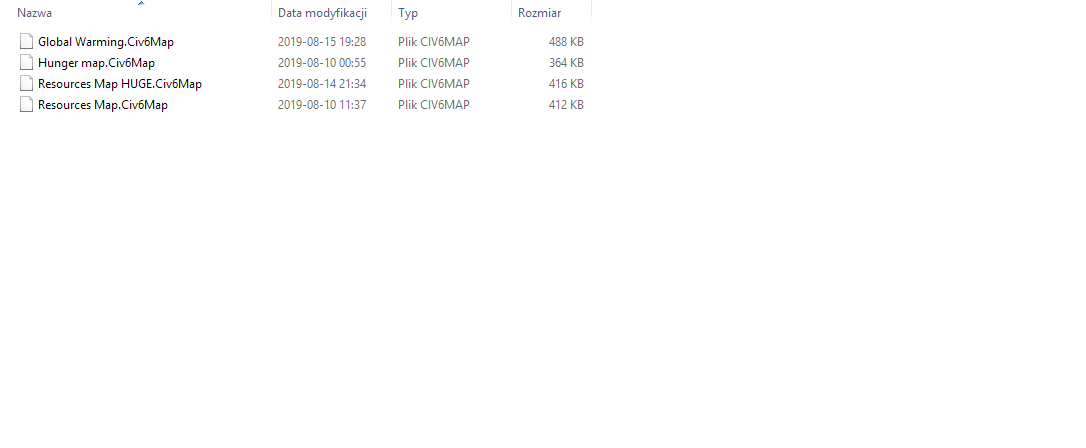
Go to Documents\My games\Sid Meier's Civilization VI\Saves\WorldBuilder
and select your map file
Final steps
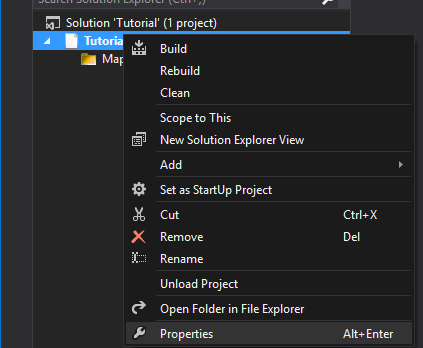
Open Properties of your map, right click/ properties
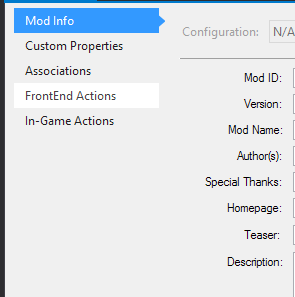
Go to FrontEnd Actions
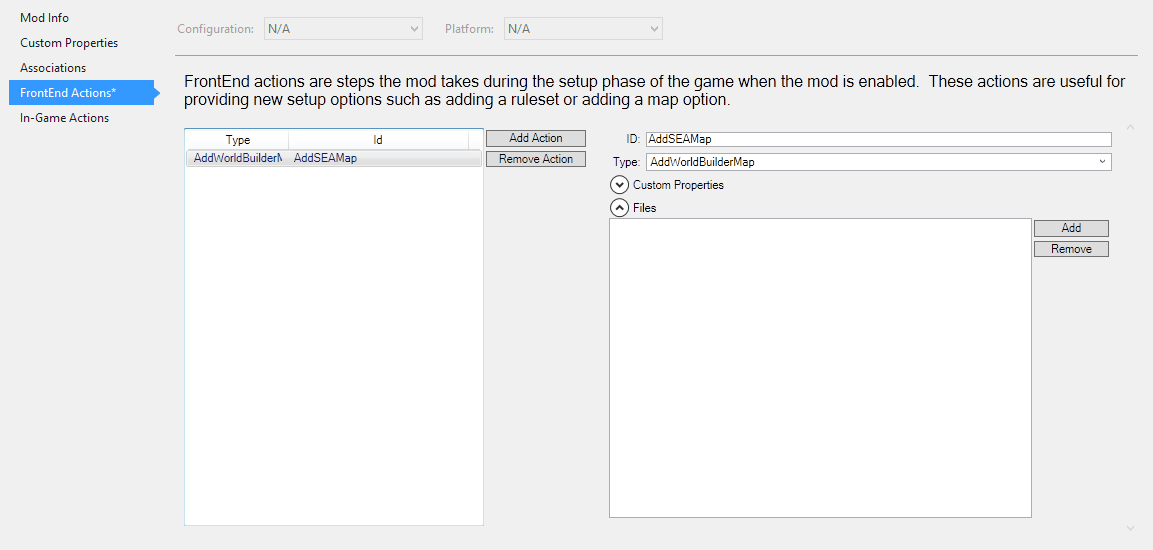
Add Action, change the ID section to "AddSEAMAP" and the type to "AddWorldBuilderMap"
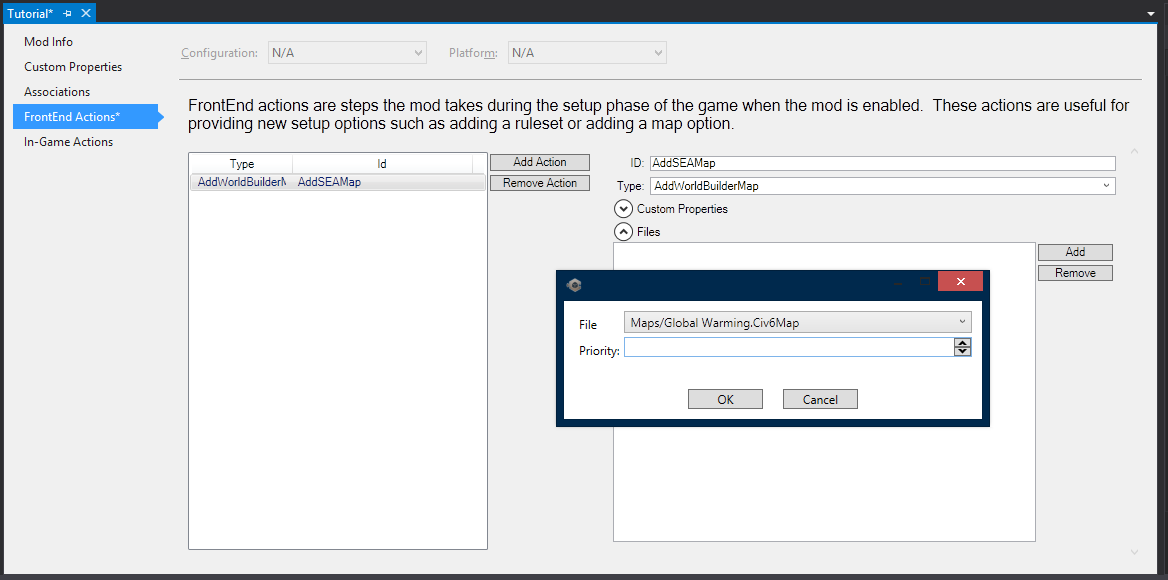
Go to files tab and click "ADD", then select your map (Mine is called "Global Warming" don't ask) and click OK
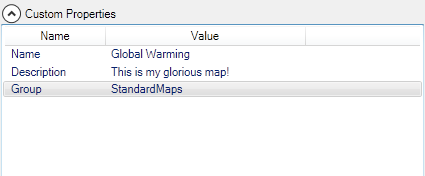
Add 3 Custom Properties:
- Name - "Name"
- Description - "Your description"
- Group - StandardMaps
Save the Map (CTRL+SHIFT+S) and build it to check if everything is correct (CTRL+SHIFT+B)
Upload to Steam
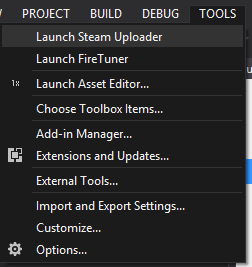
Go to TOOLS/ Launch Steam Uploader and click Begin
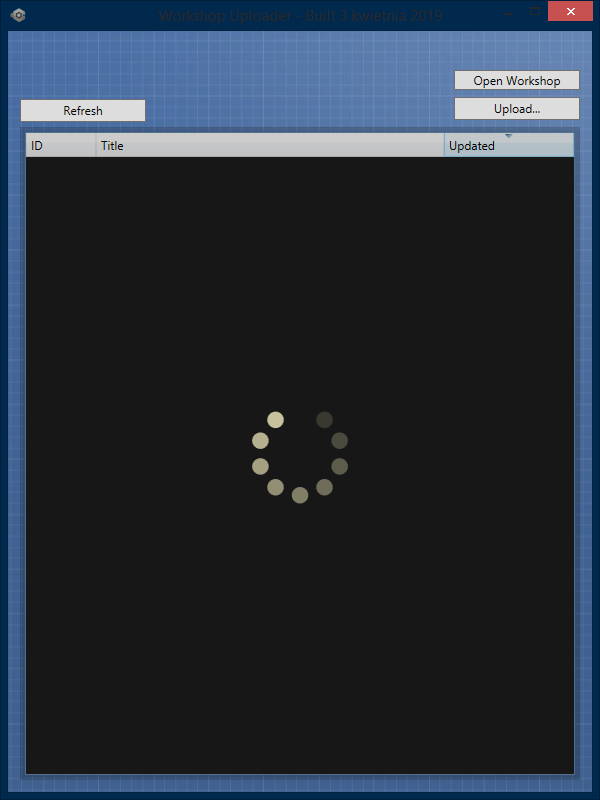
Click "Upload" Button
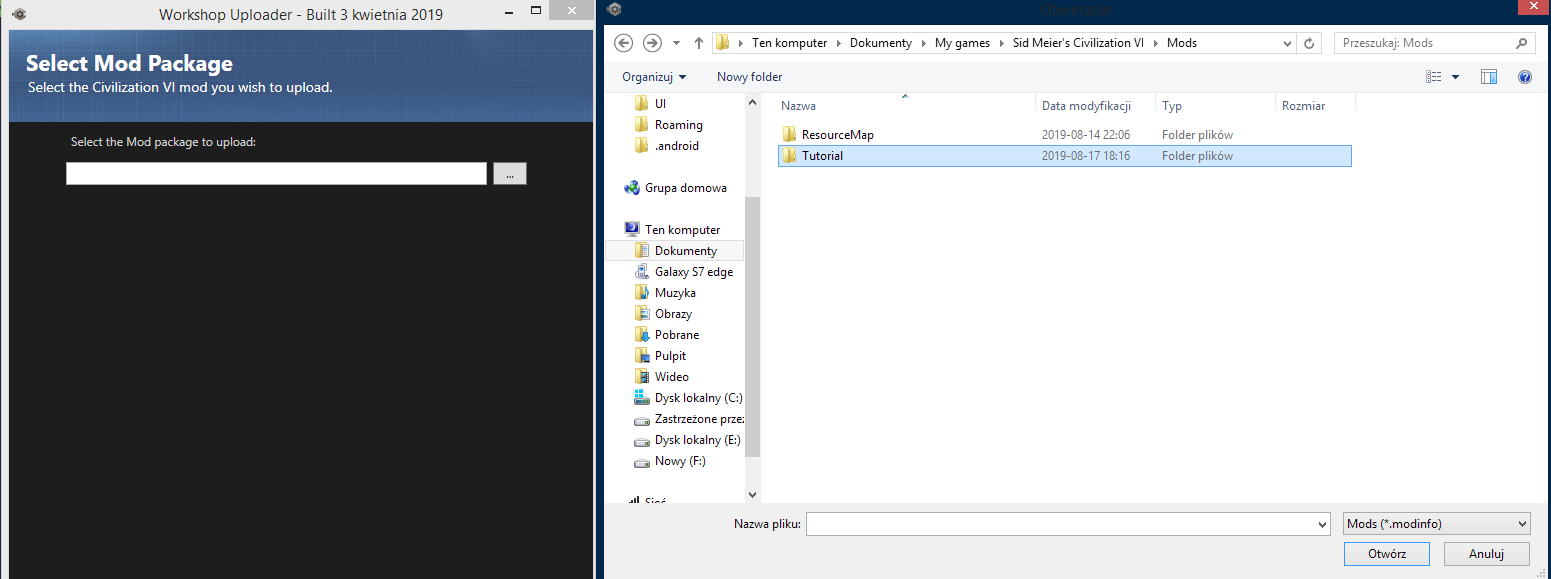 Choose your map file from \Documents\My games\Sid Meier's Civilization VI\Mods (Its the .modinfo file)
Add your photo and the descrption for the Workshop item
Choose your map file from \Documents\My games\Sid Meier's Civilization VI\Mods (Its the .modinfo file)
Add your photo and the descrption for the Workshop item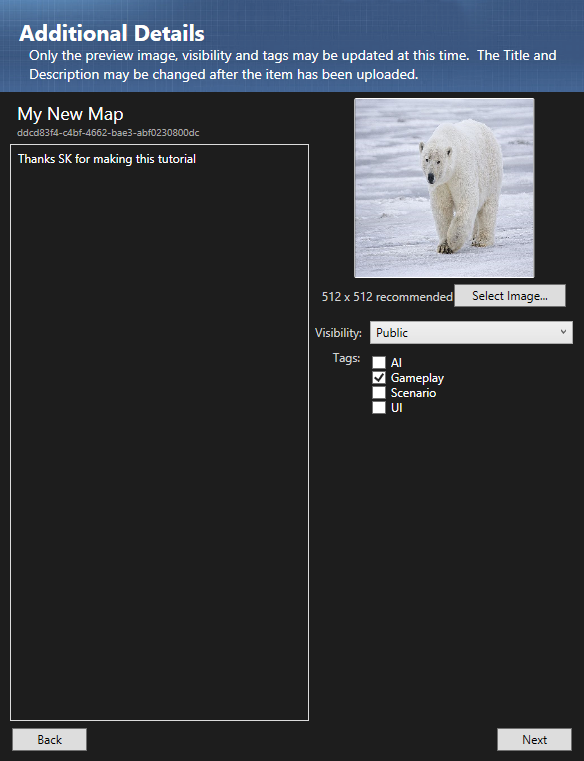
Then click upload and wait a few seconds
To check if your map is uploaded corectly, go to your Steam Profile/ Workshop Items
Additional info
- If your map is more complex and is written in .lua then change the type to "AddMap"
- Uploading to workshop is kinda bugged and doesnt indicate when it finished
- My map: https://steamcommunity.com/sharedfiles/filedetails/?id=1837559013
- Make sure to disable other mods you don't need when creating a map (suggested by a user)
More Sid Meier's Civilization VI guides
- Better Balanced Game (BBG) Full Change Log (v6.0.x)★ 4 (120)62k views293 ♥62 minUpdated 27 Aug, 2025
- 100% achievements guide + tips & tricks (base game + all DLC's, include Gathering Storm)★ 5 (1.5k)57k views3.7k ♥146 minUpdated 4 Jan
- [EN] Early game strategy, or how not to get overwhelmed★ 5 (368)41k views1k ♥15 minUpdated 23 Jul, 2023
- All Victory Conditions and how to reach them!★ 5 (702)40k views1.2k ♥5 minUpdated Jun 17, 2020
- 新手指南 —— 从上手到上瘾! Civi-VI Game Guide★ 5 (1.7k)37k views3.2k ♥3 minSimplified ChineseUpdated 7 Sep, 2022
- Zigzagzigal's Guides - Japan (GS)★ 4 (141)34k views399 ♥67 minUpdated 2 Apr, 2023


🔥 Popular guides
- Upgrading to PremiumTeam Fortress 2★ 5 (20k)1441k views11k ♥6 minUpdated May 11, 2022
- No More Room in Hell Official ManualNo More Room in Hell★ 5 (2.8k)569k views2.1k ♥29 minUpdated Apr 22, 2019
- NMRiH Community Hosting GuidesNo More Room in Hell★ 5 (526)351k views653 ♥1 minUpdated Aug 10, 2022
- ULTIMATE GUIDE FOR GAME DEV TYCOONGame Dev Tycoon★ 5 (5.8k)326k views10k ♥4 minUpdated 23 Jan, 2014
- How to 'Git Gud' Soon™MORDHAU★ 5 (2k)318k views3k ♥68 minUpdated Nov 16, 2024
- Лучшие кооперативные игры SteamPAYDAY 2★ 5 (1.5k)315k views2.1k ♥56 minRussianUpdated Apr 27, 2025






This guide was created by its original author on the Steam Community. Are you the author and want it removed? Request removal.