(ENG)(Controller) No Splitscreen on Pause
Overview
This was created to help others who also come across this issue: disable splitscreen?
1) Manage Controller Layout
Click on the controller icon on the far right of the game's overview page and enable Steam Input if you have not already done so.
2) Change Your Template
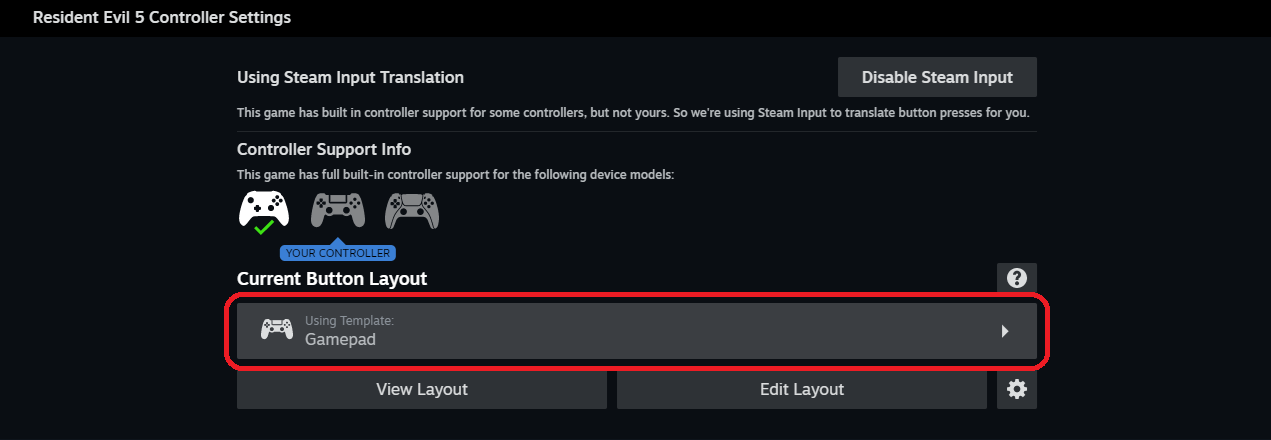
- Click on the current button layout that you use.
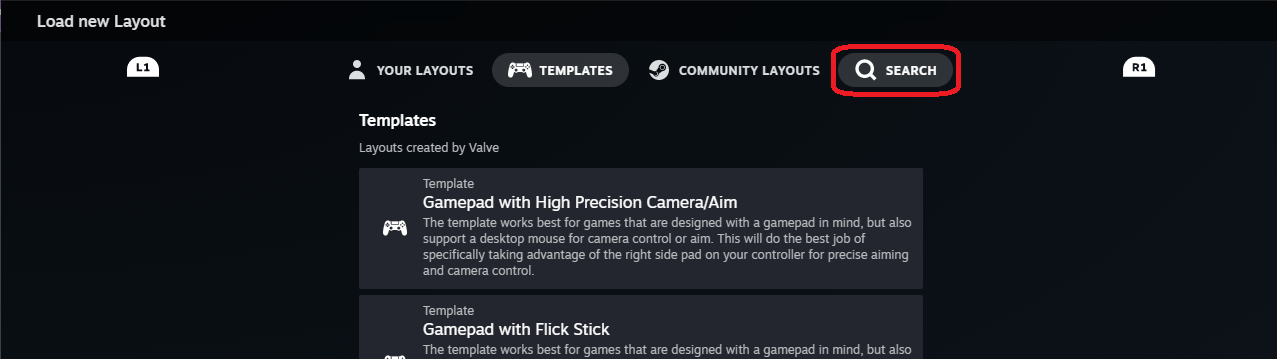
- Go to the "Search" tab.
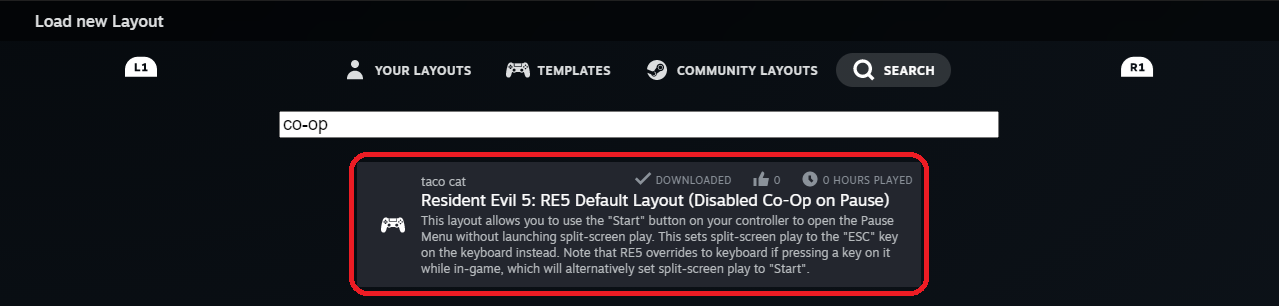
- Type "co-op" in the search bar.
- Select "RE5 Default Layout (Disabled Co-op on Pause)".
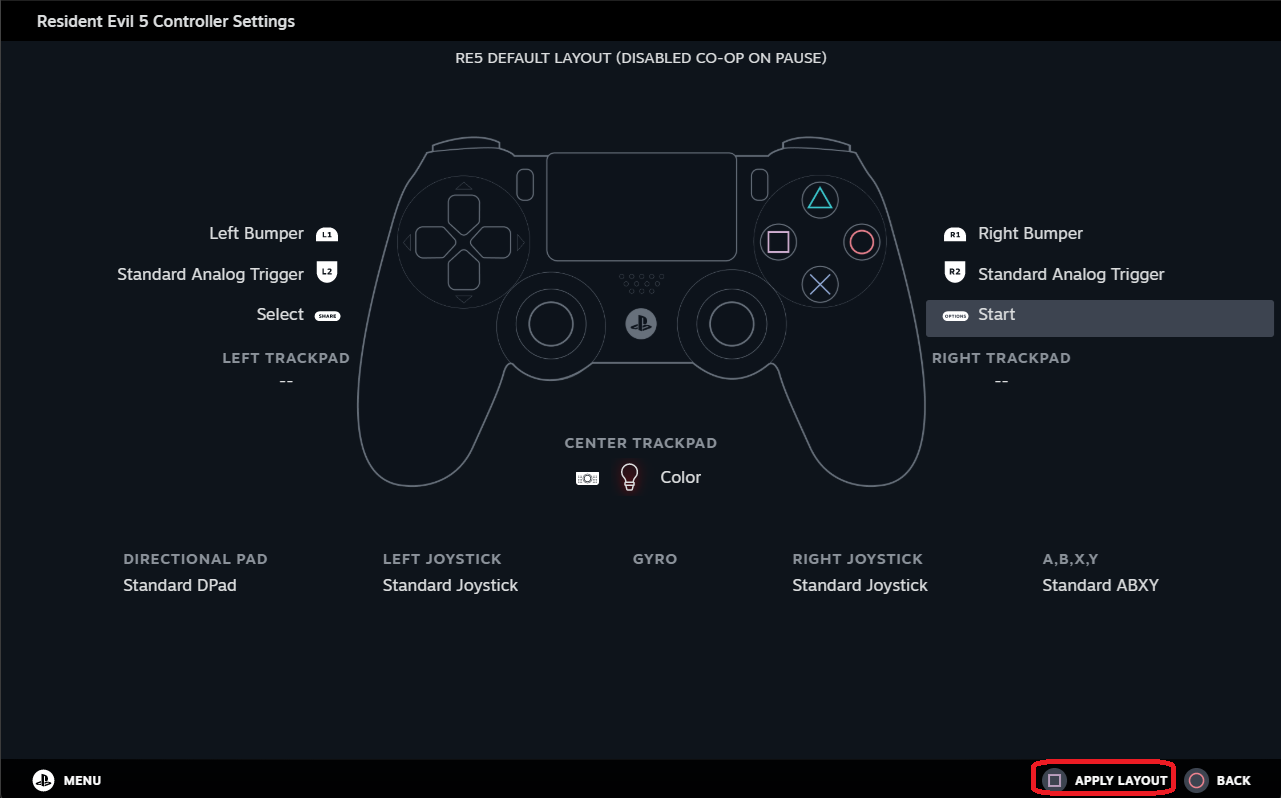
- Click "Apply Layout".
3) Enjoy!
You should now be able to play RE5 free of worries with split-screen enabling on game pause!
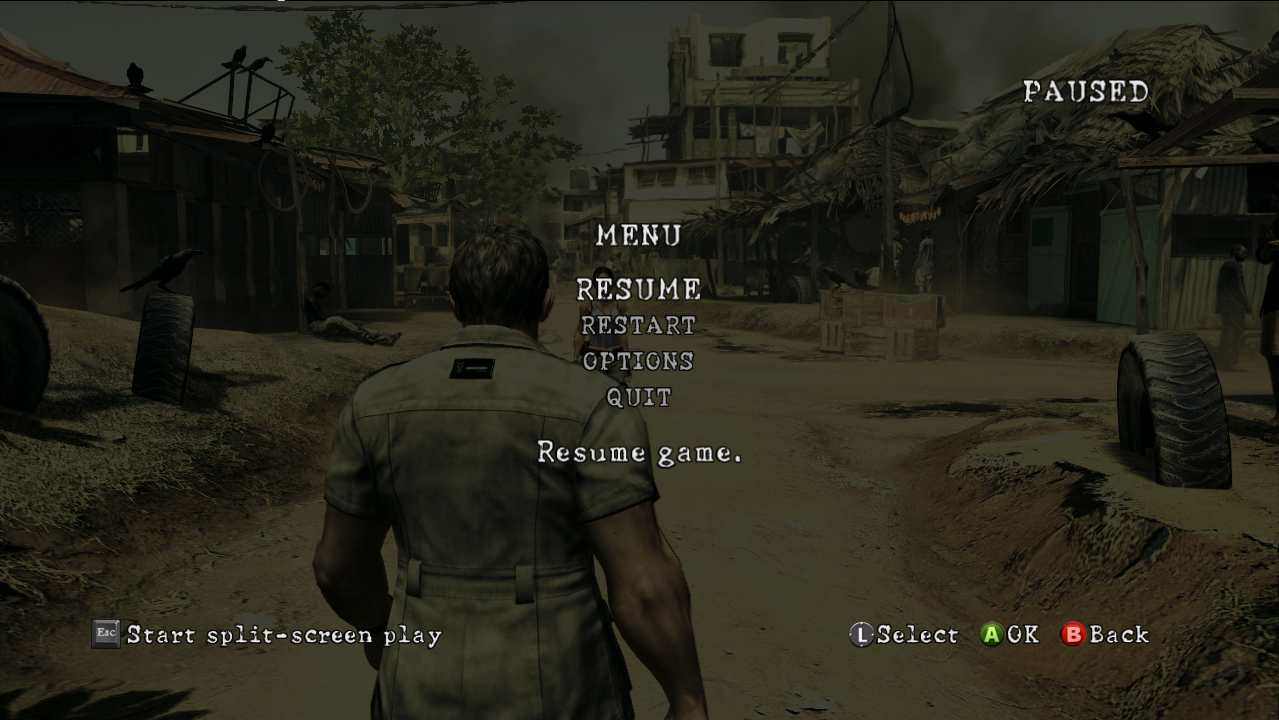
End + Notes
- This template was setup using a DualShock 4 (PS4) controller. The layout may vary for you but it should work for other gamepads as well.
- This DOES NOT disable split-screen from the game.
- It simply seperates the keyboard and controller settings to prevent it from enabling on normal controller use.
- If using the controller, the ESC (
) key will start splitscreen play.
- If using your keyboard, the START (
) button on your controller will start splitscreen.
- The key only changes depending on the current output that the game detects.
- It simply seperates the keyboard and controller settings to prevent it from enabling on normal controller use.
- The layout is exactly the same! The only real change done was removing mouse controls from the trackpad and replacing it with a customizable color input. You can personalize it by going into Controller Settings and editing your current layout.
And that's all there is to it, have fun! 😇

More Resident Evil 5 guides
- Resident Evil 5 - Fixes★ 5 (2k)119k views2.4k ♥9 minUpdated Aug 2, 2025
- Resident Evil 5 Quality of Life Fixes★ 5 (1.5k)78k views2.1k ♥4 minUpdated Mar 9
- Resident Evil 5: Gold Edition 100% Achievement Guide★ 5 (1.3k)42k views2.6k ♥24 min
- getting multiplayer achievements with bots★ 5 (876)33k views1.7k ♥11 minBulgarianUpdated Aug 27, 2023
- Farming Gold (15K), ammo and eggs★ 5 (459)33k views423 ♥1 minBulgarianUpdated Sep 24, 2018
- Полный русификатор (текст+звук) {1C} Gold Edition★ 5 (674)30k views778 ♥1 minRussianUpdated Feb 3, 2024



🔥 Popular guides
- Upgrading to PremiumTeam Fortress 2★ 5 (20k)1441k views11k ♥6 minUpdated May 11, 2022
- No More Room in Hell Official ManualNo More Room in Hell★ 5 (2.8k)569k views2.1k ♥29 minUpdated Apr 22, 2019
- NMRiH Community Hosting GuidesNo More Room in Hell★ 5 (526)351k views653 ♥1 minUpdated Aug 10, 2022
- ULTIMATE GUIDE FOR GAME DEV TYCOONGame Dev Tycoon★ 5 (5.8k)326k views10k ♥4 minUpdated 23 Jan, 2014
- How to 'Git Gud' Soon™MORDHAU★ 5 (2k)318k views3k ♥68 minUpdated Nov 16, 2024
- Лучшие кооперативные игры SteamPAYDAY 2★ 5 (1.5k)315k views2.1k ♥56 minRussianUpdated Apr 27, 2025






This guide was created by its original author on the Steam Community. Are you the author and want it removed? Request removal.