FPS and Lagg fix Guid :D
Step one
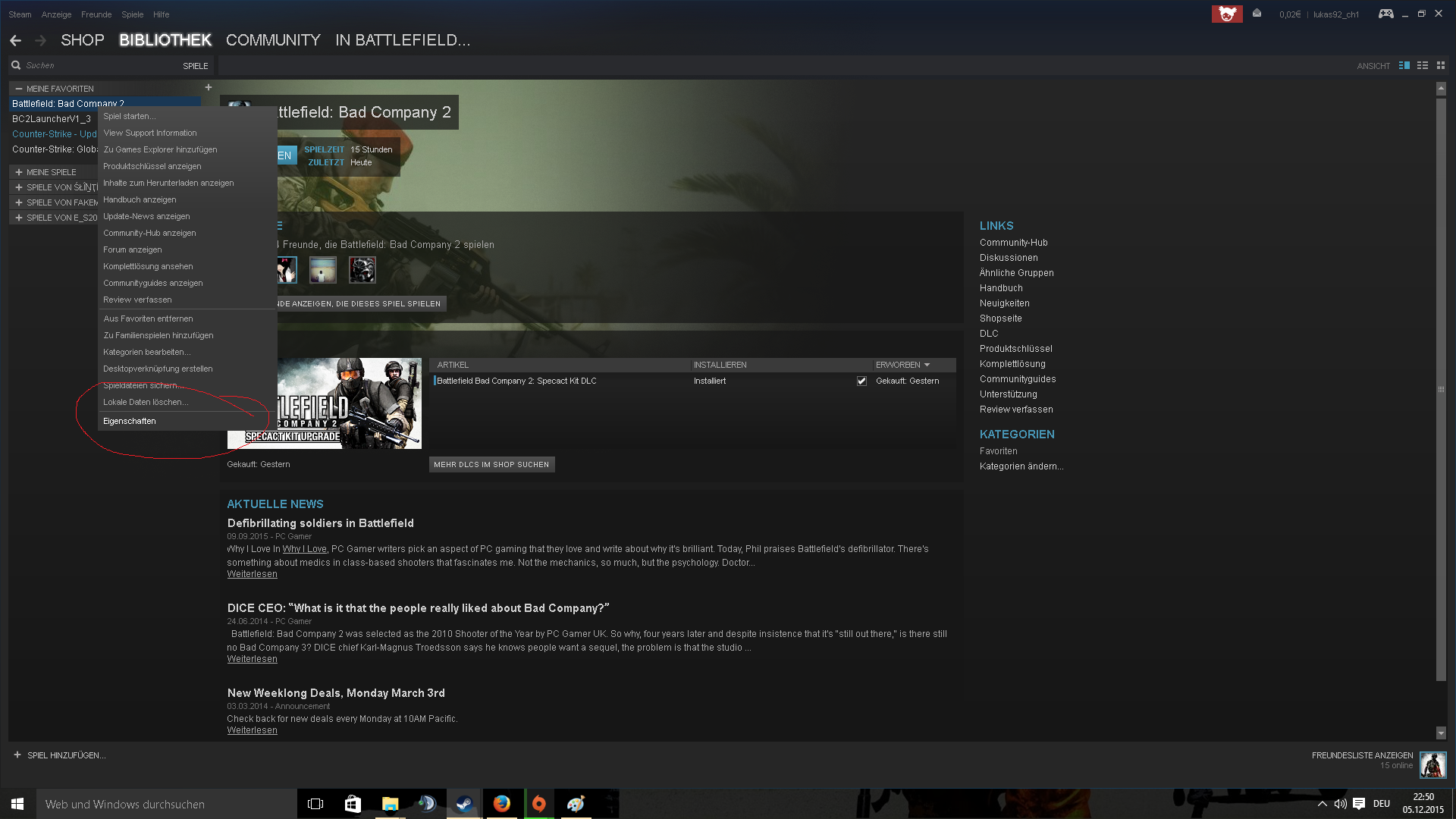
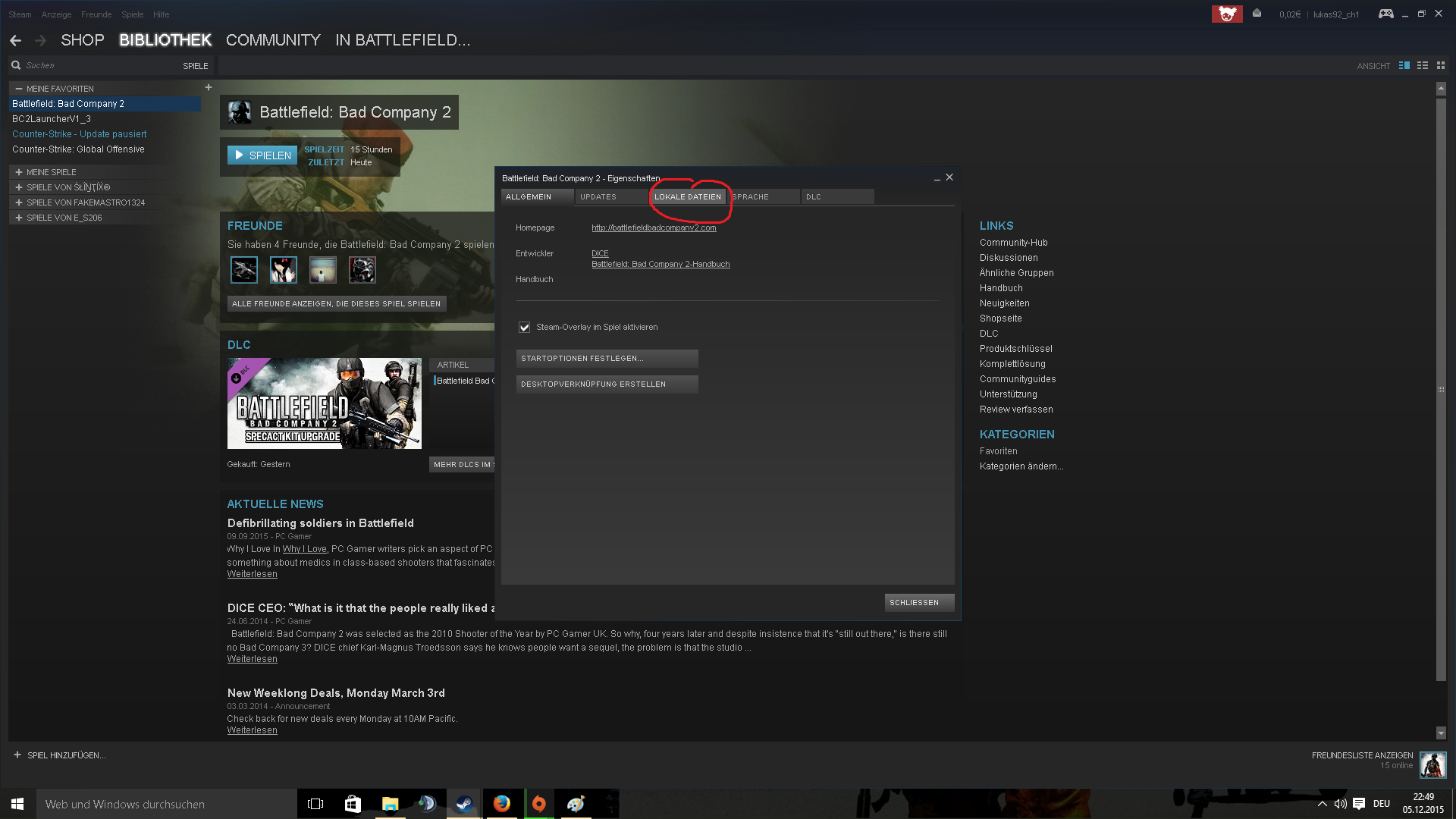
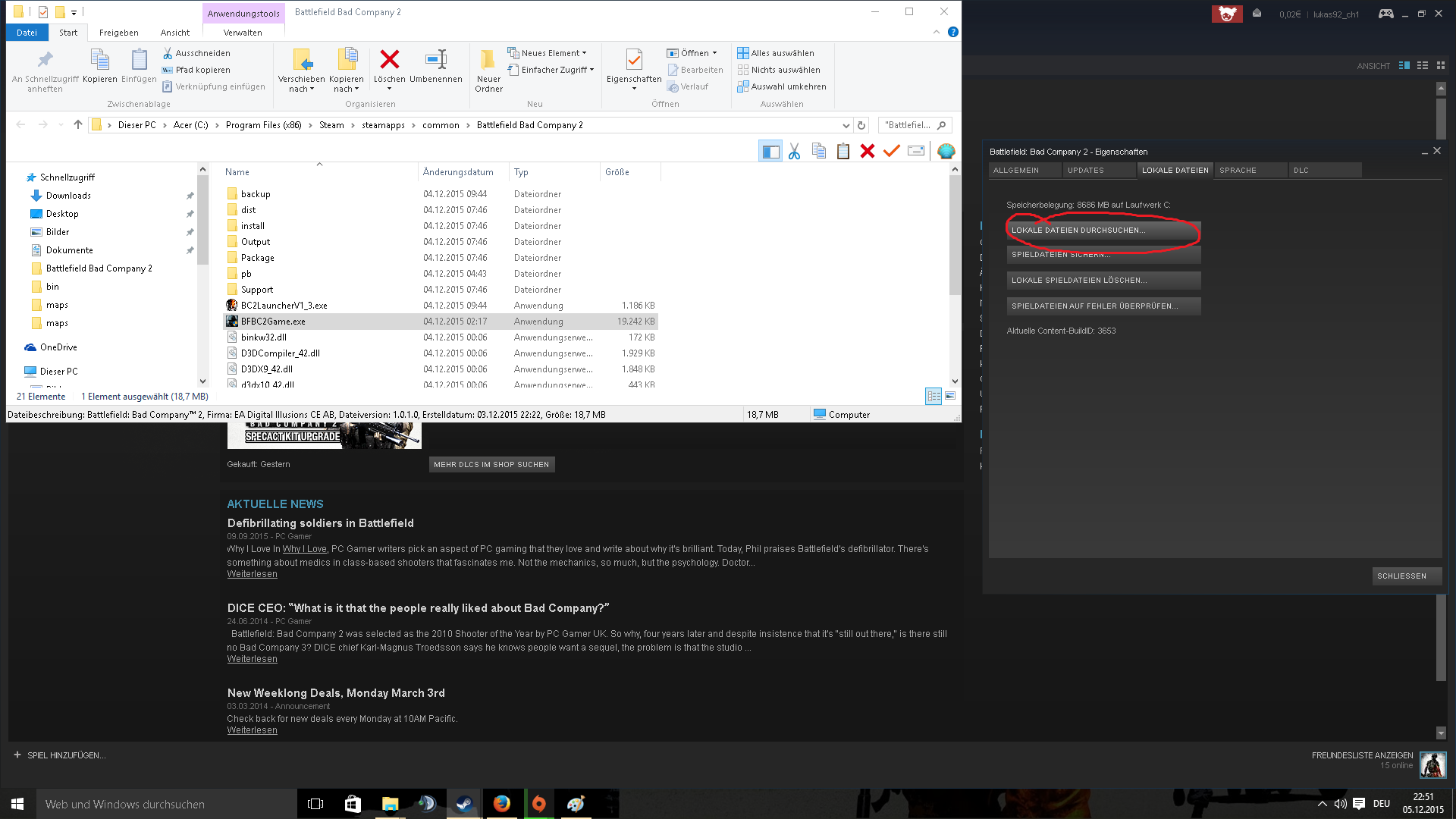
Okey First step open Steam rightclick on BFBC2 click on the Features/Locals featurs/ Locals featurs check.
Step Two
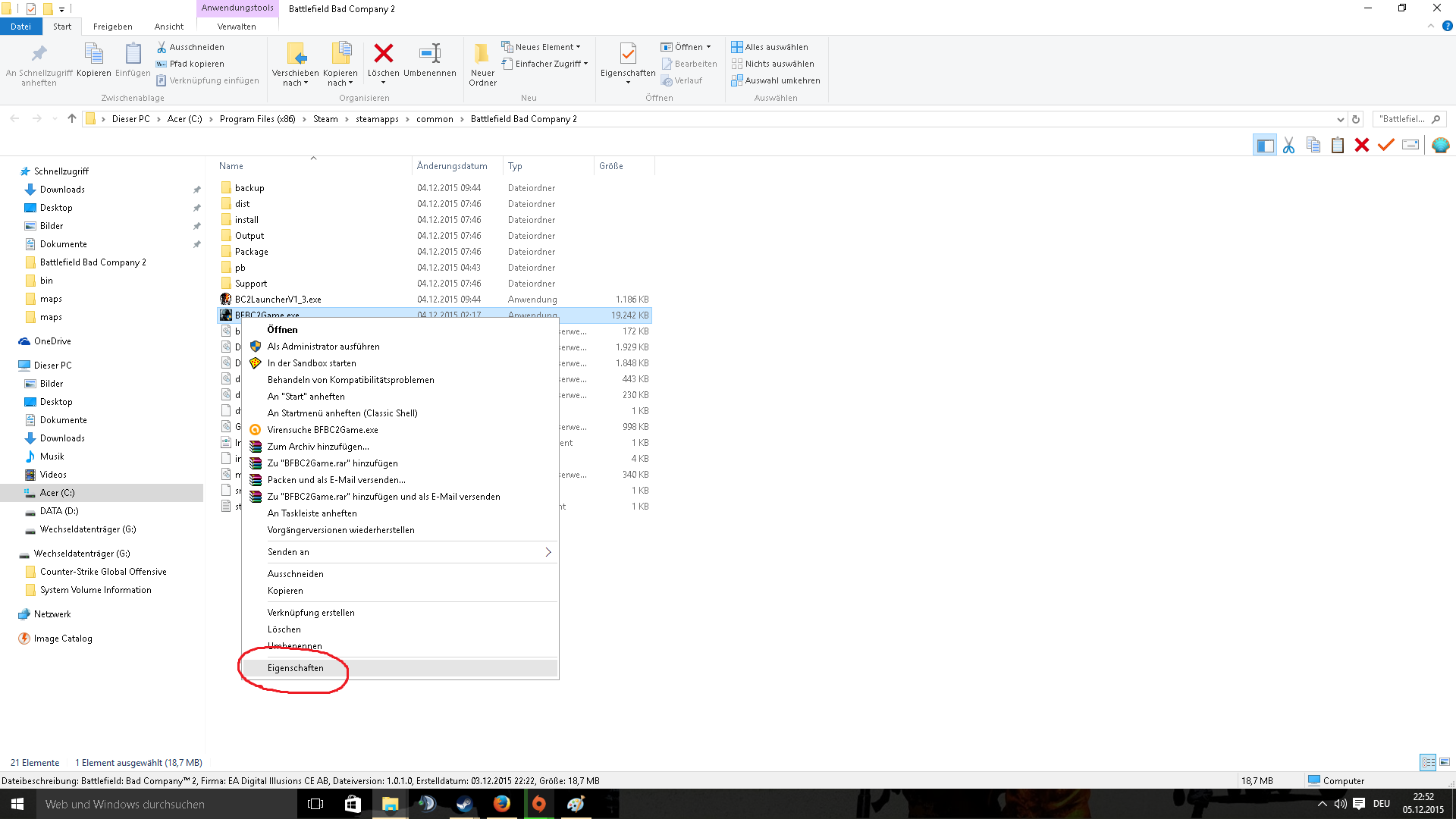 step two, rightclick on the BFBC2game.exe and featurs, click on the compatibility and click bye the "Compatibility" hook purely and Choose " Program in compatibility mode for: Windows XP (servis pack2 or 3) " okey and the hook purely Run this program as administrator :) Okey this was for once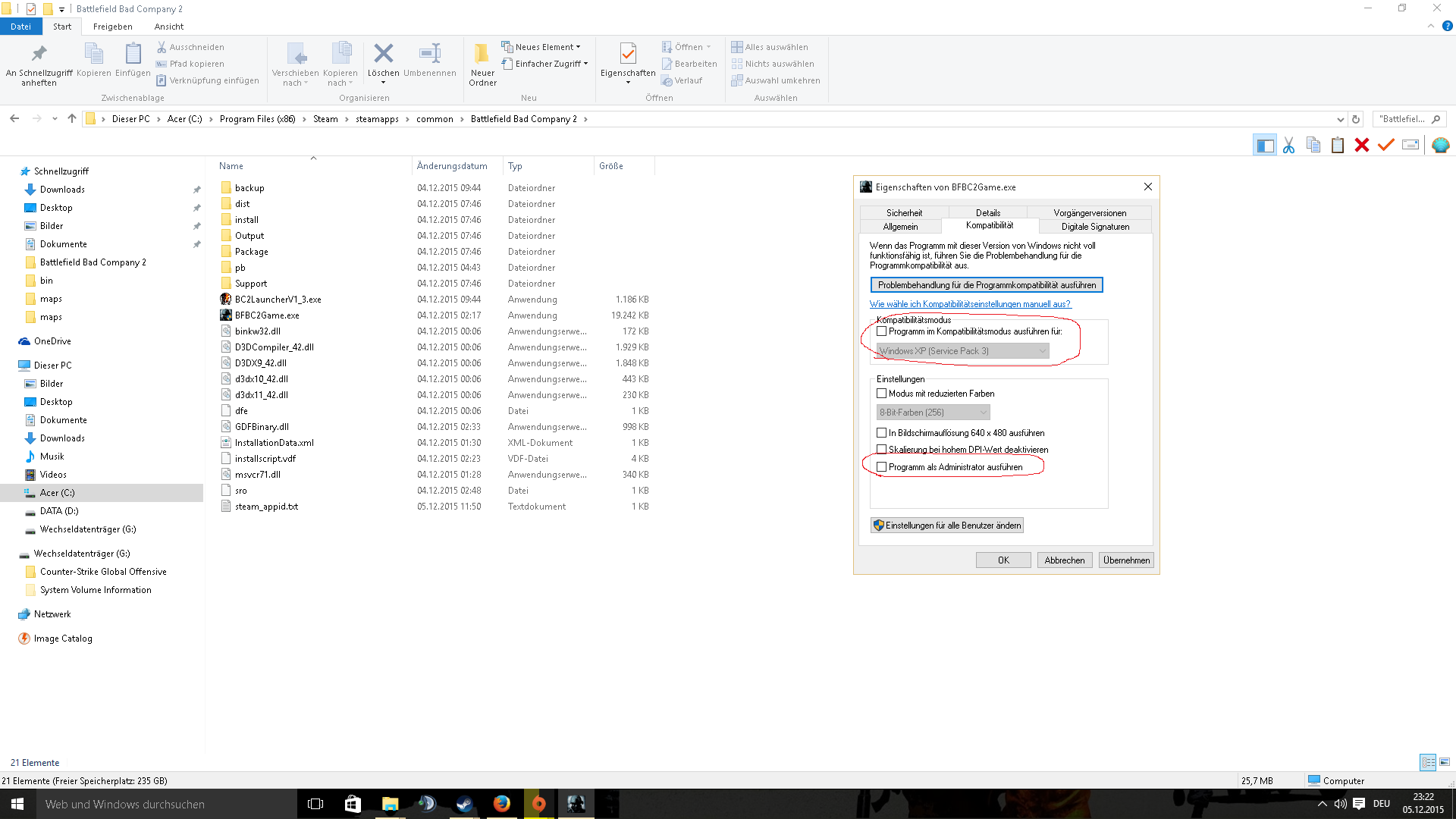
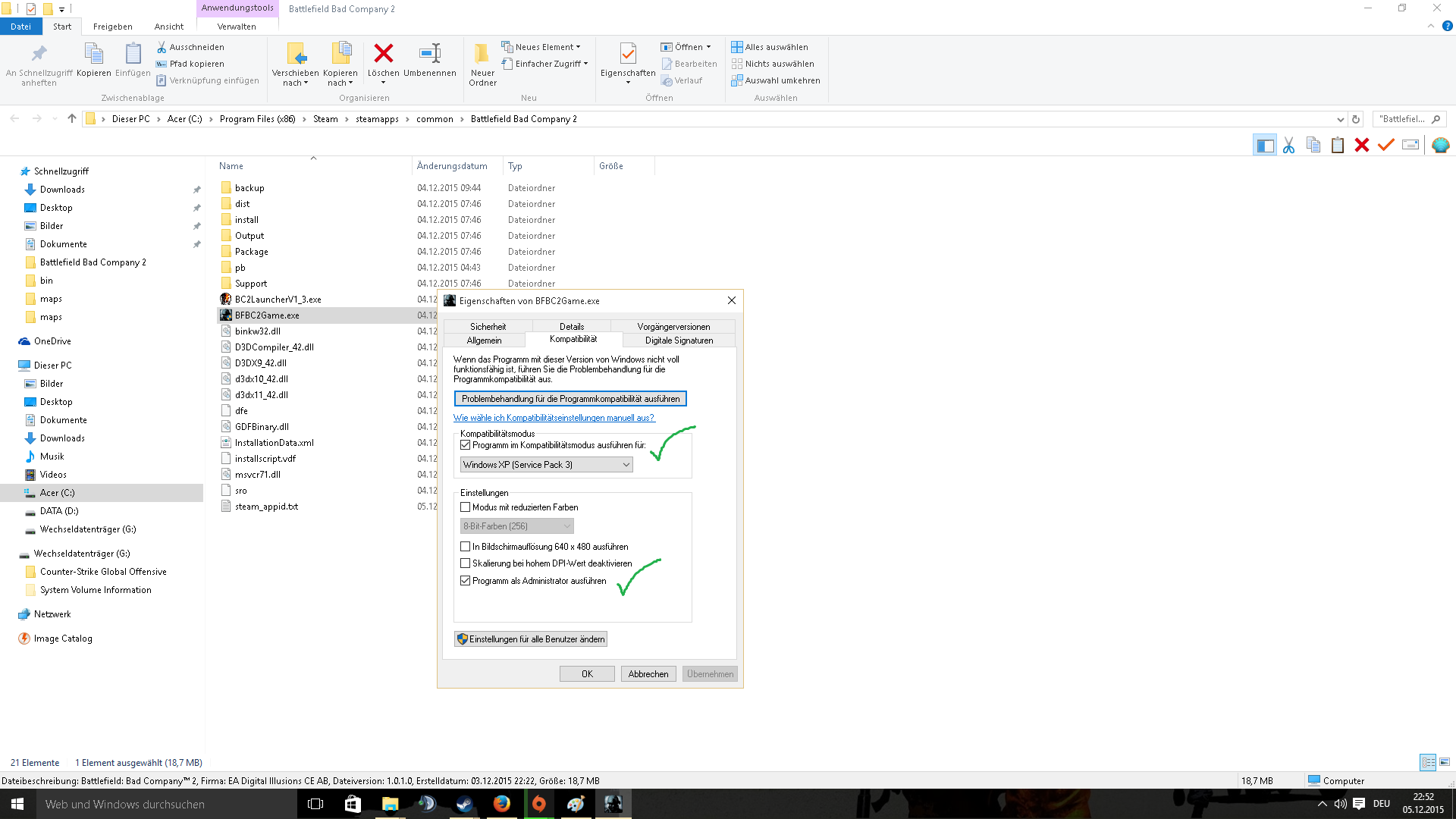
The last step
step 3 Download the better BFBC2 Clint Here a download link the original link!
here is the mediafire link
http://www.mediafire.com/download/ncmnx4n6q96an3n/BC2LauncherV1_3.rar
and here the original link!
http://www.gigafront.de/downloads,id412,gossamers_bad_company_2_launcher_ver_1_3.html#mir
installation here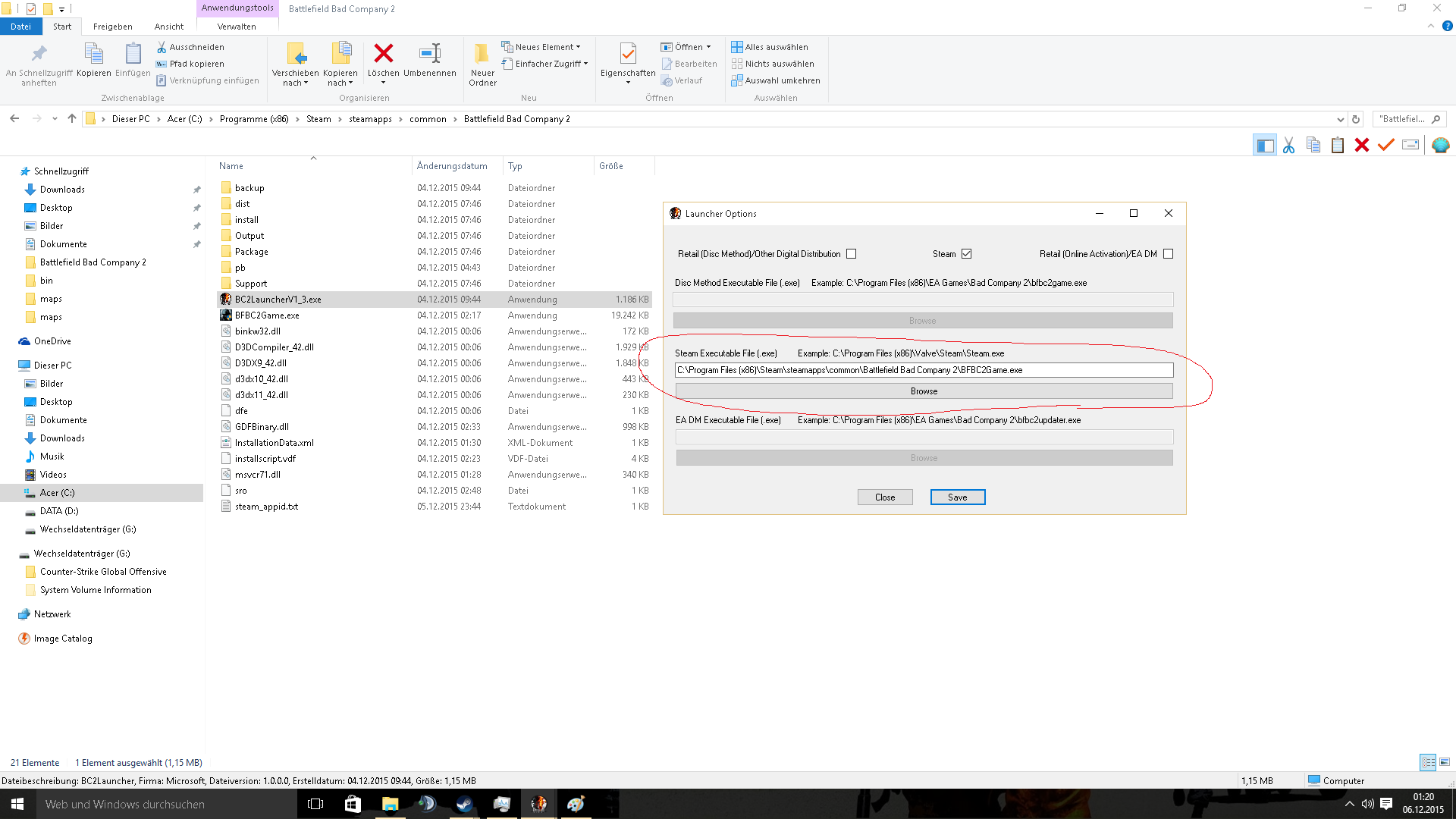 and launch the option!
 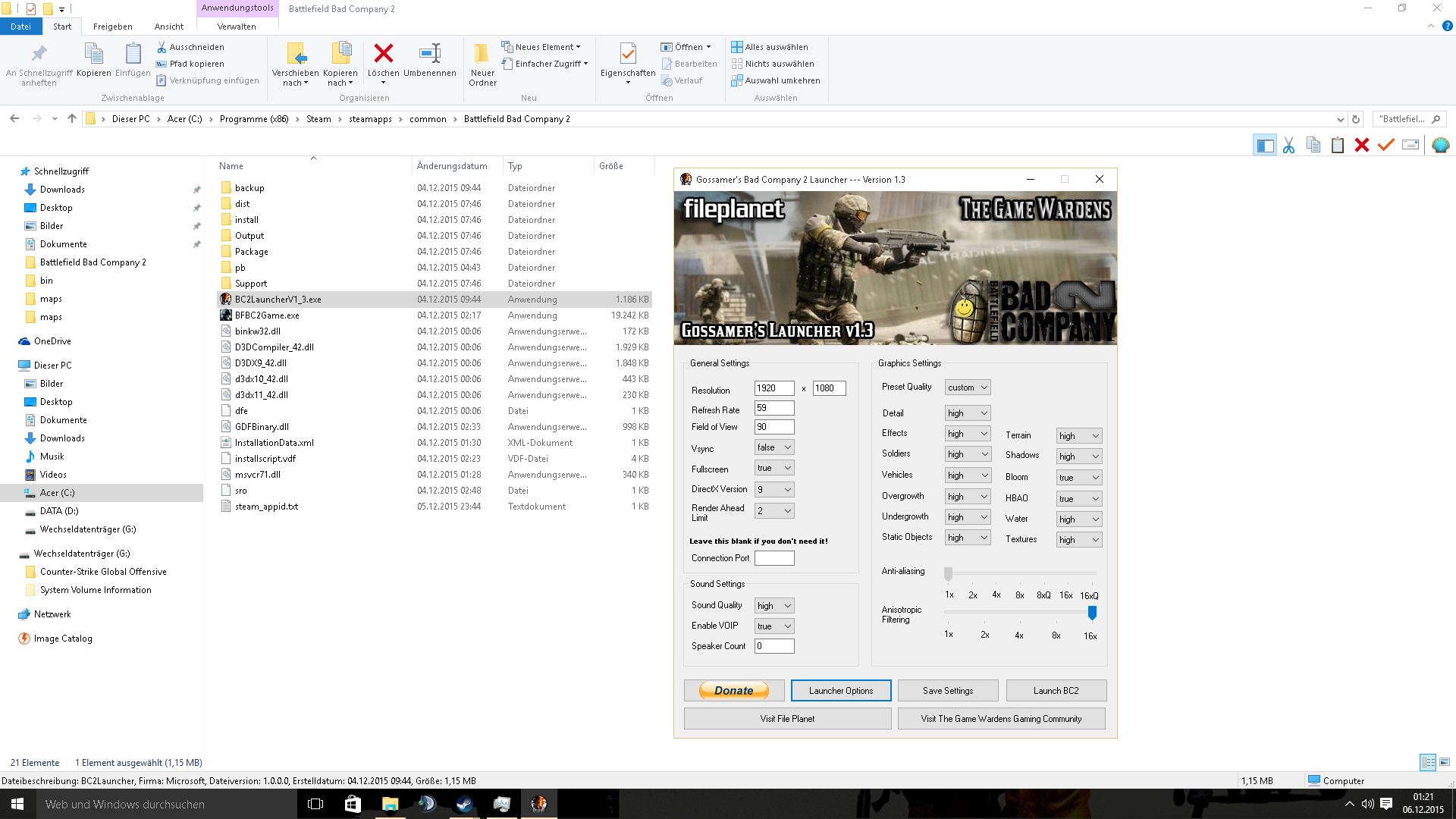 and ready for playing :) ez and have fun ;)
it recommends further when it helped Thanks for your attention ^^
With friendly greetings sLiN
here is the mediafire link
http://www.mediafire.com/download/ncmnx4n6q96an3n/BC2LauncherV1_3.rar
and here the original link!
http://www.gigafront.de/downloads,id412,gossamers_bad_company_2_launcher_ver_1_3.html#mir
installation here
and launch the option! and ready for playing :) ez and have fun ;)it recommends further when it helped Thanks for your attention ^^
With friendly greetings sLiN
More Battlefield: Bad Company™ 2 guides
- Increase FOV★ 5 (189)17k views207 ♥1 minUpdated Feb 19, 2025
- Исправление всех проблем в игре + пасхалка★ 5 (340)17k views402 ♥11 minRussianUpdated Feb 8, 2018
- Антигид★ 5 (689)16k views236 ♥5 minRussianUpdated Aug 3, 2017
- How to play online after the shutdown★ 5 (400)15k views510 ♥5 minUpdated Mar 25
- How to play online (Post EA servers shutdown) *FIX*★ 5 (227)14k views350 ♥1 minUpdated Dec 2, 2023
- How to play Battlefield Bad Company 2 if you are having problems login in.★ 4 (120)14k views134 ♥14 minUpdated Apr 17, 2024




This guide was created by its original author on the Steam Community. Are you the author and want it removed? Request removal.