How to get the CD-Key and play Multiplayer on Steam (2023)
Introduction
When buying several of older EA games on Steam, you don't get the CD-Key needed to play the game. I heard it's because of the mass incident of abuse that happened, when apparently players where getting free keys?
I. Connecting your EA account to Steam (optional, but recommended)
First of all, you should link your EA account to your Steam account. To do so, go to this link: EA Log-in and choose Steam (even if you have existing EA account).
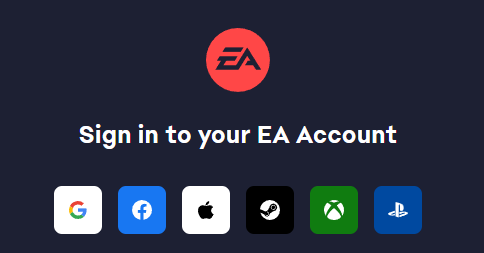
After this, type your birthdate and your EA account email, if account with this email already exists, it will offer you to link it with Steam.
After this, type your birthdate and your EA account email, if account with this email already exists, it will offer you to link it with Steam.
II. Creating a ticket
Now, go to this link EA Support, here you need to set your support ticket. As many of you probably know, if you choose "Bad Company 2 > Steam > Code etc. > Lost code", there won't be possibility to contact support, neither by email nor live chat.
So, instead you should choose: "Origin > PC > Manage my account > Find missing game". After you set up your case, ther will be 2 options: to contact them through email or live chat. Choose any, but I recommend live chat. In my case, I was only one in a queue, so I got an assisstant in a matter of seconds. You also need to attach "proof of purchase".
Here's the an excerpt from the site about this:
"Provide a screenshot of the details from your Steam transaction history and a screenshot of the confirmation email you got when you bought the game. Both should be full-screen, desktop images.
We don't accept screenshots of the Steam app as proof of purchase. Please make sure that the screenshot is a full-screen, desktop image of the internet browser clearly showing the web address bar and page URL"
BASICALLY, YOU NEED 2 SCREENSHOTS. INVOICE YOU RECEIVED TO YOUR EMAIL AND PURCHASE HISTORY FROM STEAM. BOTH SCREENSHOTS MUST BE FULL SCREEN, NOT CROPPED AND MADE IN WEB BROWSER
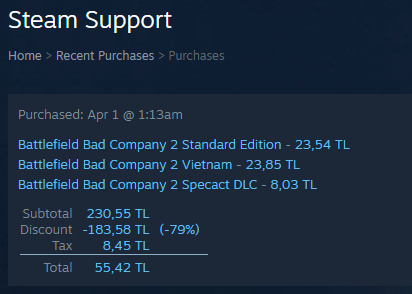
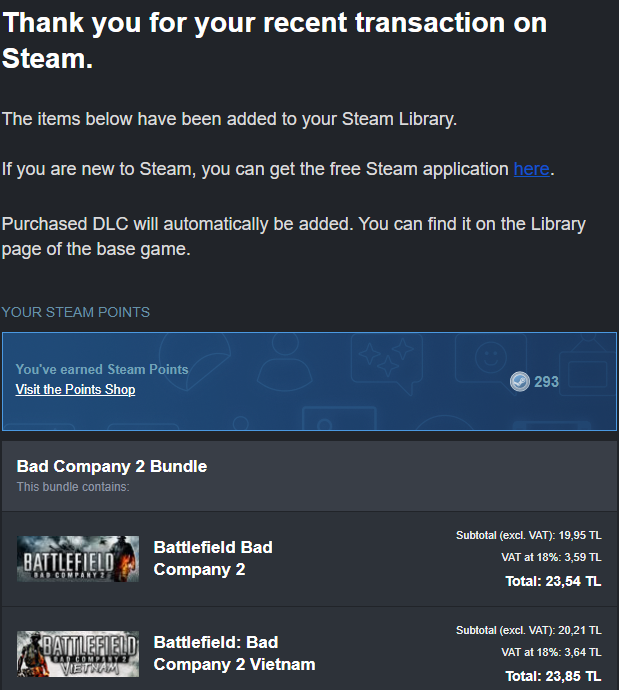
!!! THESE PICTURES JUST SHOW WHAT YOU NEED TO CAPTURE, SCREENSHOTS THAT YOU SEND TO THE SUPPORT MUST BE FULL SCREEN !!!
More information along with the screenshot examples can be found here: *click*
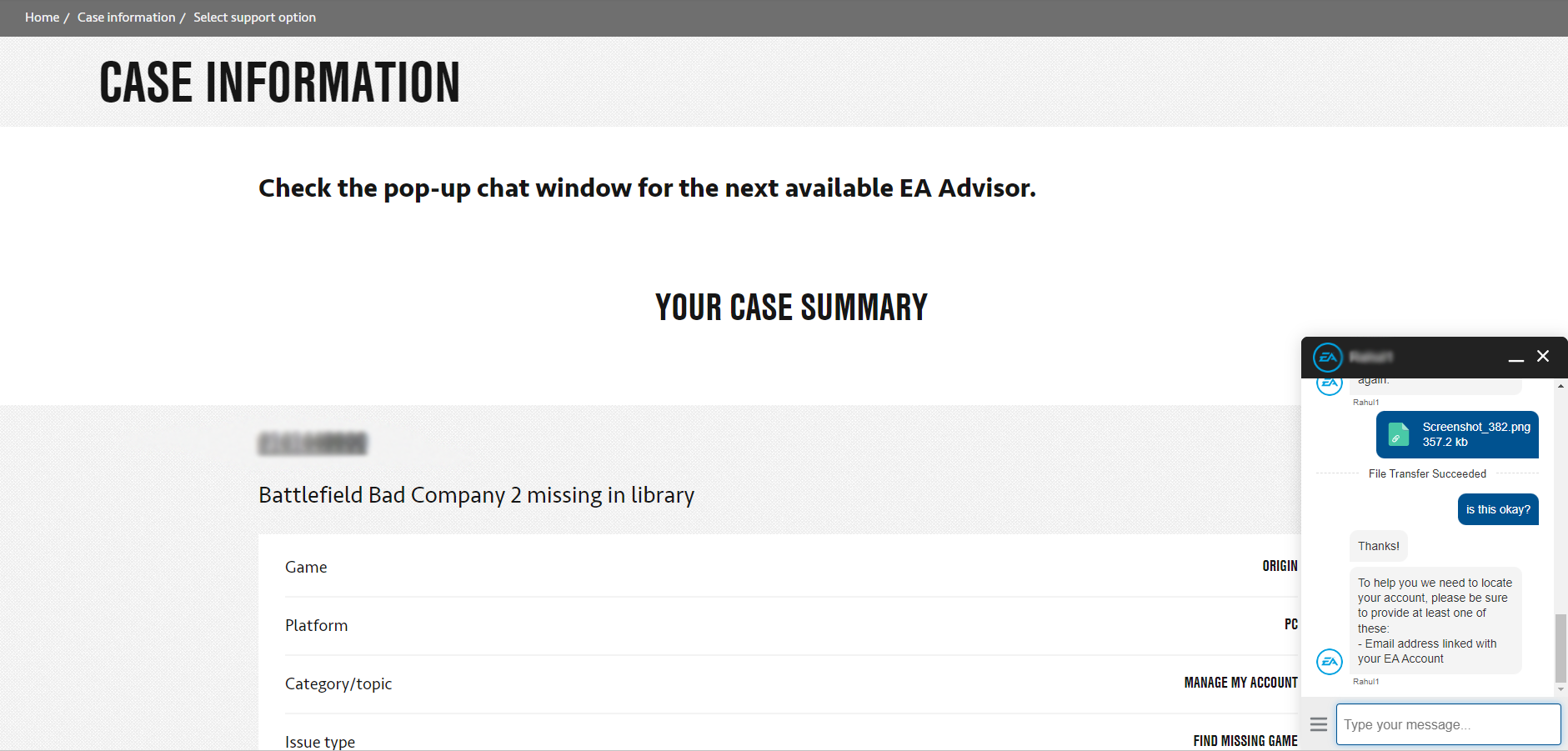
Attach these screenshots and contact live support. You will be redirected to a new page, after couple of seconds, live chat will pop up in the right corner.
So, instead you should choose: "Origin > PC > Manage my account > Find missing game". After you set up your case, ther will be 2 options: to contact them through email or live chat. Choose any, but I recommend live chat. In my case, I was only one in a queue, so I got an assisstant in a matter of seconds. You also need to attach "proof of purchase".
Here's the an excerpt from the site about this:
"Provide a screenshot of the details from your Steam transaction history and a screenshot of the confirmation email you got when you bought the game. Both should be full-screen, desktop images.
We don't accept screenshots of the Steam app as proof of purchase. Please make sure that the screenshot is a full-screen, desktop image of the internet browser clearly showing the web address bar and page URL"
BASICALLY, YOU NEED 2 SCREENSHOTS. INVOICE YOU RECEIVED TO YOUR EMAIL AND PURCHASE HISTORY FROM STEAM. BOTH SCREENSHOTS MUST BE FULL SCREEN, NOT CROPPED AND MADE IN WEB BROWSER
!!! THESE PICTURES JUST SHOW WHAT YOU NEED TO CAPTURE, SCREENSHOTS THAT YOU SEND TO THE SUPPORT MUST BE FULL SCREEN !!!
More information along with the screenshot examples can be found here: *click*
Attach these screenshots and contact live support. You will be redirected to a new page, after couple of seconds, live chat will pop up in the right corner.
III. Live chatting with support assistant
Now, you have to explain your problem to EA assistant. Tell them you bought the game on Steam, and that you didn't receive CD-Key required to play the game.
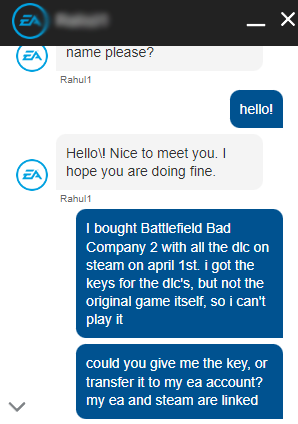
After that, they will ask for your email that you used when registering EA account.
Now, weirdest part about all this. There are several ways your conversation with the assistant can go. First, the easiest, if the screenshots that you uploaded were in the correct form, they will transfer the game to your EA library. In my case, my screenshot didn't show the transcation number and the assistant asked me to redo the screenshot and send it in the chat itself (you can't do that by default, only when allowed by assistant). After that, he just transferred the game to my EA account. And since my EA and Steam are linked, I now can play the game through Steam, and Multiplayer works!
Another scenario, the one my friend faced when I was trying to help him. Live chat assisstant will ask you to create a new ticket and attach the files there instead. I don't really know what's the point, just follow their instruction.
After you do everything, they will add the game to your EA library. Now you have it both on Steam and EA :)
After that, they will ask for your email that you used when registering EA account.
Now, weirdest part about all this. There are several ways your conversation with the assistant can go. First, the easiest, if the screenshots that you uploaded were in the correct form, they will transfer the game to your EA library. In my case, my screenshot didn't show the transcation number and the assistant asked me to redo the screenshot and send it in the chat itself (you can't do that by default, only when allowed by assistant). After that, he just transferred the game to my EA account. And since my EA and Steam are linked, I now can play the game through Steam, and Multiplayer works!
Another scenario, the one my friend faced when I was trying to help him. Live chat assisstant will ask you to create a new ticket and attach the files there instead. I don't really know what's the point, just follow their instruction.
After you do everything, they will add the game to your EA library. Now you have it both on Steam and EA :)
IV. DLC's activation
Congrats, you have the game activated on EA! If you also purchased the DLC's, now is the time to activate them. You can find your DLC keys in your steam library:
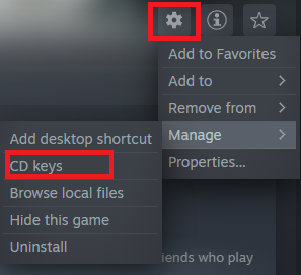
Copy these keys, and activate them in EA
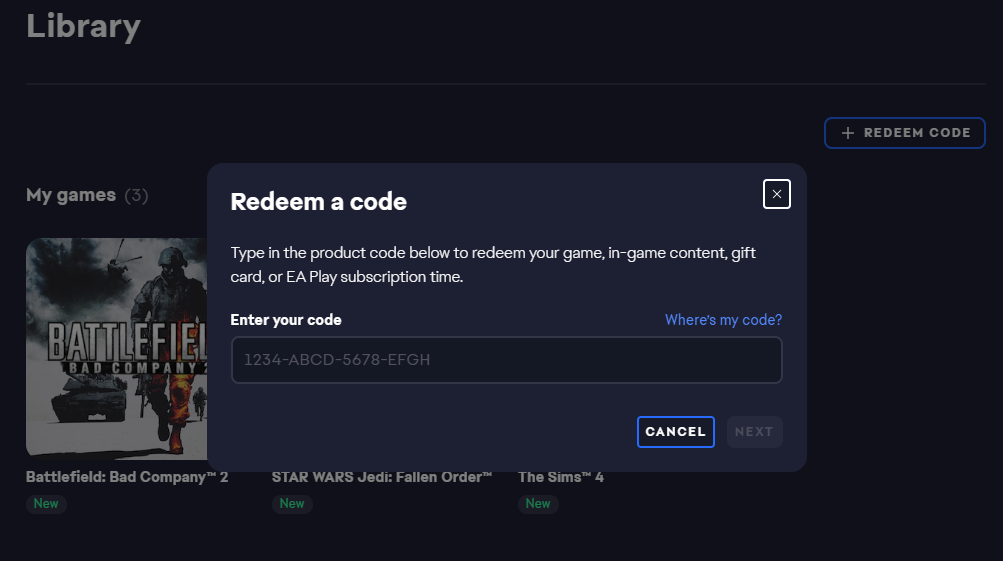
Copy these keys, and activate them in EA
V. Launching the game through Steam
You activated the game and the DLC's. Now lauch the game, login to your EA account and voila! It's not asking for a serial code anymore!
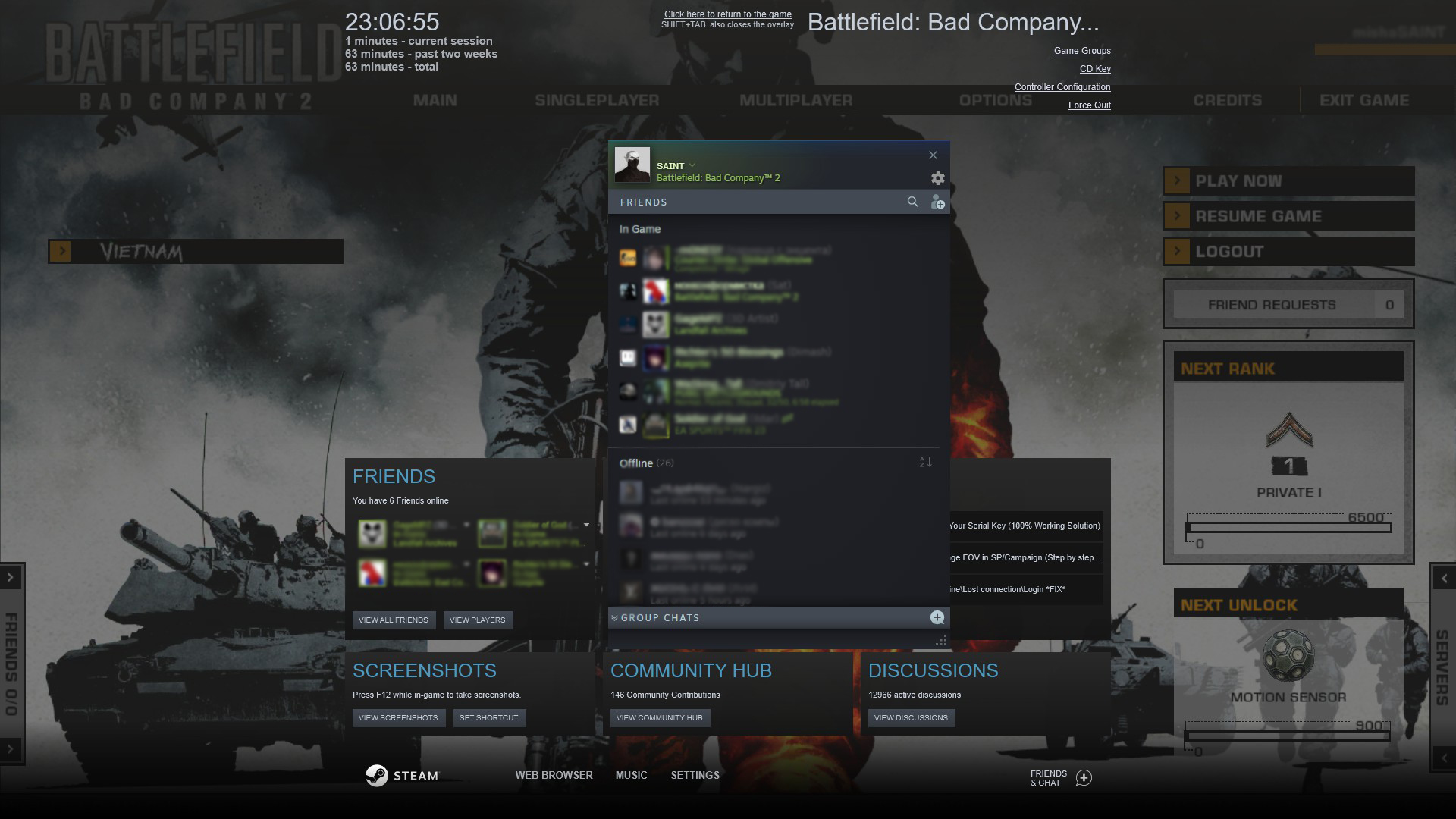
How to find servers
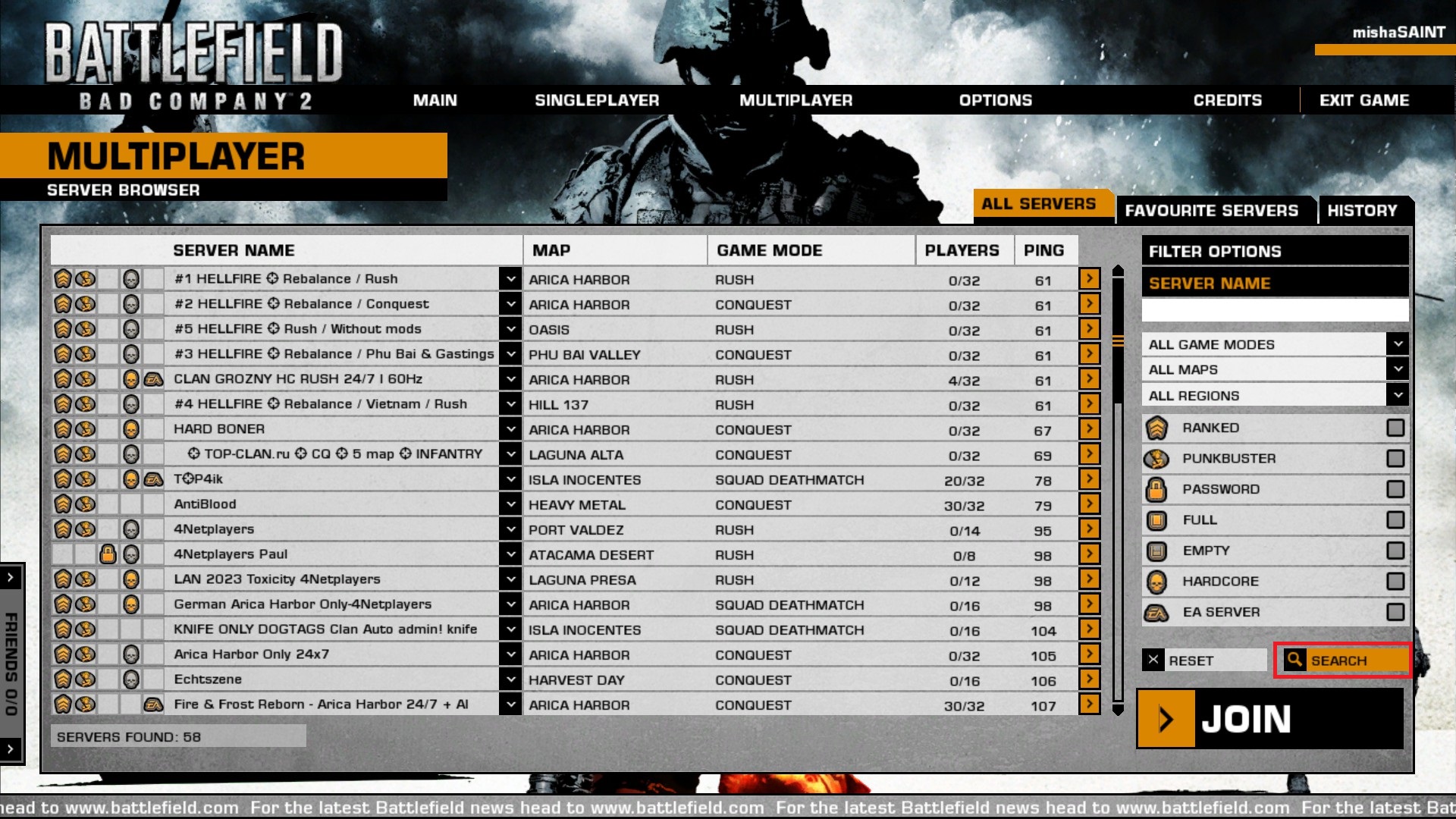
By default, there are no servers in the browser. All you have to do, is to click the search button in right corner and they will pop-up.
More Battlefield: Bad Company™ 2 guides
- Increase FOV★ 5 (189)17k views207 ♥1 minUpdated Feb 19, 2025
- Исправление всех проблем в игре + пасхалка★ 5 (340)17k views402 ♥11 minRussianUpdated Feb 8, 2018
- Антигид★ 5 (689)16k views236 ♥5 minRussianUpdated Aug 3, 2017
- How to play online after the shutdown★ 5 (400)15k views510 ♥5 minUpdated Mar 25
- FPS and Lagg fix Guid :D★ 4 (113)15k views133 ♥1 minBulgarianUpdated Dec 5, 2015
- How to play online (Post EA servers shutdown) *FIX*★ 5 (227)14k views350 ♥1 minUpdated Dec 2, 2023



This guide was created by its original author on the Steam Community. Are you the author and want it removed? Request removal.