How to play online (Post EA servers shutdown) *FIX*
Brief explanation...
The fix is relying on a 3rd part masterserver provided by a project called "Project rome" by "Venice unleashed"
Good support, No connection problems, And better at managing hackers.
And for you guys who pirate the game it should also work no problem.
Good support, No connection problems, And better at managing hackers.
And for you guys who pirate the game it should also work no problem.
Registration and download.
First register to Venice unleashed:
https://veniceunleashed.net/signup
After that you make sure to download the fix:
https://veniceunleashed.net/project-rome
Please make sure that you have Winrar or 7zip for that!
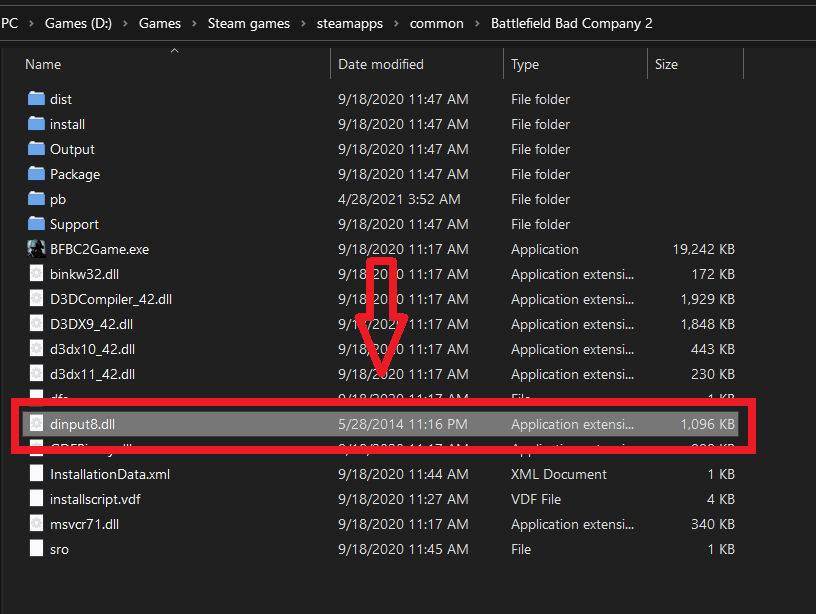
After that extract the file that's located inside and just drag the file "dinput8.dll" into game directory that is located in:
steamapps\common\Battlefield Bad Company 2
https://veniceunleashed.net/signup
After that you make sure to download the fix:
https://veniceunleashed.net/project-rome
Please make sure that you have Winrar or 7zip for that!
After that extract the file that's located inside and just drag the file "dinput8.dll" into game directory that is located in:
steamapps\common\Battlefield Bad Company 2
In-game.
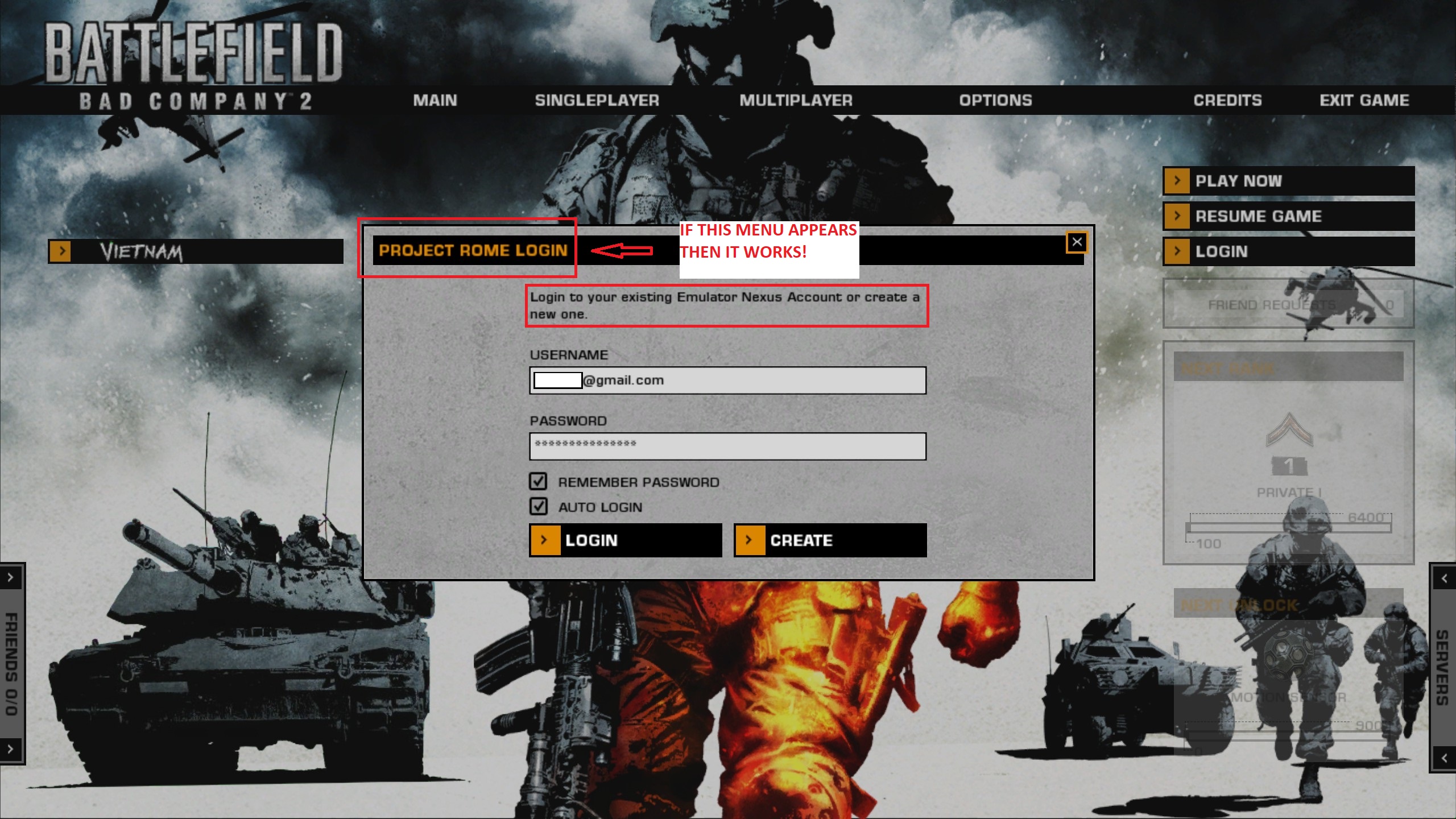
1. Login using your Venice unleashed account.
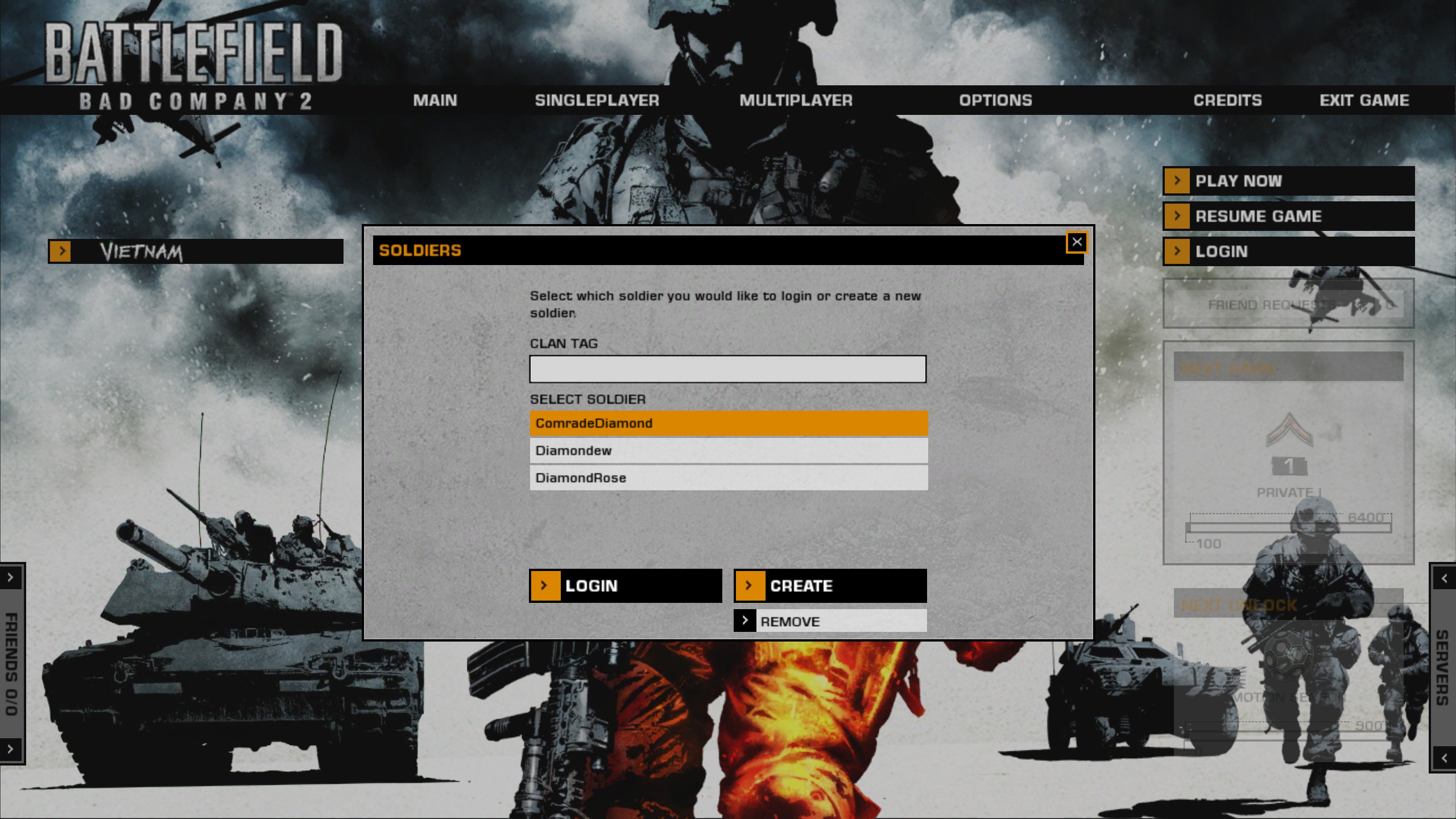
2. Create your persona.
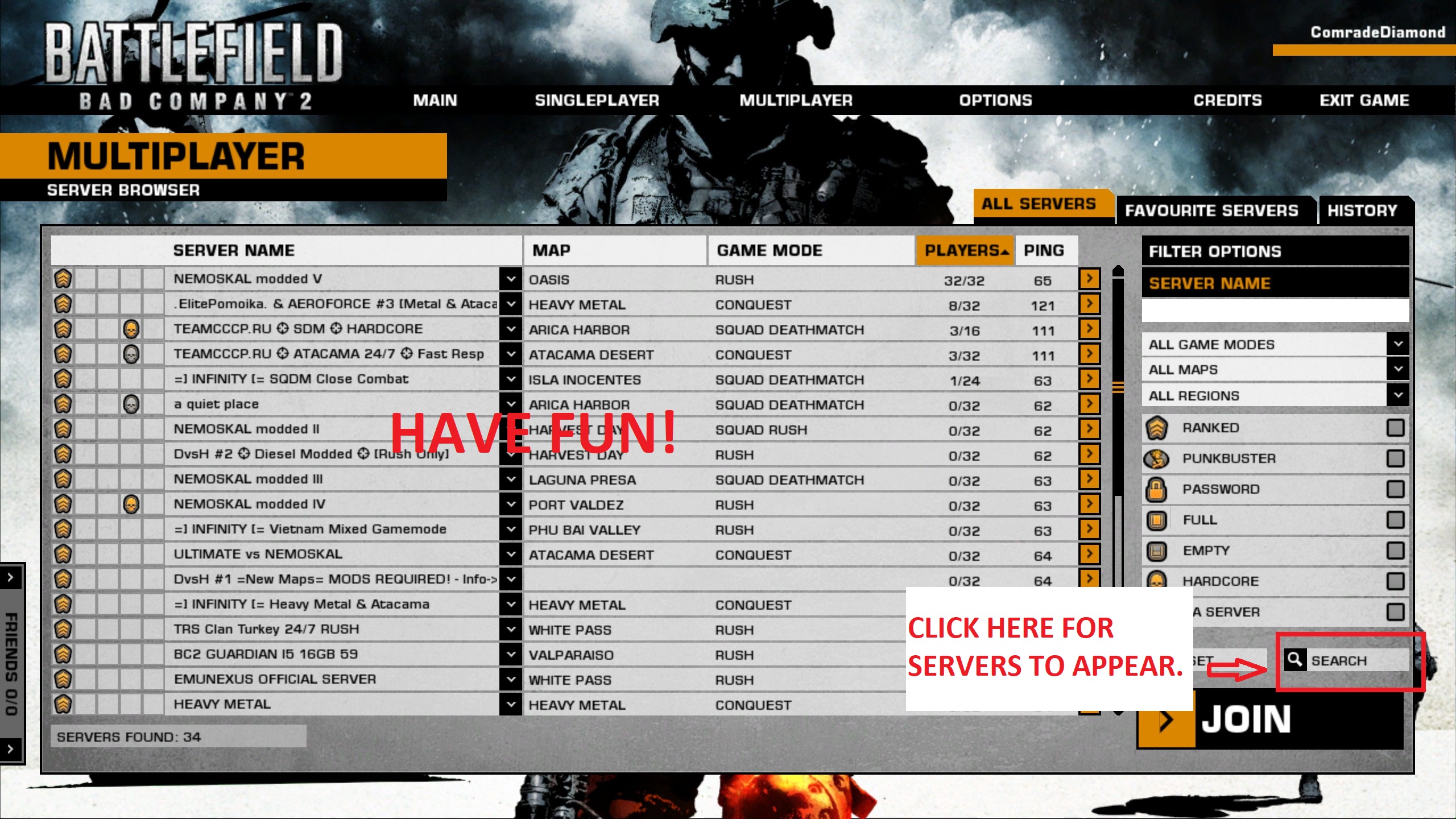
3. Enjoy.
 [/previewicon]
2. Create your persona.
3. Enjoy.
[/previewicon]Troubleshooting.
Q: Do I need a Cd-key?
A: No you don't.
Q: Why there's no servers appearing??
A: You must click "search" after logging in into your account, Servers should appear right away after that, The screenshot above shows it.
Q: "failed to connect to EA servers"
A: Make sure you placed the dinput8.dll correctly, Make sure firewall does not block your game, Make sure anti-virus does not block the game, You can try disabling your anti-virus\firewall and retry connecting to the servers.
Q: "Unable to login, please try again."
A: Make sure you typed your account details correctly, That you verified your account at "Venice unleashed", Please try logging in first in here: https://veniceunleashed.net/login
If you have further questions, Feel free to ask below.
A: No you don't.
Q: Why there's no servers appearing??
A: You must click "search" after logging in into your account, Servers should appear right away after that, The screenshot above shows it.
Q: "failed to connect to EA servers"
A: Make sure you placed the dinput8.dll correctly, Make sure firewall does not block your game, Make sure anti-virus does not block the game, You can try disabling your anti-virus\firewall and retry connecting to the servers.
Q: "Unable to login, please try again."
A: Make sure you typed your account details correctly, That you verified your account at "Venice unleashed", Please try logging in first in here: https://veniceunleashed.net/login
If you have further questions, Feel free to ask below.
More guides that might interest you.
Wish to enjoy the classic BF2 again?? You might want to try this out.
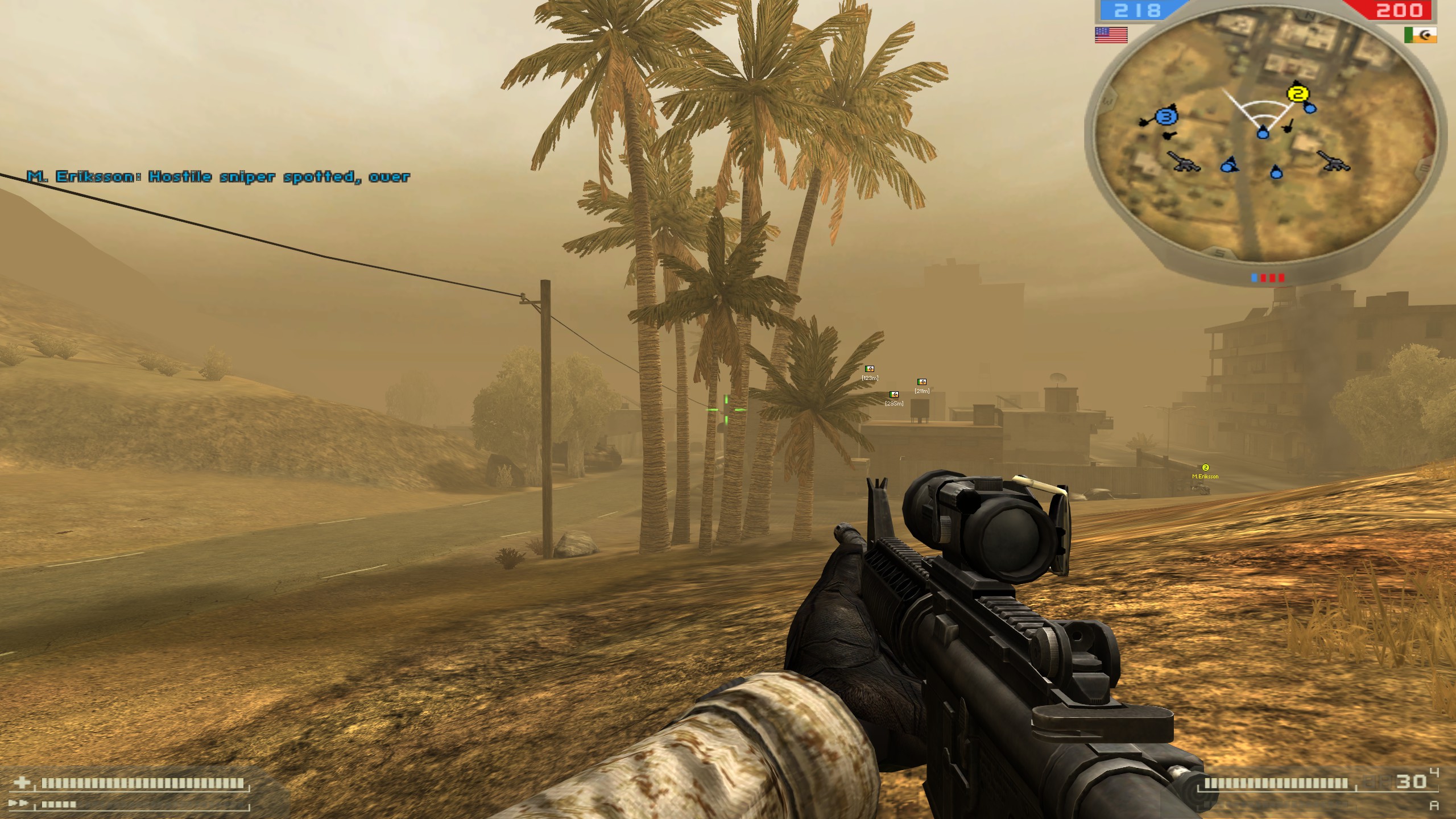
https://steamcommunity.com/sharedfiles/filedetails/?id=2670397430
https://steamcommunity.com/sharedfiles/filedetails/?id=2670397430
More Battlefield: Bad Company™ 2 guides
- Increase FOV★ 5 (189)17k views207 ♥1 minUpdated Feb 19, 2025
- Исправление всех проблем в игре + пасхалка★ 5 (340)17k views402 ♥11 minRussianUpdated Feb 8, 2018
- Антигид★ 5 (689)16k views236 ♥5 minRussianUpdated Aug 3, 2017
- How to play online after the shutdown★ 5 (400)15k views510 ♥5 minUpdated Mar 25
- FPS and Lagg fix Guid :D★ 4 (113)15k views133 ♥1 minBulgarianUpdated Dec 5, 2015
- How to play Battlefield Bad Company 2 if you are having problems login in.★ 4 (120)14k views134 ♥14 minUpdated Apr 17, 2024




This guide was created by its original author on the Steam Community. Are you the author and want it removed? Request removal.