How to change FOV in SP/Campaign (Step by step guide)
Installation/Use
- Download Widescreen Fixer [github.com]
- Run Battlefield Bad Company 2
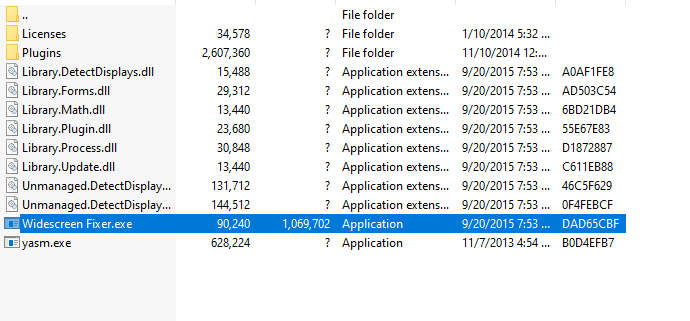
- Extract Widescreen Fixer (the location of the archive does not matter)
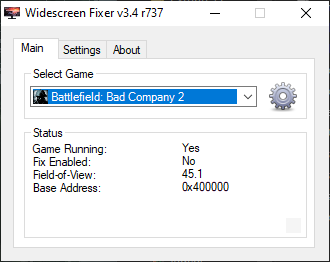
- Open Widescreenfixer.exe while the game is running
- Select the game from the list
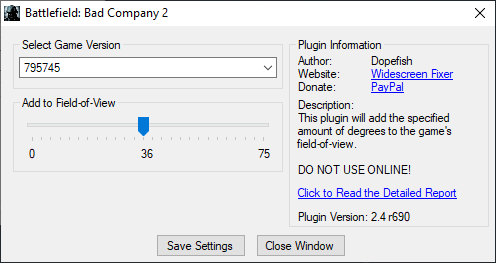
- Click the gear icon next to the game, then select how much FOV you want to ad.
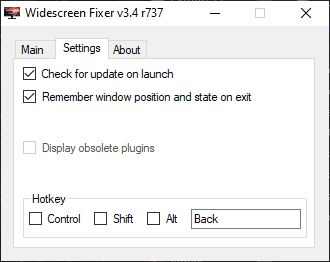
- Now go to settings and change the key to toggle the effect, by default it is the multiply key on the numpad.
- Go back to the game and press the assigned key, enjoy.
Multiplayer FOV edit
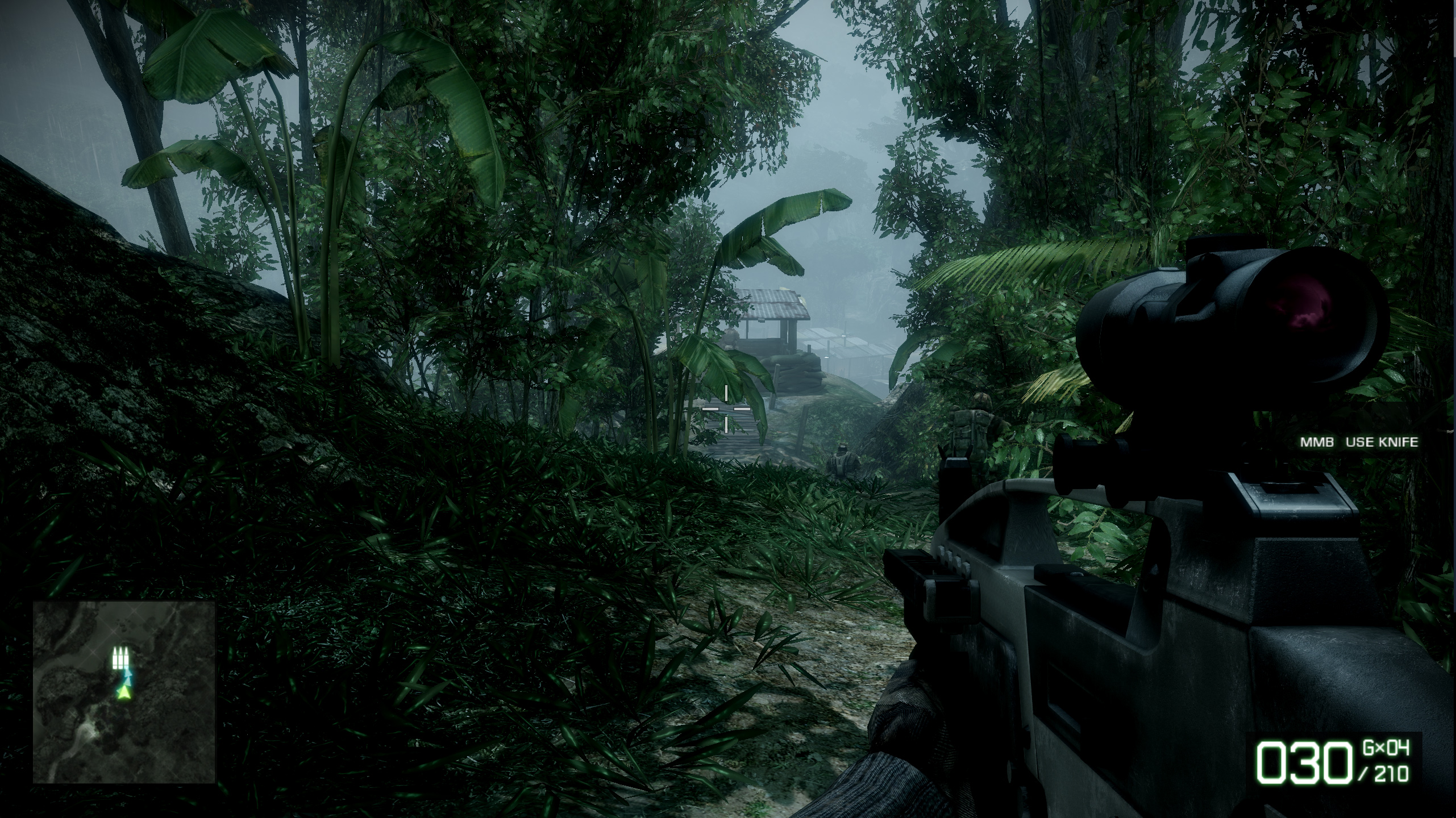
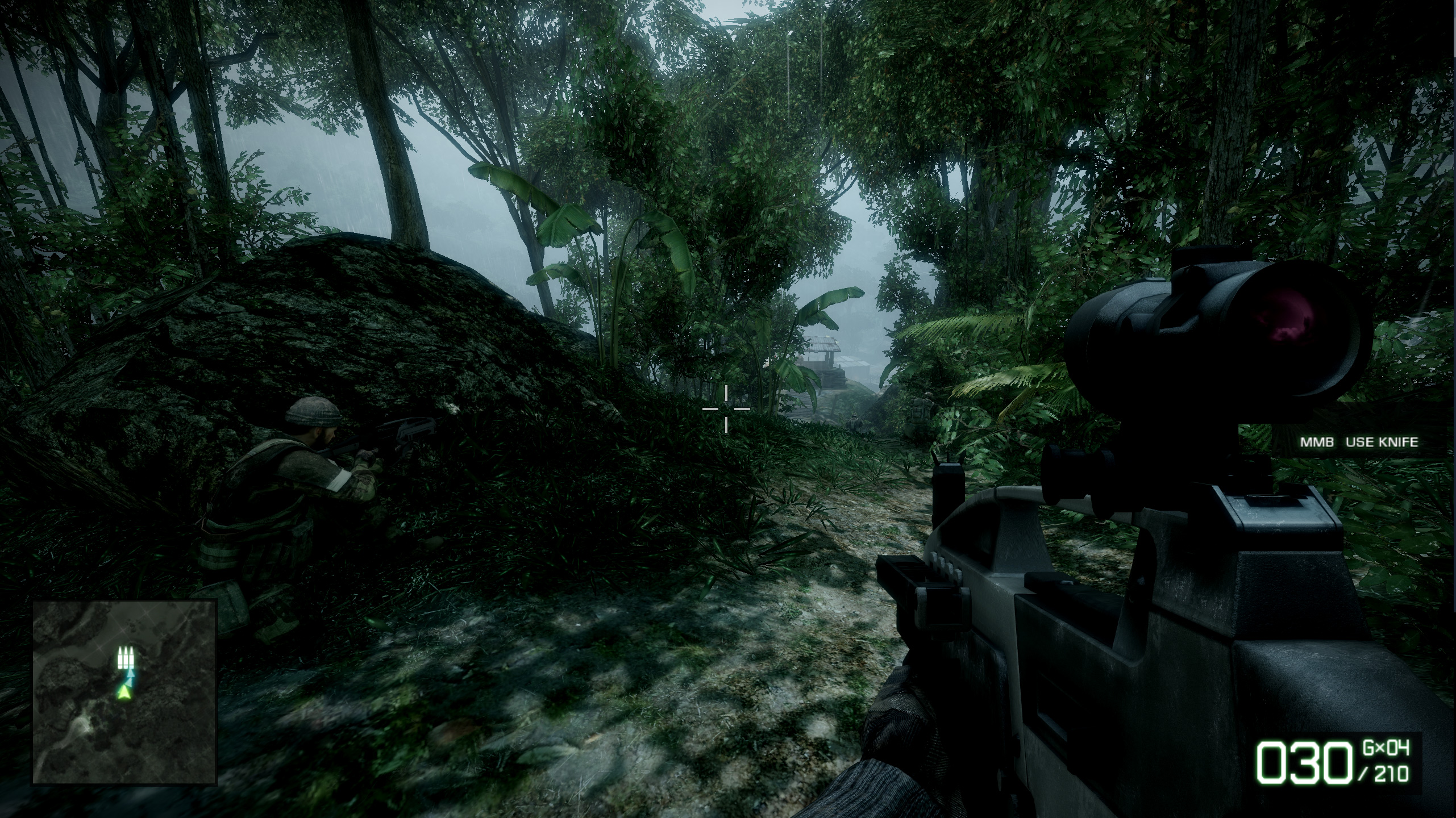
Comparison
Before
After
Known issues
Will I get a VAC ban?
The game does not use Valve's VAC, no, you won't. I will advise you against using it on multiplayer, since there is other ways to changing the game's FOV en MP.
Some vehicles and scopes do weird stuff, is it because of this tool?
Yes, it's a known issue. It won't be fix since the it hasn't been updated in 5 years.
Will we get a remaster someday?
I hope so, but i will prefer a new entry to the series with a proper gunplay.
The game does not use Valve's VAC, no, you won't. I will advise you against using it on multiplayer, since there is other ways to changing the game's FOV en MP.
Some vehicles and scopes do weird stuff, is it because of this tool?
Yes, it's a known issue. It won't be fix since the it hasn't been updated in 5 years.
Will we get a remaster someday?
I hope so, but i will prefer a new entry to the series with a proper gunplay.
More Battlefield: Bad Company™ 2 guides
- Increase FOV★ 5 (189)17k views207 ♥1 minUpdated Feb 19, 2025
- Исправление всех проблем в игре + пасхалка★ 5 (340)17k views402 ♥11 minRussianUpdated Feb 8, 2018
- Антигид★ 5 (689)16k views236 ♥5 minRussianUpdated Aug 3, 2017
- How to play online after the shutdown★ 5 (400)15k views510 ♥5 minUpdated Mar 25
- FPS and Lagg fix Guid :D★ 4 (113)15k views133 ♥1 minBulgarianUpdated Dec 5, 2015
- How to play online (Post EA servers shutdown) *FIX*★ 5 (227)14k views350 ♥1 minUpdated Dec 2, 2023



This guide was created by its original author on the Steam Community. Are you the author and want it removed? Request removal.