How to equip DLC weapons.
1. Go to "Options"
Pretty self explanatory, go to options, you can either do this from the main menu or in-game menu.
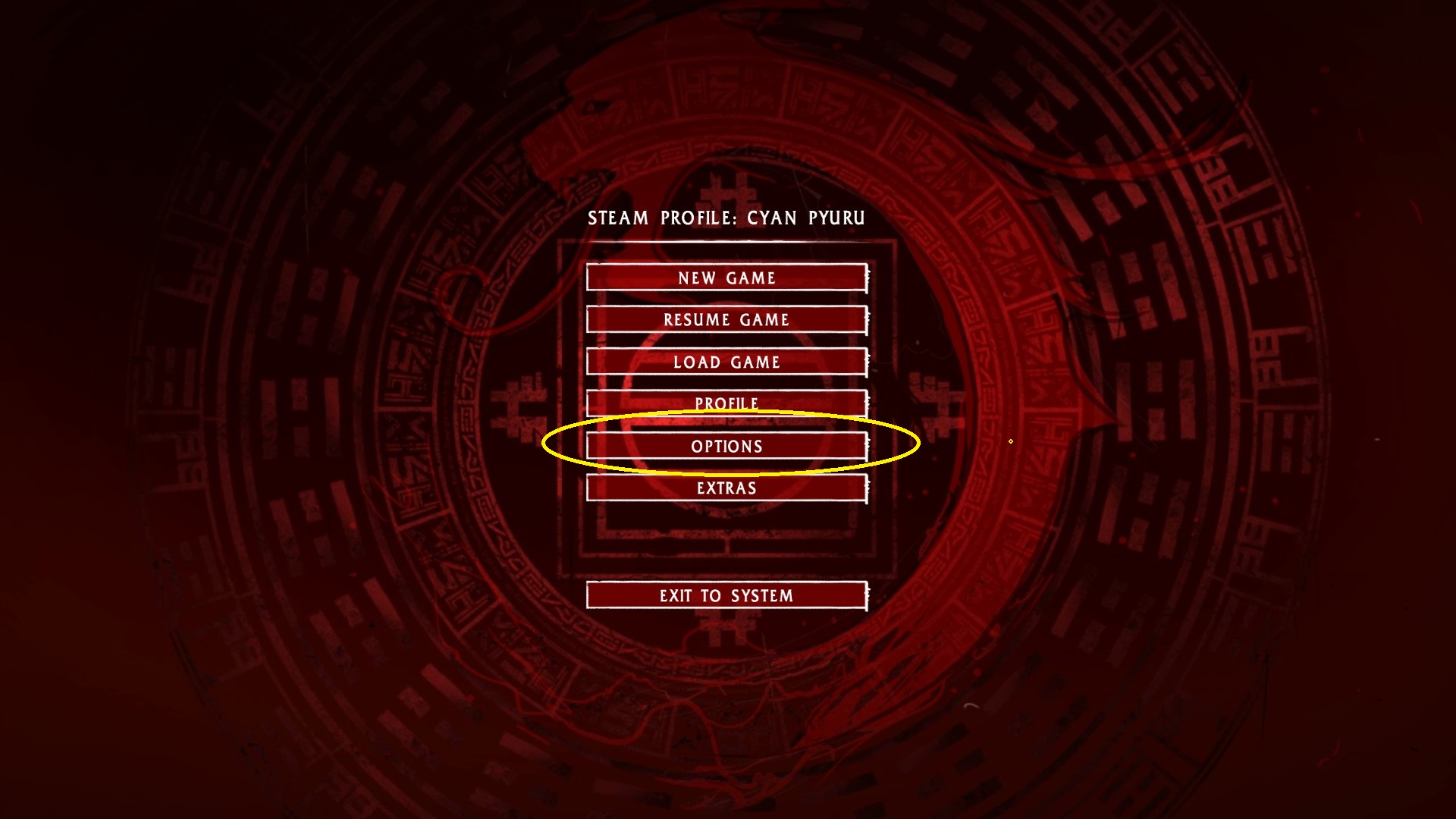
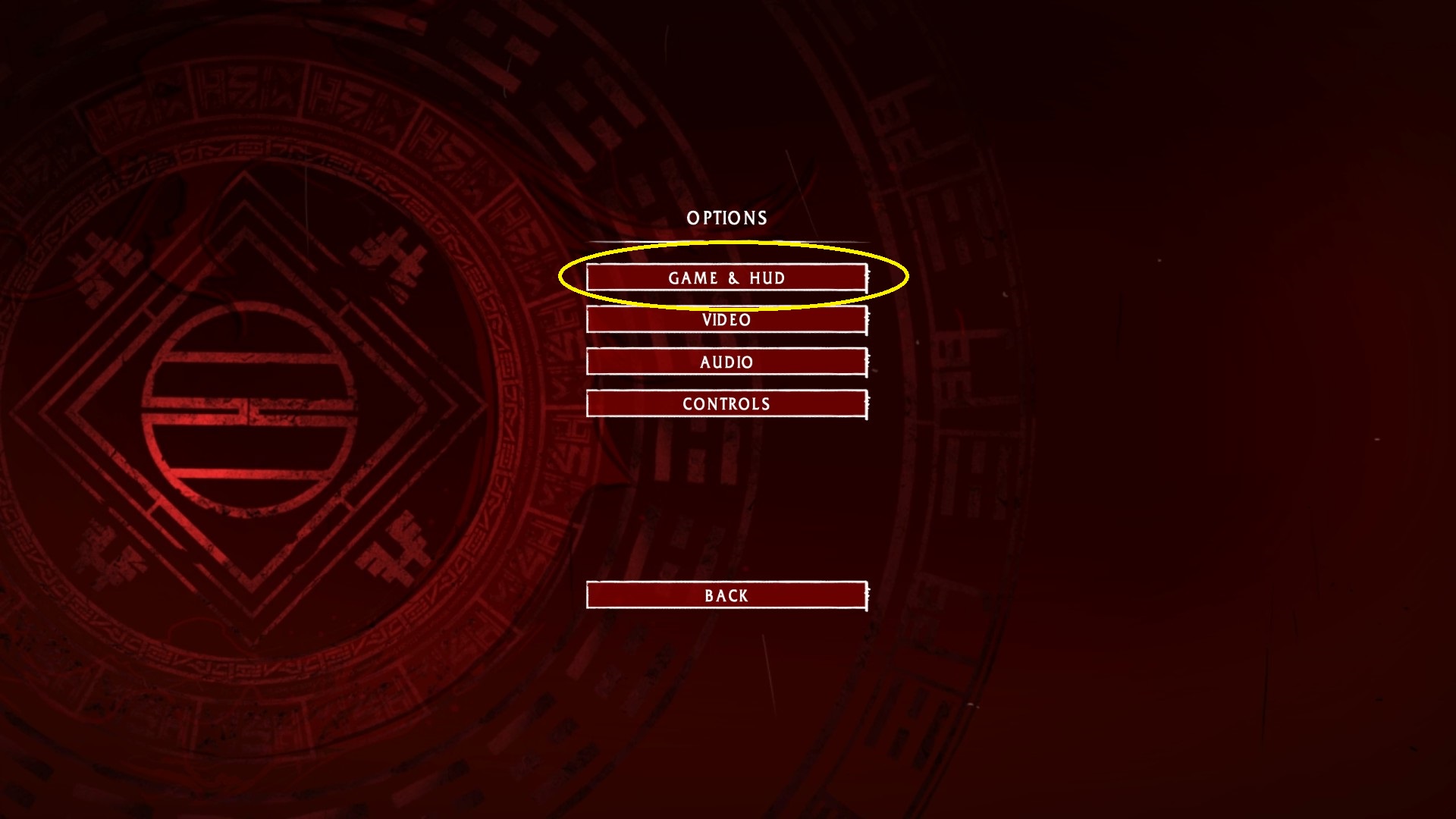
2. Clic on "Game & HUD"
Just clic on the "Game & HUD" section of options.
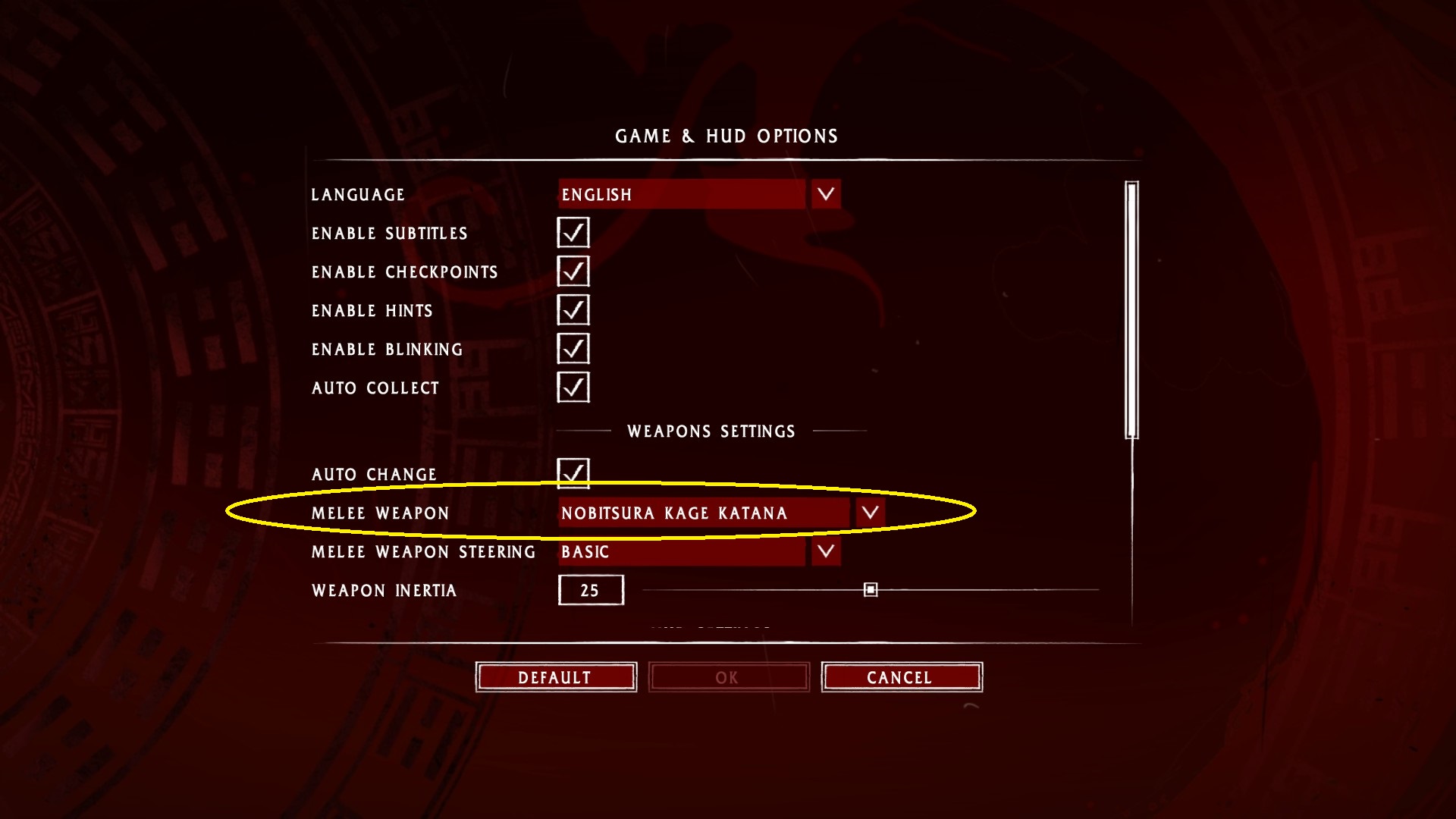
3. Clic on "Melee Weapon"
In Weapons Settings, right below Auto Change is Melee Weapon.
A list of weapons should be visible once clicked.
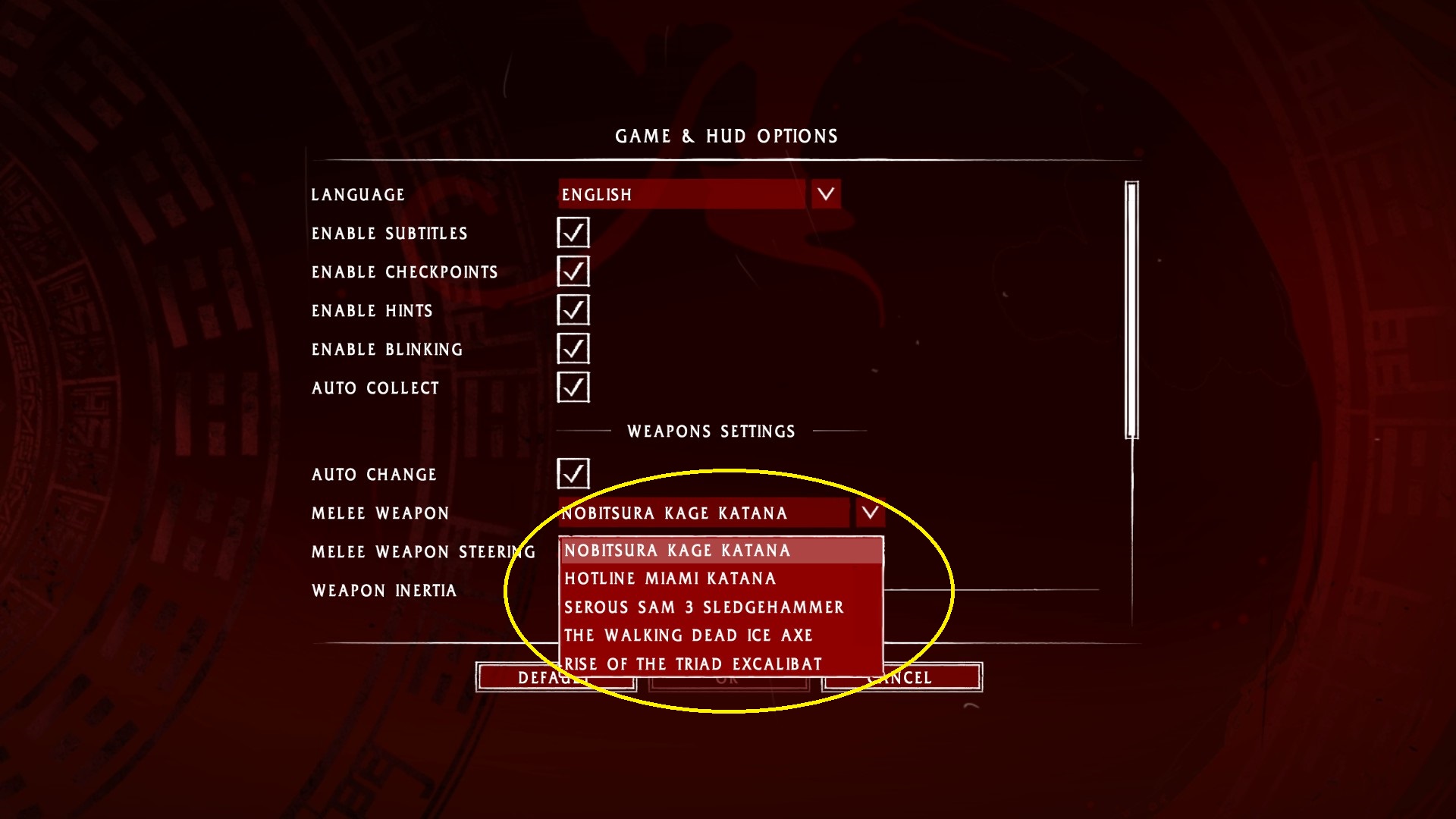
Just clic on whatever skin you wish to use, hit Ok and you should be good to go.
A list of weapons should be visible once clicked.
Just clic on whatever skin you wish to use, hit Ok and you should be good to go.
Conclusion.
Now you can change your weapon skin whenever you want, it's kind of disappointing that they do not affect the game in any way, all though it makes sense.
Eitherway, this is my first guide on steam, so...yeah. I hope it helped you. I felt the need on doing this guide because lots of people were asking how to use the DLC with no answer (at least most of the threads), anyway thank you for reading!
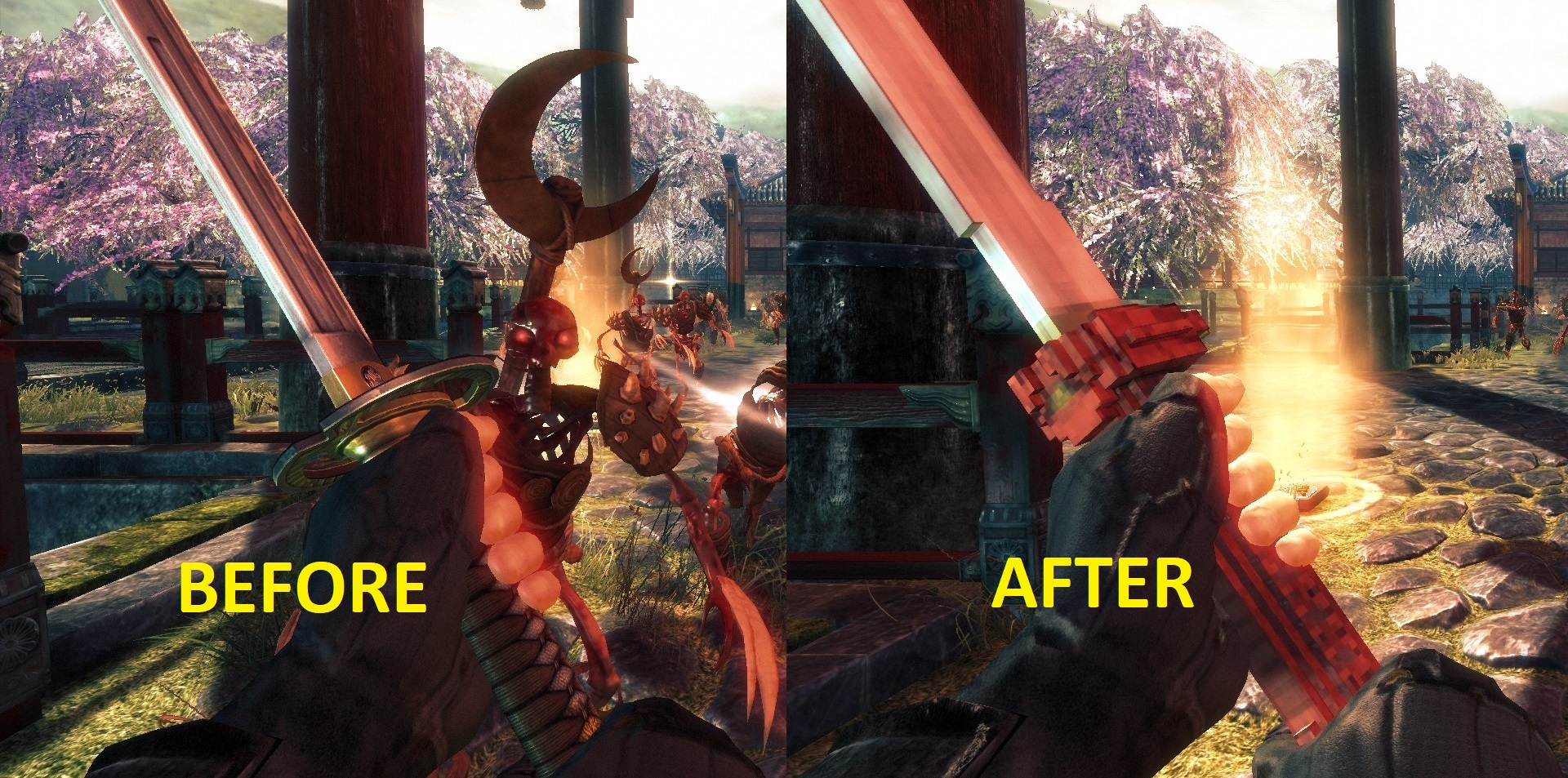
Eitherway, this is my first guide on steam, so...yeah. I hope it helped you. I felt the need on doing this guide because lots of people were asking how to use the DLC with no answer (at least most of the threads), anyway thank you for reading!
More Shadow Warrior guides
- Shadow Warrior Secrets Guide - [Image Heavy]★ 5 (3.6k)51k views3.8k ♥32 minUpdated Nov 26, 2020
- Optimal Character Build (where to put points)★ 5 (616)26k views956 ♥5 minUpdated Dec 30, 2013
- Shadow Warrior (2013) - All Secrets★ 5 (612)26k views488 ♥1 minBulgarianUpdated Aug 26, 2016
- Shadow Warrior - All Secrets (Video) + Achievement Guides★ 5 (1.2k)21k views1.2k ♥6 minUpdated Jul 10, 2025
- All-Encompassing Guide to Shadow Warrior★ 5 (230)17k views208 ♥18 minUpdated Apr 22, 2014
- Достижения Shadow warrior★ 5 (854)15k views740 ♥19 minRussianUpdated Oct 16, 2016


This guide was created by its original author on the Steam Community. Are you the author and want it removed? Request removal.