How to get all players statistic info during battle.
installation
1 Download[www.microsoft.com] and install (.Net Framework 4.6.1). If you haven't this version or greater.
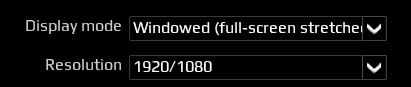
2 Run Star Conflict --> settings --> graphics --> choose display mode “Windowed (full-screen stretches)”.
3 Close Star Conflict.
4 Download[sourceforge.net] archive, unpack in any directory.
5 Copy folder Lib contents to
(This mod working only in 64-bit game version)
<game path>\StarConflict\win64 for targem client.
<steam path >\Steam\steamapps\common\star conflict\win64 for steam client.
(Only works if your OS is installed on the C drive )
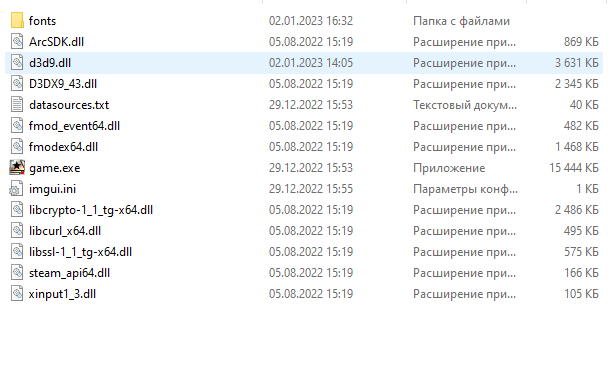
6 Copy directory SCXVM in any place.
7 run SCXVM.exe
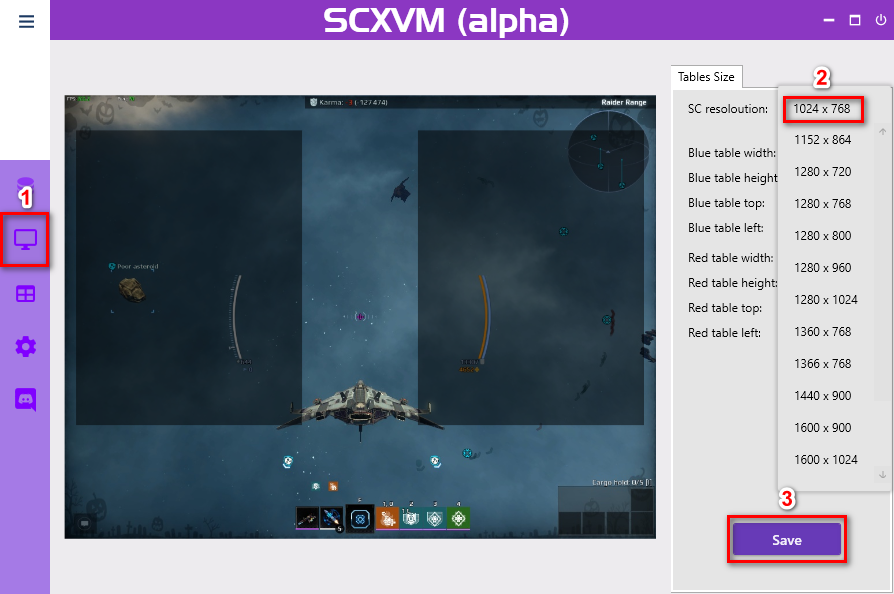
8 Open Resolution Page → choose your in game resolution–> press button Save.
9 Run Star Conflict (don’t close SCXVM.exe).
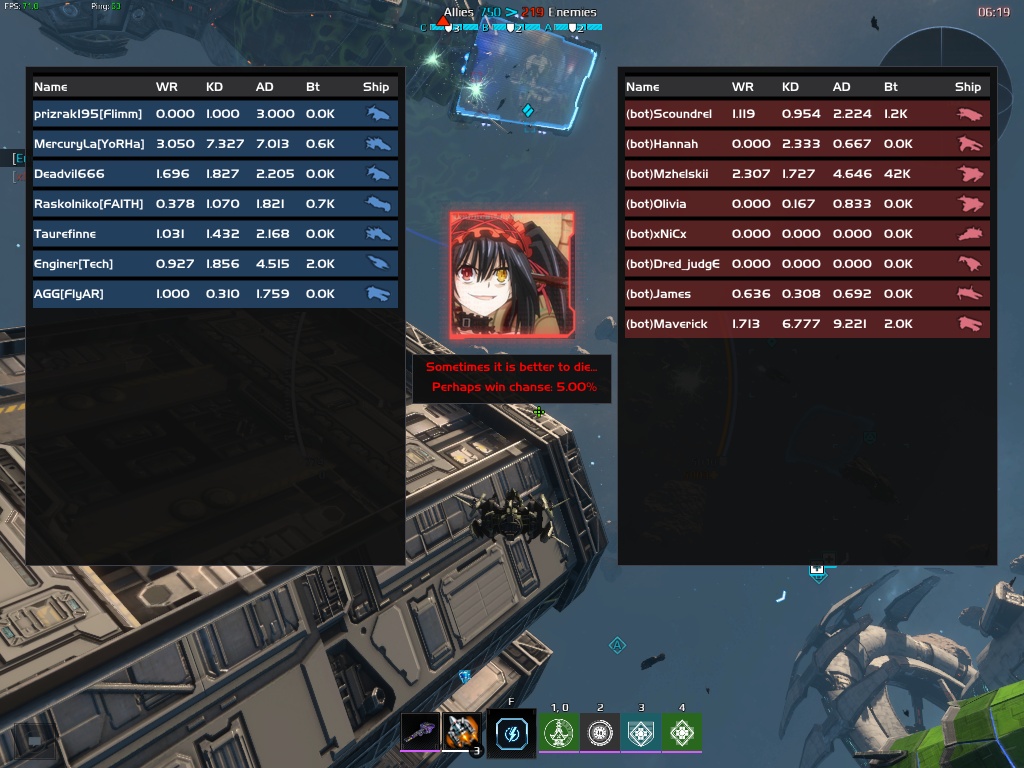
10 Press “F1”
2 Run Star Conflict --> settings --> graphics --> choose display mode “Windowed (full-screen stretches)”.
3 Close Star Conflict.
4 Download[sourceforge.net] archive, unpack in any directory.
5 Copy folder Lib contents to
(This mod working only in 64-bit game version)
<game path>\StarConflict\win64 for targem client.
<steam path >\Steam\steamapps\common\star conflict\win64 for steam client.
(Only works if your OS is installed on the C drive )
6 Copy directory SCXVM in any place.
7 run SCXVM.exe
8 Open Resolution Page → choose your in game resolution–> press button Save.
9 Run Star Conflict (don’t close SCXVM.exe).
10 Press “F1”
Links
More Star Conflict guides
- Star Conflict, for beginners and almost established players.★ 5 (489)26k views331 ♥18 minUpdated Aug 31, 2014
- Руководство для новичков★ 5 (260)9.8k views247 ♥34 minRussianUpdated Oct 18, 2019
- Скрытое Пиратство (Натуральное Пиратство)★ 4 (170)9.3k views161 ♥6 minUpdated Oct 3, 2020
- Бесплатные ГС — Все Способы★ 4 (48)3.8k views43 ♥8 minRussianUpdated Jan 28, 2019
- Фарм Кредитов (Синих, Таинственных Контейнеров) — ОМ маршрут (NEW)★ 4 (42)2.3k views71 ♥5 minRussianUpdated Feb 1, 2020
- a guide to open space for newbies★ 4 (35)1.3k views15 ♥7 minUpdated Nov 30, 2020



This guide was created by its original author on the Steam Community. Are you the author and want it removed? Request removal.