How to Play 100% Solo (No AI Players)
Introduction
Step 1
The first thing you should do is access the game directory. On Steam, go to your game list, right-click on CIV VI, and go to:
I recommend using a code editor like Visual Studio Code to access these directories, but you can use Notepad if you don't have one.
Next, go to:
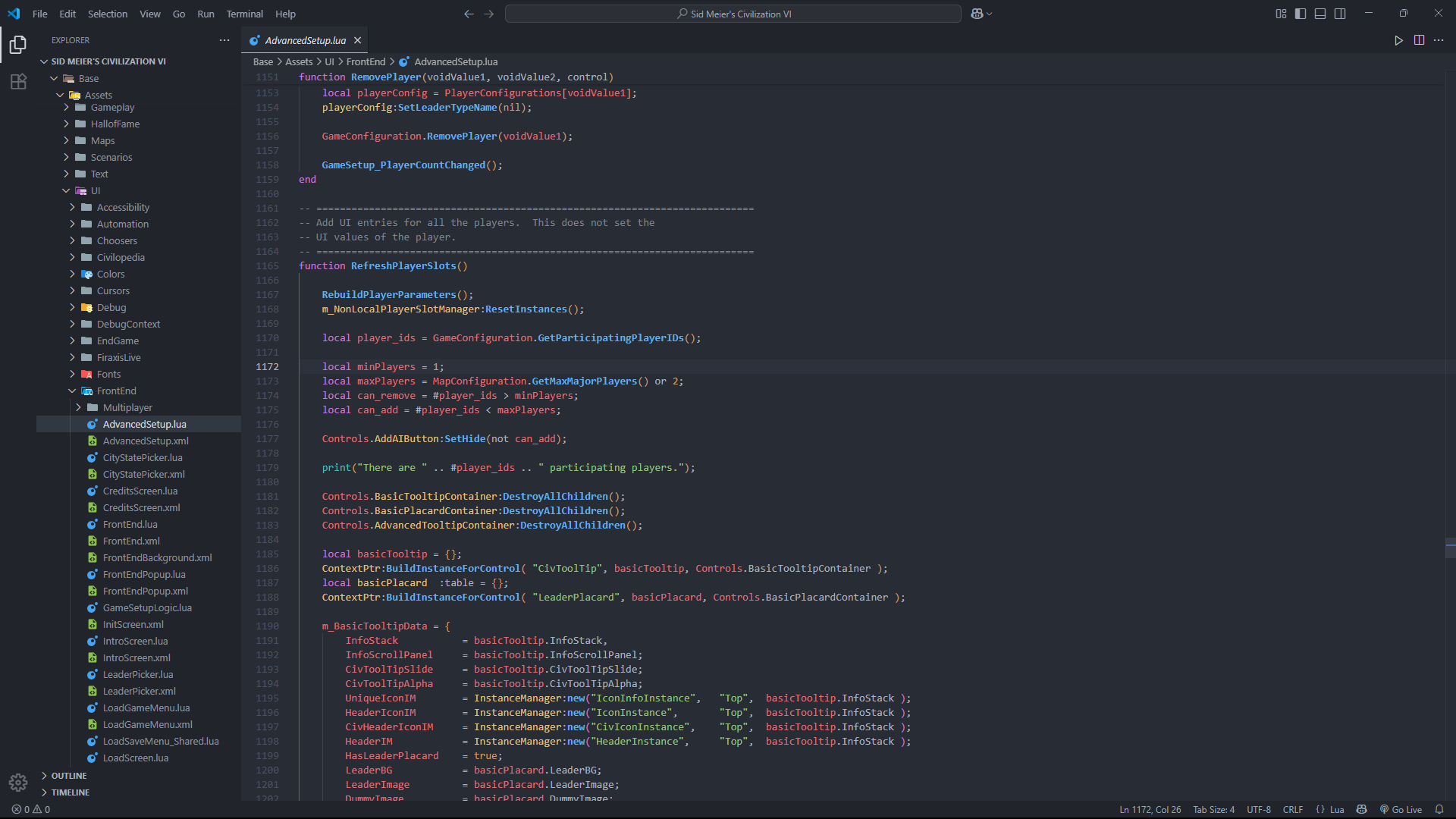
Open the "AdvancedSetup.lua" file, press CTRL + F, and search for:
Then change it to:
This setting alone will allow you to limit the number of players from 2 to 1 in the Advanced Settings in-game, however, this will cause bugs in Barbarians and City-States, which will prevent them from spawning.
If you don't want them to appear, this is enough, but if you want to remove only the other CIV's, you'll need to make a few more adjustments.
Step 2
After saving the file, go to:
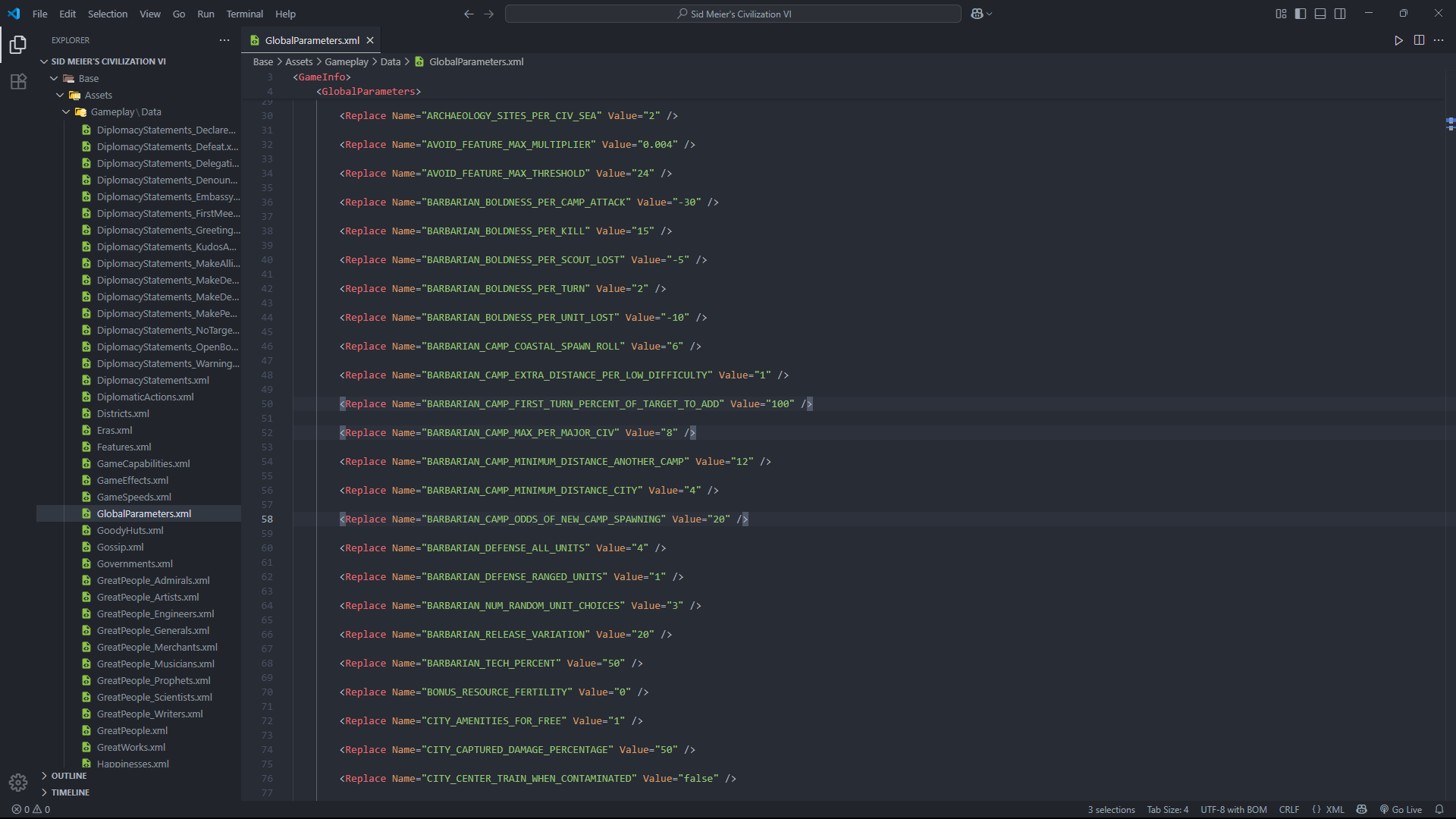
Open the "GlobalParameters.xml" file and change the lines:
TIP: Only the line BARBARIAN_CAMP_FIRST_TURN_PERCENT_OF_TARGET_TO_ADD needs to be 100, to ensure that barbarians spawn even without other civilizations besides yours, the other two lines you can adjust to your personal taste.
Step 3
Finally, go to:
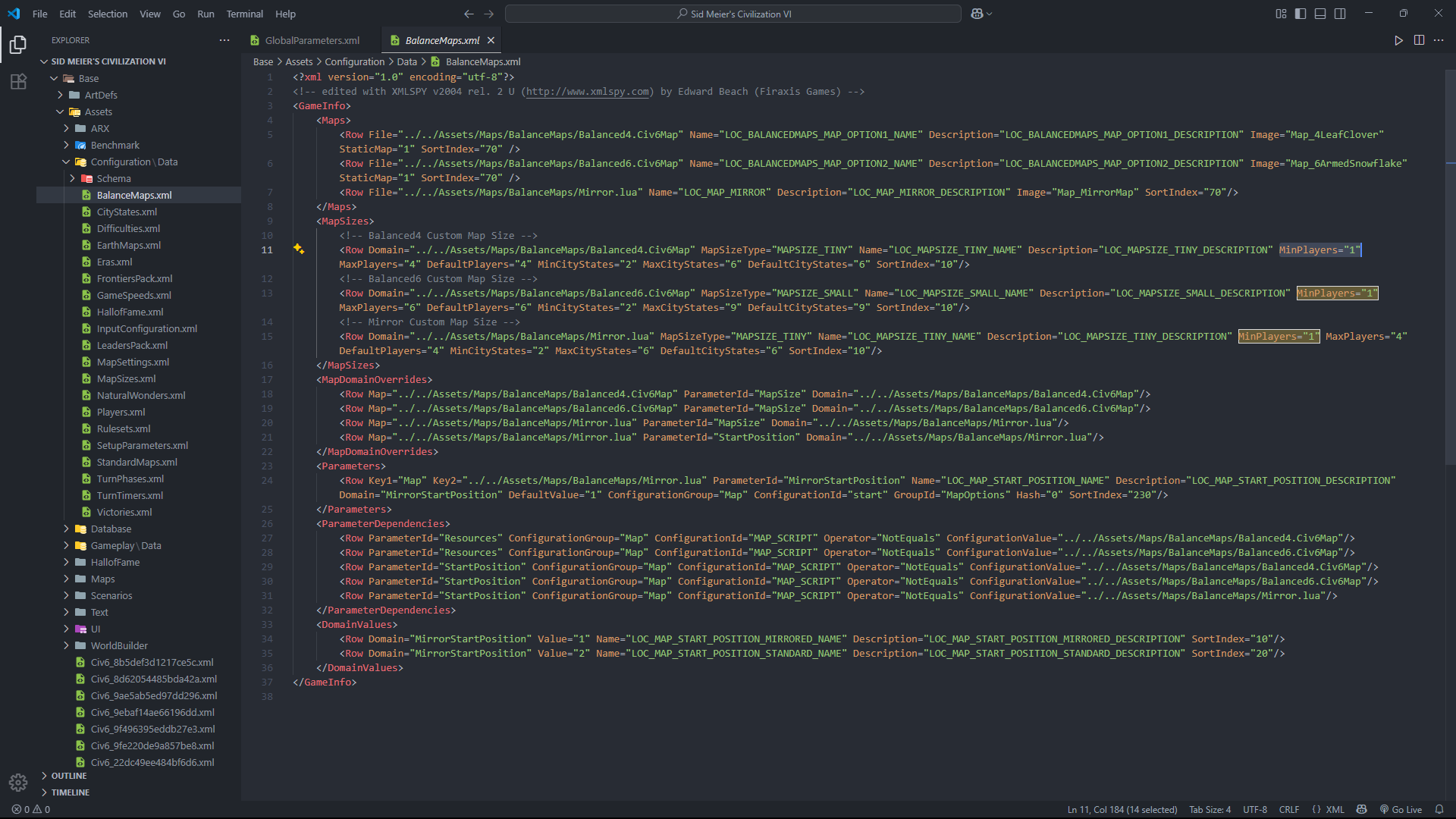
Open the "BalanceMaps.xml" file and under MapSizes, look for MinPlayers="2", change all "2" to "1". Now, regardless of the map size you choose, there will be no conflict, as they all accept at least one player.
Explanation
What we did in Step 1 was force the game to accept at least one player, but the maps don't support this, and Step 3 was created to fix this.
In Step 2, we forced the barbarians to spawn, as this would only occur if there were at least two players.
Since they are 100% guaranteed to spawn at the beginning, they will continue to spawn according to the odds you set in the "BARBARIAN_CAMP_ODDS_OF_NEW_CAMP_SPAWNING" parameter.
Extras
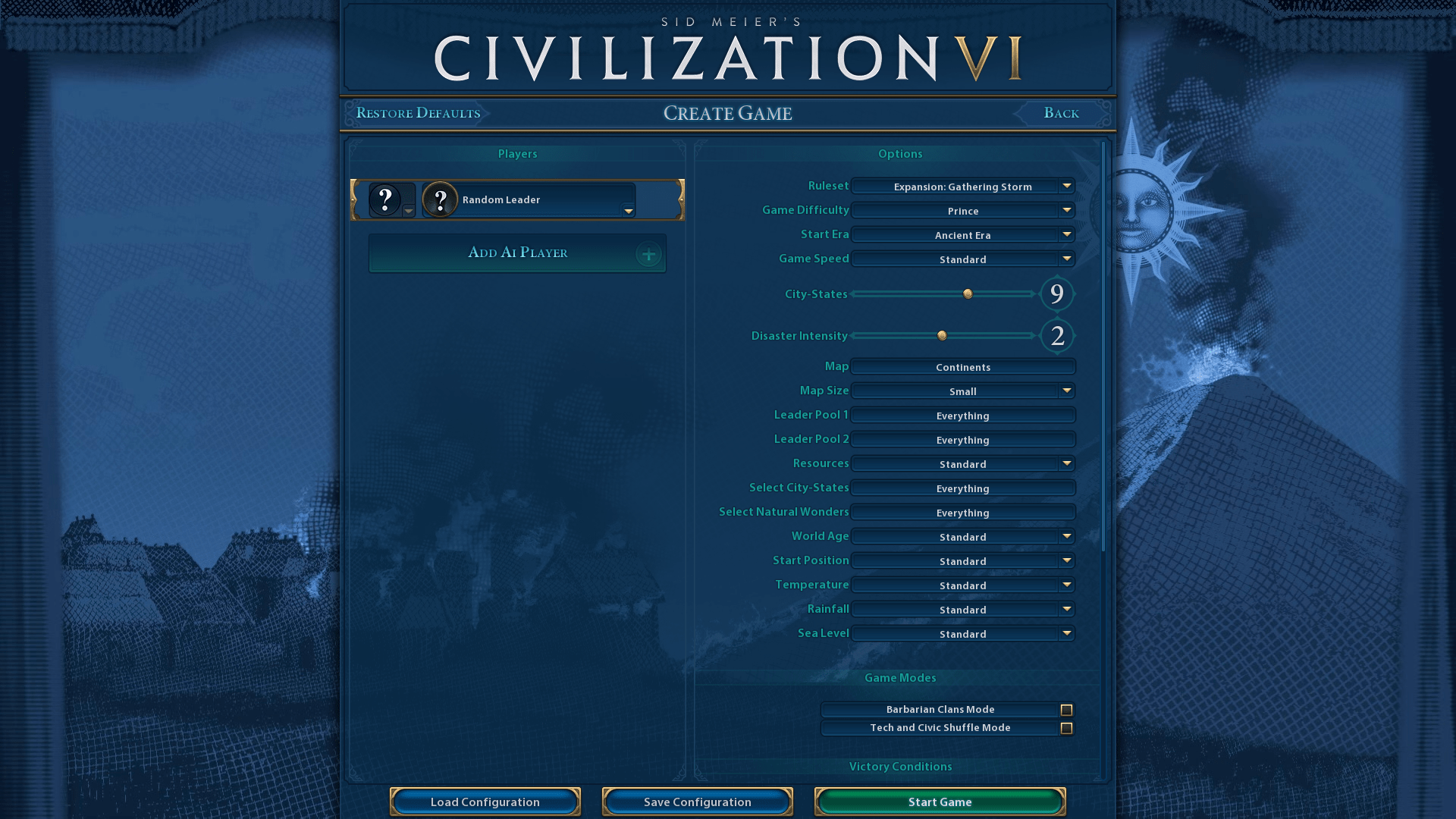
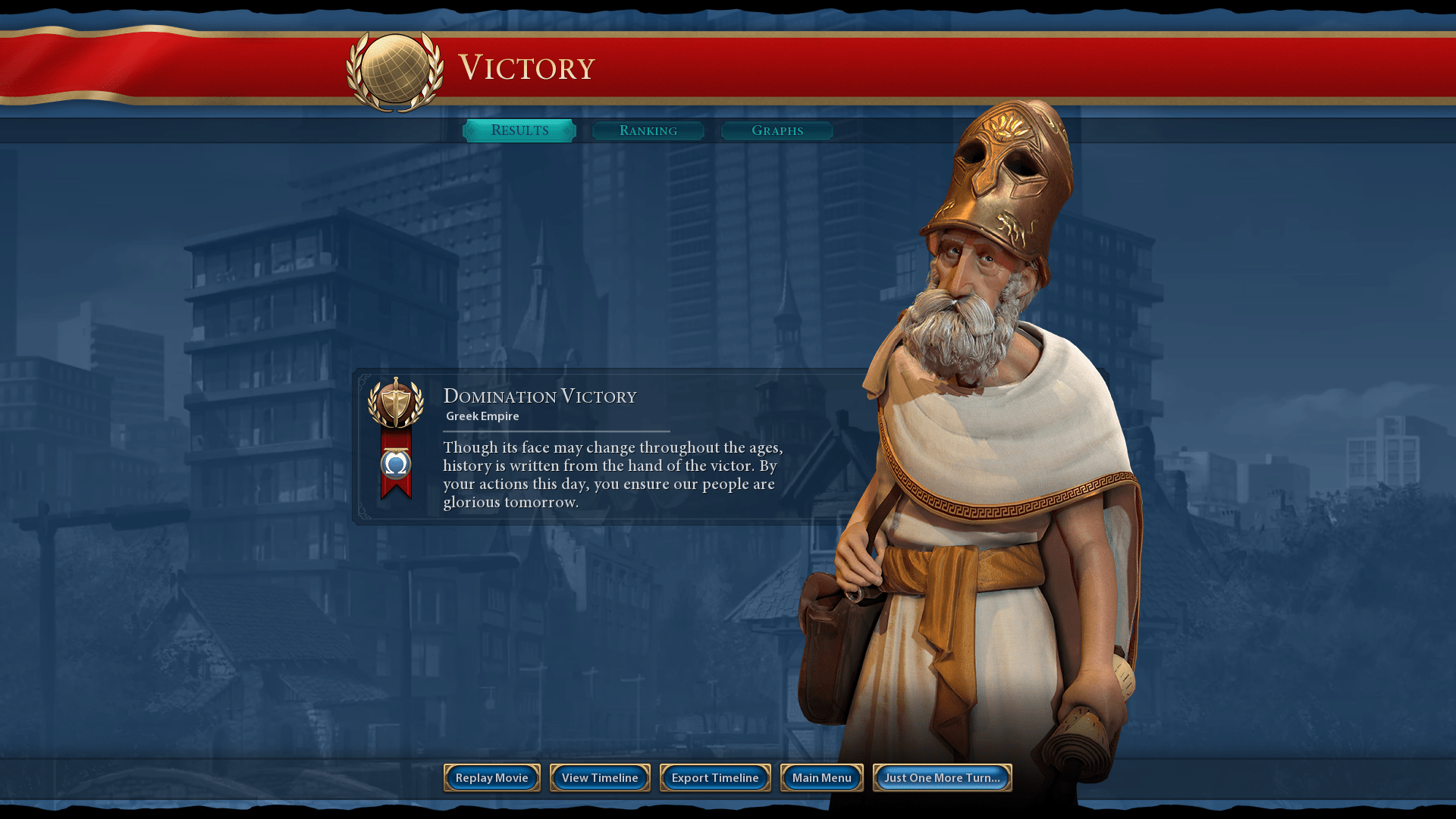
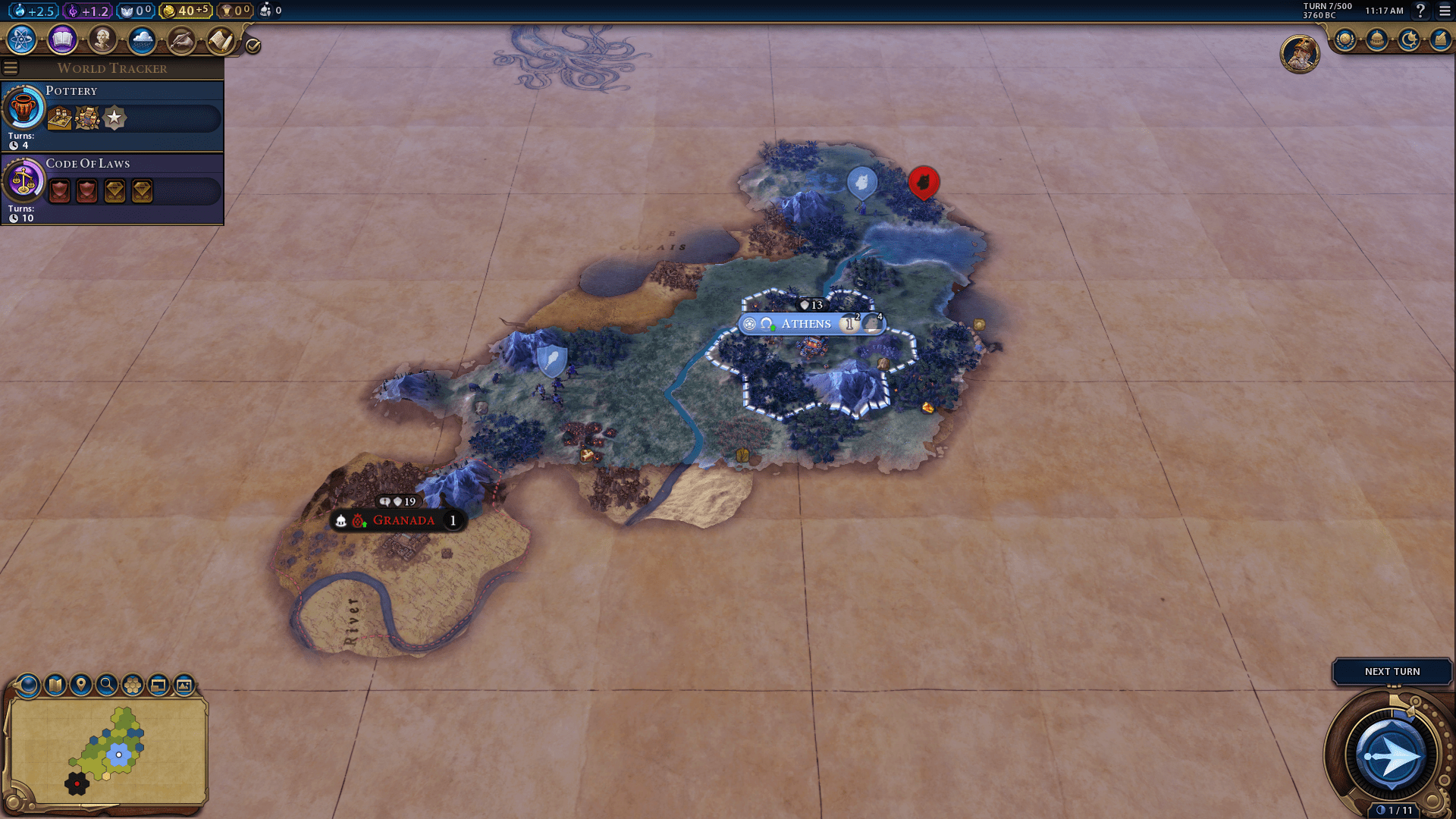
My game is a little different from the original, because I'm using some mods, in case you're interested, this is the list https://steamcommunity.com/sharedfiles/filedetails/?id=3582067737
Beat Sid Meier's Civilization VI's 100% run?
Flex it — let your friends know you pulled it off.
- Better Balanced Game (BBG) Full Change Log (v6.0.x)★ 4 (120)62k views293 ♥62 minUpdated 27 Aug, 2025
- 100% achievements guide + tips & tricks (base game + all DLC's, include Gathering Storm)★ 5 (1.5k)57k views3.7k ♥146 minUpdated Jan 4
- [EN] Early game strategy, or how not to get overwhelmed★ 5 (368)41k views1k ♥15 minUpdated 23 Jul, 2023
- All Victory Conditions and how to reach them!★ 5 (702)40k views1.2k ♥5 minUpdated Jun 17, 2020
- 新手指南 —— 从上手到上瘾! Civi-VI Game Guide★ 5 (1.7k)37k views3.2k ♥3 minSimplified ChineseUpdated 7 Sep, 2022
- Zigzagzigal's Guides - Japan (GS)★ 4 (141)34k views399 ♥67 minUpdated 2 Apr, 2023


- Upgrading to PremiumTeam Fortress 2★ 5 (20k)1441k views11k ♥6 minUpdated May 11, 2022
- No More Room in Hell Official ManualNo More Room in Hell★ 5 (2.8k)569k views2.1k ♥29 minUpdated Apr 22, 2019
- NMRiH Community Hosting GuidesNo More Room in Hell★ 5 (526)351k views653 ♥1 minUpdated Aug 10, 2022
- ULTIMATE GUIDE FOR GAME DEV TYCOONGame Dev Tycoon★ 5 (5.8k)326k views10k ♥4 minUpdated 23 Jan, 2014
- How to 'Git Gud' Soon™MORDHAU★ 5 (2k)318k views3k ♥68 minUpdated Nov 16, 2024
- Лучшие кооперативные игры SteamPAYDAY 2★ 5 (1.5k)315k views2.1k ♥56 minRussianUpdated Apr 27, 2025






This guide was created by its original author on the Steam Community. Are you the author and want it removed? Request removal.