!!! IW7 Install Guide !!!
-- !! PREREQUISITES !!
-- You will need 3 programs before even beginning
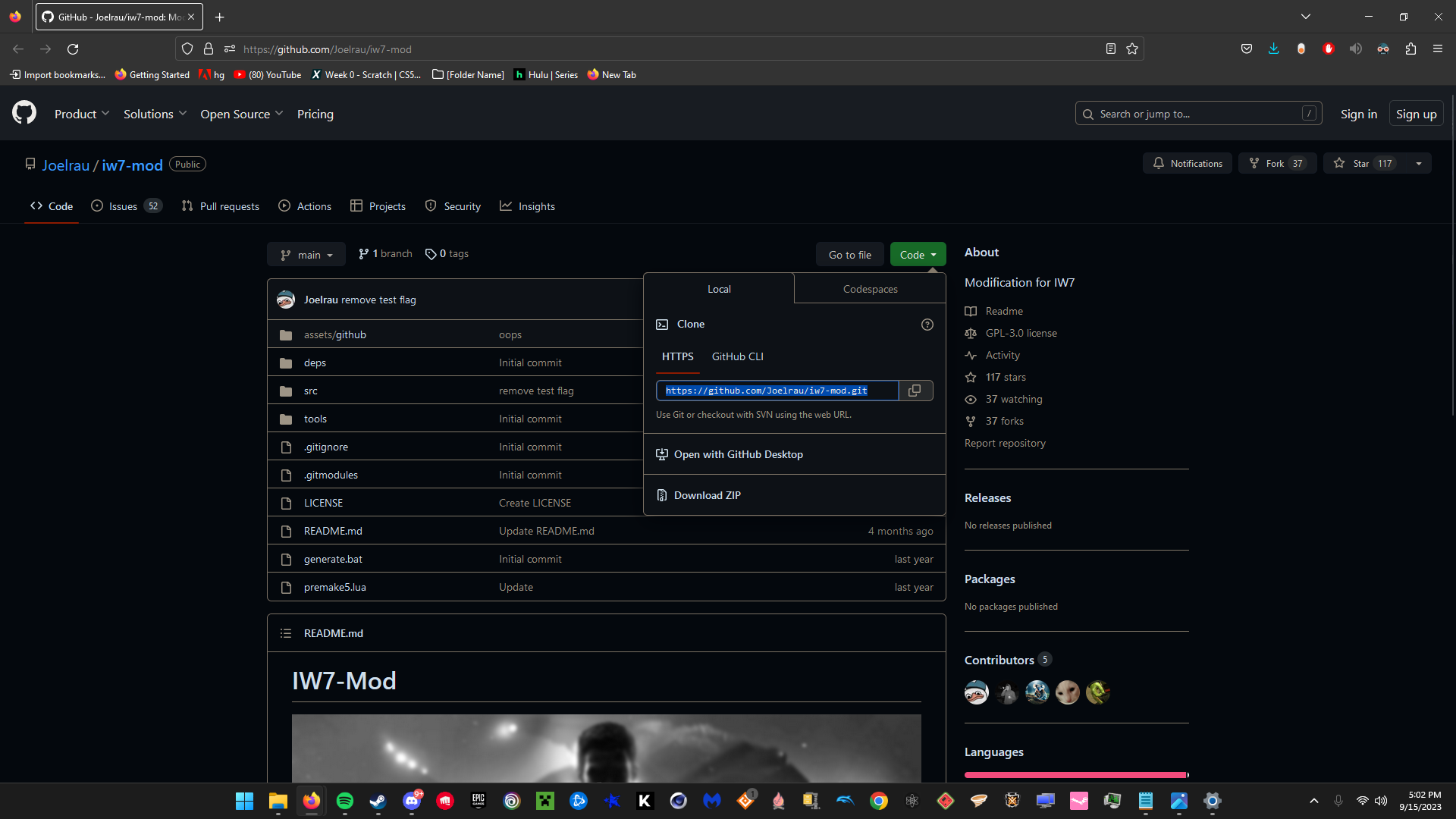
--- IW7 CLIENT https://github.com/Joelrau/iw7-mod
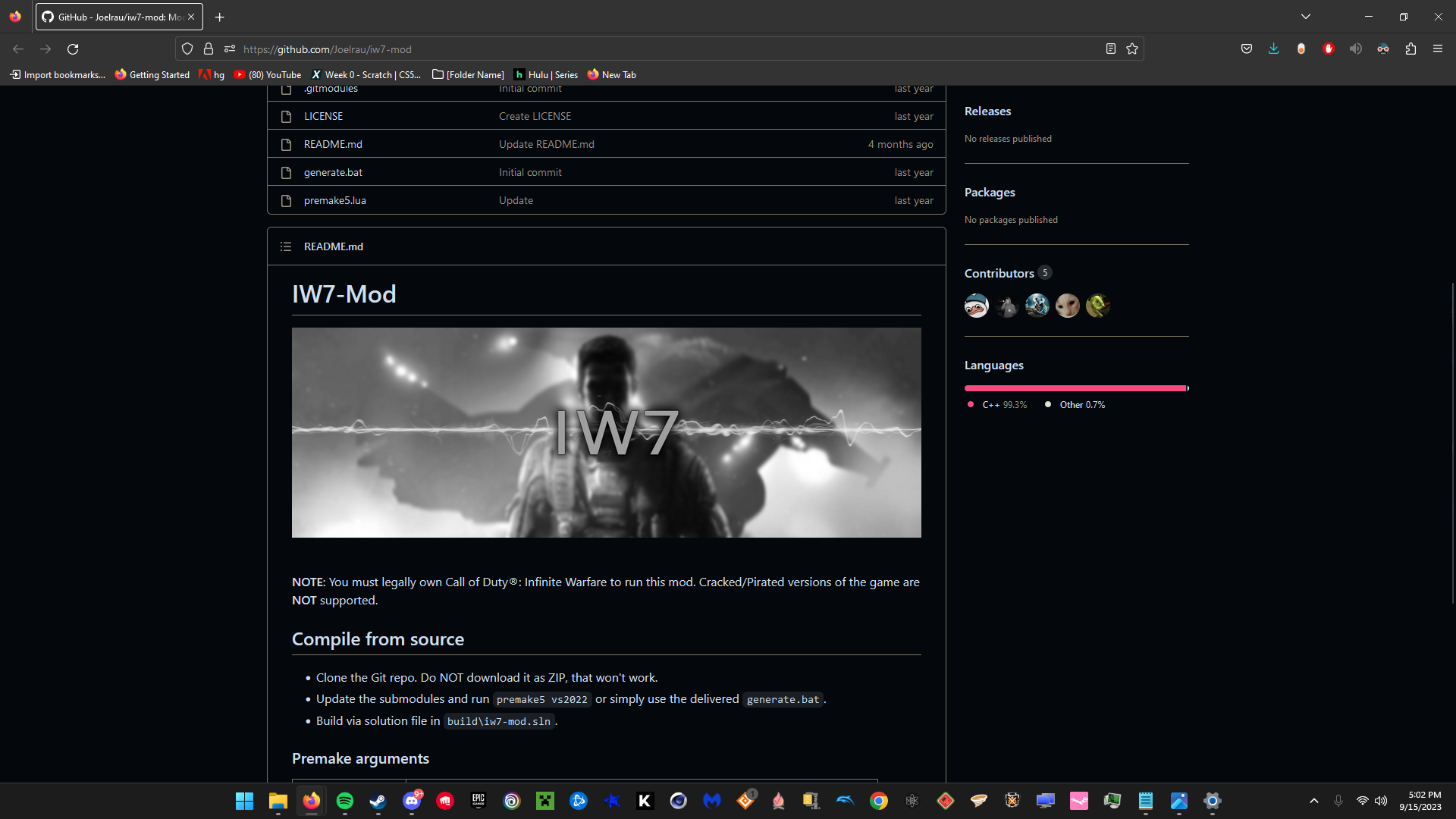
-----ON GITHUB BE SURE TO COPY THE FILE INSTEAD OF DOWNLOADING A ZIP , YOU
MUST USE A LINK
---- GIT
https://git-scm.com/downloads
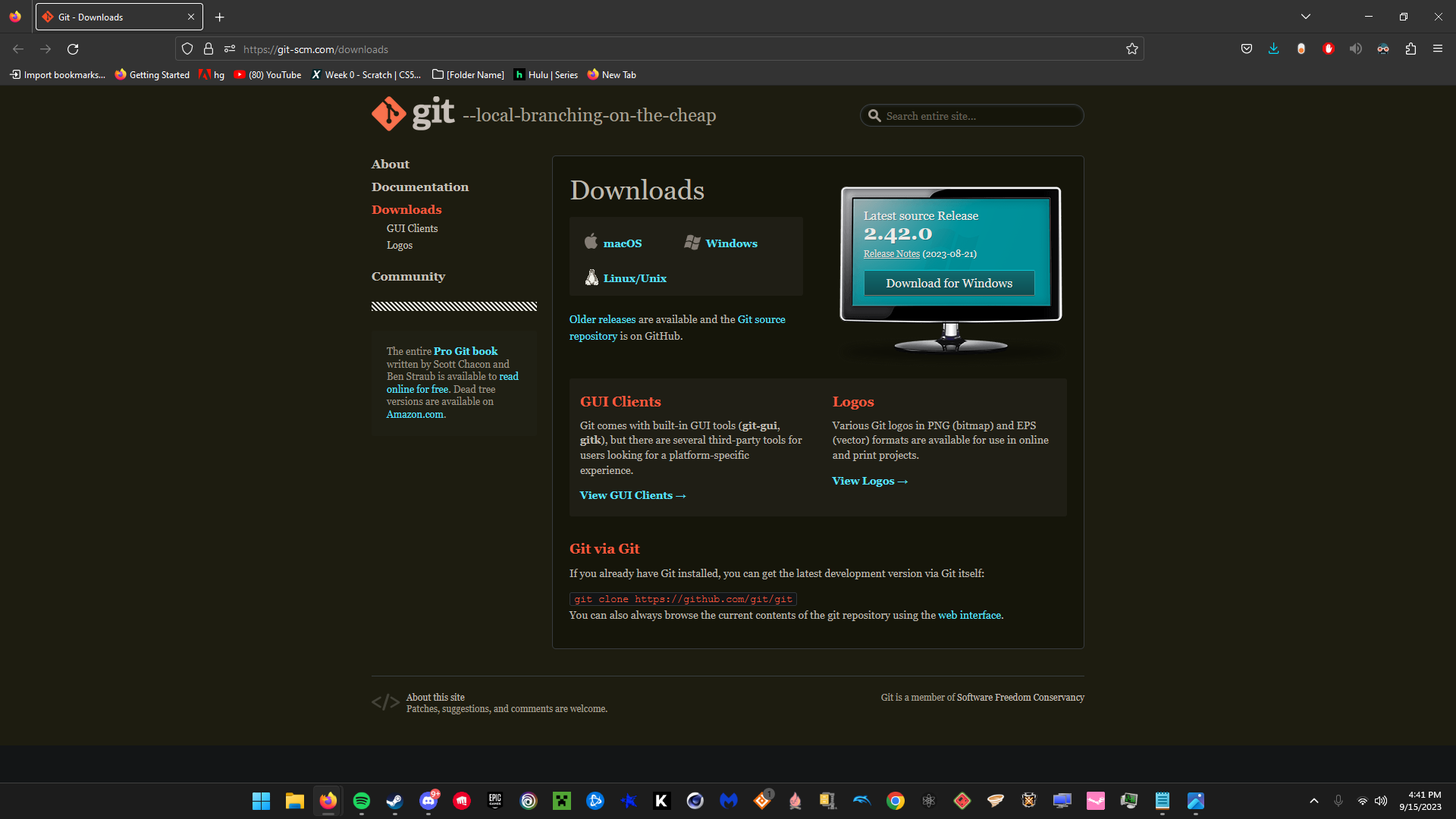
--- BE SURE TO OPEN GIT AND PROPERLY LET IT INSTALL BEFORE STARTING
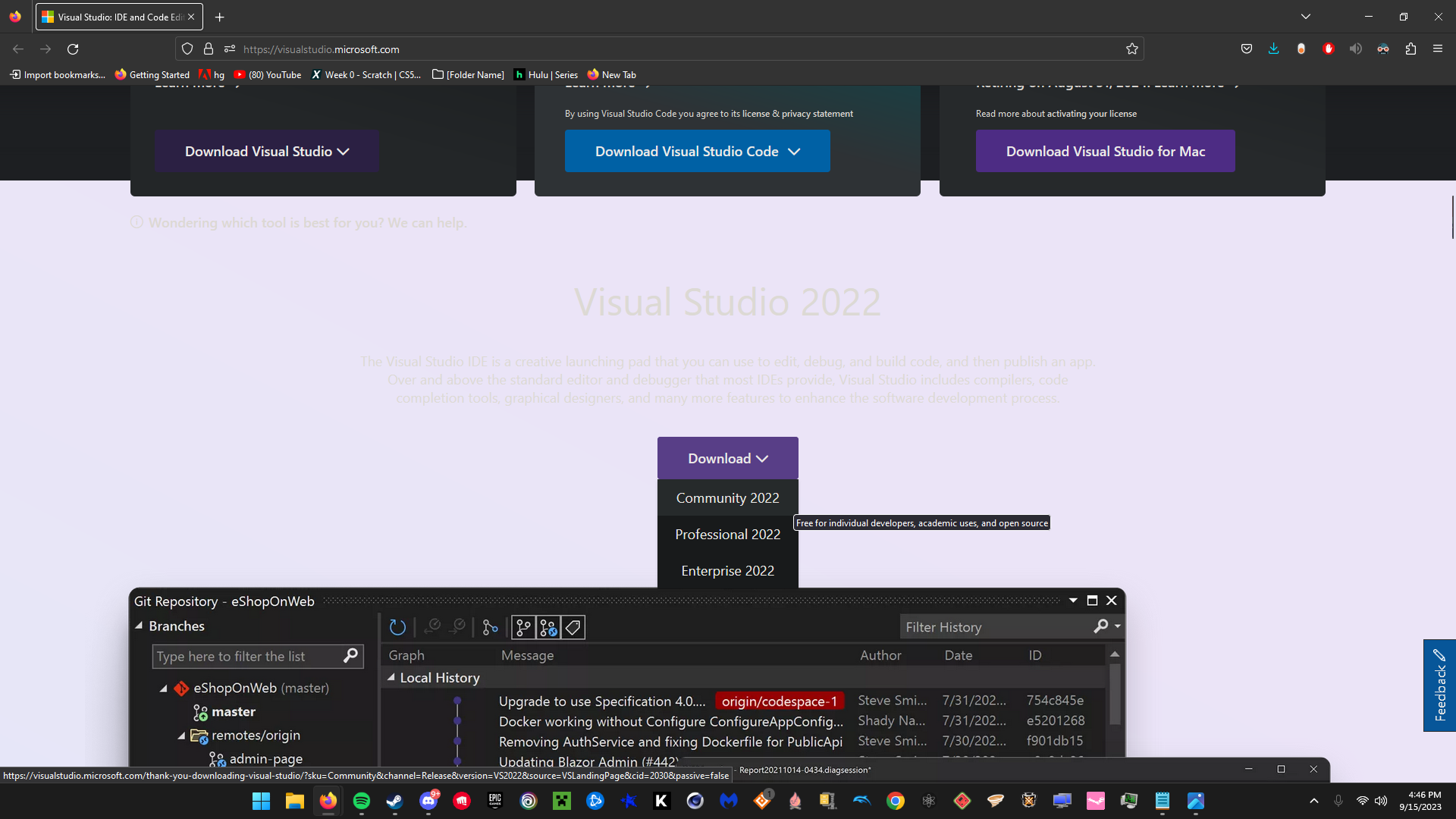
--- Microsoft Visual Studio https://visualstudio.microsoft.com/
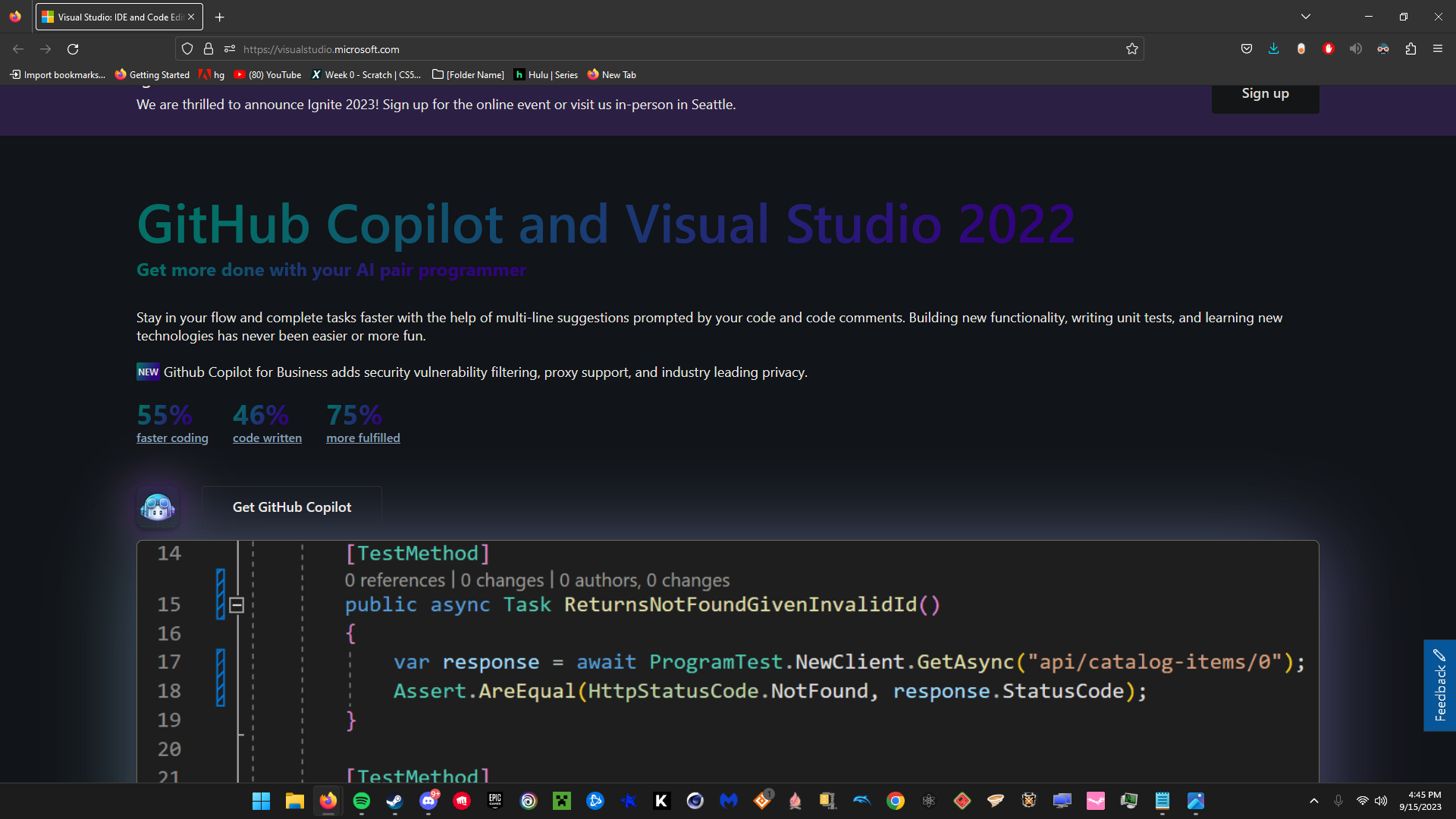
-- When Downloading Microsoft Visual Studio Download "Community 2022"
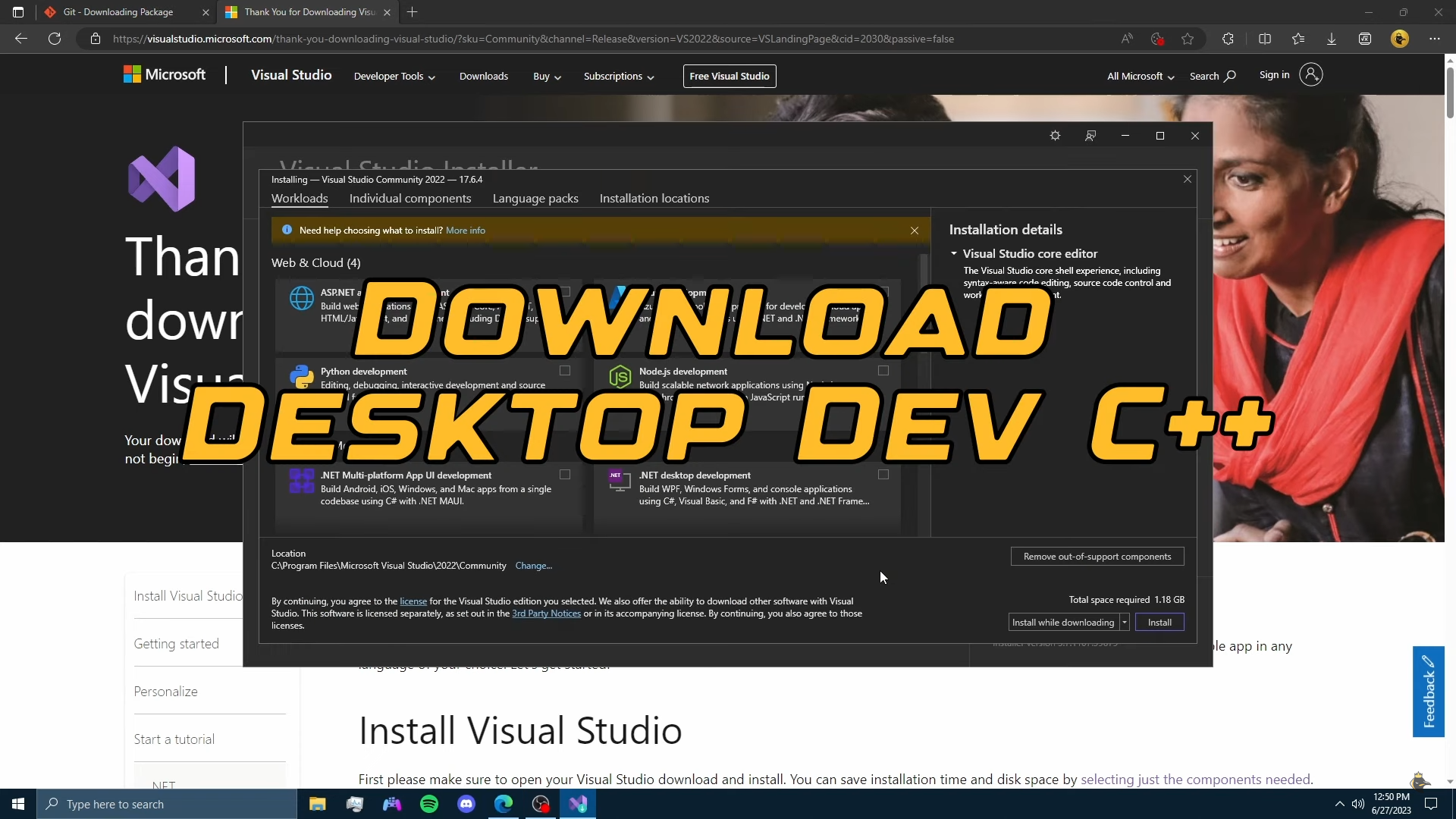
----- !!!! WHEN DOWNLOADING MICROSOFT VISUAL STUDIO , ADD THE DESKTOP C++
ADD ON !!!!
!!! INSTALLING IW7 CLIENT !!!!
--- Once you've Installed Everything
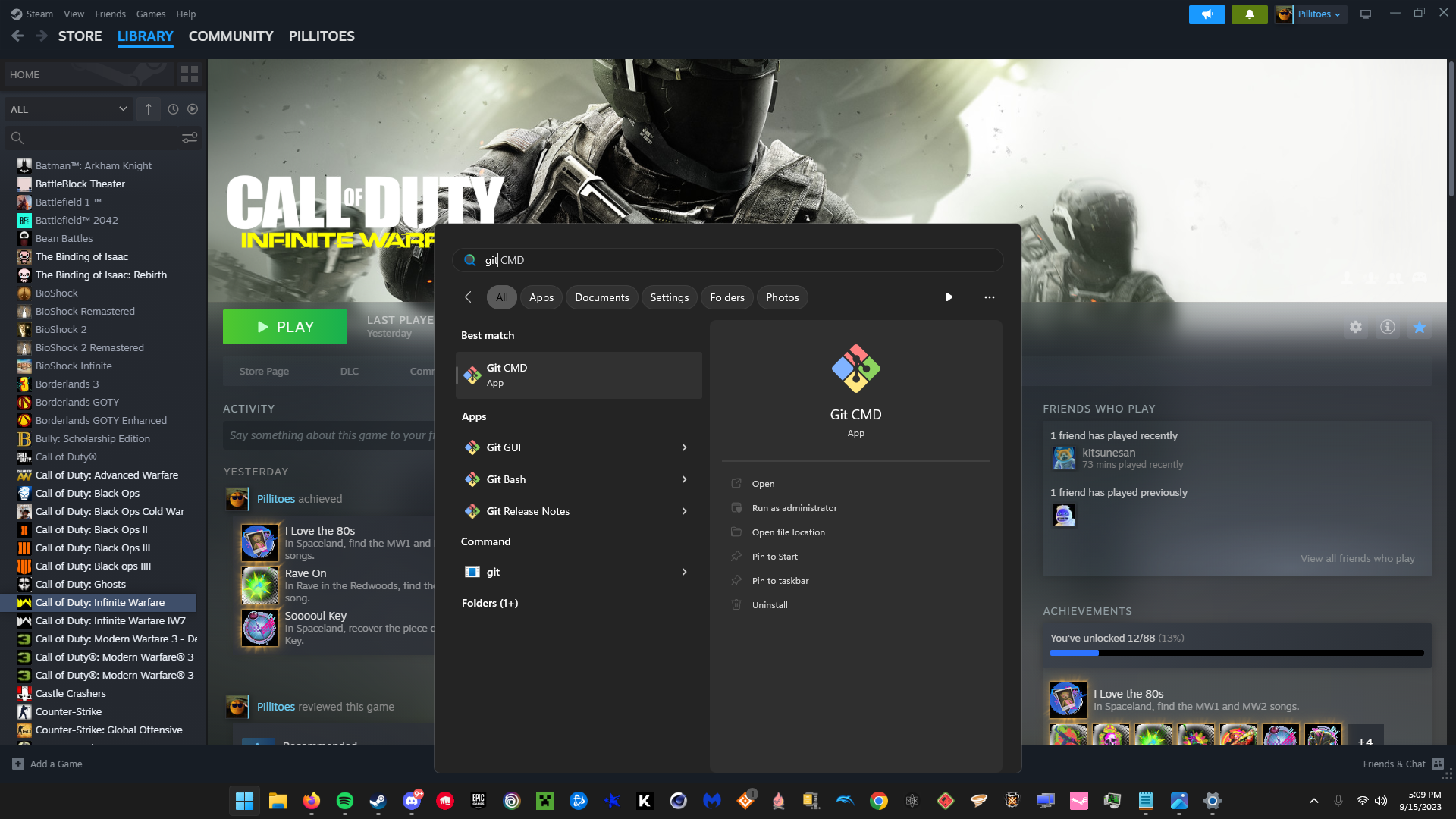
Type in your PC Search bar " Git CMD "
----- Once Opened in The Command Menu type the Following
" git clone { Copy and Paste IW7 Client Github Link Download} "
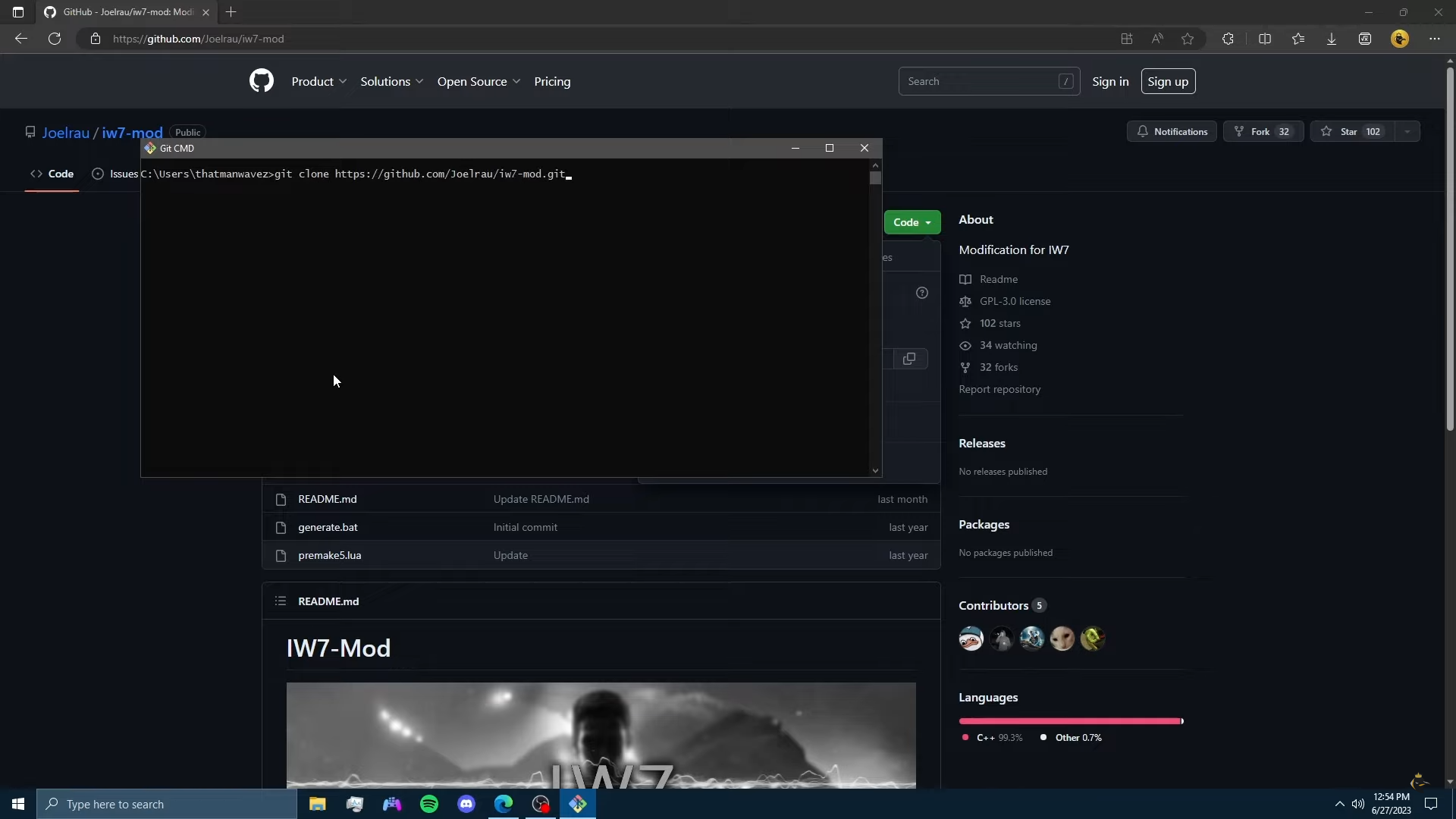
----Once Done It Should say Where the Files went on the COMMAND MENU , it should be named "iw7- mod " for me it was in my USERS files, it Should be for You as Well , But if it Inst Need to Find It
---- Once Found Open it up and Open the File Named " generate.bat "
Let it Run Fully And Download
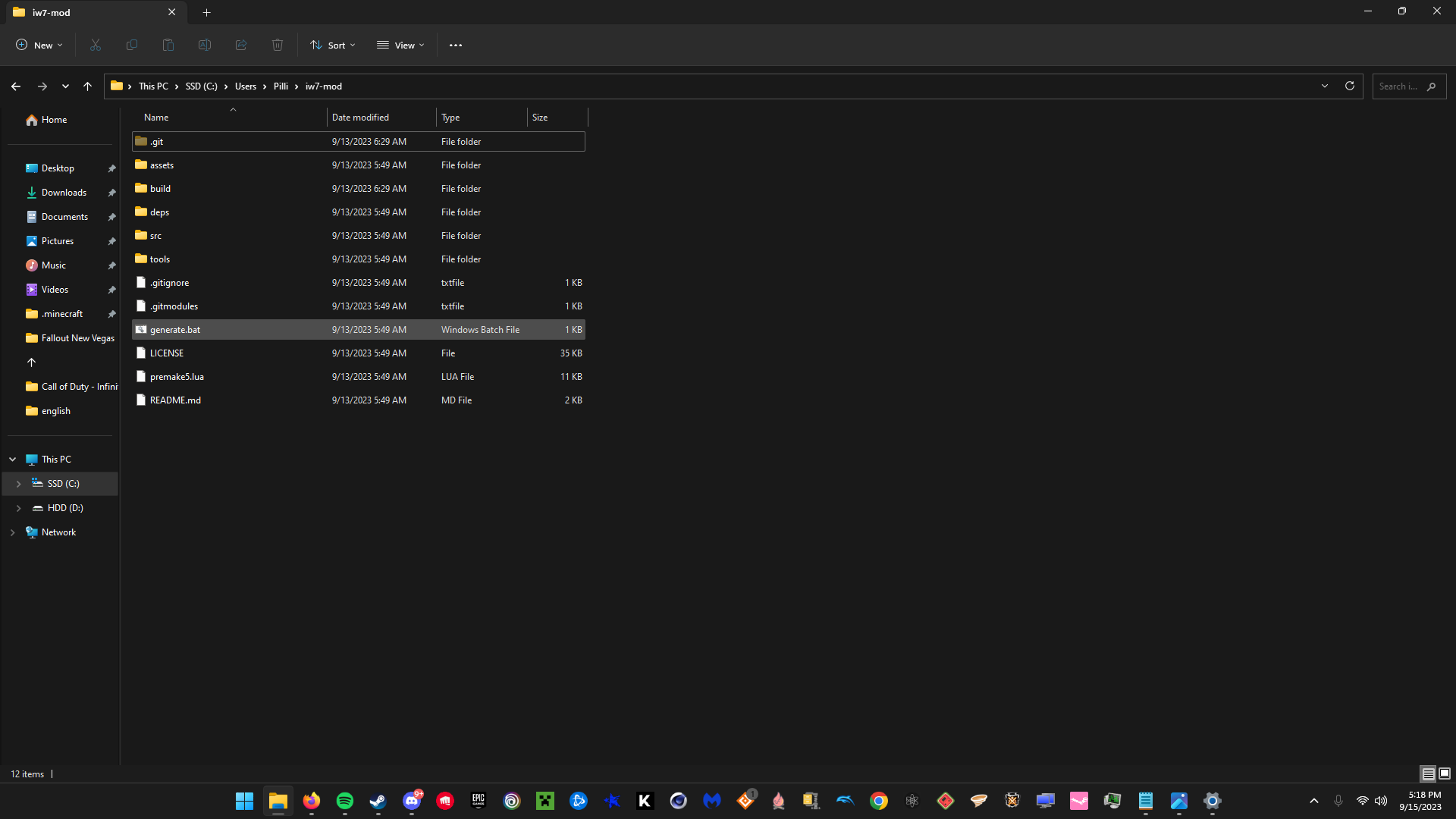
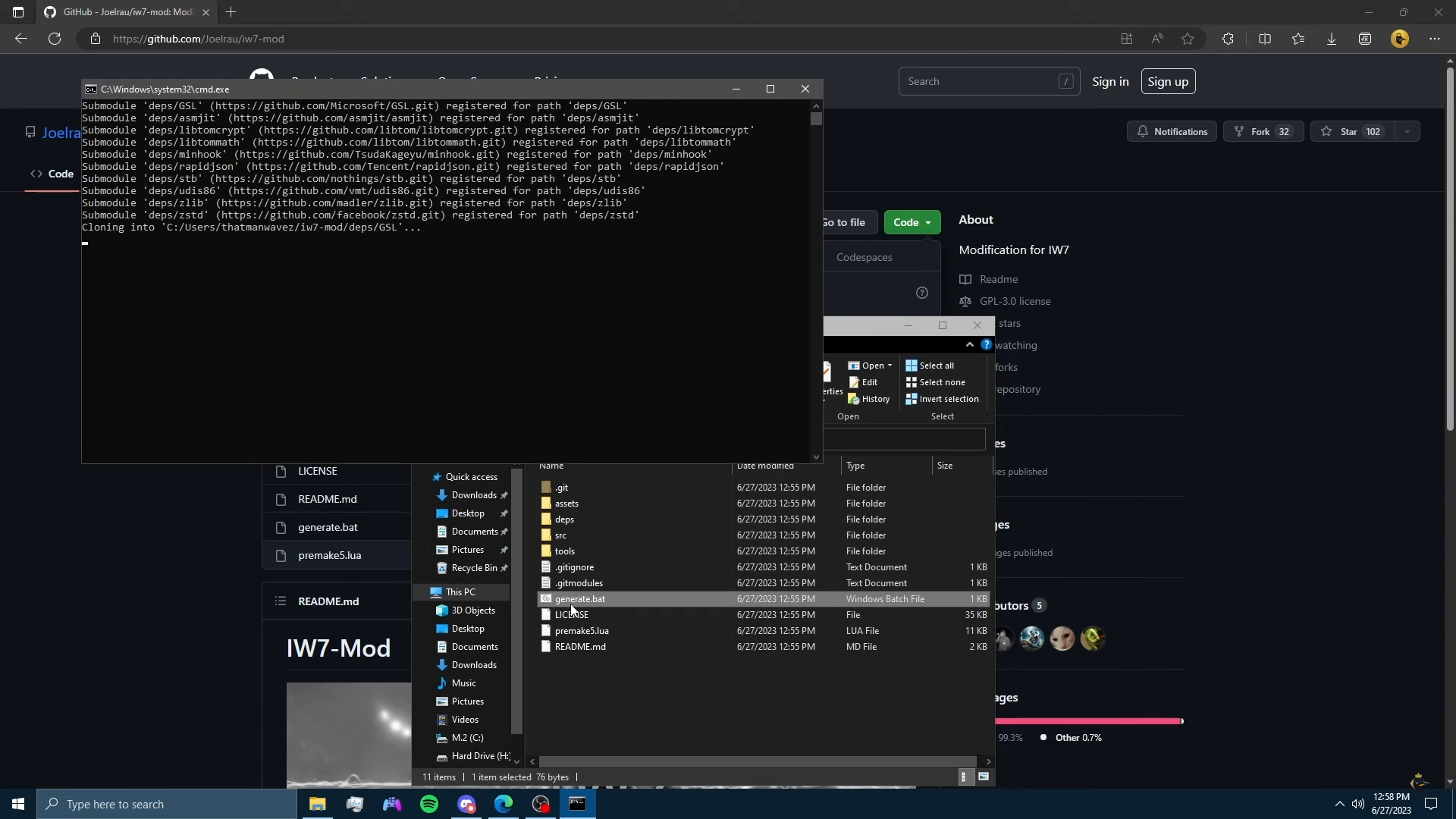
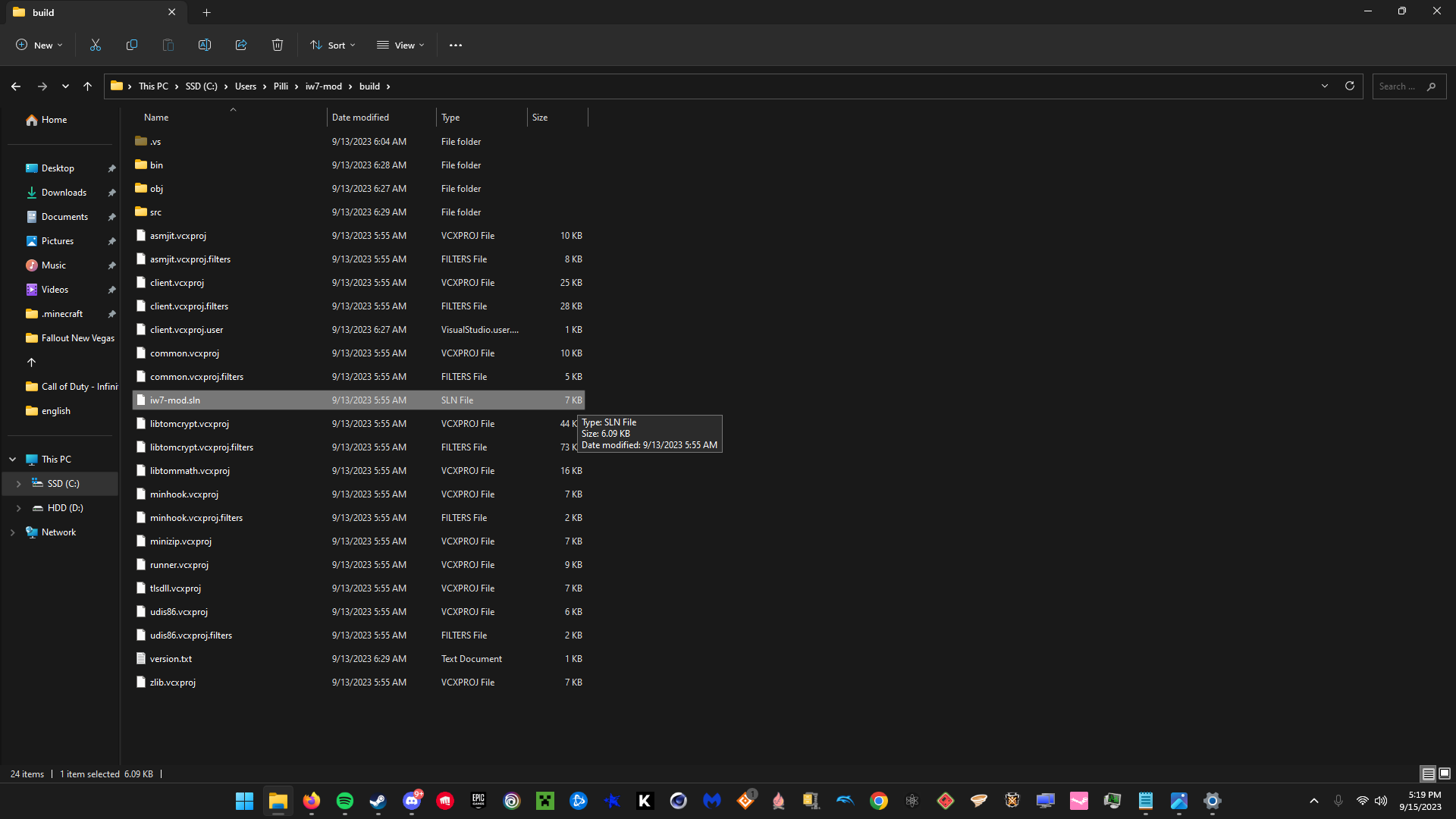
----Once Done Generating the Files Open the " Build " Folder in the iw7-mod folder
Look for a folder named " iw7-mod.sln"
Open the File With Microsoft Visual Solution
---- Once in Visual Studio Your Screen Should Look Like This If You Installed It Properly mainly just need the "debug " and " x64 "
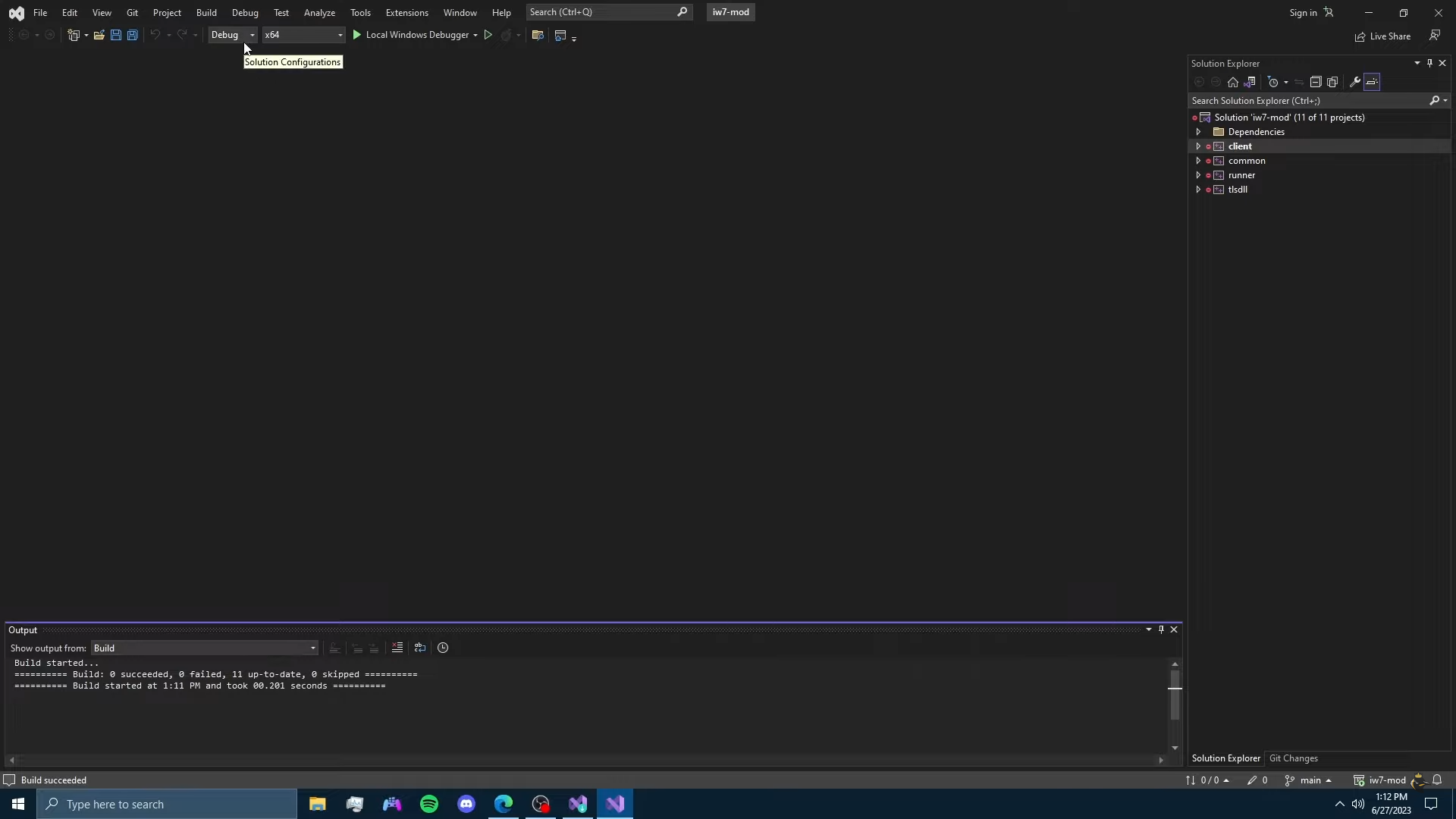
----Click On the Top Of The Screen " Build " And Click " Build Solution "
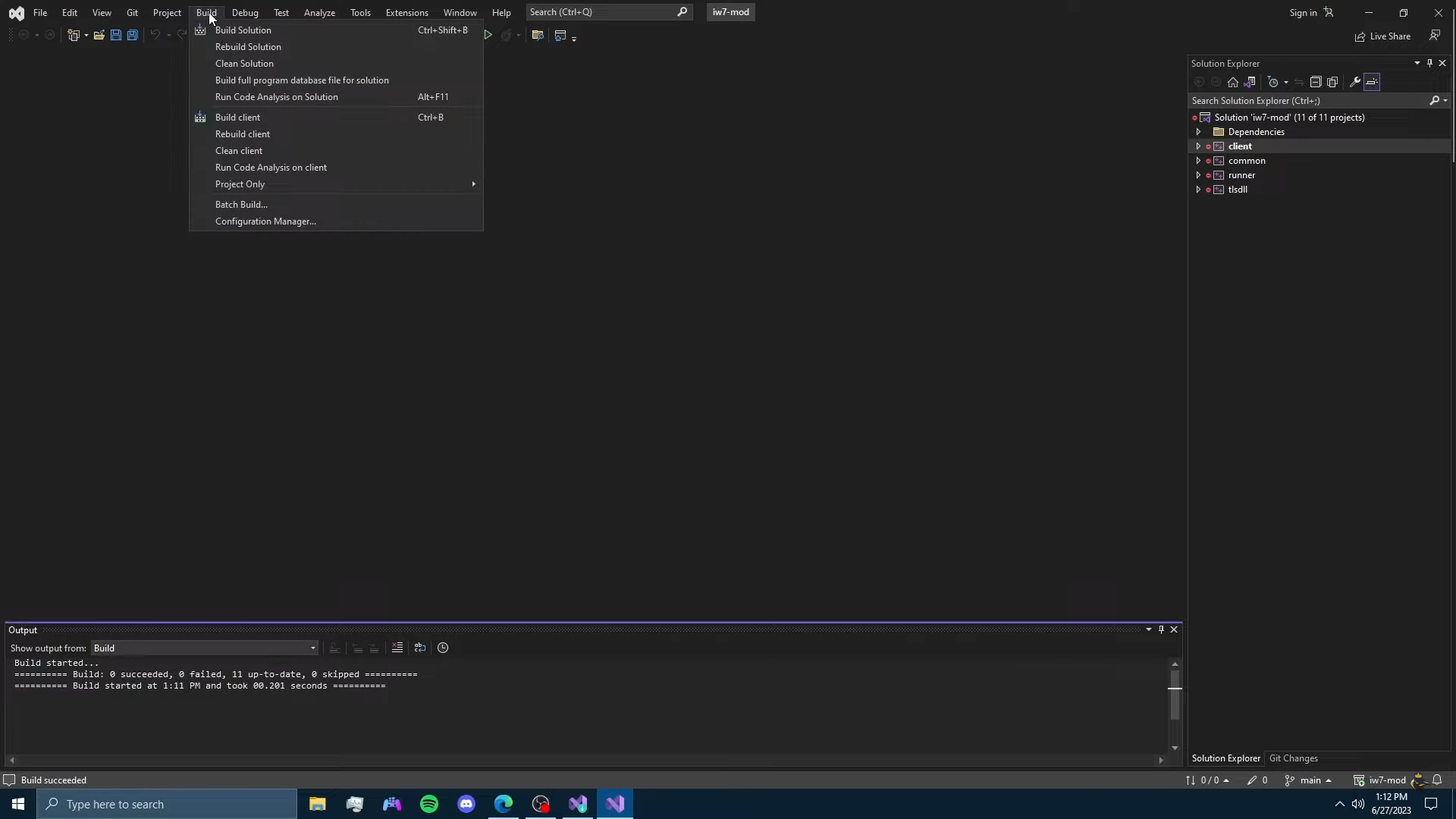
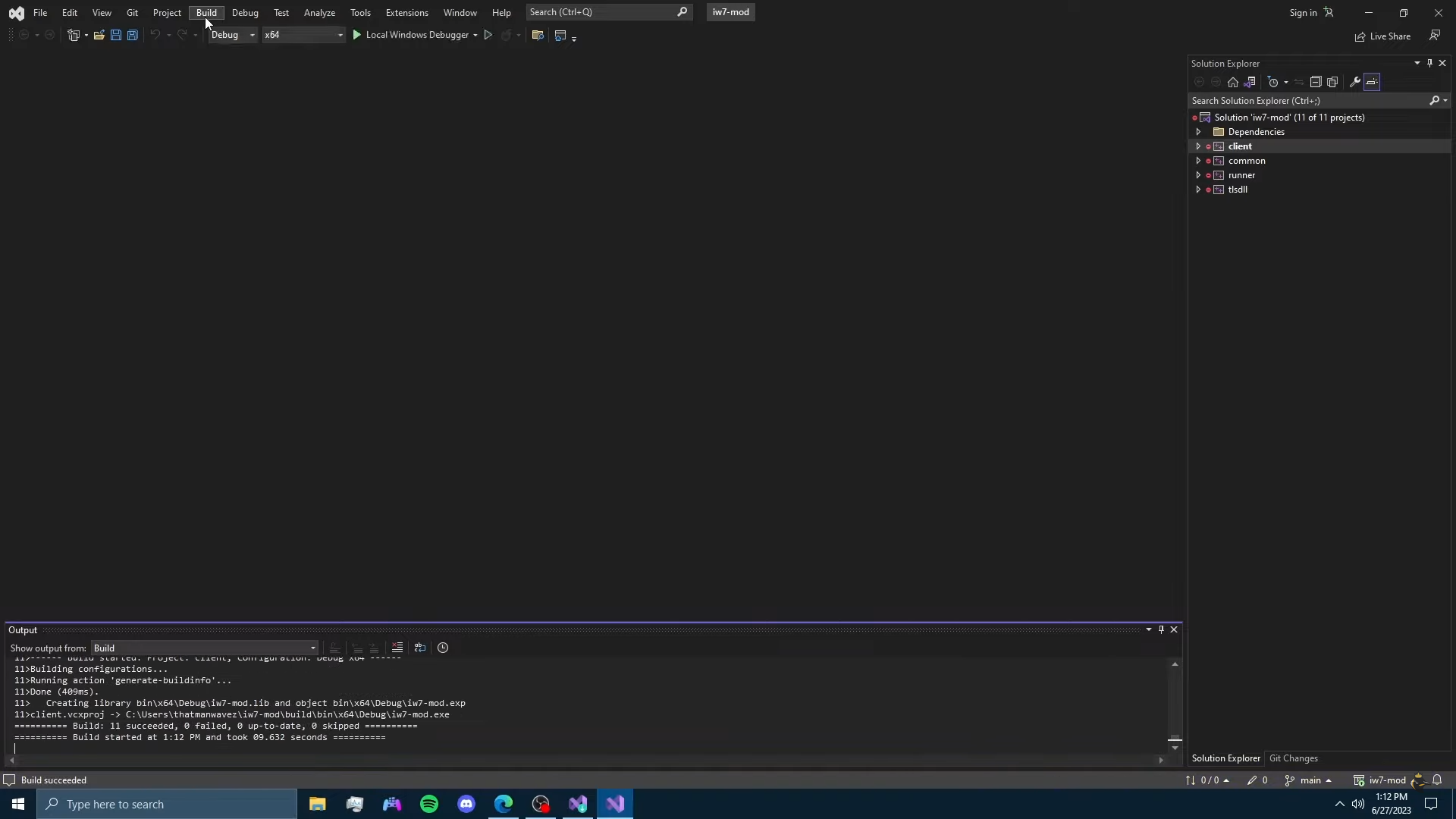
---- Let it Build And Once Done MAKE SURE IT SAYS " 11 SUCCEEDED "
If it Fails You can Try Deleting the Files And
Re downloading and Trying it again As it Might Fix it
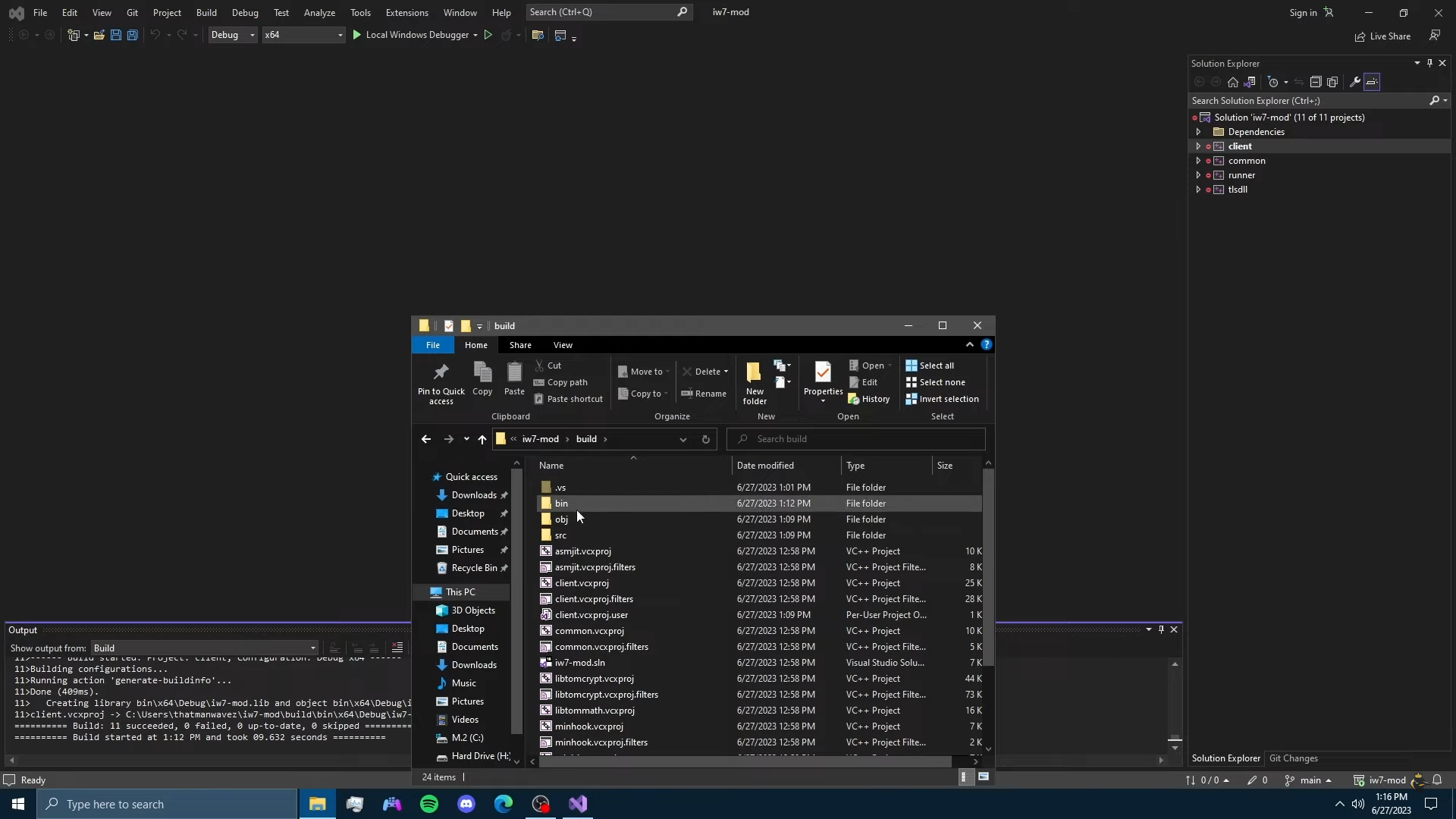
----Once Done Go Back To the iw7- mod Folder And Open the " Build " File and Then the File Named " Bin " Next then "x64" , " Debug "
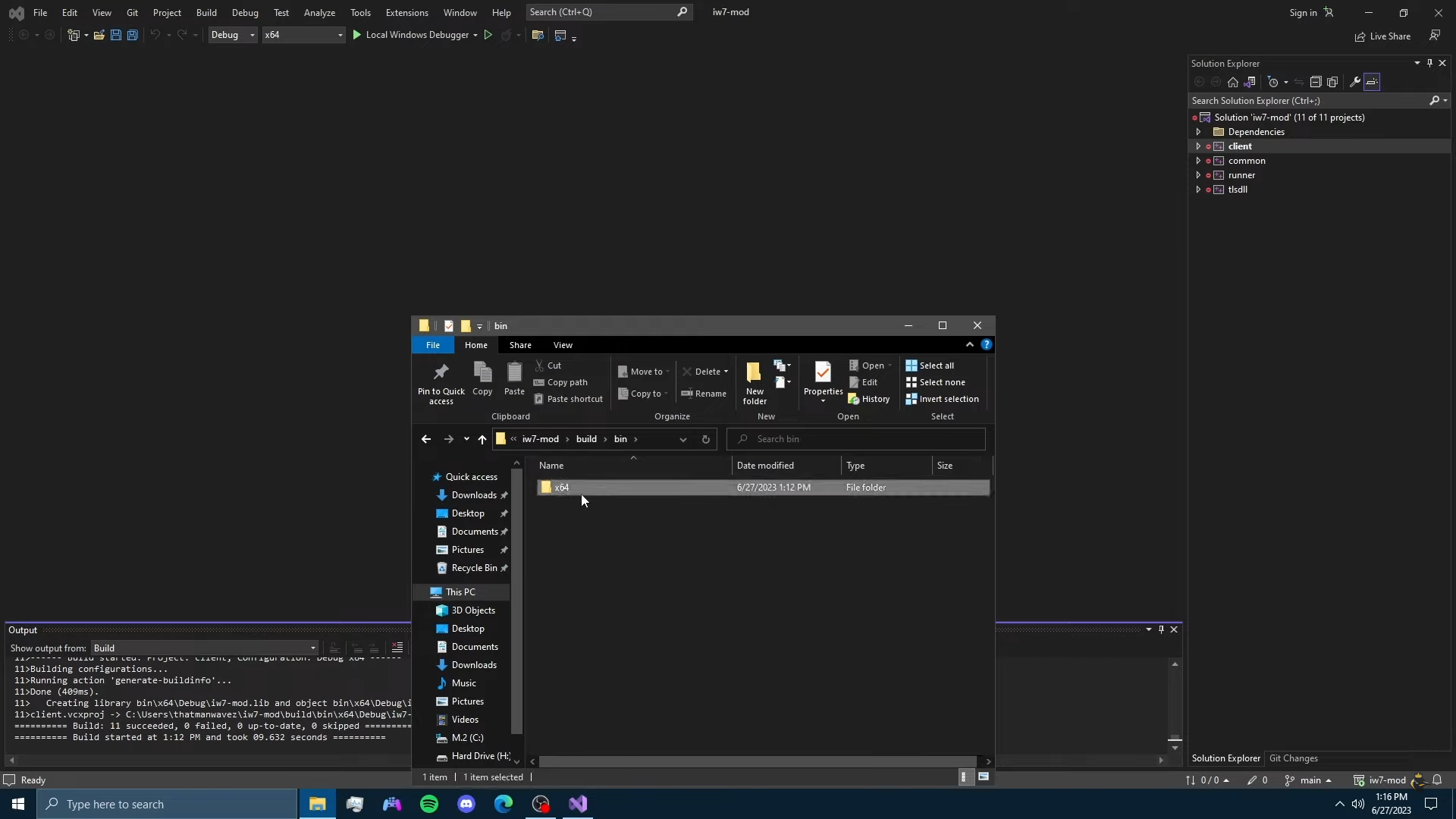
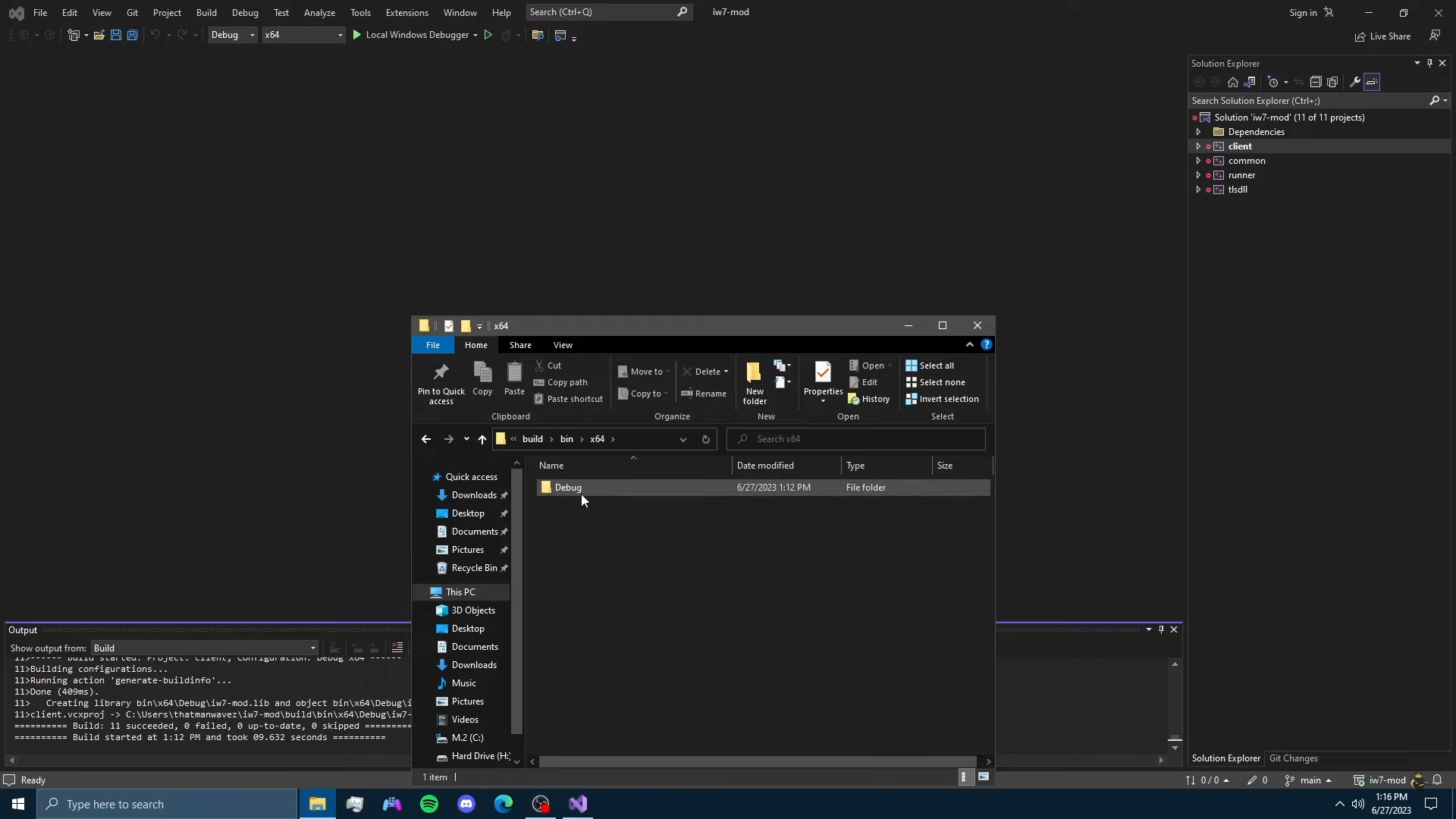
-----Once in debug Find 2 FIles Named " Iw7-Mod.exe " and " Runner.exe "
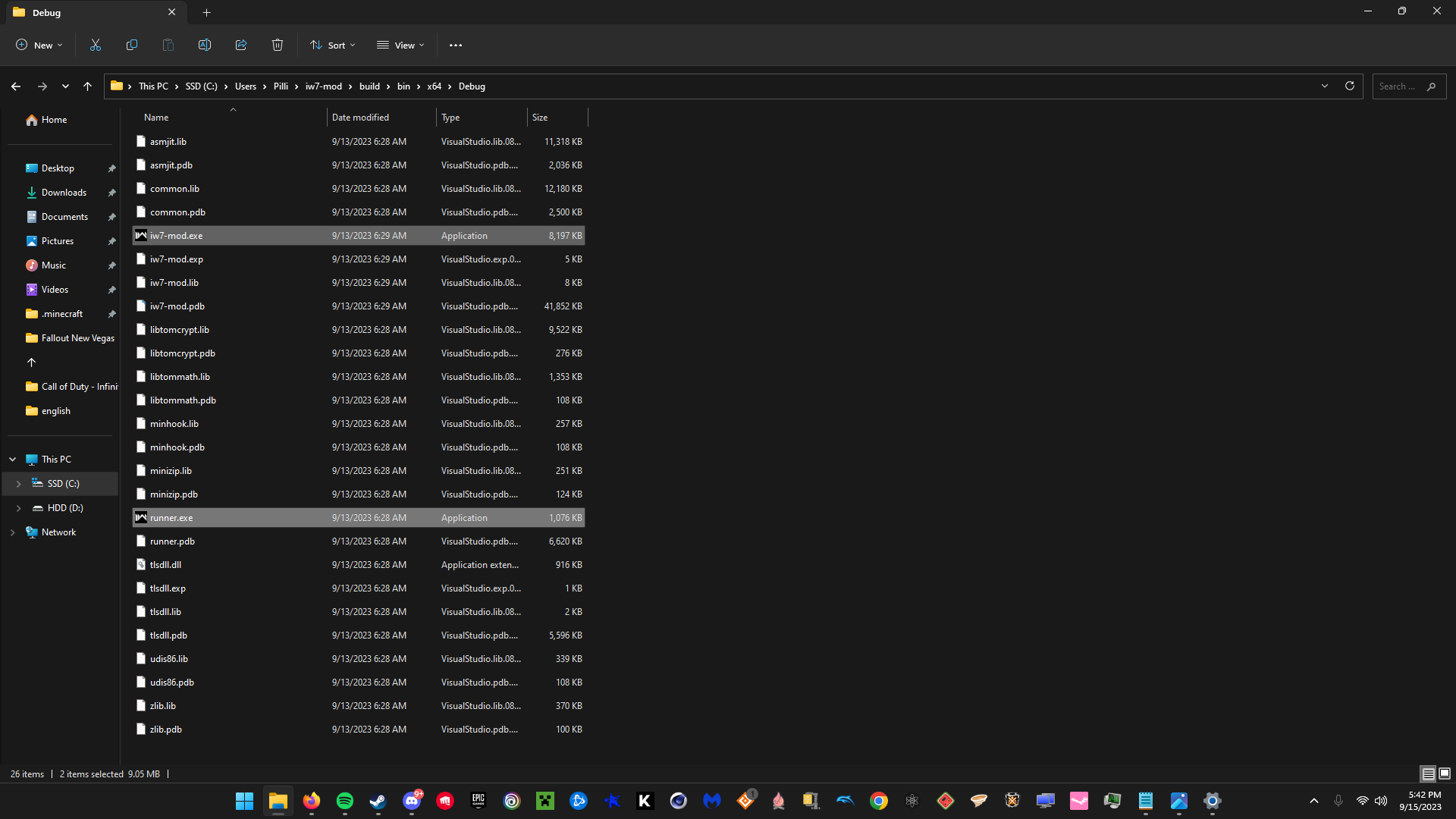
-----ONLY Copy These 2 Files and Paste Them in Your Infinite Warfare Game Directory
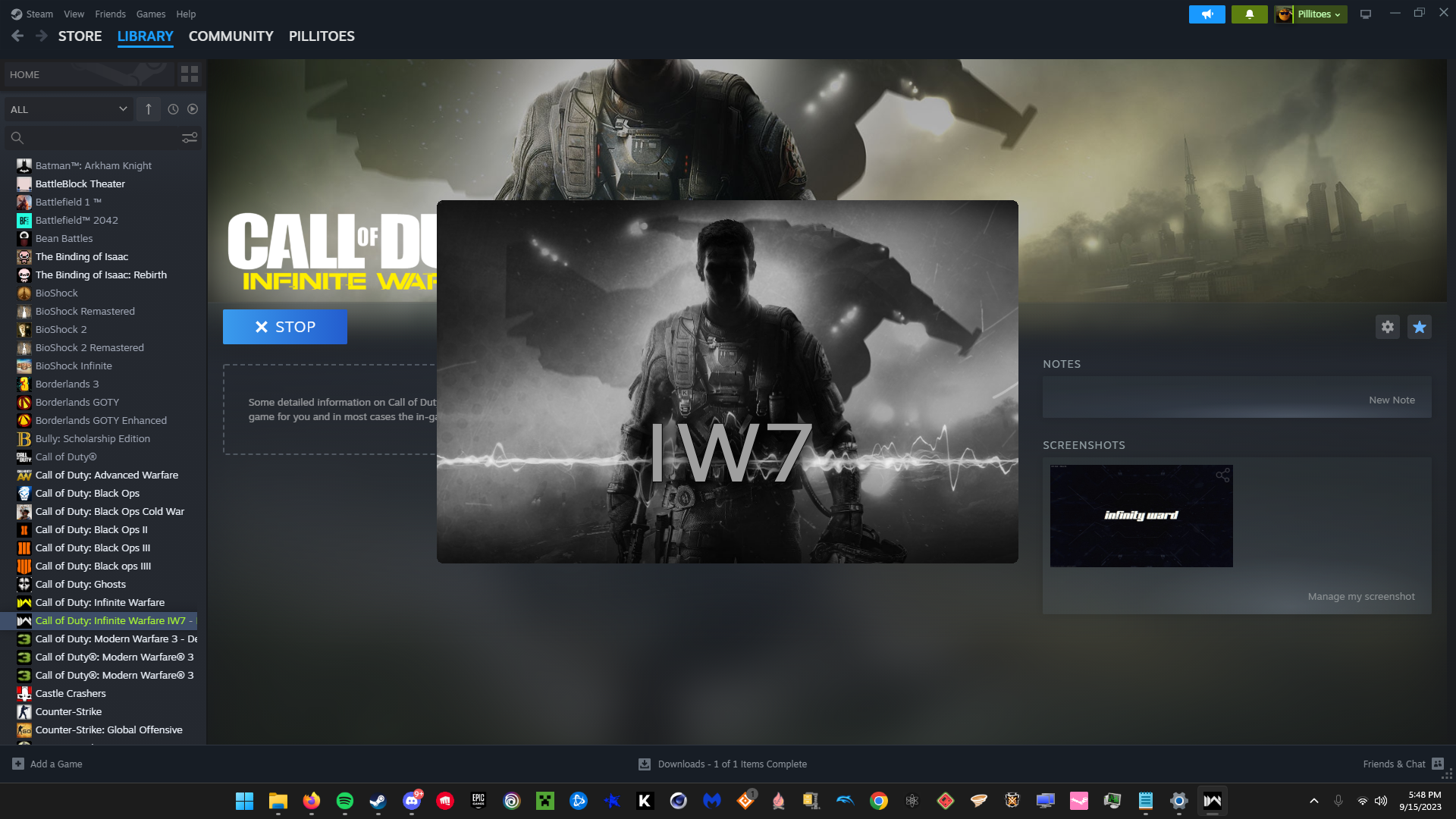
----Once In The Game Directory in order to launch You MUST Launch the " IW7-Mod.exe" In your Game Directory You CAN make a Desktop Shortcut or a Non Steam Game Shortcut
---Gametime on the client Still Counts Towards Your Actual Infinite Warfare Game If You Care
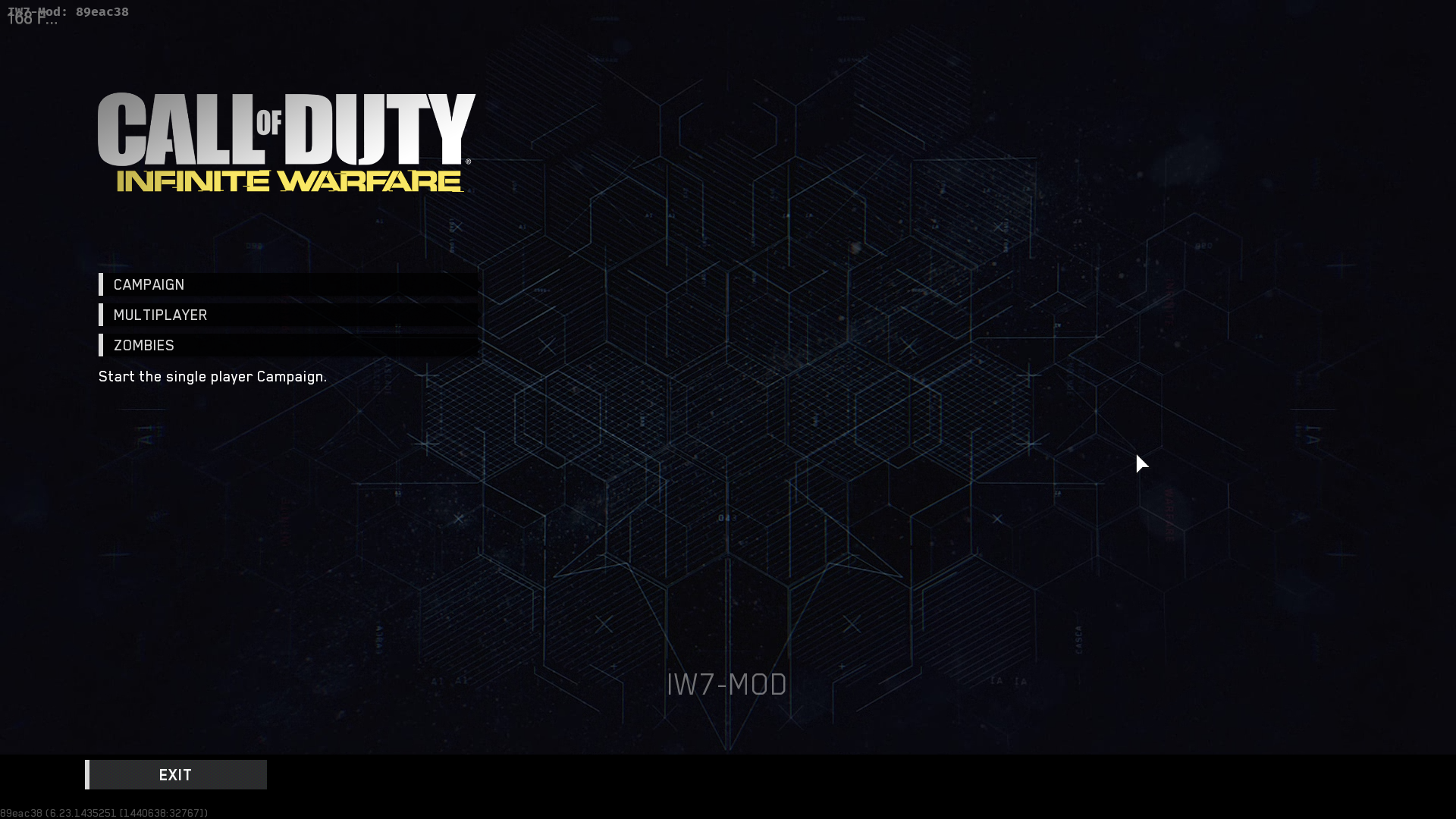
---Once the Clients Opened The Game Should Say " iw7-Mod "
!!!!!! IF YOU NEED VIDEO HELP !!!!!!
--- ThatmanWavez Has a Video Showing Exactly How To Do This , Which is Very Helpful , So If Your Struggling You Can Follow Along That
!!!! FAVORITE IF IT HELPED OR LMK FOR HELP IN THE COMMENTS !!!!
ALSO AS OF SEPTEMBER 2023 THIS CLIENT IS MAINLY GOOD FOR SOLO, YOU ARE ABLED TO HOST DEDICATED SERVERS BUT THERE UNSTABLE AND CRASH AFTER AN HOUR OR 2 ALOT OF THE TIME
Also For the DLC Files i posted a link in the comments that directs to a forum where someone posted the dlc zombie map files and someone in the comments of it shows how to install them if needed
---
- ALL YOU NEED GUIDE TO ZOMBIES IN SPACELAND★ 5 (522)21k views1.4k ♥29 minUpdated 31 May
- THE ULTIMATE ZOMBIES IN SPACELAND GUIDE!★ 5 (391)17k views587 ♥13 minUpdated 4 Jan, 2017
- ALL YOU NEED GUIDE - CHARACTER CODES★ 5 (245)16k views600 ♥1 minUpdated 24 Apr
- ALL YOU NEED GUIDE TO SHAOLIN SHUFFLE★ 5 (265)12k views861 ♥21 minUpdated 23 May
- ALL YOU NEED GUIDE TO RAVE IN THE REDWOODS★ 5 (276)11k views851 ♥21 minUpdated 24 Apr
- ALL YOU NEED GUIDE TO ATTACK OF THE RADIOACTIVE THING★ 5 (215)10k views677 ♥23 minUpdated 31 May




- Upgrading to PremiumTeam Fortress 2★ 5 (20k)1441k views11k ♥6 minUpdated May 11, 2022
- No More Room in Hell Official ManualNo More Room in Hell★ 5 (2.8k)569k views2.1k ♥29 minUpdated Apr 22, 2019
- NMRiH Community Hosting GuidesNo More Room in Hell★ 5 (526)351k views653 ♥1 minUpdated Aug 10, 2022
- How to 'Git Gud' Soon™MORDHAU★ 5 (2k)318k views3k ♥68 minUpdated Nov 16, 2024
- Лучшие кооперативные игры SteamPAYDAY 2★ 5 (1.5k)315k views2.1k ♥56 minRussianUpdated Apr 27, 2025
- Desert Eagle Heat Treated | Blue GemCounter-Strike 2★ 5 (1.6k)293k views1.5k ♥2 minUpdated Jan 16





This guide was created by its original author on the Steam Community. Are you the author and want it removed? Request removal.