Rollback RE4R to 2025 version [BROKEN MODS FIX]
1) Find previous version's files
TL;DR: In your browser, enter steam://nav/console to use Steam console. In said console, input: download_depot 2050650 2050653 7108738021112316256 . This will download the files for march 4th 2025 version of the game.
On steamdb.info, look for the game's app ID.
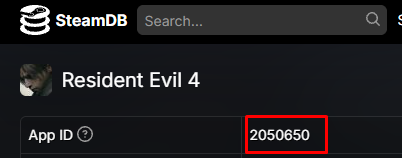
On patches tab, look for the version you'd want:
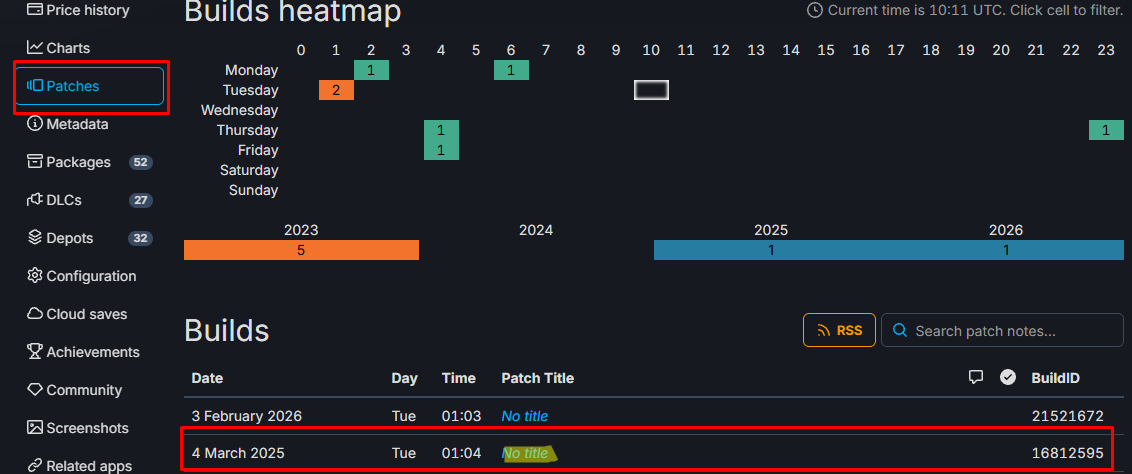
Clicking on the title displays the depots for that version. In this case the 3rd one has the .exe changes, so I decided to download that one. We need to keep the depot number and manifest ID
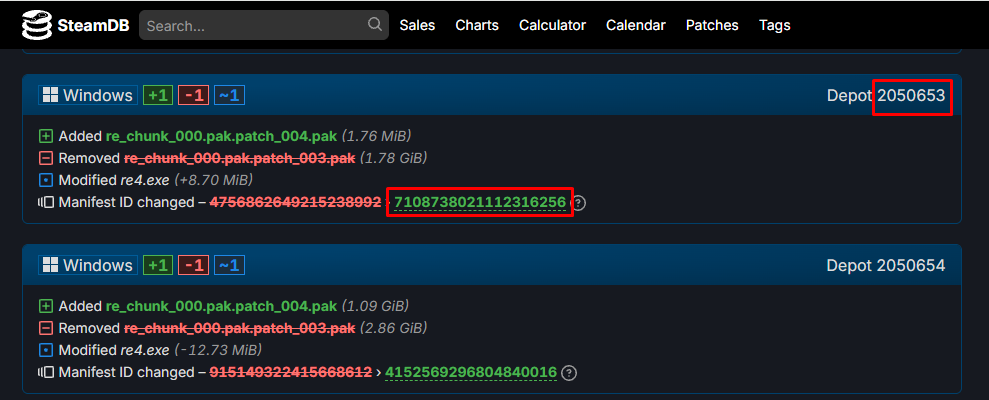
Once we have these 3, open the steam console. On your browser, enter steam://nav/console and allow it to be opened on the steam app.
Then, input in the console tab "download_depot appid depot manifestID", in our case:
download_depot 2050650 2050653 7108738021112316256

Copy the route and open it to see the downloaded files.
2) Copy the files to RE4R's folder
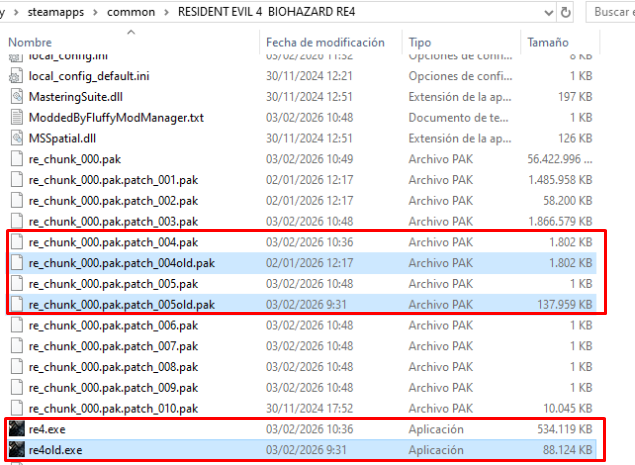
TL;DR: Uninstall your mods and copy (replacing) the .exe and 004.pak file to the game folder, and delete 005.pak
Make sure to uninstall your mods first.
Once we've downloaded the depot:
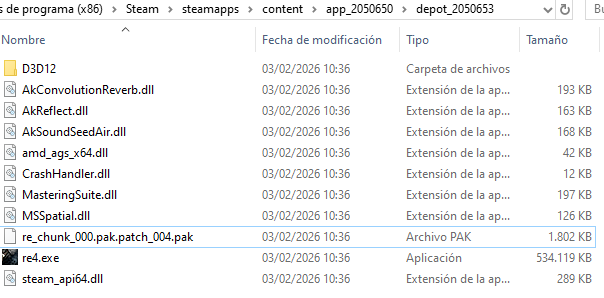
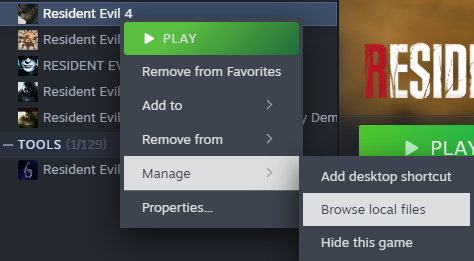
Personally, I've copied the .exe and 004.pak, although the second one might not be necessary. Open the game directory from the library. (note: 004.pak confirmed not to be necessary in comments)
You can just copy the files there or rename the old ones/save them somewhere else, as a precaution.
Note: I did it with the 005.pak file too, since it's new on the 2026 patch. Once you launch the game again, it generates other .pak files, including a new 005.pak, which I suppose does nothing.
3) Launch the game
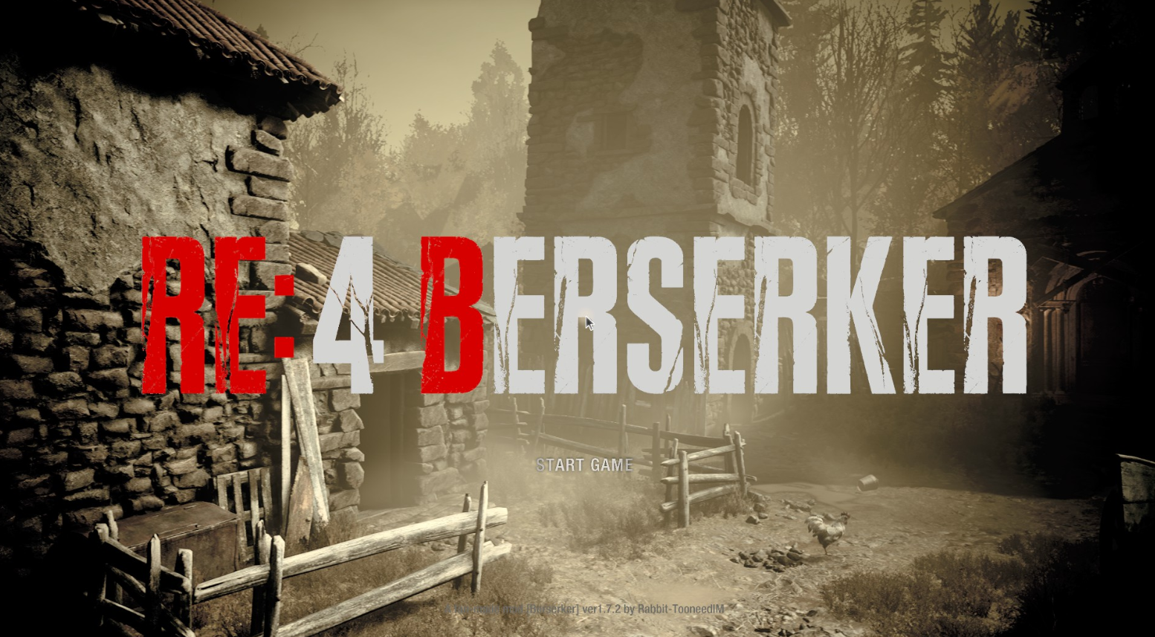
Might aswell give it a try, no? I tested a few skins, Berserker/Berserker+, etc. Seems like everything works again, if I do say so myself.
Hope it works for you too!
And always remember

- Resident Evil 4 Remake + DLC 100% Achievement Guide★ 5 (1.3k)65k views3.2k ♥29 minUpdated Sep 23, 2023
- Resident Evil 4: Достижения и Коллекции★ 5 (1.7k)37k views3.9k ♥60 minRussianUpdated Jun 29
- How to Casually Unlock Everything (Updated for Mercenaries)★ 5 (945)36k views2.3k ♥17 minUpdated Apr 8, 2023
- Достижения Resident Evil 4 | Головоломки | Коллекции★ 5 (697)29k views1.8k ♥22 minRussianUpdated Sep 21, 2023
- RE4R Weapons Max Stat Comparison Table★ 5 (520)25k views841 ♥3 minUpdated Apr 21, 2023
- Treasure and Gem Combination Guide★ 5 (409)24k views1.1k ♥27 minUpdated Jan 24



- Upgrading to PremiumTeam Fortress 2★ 5 (20k)1441k views11k ♥6 minUpdated May 11, 2022
- No More Room in Hell Official ManualNo More Room in Hell★ 5 (2.8k)569k views2.1k ♥29 minUpdated Apr 22, 2019
- NMRiH Community Hosting GuidesNo More Room in Hell★ 5 (526)351k views653 ♥1 minUpdated Aug 10, 2022
- ULTIMATE GUIDE FOR GAME DEV TYCOONGame Dev Tycoon★ 5 (5.8k)326k views10k ♥4 minUpdated 23 Jan, 2014
- How to 'Git Gud' Soon™MORDHAU★ 5 (2k)318k views3k ♥68 minUpdated Nov 16, 2024
- Лучшие кооперативные игры SteamPAYDAY 2★ 5 (1.5k)315k views2.1k ♥56 minRussianUpdated Apr 27, 2025






This guide was created by its original author on the Steam Community. Are you the author and want it removed? Request removal.