Speeding up Ship Creation
Normal Ship Creation
I am Horatio faction and shown in blue late in a game. I am winning, but I need another blast of ship building before I begin my assault on the final opposing faction.
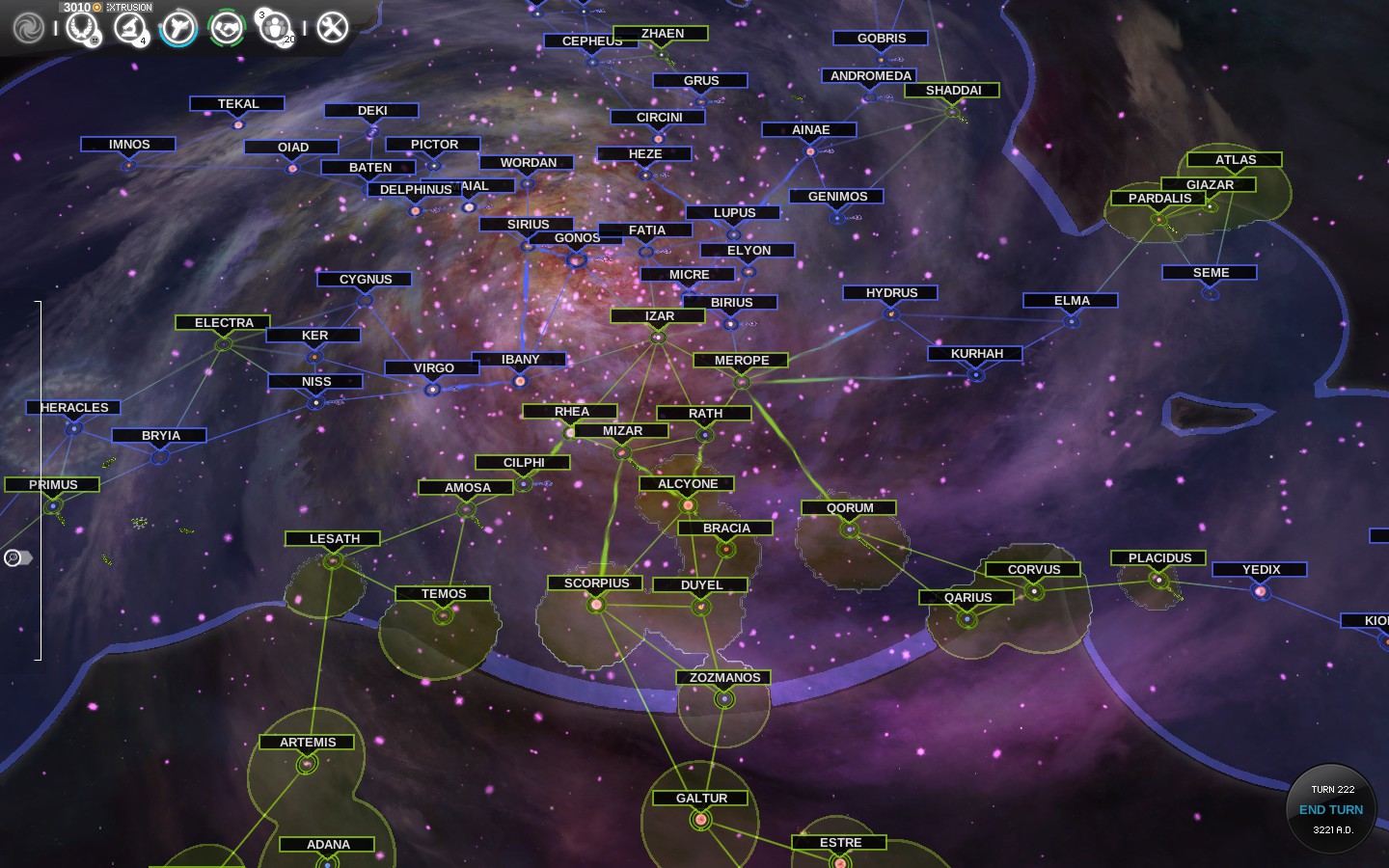
I just ended a turn and the first thing that I do is to open the Completed Constructions popup. Notice that a number of ships were built during the last turn on various star systems throughout my empire.
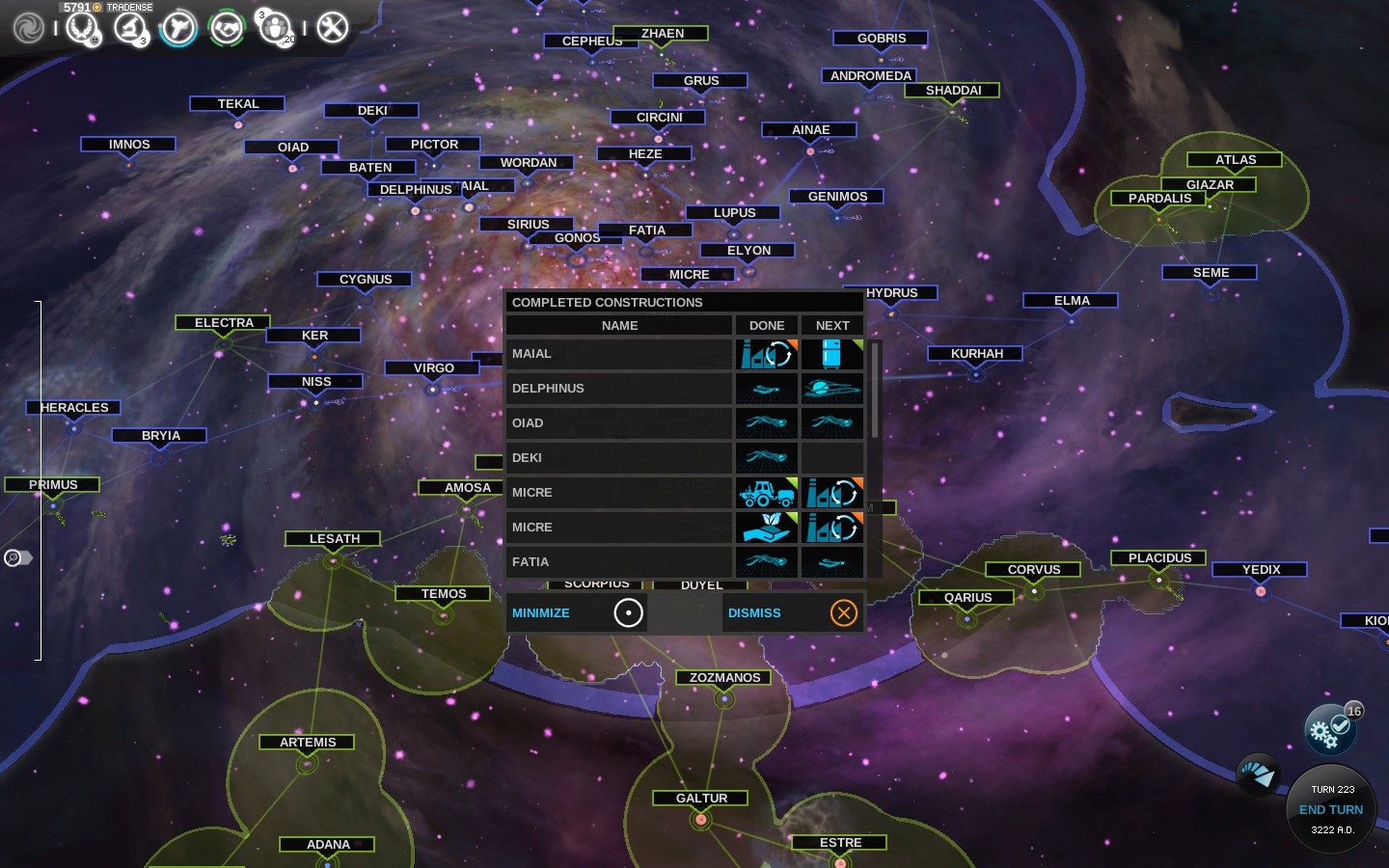
Now what I used to do (and still do if only a ship or two was constructed during the turn) is select the star system(s) where ship(s) were just built from the Completed Constructions popup and then CREATE a mini-fleet from the ship(s) in the hangar. Later I go through the fleets without assignments and send each newly formed mini-fleet to some common star system where I assemble my full fleets.
This works perfectly fine, but there is a slightly faster and smoother way to go about this process that I prefer when ship building ramps up.
I just ended a turn and the first thing that I do is to open the Completed Constructions popup. Notice that a number of ships were built during the last turn on various star systems throughout my empire.
Now what I used to do (and still do if only a ship or two was constructed during the turn) is select the star system(s) where ship(s) were just built from the Completed Constructions popup and then CREATE a mini-fleet from the ship(s) in the hangar. Later I go through the fleets without assignments and send each newly formed mini-fleet to some common star system where I assemble my full fleets.
This works perfectly fine, but there is a slightly faster and smoother way to go about this process that I prefer when ship building ramps up.
A Quicker Approach
To create ships faster I go to the Empire Management screen and select the HANGAR column header.
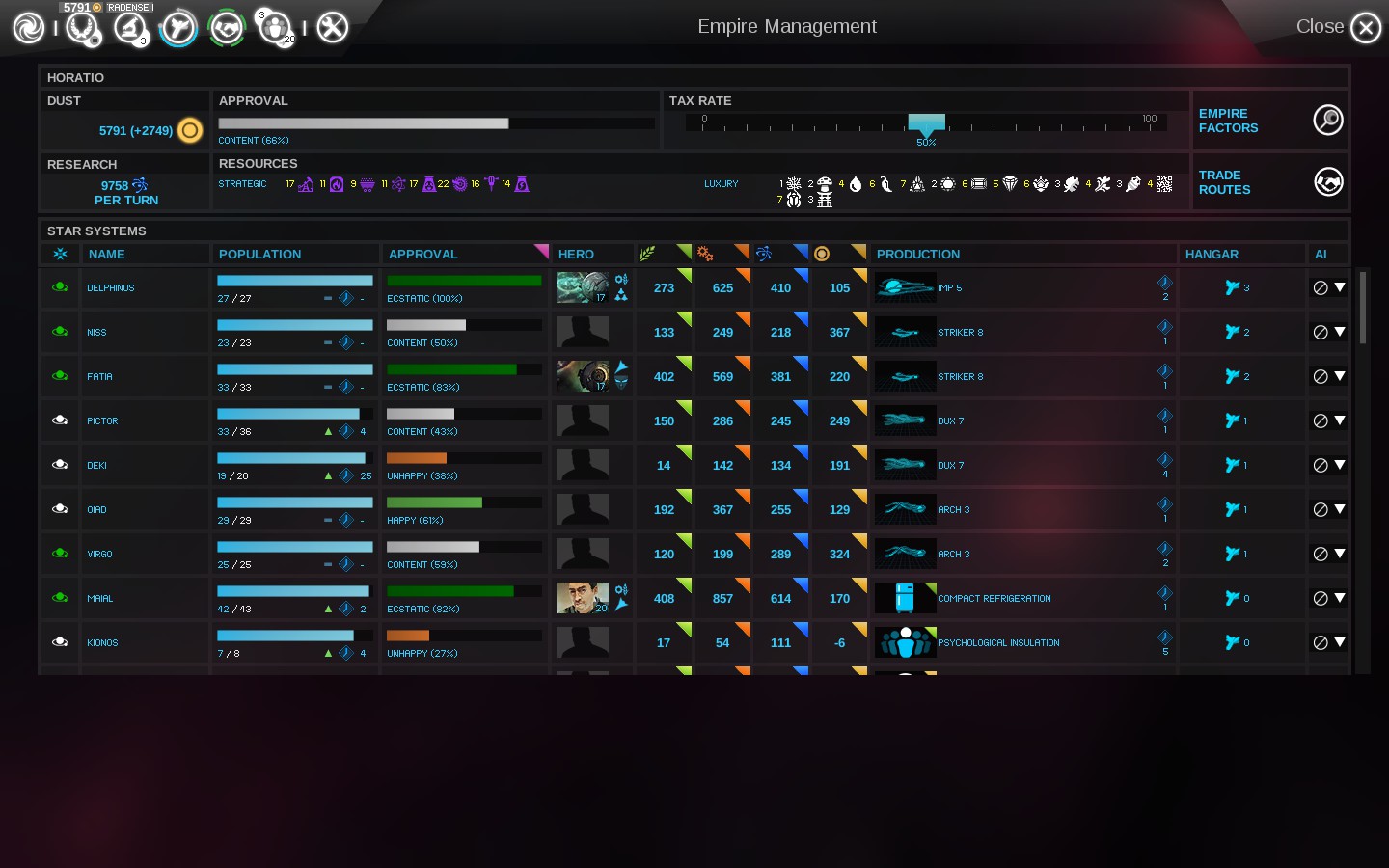
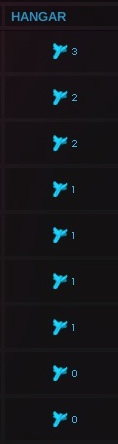
What this does is sort the star systems according to the number of ships in the hangar. On the right you can see a blow up of the top of the HANGAR column. Now I can select any star system with a non-empty hanger and, when I do that, the view of the hanger opens at the bottom of the screen as shown below.
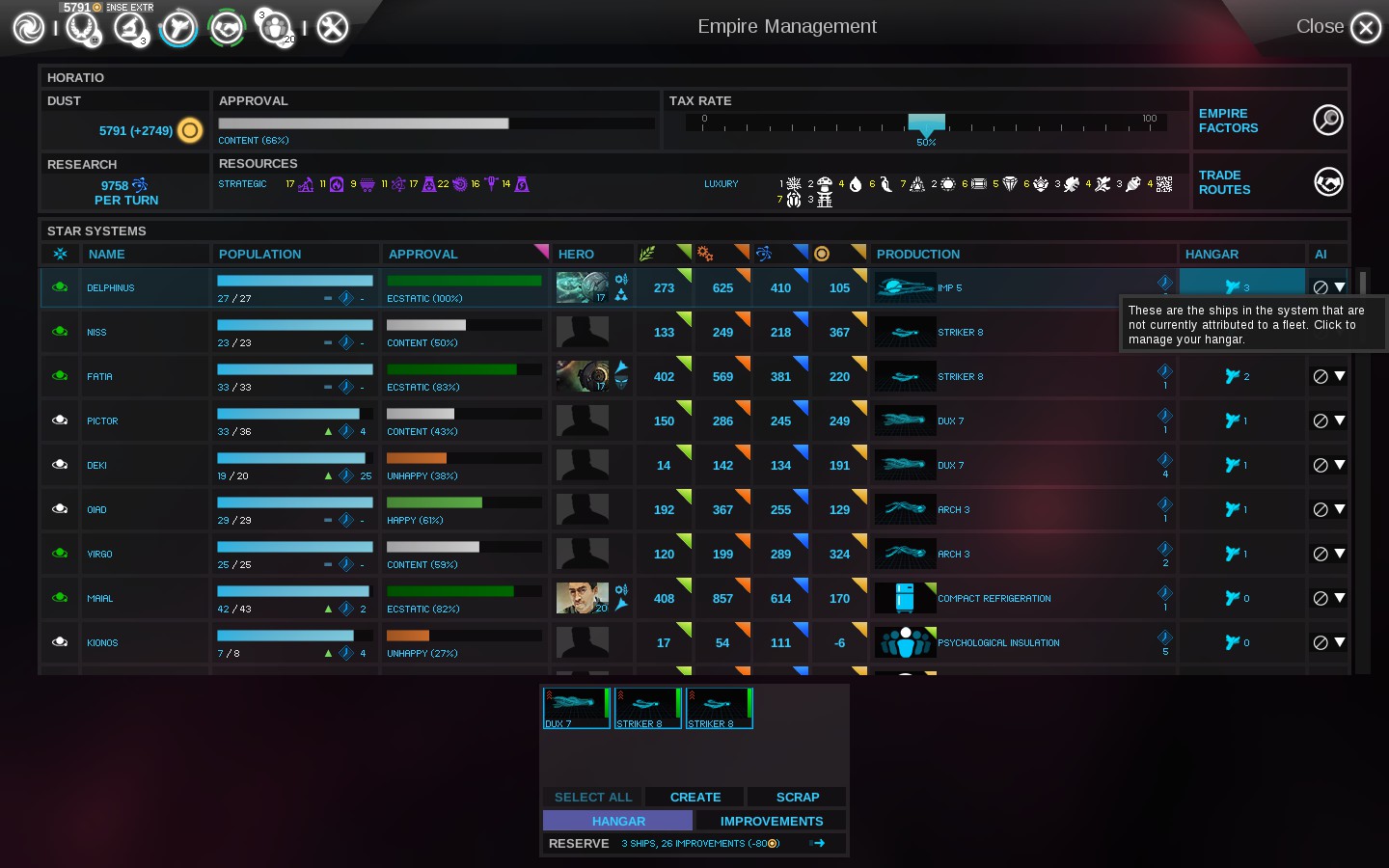
Now I select CREATE for that hanger and the mini-fleet is created.
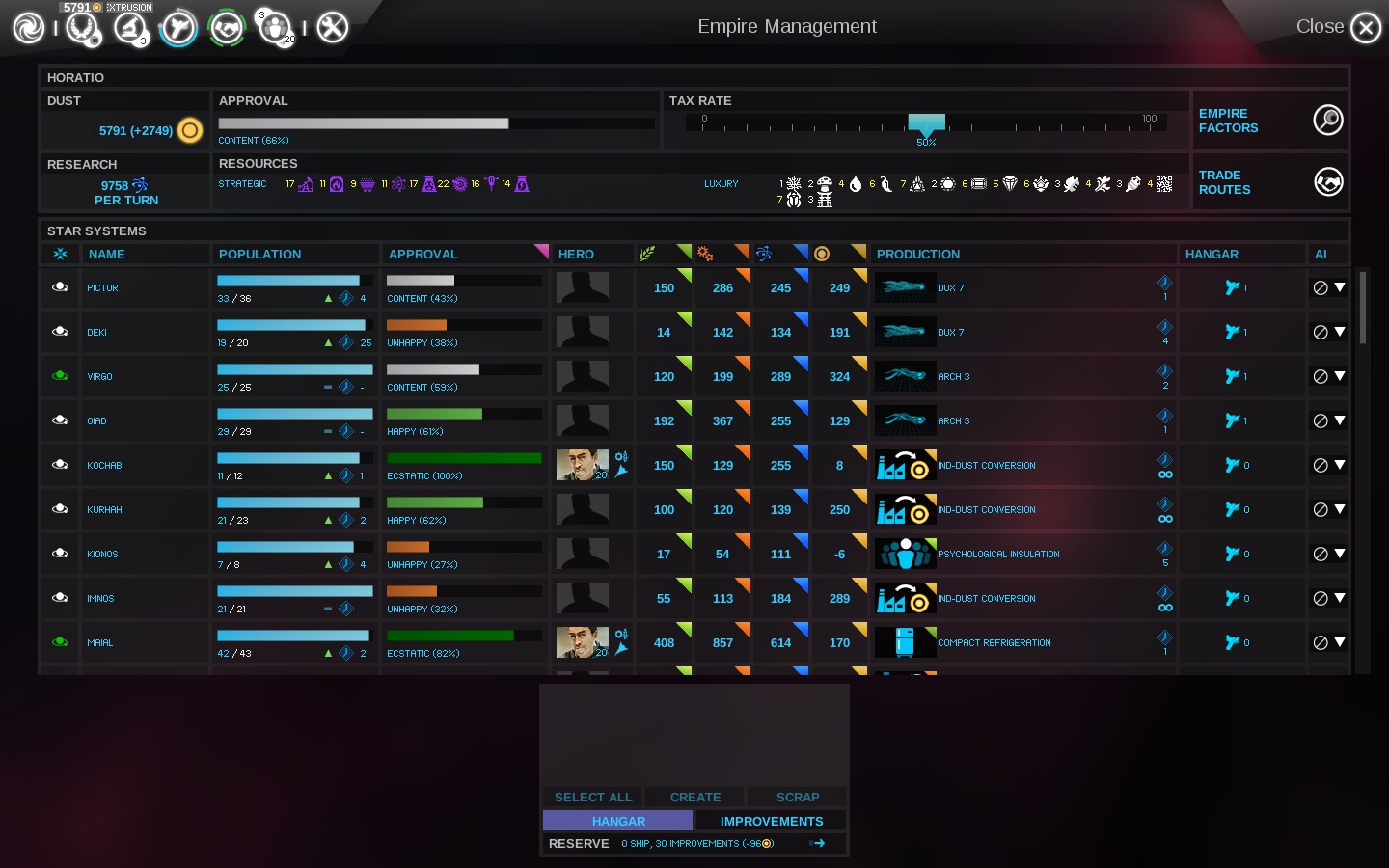
What is particularly nice is that the Empire Management screen immediately updates and so the list of hangers with ships gets shorter as I go. In most cases I can blindly select the star system at the top of the list, hit CREATE for that hangar, and keep doing this until all of the hangers are empty. Viola! Done in seconds!
What this does is sort the star systems according to the number of ships in the hangar. On the right you can see a blow up of the top of the HANGAR column. Now I can select any star system with a non-empty hanger and, when I do that, the view of the hanger opens at the bottom of the screen as shown below.
Now I select CREATE for that hanger and the mini-fleet is created.
What is particularly nice is that the Empire Management screen immediately updates and so the list of hangers with ships gets shorter as I go. In most cases I can blindly select the star system at the top of the list, hit CREATE for that hangar, and keep doing this until all of the hangers are empty. Viola! Done in seconds!
Assembling Your Fleets
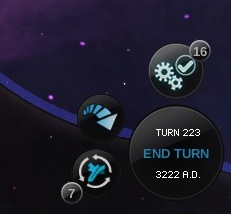
Now that we have emptied out our hangars, the next time we view the Galaxy screen we notice that there is now a queue of 7 fleets without orders. Since we started the turn with no queue and performed the hangar clearing operation right off the bat, we know that all of these fleets are our freshly created mini-fleets. This means we can quickly go through the fleets and direct each one to some star system where we will assemble our full-sized fleets.
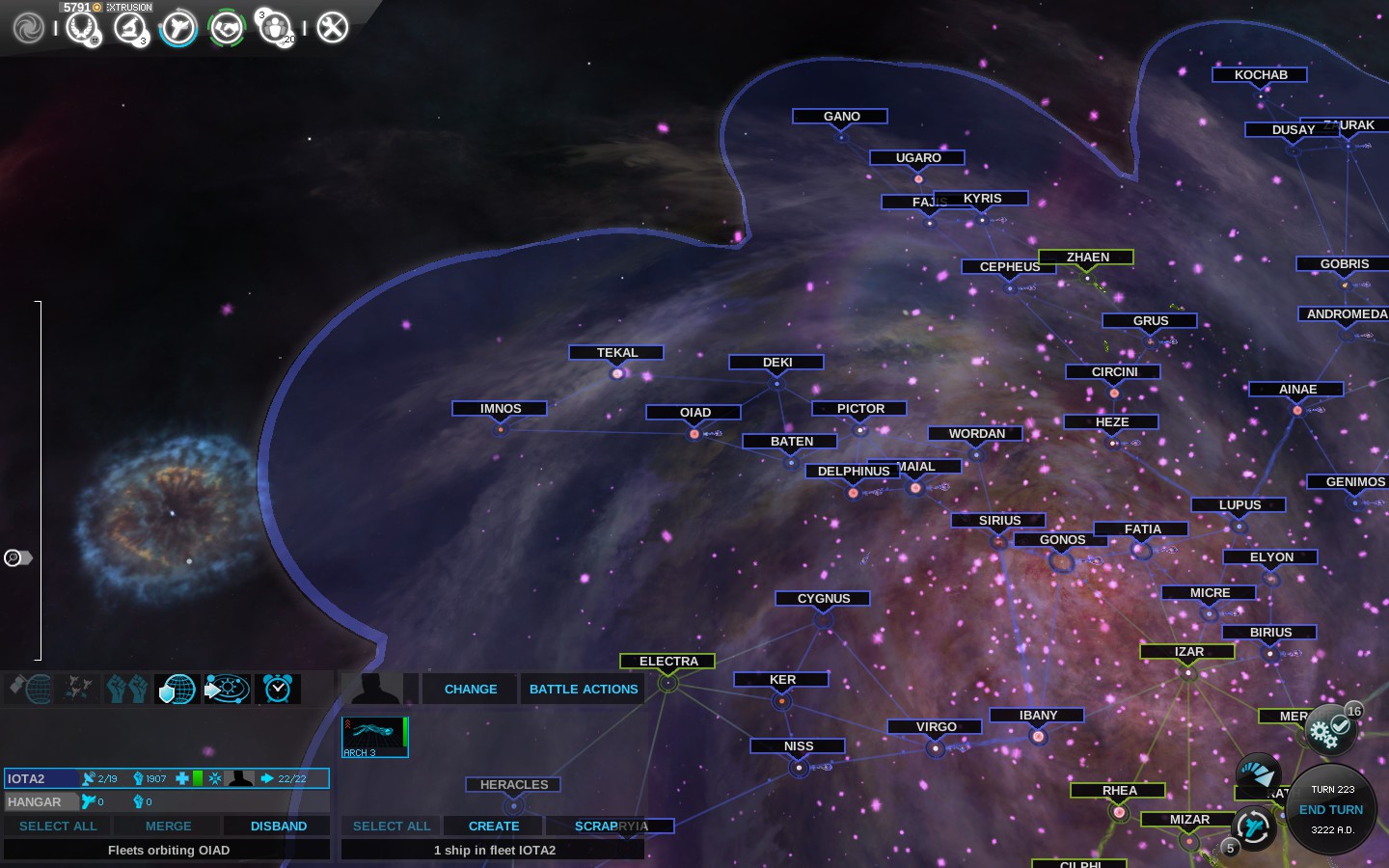
That is it for speeding up ship creation. Keep reading for an additional related tip and some thoughts on improving the game.
Pro Tip: Dealing with 'No Production'
Once you get in the habit of using the Empire Management screen for sorting your hangars and quickly creating your new ships, you will likely find other similar uses for the column sorting capabilities on this screen. You probably already know about sorting by APPROVAL so that you can pinpoint unhappy star systems, but another column that I use a lot is PRODUCTION.
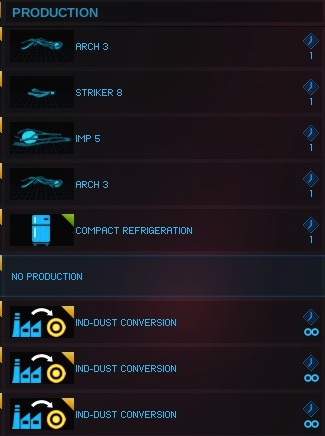 When you click on the PRODUCTION column header, the star systems are sorted by how many years (i.e, turns) it will take to build the next thing on the queue. Now the sort is actually broken in my opinion as the star systems with the most years are shown at the top followed by the 'No Production' sites and then the 'infinite' sites at the bottom. I think it should be 'infinite' on top followed by the reverse order of 'years remaining' which puts 'No Production' star systems at the bottom. If this were the case, then you could hit the Production column header twice to get the reverse sort order and then 'No Production' star systems would be listed at the top which would be wonderful!
Despite this sorting flub, the point is that the 'No Production' star systems are grouped together and so you can scroll down and see them and work on them from this screen. This is much better than using the Completed Constructions popup as that list does not include newly invaded star systems nor other star systems where you mistakenly left them with no production in prior turns. Dealing with 'No Production' on the Empire Management screen is the smart way to go.
In fact, once you get in the habit of dealing with hangars and production from the Empire Management screen you will find that the Completed Constructions popup becomes just a security blanket that ensures that you dealt with everything before you complete the turn. Instead of hitting it first, I tend to leave it for the last thing I look at before I complete my turn.
When you click on the PRODUCTION column header, the star systems are sorted by how many years (i.e, turns) it will take to build the next thing on the queue. Now the sort is actually broken in my opinion as the star systems with the most years are shown at the top followed by the 'No Production' sites and then the 'infinite' sites at the bottom. I think it should be 'infinite' on top followed by the reverse order of 'years remaining' which puts 'No Production' star systems at the bottom. If this were the case, then you could hit the Production column header twice to get the reverse sort order and then 'No Production' star systems would be listed at the top which would be wonderful!Despite this sorting flub, the point is that the 'No Production' star systems are grouped together and so you can scroll down and see them and work on them from this screen. This is much better than using the Completed Constructions popup as that list does not include newly invaded star systems nor other star systems where you mistakenly left them with no production in prior turns. Dealing with 'No Production' on the Empire Management screen is the smart way to go.
In fact, once you get in the habit of dealing with hangars and production from the Empire Management screen you will find that the Completed Constructions popup becomes just a security blanket that ensures that you dealt with everything before you complete the turn. Instead of hitting it first, I tend to leave it for the last thing I look at before I complete my turn.
A Crazy Idea -- Fleet Assembly Hub
While I have your attention let me suggest a new tech "improvement" for a star system that I call the Fleet Assembly Hub. The idea is to automate most of the more tedious work that we do to build fleets. I would love it if this concept got added to Endless Space.
 (To the left is some meaningless but related eye candy that I found on techspace.com. I just added it here to spice up this page.)
The first thing that happens at a Fleet Assembly Hub is that any fleet that arrives there as a final destination that has less than the full compliment of ships in the fleet is immediately disbanding into the Hangar. The idea is you can send partial or wounded fleets there and the ships will be collected into the Hangar for repairs and/or storage the moment that they arrive.
The next thing that happens if you have one or more Fleet Assembly Hubs is that other star building systems will change their ship building behavior. Specifically new ships, instead of going into the Hangar, are automatically turned into a mini-fleet each turn and dispatched to the nearest Fleet Assembly Hub.
With this 'improvement' in place, a lot of the micro-management in the middle and end game goes away. At the same time this provides some interesting optional strategy to the game. Consider that blockading a Fleet Assembly Hub would throw a serious monkey wrench into an opposing faction. There is also the opportunity to intercept and attack the mini-fleets before they get to the hub if they are more than one turn away from it.
I don't think this suggestion changes the balance of the game. Since it has the possibility of reducing some tedium while opening up some new tactics, I think it would be a fine addition to the game.
(To the left is some meaningless but related eye candy that I found on techspace.com. I just added it here to spice up this page.)The first thing that happens at a Fleet Assembly Hub is that any fleet that arrives there as a final destination that has less than the full compliment of ships in the fleet is immediately disbanding into the Hangar. The idea is you can send partial or wounded fleets there and the ships will be collected into the Hangar for repairs and/or storage the moment that they arrive.
The next thing that happens if you have one or more Fleet Assembly Hubs is that other star building systems will change their ship building behavior. Specifically new ships, instead of going into the Hangar, are automatically turned into a mini-fleet each turn and dispatched to the nearest Fleet Assembly Hub.
With this 'improvement' in place, a lot of the micro-management in the middle and end game goes away. At the same time this provides some interesting optional strategy to the game. Consider that blockading a Fleet Assembly Hub would throw a serious monkey wrench into an opposing faction. There is also the opportunity to intercept and attack the mini-fleets before they get to the hub if they are more than one turn away from it.
I don't think this suggestion changes the balance of the game. Since it has the possibility of reducing some tedium while opening up some new tactics, I think it would be a fine addition to the game.
Final Thoughts
If you have any quibbles with this guide, please use the comments. Better ideas or clarifications are welcome. I don't mind fixing this guide up later to incorporate useful feedback (with attribution of course.)
If you liked this guide, I think there is a 'like' button somewhere.
Also note that my friends on steam get advance notice about new guides that I am contemplating.
That is all for now.
End Turn
kidpython
If you liked this guide, I think there is a 'like' button somewhere.
Also note that my friends on steam get advance notice about new guides that I am contemplating.
That is all for now.
End Turn
kidpython
More ENDLESS Space™ - Definitive Edition guides
- Starting off in Endless Space: Disharmony★ 5 (996)37k views1.4k ♥31 minUpdated Apr 21, 2015
- Invasion mechanics explained (how to invade successfully)★ 5 (178)16k views165 ♥7 minUpdated Apr 21, 2017
- Эндлесс Спейс – быстрое начало.★ 5 (712)15k views457 ♥7 minRussianUpdated Apr 1, 2013
- Terraforming Guide★ 5 (259)14k views334 ♥7 minUpdated Feb 25, 2015
- How to get the three achievements of exploring galaxies★ 5 (175)8.9k views124 ♥5 minUpdated Jul 27, 2013
- Простой способ победы над ИИ на максимальной сложности★ 5 (324)8.2k views244 ♥3 minRussianUpdated Mar 6, 2014




This guide was created by its original author on the Steam Community. Are you the author and want it removed? Request removal.